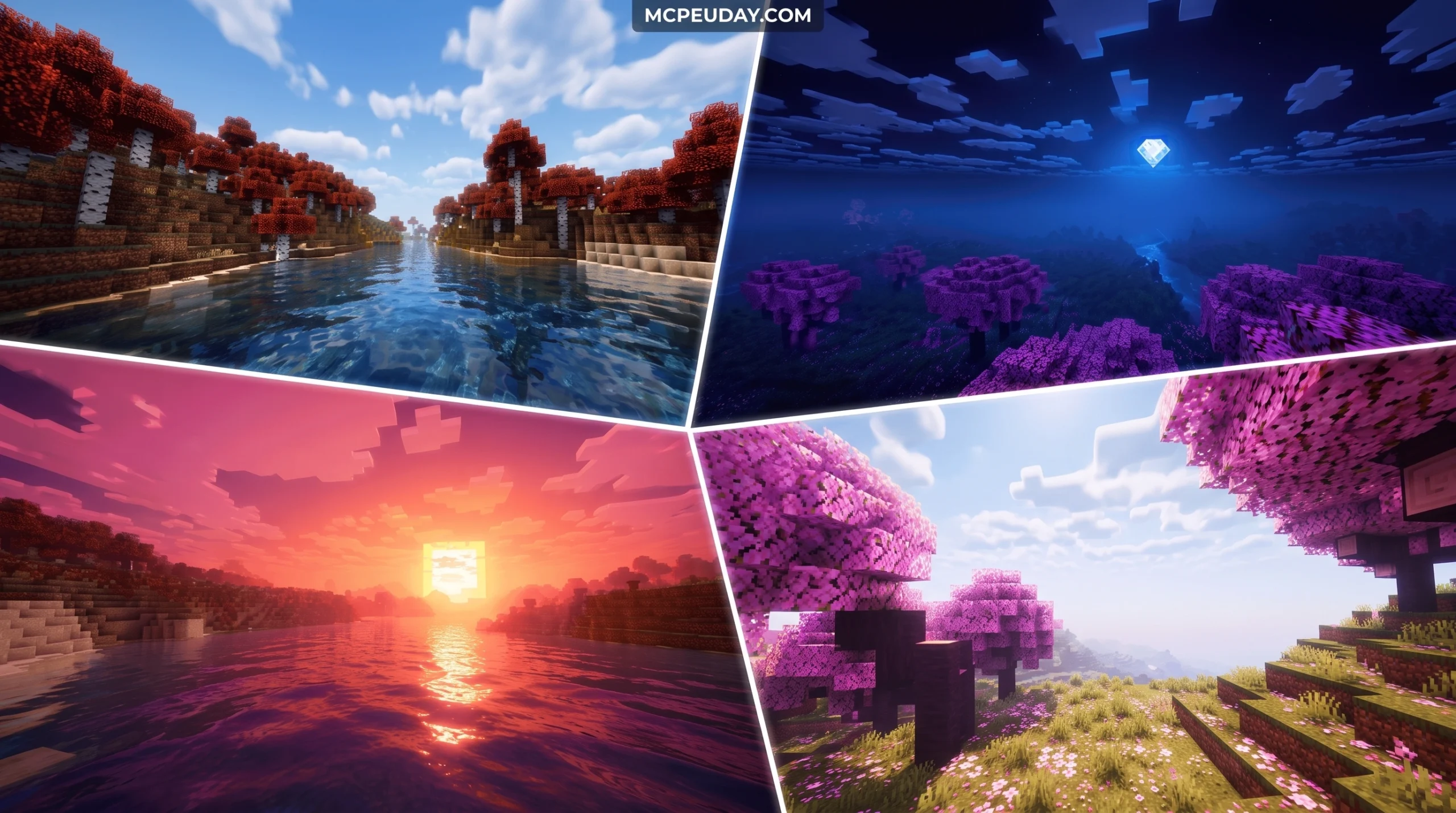
What the Prism Visuals Shader Does to Your Minecraft World
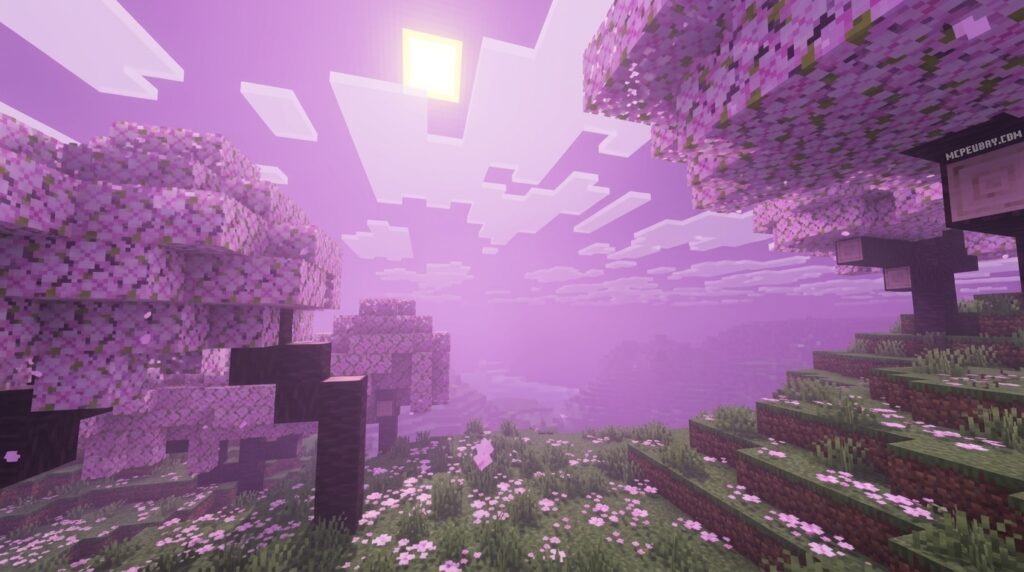
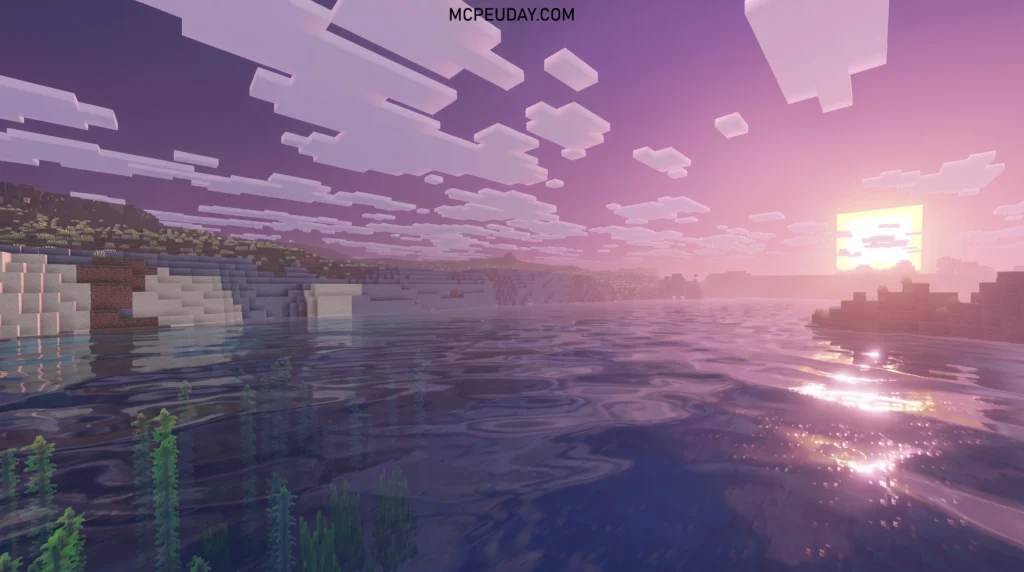
The Prism Visuals Shader is one of the most searched visual enhancement packs for Minecraft Bedrock right now — and for open-world gaming enthusiasts, it is a absolute game-changer.
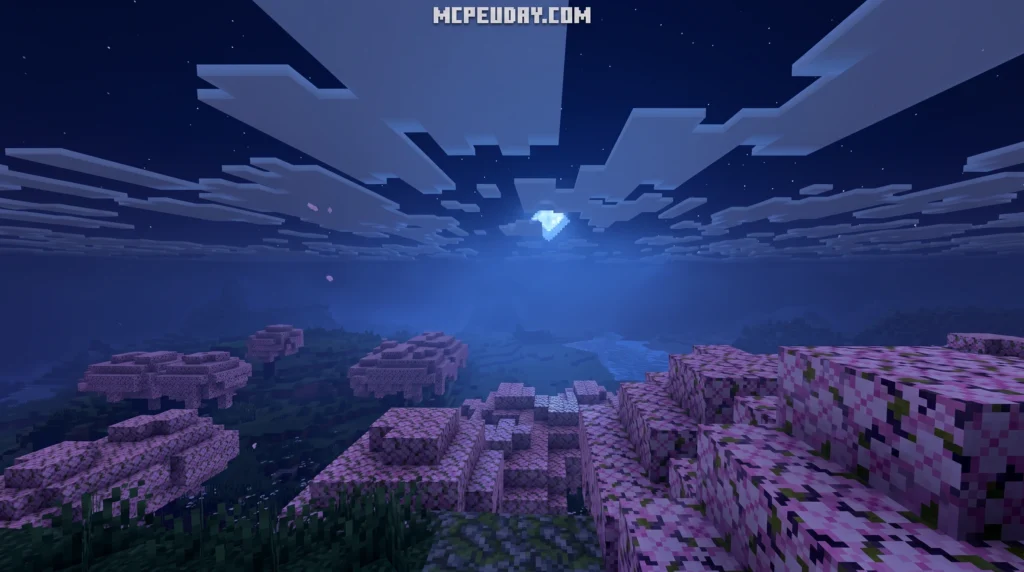
Quick answer:
- What it is: A visual enhancement pack (commonly called a shader) for Minecraft Bedrock that adds realistic lighting, glowing ores, shimmering water, custom animations, and 3D blocks
- How it works: It runs on Microsoft’s Vibrant Visuals rendering system, which enables deferred lighting and PBR materials
- Cost: Around 990 Minecoins (~$5.19 USD) on the Minecraft Marketplace
- Platforms: PC, Xbox, PlayStation, and mobile — not Nintendo Switch
- Minimum version: Minecraft Bedrock 1.21.120 or newer
Minecraft’s default graphics are simple by design. But if you’ve ever watched a YouTube video where the game looks completely different — rich colors, glowing caves, water that actually shimmers — you’ve seen what a visual pack like this can do.
The catch? Not all “shaders” for Bedrock work the same way. Some are true shaders. Others, like the Prizma Visuals pack, are technically texture packs that use Minecraft’s built-in Vibrant Visuals system to achieve shader-like effects. The difference matters when it comes to installation, compatibility, and which devices can actually run it.
This guide breaks down everything you need to know — what it looks like, how to install it, and whether your device can handle it.
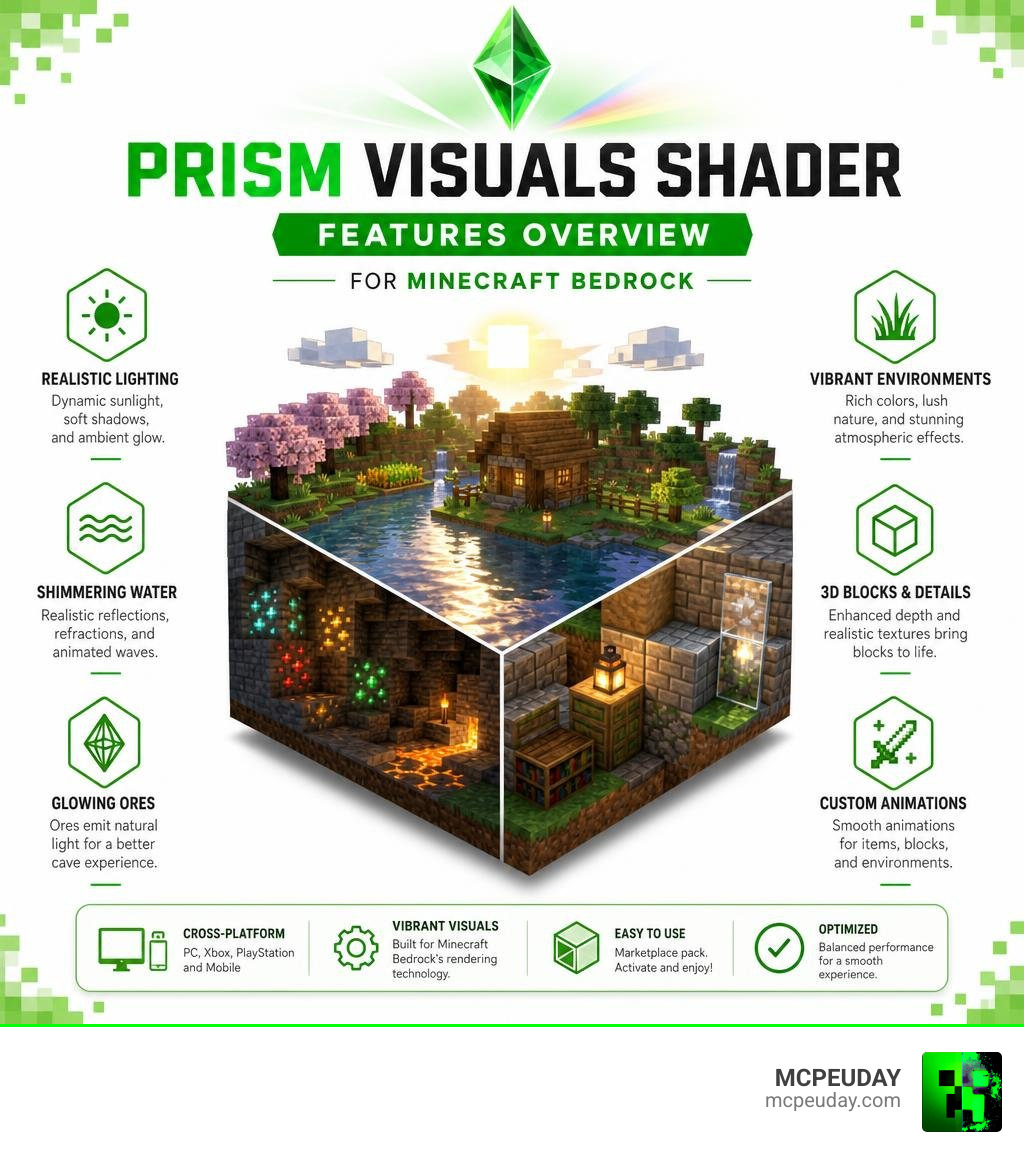
What is the Prism Visuals Shader?
When we talk about the Prism Visuals Shader (often search-optimized and known in the community as the Prizma Visuals pack), we are looking at a brilliant leap forward in Bedrock graphics technology. In the past, players had to rely on unofficial hacks, third-party launchers, or unstable modifications to get realistic lighting on mobile or console. Today, Microsoft’s official engine updates have paved the way for deferred rendering, allowing creators to build native, high-fidelity visual experiences directly within the game.
By utilizing Physically Based Rendering (PBR) materials, this pack completely changes how light bounces off blocks. Instead of flat, 2D textures, iron blocks look metallic and reflect light sources, rough stone catches shadows in its deep crevices, and glass behaves like real glass, refracting light dynamically. PBR works by using multiple texture maps for a single block: an albedo map for color, a normal map for surface depth, a roughness map to determine light scattering, and a metalness map to define metallic reflections. If you want to dive deeper into how these packs are built and optimized, you can check out our detailed reviews of the Prizma Visuals Pack and the Prizma Visuals Pack For Mcpe.
Key Features of the Prism Visuals Shader
What makes this pack stand out in a sea of basic texture swaps? It is all in the fine details that bring your worlds to life. The developers have meticulously updated hundreds of blocks to support advanced rendering features:
- Glowing Ores: No more getting lost in dark caves. Redstone, lapis, gold, and diamond ores emit a soft, realistic glow that guides your path. This is achieved through emissive texture maps, which tell the rendering engine to make specific pixels shine even in complete darkness.
- Borderless Glass: Say goodbye to those annoying gridlines on your windows. Glass blocks connect seamlessly for a modern, clean look, allowing you to build massive glass domes or modern skyscrapers without visual clutter.
- Custom Animations: Leaves sway gently in the breeze, and flowers dance under the open sky. These subtle movements make forests feel alive rather than static and rigid.
- Shimmering Water: The water surface features real-time wave physics, reflecting the sky, clouds, sun, and moon dynamically. Underwater visibility is also improved, with realistic light shafts (god rays) piercing through the surface.
- 3D Blocks and Items: Many blocks feature actual depth and heightmaps, giving them a realistic 3D appearance rather than a flat surface. Bricks, cobblestone, and wood planks have visible grooves and ridges that react to the angle of your torchlight.
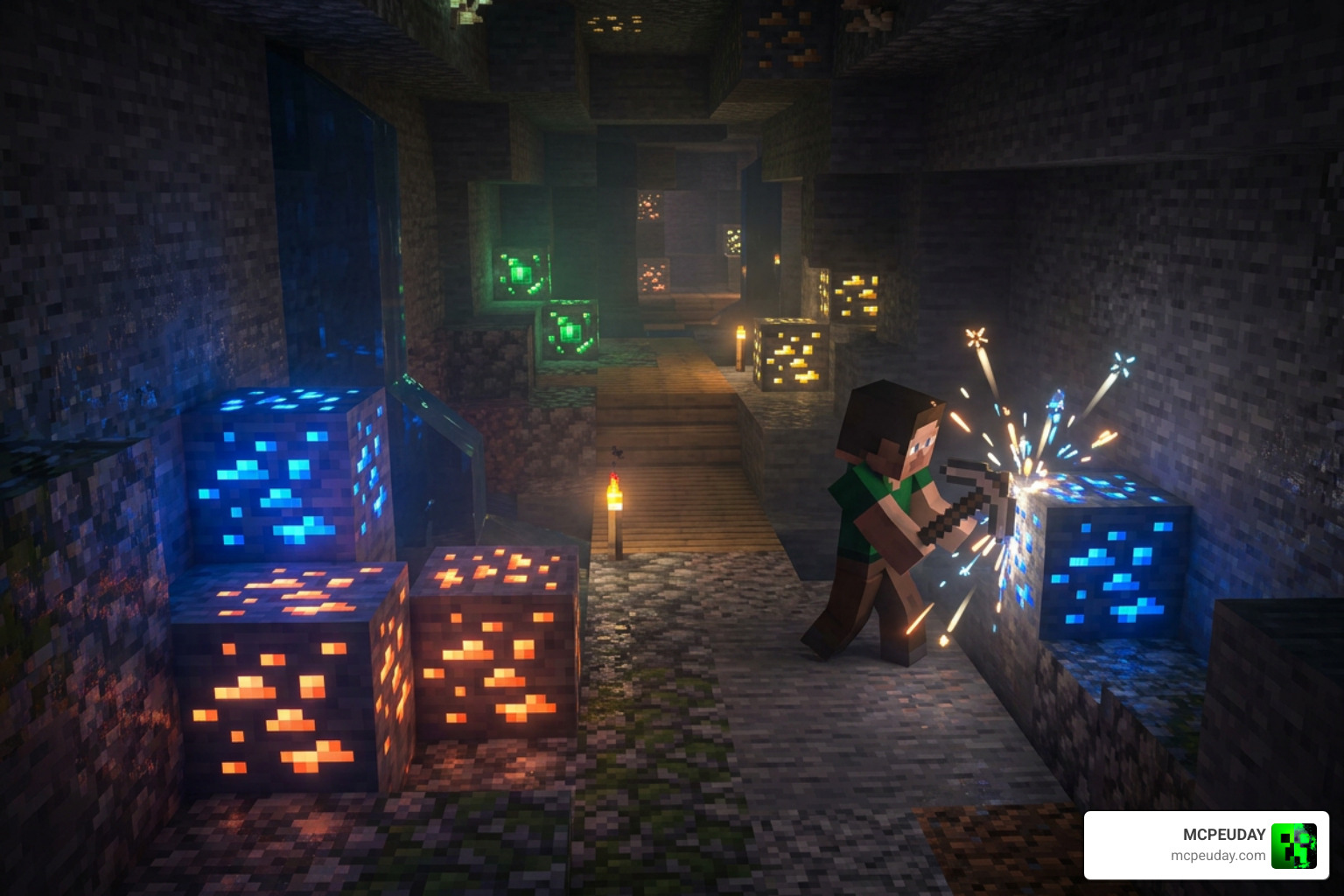
How Prism Visuals Shader Leverages Vibrant Visuals
To achieve these stunning effects, the pack relies heavily on Microsoft’s built-in “Vibrant Visuals” framework, which handles deferred lighting and advanced post-processing. This framework allows the game to calculate lighting, shadows, and reflections in a separate pass after rendering the geometry, which is much more efficient for modern graphics hardware.
If you have ever played around with game development engines like Unity, you might recognize post-processing terms like chromatic aberration, bloom, depth of field, and color grading. In fact, advanced shader systems like PRISM 2 – Realistic Post-Processing | Fullscreen & Camera Effects | Unity Asset Store or glass rendering engines like PRISM 2 – Ultimate/Advanced, Beautiful Glass (URP) | VFX Shaders | Unity Asset Store use similar mathematical concepts to mimic real-world camera lenses and atmospheric scattering.
For the coders and tech enthusiasts among us, you can even explore open-source node-based shader projects like sudokatie/prism or visualization libraries like Tensor-Doc/prism to understand how developers map signals, calculate light paths, and handle complex mathematical matrices to create these gorgeous outputs.
Compatibility, Platforms, and Performance
The Prism Visuals Shader is fully updated for Minecraft Bedrock 1.21. It runs beautifully across PC, mobile devices (iOS and Android), Xbox, and PlayStation. However, there is a catch for Nintendo Switch players: because the Switch does not currently support the deferred rendering pipeline of Vibrant Visuals due to hardware limitations, this pack cannot run on that platform.
To help you decide which settings are best for your device, the pack comes with three customizable modes, allowing you to balance visual quality and frame rates:
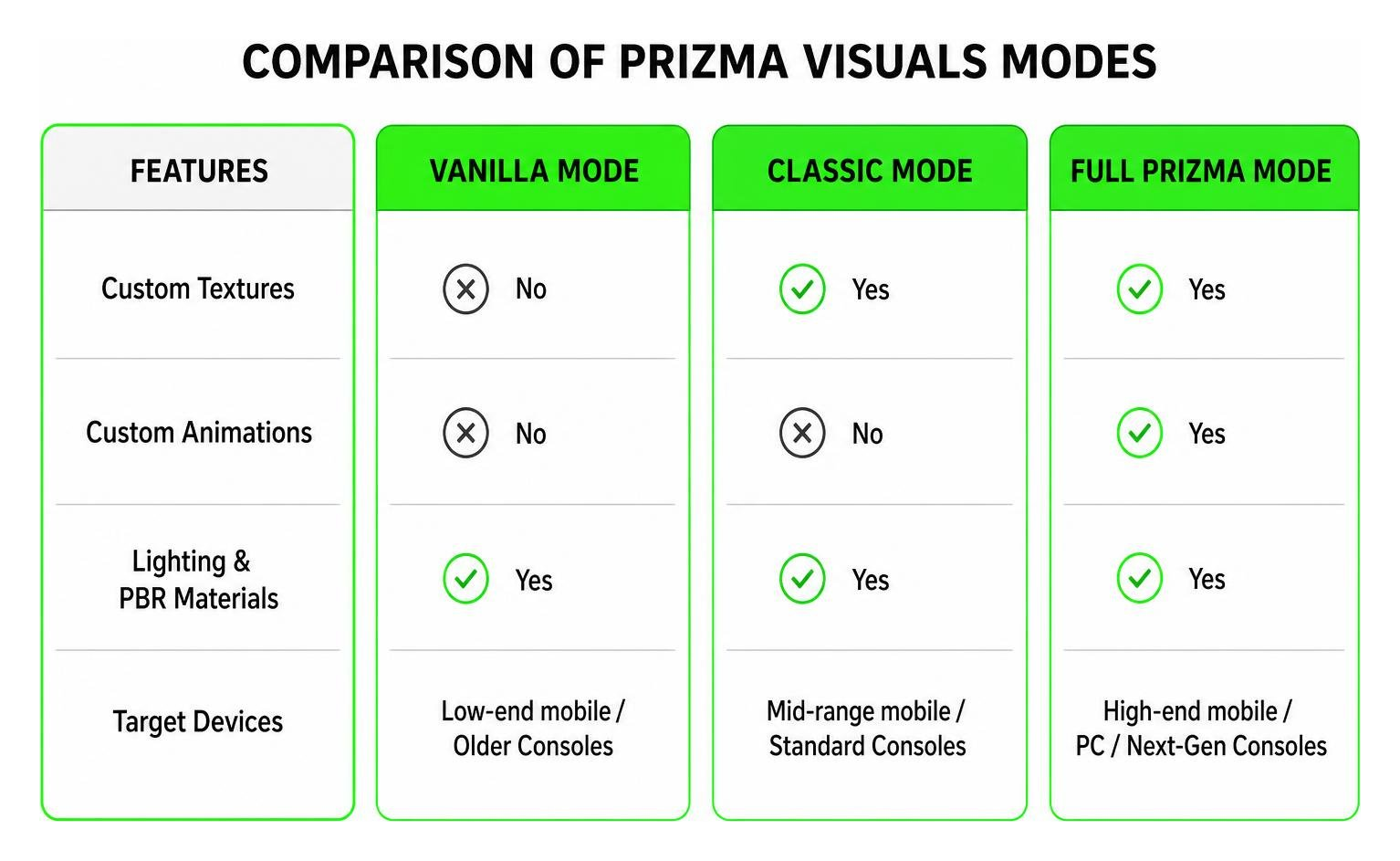
| Mode | Custom Textures | Custom Animations | Lighting & PBR Materials | Target Devices |
|---|---|---|---|---|
| VANILLA Mode | No | No | Yes | Low-end mobile / Older Consoles |
| CLASSIC Mode | Yes | No | Yes | Mid-range mobile / Standard Consoles |
| Full PRIZMA Mode | Yes | Yes | Yes | High-end mobile / PC / Next-Gen Consoles |
Performance Impact and Optimization Settings
Because this pack utilizes deferred rendering, it will put your graphics processor (GPU) to work. If you are playing on a high-end PC with a dedicated graphics card or a modern mobile phone with a flagship processor, you should experience smooth, lag-free gameplay at 60 FPS or higher. On older devices, budget phones, or last-gen consoles, however, you might notice a dip in frame rates or increased battery drain.
To optimize your performance and maintain a stable frame rate, we recommend adjusting the following settings:
- Lower Render Distance: This is the single most effective way to boost FPS. Reducing your render distance by just 2 to 4 chunks can significantly free up GPU resources.
- Disable Fancy Leaves: Turning off fancy leaves reduces the number of transparent surfaces the engine has to render, which helps prevent stuttering in dense forest biomes.
- Adjust Anti-Aliasing: Lowering the anti-aliasing setting in your video menu can provide a massive performance boost on mobile devices without sacrificing too much image clarity.
- Manage Device Temperature: High-end shaders can cause mobile devices to heat up, leading to thermal throttling. Playing in a cool environment or removing your phone case can help maintain peak performance.
If you want to check out other lightweight options that are gentler on older hardware, take a look at our curated lists of the 10 Best Minecraft Pe Shaders June 2026 and the 15 Best Minecraft Pe Shaders June 2026 to find a pack that fits your specific device specs perfectly.
How to Install the Shader on Bedrock and PE
Ready to make your world shine? The installation process is straightforward, but you must make sure your settings are configured correctly to enable the graphics engine. Because this pack relies on the deferred rendering pipeline, simply activating the resource pack is not enough—you must also toggle the correct engine settings.
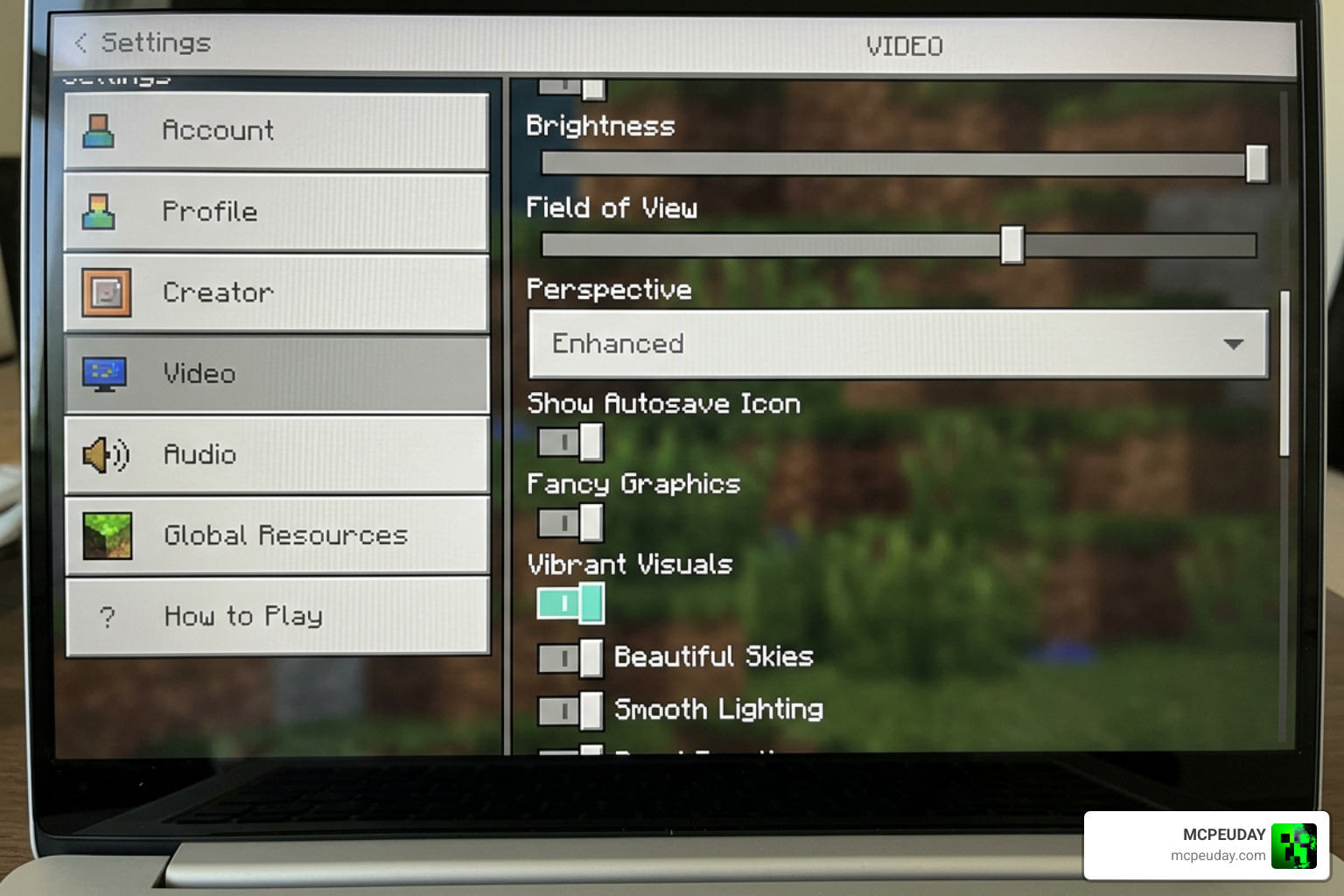
Follow these simple steps to get started:
- Download and Import:
- Marketplace Method: If you purchased the pack on the official Minecraft Marketplace, it will automatically download and install.
- Manual Method (.mcpack): If you are installing a custom
.mcpackfile manually, download it to your device. On Android or iOS, use a file manager to tap on the file and select “Open with Minecraft.” On Windows, simply double-click the file, and the game will launch and import it automatically. For more detailed help, check out our guides on How To Get Shaders In Minecraft or Minecraft Shaders Download For Android.
- Enable the Resource Pack: Go to your world settings (or global resources in the main settings menu), navigate to Resource Packs, find the pack under “My Packs,” and click Activate.
- Turn on Vibrant Visuals: Go to your main game settings, select Video, and scroll down to the graphics settings. Ensure that the Vibrant Visuals (Deferred Technical Preview) option is toggled on. Note: If this option is greyed out, it means your device’s GPU does not support deferred rendering, or you need to update your graphics drivers.
- Enable Experimental Toggles (If Required): For some custom worlds, you may need to go to the world settings and enable the “Render Dragon Features” or “Beta APIs” toggle under the Experiments tab.
- Restart Your Client: Sometimes the rendering engine needs a fresh start to load the PBR textures and shaders. Close and reopen Minecraft completely to ensure everything displays correctly.
Frequently Asked Questions about Prism Visuals
Is Prizma Visuals a shader or a texture pack?
Technically, it is a highly advanced resource pack. Because Minecraft Bedrock restricts traditional custom shader files, this pack uses the official Vibrant Visuals rendering system to inject realistic lighting, PBR reflections, and custom animations into the game. It behaves exactly like a shader, but installs as a resource pack!
Does Prizma Visuals work on the Nintendo Switch?
Unfortunately, no. The Nintendo Switch hardware does not support the deferred rendering system required by Microsoft’s Vibrant Visuals engine. Switch players will have to wait for future optimization updates from Mojang before they can use packs like this.
Why does the water look transparent and how do I fix it?
This is a known, minor bug within the Bedrock rendering engine. If your water looks completely invisible or lacks textures, simply save your game, return to the main menu, and reload your world. This will force the engine to redraw the water surfaces correctly. For more technical fixes and alternative shader options, browse our dedicated category/shaders section.
Conclusion
The Prism Visuals Shader represents the exciting future of Bedrock graphics customization. By bridging the gap between performance and breathtaking visual fidelity, it allows us to experience our favorite blocky worlds in a whole new light. Whether you are exploring deep, glowing caves, building modern glass structures, or simply watching the sunset reflect off a shimmering ocean, this pack completely transforms the atmosphere of Minecraft Bedrock.
At MCPEUDAY, we are dedicated to bringing you the very best resources, mods, and shaders to elevate your gaming experience. If you are ready to explore more incredible graphics upgrades and see how other packs compare, don’t miss our countdown of the Best Shaders For Mcpe 1 21 2026 Top 3 Realistic Minecraft Pe Shaders to see how this pack stacks up against the very best options available today!
1 thought on “Prism Visuals Shader (26.x, 1.21) – MCPE/Bedrock Shader”