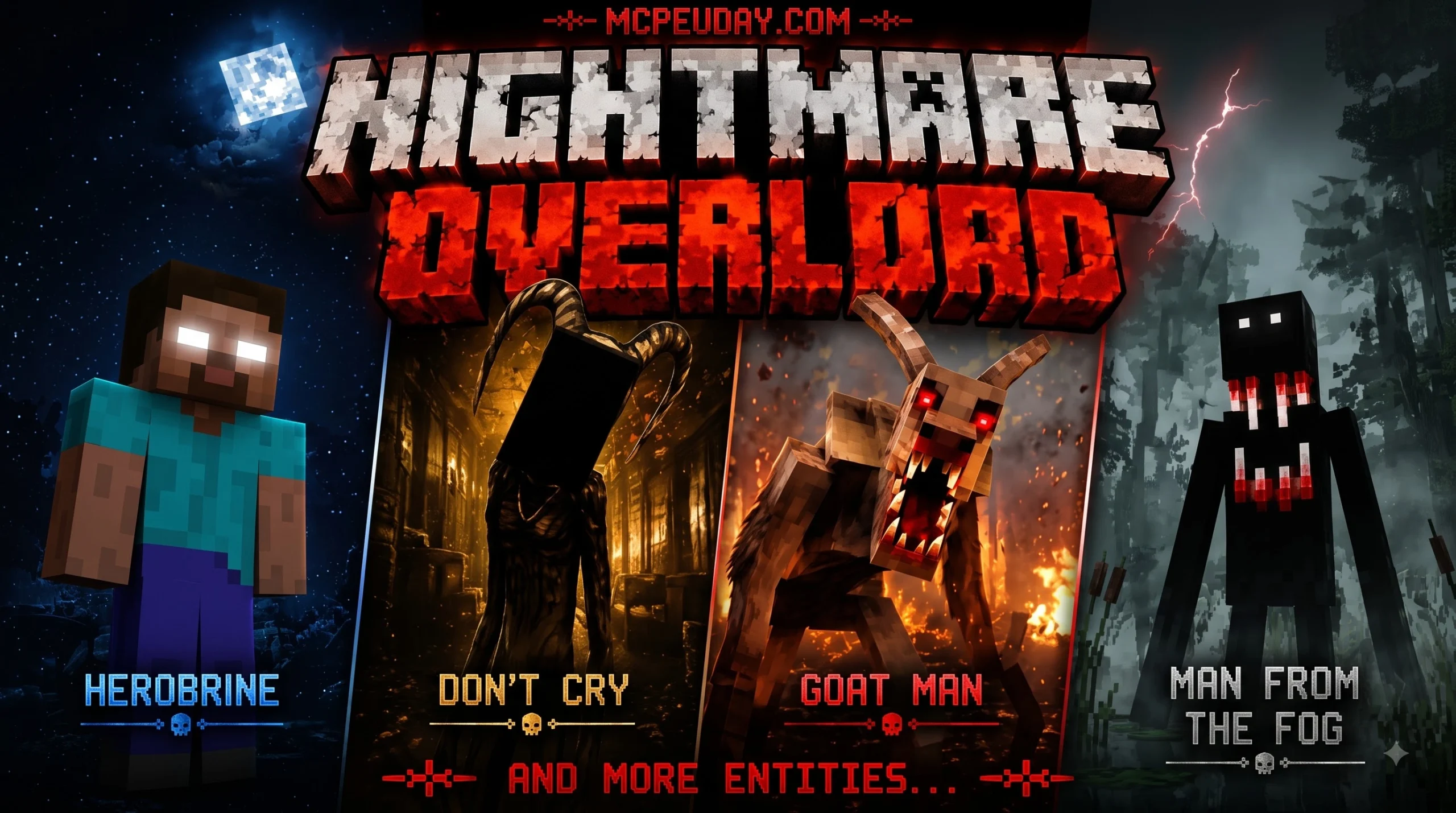
What Is the Nightmare Overload Addon and How Does It Work?
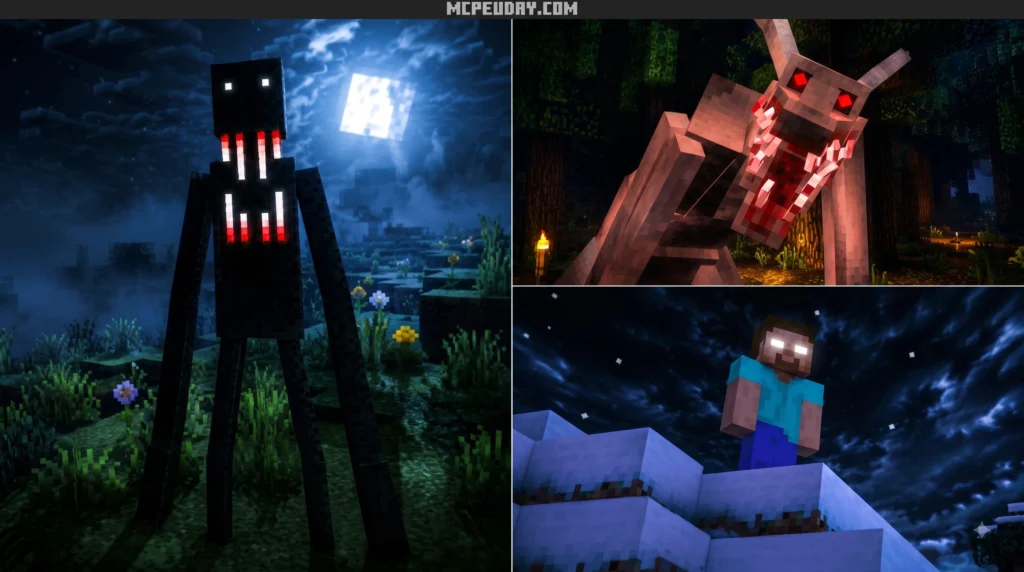
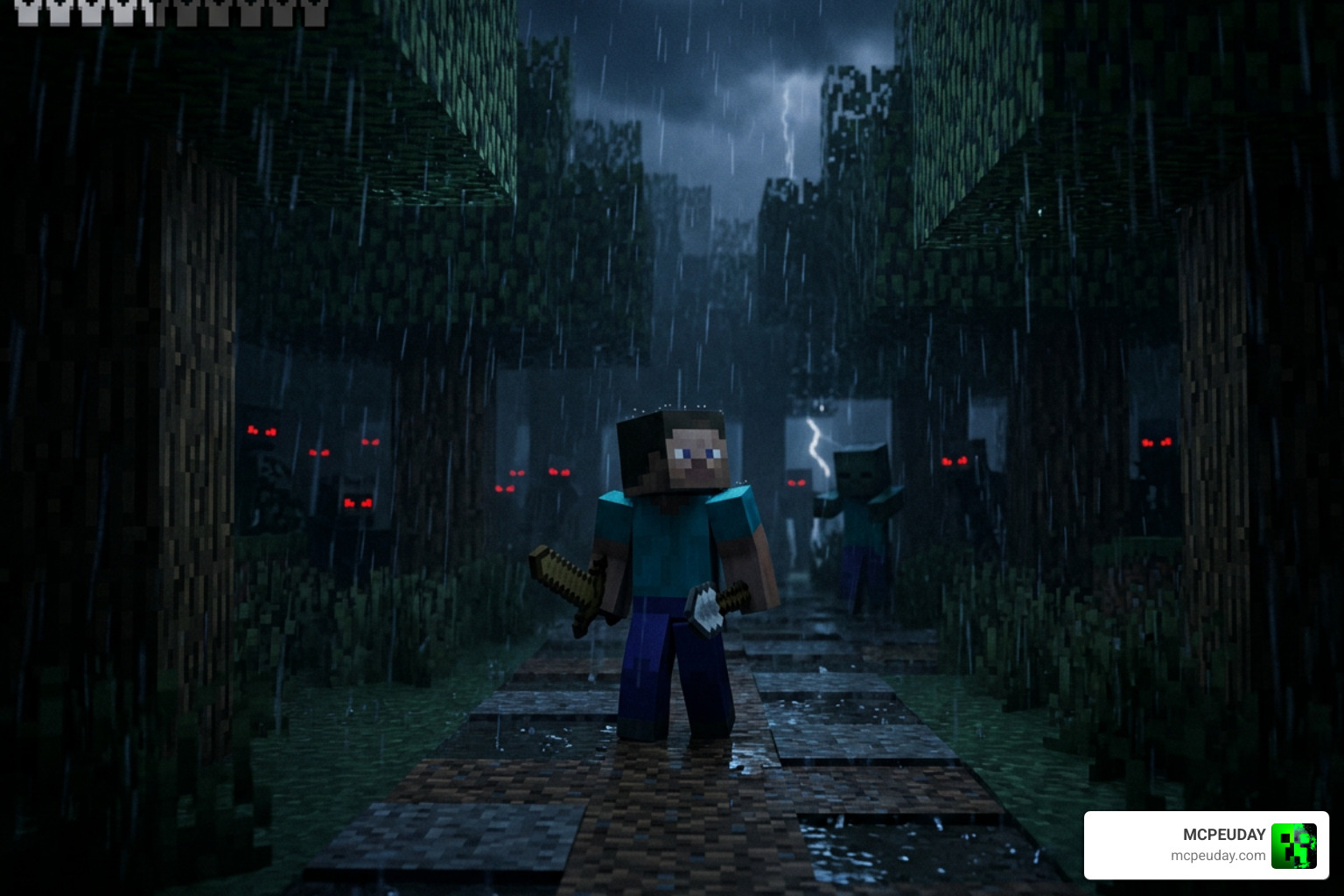
The Nightmare Overload Addon transforms standard Minecraft survival into an unforgiving, high-stakes experience designed specifically for players seeking an extreme challenge. By completely overhauling environmental threats, health regeneration rules, status effects, and enemy artificial intelligence, this addon pushes your survival instincts to their absolute limits. Rather than simply giving hostiles higher health pools or greater damage outputs, it fundamentally alters core survival mechanics to ensure you can never let your guard down, even in late-game scenarios.
Traditional Bedrock gameplay often allows veteran players to trivialize danger once high-tier armor and automated farms are established. In contrast, this addon introduces dynamic threat escalations that adapt as you progress. To understand how core game mechanics can be transformed on Minecraft Bedrock Edition, it helps to analyze how environmental stress and realistic survival pressure interact to reshape every decision you make in the field.
Core Mechanics of the Nightmare Overload Addon
The addon draws inspiration from classic survival overload concepts, combining punitive environment mechanics with smart entity behavior. Key features include:
- Altered Health & Regeneration: Natural health regeneration is heavily restricted or entirely disabled. Instead of relying on a full food bar to automatically heal wounds, you must actively craft healing salves, brew specialized potions, or use safe resting mechanics in secure shelter.
- Harsh Player Penalties: Reckless movement and careless decisions bring immediate consequences. Sprinting across uneven terrain or steep drop-offs can inflict tripping hazards, resulting in instant stuns or fractured legs. Eating uncooked or low-tier food items can trigger prolonged nausea, weakness, or severe slowness.
- Dynamic Threat Escalation: Common hostiles gain randomized stat boosts, temporary invisibility, and aggressive tracking behaviors. Elite entities and bosses like the Ender Dragon or Wither undergo massive health scaling, reaching upwards of 1,200 HP with custom attack phases that make late-game combat a true test of endurance.
- Environmental & Event Hazards: Special world events, such as Blood Moons and toxic atmospheric fog, trigger proximity-based mob horde spawns. Visual screen distortion, custom sound design, and interface warnings force players to fortify their bases before nightfall.
Customization Options and Admin Control Features
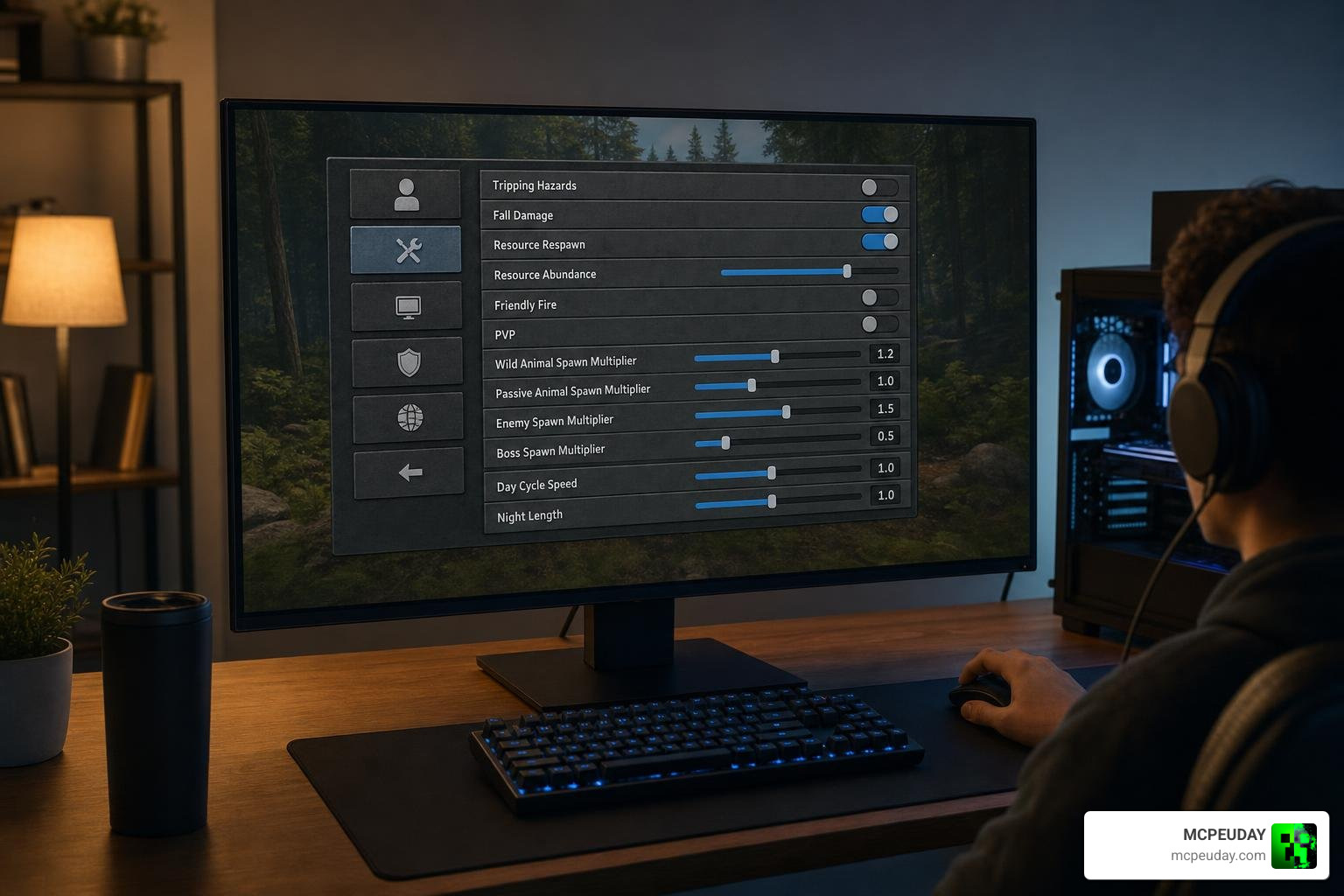
Managing an extreme difficulty addon across a dedicated server or shared multiplayer realm can be challenging, especially when balancing playstyles for players of varying skill levels. Fortunately, modern Bedrock addon architecture allows for intuitive user interface panels to simplify world administration:
- In-Game Admin Panels: World hosts and server administrators can hold a dedicated custom admin item to open a configuration menu directly in-game. This enables live toggling of individual challenge mechanics—such as tripping hazards, tool shattering upon depletion, or forced dietary penalties—without needing console commands.
- Nightmare Guide Menus: All connected players can open an interactive guide UI to view active global world rules, inspect survival tips, track weather forecasts, and check real-time server death counts.
- Configurable Difficulty Thresholds: Fine-tune environmental damage scaling, mob spawn multipliers, status effect durations, and warning notification sounds so the experience matches your group’s target difficulty level.
How to Install Nightmare Overload Addon in 3 Easy Steps
Installing custom resource and behavior packages on Minecraft Bedrock Edition or MCPE requires only a few minutes when following the proper installation workflow. Whether playing on Windows, Android, iOS, or consoles, the steps below will get your nightmare world running smoothly.
Step 1: Download the Addon Package Files
First, locate and download the proper addon package files. Most Bedrock addons are packaged as combined .mcaddon files or individual .mcpack files containing separate Resource and Behavior components:
- If your download arrives as a unified
.mcaddonfile, it contains both the graphical textures and the script behavior logic in a single installer. - If the download is a
.ziparchive, simply open your device’s file manager, select the file, and rename the extension from.zipto.mcaddonor.mcpackfor direct double-click importing. - Ensure your device has sufficient storage space and that your Minecraft app is updated to a compatible build.
Step 2: Import Files Into Your Game Client
- Open your device file manager or download folder and tap or double-click the
.mcaddonfile. - Minecraft will automatically launch and display an import confirmation banner at the top of the main menu.
- Navigate to Settings > Global Resources if you want global activation, or select your individual world edit menu (pencil icon).
- Under the Resource Packs and Behavior Packs sections on the left sidebar, locate the addon under Available Packs.
- Click Activate on both packs to bind them to your world file.
Step 3: Enable Experimental Features and World Settings
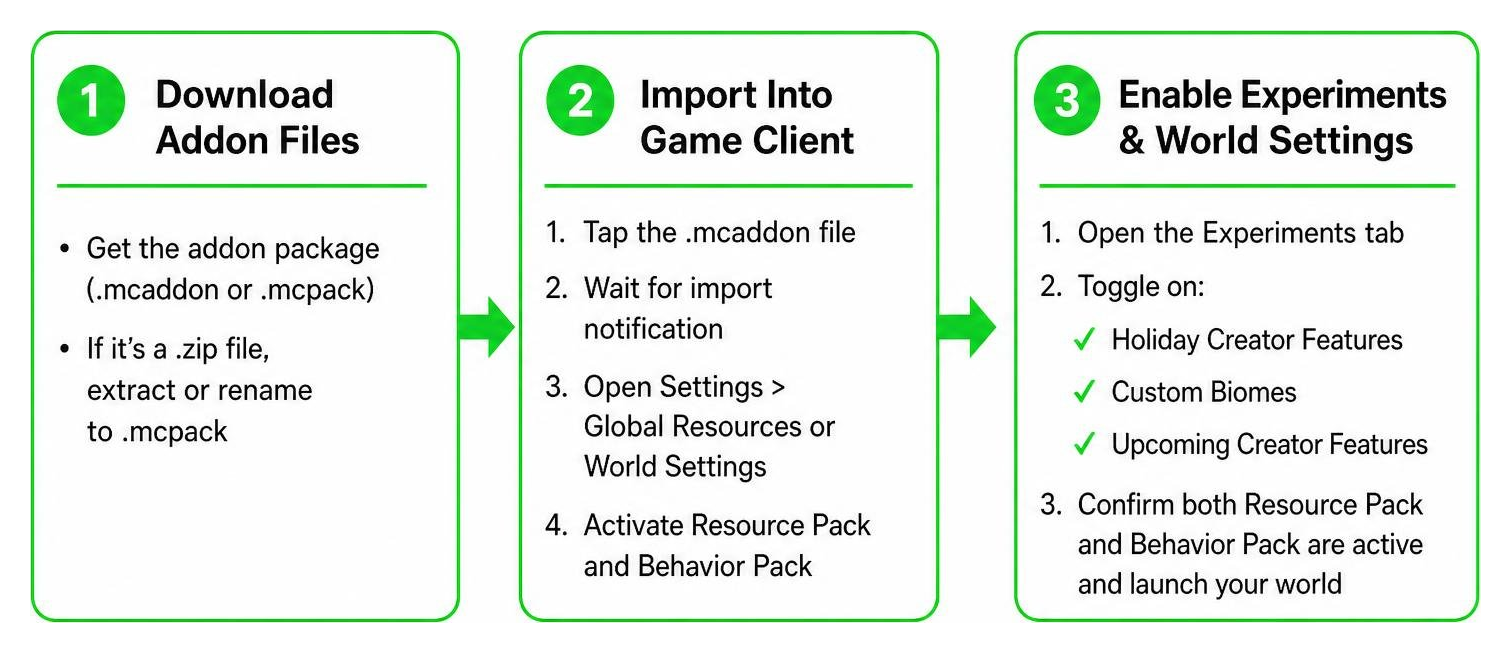
Because advanced difficulty overhauls modify player scripting, entity AI, and custom world parameters, enabling experimental toggles in your world creation or edit menu is mandatory:
- Scroll down to the Experiments section in your world setting menu.
- Toggle on Holiday Creator Features, Custom Biomes, and Upcoming Creator Features.
- Enable Beta APIs and Molang Features if prompted by the addon documentation.
- Verify that both the Resource Pack and Behavior Pack are active under the world settings summary, then launch your world to begin your hardcore survival run.
Nightmare Overload Addon vs. Other Hardcore Difficulty Plugins
| Feature | Nightmare Overload Addon | Standard Horror Mods | Classic Server Plugins |
|---|---|---|---|
| Platform Compatibility | Minecraft Bedrock / MCPE | Minecraft Java Edition | Java Dedicated Servers |
| In-Game UI Menus | Yes (Admin Panel & Guide UI) | Rarely (Requires Config Files) | No (Text Commands Only) |
| Custom Event Systems | Yes (Blood Moons & Fog) | Variable | Scripted Spawns |
| Player Hazard Mechanics | Tripping, Tool Shattering, Slowness | Jump scares / Entity chase | Health/Damage multipliers |
| Safety & Anti-Loss Controls | Toggleable admin features | Hardcore world deletion | Permissions-based |
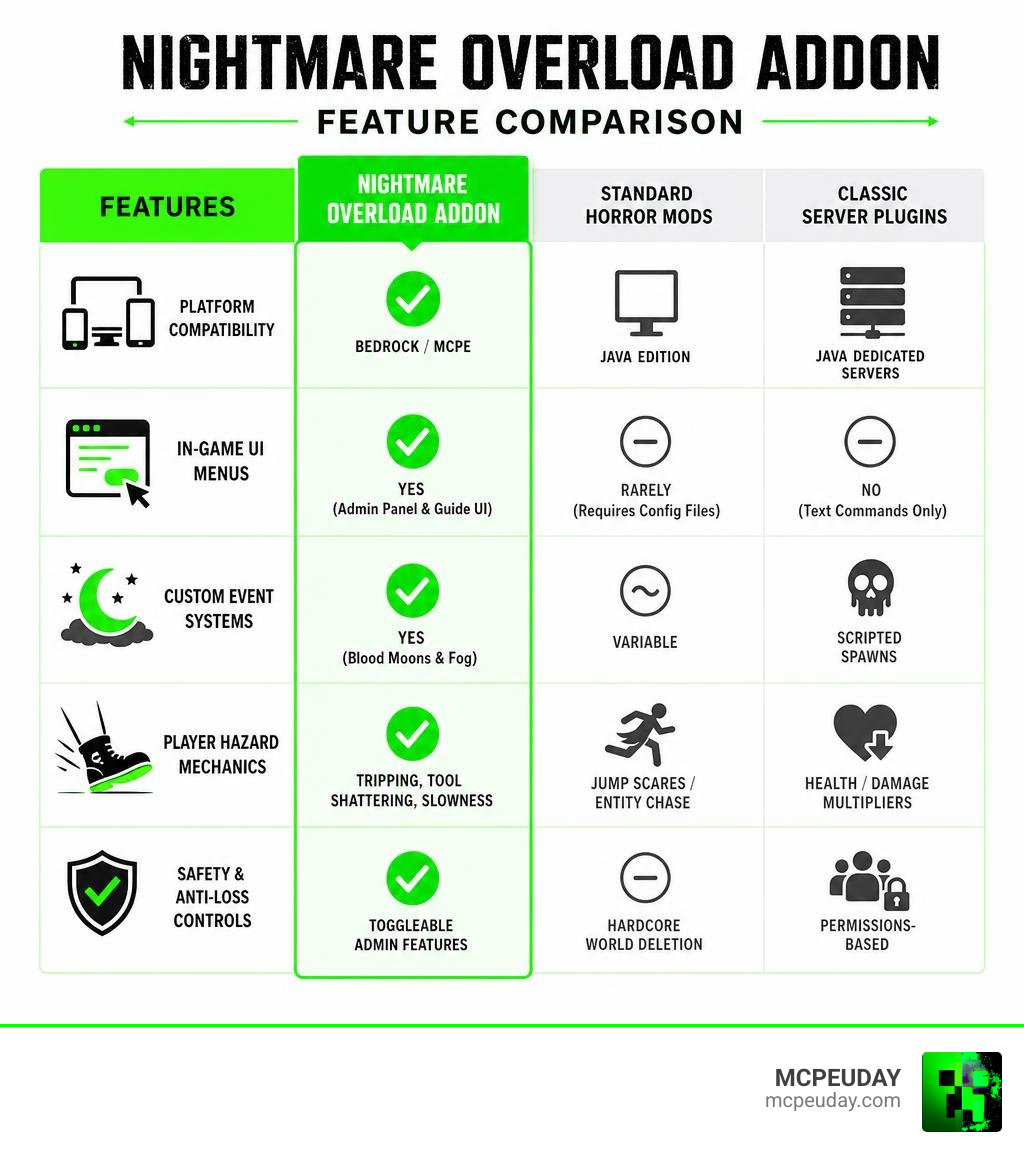
Choosing the right difficulty modification depends heavily on your preferred platform and how much control you want over world parameters. While traditional server plugins rely on rigid health multipliers and text commands, Bedrock addons utilize modern scripting APIs to deliver custom graphical interfaces, ambient atmospheric events, and interactive survival penalties directly within the native game client.
Troubleshooting Common Nightmare Overload Addon Issues
When running comprehensive gameplay overhauls, technical hiccups can occasionally occur. Here is how to resolve the most common issues:
- Scripting Errors or Broken Mob Behavior: If custom entities fail to attack, drop items, or display custom animation frames, verify that every required toggle under the Experiments tab is active. Missing experimental toggles prevent custom JavaScript and Molang logic from firing properly.
- Performance Drops and Framerate Lag: Large horde events like Blood Moons can place heavy CPU demands on mobile devices or low-spec hardware. Open the in-game Admin UI panel to lower max active entity caps, decrease atmospheric fog density, or extend event interval timers.
- Packs Not Syncing in Multiplayer Realms: When uploading the addon to a Bedrock Realm or dedicated server, ensure the host checks the box for Require players to accept resource packs to join. This forces clients to automatically download missing texture and sound assets upon connection.
- Data Safety and World Backups: Always create a manual duplicate backup copy of your world save file prior to updating addon versions or tweaking global parameters. This guarantees your progress remains safe should unexpected file conflicts happen.
Frequently Asked Questions About Nightmare Overload Addon
What game versions and platforms support the Nightmare Overload Addon in 2026?
The addon is fully designed to support modern Minecraft Bedrock and MCPE builds across Windows 10/11, Android, iOS, Xbox, PlayStation, and Nintendo Switch devices. Always verify that your installed base game version matches or exceeds the minimum version specified in the addon release details.
How does the overload mechanic handle player health damage and death safety?
Unlike temporary status effects or simple combat potions that deal static damage ticks, the overload system reshapes natural health regeneration, injury penalties, and environmental stress. If player spawn loops become an issue due to overwhelming hostiles, administrators can adjust spawn grace periods and safety thresholds using the in-game admin menu.
Can I use the Nightmare Overload Addon on multiplayer realms and servers?
Yes, the addon is completely multiplayer compatible. As long as the realm owner or server administrator installs both the Behavior Pack and Resource Pack onto the host world and enables the necessary experimental features, all joining players will automatically download required assets and sync with the host world’s rules.
Conclusion
At MCPEUDAY, our mission is to provide you with the finest tools, custom addons, shaders, and gameplay resources to elevate your Minecraft Bedrock experience. By following this 3-step installation guide, you can successfully implement the Nightmare Overload Addon, configure the necessary experimental toggles, and test your skills in an atmospheric, ultra-challenging survival world.
Are you ready to push your survival boundaries even further? Discover the Best Minecraft Horror Mods for Java and Bedrock and explore our curated library of top-rated downloads to upgrade your gameplay today!