Newb X CBG Shader transforms Minecraft PE with realistic lighting, dynamic shadows, enhanced water reflections, and smooth performance, delivering stunning visuals without heavy lag.
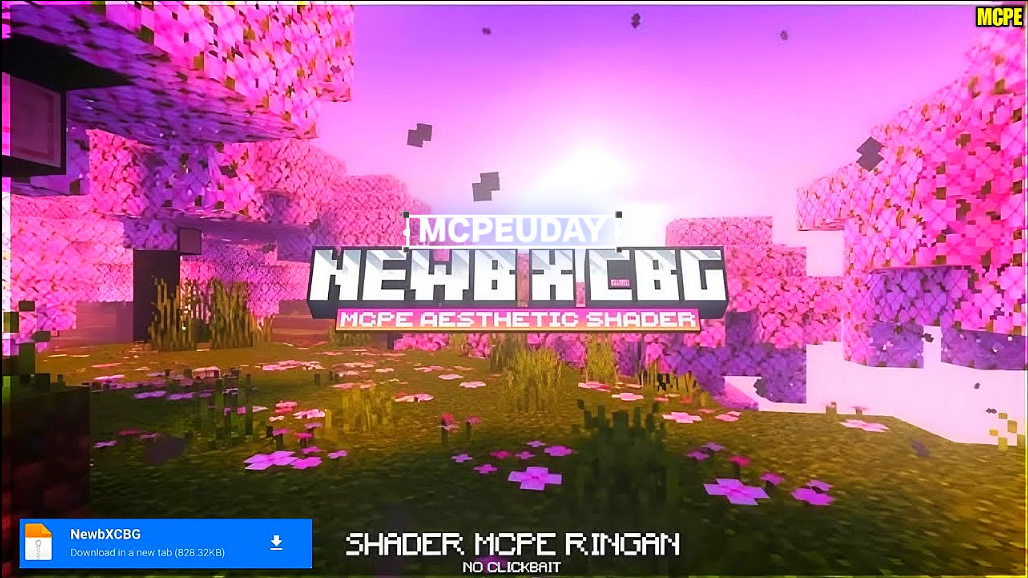
Minecraft is known for its simple blocky graphics, but shaders can completely change how the game looks. Newb X CBG Shader is one of the most popular and advanced shaders for Minecraft Pocket Edition (Bedrock Edition). It enhances lighting, shadows, water, and sky effects while keeping the game smooth and playable on most devices.
If you are looking for a realistic Minecraft PE shader that balances beauty and performance, Newb X CBG Shader is a perfect choice.
Key Features of Newb X CBG Shader
🌞 Realistic Lighting System
The shader introduces advanced lighting effects, including soft sunlight, ambient lighting, and glowing torches that create a more immersive environment.
🌊 Improved Water Reflections
Water looks more realistic with smooth reflections, light waves, and transparency that makes oceans, rivers, and lakes visually stunning.
🌤️ Dynamic Sky & Clouds
Newb X CBG Shader improves sky colors, sunsets, sunrises, and cloud movement, giving Minecraft a more natural and cinematic feel.
🌿 Enhanced Shadows
Shadows are smoother and more realistic, adding depth to blocks, trees, and structures without making the game too dark.
⚡ Optimized Performance
Unlike many heavy shaders, Newb X CBG Shader is optimized for MCPE, allowing mid-range and low-end devices to enjoy beautiful visuals with stable FPS.
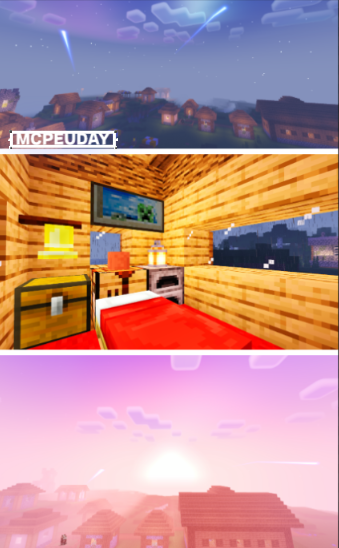
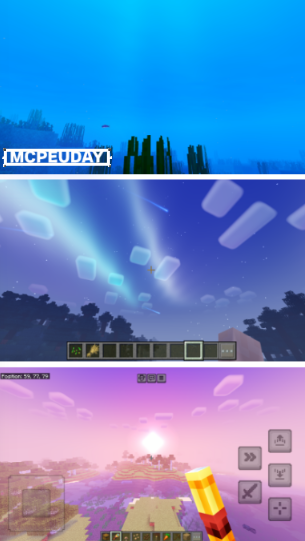
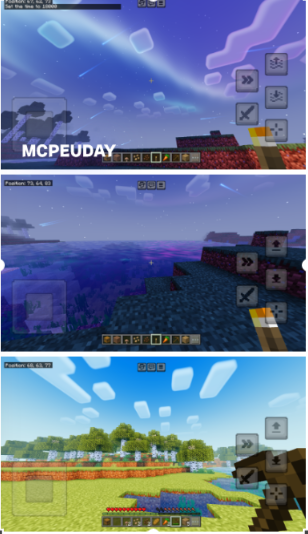
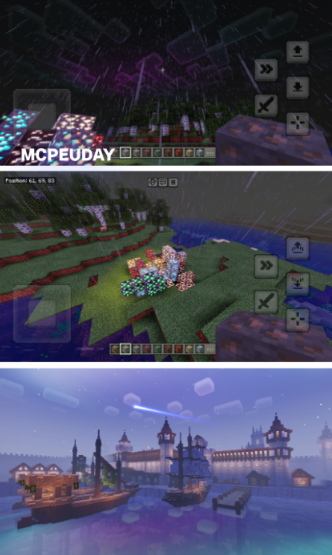
Screenshots:
Why Choose Newb X CBG Shader for Minecraft PE?
- Works smoothly on most Android and iOS devices
- Enhances visuals without changing core gameplay
- Easy to install and use
- Regular updates and community support
- Compatible with most texture packs and maps
This shader is ideal for survival, creative builds, and exploring worlds with a realistic atmosphere.
Compatibility & Requirements
- Minecraft Version: Bedrock / Pocket Edition
- Supported Platforms: Android, iOS, Windows 10/11
- Render Dragon: Supported
- RAM Requirement: 2GB or higher recommended
How to Install Newb X CBG Shader (MCPE)
- Download the Newb X CBG Shader file (.mcpack).
- Open the file using Minecraft.
- Minecraft will automatically import the shader.
- Go to Settings > Global Resources or Resource Packs.
- Activate Newb X CBG Shader.
- Restart the game and enjoy enhanced visuals.
Performance Tips
- Lower render distance if FPS drops
- Disable other heavy resource packs
- Use default Minecraft textures for best performance
Conclusion
Newb X CBG Shader is one of the best shaders for Minecraft PE if you want realistic lighting, water reflections, and smooth shadows without sacrificing performance. It upgrades your Minecraft world visually while keeping gameplay stable and enjoyable. Whether you play survival or creative mode, this shader makes your world look more alive and immersive.
—
– Newb X CBG Shader DOWNLOAD –
—