Minecraft survival has always revolved around food…
but let’s be honest.
In vanilla Minecraft, food is simple:
You kill animals → cook steak → spam eat → done.
There is no cooking system, no kitchen progression, and no farming depth.
That is exactly why players install Minecraft food mods.
Food mods transform the game from a basic hunger system into a full survival lifestyle simulator. You won’t just eat anymore — you will:
- grow crops
- run farms
- cook meals
- bake desserts
- brew drinks
- create taverns
- track nutrition
- and even gain buffs for diet variety
Instead of survival feeling repetitive, it becomes immersive.
In this guide you’ll discover the Best Minecraft Food Mods that make survival feel realistic, cozy, and progression-based without breaking balance.
- Why Install Food Mods in Minecraft?
- 1. Cooking for Blockheads (Best Minecraft Kitchen Mod)
- Download Mod
- 2. Farmer’s Delight (Most Popular Food Mod)
- Download Mod
- 3. Pam’s HarvestCraft 2 – Food Core (Massive Recipe Expansion)
- Download Mod
- 4. Spice of Life: Carrot Edition (Nutrition System)
- Download Mod
- 5. Croptopia (Huge Farming Expansion)
- Download Mod
- 6. Delightful (Addon for Farmer’s Delight)
- Download Mod
- 7. Let’s Do: Vinery (Winery & Vineyard Mod)
- Download Mod
- 8. Neapolitan (Flavor-Themed Foods)
- Download Mod
- 9. Brewin’ and Chewin’ (Fermentation System)
- Download Mod
- 10. AlcoCraft+ (Beer Brewing Mod)
- Download Mod
- How to Install Minecraft Mods
- Method 1 — CurseForge App (Easiest)
- Method 2 — Manual Installation
- Common Problems & Fixes
- Final Thoughts
Why Install Food Mods in Minecraft?
Food mods don’t make the game easier — they make it deeper.
Vanilla survival problem:
You only need ONE food (usually steak or golden carrots).
Food mods fix this by introducing:
- nutrition systems
- cooking mechanics
- agriculture expansion
- meal buffs
- role-play progression
The result?
Minecraft becomes closer to games like Stardew Valley + Survival RPG + Building Simulator.
1. Cooking for Blockheads (Best Minecraft Kitchen Mod)
This is easily one of the Best Minecraft Food Mods ever created.
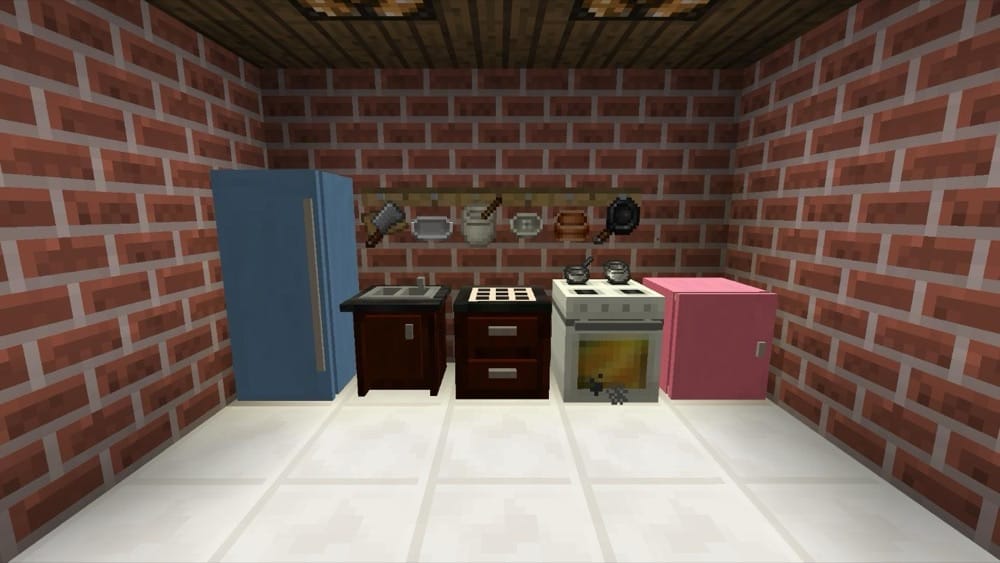
Cooking for Blockheads adds a complete modular kitchen system into Minecraft.
Instead of crafting food in a crafting table, you build a real kitchen:
- fridge storage
- cooking oven
- sink with infinite water
- counters
- cabinets
The most powerful feature is the Cooking Book.
It automatically shows only the recipes you can currently craft based on your inventory.
So no guessing.
You can also auto-craft meals in one click using the cooking table.
Even better — it integrates perfectly with other food mods like HarvestCraft.
Download Mod
Why It’s Amazing
- Massive storage organization
- Automatic recipe detection
- One-click cooking
- Fully immersive survival
2. Farmer’s Delight (Most Popular Food Mod)
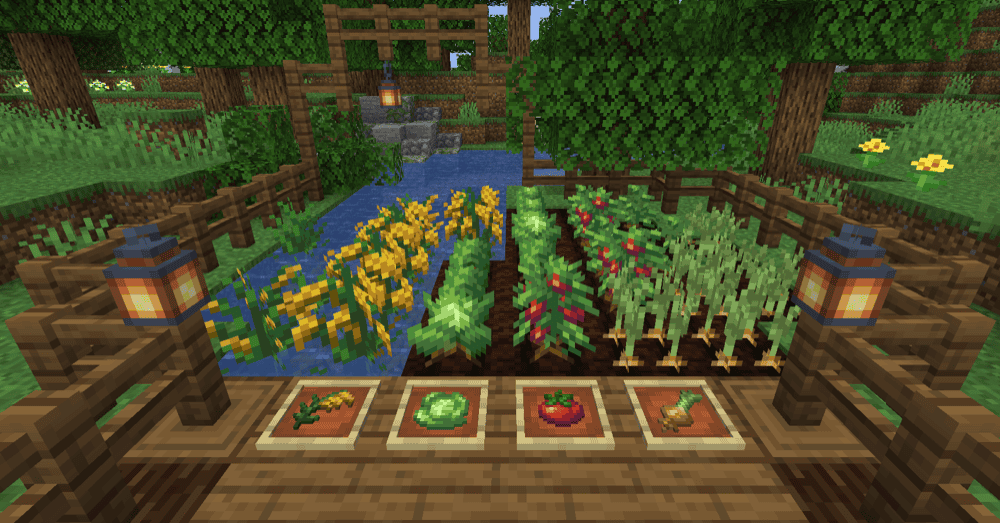
If there is one essential mod on this list, it’s Farmer’s Delight.
This mod doesn’t overhaul Minecraft —
it enhances vanilla gameplay.
You still feel like you’re playing Minecraft, but better.
It adds:
- new crops
- cutting board
- cooking pot
- meals with buffs
- farmland improvements
- rustic decorations
Instead of furnace cooking, you now prepare meals.
Foods restore more hunger and can give small bonuses, making farming worthwhile.
Why Players Love It
This mod perfectly balances realism and fun.
Your base slowly evolves into:
farm → kitchen → village → town
Download Mod
3. Pam’s HarvestCraft 2 – Food Core (Massive Recipe Expansion)
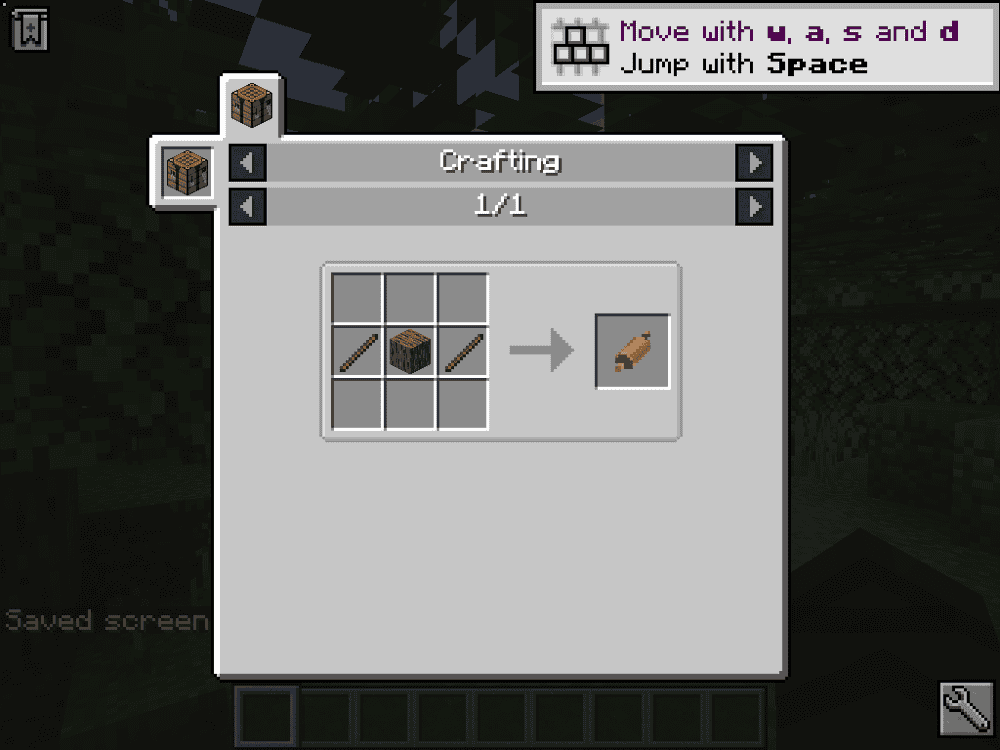
This mod is legendary in the Minecraft community.
Pam’s HarvestCraft 2 adds 180+ new foods using vanilla ingredients.
Unlike older versions, it’s modular — you install only what you want.
Cooking becomes a real process using:
- mixing bowls
- skillets
- cutting boards
- kitchen tools
Food progression becomes gameplay instead of crafting spam.
Best For
Players who want hundreds of recipes and a true cooking experience.
Download Mod
4. Spice of Life: Carrot Edition (Nutrition System)

This mod completely changes survival strategy.
Instead of punishing repetitive eating, it rewards variety.
The more different foods you eat → the more permanent hearts you gain.
So now you are motivated to cook multiple dishes.
You also get a Food Book that tracks your diet progress.
This mod pairs perfectly with:
- HarvestCraft
- Farmer’s Delight
- Croptopia
What It Fixes
Vanilla Minecraft: eat one food forever
This mod: build a balanced diet.
Download Mod
5. Croptopia (Huge Farming Expansion)
Croptopia massively expands agriculture.
It adds:
- 58 crops
- 26 fruit trees
- 250+ foods
You’ll find wild plants while exploring and can plant them at your base.
You can even craft saplings from fruits.
It keeps vanilla aesthetics while adding massive content.
Perfect For
Players who love farming gameplay.
Download Mod
6. Delightful (Addon for Farmer’s Delight)
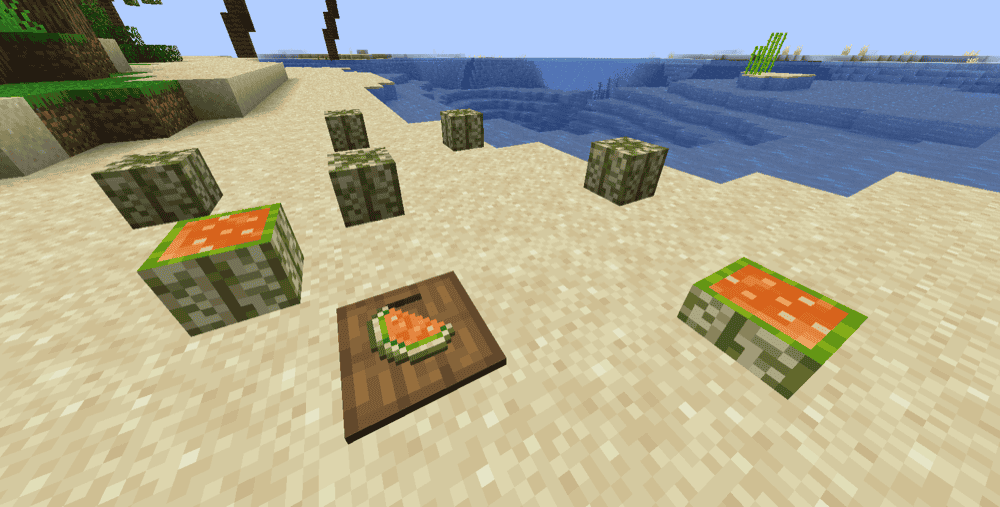
This is an expansion addon.
It adds:
- cheeseburgers
- s’mores
- ice cream
- pies
- jams
- meats
- nut butters
Also includes decorative kitchen storage.
It deepens immersion without changing core gameplay.
Download Mod
7. Let’s Do: Vinery (Winery & Vineyard Mod)
![[Let's Do] Vinery Mod](https://blog.curseforge.com/content/images/2026/02/vinery-2.png)
Now survival becomes roleplay.
You can:
- grow grapes
- make wine
- build a cellar
- meet a winemaker villager
Different wines give different effects.
Perfect for medieval builds.
Download Mod
8. Neapolitan (Flavor-Themed Foods)
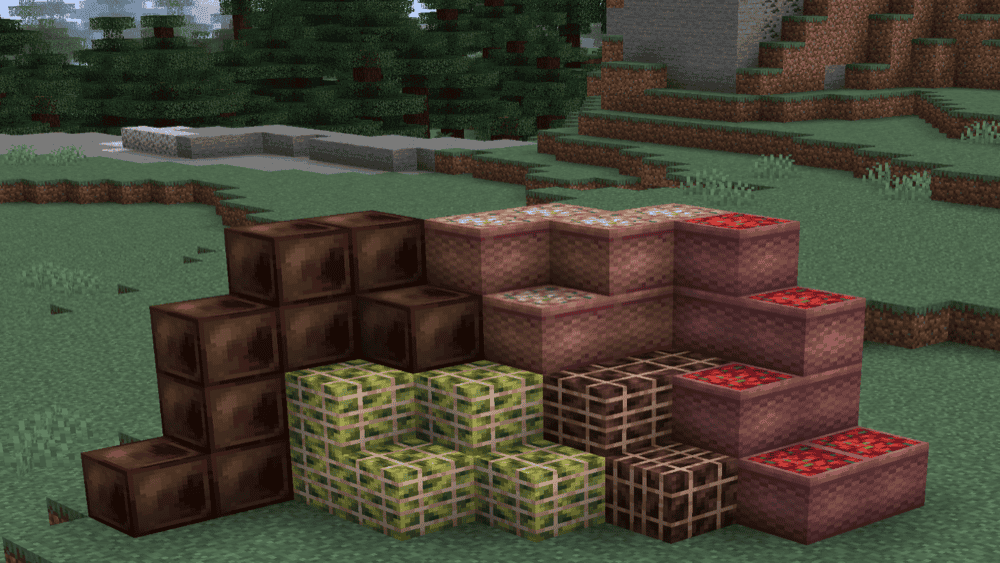
This mod introduces flavor systems:
- chocolate
- strawberry
- banana
- mint
- vanilla
Each adds ice cream, milkshakes and cakes with unique effects.
Small but very creative mod.
Download Mod
9. Brewin’ and Chewin’ (Fermentation System)
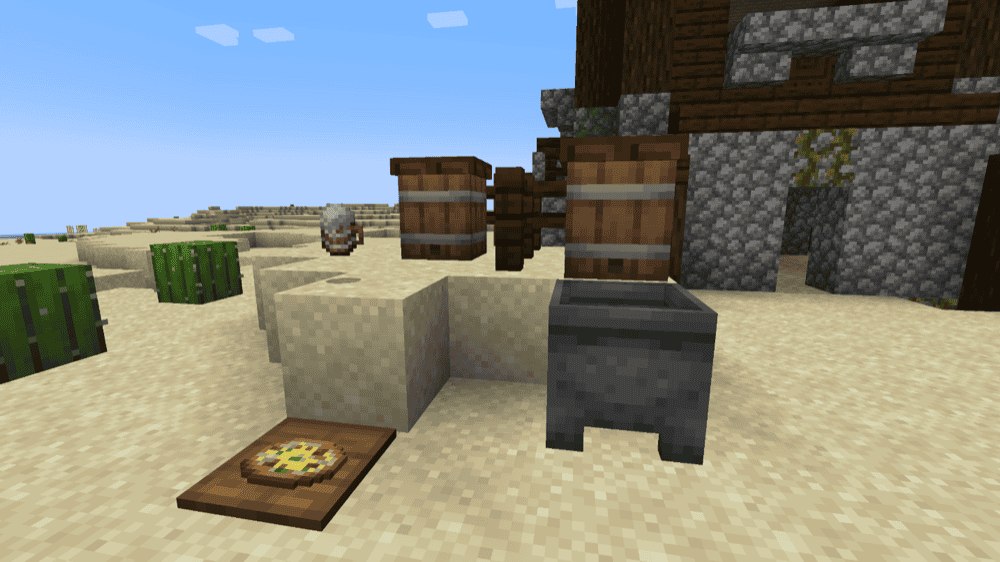
Advanced cooking mod.
Adds:
- fermentation
- aging cheese
- brewing alcohol
- sweets & desserts
Centered around a keg mechanic.
Late-game progression mod.
Download Mod
10. AlcoCraft+ (Beer Brewing Mod)
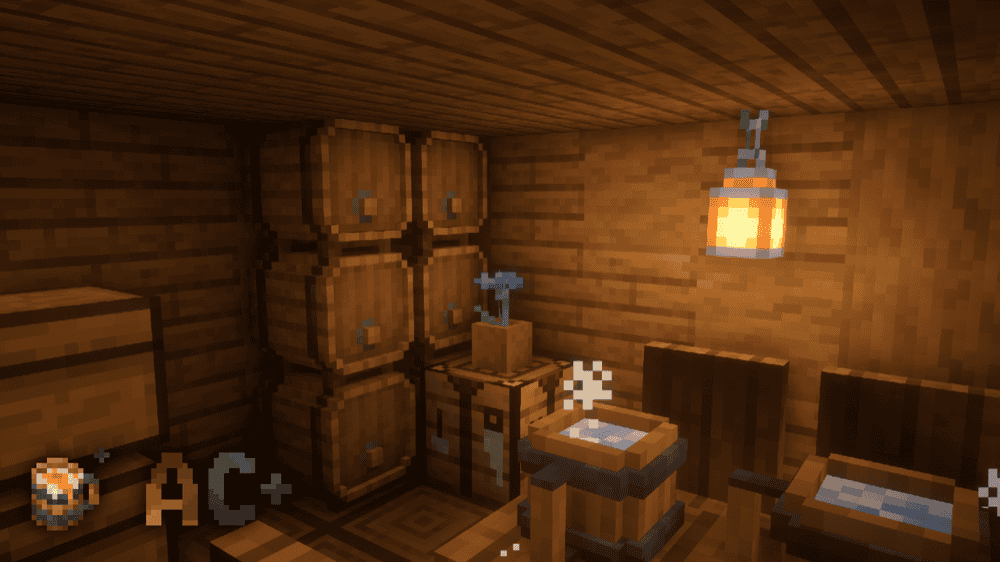
Adds a full brewing system.
You can craft beer using:
- hops
- apples
- sugar
- water
Drinks give temporary buffs like:
- speed
- defense
- night vision
It turns your base into a tavern hangout.
Download Mod
How to Install Minecraft Mods
Method 1 — CurseForge App (Easiest)
- Install CurseForge
- Open Minecraft section
- Create profile (Forge/Fabric)
- Click Add More Content
- Search mod
- Install
- Launch game
Method 2 — Manual Installation
- Install Forge or Fabric
- Run installer
- Download mod .jar
- Go to
.minecraft/mods - Paste file
- Launch Minecraft
Mods Folder Locations
Windows:%AppData%\.minecraft\mods
Mac:~/Library/Application Support/minecraft/mods
Common Problems & Fixes
Recipes Not Showing
Install required dependencies (ex: Fabric API, Balm).
Crops Not Spawning
Explore new chunks (new areas).
Game Crashes
Version mismatch (Forge vs Fabric).
Final Thoughts
Food mods completely transform Minecraft survival.
Instead of:
eat → mine → repeat
You now:
farm → cook → decorate → progress → roleplay
If you want the true survival experience, installing the Best Minecraft Food Mods is one of the biggest upgrades you can give your world.
Start with:
Farmer’s Delight + Cooking for Blockheads + Croptopia
That combination alone makes Minecraft feel like an entirely new game.