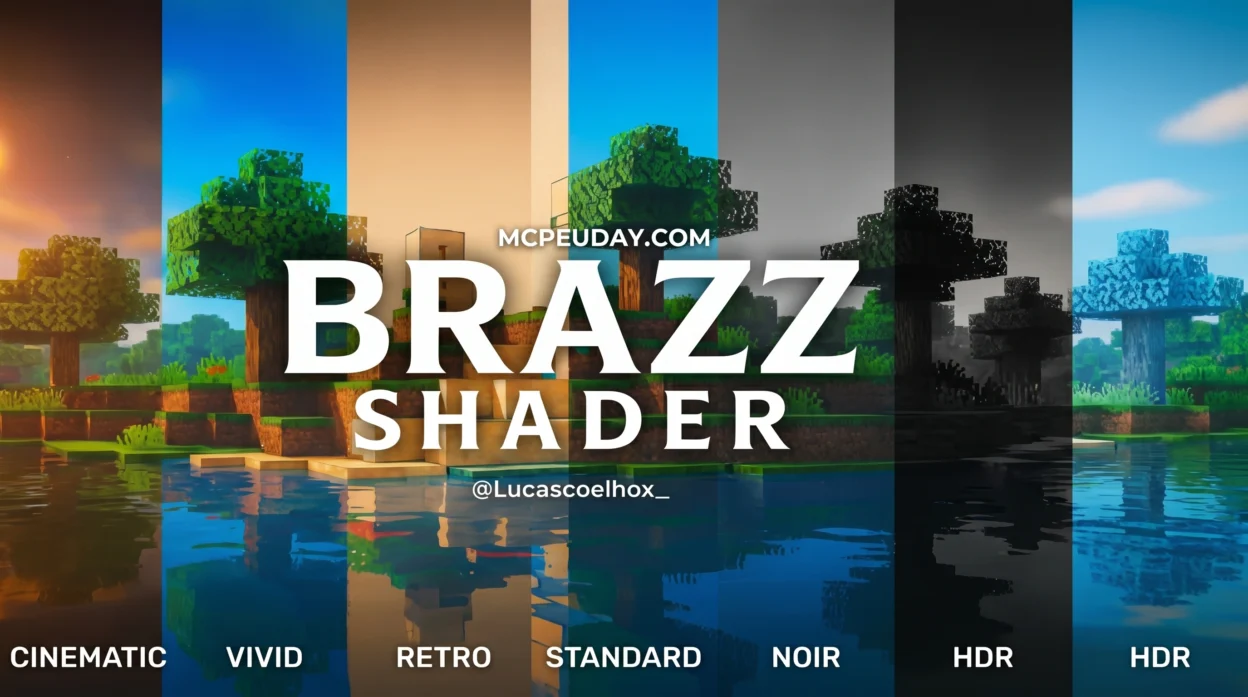
The Brazz Shader Is Changing How Minecraft Bedrock Looks in 2026
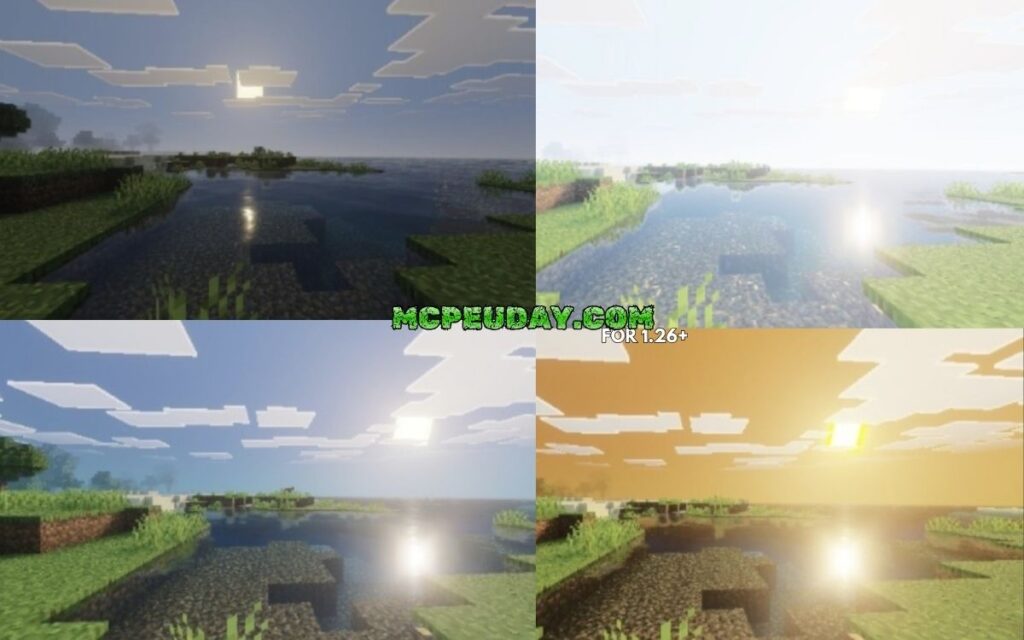
Brazz Shader is a visual upgrade pack for Minecraft Bedrock Edition that adds post-processing effects like bloom, lens flare, fog, and reflective water — completely transforming how your game looks.
Quick answer for what Brazz Shader offers:
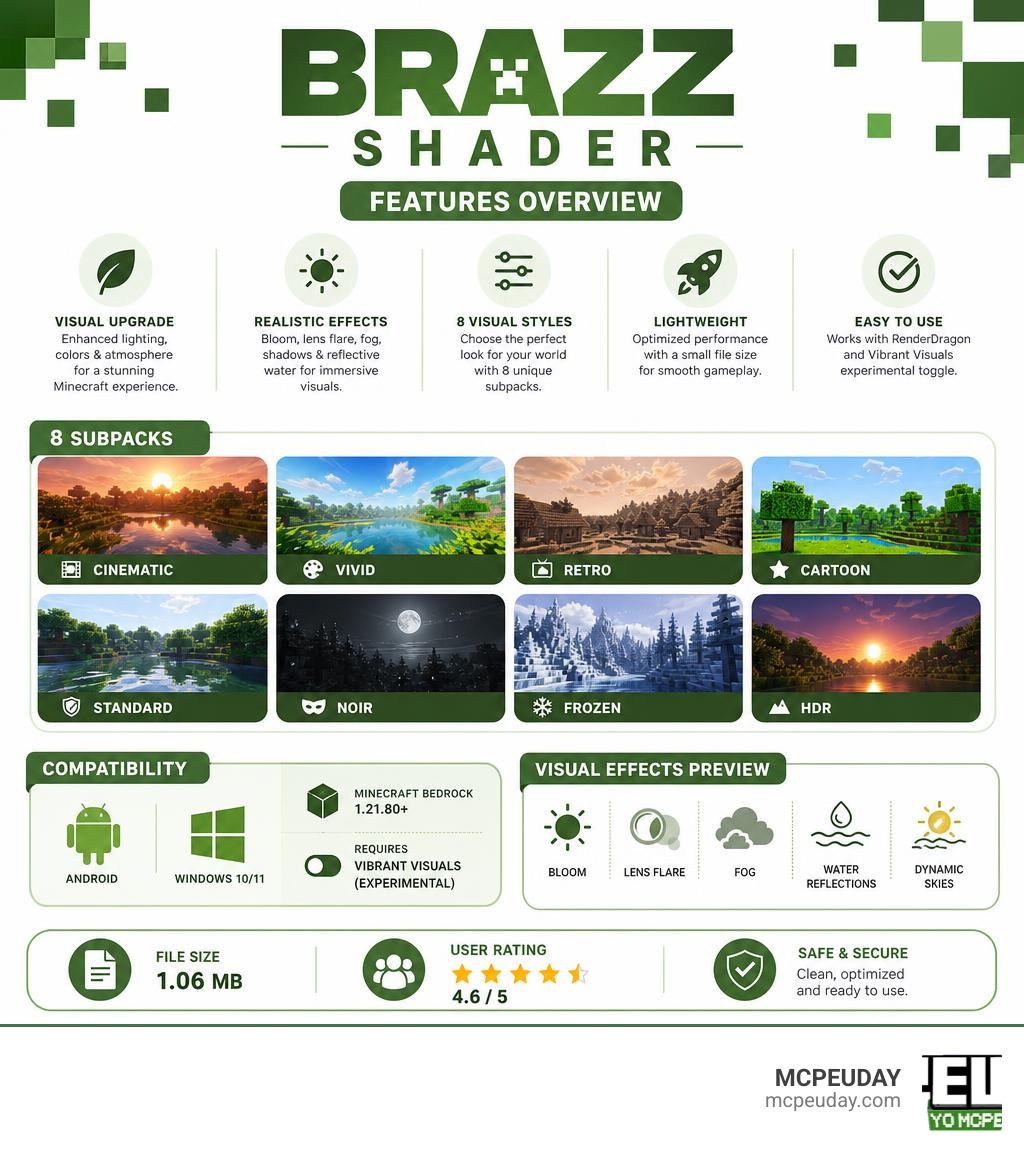
- What it is: A shader and visual filter pack for Minecraft Bedrock 1.21.80+
- How it works: Works through RenderDragon with the Vibrant Visuals experimental toggle enabled
- Visual styles: 8 subpacks — Cinematic, Vivid, Retro, Cartoon, Standard, Noir, Frozen, HDR
- Platforms: Android and Windows 10/11
- File size: 1.06 MB
- User rating: 4.6 out of 5
If you’ve ever looked at your Minecraft world and thought it felt flat or dull, you’re not alone. The default Bedrock visuals haven’t wowed anyone in years.
Brazz Shader fixes that. It replaces the standard look with custom lighting, sky transitions, and cinematic filters — all in a tiny 1.06 MB file. And with 8 different visual styles to pick from, you can match the look to exactly how you want to play.
The catch? It requires Minecraft Bedrock 1.21.80 or higher and the Vibrant Visuals experimental feature turned on. Without those, the shader won’t load.
This guide walks you through everything — how it works, how to install it, and how it stacks up against other popular shaders in 2026.
What is the BRAZZ SHADER and How Does It Work?
At its core, the BRAZZ SHADER is a complete, lightweight graphics overhaul designed to breathe new life into Bedrock’s rendering engine. When Mojang introduced the RenderDragon engine, it broke classic shader support for millions of players. For a long time, getting realistic lighting on mobile devices and Windows was a major headache.
The BRAZZ SHADER solves this by leveraging modern rendering features. It is built specifically to work alongside the game’s experimental “Vibrant Visuals” engine, which was introduced in Bedrock version 1.21.80 and later. Instead of relying on old, unsupported injection methods, this pack integrates directly with the modern graphics API of Minecraft. This ensures high compatibility and active community support as players transition to newer versions of the game.
To understand how these modern rendering techniques operate under the hood, we can look at how advanced real-time graphics engines process spatial geometry. For example, techniques like those detailed in the FidelityFX Brixelizer 1.0 | GPUOpen Manuals explain how sparse distance fields and brick-based acceleration structures are constructed to calculate real-time lighting, reflection, and ambient shadows on modern GPUs. While Bedrock’s mobile-focused engine is highly optimized, the BRAZZ SHADER uses similar mathematical concepts to calculate light scattering, dynamic fog, and screen-space water reflections without melting your phone.
Technical Rendering and the BRAZZ SHADER Pipeline
To truly appreciate what makes this shader special, we need to answer a few common questions raised by technical players in the community:
- Are we changing the bitmaps? No. The base texture files (the bitmaps that define what a dirt block or cobblestone looks like) remain completely untouched.
- Are we changing the color palettes? Only dynamically through post-processing. The shader doesn’t replace the game’s color files; instead, it applies real-time color grading and tone mapping filters on top of the rendered frame.
- Are we only changing the shaders? Yes. The pack modifies the way the RenderDragon engine interprets lighting, shadows, and atmospheric effects.
In a standard Minecraft rendering pipeline, the game draws 3D geometry on your screen, applies static textures, and uses a basic lighting pass to determine brightness. When you activate the BRAZZ SHADER, it intercepts this pipeline. It introduces custom GLSL-like shader code that calculates how light bounces off surfaces, how fog density increases with distance, and how water surfaces reflect the sky.
If you want to see how developers structure these complex rendering pipelines, analyzing open-source projects like the jbritain/glimmer-shaders repository on GitHub can be incredibly educational. These repositories showcase how modern GLSL shader passes handle temporal filtering, bloom, and procedural sky elements to achieve a clean, physically-based visual style.
Key Visual Features of the BRAZZ SHADER
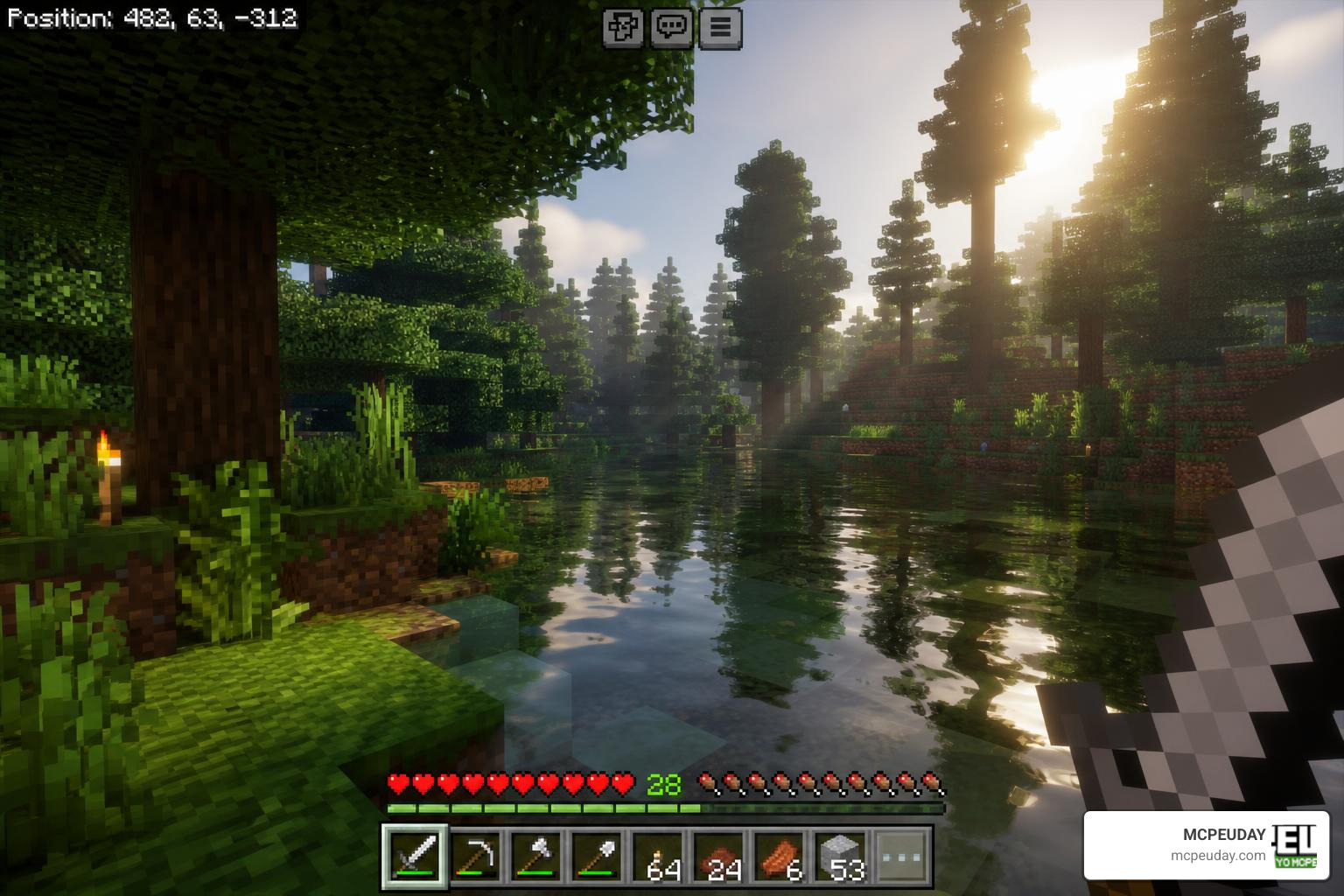
When you load up your world with this pack, you will immediately notice several massive visual upgrades:
- Dynamic Bloom: Glowing blocks like sea lanterns, glowstone, and torches emit a soft, realistic haze that bleeds into surrounding dark areas.
- Cinematic Lens Flare: Looking directly at the sun produces elegant, subtle lens flares that mimic a real camera.
- Dynamic Atmospheric Fog: The horizon is no longer a sharp, ugly chunk-loading boundary. Instead, it is masked by soft, color-matched fog that changes based on the time of day and biome.
- Reflective Water Surfaces: Water is no longer a flat, semi-transparent blue block. It features realistic wave structures and reflects the sky, sun, and nearby terrain.
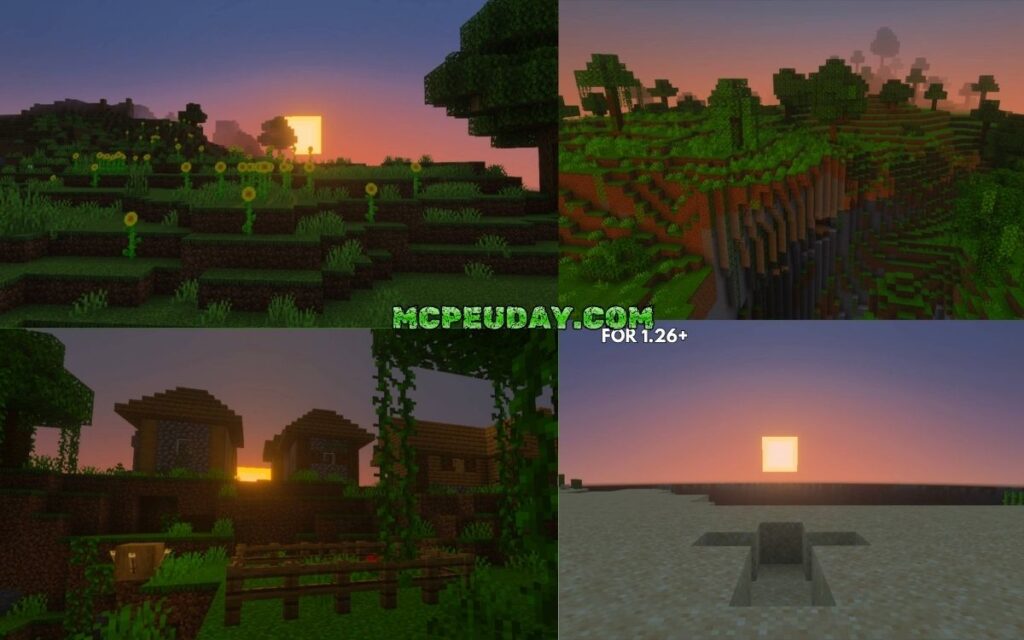
- Smooth Sky Transitions: Sunsets and sunrises feature gorgeous gradient shifts, blending warm oranges, deep purples, and cool blues seamlessly.
If you are ready to experience these features firsthand, you can find the latest verified version to Download Brazz Shader on MCPEUDAY.
Customizing Your Game with Visual Filter Subpacks
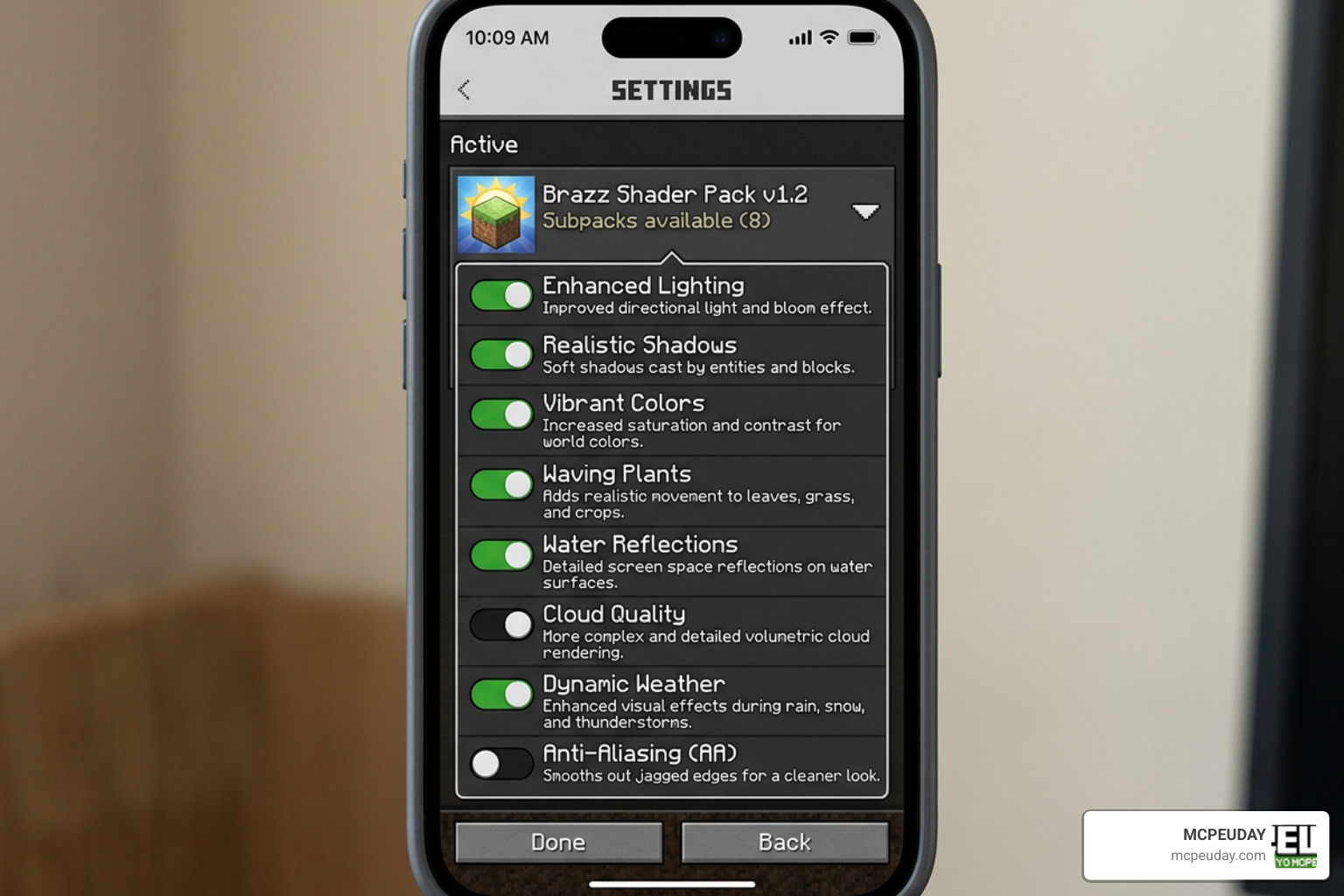
One of the most unique aspects of the BRAZZ SHADER is its built-in customization. Instead of forcing you to stick with a single art style, the pack comes with 8 distinct visual filter subpacks. You can easily swap between these in your global resource settings to completely change the mood of your world.
Here is a breakdown of the visual styles you can choose from:
- Standard: The baseline shader experience. It features balanced lighting, natural colors, and clean shadows that enhance the vanilla game without altering its core identity.
- Cinematic: Designed for content creators and virtual photographers. This subpack introduces high-contrast lighting, deeper shadows, and a wider dynamic range to make every frame look like a movie.
- Vivid: If you love bright, saturated colors, this is the one for you. It boosts the saturation of biomes, making green forests, red deserts, and blue oceans pop with incredible intensity.
- Retro: A nostalgic filter that applies a warm, slightly pixelated, and vintage color grade. It feels like playing an old-school adventure game from the early 2000s.
- Cartoon: This filter flattens gradients and sharpens boundaries, giving Minecraft a vibrant, cell-shaded, animated look reminiscent of a comic book.
- Noir: A dramatic black-and-white filter. It removes all color, leaving you with stark contrasts, deep shadows, and an incredibly moody, mysterious atmosphere.
- Frozen: Perfect for winter biomes or survival challenges. This filter cools down the color palette with icy blue tones, making snowy landscapes feel genuinely freezing.
- HDR (High Dynamic Range): Simulates high-end monitor rendering by balancing extremely bright highlights and dark shadows, ensuring you don’t lose detail in dark caves or bright deserts.
System Requirements and Compatibility Details
Before downloading, it is vital to ensure your device meets the technical requirements. Because this shader relies on modern RenderDragon features and the experimental “Vibrant Visuals” setting, older versions of Minecraft will not run it.
| Requirement | Minimum Specification | Recommended Specification |
|---|---|---|
| Minecraft Version | Bedrock 1.21.80+ | Latest 2026 Bedrock Release |
| Operating System | Android 9.0+ / Windows 10 | Android 12+ / Windows 11 |
| Graphics Engine | RenderDragon | RenderDragon with Hardware Acceleration |
| Experimental Toggles | Vibrant Visuals (Enabled) | Vibrant Visuals (Enabled) |
| File Size | 1.06 MB | 1.06 MB |
Whether you are playing from our offices in Jaipur, India, or connecting with friends across the US, Russia, and America, these platform requirements remain identical. The shader is highly cross-platform, but iOS support can sometimes be tricky due to Apple’s strict file system limitations.
How to Install and Troubleshoot the Shader on Android and Windows
Installing the BRAZZ SHADER is relatively straightforward, but because of the experimental requirements, you must follow the steps carefully to avoid a black screen or missing textures.
Installation Steps for Android:
- Download the
.mcpackfile from our secure servers. - Open your file manager and locate the downloaded file.
- Tap on the file and select “Open with Minecraft.” The game will launch and automatically import the pack.
- Go to Settings > Global Resources > My Packs, select Brazz Shader, and tap Activate.
- Click the gear icon on the active pack to select your preferred subpack (e.g., Vivid or Cinematic).
- Create a new world or go to your existing world settings. Scroll down to the Experiments tab and ensure Vibrant Visuals is toggled ON.
Installation Steps for Windows 10/11:
- Download the
.mcpackfile to your PC. - Double-click the file. Windows will automatically open Minecraft Bedrock and import the resource pack.
- Navigate to Settings > Global Resources, activate the pack, and use the slider to choose your subpack filter.
- Enable the Vibrant Visuals experimental toggle in your world settings before loading in.
Troubleshooting Common Issues:
- “The pack imports, but nothing changes in-game!” This is the most common issue. It almost always means you forgot to turn on the Vibrant Visuals experimental toggle in your specific world settings. Double-check your world edit menu!
- “Minecraft crashes when loading the world.” This can happen on lower-end Android devices if you choose a heavy subpack like HDR or Cinematic. Try switching the subpack filter to Standard or Cartoon in the global resources menu before launching the world.
- For a deeper dive into device compatibility and optimization, check out our comprehensive Best Render Dragon Shaders for MCPE 1.21 Tested on Real Devices 2026 Guide.
Performance Impact and Comparison with Other Shaders
Because the BRAZZ SHADER has a tiny footprint of just 1.06 MB, it is exceptionally well-optimized. However, applying real-time post-processing filters does require some extra graphical processing power. On mid-range Android devices, you can expect a minor frame rate drop of about 5% to 10% when using the heavy HDR or Cinematic filters. The Standard and Cartoon filters, on the other hand, run almost as smoothly as vanilla Minecraft.
How does it compare to other giants in the Bedrock shader scene?
If you are looking for pure performance and ultra-smooth shadows, the Newb family of shaders remains a top-tier choice. For example, the Newb X Ambient Shader for Minecraft PE Realistic Lighting Smooth Shadows FPS Friendly focuses heavily on natural ambient occlusion and soft shadow mapping, making it incredibly friendly for budget phones.
Similarly, if you want a breathtaking night sky with realistic celestial bodies, the Newb X Stars Shader for Minecraft PE MCPE Best Realistic Shader with Stunning Night Sky provides unparalleled night-time aesthetics.
The main difference is that while the Newb X series focuses on realistic environmental lighting and celestial geometry, the BRAZZ SHADER stands out because of its 8 customizable color-grading filters. It gives you the power to completely change the artistic style of your game on the fly, making it a more versatile option for players who love experimenting with different visual themes.
Frequently Asked Questions about Brazz Shader
Does Brazz Shader work without the Vibrant Visuals experimental toggle?
No, it does not. The shader relies entirely on the modern rendering pipelines exposed by the “Vibrant Visuals” experimental feature in Minecraft Bedrock 1.21.80+. If you try to run it with this toggle turned off, the game will default back to its standard vanilla look, or the pack will fail to load entirely.
What platforms are fully supported by this shader?
The pack is fully supported on Android and Windows 10/11. While it can technically run on iOS devices that support Bedrock 1.21.80+, importing custom .mcpack files on iOS can be more complex due to operating system file restrictions. It is not compatible with consoles (Xbox, PlayStation, Nintendo Switch) due to platform limitations on experimental graphics features.
How does this shader compare to other realistic options?
It holds up incredibly well! While some heavy ray-tracing packs require high-end graphics cards, the BRAZZ SHADER provides a fantastic balance of performance and aesthetics for everyday players. If you want to explore more high-fidelity visual packs, be sure to check out our curated list of the Top 5 Best Realistic Shaders for MCPE.
Conclusion
The BRAZZ SHADER is a brilliant addition to the Minecraft Bedrock community in 2026. It bridges the gap between performance and high-end visual beauty, offering an incredibly customizable experience through its 8 subpack filters. Whether you want a moody Noir world, a vivid fantasy landscape, or a cinematic movie feel, this 1.06 MB pack delivers it all without bogging down your device.
At MCPEUDAY, we are dedicated to bringing you the absolute best, safest, and most up-to-date resources for your mobile and desktop gaming adventures. If you want to see how this shader stacks up against other top-tier graphics packs this year, don’t miss our ultimate round-up of the Best Shaders for MCPE 1.21 2026 Top 3 Realistic Minecraft PE Shaders.
Download the pack today, enable your experimental settings, and see your Minecraft world in a whole new light!