Open4ES Shader enhances Minecraft Bedrock graphics with realistic lighting, smooth shadows, improved water effects, and optimized performance, making your survival and creative worlds visually stunning.
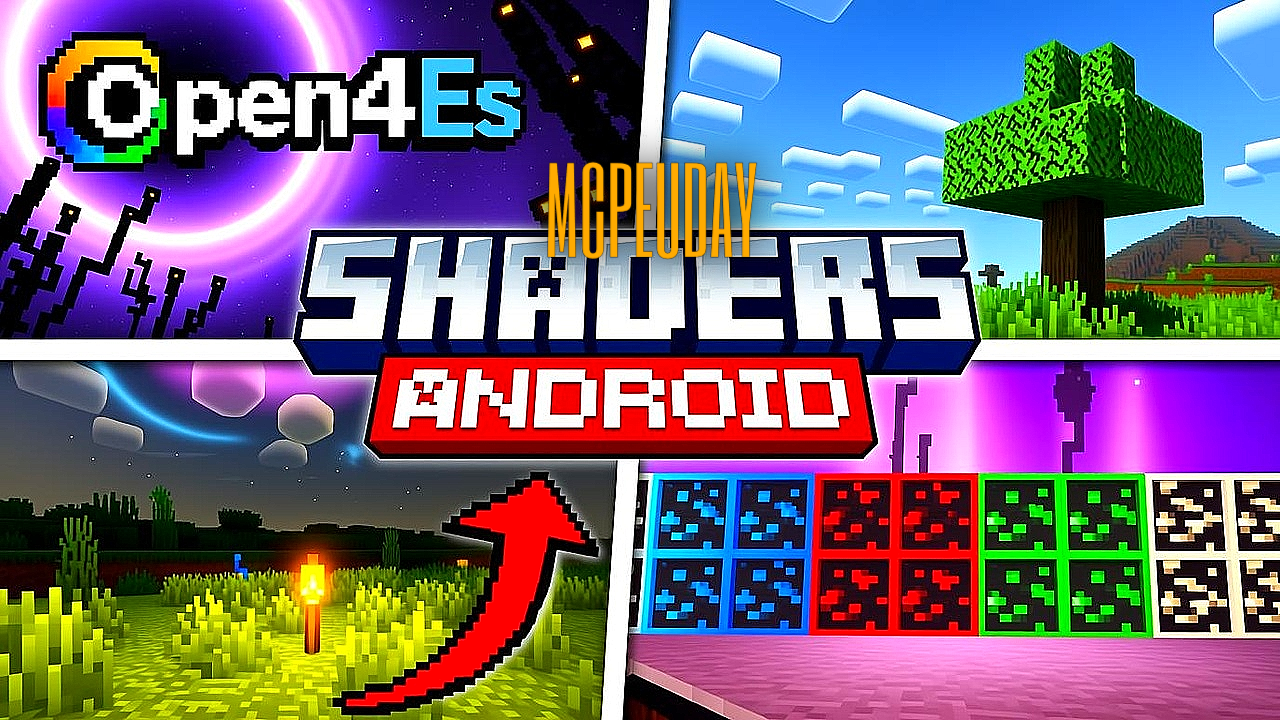
Minecraft is known for its simple, blocky graphics, but shaders can completely transform the visual experience. Open4ES Shader is one of the most popular and optimized shaders designed specifically for Minecraft Bedrock and Pocket Edition. Unlike heavy shaders that cause lag, Open4ES focuses on realistic visuals with smooth performance, making it ideal for both low-end and high-end devices.
Whether you play survival, creative, or build detailed maps, Open4ES Shader enhances lighting, shadows, sky, water, and overall atmosphere without breaking the game’s original style. In this article, we’ll explore everything about Open4ES Shader, including features, compatibility, installation steps, advantages, and frequently asked questions.
What is Open4ES Shader?
Open4ES Shader is a lightweight and performance-friendly shader pack for Minecraft Bedrock Edition. It improves the game’s visuals while maintaining stability and high FPS. The shader is designed to work smoothly on Android, iOS, and Windows 10/11 Bedrock Edition, making it accessible to a wide range of players.
The main goal of Open4ES Shader is to provide enhanced realism without overloading your device, which is why it has become a favorite choice among Minecraft PE players.
Key Features of Open4ES Shader
Here are the standout features that make Open4ES Shader special:
✔ Realistic Lighting
- Soft sunlight and moonlight
- Improved brightness balance
- Natural light transitions between day and night
✔ Dynamic Shadows
- Smooth shadow rendering
- No overly dark areas
- Balanced contrast for better visibility
✔ Enhanced Water Effects
- Clear and reflective water
- Improved underwater visuals
- Natural water color changes
✔ Improved Sky & Clouds
- Beautiful sky gradients
- Realistic sunrise and sunset
- Dynamic clouds for immersive gameplay
✔ Performance Optimized
- Designed for low-end and mid-range devices
- Minimal FPS drops
- Stable gameplay even in large worlds
✔ Vanilla-Friendly Look
- Keeps Minecraft’s original art style
- Enhances visuals without changing textures
- Perfect for survival and creative modes
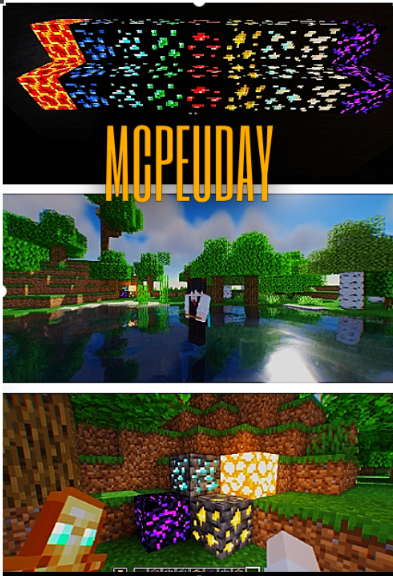
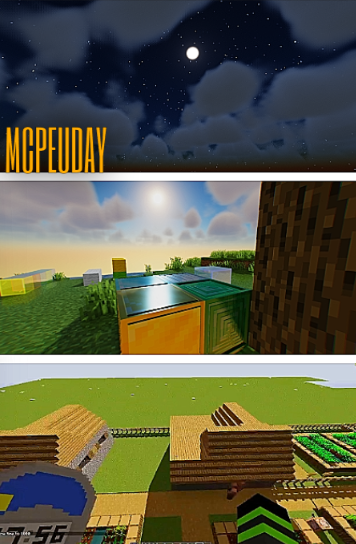
Screenshots:
Advantages of Using Open4ES Shader
Using Open4ES Shader offers several benefits:
- Makes Minecraft worlds look more realistic
- Improves immersion without heavy lag
- Ideal for recording videos and screenshots
- Works well with most texture packs
- Easy to install and manage
Compared to many heavy shaders, Open4ES Shader provides a perfect balance between visuals and performance.
Compatibility & Requirements
Before installing Open4ES Shader, check the compatibility details:
Compatible Versions
- Minecraft Bedrock Edition
- Minecraft Pocket Edition (PE)
- Latest supported Bedrock updates
Supported Platforms
- Android
- iOS
- Windows 10/11 (Bedrock)
System Requirements
- No high-end GPU required
- Works on low to mid-range devices
- Recommended to enable “Render Dragon compatible settings” if available
How to Install Open4ES Shader (Step-by-Step Guide)
For Android / iOS
- Download the Open4ES Shader (.mcpack) file
- Tap on the file and open it with Minecraft
- Minecraft will automatically import the shader
- Go to Settings → Global Resources
- Activate Open4ES Shader
- Restart your world and enjoy enhanced visuals
For Windows 10/11 (Bedrock)
- Download the shader file
- Double-click the
.mcpackfile - Minecraft will open and import it
- Enable it from Global Resources
- Apply changes and load your world
Best Settings for Open4ES Shader
To get the best experience:
- Set brightness to default
- Use medium render distance for stable FPS
- Avoid combining with very heavy texture packs
- Turn off unnecessary experimental features
These settings help maintain smooth gameplay while enjoying improved graphics.
Is Open4ES Shader Safe to Use?
Yes, Open4ES Shader is safe when downloaded from trusted sources. It does not modify core game files and works as a resource/shader pack. Always avoid suspicious websites and do not grant unnecessary permissions.
—
– Open4ES Shader DOWNLOAD –
Conclusion
Open4ES Shader is an excellent choice for Minecraft Bedrock and PE players who want better graphics without sacrificing performance. With realistic lighting, smooth shadows, enhanced water, and optimized performance, it significantly improves the overall visual quality of the game.
If you’re looking for a lightweight, stable, and visually pleasing shader, Open4ES Shader is definitely worth trying. It enhances your Minecraft experience while keeping gameplay smooth and enjoyable.
Frequently Asked Questions (FAQ)
Q1: Is Open4ES Shader free?
Yes, Open4ES Shader is completely free to use for Minecraft Bedrock and Pocket Edition.
Q2: Does Open4ES Shader work on low-end devices?
Yes, it is optimized for low-end and mid-range devices and runs smoothly with minimal FPS drops.
Q3: Is Open4ES Shader compatible with texture packs?
Yes, it works well with most texture packs, especially vanilla-style resource packs.
Q4: Does Open4ES Shader support the latest Minecraft updates?
It is regularly updated to support the latest compatible versions of Minecraft Bedrock Edition.
Q5: Will Open4ES Shader work in multiplayer worlds?
Yes, shaders work client-side, so you can use Open4ES Shader on multiplayer servers without issues.
Q6: Can I use Open4ES Shader for recording videos?
Absolutely. It provides smooth visuals and stable performance, making it great for YouTube videos and screenshots.
Xd