What the Newb X Soleil Shader Does for Your Minecraft World
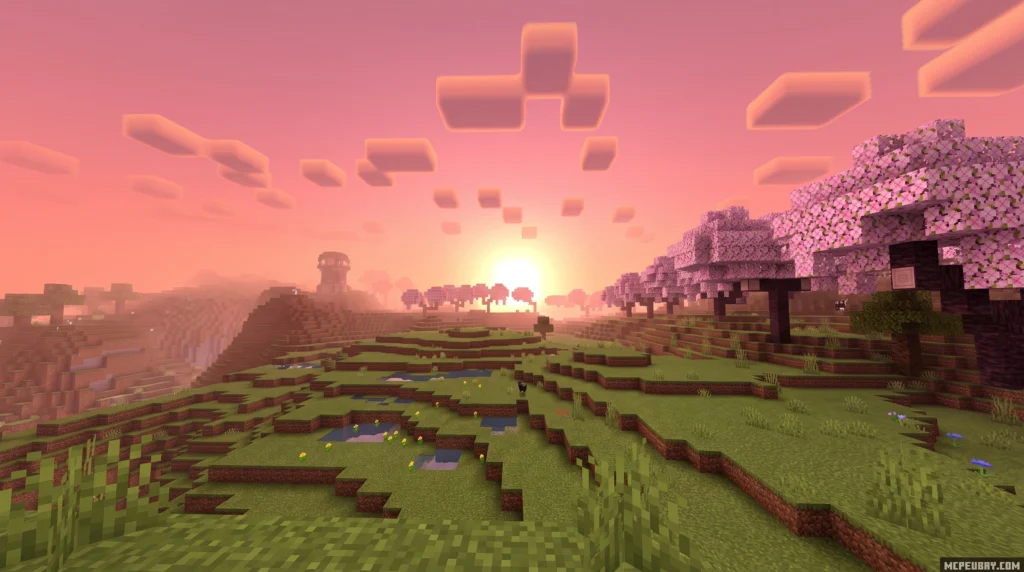
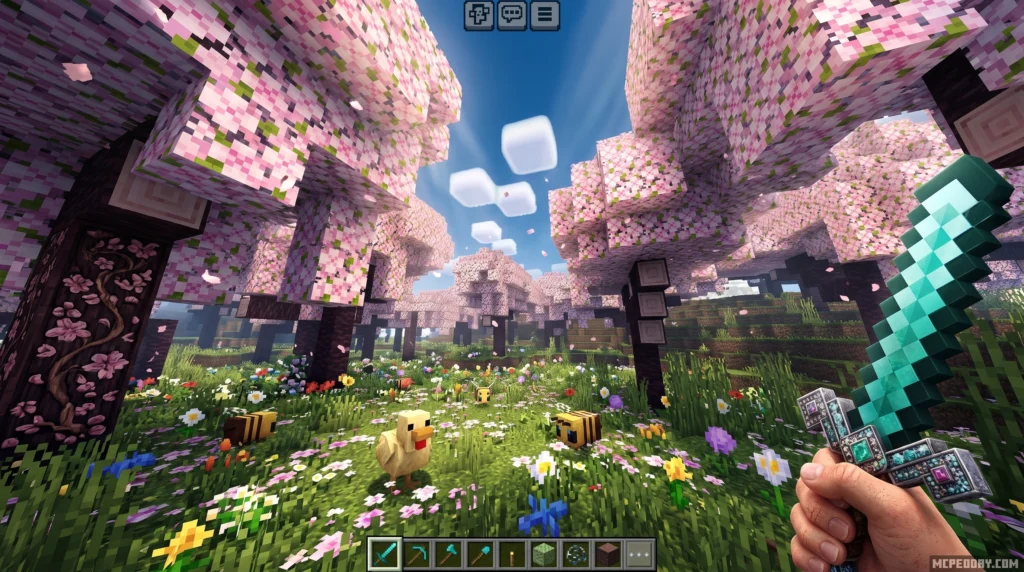
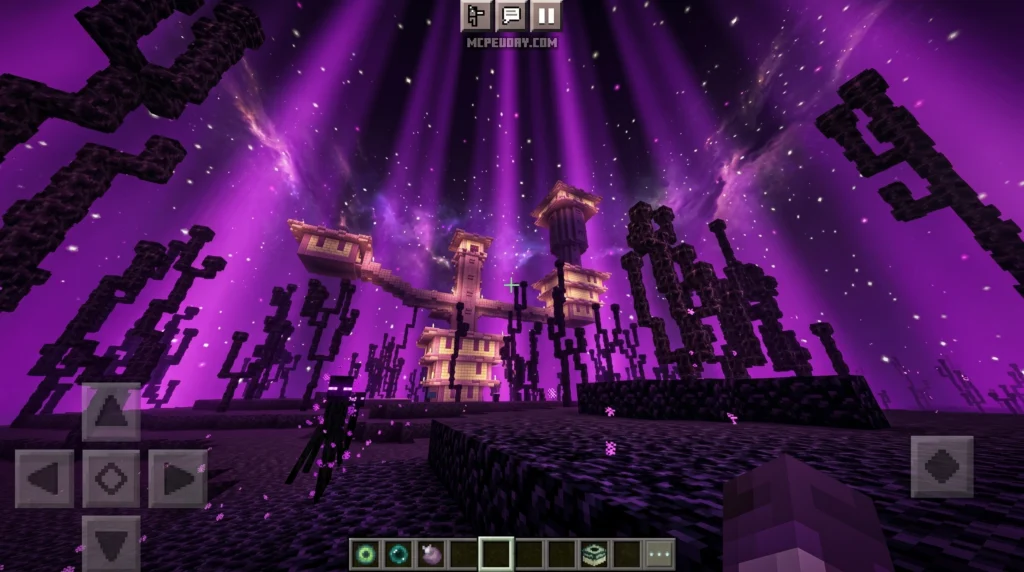
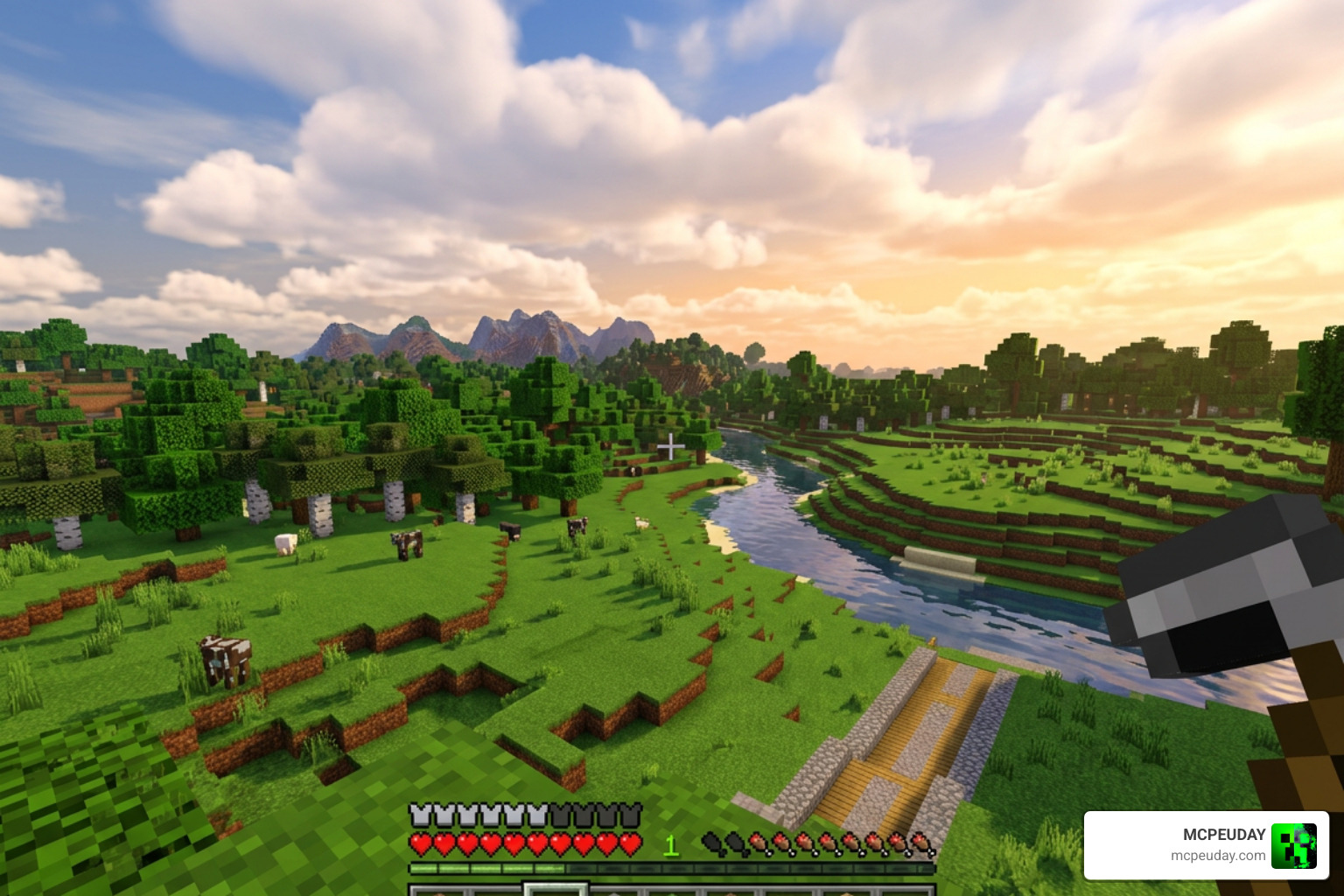
Newb X Soleil Shader is a lightweight, vanilla-style shader for Minecraft Bedrock Edition that upgrades your game’s visuals with softer lighting, richer skies, and more natural colors — without destroying your FPS.
Here’s a quick snapshot of what it offers:
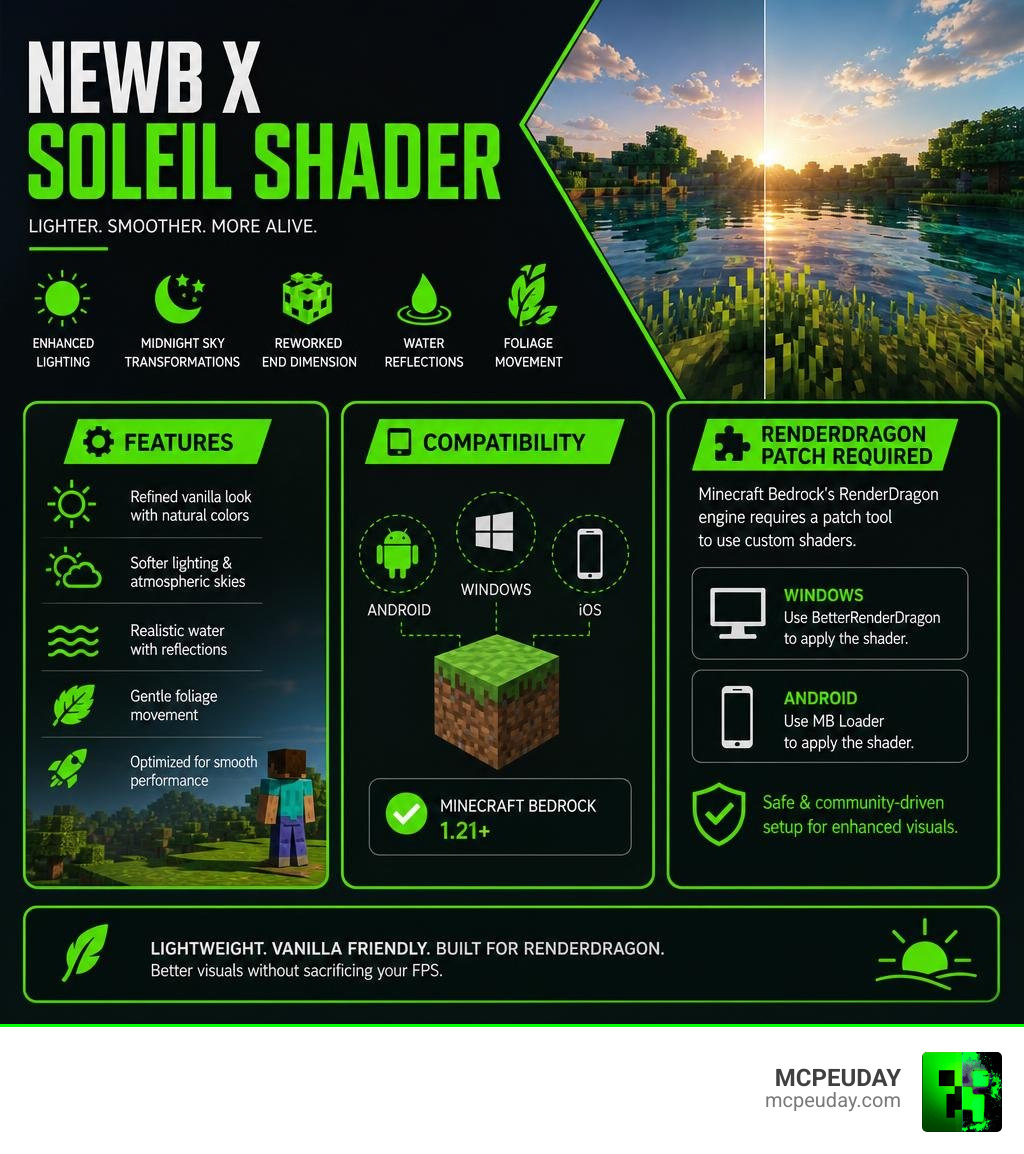
- Style: Refined vanilla look with subtly desaturated, contrast-tuned colors
- Best for: Android, Windows, and iOS devices running Minecraft Bedrock 1.21+
- Key features: Enhanced lighting, midnight sky transformations, reworked End dimension, water reflections, foliage movement
- Cost: Free — community-made, open-source project
- Install method: Requires a patch tool (BetterRenderDragon on Windows, MB Loader on Android) since Bedrock doesn’t officially support custom shaders
Minecraft Bedrock’s RenderDragon engine — introduced in version 1.20 — broke compatibility for most shaders. Newb X Soleil is built specifically to work around that limitation, making it one of the more accessible options for mobile and PC players who want better visuals without a complex setup.
Players describe the shader as making MCPE feel more alive while staying light enough to run on mid-range phones. Sunrises look warmer, shadows fall more naturally, and water becomes genuinely satisfying to look at.
This guide covers everything: what the shader does, how it compares to the original Newb X Legacy, how to install it step by step, and how to get the best performance on your device.
What is the Newb X Soleil Shader?
The Newb X Soleil Shader is a highly popular community-developed graphics pack designed for Minecraft Bedrock Edition (MCPE). At its core, this pack aims to deliver a “soft realism” upgrade. Rather than completely replacing the game’s block textures with ultra-realistic photos, it modifies how light, water, skies, and shadows interact with the existing vanilla environment.
The aesthetic focuses on color desaturation and soft styling. Many shaders over-saturate colors, making the grass look neon green and the deserts look blindingly yellow. This shader takes the opposite approach by subtly toning down the saturation and tuning the contrast. The result is a natural, organic visual style that is highly comfortable for long play sessions. Because the project is open-source, the development community frequently collaborates on its code. You can view the underlying files and community updates on the official devendrn/newb-x-mcbe GitHub Repository.
Origins of the Newb X Soleil Shader
The story of this shader begins with the original Newb Shader project, created by developer devendrn. The main goal was to build a beautiful, lightweight shader that could run smoothly on low-end mobile devices. When Mojang introduced the RenderDragon rendering engine to Bedrock Edition, standard shader formats stopped working. In response, the creator developed Newb X Legacy to adapt to these backend changes.
Eventually, the original developer decided to step away from active development, releasing the project under the open-source MIT License. This allowed the passionate Minecraft Bedrock community to step in. Talented creators began building their own customized versions, known as “Newb Variants.” Among variations like Newb X Future, Newb Reimagined, and Newb Pineapple, the Soleil edition emerged as a premier choice for players wanting a refined, cozy, and highly atmospheric world.
How it Differs from Newb X Legacy
While the original Newb X Legacy laid the technical foundation, the Soleil variant introduces major visual refinements:
- Contrast and Color Tuning: While Legacy focuses on bright, vanilla-faithful colors, Soleil introduces expert desaturation. It balances the highlights and shadows to give the world a film-like depth.
- Midnight Sky Transformations: Nighttime in Soleil is spectacular. The night sky features smooth gradients, deep midnight blues, and highly detailed star fields.
- Reworked End Dimension: The End is often ignored by shader developers, but Soleil completely reworks its lighting and sky. The End dimension feels appropriately alien, mysterious, and visually striking.
To see how this variant stacks up against other community favorites, check out our detailed breakdown of the Newb X Soleil Shader Best Lightweight MCPE Shader.
Visual Features and Device Performance
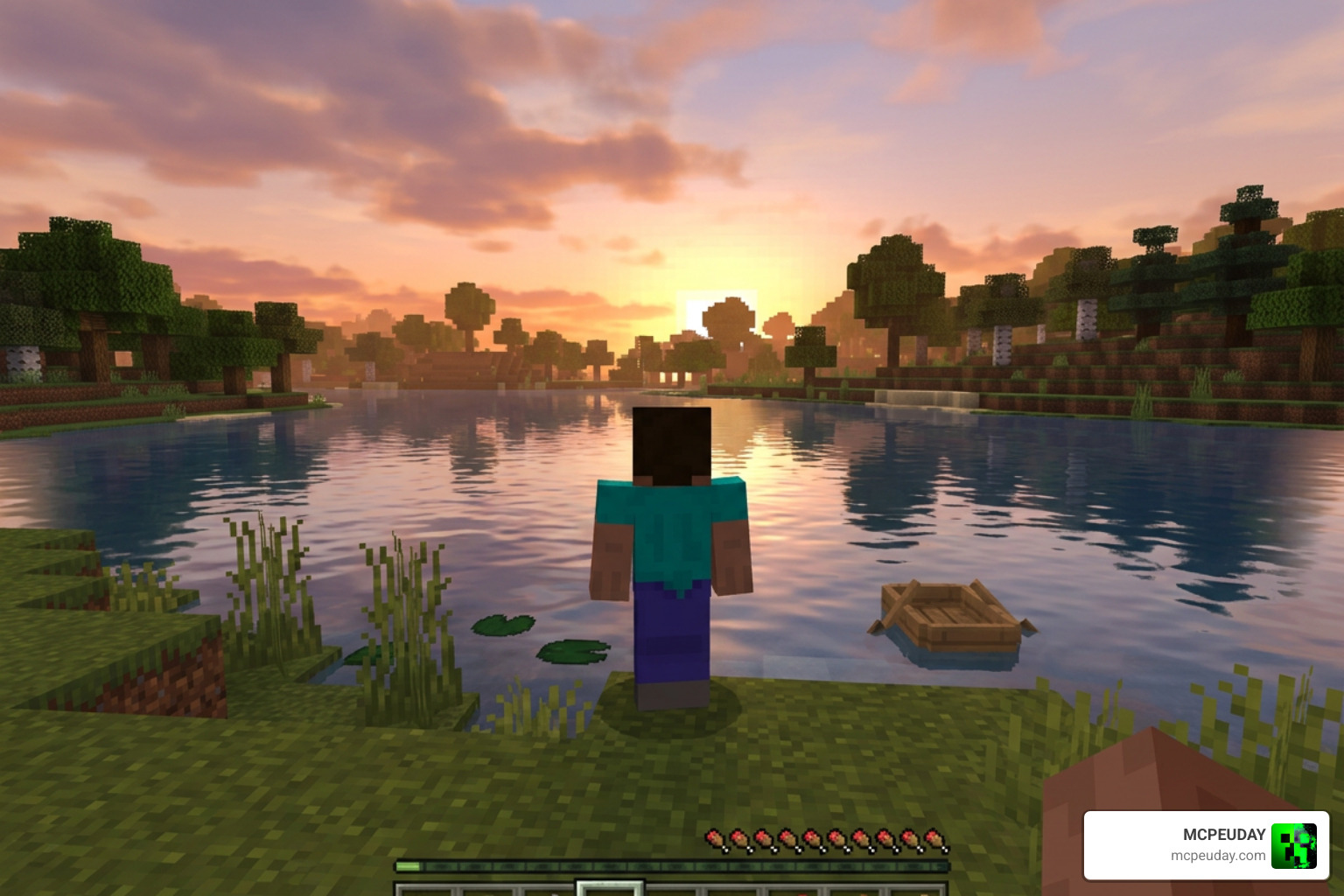
One of the main reasons we love this shader is the sheer number of visual features packed into such a lightweight file.
- Enhanced Lighting: Light sources like torches, glowstone, and lanterns cast a warm, inviting glow. The transition from day to night features realistic sunrises and sunsets that wash the landscape in warm orange and pink hues.
- Improved Water Effects: Water is a standout feature. It has soft, realistic reflections on the surface and a clean, transparent look when you dive underwater.
- Weather Enhancements: Rainy weather is a favorite among players. The sky darkens with heavy storm clouds, and the ground takes on a slick, reflective appearance.
- Foliage Movement: Leaves and grass gently sway in the wind, making forests feel organic and dynamic.
- Swinging Lanterns: Standard lantern blocks actually swing gently, adding an extra layer of immersion to your builds.
Atmospheric Lighting and Sky Transformations
The sky is the canvas of any good shader. Soleil excels here by offering dynamic cloud systems and atmospheric scattering. During the day, clouds drift naturally across a bright sky. As night falls, you might be lucky enough to witness gorgeous auroras stretching across the cold biomes. The shadows are soft and blend naturally into the terrain, avoiding the harsh, pitch-black blocks common in lower-quality packs.
If you want to compare these lighting effects to other atmospheric options, you can read more about the Newb X Ambient Shader for Minecraft PE.
Optimizing Performance for Low-End and High-End Devices
We want everyone to enjoy smooth gameplay. Fortunately, this pack is incredibly FPS-friendly. However, your performance will depend on your hardware and settings.
| Device Tier | Recommended Render Distance | Recommended Graphics Settings | Target FPS |
|---|---|---|---|
| Low-End Mobile | 6 – 8 Chunks | Beautiful Skies: On, Fancy Graphics: Off, No-Wave Subpack | 45 – 60 FPS |
| Mid-Range Mobile/PC | 8 – 12 Chunks | Beautiful Skies: On, Smooth Shading: On, Fancy Graphics: On | 60 FPS |
| High-End Mobile/PC | 12 – 16+ Chunks | All Settings Maxed, Water Reflections Enabled | 60+ FPS |
If you are playing on an older phone and experience minor stuttering, you can switch to the “No wave, No Fog” subpack included in the shader options. For players who need the absolute maximum performance on budget hardware, we also recommend checking out the Newb X Unwind Shader for Minecraft PE.
How to Install and Customize the Shader
Because Minecraft Bedrock’s RenderDragon engine does not officially support custom shader files anymore, installing them requires a few extra steps. Do not worry — we have simplified the process for you.
Step-by-Step Installation Guide for Android and Windows
To get the shader running on your device, you must use community-developed tools that allow Bedrock to load custom material files.
For Android Users:
- Download the shader file (.mcpack extension) to your device.
- Download and install a community tool like MB Loader (MaterialBinLoader) or use a patched Minecraft APK designed to load custom shaders.
- Open your file manager, locate the downloaded shader file, and tap on it. Select “Open with Minecraft.”
- Once Minecraft launches and imports the pack, go to Settings, then Global Resources, and activate the shader. Crucial tip: Always place the shader pack at the very top of your active resource packs list!
For Windows Users:
- Download the shader pack.
- Install BetterRenderDragon or Matject to enable MaterialBinLoader support on your PC.
- Double-click the .mcpack file to automatically import it into Minecraft.
- Activate the pack in your Global Resources menu.
For a more comprehensive, platform-specific breakdown of this process, check out our How to Turn on Shaders in Minecraft 2026 Guide.
Configuring Newb X Soleil Shader Settings
Once installed, you can fine-tune your in-game settings to get the perfect balance of visual quality and performance:
- Beautiful Skies: Keep this turned On to enjoy the custom clouds, sunrises, and midnight sky gradients.
- Smooth Shading: Ensure this is On to let the soft shadows render correctly across block faces.
- Fancy Graphics: Turn this On for water transparency and foliage movement. If your device starts heating up, turn this off first.
- In-Game Brightness: We recommend setting your in-game brightness slider between 10% and 90% depending on your screen. Setting it to 100% can wash out the desaturated tones of the shader.
Frequently Asked Questions about Newb X Soleil Shader
Is Newb X Soleil Shader free to download?
Yes! The shader is completely free to download and use. Because the original Newb project was released under the open-source MIT License, community creators build and distribute these variations freely to the public. You do not need to pay for any subscriptions or in-app purchases to enjoy these graphics.
Does this shader work on iOS devices?
Yes, but with limitations. Apple’s iOS ecosystem has strict file system restrictions, making it difficult to use tools like BetterRenderDragon or MB Loader. Some players access shaders on iOS using third-party utility apps. For example, you can find various community-curated packs on the Shaders Texture Packs for MCPE on the Apple App Store. That direct support on iOS depends heavily on your specific iOS version and current system restrictions.
What should I do if the shader shows a black screen or doesn’t load?
If your screen goes black or the game looks completely vanilla after activating the pack, it usually means the RenderDragon engine is blocking the custom material files. To fix this:
- Double-check that you are using a compatible version of Minecraft Bedrock (1.21+).
- Ensure your patch tool (BetterRenderDragon on PC or MB Loader on Android) is updated and running correctly.
- Make sure the shader is placed at the absolute top of your Global Resources list. If another texture pack is loaded above it, it can override the shader’s rendering files.
Conclusion
The Newb X Soleil Shader is an outstanding achievement by the Minecraft Bedrock community. It proves that you do not need a high-end gaming PC to experience gorgeous, immersive, and realistic graphics. By focusing on soft vanilla aesthetics, desaturated tones, and optimized performance, it breathes new life into your worlds while keeping your gameplay incredibly smooth.
At MCPEUDAY, we love showcasing resources that make your mobile and desktop gaming experiences better. If you want to see how this pack compares to other top-tier graphics upgrades currently available, check out our curated selection of the Best Shaders for MCPE 1.21 2026. Download the shader, follow our setup steps, and enjoy your beautifully transformed Minecraft world!
2 thoughts on “Newb X Soleil Shader (26.x, 1.21) – MCPE/Bedrock Shader”