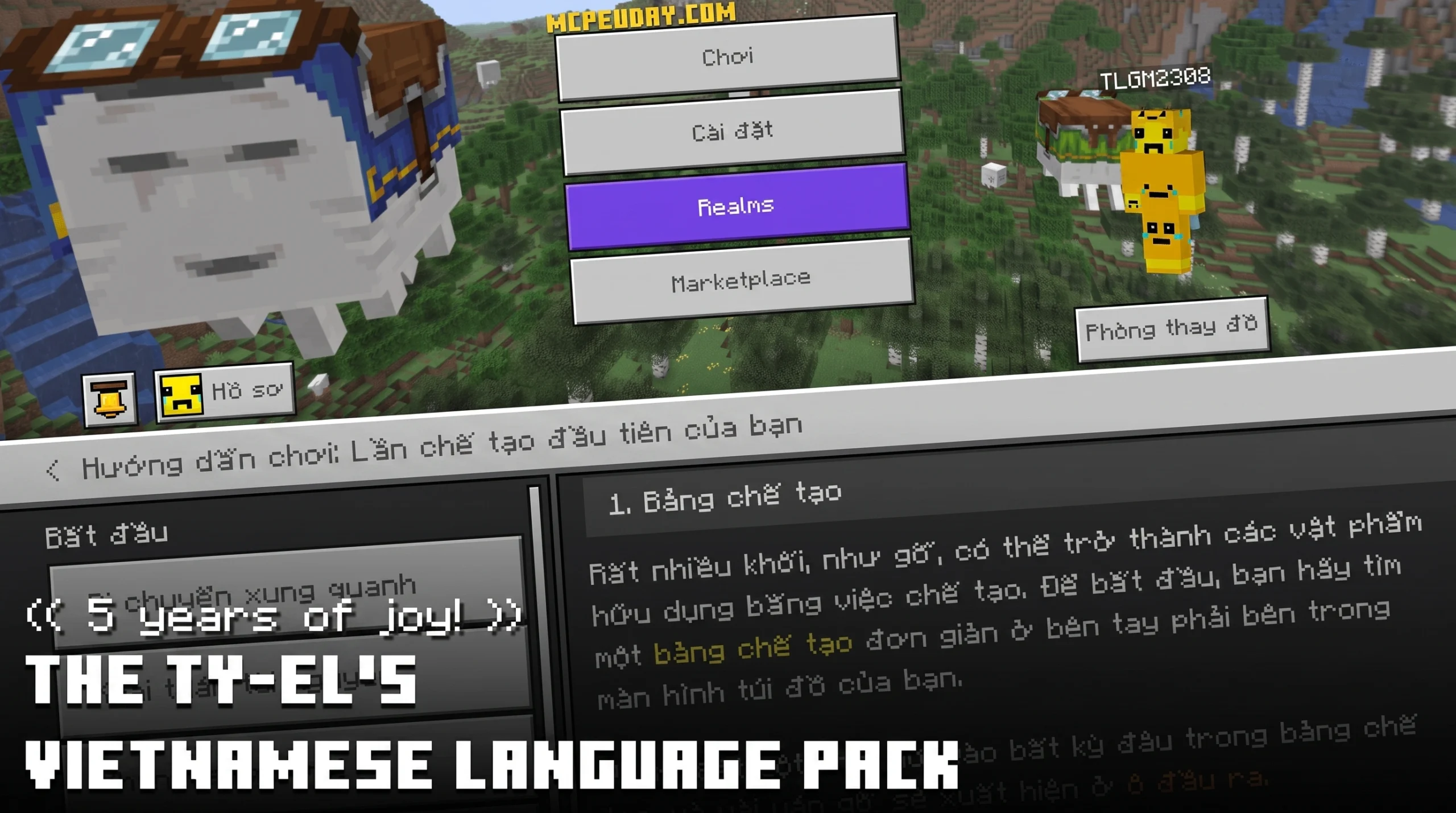
Why Vietnamese Minecraft Players Need Ty-el’s Vietnamese Language Pack
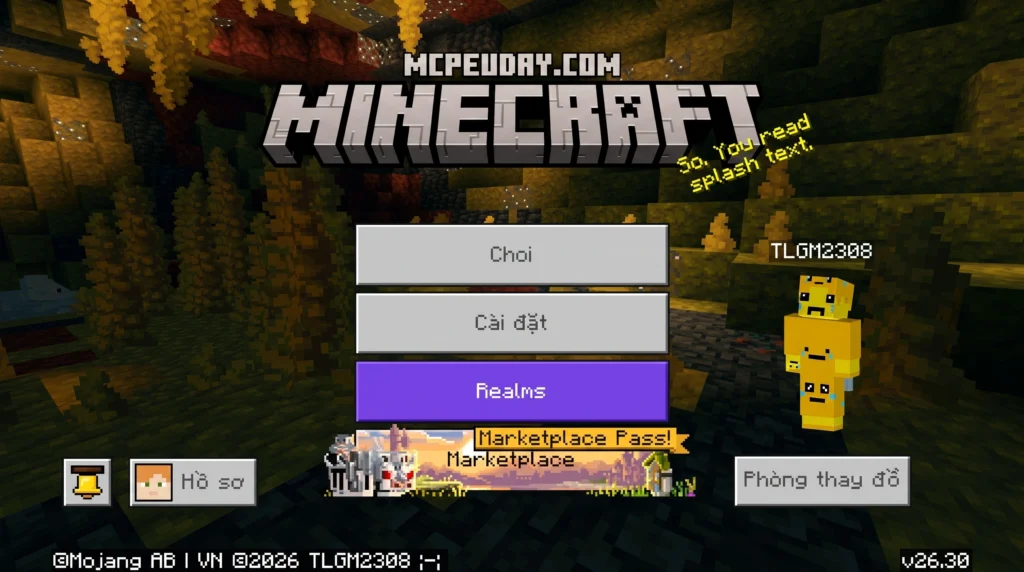
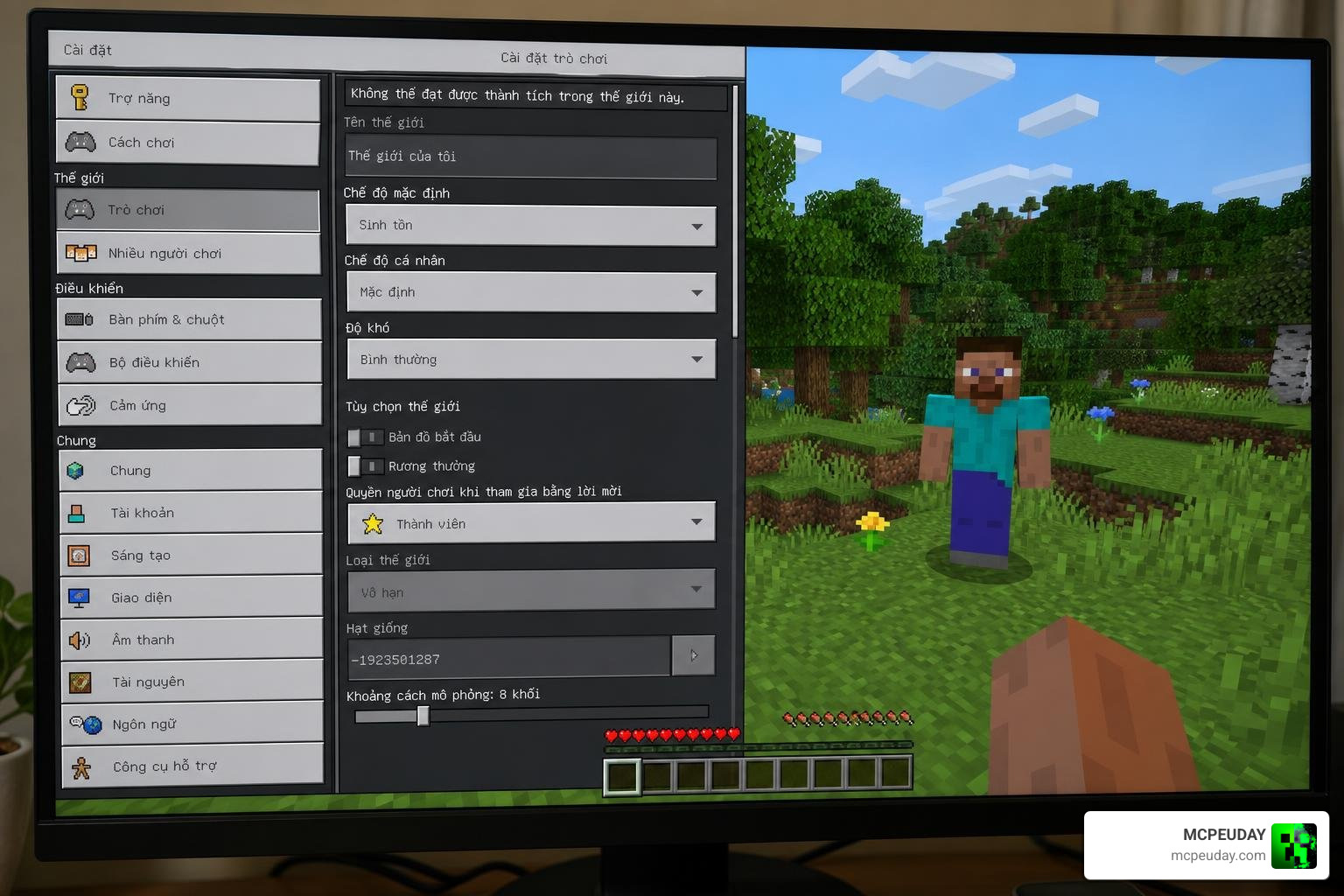
Ty-el’s Vietnamese Language Pack is a free resource pack for Minecraft Bedrock Edition that translates over 17,000 in-game strings into Vietnamese, matching the official Java Edition translations with more than 95% accuracy.
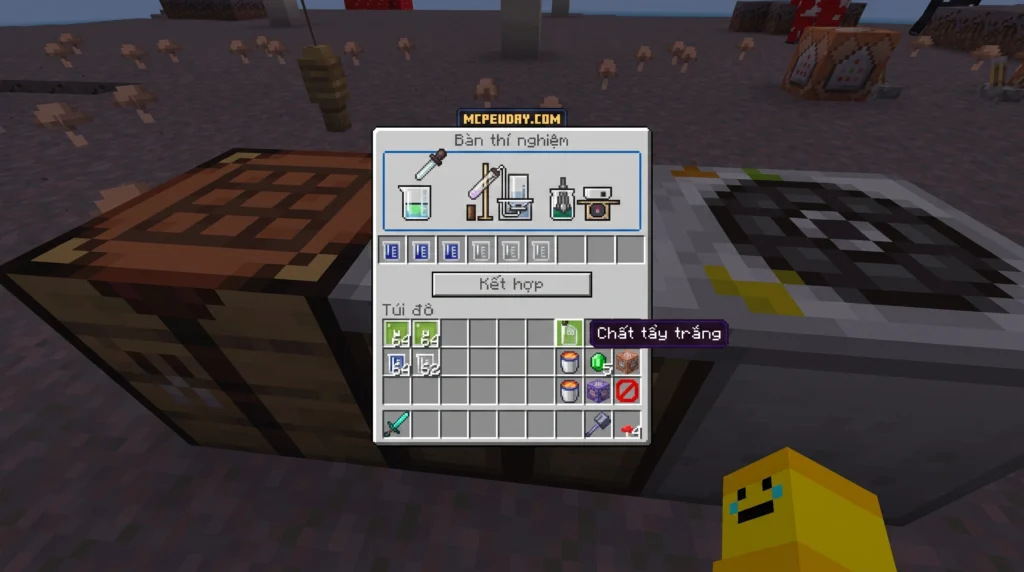
Here is a quick snapshot of what it offers:
- Downloads: Over 1,234,352 on CurseForge
- Translation coverage: 17,000+ strings, 95%+ parity with Java Edition
- Supported versions: Minecraft Bedrock 1.20.80 and higher (including 1.21.100 and 1.21.101)
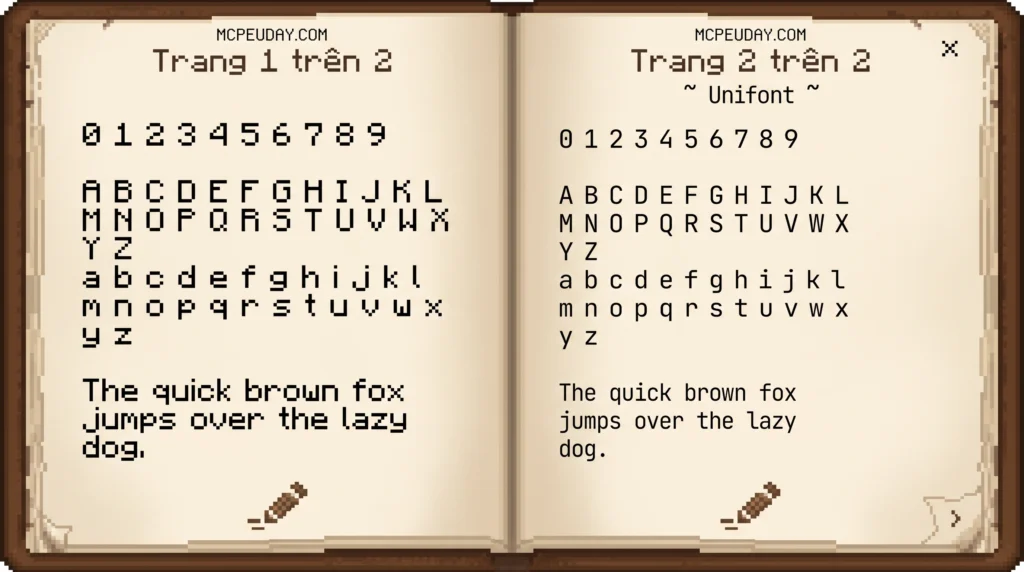
- Font options: 4 subpacks — MinecraftSeven, MinecraftSeven Smooth Variant, Unifont + Noto Sans, and None
- Special mode support: Chemistry Mode, Editor Mode, and Text-to-Speech
Minecraft Bedrock does not natively support Vietnamese using the classic Mojangles font style. That means Vietnamese players — especially beginners — often have to navigate menus, crafting screens, and game mechanics entirely in English. That is a real barrier, and it is exactly the gap this pack fills.
With more than a million downloads, it has become the go-to Vietnamese localization solution for Bedrock players across mobile, console, and Windows.
I am UDAY GAMER, and in this guide I will walk you through everything you need to know — from installing the pack to fixing common font bugs — so you can get playing in Vietnamese as fast as possible.
What is Ty-el’s Vietnamese Language Pack?
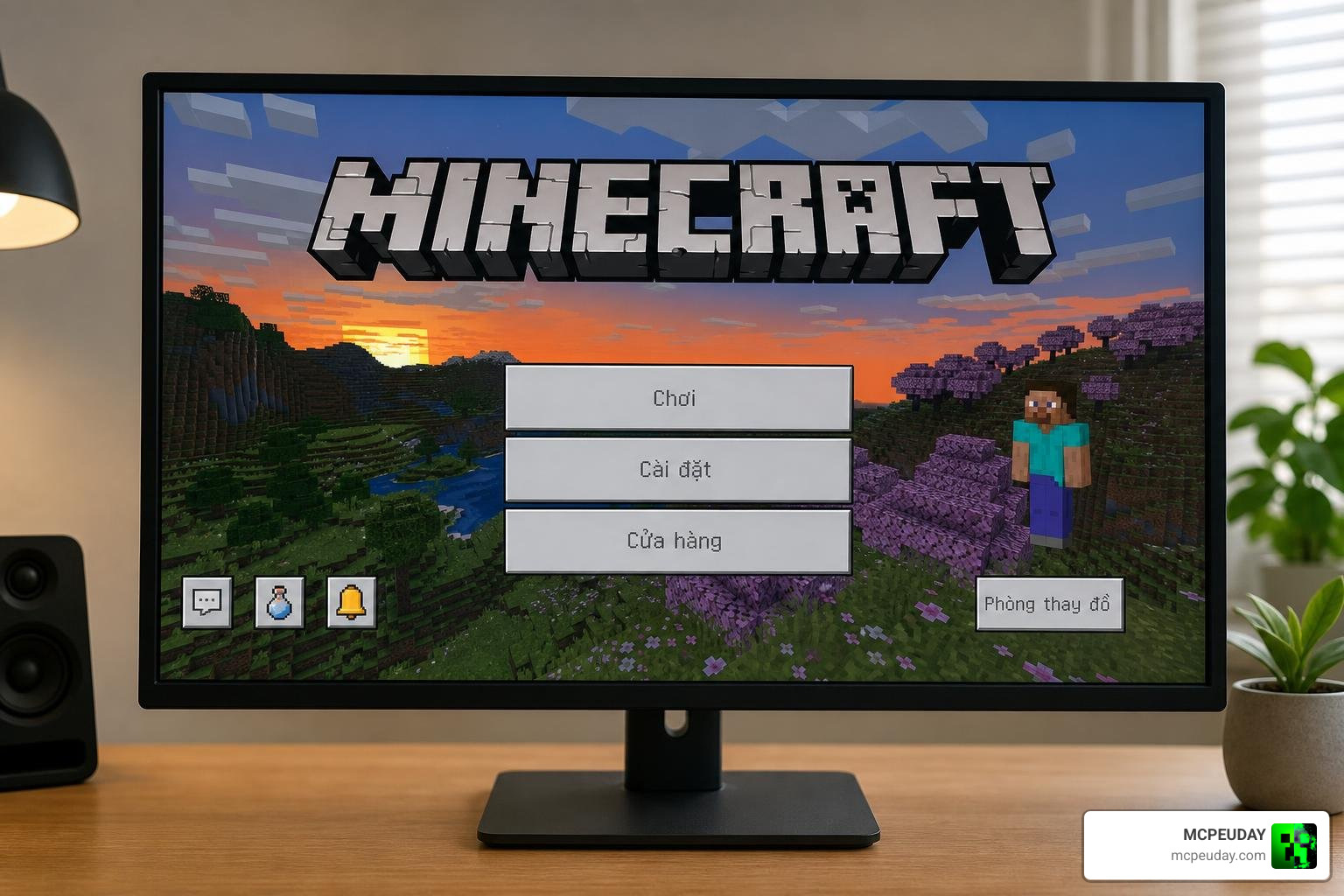
At its core, Ty-el’s Vietnamese Language Pack is an essential localization resource pack designed to eliminate the language barrier for Vietnamese Minecraft players. Created by the talented community developer Ty-el, this pack acts as a bridge, allowing players to fully understand every technical detail, achievement, and in-game prompt.
Whether you are playing on a mobile device, a console, or Windows, navigating complex gameplay features can be tough if you are not fluent in English. This pack ensures that you do not miss out on the creative depth of the game. You can explore our complete library and get the file via Download The Ty-el’s Vietnamese Language Pack v1.6.5 on MCPEUDAY.
Key Features of Ty-el’s Vietnamese Language Pack
This localization tool goes far beyond simply translating basic block names. It is a highly sophisticated translation system that integrates deeply with Minecraft Bedrock’s engine:
- Massive Translation Database: It translates over 17,000 individual in-game strings (keys), ensuring that almost every menu, item, and button you interact with is in clear Vietnamese. This includes item descriptions, block names, status effects, achievement titles, and even the complex settings menus that often confuse players.
- Text-to-Speech Support: The pack includes fully localized text-to-speech functionality, helping visually impaired players or those who prefer auditory prompts to enjoy the game seamlessly. This feature is incredibly rare in community-made translation packs, making Ty-el’s work stand out as a highly professional-grade localization tool.
- Chemistry Mode Integration: For educational players, it accurately translates technical scientific terms in Chemistry Mode (Education Edition), making chemistry lab tables, element constructors, compound creators, and material reducers easy to understand. This is perfect for students and teachers in Vietnam who use Minecraft for educational purposes.
- Editor Mode Compatibility: It offers early support for Minecraft’s technical Editor Mode (Preview), giving map makers and creators a localized workspace. This allows Vietnamese developers to build custom maps, scripts, and worlds with a fully translated interface, boosting productivity and creativity.
Ty-el’s Language Pack vs. Ty-el’s UI Pack
While the language pack focuses on translating text, the creator has also developed a companion pack called The Ty-el’s UI Pack.
While the language pack translates the words, the UI pack modifies how those words and menus actually look on your screen. The UI pack adds informative option descriptions to every setting in the Keyboard & Mouse or Controller tabs. It also changes the Marketplace purchase flow by adding a confirmation checkbox to prevent accidental purchases.
We highly recommend using both together for the ultimate Bedrock experience. You can grab the UI pack directly through our curated collection via The Ty-el’s UI Pack on MCPEUDAY.
Translation Accuracy, Special Modes, and Font Options
One of the main reasons we love Ty-el’s Vietnamese Language Pack is its incredible accuracy. By aligning its translations with the official Crowdin localization project, it manages to match the Java Edition’s Vietnamese translation with over 95% accuracy.
For context, Minecraft’s community localization work is managed through the official Minecraft Crowdin project, which helps explain why this pack follows many of the same terminology rules used by the wider Minecraft translation community.
To give you an idea of how much of a difference this pack makes compared to vanilla Bedrock, take a look at this comparison:
| Feature/Term | Vanilla Bedrock Edition | With Ty-el’s Language Pack |
|---|---|---|
| General Menu Navigation | Standard English | Fully Translated Vietnamese |
| Font Style | Default system font (no classic feel) | Retro ‘MinecraftSeven’ pixel font |
| Chemistry Technical Terms | English Only | Accurate Vietnamese Scientific Terms |
| Text-to-Speech | English voice synthesis | Localized Vietnamese Speech support |
| Editor Mode Screens | Untranslated / English | Localized Creator Tools |
How to Configure Ty-el’s Vietnamese Language Pack Fonts
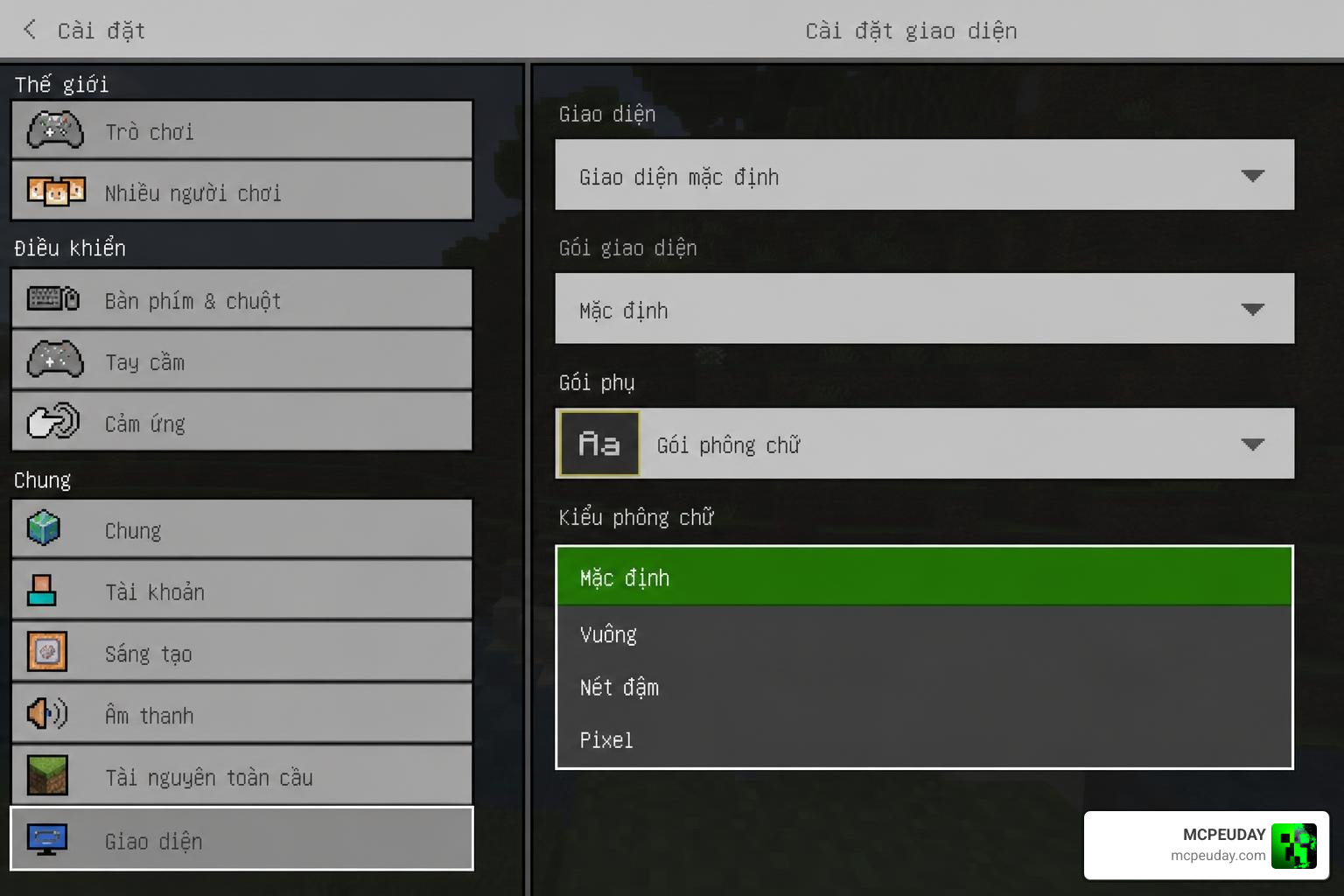
To keep the game looking authentic, the pack features customizable font styles. You can change these styles using the “Subpack Slider” in your game settings. Here are the four options available:
- MinecraftSeven: The classic, pixelated retro font that gives Bedrock the nostalgic look of Java Edition. This font is designed to match the original pixel-art aesthetic of Minecraft, ensuring that your Vietnamese text blends perfectly with the game’s overall visual style.
- MinecraftSeven (Smooth Variant): A cleaner, anti-aliased version of the classic font. This is our personal favorite for high-resolution texture packs or PvP gameplay where readability is key. It reduces eye strain during long gaming sessions while maintaining the blocky charm of the game.
- Unifont + Noto Sans: A highly compatible, clean font combination that ensures no characters are cut off or distorted. This is particularly useful if you use other add-ons or resource packs that modify the UI, as it offers the highest level of compatibility across different devices and screen resolutions.
- None: Keeps the game’s default vanilla font while applying only the Vietnamese text translations. This is ideal for players who prefer the modern, smooth look of the standard Bedrock Edition font but still want the benefits of a complete Vietnamese translation.
To change your font, go to your Global Resources, click on the pack, and select the gear icon next to the “Deactivate” button. Slide it to your preferred font style, exit the settings, and restart your game to apply the changes.
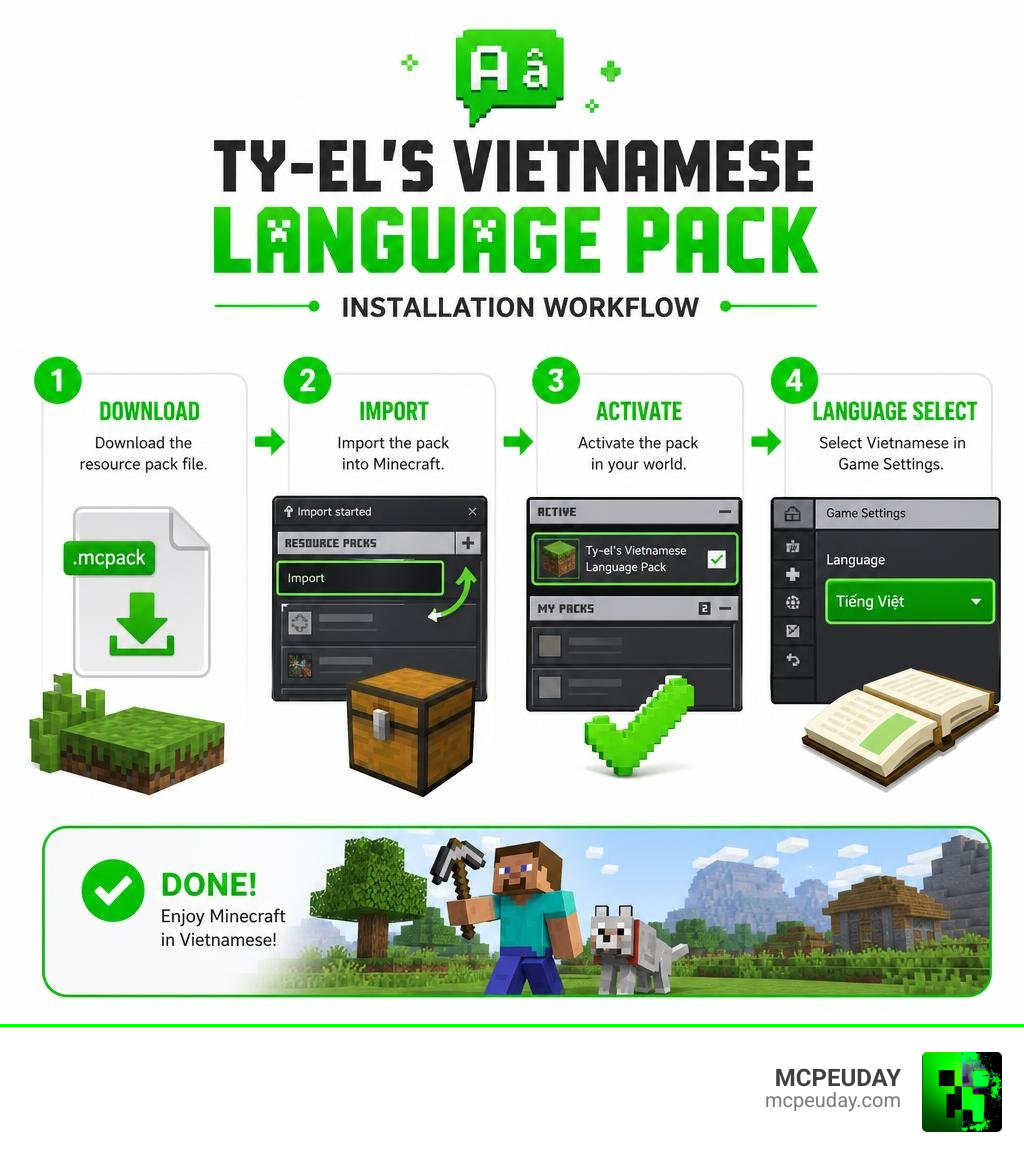
Step-by-Step Installation and Update Guide
Setting up the pack is incredibly easy. Follow our simple process to get up and running in minutes:
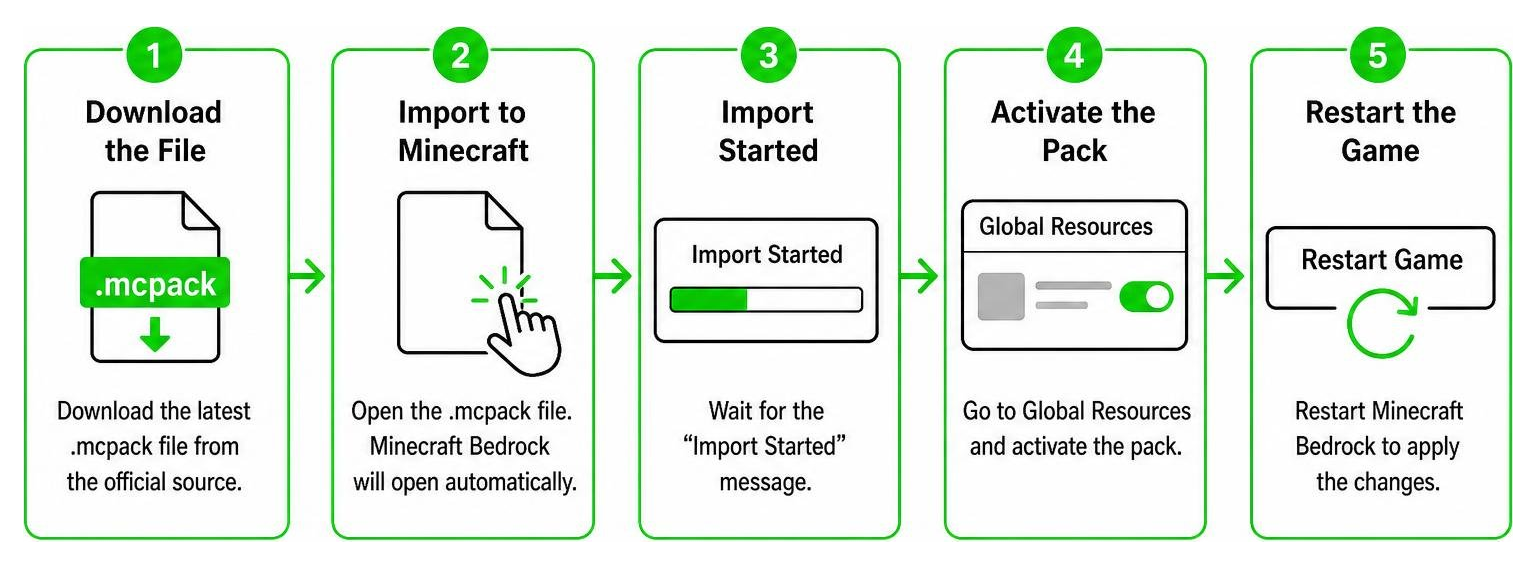
Step 1: Download the File
Download the official .mcpack file from our verified links on MCPEUDAY. Make sure you are downloading the latest version (v1.6.5) to ensure compatibility with your current game version. We always scan our files to ensure they are 100% safe, secure, and free from any malware or unwanted ads.
Step 2: Import to Minecraft
Locate the downloaded .mcpack file on your device’s file manager and double-click or tap it. Minecraft Bedrock will open automatically and display an “Import Started” message at the top of your screen. Within a few seconds, you should see a success message indicating that the pack has been successfully imported.
Step 3: Activate in Global Resources
Navigate to the main menu of Minecraft, then go to Settings > Global Resources > My Packs. Find Ty-el’s Vietnamese Language Pack in the list, click on it, and select Activate. This will move the pack to the ‘Active’ section at the top of the menu.
Step 4: Configure Your Font
While still in the Global Resources menu, select the active pack, click the Gear Icon (Settings), and use the slider to choose your preferred font style. You can choose between MinecraftSeven, Smooth Variant, Unifont, or None depending on your personal preference and device compatibility.
Step 5: Select Vietnamese Language
Exit the settings menu to let the resource pack load (you will see a brief loading screen). Then, go back to Settings > Language and scroll down to select Tiếng Việt (Việt Nam). We recommend restarting your game once more to ensure all fonts, UI elements, and text strings load perfectly without any visual glitches!
Note: Always delete older versions of the language pack from your storage settings before importing a new update to prevent resource conflicts!
Frequently Asked Questions about Ty-el’s Vietnamese Localization
We have compiled some of the most common questions from the community to help you troubleshoot any issues you might face.
Why are some words like Creeper or Redstone not translated?
This is actually not a bug! The pack strictly follows the official Minecraft translation guidelines and the Crowdin project rules. Iconic entity names, block names, and brand terms (such as Creeper, Redstone, Piglin, and Ghast) are kept in their original English forms to maintain consistency across the global Minecraft community.
How do I fix distorted or bold fonts in chat?
If you notice that the text in your multiplayer chat looks distorted, overlapping, or excessively bold, it is usually due to a conflict with game resolution settings.
To fix this:
- Go to your in-game chat settings.
- Adjust the Line Spacing to exactly x1.0.
- Change the Chat Font setting back to Mojangles or default.
Why does the Marketplace fail to load with this pack active?
Because Minecraft’s Marketplace terms, achievements, and credits are hardcoded on Mojang’s servers, they cannot be translated by local resource packs. Occasionally, this causes the Marketplace screen to hang or fail to load.
If this happens to you, simply switch your game language back to English temporarily in your settings, access the Marketplace, and then switch it back to Vietnamese when you are done.
Conclusion
Ty-el’s Vietnamese Language Pack is an absolute game-changer for the Vietnamese Minecraft Bedrock community. By combining incredible translation accuracy with beautiful custom fonts and support for advanced game modes, it provides the ultimate localized experience.
At MCPEUDAY, we are dedicated to bringing you the absolute best, safest, and most up-to-date resources for Minecraft Bedrock and Java Edition. If you want to take your world to the next level, Download Ty-el’s Vietnamese Language Pack today on MCPEUDAY and enjoy a seamless, fully localized adventure! Have fun crafting!
