NovaFX Visuals Shader: A Bedrock Graphics Upgrade for Mobile Players
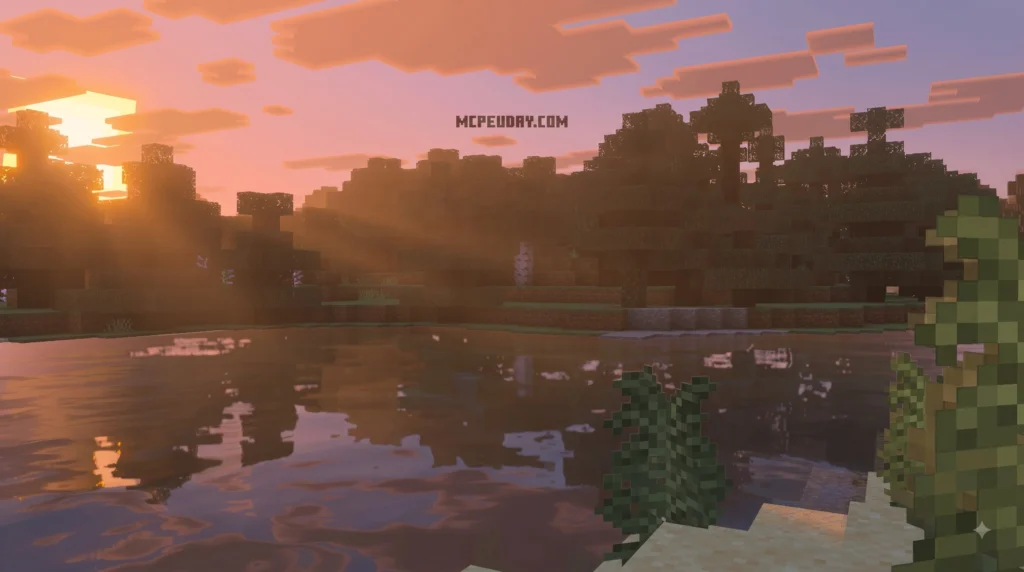
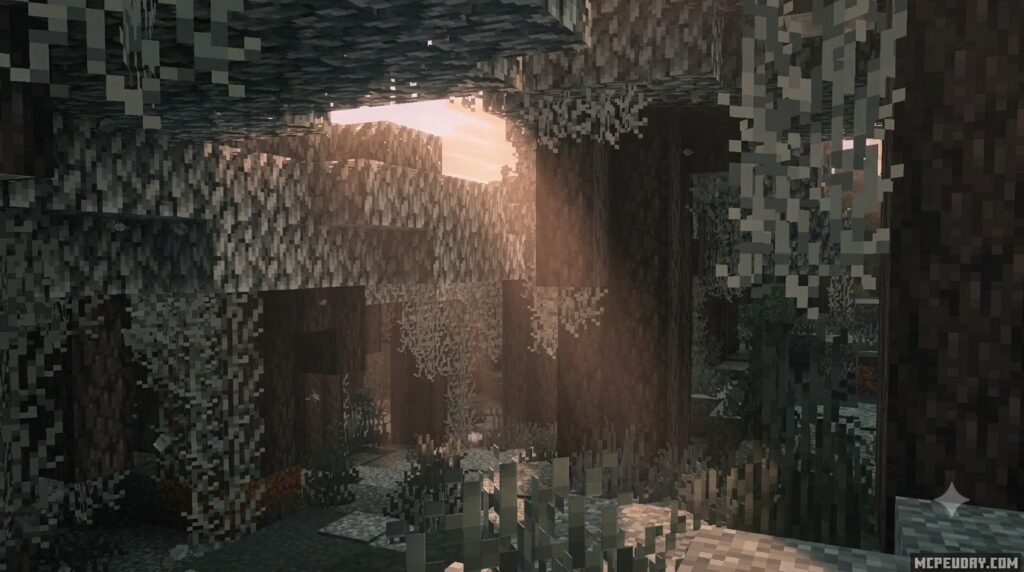
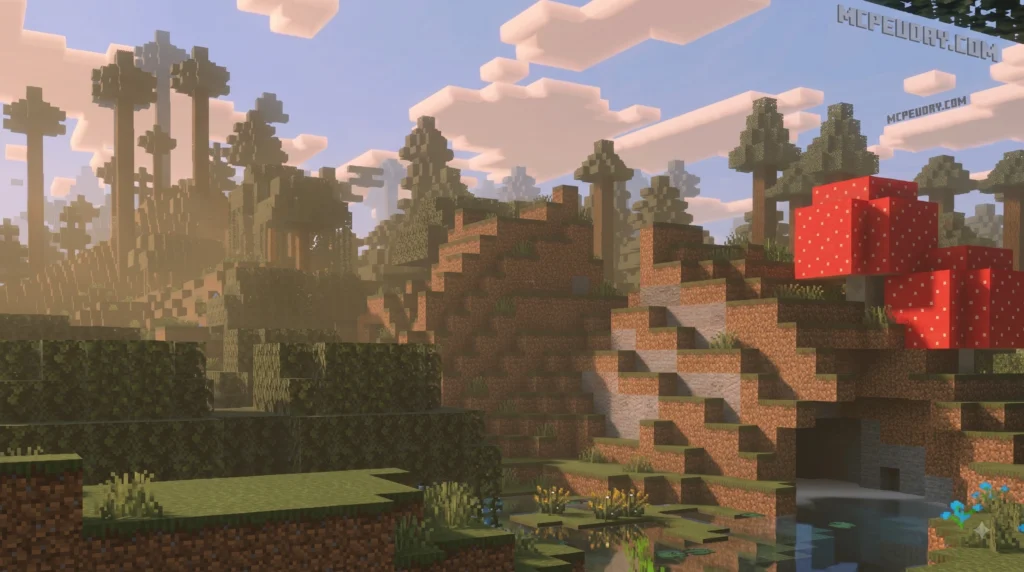
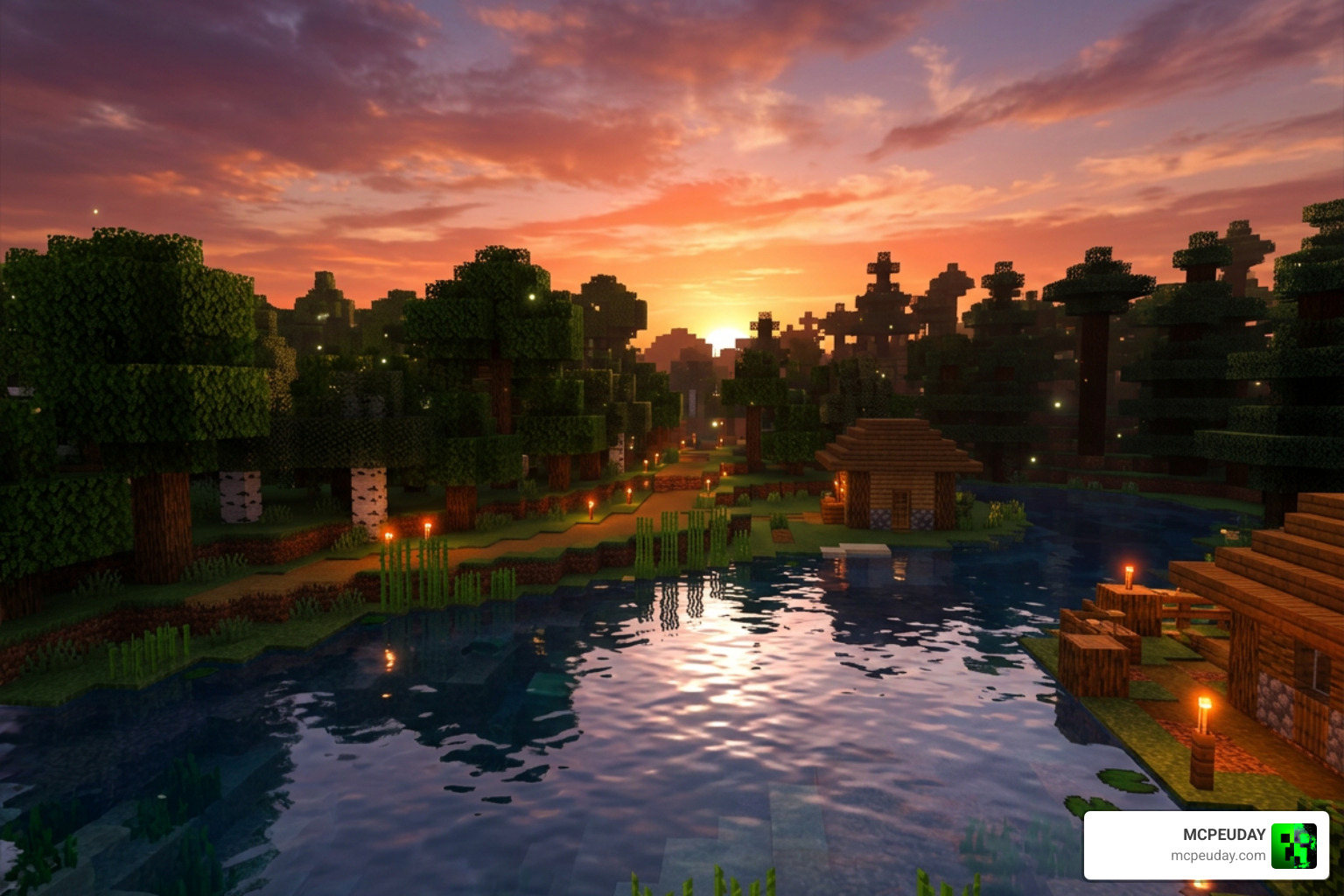
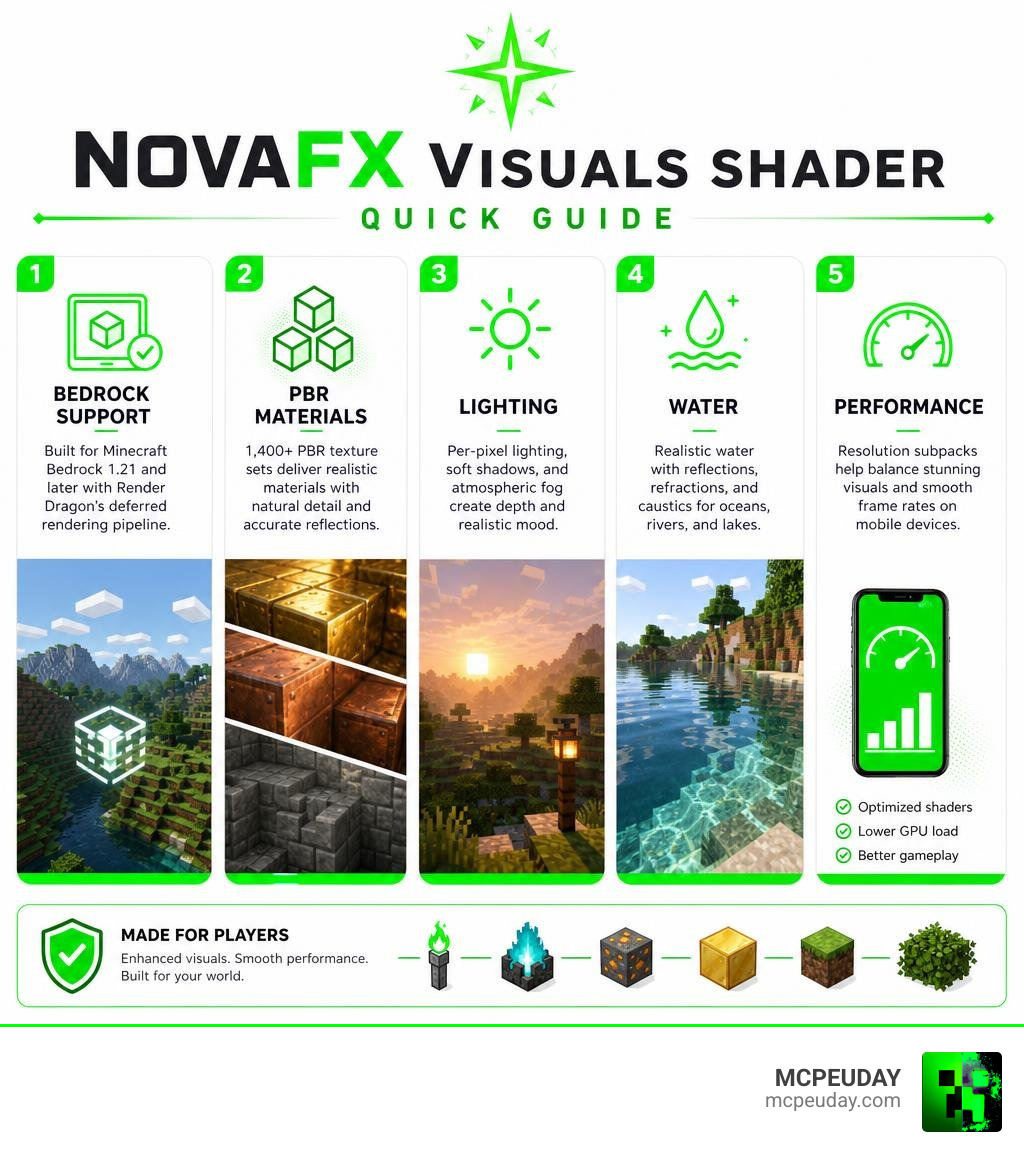
NovaFX Visuals Shader is a Minecraft Bedrock resource pack built for the Render Dragon deferred rendering pipeline. It upgrades the game’s look with more natural lighting, softer shadows, glowing materials, reflective PBR surfaces, and water caustics, while offering resolution subpacks to help mobile players balance visual quality and frame rate.
| Quick answer | What it means |
|---|---|
| Best for | Minecraft Bedrock 1.21 and later |
| Main visual upgrades | Per-pixel lighting, PBR textures, soft shadows, atmospheric fog, and water effects |
| Rendering support | Designed for Render Dragon’s Vibrant Visuals deferred rendering |
| Mobile option | Resolution subpacks let players reduce GPU load on mid-range devices |
| Pack size | 5.48 MB for version 2.9.0 |
Bedrock shaders have often been limited by engine changes and weak mobile performance. NovaFX takes a more modern route: it is designed around deferred rendering, which calculates details such as light, shadows, and materials across each visible pixel. The result can make torchlight feel warmer, soul fire look cooler, and metals such as copper and gold react more convincingly to daylight.
It is also a relatively compact pack. Version 2.9.0 is listed at 5.48 MB, down from 7.73 MB in version 2.6.0, yet it includes more than 1,400 PBR texture sets. With more than 140,000 downloads and a 3.4/5 user rating, it is clearly a pack players are testing across many Bedrock devices.
I am UDAY GAMER, and this guide will help you understand whether NovaFX fits your device and your Minecraft world.
What is NovaFX Visuals Shader and How Does It Work?
The NovaFX Visuals Shader represents a massive leap forward for graphics rendering in Minecraft Bedrock 1.21 and newer builds. For years, Bedrock and MCPE players had to rely on basic resource packs or unstable legacy modifications that broke with every minor engine update. When Mojang introduced the Render Dragon engine, traditional vertex shader manipulation was restricted. However, the introduction of the Vibrant Visuals framework and deferred technical preview changed everything.
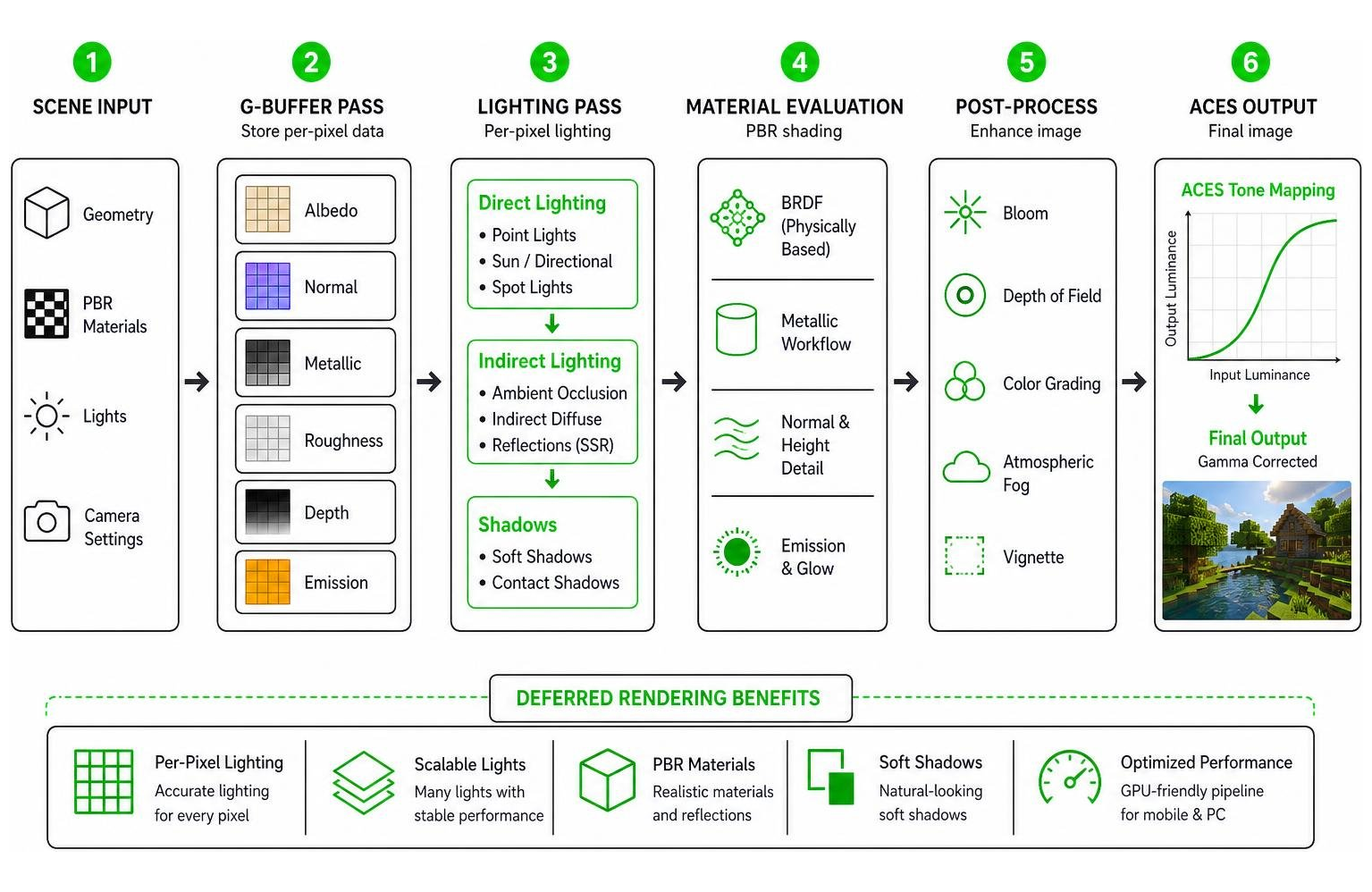
Instead of modifying basic geometry on the CPU or standard vertex passes, deferred rendering utilizes GPU compute shaders to process scene data across multiple passes. Light calculations, material reflections, and shadows are computed per-pixel rather than per-vertex. This gives us dramatic visual enhancements without crushing performance when configured correctly. Developers across community open-source projects, such as those found on AVGenAI/NovaShader, have explored similar shader architectures to create highly optimized visual pipelines.
Core Features of NovaFX Visuals Shader
The most noticeable improvement in the NovaFX Visuals Shader is its comprehensive material system. The pack comes bundled with over 1,400 PBR texture sets. Physically-Based Rendering (PBR) allows surfaces to define height maps, smoothness, and metallic reflectivity. For example, copper blocks dynamically shift their reflective luster as the sun tracks across the sky, while sculk blocks whisper with a deep, dark-veined organic glow and redstone components give off a subtle, low-intensity crimson hum.
Lighting throughout the world utilizes cinematic ACES tone mapping (Academy Color Encoding System), which is the standard color management pipeline used in film production and AAA game design. Torches cast deep, warm amber hues, while soul fire emits a crisp, pale blue glow. Sunlight filtering through water generates fluid water caustics on sea beds, complemented by dynamic atmospheric fog and soft shadow maps. Broad shader communities, including repositories like MingFengShang/NovaShader, highlight how refined color grading completely changes player immersion.
Hardware Compatibility and Mobile System Requirements
Because deferred rendering shifts the workload heavily onto GPU compute shaders, hardware compatibility is crucial. The NovaFX Visuals Shader requires mobile devices or PCs with dedicated graphics processors capable of handling modern driver APIs.
On Android devices, performance relies on GPU thermal management. Running full PBR textures and real-time shadows on high settings can cause thermal throttling on budget or mid-range phones. To enjoy smooth gameplay, players should ensure their game client has the ‘Deferred Technical Preview’ or ‘Vibrant Visuals’ toggles enabled within video settings, and adjust rendering options according to their chipset capabilities.
Performance Subpacks and Optimization Options
To accommodate the wide variety of mobile hardware across the Bedrock ecosystem, the developers optimized the pack structure significantly. Between version 2.6.0 and version 2.9.0, the overall package size was reduced from 7.73 MB to just 5.48 MB, making it faster to load and less memory-intensive. Despite this slim size, the shader pack maintains high aesthetic standards, leading to over 140,000 total downloads and a solid community user rating of 3.4 / 5.
The key to running the shader smoothly lies in its built-in resolution subpacks. Subpacks allow users to adjust feature sets—such as shadow map resolution and caustic rendering complexity—to suit their specific mobile device.
| Subpack Tier | Recommended Hardware | Visual Highlights | Relative FPS Impact |
|---|---|---|---|
| Ultra / High | Flagship Phones / PC GPUs | 2K Shadow Maps, Full PBR Luster, Crisp Water Caustics | High GPU Load |
| Medium | Mid-Range Smartphones | Balanced Soft Shadows, Standard PBR, Smooth Fog | Moderate GPU Load |
| Low / Eco | Entry-Level Android | Soft Ambient Lighting, Basic Reflections, Optimized Fog | Low GPU Load |
Fine-Tuning Graphic Settings for High Frame Rates
To get the best frame rate while keeping the game looking great, we recommend following a quick fine-tuning process within your Minecraft Bedrock video settings:
- Navigate to Global Resources, select the NovaFX Visuals Shader, and click the gear icon to open the subpack slider.
- Slide to a lower subpack profile (such as Medium or Low) if you experience frame dips during intensive weather events or underwater exploration.
- Lower your in-game render distance by 2 to 4 chunks to lighten the deferred rendering pipeline load.
- Ensure anti-aliasing settings are set to standard levels to prevent double-processing on mobile screens.
How to Install and Set Up NovaFX Visuals Shader on Android
Installing the NovaFX Visuals Shader on Android devices is straightforward thanks to the standard .mcpack file format. Follow this step-by-step setup guide to get up and running smoothly:
- Download the official
.mcpackfile to your Android device storage. - Open your device file manager, locate the downloaded file, and tap it. Select Minecraft Bedrock to automatically launch the game and import the pack.
- Once in the main menu, go to Settings > Global Resources > My Packs.
- Click on NovaFX Visuals Shader and tap Activate.
- Click the gear icon on the active pack to select your preferred resolution subpack slider setting.
- Open your world settings, navigate to Video, and toggle on Vibrant Visuals (or Deferred Technical Preview).
- Restart your game client to ensure all light caches and PBR textures load cleanly into memory.

Technical Foundations and NovaFX Visuals Shader Architecture
The underlying principles behind modern shader design draw inspiration from multi-functional engine architectures like Unity URP (Universal Render Pipeline). In these environments, robust particle and material systems utilize keyword stripping and shader optimization routines to keep memory usage minimal.
Developer documentation, such as the README.md at main · CyberAgentGameEntertainment/NovaShader, illustrates how advanced visual systems strip unused parameter references to cut build sizes down significantly. Applying these practices to Bedrock means the NovaFX Visuals Shader delivers intense glowing particle effects, screen distortion, and dynamic depth transitions without exhausting system RAM.
Frequently Asked Questions about NovaFX Visuals Shader
What Minecraft Bedrock versions does NovaFX Visuals support?
The NovaFX Visuals Shader is built specifically for Minecraft Bedrock 1.21 and newer versions. It requires the Render Dragon deferred rendering engine to function properly. It is not backward compatible with older Minecraft engines (pre-1.19 legacy releases) because legacy builds lack the deferred technical preview infrastructure needed for per-pixel light calculation.
How do I change the resolution subpacks in NovaFX?
To adjust subpacks, open Minecraft and head to Settings > Global Resources. Tap on Active Packs, select NovaFX Visuals Shader, and click the gear icon that appears underneath. Drag the slider to your desired performance tier (e.g., Low, Medium, or High), exit settings, and restart your game client so the new texture and shadow parameters reload cleanly.
Does NovaFX Visuals support Render Dragon’s Vibrant Visuals?
Yes! NovaFX Visuals is designed specifically to integrate with Render Dragon’s Vibrant Visuals deferred rendering engine. It fully utilizes the engine’s capability to draw real-time dynamic shadows, realistic atmospheric fog, water caustics, and metallic specular reflections across all supported biomes.
Conclusion
At MCPEUDAY, we aim to provide clear, reliable guides to help you get the best performance and visuals out of your favorite gaming titles. The NovaFX Visuals Shader stands out as one of the most complete visual overhauls available for Bedrock players today. By combining over 1,400 PBR texture sets, ACES tone mapping, and flexible performance subpacks, it brings a fresh look to mobile and desktop worlds alike.
If you want to compare different graphics packs before building your dream setup, be sure to check out our Top 3 Realistic Minecraft PE Shaders Guide for more tested graphics options!