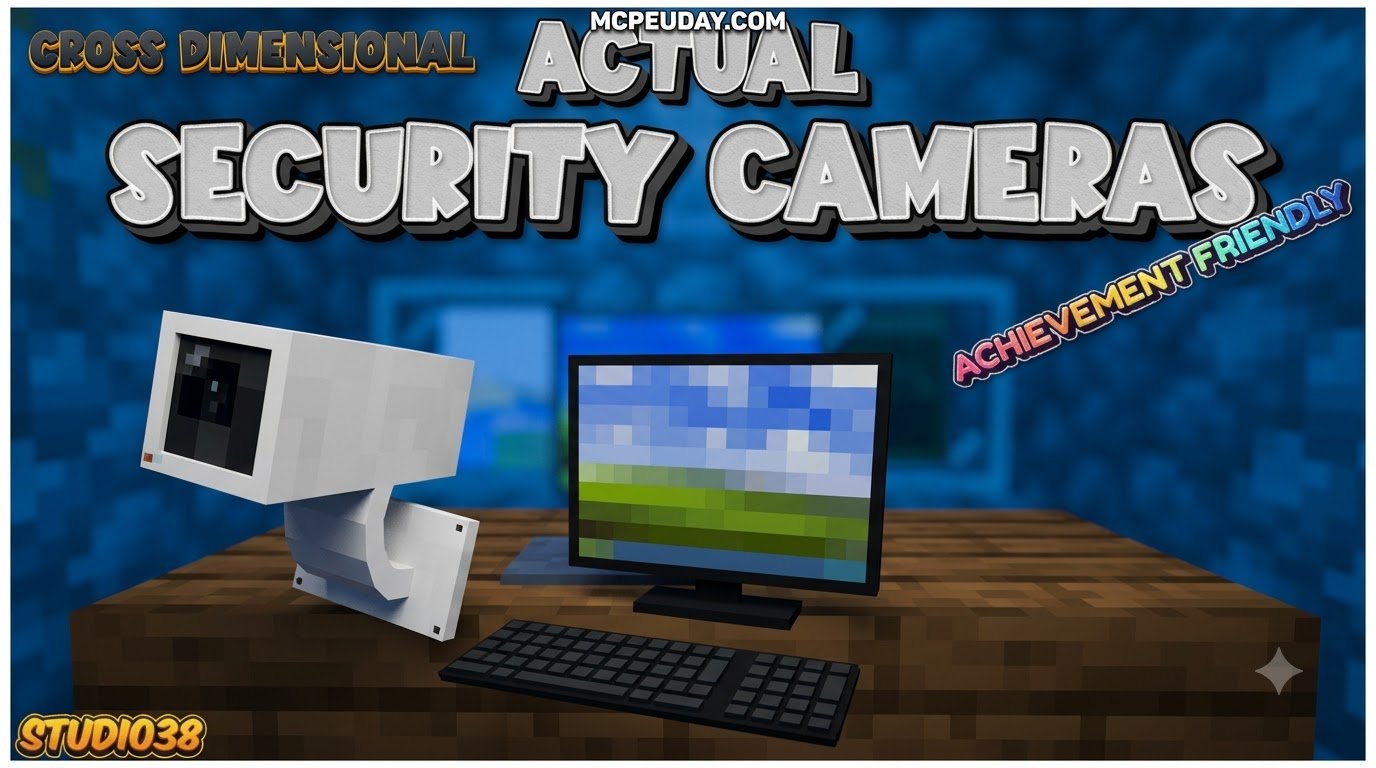
Scroll down to D0vvnl0ad
Get Working Security Cameras in Minecraft PE/Bedrock
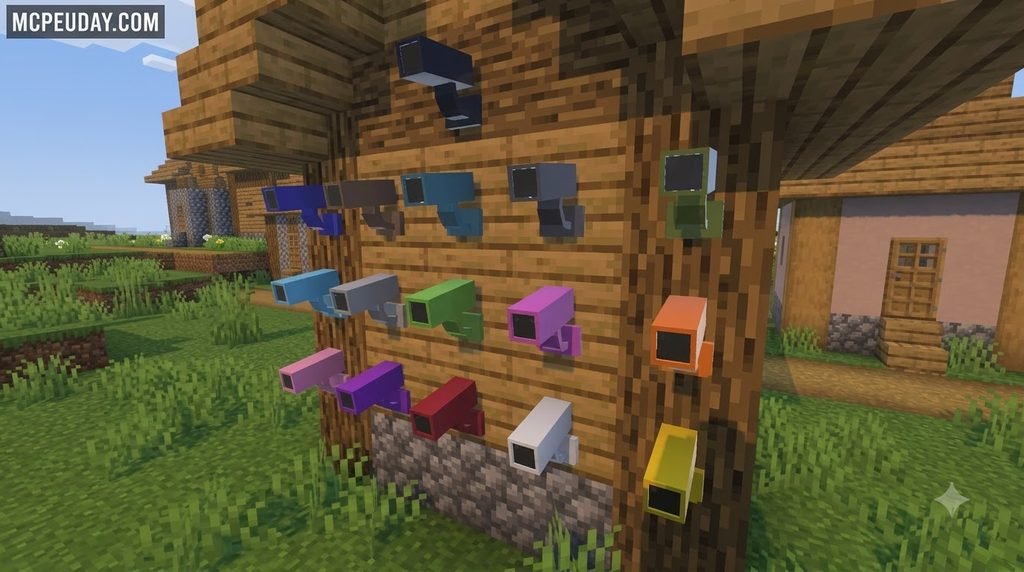
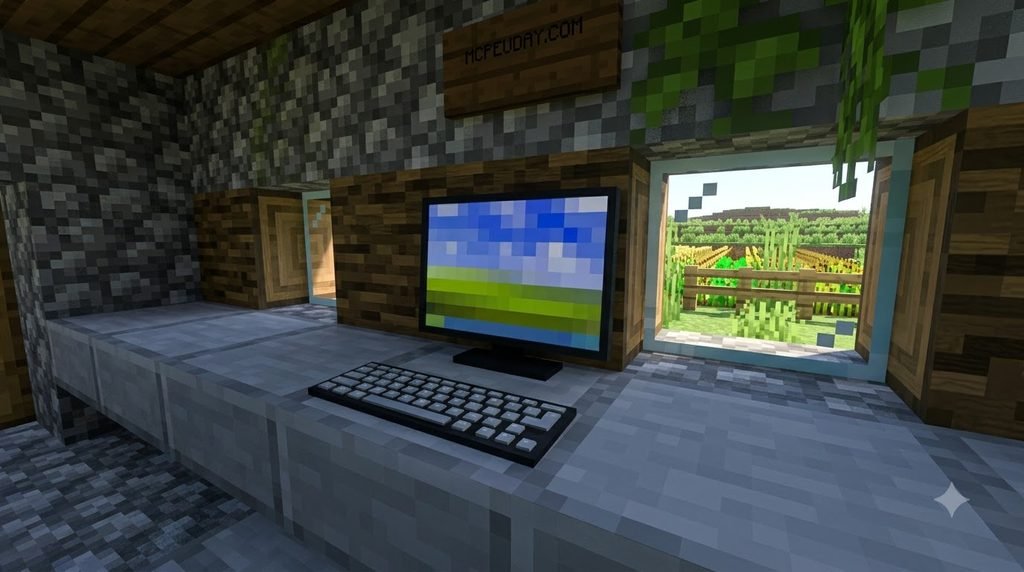
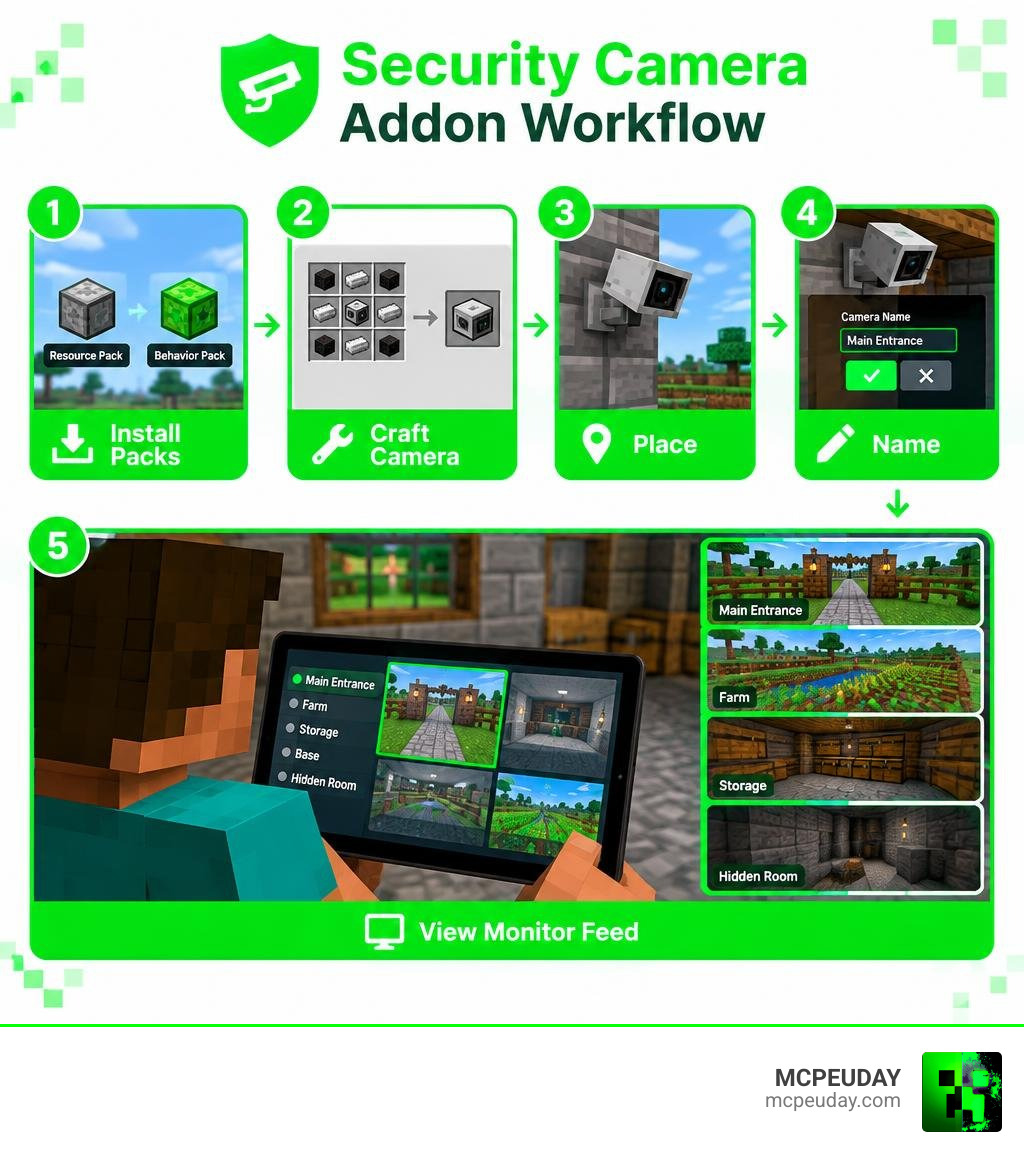
The Actual Security Cameras Addon for Minecraft PE/Bedrock lets you craft cameras, place them around your base, give each one a clear name, and watch their feeds through a monitor or tablet. Install and activate its behavior and resource packs, then place cameras at entrances, farms, storage rooms, or hidden areas to create a simple surveillance network.
It works on Bedrock 26.x without experimental toggles, so you can keep survival achievements enabled. The addon also supports multiplayer worlds and Realms, while avoiding player.json changes that commonly cause addon conflicts.
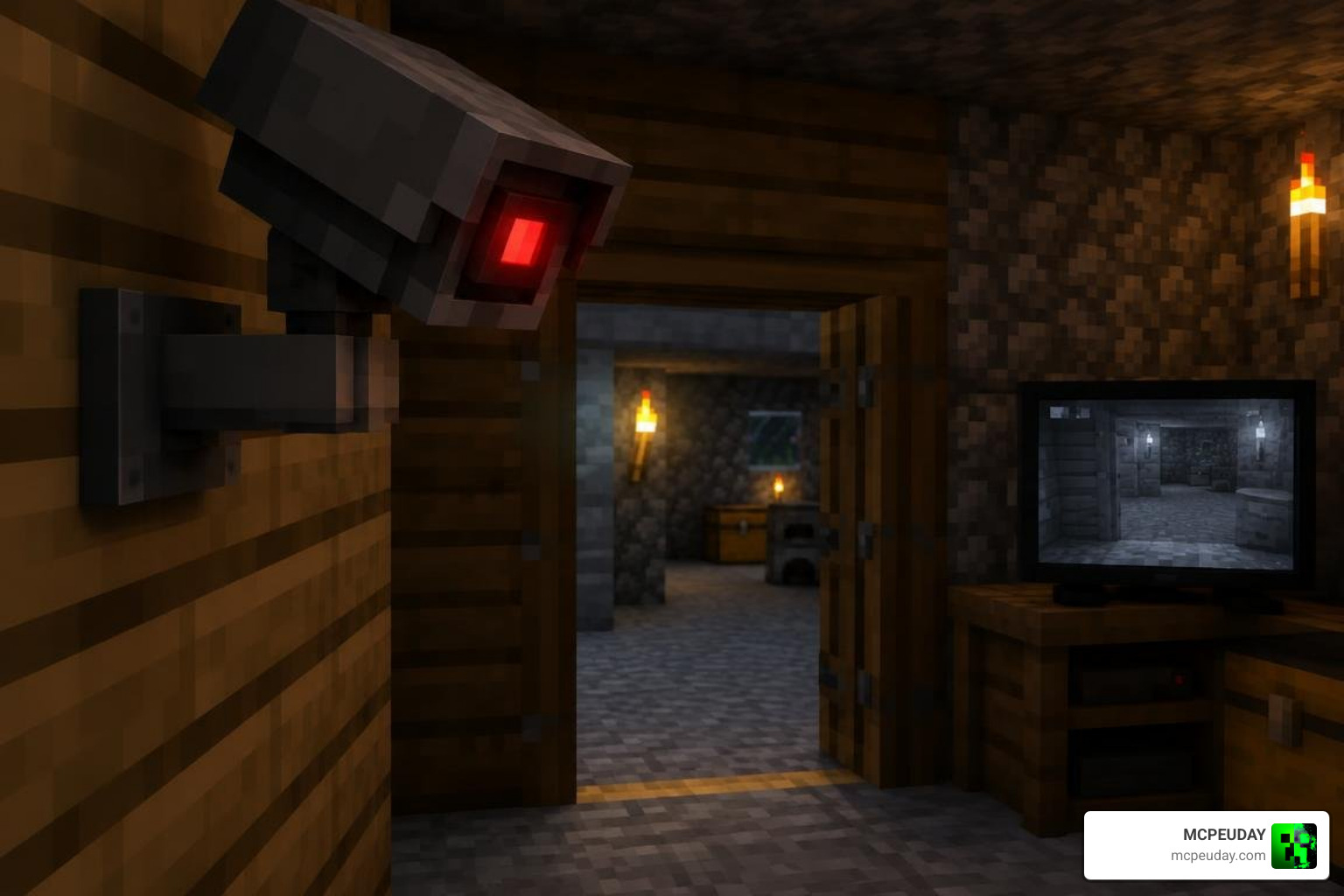
Use it to spot unwanted visitors, monitor a mob farm, or build a high-tech roleplay base. Cameras work best when the viewer and camera are in the same dimension, and you can connect as many cameras as your monitor menu and device can comfortably handle.
I am UDAY GAMER, and next I will show you exactly what this addon adds and how its camera system works.
What Is the Actual Security Cameras Addonfor Minecraft PE/Bedrock ?
The Actual Security Cameras Addonfor Minecraft PE/Bedrock is a specialized utility pack that brings real-time visual surveillance directly into Bedrock Edition. Instead of relying solely on physical traps or iron golems, you can place fully functional, interactive camera blocks across your terrain and inspect distant areas with the touch of a button.
Operating seamlessly on Bedrock 26.x, the addon transforms a standard survival compound into a high-security modern estate. Through a dedicated handheld monitor or tablet, you can view live feeds, cycle between viewpoints, check active coordinates, and watch for approaching mobs or sneaky players before they breach your doors. The interface is tailored for both touchscreen mobile controls and controller or keyboard inputs, allowing fluid navigation across all your linked security perspectives.
Core Features and System Architecture
Built with optimization in mind, this package maintains a lightweight footprint ranging between 223 KB and 467 KB, ensuring lightning-fast loading times without stuttering your game tick rate. Players have awarded it a solid 4.8 out of 5 rating for its reliability and smooth interface across various world sizes.
A major technical advantage of this system is that it completely bypasses modifying the player.json file. Many complex mods overwrite player templates, resulting in broken animations, corrupted custom skins, or mod collisions. By avoiding player.json, this surveillance pack maintains total stability alongside other gameplay modifications, custom armor sets, and animation packs.
| Feature | Actual Security Cameras Addon | Standard Defense (Traps / Golems) | Traditional Modded Turrets |
|---|---|---|---|
| Real-Time Visuals | Full optical camera feed | None (Physical triggers only) | Automated targeting only |
| Experimental Toggles | Not required | Vanilla standard | Usually required |
| Survival Achievements | 100% Retained | 100% Retained | Typically disabled |
| player.json Edits | No (High compatibility) | None | Often overwrites file |
| Dimension Tethering | Same-dimension optimized | Local entity only | Local entity only |
Privacy Settings and Player Access Controls
Base protection is only as good as your access permissions. The addon includes built-in privacy controls that prevent unauthorized players on multiplayer servers or Realms from hijacking your surveillance network.
When deploying a unit, you can mark it as a Private Camera. Once private, only the owner has the authorization to view its live feed. If you are playing with trusted faction members, open the camera management menu and whitelist individual players from the dropdown list. Server admins can also monitor key zones while keeping control feeds restricted to specific staff members, preventing griefers from tracking guard patrols or discovering hidden vault rooms.
Crafting and Managing Your Surveillance Network
Setting up a complete surveillance hub requires just a few standard survival materials. You do not need expensive Nether stars or rare drops to begin building your control room.
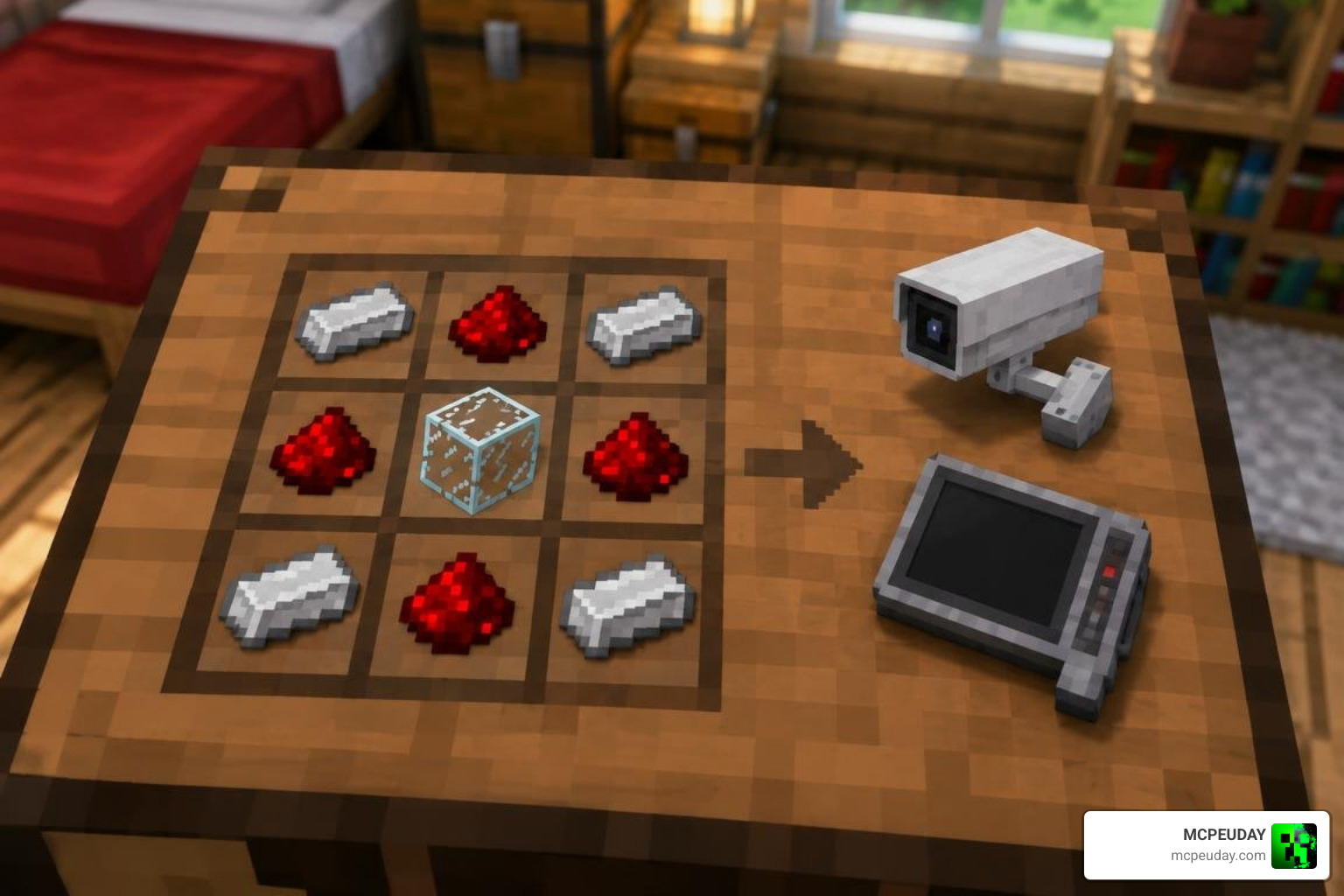
Crafting Recipes in Actual Security Cameras Addonfor Minecraft PE/Bedrock
Crafting both the camera unit and the monitor tablet uses basic resources found during standard mining runs.
- Security Camera Recipe:
- 4 Iron Ingots
- 4 Redstone Dust
- 1 Glass Pane (or Ink Sac depending on color variant)
- Monitor / Tablet Recipe:
- 4 Iron Ingots
- 3 Redstone Dust
- 1 Glass Pane
- 1 Book
If you love decorating your tech rooms with modern appliances, pairing these security screens with the Home Electronics Addon helps create an authentic smart-home command center.
Placing, Naming, and Viewing Camera Feeds
Deploying cameras is straightforward. Place the camera block onto any wall, ceiling, or pillar. Upon placement, an interactive UI prompt appears allowing you to assign a custom name (such as “North Gate” or “Creeper Farm”).
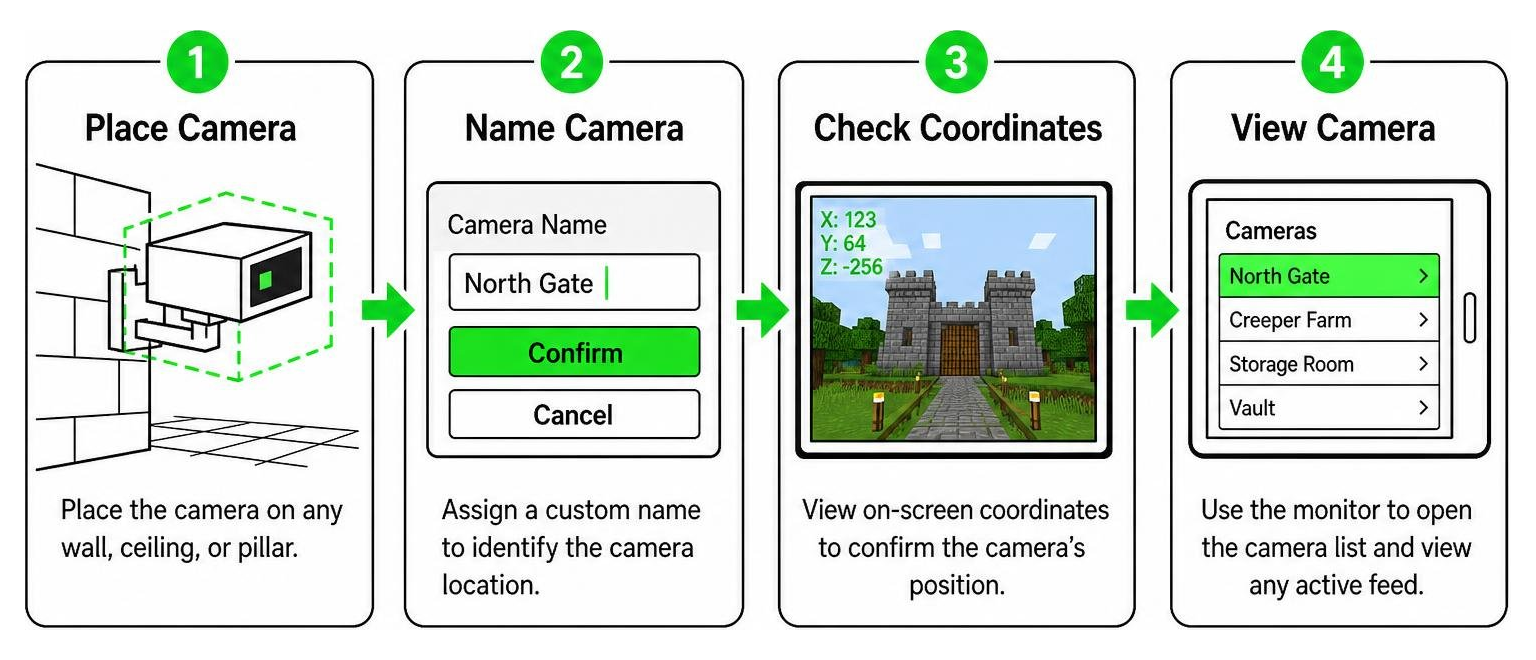
To view your cameras, hold the monitor item and interact with the screen. A menu displays your active camera list. Selecting a location instantly shifts your perspective to that camera’s viewpoint. While in camera view, you can jump or sneak to cycle cameras, inspect on-screen coordinates, or return to your player body. To remove or relocate a camera, simply break the block in survival mode, and it will automatically de-register from your network.
Top strategic base locations for camera placement include:
- Main entrance gates and perimeter walls to detect incoming players and wandering raids
- Underground vault and chest storage rooms to protect high-value ores and enchanted items
- Automated crop, iron, and mob farm collection points to monitor hopper backups and spawn rates
- Hidden escape tunnels, nether portal chambers, and minecart stations for emergency base evacuation
Setup, Performance, and Compatibility
Whether you run a private survival realm or play on local multiplayer worlds with friends in the USA, America, Russia, or Jaipur, India, the addon delivers rock-solid performance without creating server lag. The underlying scripts conform directly to standard Bedrock entity mechanics outlined on the official Minecraft Wiki, ensuring stability across diverse device types. If you enjoy tactical base defense, you can even combine your surveillance feeds with the Actual Guns 2 Addon to guard your perimeter against hostile raids.
How to Install the Actual Security Cameras Addonfor Minecraft PE/Bedrock
Installing the addon on Bedrock Edition takes only a couple of minutes:
- Download the unified
.mcaddonfile (or individual Resource and Behavior packs). - Open the file to automatically import both packs into Minecraft Bedrock.
- Open your desired world settings, navigate to Resource Packs, and activate the camera textures.
- Navigate to Behavior Packs in the same world settings menu and activate the camera scripts.
- Confirm that both packs appear in your active pack list, then launch your world to begin crafting.
For dedicated servers and Realms, ensure you upload both packs during world creation or apply them directly through the Realm management dashboard before inviting other players.
Addon Compatibility and Experimental Settings
Unlike many technical mods, this addon does not mandate experimental gameplay toggles. Because it operates cleanly within standard Bedrock scripting rules, you do not have to worry about broken world updates or disabling achievements.
Its clean architecture also means flawless compatibility alongside visual overhauls like the Better Dynamic Light Addon for Minecraft Bedrock 1.21 1.20 Realistic Lighting Mod for MCPE, ensuring crisp night vision and realistic lighting while monitoring dark cave systems and perimeter fence lines.
Frequently Asked Questions About Minecraft Security Cameras
Can you view security camera feeds across different dimensions?
Camera feeds work best when both the player and the camera reside in the same dimension (such as the Overworld). If you enter the Nether or the End, feeds from other dimensions pause because distant simulation chunks unrender in standard Bedrock gameplay. To monitor Nether outposts, keep your character within the Nether while accessing the monitor tablet.
Does the security cameras addon disable achievements in survival?
No. Because the addon functions without enabling experimental toggles or cheats, you can earn Xbox achievements and trophies while securing your survival world. This makes it an ideal defense utility for pure survival progression runs.
How many cameras can you link to a single monitor?
There is no hard limit on the number of cameras connected to a single monitor. The UI features organized menu pagination, allowing you to link dozens of cameras across multiple bases as long as your hardware handles the placed blocks smoothly. You can easily scroll through multiple pages of camera viewpoints without lag.
Conclusion
Securing your base no longer requires guesswork or running back and forth between distant outposts. With clean crafting recipes, zero experimental requirements, and smooth multiplayer support, setting up a working surveillance network is simple and reliable.
Ready to upgrade your world with top-tier defense systems, tactical gear, and modern mechanics? Explore more mods and addons for Minecraft Bedrock to build the ultimate fortress today.