ADS Shader brings ultra-realistic lighting, smooth shadows, vivid colors, and nawater effects to Minecraft while running smoothly on low-end devices. Boosts visuals without reducing performance.
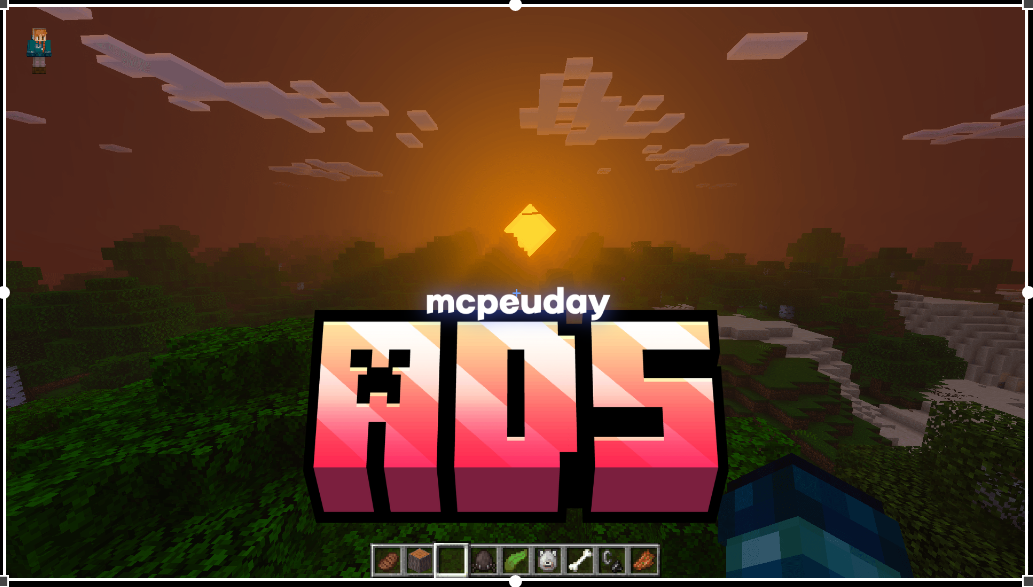
ADS Shader for BUDGETGAMER1503
ADS Shader is a graphical enhancement pack that transforms the default Minecraft look into a more realistic environment. It focuses on natural colors, dynamic shadows, reflective water, and immersive skies. Unlike other heavy shaders, ADS Shader is optimized to work on almost all devices without compromising performance.
This makes it ideal for players who want high-quality graphics but still need stable FPS.
⭐ Features of ADS Shader
1. Ultra-Realistic Lighting
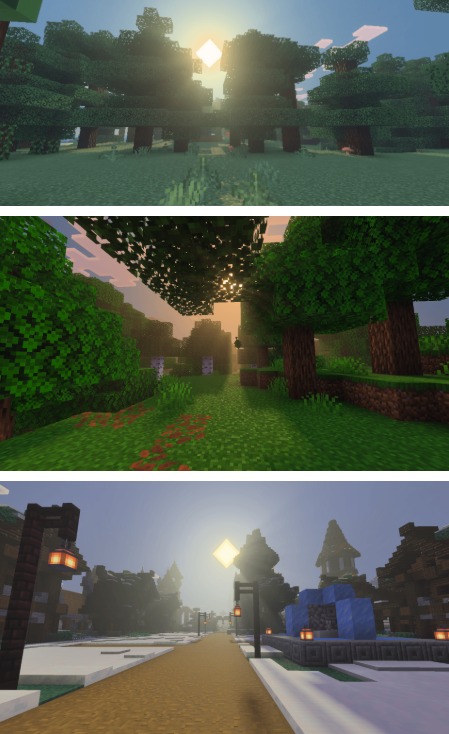
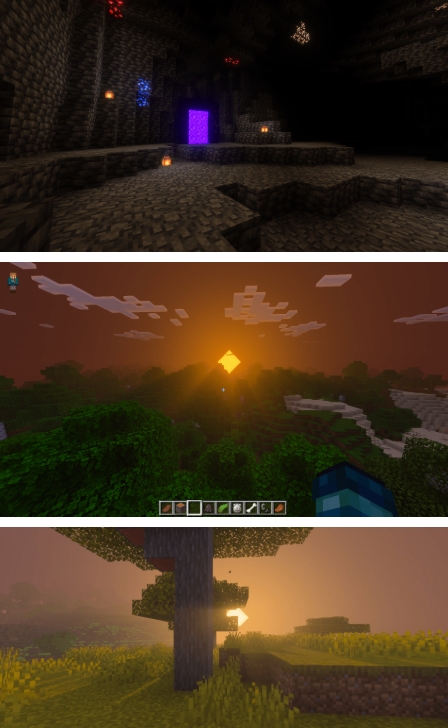
ADS Shader includes dynamic lighting that changes smoothly depending on the time of day. Sunlight feels warm and bright, while nighttime brings soft shadows and subtle moonlight.
2. Smooth Dynamic Shadows
The shader introduces accurate shadow movements for trees, mobs, and buildings. These shadows react naturally to the environment, improving depth and realism.
3. Vibrant and Natural Colors
ADS Shader modifies the color palette to make your world feel more alive. Grass becomes greener, water looks cleaner, and the entire world takes on a cinematic tone.
4. Enhanced Water Effects
Water reflections, wave animations, and transparency are significantly improved. Oceans and rivers appear more realistic and are visually mesmerizing.
5. Beautiful Sky, Clouds & Sunrises
The sky features detailed clouds, brighter stars, and dramatic sunrise/sunset visuals that make exploring Minecraft more immersive and visually engaging.
6. Optimized for Low-End Devices
Unlike many shaders that require powerful hardware, ADS Shader is lightweight. It runs smoothly on most devices, delivering high-quality visuals without heavy lag.
7. Rain & Weather Enhancements
Rainfall looks more natural, fog becomes atmospheric, and storms feel cinematic with improved cloud shading.
Screenshots:
💠 Why Choose ADS Shader?
- Perfect for players who want realistic graphics without performance loss
- Supports Minecraft Bedrock & Pocket Edition
- Easy installation
- Works smoothly on low, mid, and high-end devices
- No FPS drops like many heavy shaders
🔧 Compatibility
- Minecraft Bedrock Edition
- Minecraft PE (Pocket Edition)
- Android / iOS Mobile Devices
- Low-end and high-end devices
- Most recent Minecraft versions
📥 How to Install ADS Shader (Step-by-Step)
- Download the ADS Shader
.mcpackfile. - Open the file—Minecraft will launch automatically.
- The shader will import into your resource packs.
- Go to Settings → Global Resources.
- Activate ADS Shader.
- Restart Minecraft to apply changes.
Your Minecraft world will now load with the enhanced ADS Shader graphics.
📝 Final Thoughts
ADS Shader is one of the best realistic shaders for Minecraft players who want beauty without lag. It improves lighting, water, colors, skies, and shadows, giving your game a stunning visual upgrade. Whether you’re exploring caves, building houses, or surviving in open biomes, ADS Shader transforms the world with exceptional depth and realism.
If you want a smooth, beautiful, and immersive Minecraft experience, ADS Shader is absolutely worth installing.
– ADS Shader DOWNLOAD –
—