Cinematic Visuals Shader transforms Minecraft PE into a cinematic wonder — realistic water reflections, volumetric godrays, PBR materials, improved lighting and atmospheric fog give your builds life like never before.
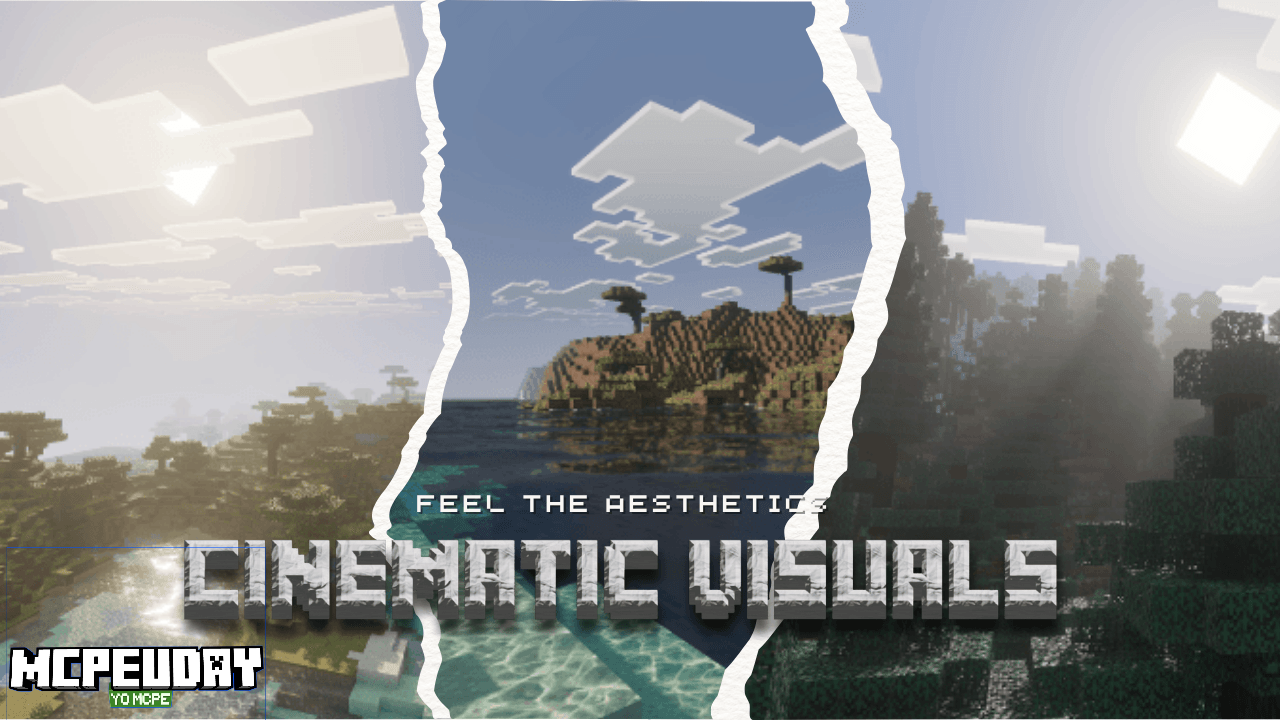
Shader BY :- WindScion
If you play Minecraft on Bedrock or MCPE and want to make your world look visually stunning — like scenes from a movie — then Cinematic Visuals Shader is a top-tier pick. This shader pack enhances Minecraft’s graphics with realistic lighting, reflections, PBR materials, and atmospheric effects. Whether you build epic structures, explore biomes, or record cinematic gameplay, this pack brings your world to life.
✨ What is Cinematic Visuals Shader?
Cinematic Visuals Shader (also called “Vibrant Visuals Pack” version) is a resource/shader pack for Minecraft Bedrock / MCPE that upgrades the game’s visuals without altering core gameplay mechanics. It enhances light behavior, textures, water, environment colors and atmospheric effects — delivering a more immersive and realistic world.
Key improvements include:
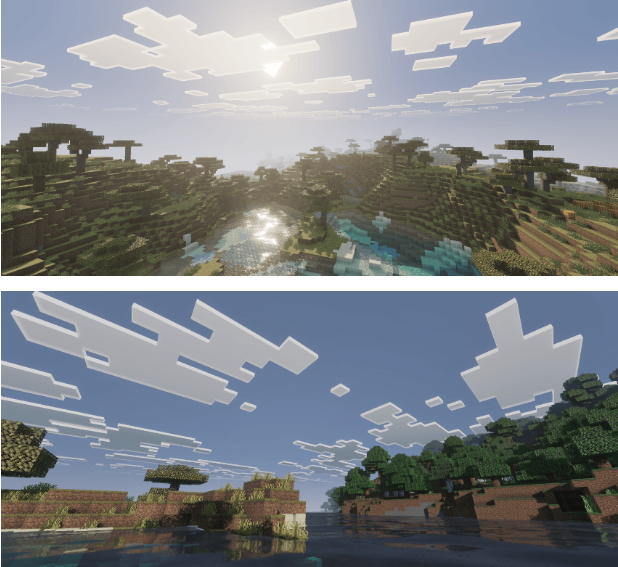
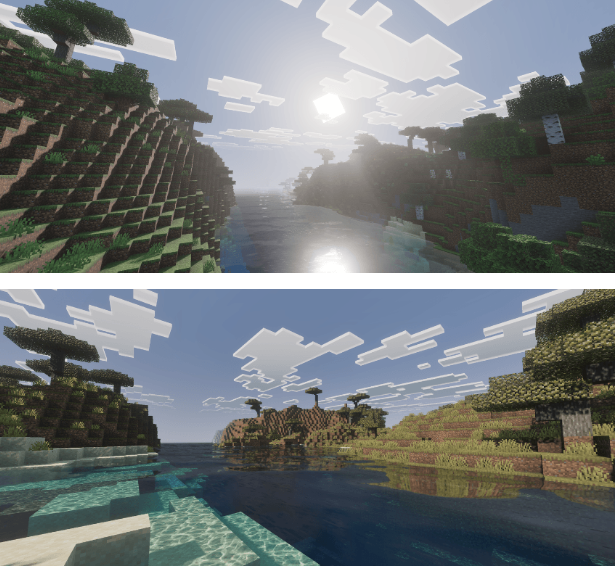
- Improved water with reflections and caustics
- Physically-based rendering (PBR) textures for materials (stone, metals, terracotta, etc.) that respond realistically to light
- Enhanced lighting & shadows, better sun/moon path, volumetric lighting (Godrays) and atmospheric fog for cinematic ambience
- Biome colors correction — ensures forests, plains, deserts etc. look natural (not oversaturated or neon)
✅ Key Features & Benefits
| Feature | What You Get | Why It Matters |
|---|---|---|
| Realistic Water & Reflections | Water reflects the world realistically; caustics and depth effects near shore / underwater feel vivid | Water bodies — rivers, seas, lakes — look much more immersive; builds near water get dramatic visual impact. |
| PBR Textures & Material Lighting | Materials like stone, metal, glazed terracotta react to light and show roughness / shine properly | Makes blocks look more realistic; improves aesthetic quality of builds. |
| Cinematic Lighting & Godrays | Directional sunlight, volumetric lighting, dynamic shadows, new sun path for realistic day-night transitions. | Great for screenshot lovers, builders, streamers — adds depth, mood, and atmosphere. |
| Atmosphere & Fog Effects, Night & Sky Enhancement | Night skies, fog, new atmosphere colors, better night color, improved skybox and weather ambience. | Makes nights and weather events feel cinematic — ideal for adventure maps, story builds. |
| Biome Color Correction & Balanced Tonemapping | Colors adjusted so biomes don’t appear oversaturated; grass, foliage, terrain appears natural. | Keeps visuals realistic — avoids garish color overshoot, improving immersion. |
| Easy Installation & Bedrock Compatibility | Works with Bedrock / MCPE versions supporting Vibrant Visuals. Simple .mcpack import & activation in “Global Resources. | Accessible to mobile and Windows 10 players; no complicated mods needed. |
🎮 Who Should Use It?
- Builders & architects who want their creations to look cinematic and realistic.
- Adventure map creators & storytellers looking to add atmosphere and mood to maps.
- Content creators, screenshot/shader-show enthusiasts who want high-quality visuals without external tools.
- Players on Bedrock / MCPE / Windows 10 who want an immersive upgrade but keep vanilla-style gameplay.
🛠️ Installation Guide (MCPE / Bedrock)
- Download the latest
.mcpackfile — for example “Cinematic Visuals (V.V Pack).mcpack - Open the downloaded file — Minecraft should prompt import.
- Go to Settings → Global Resources → My Packs → Activate Cinematic Visuals Shader / Pack.
- Then, in the world settings (or global video settings), set graphics to “Vibrant Visual” so that shader effects apply correctly
- (Optional) For best results — ensure your device supports the necessary rendering features (especially for PBR, volumetric lighting, water reflections).
⚠️ Always back up your world before applying new shaders or resource packs — just in case.
💡 Tips for Best Visual Experience & Performance
- For lower-end devices: reduce reflection quality or disable heavy effects if lag occurs.
- Use balanced render distance (not too high) to avoid performance drops with volumetric lighting.
- Combine Cinematic Visuals with realistic texture/resource packs (if desired) — PBR textures respond best with high-quality resource packs.
- Use it especially for cinematic builds, screenshot sessions, or adventure maps to maximize visual impact.
Screenshots:
✅ Final Verdict — Is Cinematic Visuals Shader Worth It?
Definitely yes. Cinematic Visuals Shader offers one of the best ways to upgrade Minecraft Bedrock / MCPE visuals without compromising on Minecraft’s vanilla charm. With realistic water, dynamic lighting, PBR textures, atmospheric fog and overall cinematic ambiance — it transforms ordinary Minecraft gameplay into an immersive, breathtaking experience. It’s ideal for builders, creators, and anyone who values aesthetics and immersion.
If you want a vibrant, cinematic Minecraft world on Bedrock — this shader is a must-try.