Luna Vibrant Visual Shaders: Next-Gen Minecraft Graphics Explained
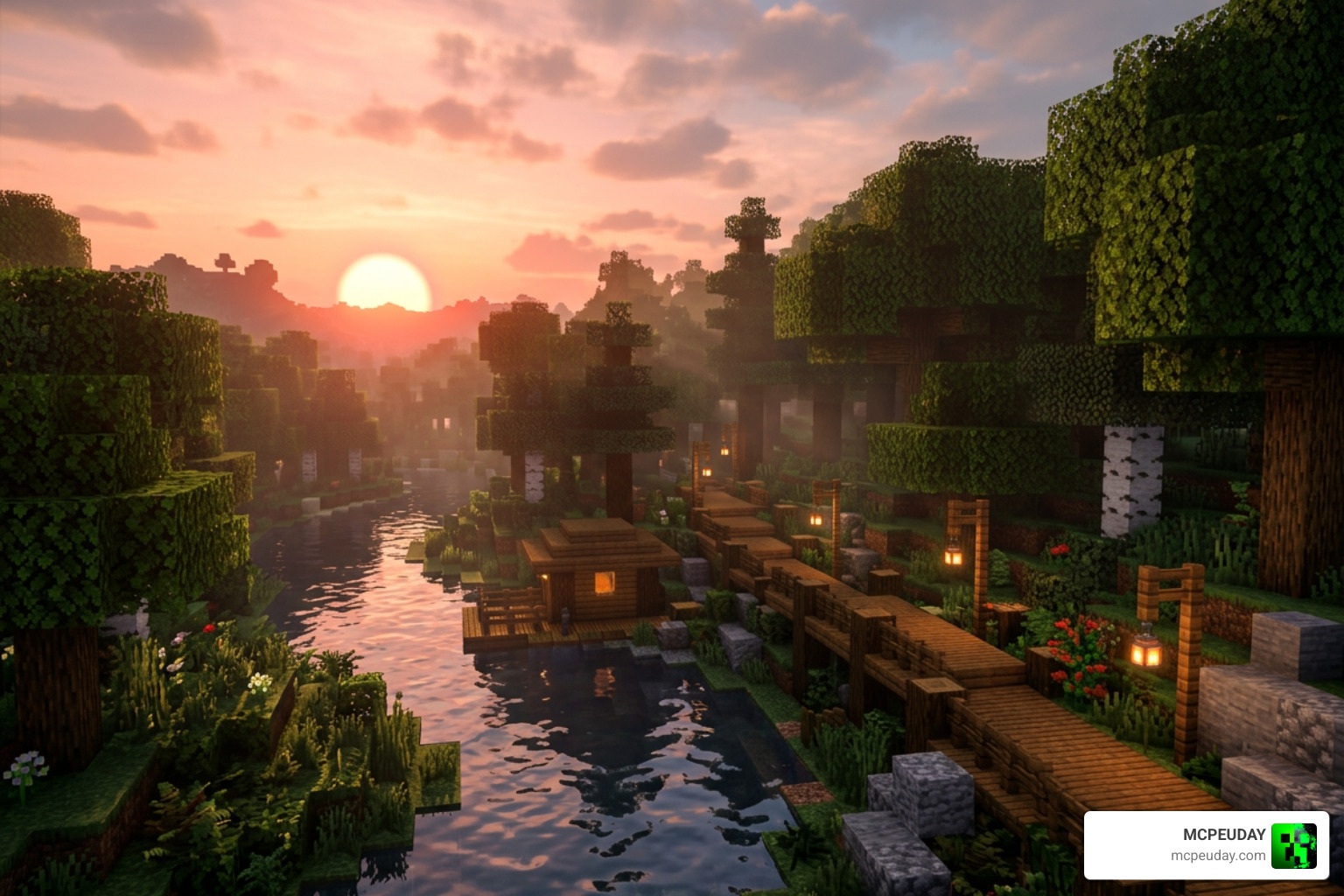
Luna Vibrant Visual Shaders is a community-built shader pack for Minecraft Bedrock Edition that enhances the game’s visuals using the RenderDragon engine’s deferred lighting pipeline — bringing features like PBR reflections, volumetric fog, colored point lights, and dynamic shadows to your world.
Here’s a quick overview of what it offers:
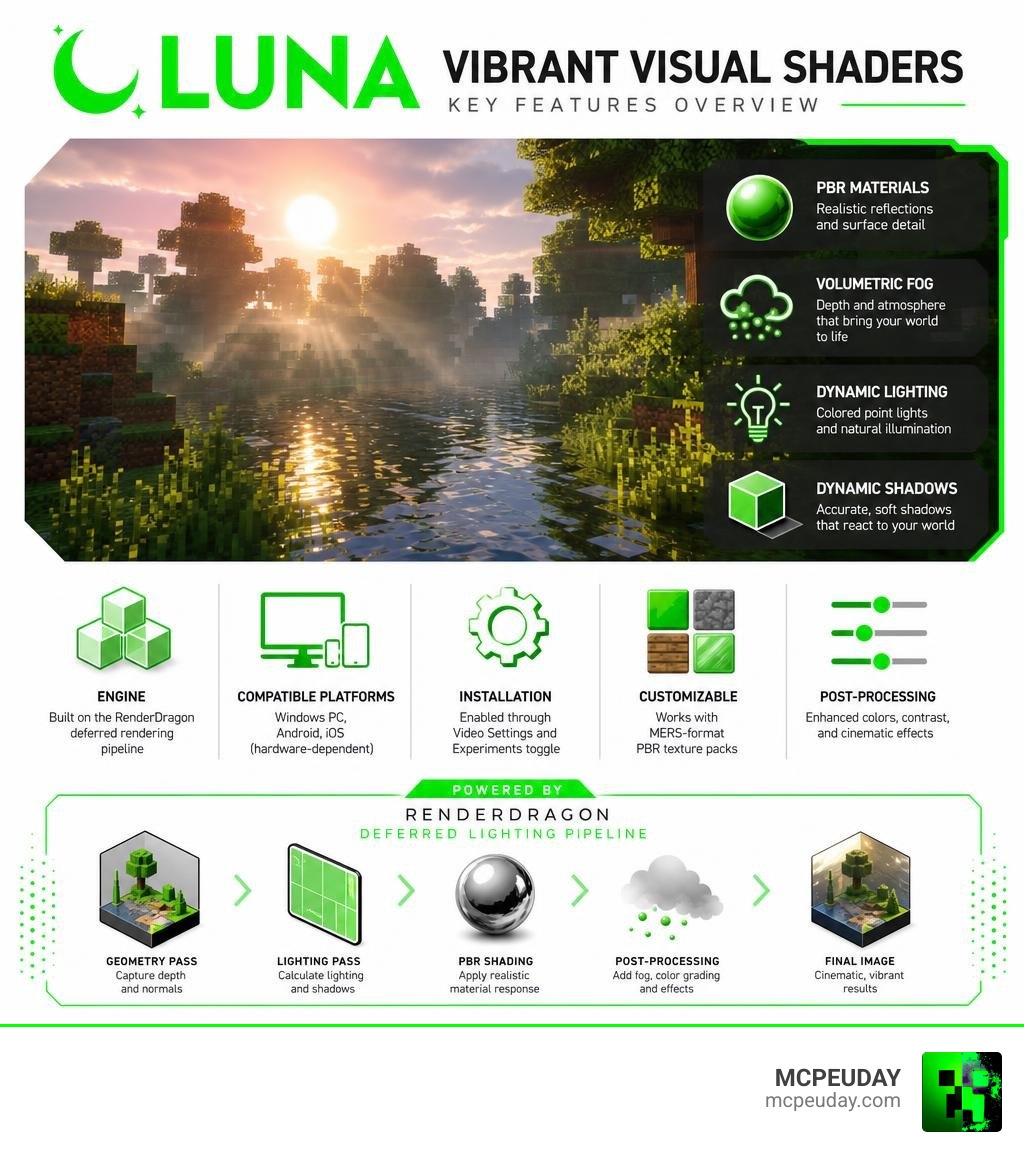
- Engine: Built on Minecraft Bedrock’s RenderDragon deferred rendering pipeline
- Key features: PBR materials, volumetric fog, dynamic shadows, colored lighting, post-processing effects
- Compatible platforms: Windows PC, Android, iOS (hardware-dependent)
- Installation: Enabled through Minecraft’s Video Settings and Experiments toggle
- Customizable: Works with MERS-format PBR texture packs
Imagine Minecraft with realistic metallic reflections, dynamic colored point lights, and mist rolling through the trees — all running natively on your device without destroying your framerate. That’s exactly what Luna Vibrant Visual Shaders aims to deliver.
Unlike Mojang’s official Vibrant Visuals mode, Luna builds on top of the same RenderDragon foundation but adds community-driven optimizations and visual tweaks tailored for a wide range of hardware. Whether you’re on a mid-range Android phone or a Windows gaming PC, this guide will help you get the most out of it.
I’m UDAY GAMER from MCPEUDAY, and in this complete guide I’ll walk you through every feature, setting, and installation step you need to know.
What is Luna Vibrant Visual Shaders?
To understand Luna Vibrant Visual Shaders, we first need to look at how Minecraft Bedrock Edition handles graphics. Modern Bedrock uses the RenderDragon engine. Unlike older engines that relied on third-party shader hacks, RenderDragon features a built-in deferred lighting pipeline. This pipeline calculates surface normals and depth to shade the base texture (albedo) before applying advanced post-processing effects.
Luna Vibrant Visual Shaders is a custom shader pack designed to unlock and maximize this deferred rendering pipeline. By leveraging Physically Based Rendering (PBR) materials, it transforms block textures from flat 2D images into realistic materials that react dynamically to light.
How Luna Vibrant Visual Shaders Differs from Official Vibrant Visuals
While Mojang’s official Vibrant Visuals project introduces the basic deferred rendering framework, it can be demanding on hardware and offers limited customization. Luna Vibrant Visual Shaders bridges this gap by acting as an optimized community alternative.
Luna introduces custom performance presets, refined visual enhancements, and better hardware resource management. It fine-tunes the default settings to ensure that players get realistic lighting and shadows without experiencing the extreme frame drops often associated with the official preview features.
Supported Platforms and Device Compatibility
Because Luna Vibrant Visual Shaders relies on the RenderDragon deferred rendering pipeline, device compatibility is strictly tied to hardware power:
- Windows PC: Fully supported on modern graphics cards.
- Android & iOS: Supported on high-end mobile devices with GPUs that natively support deferred shading.
- Consoles: Currently limited due to platform restrictions on custom resource packs and experimental toggles.
To run these shaders smoothly, your device must support the experimental graphics features built into Bedrock Edition.
Key Visual Features and RenderDragon Integration
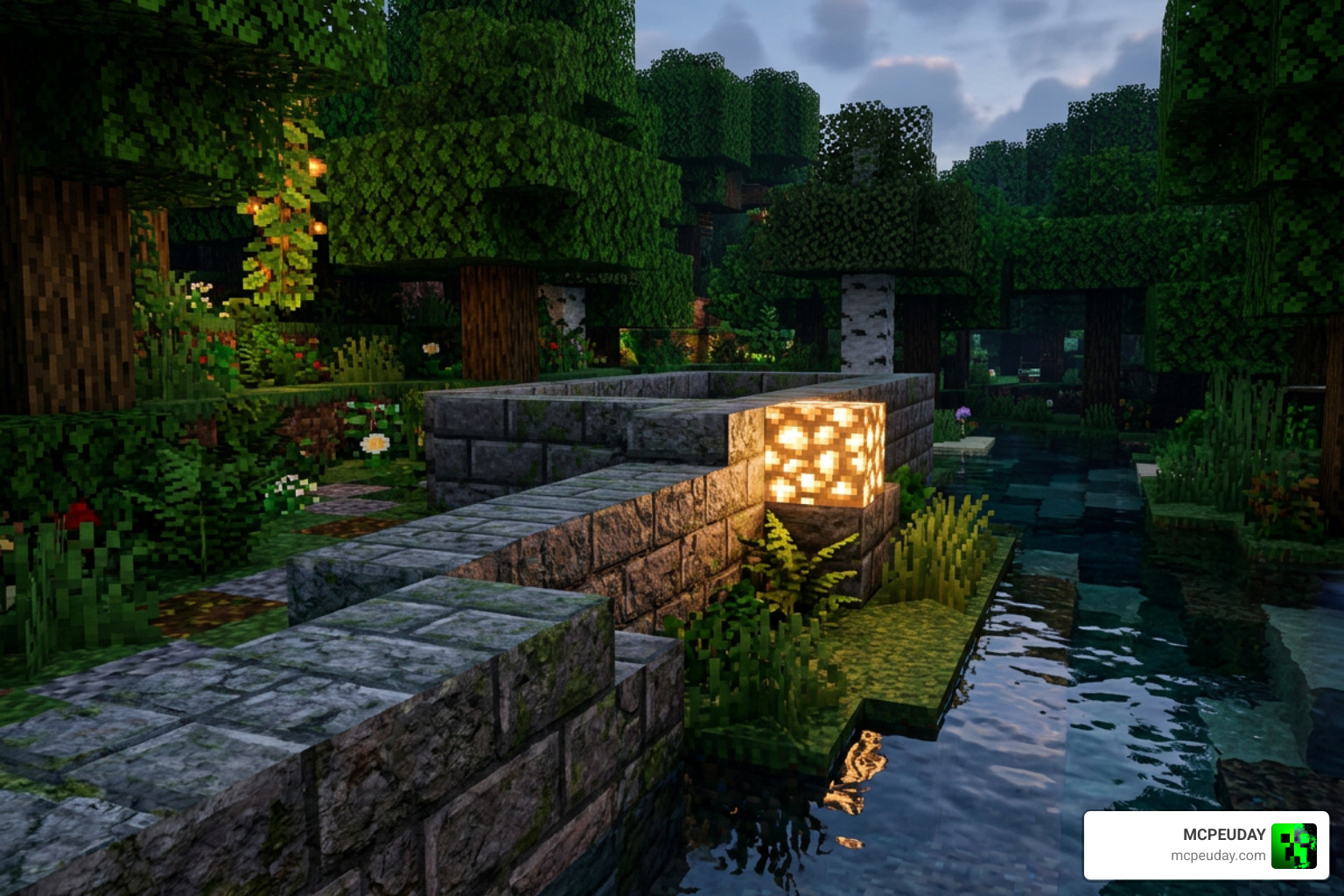
The magic of Luna Vibrant Visual Shaders lies in how it integrates with RenderDragon’s core features. It completely overhauls the game’s atmosphere using advanced rendering techniques.
Advanced Lighting and Colored Point Lights in Luna Vibrant Visual Shaders
By enabling the “Render Dragon Features for Creators” experimental toggle, Luna unlocks incredible point-lighting capabilities. Light-emitting blocks cast dynamic, colored light into their surroundings.
For example, placing a soul lantern casts a cool blue glow, while copper bulbs emit a warm, industrial orange. This colored point lighting tints volumetric fog, allowing map creators to design highly atmospheric environments, such as dark horror maps or cozy underground taverns.
Additionally, the shader features realistic post-processing like light bloom and auto-exposure. A fun in-game example of this occurs when attacking a zombie with a Fire Aspect weapon; the sudden high luminance from the flames triggers a noticeable, realistic auto-exposure adjustment as your screen adapts to the bright flash.
Biome-Specific Atmospherics and Water Effects
Atmospheric effects in Luna are highly dynamic. The shader adjusts ambient lighting strengths based on your dimension:
- Overworld: 0.02 lux
- The Nether: 0.5 lux
- The End: 0.125 lux
In the End dimension, flashes occur exactly every 30 seconds at random spots. These flashes act as temporary directional light sources, specifically designed to show off the gorgeous purple volumetric fog swirling through the void.
Water has also received a massive physical rendering overhaul. Instead of relying on a flat colored texture, Luna uses physical scattering and light absorption. This makes water incredibly realistic, though it comes with a funny side effect: small puddles can appear so clear and transparent that they are practically invisible, leaving players wondering if they are walking on thin air!
Performance Optimization and Customization
Running next-gen graphics can take a toll on your device. Fortunately, Luna Vibrant Visual Shaders provides several settings to balance visual quality and performance.
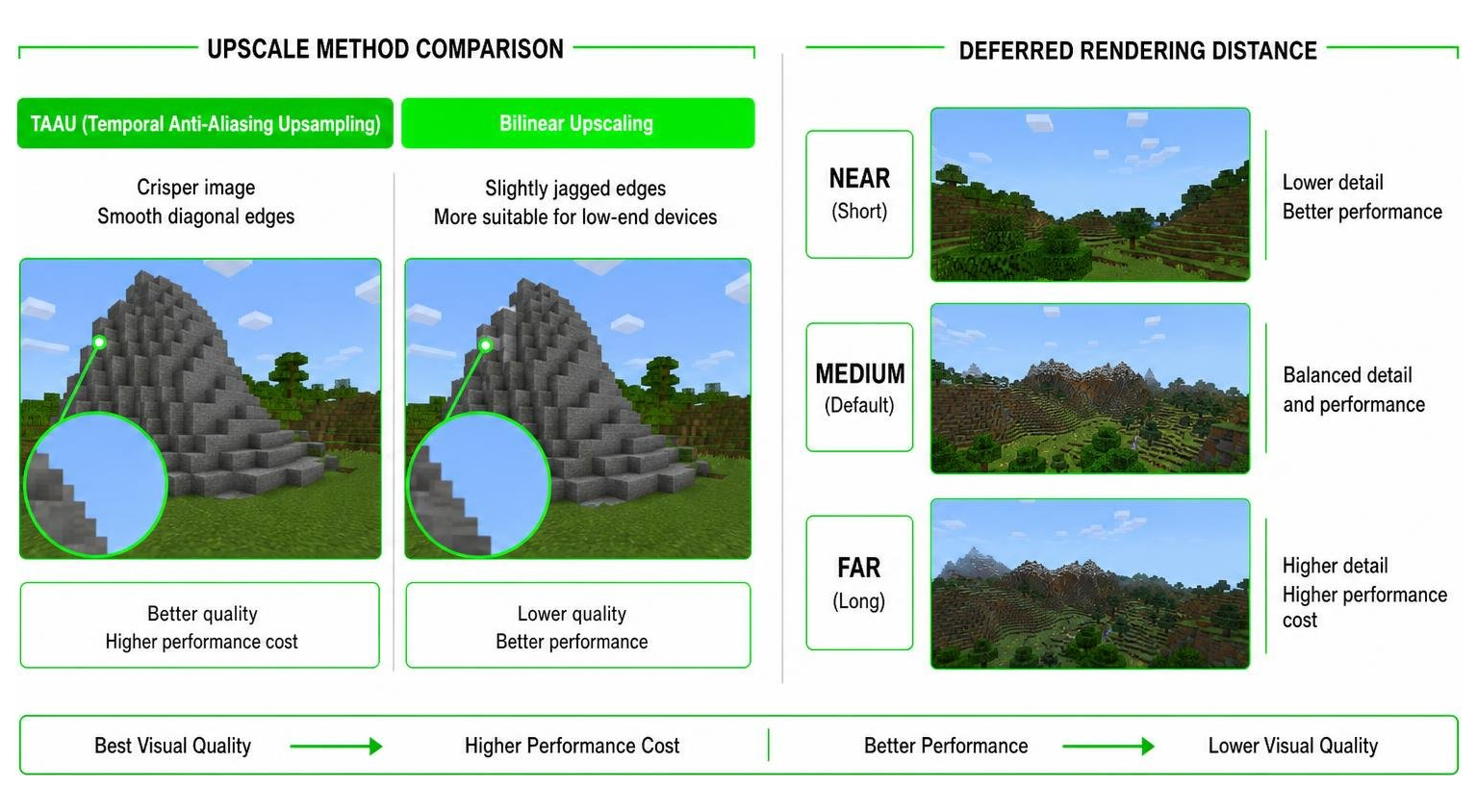
Two of the most important settings are the upscaling method and the render distance:
- TAAU (Temporal Anti-Aliasing Upsampling): This method reconstructs a high-resolution image from lower-resolution frames. It provides a much crisper image with smooth diagonal edges, making it ideal if your hardware can handle it.
- Bilinear Upscaling: This is a simpler upscaling method. While it is much more suitable for low-end devices and helps prevent frame drops, it results in slightly jagged diagonal edges.
For the best experience on lower-end devices, we highly recommend using the “Favor Performance” preset in your video settings.
Additionally, keep an eye on your Deferred Render Distance. While the slider defaults to a safe 2-28 chunks, it can be modified up to 128 chunks inside your options.txt file. However, you should avoid setting it above 128 chunks, as doing so will cause glitched visual effects or sudden game crashes.
Customizing with MERS Texture Packs
To get the most out of Luna Vibrant Visual Shaders, you should pair it with a PBR-compatible resource pack. These packs use MERS texture maps to define how blocks interact with light. MERS maps use four distinct RGBA color channels to tell the engine how to render a surface:
- Red Channel (Metalness): Defines how metallic a block is (perfect for giving copper or iron blocks realistic reflections).
- Green Channel (Emissive): Controls surface glow. Combine emissive textures with natural block lighting to make glows look organic.
- Blue Channel (Roughness): Determines how rough or smooth a surface is, affecting how light scatters across it.
- Alpha Channel (Subsurface Scattering): Controls how light penetrates and scatters inside semi-translucent blocks like leaves or ice.
Installation Guide and Multiplayer Compatibility
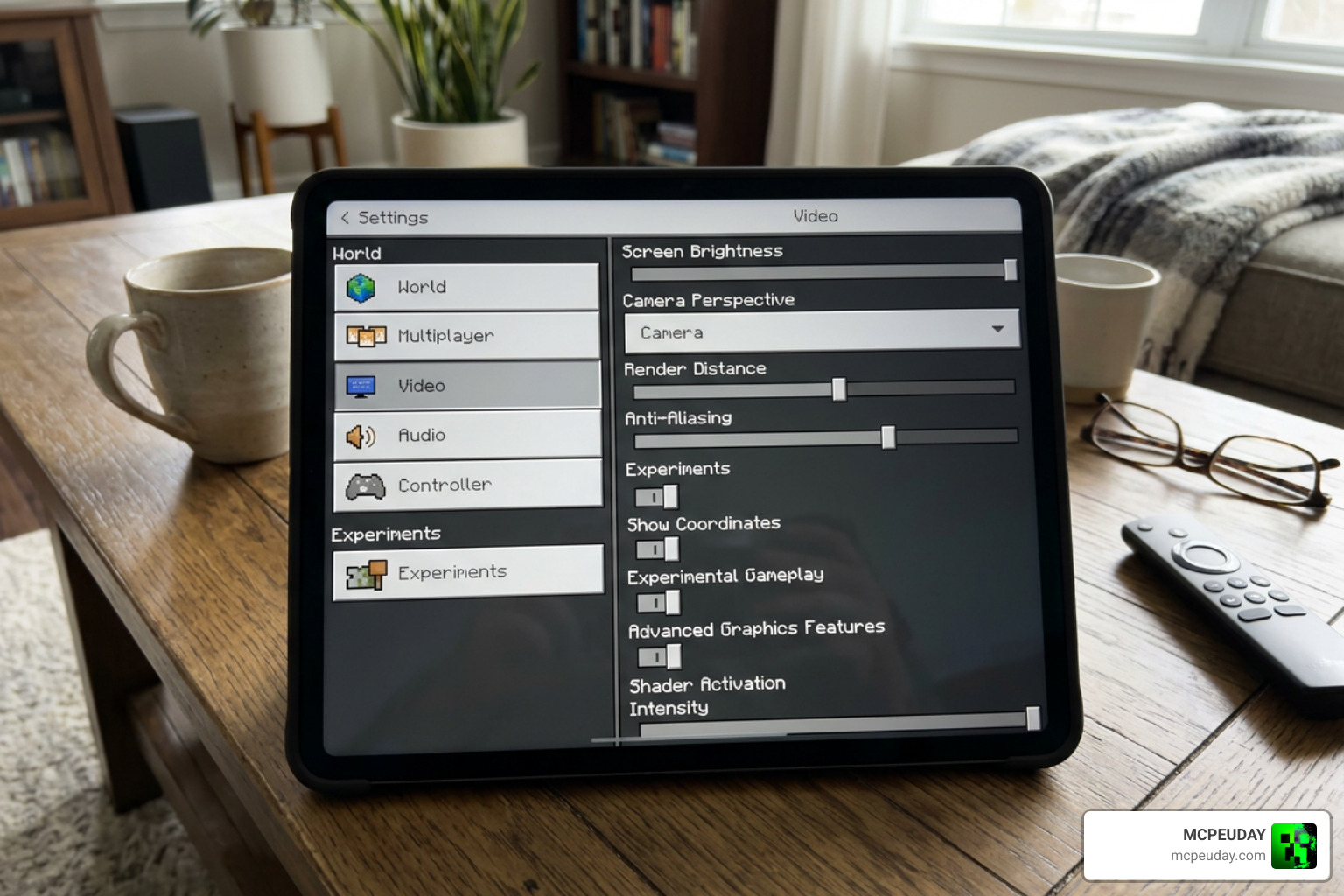
Ready to transform your game? Follow these simple steps to install and enable Luna Vibrant Visual Shaders:
- Download the shader pack and your preferred MERS PBR resource pack.
- Import both packs into Minecraft Bedrock Edition by double-clicking the files.
- Create a new world or go to the settings of an existing world.
- Under the Experiments tab, enable Render Dragon Features for Creators.
- Go to Resource Packs and activate both the Luna shader pack and your PBR texture pack.
- Launch the world, open your Video Settings, and toggle Allow In-Game Graphics Mode Switching.
- Change your Graphics Mode to Deferred Technical Preview (or the corresponding shader option) and adjust your Deferred Render Distance slider to balance your framerate.
Multiplayer and Realms Compatibility
Can you show off these beautiful graphics to your friends? Yes! Luna Vibrant Visual Shaders is fully compatible with multiplayer servers and Realms. Since the deferred rendering pipeline runs locally on your device, you can use these shaders client-side without requiring the server host or other players to have them installed.
Alternatively, if you are hosting a server, you can apply a MERS PBR resource pack as a global server pack so that everyone with compatible hardware can experience the upgraded textures together.
Frequently Asked Questions about Luna Vibrant Visual Shaders
How do I fix the greyed-out Vibrant Visuals option in Minecraft Bedrock?
If the deferred graphics option is greyed out in your video settings, it usually means your device does not meet the hardware requirements for deferred rendering, or you have not enabled the necessary experimental toggles. Ensure that Render Dragon Features for Creators is turned on in your world’s Experiments tab, and verify that your graphics drivers (on PC) are fully updated.
Does Luna Vibrant Visual Shaders work on mobile devices?
Yes, but only on high-end Android and iOS devices. Because deferred rendering calculates complex lighting, shadows, and physical reflections in real-time, older or budget mobile devices will experience severe lag or may not support the graphics option at all.
Can I use Luna Vibrant Visual Shaders on Realms or multiplayer servers?
Absolutely. Because the shader is built directly into the RenderDragon engine’s deferred lighting pipeline, it runs locally on your device. You can safely join any Realm or multiplayer server with the shader active.
Conclusion
Luna Vibrant Visual Shaders represents a massive leap forward for Minecraft Bedrock graphics. By building directly on top of the RenderDragon deferred rendering pipeline, it brings stunning, cinematic visuals—like volumetric fog, physical water, and dynamic colored point lights—directly to your device without requiring complex third-party game clients.
Ready to elevate your Minecraft graphics? Explore MCPEUDAY’s curated collection of shaders and find the perfect PBR resource packs to pair with your new setup today!
