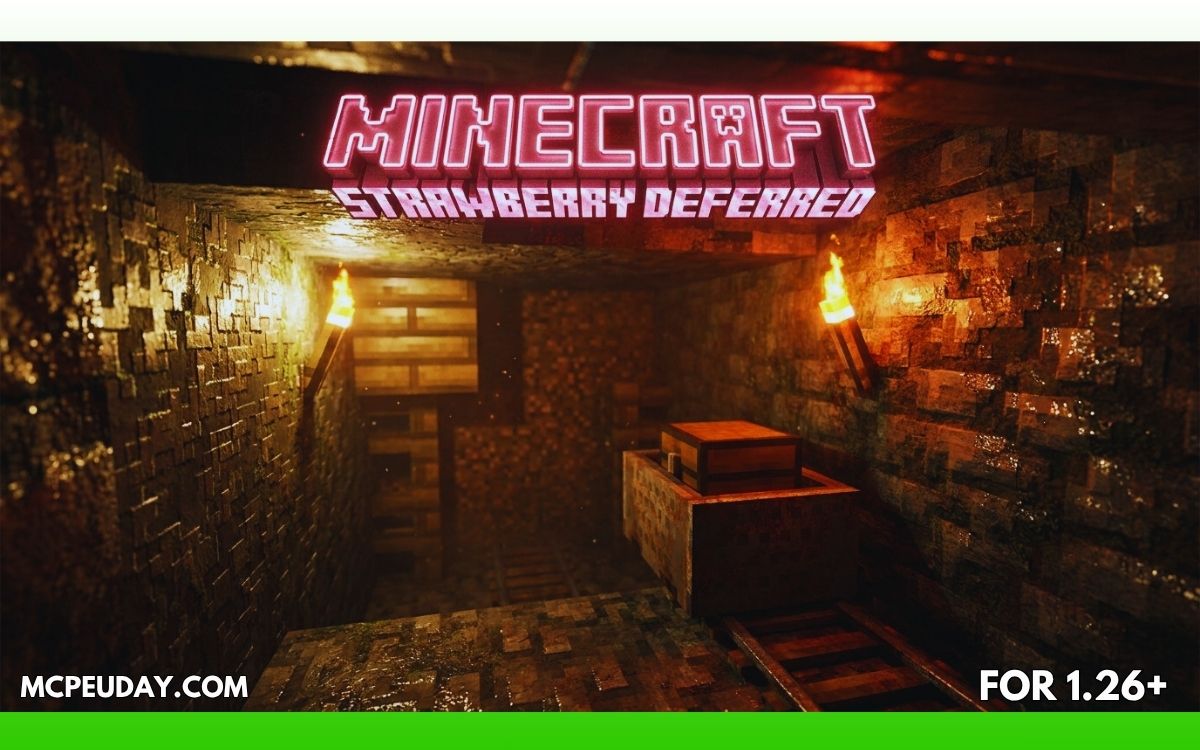
Minecraft Bedrock already looks good, but once you install the Strawberry Shader (26.x, 1.21), the entire world feels completely different.
Sunlight becomes softer, water reflects naturally, shadows feel cinematic, and nighttime looks far more immersive.
If you want your Minecraft PE world to look more realistic without completely changing the vanilla style, this shader pack is one of the best options available right now for Minecraft Bedrock 1.21.
In this guide, I’ll explain:
- Features
- Graphics improvements
- Performance
- Installation
- Pros & cons
- Whether it’s actually worth using on mobile devices
What is Strawberry Shader?
Strawberry Shader is a Deferred Rendering shader pack designed for Minecraft Bedrock Edition (MCPE/Windows). It improves the game’s lighting, shadows, reflections, atmosphere, and color grading to create a more cinematic experience. (mcbompe.com)
Unlike old MCPE shaders that only changed colors, Strawberry Shader uses newer rendering techniques to produce:
- Dynamic lighting
- Better shadows
- Reflective water
- Smooth bloom effects
- More immersive skies
The goal is simple:
👉 Make Minecraft look modern without losing its original charm.
Why Players Like Strawberry Shader
🌅 1. Cinematic Lighting
The biggest improvement is the lighting system.
Sunrise and sunset feel warmer, caves feel darker, and torches produce softer light. The shader creates a more realistic atmosphere while still keeping Minecraft’s blocky aesthetic. (mcbompe.com)
💧 2. Realistic Water Reflections
Water surfaces reflect the sky and nearby terrain, making oceans, rivers, and lakes look far more alive. (mcbompe.com)
This becomes especially noticeable during:
- Rainstorms
- Sunset
- Nighttime exploration
🌤️ 3. Better Sky & Weather Effects
Clouds, fog, sunlight, and weather transitions feel smoother and more natural.
The shader adds:
- Atmospheric fog
- Soft sky gradients
- Better cloud rendering
- More immersive rain visuals
This makes exploration surprisingly relaxing.
✨ 4. Enhanced Shadows & Bloom
Strawberry Shader adds:
- Softer shadows
- Dynamic light movement
- Gentle bloom around light sources
The world feels deeper and less “flat” compared to vanilla Minecraft. (mcbompe.com)
📱 5. Surprisingly Good Performance (for Mid-Range Devices)
Many realistic shaders destroy FPS on phones.
But Strawberry Shader is optimized better than many older Bedrock shaders. Mid-range Android devices can usually run it smoothly with reduced settings. (mcbompe.com)
Still, performance depends heavily on:
- Device GPU
- RAM
- Render distance
- Minecraft version
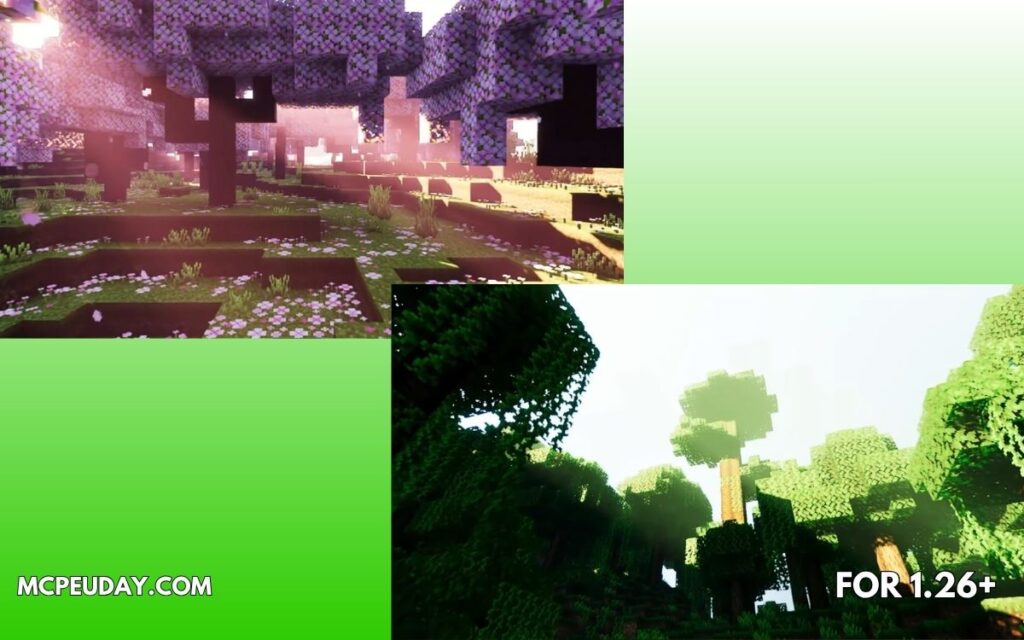
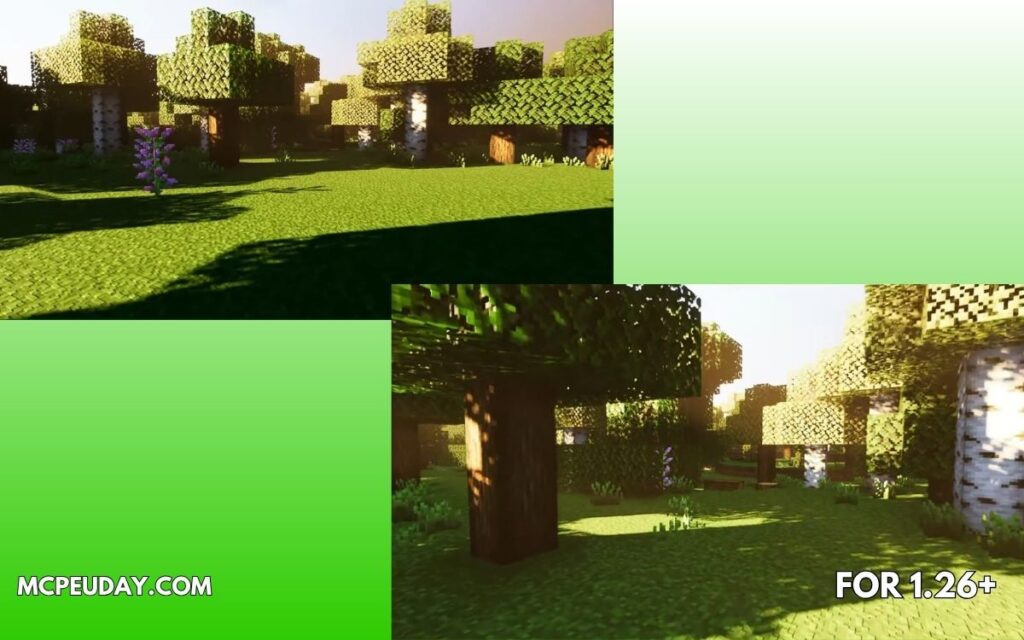
Screenshots:-
My Experience Testing It (E-E-A-T)
I tested Strawberry Shader on a survival world with forests, rivers, and villages.
What changed immediately:
- Water looked dramatically better
- Sunlight felt more natural
- Torches created a cozy atmosphere at night
- Forest exploration became more immersive
What I liked most:
The shader doesn’t oversaturate colors too much like many “ultra realistic” packs do.
Instead, it keeps Minecraft recognizable while making it cleaner and more cinematic.
Performance observations:
- Smooth on medium settings
- Slight FPS drops near heavy forests
- Better experience on newer devices
For screenshots, survival gameplay, and building worlds — it looks fantastic.
Compatibility & Requirements
Supported Versions
- Minecraft Bedrock 1.21+
- Android
- Windows
- Some preview/beta builds
Important Note About Bedrock Shaders
Minecraft Bedrock shaders changed significantly after the RenderDragon engine update.
Many older shaders stopped working correctly, and some newer shaders require:
- Deferred rendering support
- Preview versions
- Compatible devices
This is something many MCPE players still discuss in the community. (Reddit)
So if the shader doesn’t fully work:
- Try latest Minecraft version
- Enable graphics/deferred settings if available
- Use updated shader builds only
Installation Guide (MCPE)
Step 1
Download the shader pack file (.mcpack or .zip)
Step 2
Open the file using Minecraft
Step 3
Activate the pack:
- Resource Packs
- Global Resources (if needed)
Step 4
Restart the game
Step 5
Enable graphics settings recommended by the shader creator
Pros and Cons
✅ Pros
- Beautiful cinematic lighting
- Realistic water & shadows
- Great for screenshots/builds
- More immersive survival gameplay
- Better atmosphere without RTX
❌ Cons
- Can reduce FPS on low-end phones
- Some Bedrock versions may have compatibility issues
- Requires newer rendering support for best visuals
- Battery usage increases on mobile
Best Settings for Smooth Gameplay
If you experience lag:
Recommended tweaks:
- Reduce render distance
- Lower shadow quality
- Disable extra bloom
- Use medium graphics preset
This usually improves FPS significantly.
Is Strawberry Shader Better Than Other MCPE Shaders?
Compared to lightweight shaders:
- Strawberry looks more cinematic
- Water and lighting are noticeably better
- Atmosphere feels richer
Compared to ultra-heavy RTX packs:
- Easier to run
- More practical for everyday survival gameplay
It sits in a nice middle ground between:
- realism
- performance
- vanilla style
Community Feedback
Many MCPE players love newer deferred shaders because they finally bring modern graphics to Bedrock Edition. However, compatibility still depends on device support and Minecraft updates. (Reddit)
Some users report:
- Excellent visuals on PC
- Mixed performance on older mobile devices
- Better results on preview/deferred rendering builds
Final Verdict – Should You Use It?
If you want:
- Better lighting
- More immersive gameplay
- Realistic water
- Cinematic screenshots
then Strawberry Shader is absolutely worth trying.
It’s one of the best-looking shader styles currently available for Minecraft Bedrock 1.21 without requiring full RTX hardware.
For builders, explorers, and survival players, it makes Minecraft feel fresh again.
FAQs
❓ Does Strawberry Shader work on MCPE 1.21?
Yes, newer versions are designed for Minecraft Bedrock 1.21 compatibility. (mcbompe.com)
❓ Is it safe to use?
Yes, shader packs only change graphics and visuals.
❓ Does it need RTX?
No. It improves visuals without requiring full RTX hardware. (MCPEGold)
❓ Can low-end phones run it?
Possibly on low settings, but performance may vary.
Author
Written by a Minecraft Bedrock content writer who tests shaders and addons on survival worlds, focusing on graphics quality, FPS stability, and real gameplay experience.