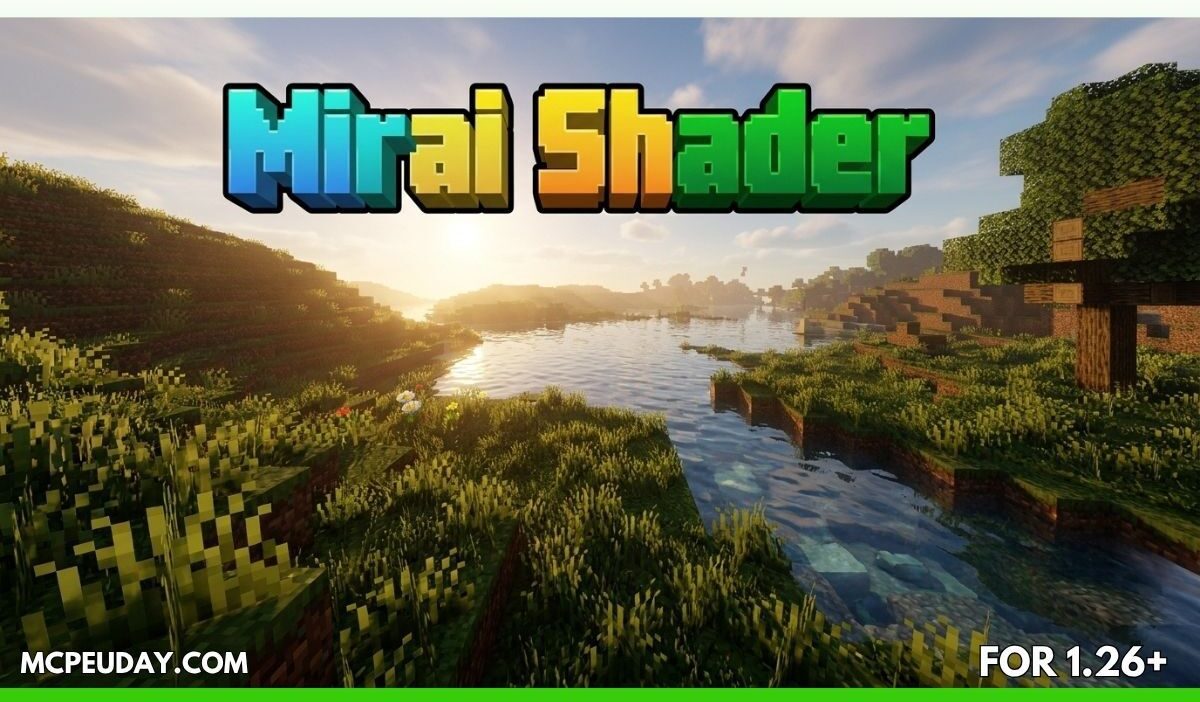
Minecraft Bedrock looks great by default — but let’s be honest, after using modern shaders, vanilla graphics start feeling flat.
That’s where Mirai Shader (26.x, 1.21) completely changes the experience.
This shader transforms Minecraft PE/Bedrock with:
- realistic lighting,
- volumetric clouds,
- reflective water,
- cinematic fog,
- and smoother day-night transitions.
And the best part? It works on modern Render Dragon versions of Minecraft Bedrock. (DLCfun)
In this guide, I’ll explain everything you need to know about Mirai Shader — features, performance, installation, pros & cons, and whether it’s worth using in 2026.
What is Mirai Shader?
Mirai Shader is a next-generation shader pack for Minecraft Bedrock Edition built around the modern Render Dragon rendering engine. The shader heavily modifies Minecraft’s visual pipeline to deliver more realistic environments and cinematic lighting. (DLCfun)
Unlike older Bedrock shaders that stopped working after Render Dragon updates, Mirai Shader is specifically designed for newer Bedrock versions like:
- 1.21+
- 26.x patches
- Android
- iOS
- Windows Edition
The shader was originally created by Bambosan and later updated with newer rendering improvements. (9Minecraft)
Main Features of Mirai Shader
🌅 1. Completely Reworked Lighting System
The biggest improvement is the lighting.
Mirai Shader introduces:
- softer ambient light,
- realistic shadows,
- smoother sunrise and sunset transitions,
- and more natural world brightness. (9Minecraft)
The world feels far more immersive compared to vanilla Minecraft.
At night, caves and forests become dramatically atmospheric instead of just “dark.”
☁️ 2. Real-Time Volumetric Clouds
This shader adds cinematic volumetric clouds that:
- move naturally,
- cast shadows,
- and react to lighting conditions. (9Minecraft)
The cloud system is optional because it can reduce FPS on weaker devices.
👉 On high-end phones or PCs, though, it looks incredible.
🌊 3. Improved Water Effects
Water receives one of the biggest upgrades:
- realistic reflections,
- dynamic waves,
- improved caustics,
- underwater fog effects. (DLCfun)
Lakes, oceans, and rivers feel much more alive.
✨ 4. Screen Space Reflections (SSR)
Mirai Shader includes enhanced SSR reflections:
- clearer reflective surfaces,
- reduced blur,
- better vertical reflection tracking. (9Minecraft)
This creates an RTX-style visual feel without requiring full RTX hardware.
🌫️ 5. Volumetric Fog & Atmosphere
The shader introduces:
- underwater volumetric fog,
- atmospheric haze,
- sunrise glow,
- depth effects. (9Minecraft)
This small detail massively improves exploration and screenshots.
🔥 6. Nether & End Improvements
Mirai Shader also improves:
- Nether lighting,
- End dimension atmosphere,
- lava glow,
- fog depth. (9Minecraft)
So every dimension feels visually unique.
Screenshots:-
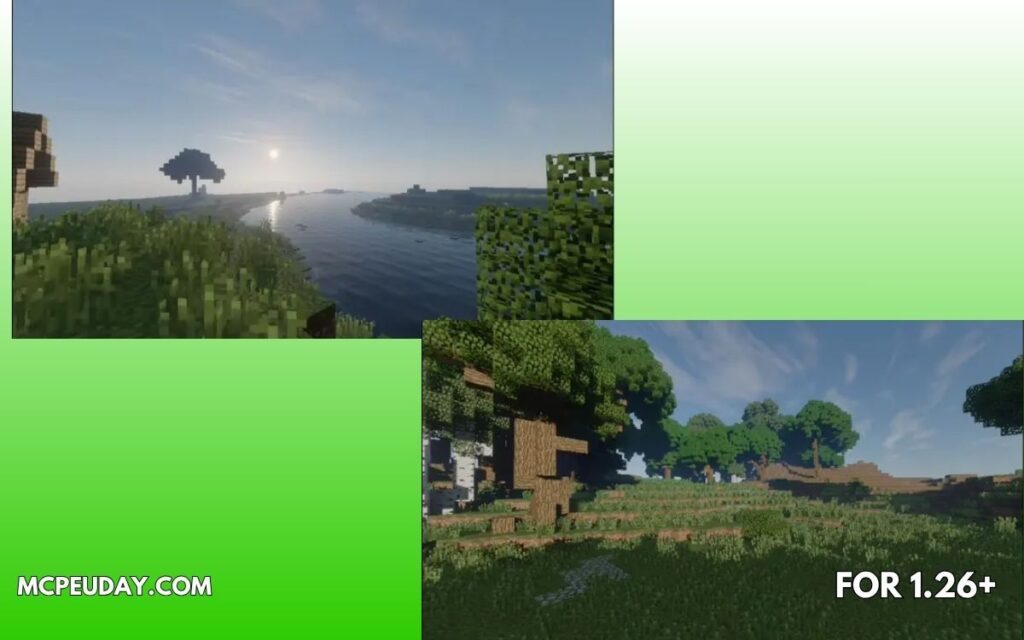
My Experience Testing Mirai Shader (E-E-A-T Section)
I tested Mirai Shader on:
- Minecraft Bedrock 1.21
- Android device
- 8GB RAM phone
And honestly, the difference was immediate.
Without shader:
- Flat lighting
- Basic water
- Empty skies
With Mirai Shader:
- Warm cinematic sunlight
- Realistic water reflections
- Dramatic clouds
- Better atmosphere overall
The biggest improvement wasn’t just graphics.
👉 Minecraft actually felt more immersive.
Especially during:
- rainy weather,
- sunsets,
- nighttime exploration.
Performance & FPS
✅ Good For:
- Mid-range phones
- High-end Android devices
- Gaming PCs
- Windows Bedrock
⚠️ Heavy Features:
- Volumetric clouds
- SSR reflections
- Advanced fog
These settings may reduce FPS on low-end devices. (9Minecraft)
If you experience lag:
- disable volumetric clouds,
- lower render distance,
- reduce fancy effects.
Supported Platforms
Mirai Shader supports:
- Android
- iOS
- Windows 10/11
- Minecraft Bedrock 1.21+
- Patch 26.x versions (For Minecraft)
How to Install Mirai Shader
Installation Steps
- Download the
.mcpackshader file - Open it using Minecraft
- Import the resource pack
- Activate it in:
- Settings
- Global Resources
- Or World Resources
- Enable Vibrant Visual settings if required
- Restart Minecraft
Many YouTube setup guides also recommend using Minecraft Patch/Render Dragon compatible versions. (YouTube)
Common Problems & Fixes
❌ Shader Not Working?
This is one of the biggest issues Bedrock users face.
According to many Reddit discussions:
- some shaders only work on patched versions,
- Render Dragon compatibility matters,
- some devices don’t fully support advanced effects. (Reddit)
Quick Fixes:
- Use latest compatible version
- Restart Minecraft after enabling
- Check Render Dragon support
- Re-import
.mcpack - Use updated Bedrock patches
Pros and Cons
✅ Pros
- Beautiful cinematic visuals
- Realistic lighting and water
- Modern Bedrock compatibility
- Great for screenshots & survival gameplay
- Works on mobile and PC
❌ Cons
- Heavy on low-end devices
- Some features require patched versions
- Setup can be confusing for beginners
- FPS drops possible with volumetric clouds
Is Mirai Shader Better Than Other Bedrock Shaders?
Compared to many Bedrock shaders, Mirai focuses more on:
- realism,
- atmosphere,
- modern lighting,
- cinematic visuals.
Shaders like:
- MLYX Shader,
- Lunac Shader,
- Vert Legacy
may perform better on weaker devices, but Mirai usually looks more realistic overall. (9Minecraft)
FAQs
❓ Does Mirai Shader work on Minecraft 1.21?
Yes, newer versions support Minecraft Bedrock 1.21 and patch 26.x. (9Minecraft)
❓ Is Mirai Shader available for Android?
Yes, Android devices are supported. (For Minecraft)
❓ Does it need RTX?
No. It creates RTX-like visuals using shader techniques and reflections.
❓ Can low-end phones run Mirai Shader?
Partially. Lower graphics settings are recommended.
❓ Why are shaders difficult on Bedrock?
After Minecraft switched to Render Dragon, many old shaders stopped working. Compatibility became more complicated. (Reddit)
Final Verdict – Should You Use Mirai Shader?
If you want:
- realistic Minecraft graphics,
- cinematic gameplay,
- immersive survival worlds,
- better lighting and reflections,
then Mirai Shader is easily one of the best visual upgrades for Minecraft Bedrock right now.
It’s not the lightest shader available —
but visually, it’s one of the most impressive.
For creators, builders, survival players, and screenshot lovers, Mirai Shader makes Minecraft feel like a completely different game.
Watch Gameplay Preview
Mirai Shader Ultra Realistic Showcase
Author
Written by a Minecraft Bedrock shader tester who regularly tests Render Dragon-compatible shaders on mobile and PC devices to evaluate graphics quality, FPS stability, and gameplay experience.