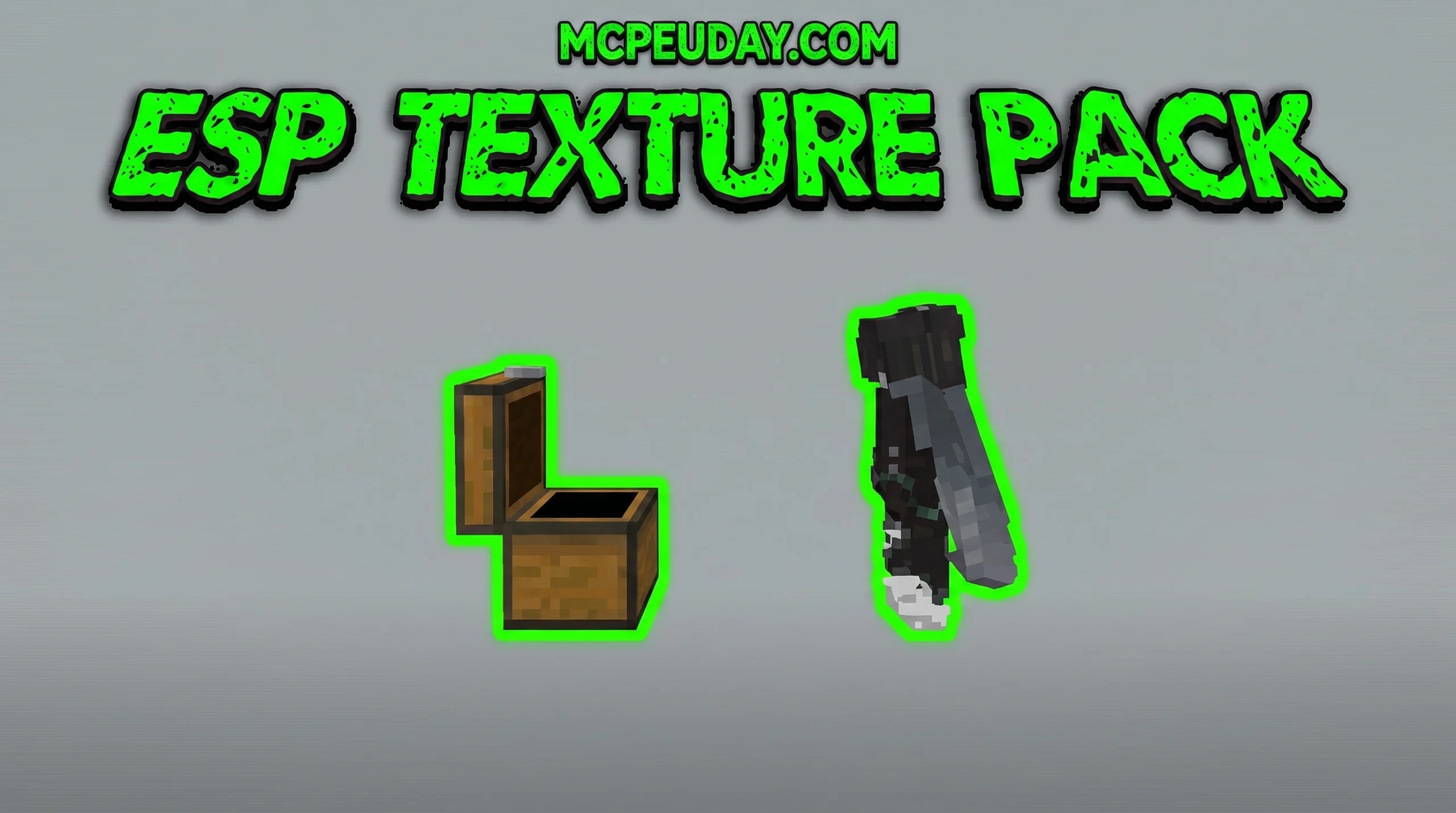
See Through Walls in Minecraft: What the ESP Texture Pack Does
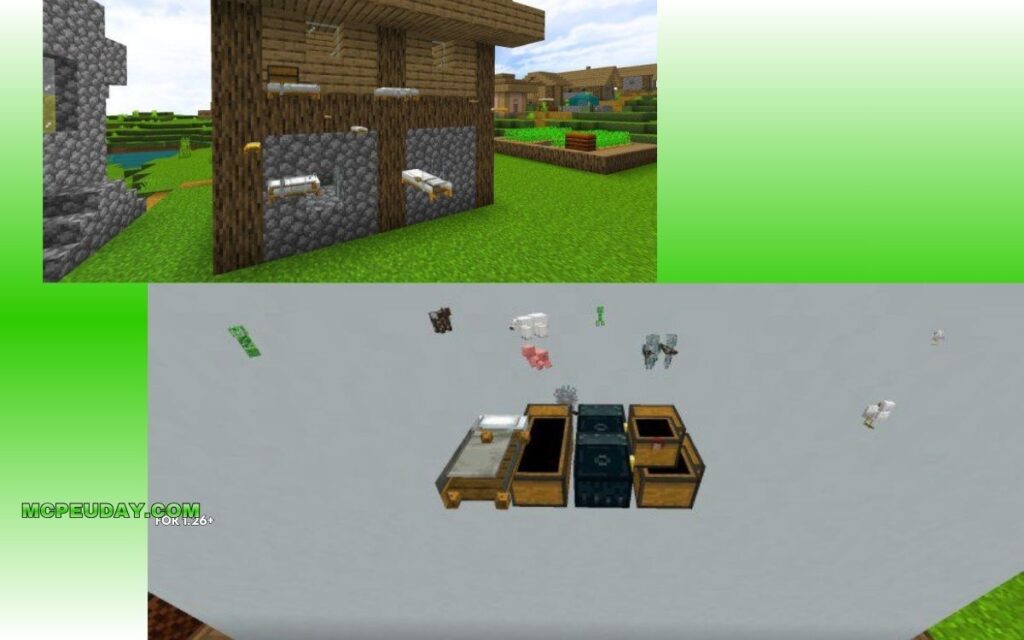
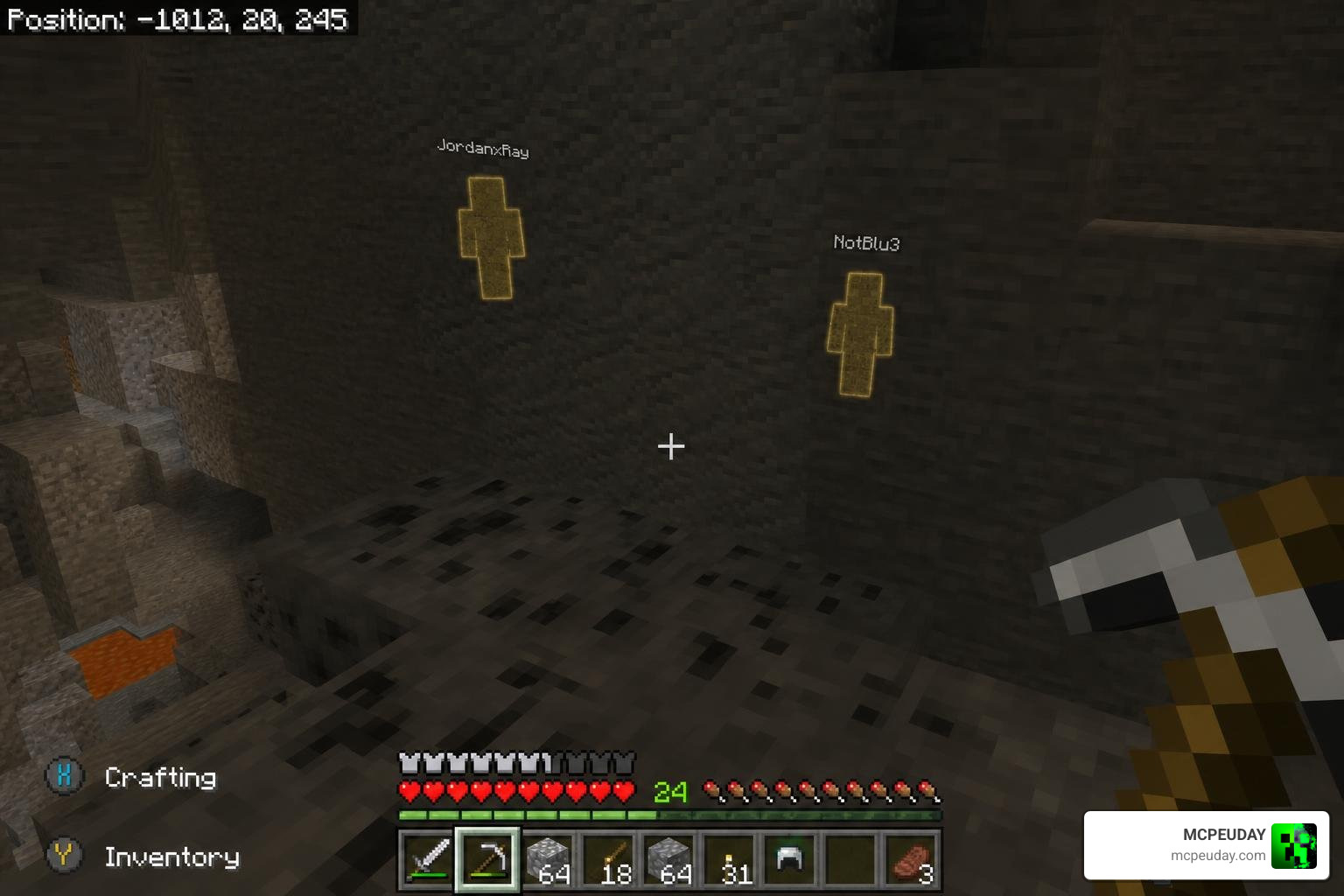
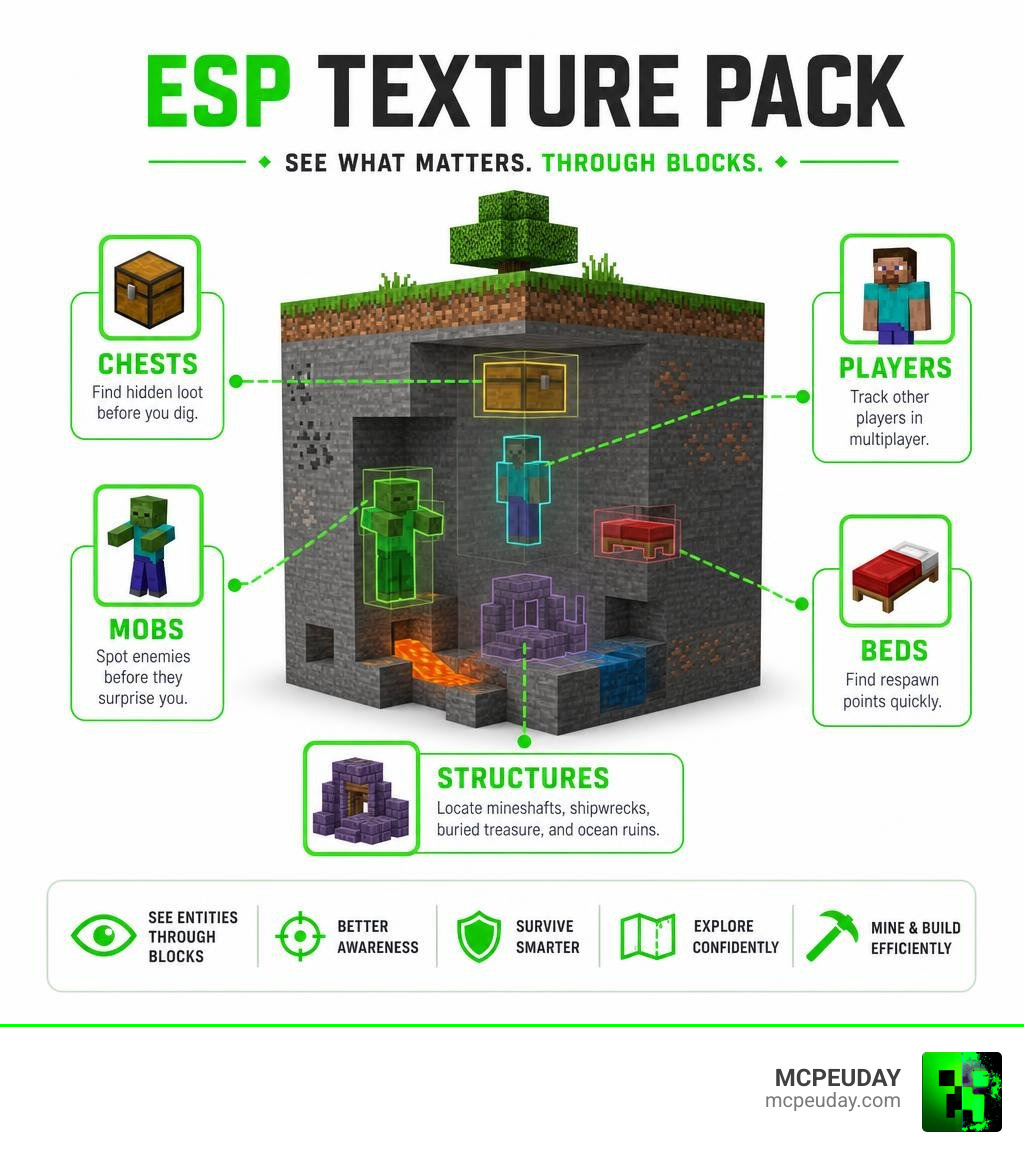
Quick answer — here’s what the ESP Texture Pack shows through blocks:
- Chests and storage — spot hidden loot before you dig
- Players — track other players in multiplayer
- Mobs — see enemies through walls before they surprise you
- Beds — find respawn points quickly
- Structures — locate mineshafts, shipwrecks, buried treasure, and ocean ruins
The ESP Texture Pack is one of the most downloaded utility packs for Minecraft Bedrock Edition, with over 559,500 views and more than 146,000 downloads across platforms. It does one thing really well: it lets you see entities and objects through solid blocks — no X-ray mods, no cheats, no extra lag.
It works purely by changing how Minecraft renders certain objects visually. Your world stays exactly the same. No new items. No changed stats. Just better awareness of what’s around you.
And the best part? It runs smoothly even on low-end phones and tablets.
Whether you’re hunting buried treasure in survival mode or keeping tabs on opponents in PvP, this pack gives you a serious edge — as long as the server you’re on allows it.
What is the ESP Texture Pack and How Does It Work?
If you have ever spent hours digging aimlessly in search of a buried treasure or a hidden base, you know how frustrating blind exploration can be. Traditional solutions usually involve using an X-ray pack. However, traditional X-ray packs make normal blocks like stone, dirt, and gravel completely invisible, which can make navigating the world incredibly disorienting and cause you to fall into lava.
If you prefer to keep your world looking normal while still finding what you need, you might want to look at the X Ray Texture Pack For Minecraft Pe Mcpe 1 21/ to see how standard X-ray packs compare.
The ESP Texture Pack (Extra Sensory Perception) takes a completely different approach. Instead of making world blocks invisible, it modifies the rendering engine properties of specific entities and container blocks. By tweaking how Minecraft draws these objects, the pack forces them to render on top of solid blocks.
This means your environment remains fully textured, realistic, and easy to navigate, but chests, mobs, and players are highlighted with a clear outline or glow that shines right through solid stone. It is a highly optimized visual aid that does not require any third-party modding clients, making it incredibly lightweight and perfect for Minecraft Bedrock.
Key Features of the ESP Texture Pack
We love how much utility this pack packs into a file size of under 500 KB. Here are the primary features you can expect when using the ESP Texture Pack:
- Chest & Storage ESP: Instantly highlights chests, trapped chests, and ender chests. This makes finding buried treasure, dungeon loot, and hidden player vaults a breeze.
- Mob Tracking: See hostile mobs (like Creepers, Zombies, and Skeletons) and passive animals through cave walls. It is a lifesaver for avoiding surprise attacks in Hardcore mode.
- Player Detection: Keep track of other players in your world. You can spot their exact location and movement patterns through walls, which is incredibly useful for co-op coordination or competitive tracking.
- Bed Highlighting: Never lose track of your base or respawn point again. Beds are highlighted clearly, allowing you to find your way home or target enemy beds in Bedwars.
- Structure Finding: While the pack doesn’t highlight blocks like stone bricks directly, it reveals underground structures like abandoned mineshafts, shipwrecks, and ocean ruins by highlighting the chests spawned inside them.
Visual Customization and Glowing ESP Options
Depending on your personal preferences, you can choose different variants of the pack to suit your playstyle. If you play on busy multiplayer servers or massive survival worlds, standard ESP packs can sometimes clutter your screen with too many highlighted entities.
To solve this, creators have developed “Minimal” and “Singleplayer” variants. The minimal version reduces visual clutter by only highlighting essential elements, ensuring your screen stays clean and readable.
For players who want an even cleaner, vanilla-friendly glow effect, you can choose variants that focus on a clean outline glow that mimics wallhacks without looking messy.
If you want to make your entire game shine, you can pair these utility packs with options like the Glowing Plus Texture Pack Make Your Minecraft World Shine With Brilliant Light Effects/ to dramatically upgrade your world’s lighting.
Feel free to explore our curated selection and Download the Glowing ESP Resource Pack on MCPEUDAY to find the perfect style for your setup.
Performance, Compatibility, and Installation Steps
One of the biggest advantages of the ESP Texture Pack is its performance footprint. Because it does not add high-resolution textures, heavy 3D models, or complex custom shaders, it runs flawlessly on low-end mobile devices, consoles, and budget PCs. It introduces zero performance lag, making it an excellent alternative to heavy graphics mods.
Here is a quick comparison of how the ESP Texture Pack performs compared to other popular visual packs:
| Feature | ESP Texture Pack | Heavy Shaders / RTX | Bare Bones Pack |
|---|---|---|---|
| FPS Impact | None (Highly Optimized) | Extreme Drop (Requires GPU) | Boosts FPS (Very Light) |
| File Size | < 500 KB | 50 MB+ | ~ 2 MB |
| Primary Purpose | Utility & Entity Detection | Realistic Graphics & Lighting | Clean, Cartoonish Aesthetic |
| Device Compatibility | Low-end Mobile to High-end PC | High-end PC / Selected Consoles | All Devices |
If you want a performance-boosting clean look, you can check out the Bare Bones Texture Pack 1 21 Mcpe Bedrock Edition Download Now/. On the other hand, if you have a powerful device and want hyper-realism, you can Explore the Realsource Realistic Pack Mcpack/.
How to Install the ESP Texture Pack on Bedrock (MCPE)
Installing the pack is simple. Follow these quick steps to get started:
- Download the
.mcpackfile from a trusted source. - Locate the downloaded file on your device and double-click or tap on it.
- Minecraft Bedrock will open automatically and import the pack.
- Go to Settings > Global Resources > My Packs, select the ESP Texture Pack, and click Activate.
- Start your world and enjoy your newfound vision!
Multiplayer Rules, Risks, and Server Guidelines
Before you activate the ESP Texture Pack and jump onto your favorite public multiplayer server, we must talk about fair play.
Because this pack allows you to see players, beds, and chests through walls, most public competitive servers consider it a form of cheating. Using it on popular networks can result in an immediate and permanent ban by automated anti-cheat systems.
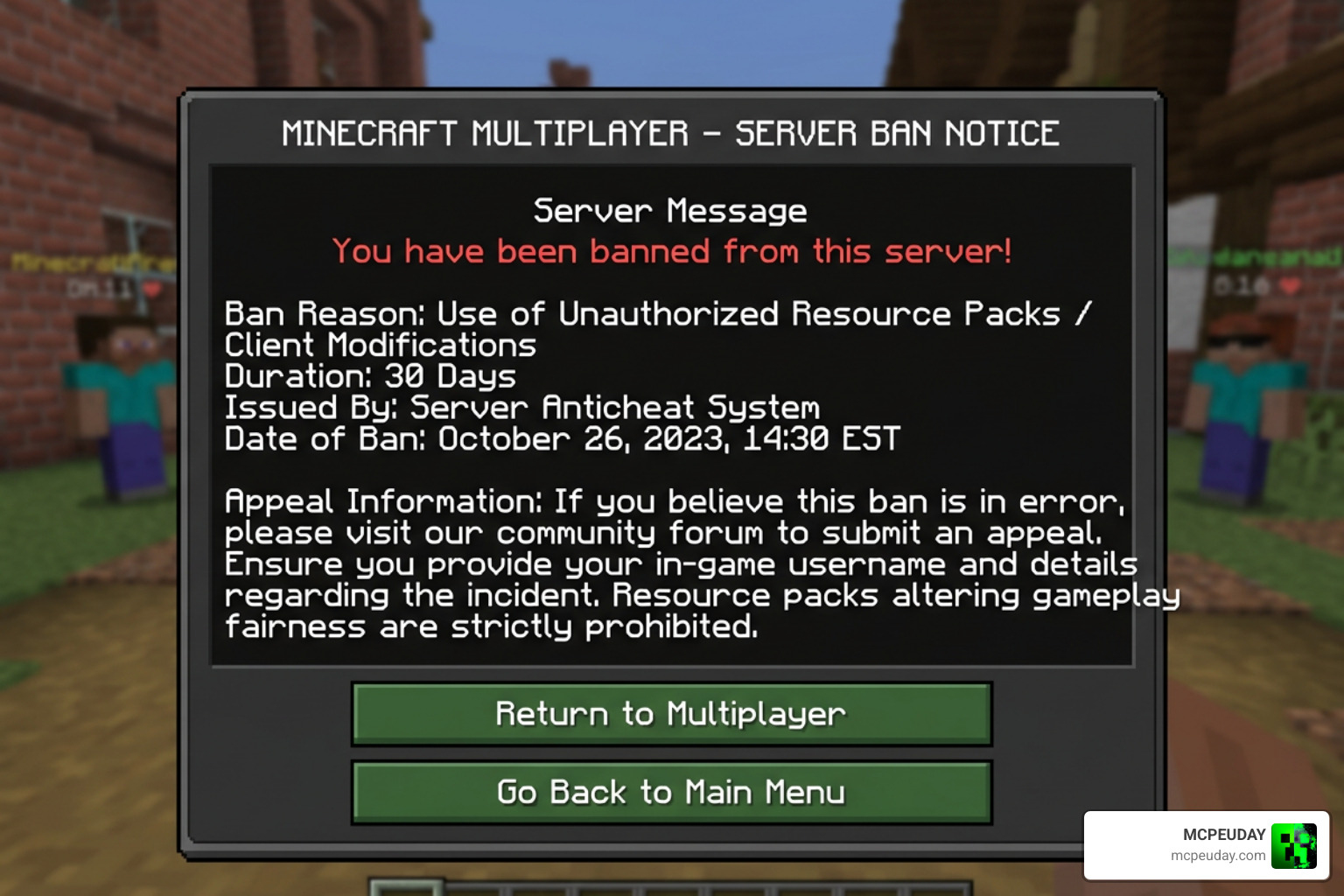
Always follow these best practices to keep your account safe:
- Singleplayer & Co-op: The pack is 100% safe and highly recommended for singleplayer survival worlds or private servers with your friends.
- Ask Server Owners First: If you want to use it on a private community server, always ask the owner or admin if utility resource packs are allowed.
- Use Minimal Variants: If you are allowed to use it, use minimal versions to keep your UI clean and avoid unnecessary screen distractions.
If you are ready to try it out in your own world, you can quickly Get the ESP Texture Pack on MCPEUDAY.
Frequently Asked Questions about ESP Packs
Here are some of the most common questions we get from the community regarding how these packs work.
Does the ESP pack change gameplay mechanics?
No. The pack is strictly a visual resource pack. It changes how objects are rendered on your screen, but it does not alter block drops, mob behavior, player stats, or world generation.
Is the pack safe for mobile devices?
Yes! The file size is incredibly small (under 500 KB), and it does not require high-end hardware. It is completely safe and runs smoothly on both iOS and Android devices.
Can I edit and redistribute this texture pack?
According to the creator’s licensing rules, you are allowed to edit the pack for your own personal use. However, you are not allowed to claim it as your own or redistribute edited versions publicly without getting explicit permission from the original creator. If you showcase the pack in a video, make sure to provide proper credits and link back to the official download page.
Conclusion
The ESP Texture Pack is a fantastic utility tool for Minecraft players who want to navigate their worlds with absolute confidence. By highlighting chests, players, mobs, and beds through solid blocks, it takes the frustration out of hunting for resources while keeping your game looking clean and performing perfectly. Just remember to use it responsibly and respect server rules when playing online!
Ready to discover more game-changing additions for your Minecraft world? Go ahead and Browse more options in the MCPEUDAY Texture Packs Category to find the best mods, shaders, and resource packs updated for 2026!