
Lotiif Visuals Shader transforms Minecraft with realistic lighting, sharp shadows, smooth reflections, and vibrant colors. It delivers beautiful visuals while maintaining excellent performance on both low-end and high-end devices.
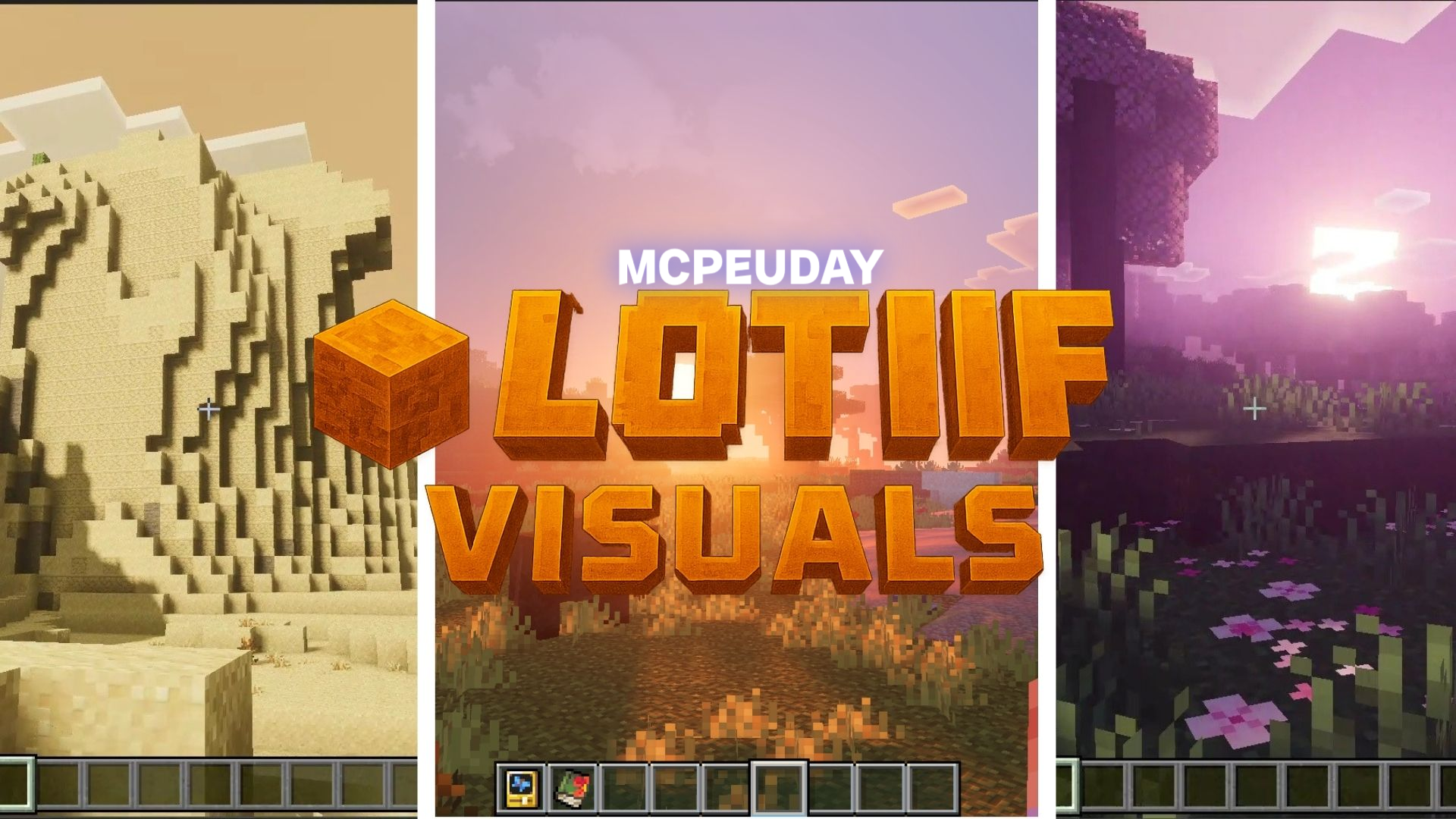
Lotiif Visuals Shader BY:- lotiif_craft_studio
If you want to transform Minecraft’s classic visuals into something more realistic, bright, and immersive, Lotiif Visuals Shader is one of the most impressive options available today. This shader has become popular for its beautiful lighting, smooth shadows, and optimized performance that works great on both low-end and high-end devices. Whether you play Minecraft for survival, building, or exploration, this shader instantly improves the overall atmosphere without sacrificing FPS.
What Is Lotiif Visuals Shader?
Lotiif Visuals Shader is a visual enhancement shader designed to upgrade Minecraft’s graphics while keeping gameplay smooth. It focuses on natural lighting, vibrant colors, and cinematic shadows—making everything from sunrise to rainy weather look more realistic. Unlike many heavy shaders, it balances quality and performance, making it beginner-friendly and device-friendly.
Best Features of Lotiif Visuals Shader
1. Ultra-Realistic Lighting
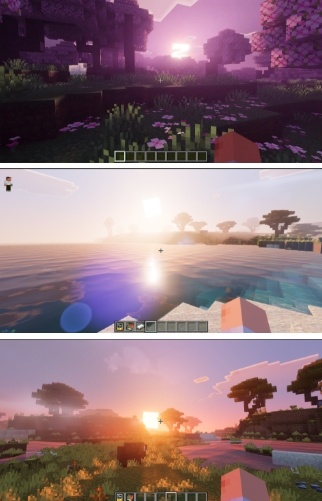
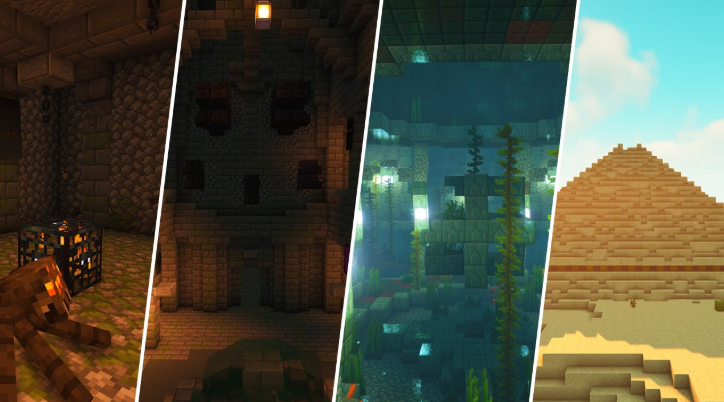
This shader introduces bright, natural sunlight and rich ambient lighting that makes the world feel more alive. Early mornings and late evenings glow beautifully with warm tones.
2. Smooth and Dynamic Shadows
Trees, mobs, structures, and items cast soft shadows that move naturally with the sun and moon.
3. Enhanced Water Effects
Water becomes clearer, more reflective, and more fluid, giving rivers and oceans a realistic appearance.
4. Vibrant Colors & Balanced Saturation
The color palette is bright but not overly saturated. Grass looks fresher, leaves appear fuller, and the world becomes more visually appealing.
5. Atmospheric Weather Improvements
Fog, rain, and cloud textures are improved, creating a moody and immersive atmosphere during storms or cloudy days.
6. Great Performance on All Devices
Despite being visually strong, Lotiif Visuals Shader is optimized so players with low-end mobile, PC, or tablet devices can still enjoy high-quality graphics.
Screenshots:
Why Players Love Lotiif Visuals Shader
- Works on many devices
- Doesn’t lag
- Ideal for survival and building worlds
- Enhances screenshots and cinematic videos
- Easy to install and configure
It strikes the perfect balance between beauty and playability.
Compatibility
| Category | Supported |
|---|---|
| Minecraft Version | Bedrock / PE (varies by version) |
| Device Support | Android / iOS / Windows (depending on release) |
| GPU Requirement | Low to Medium |
| Performance | High FPS friendly |
How to Install Lotiif Visuals Shader (Step-By-Step)
Mobile (Android / iOS)
- Download the shader file (.mcpack).
- Tap the file to automatically open Minecraft.
- Minecraft will import the shader.
- Go to Settings > Global Resources.
- Activate Lotiif Visuals Shader.
- Restart Minecraft for best results.
Windows
- Download the shader pack.
- Move it to:
/com.mojang/resource_packs/ - Open Minecraft > Settings > Global Resources.
- Activate the shader.
- Restart the game.
Tips to Get the Best Visual Quality
- Increase your brightness slightly.
- Turn on “Beautiful Skies” in settings.
- Keep render distance balanced for performance.
- Disable other resource packs for maximum clarity.
Conclusion
Lotiif Visuals Shader is one of the most impressive and well-balanced shaders available for Minecraft right now. It offers realistic lighting, detailed shadows, vibrant colors, and smooth performance—even on weaker devices. Whether you’re exploring caves, building massive structures, or taking cinematic screenshots, this shader makes the game look stunning without sacrificing FPS. If you want a clean, modern, and immersive visual upgrade, Lotiif Visuals Shader is absolutely worth trying.
—
[…] Lotiif Visuals Shader for MCPE […]
[…] For clean, balanced enhancement: Try the Lotiif Visuals Shader for MCPE. […]
[…] Lotiif Visuals Shader for MCPE […]