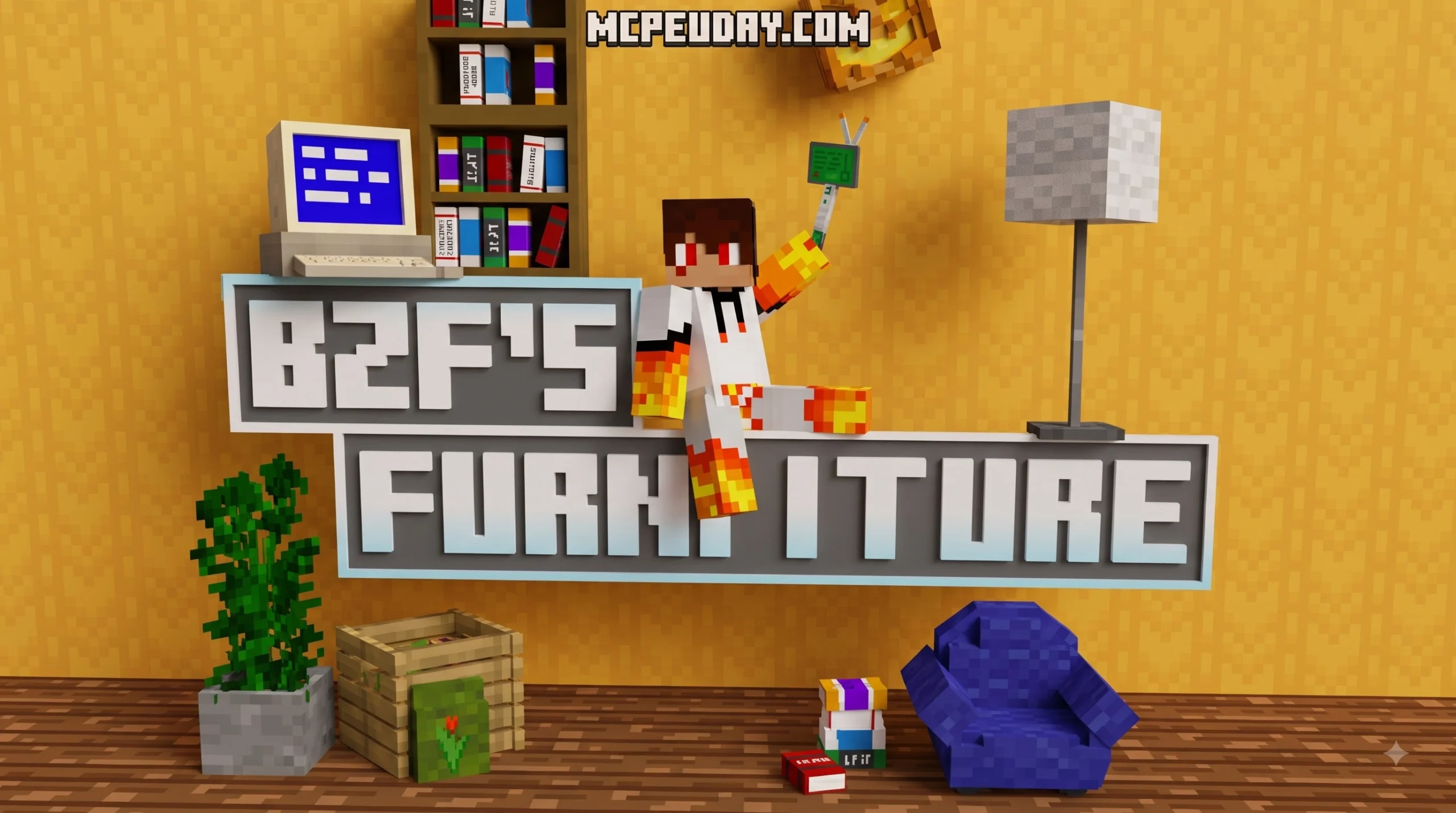
BZF FURNITURE Addon for Minecraft PE/Bedrock: A Quick Overview
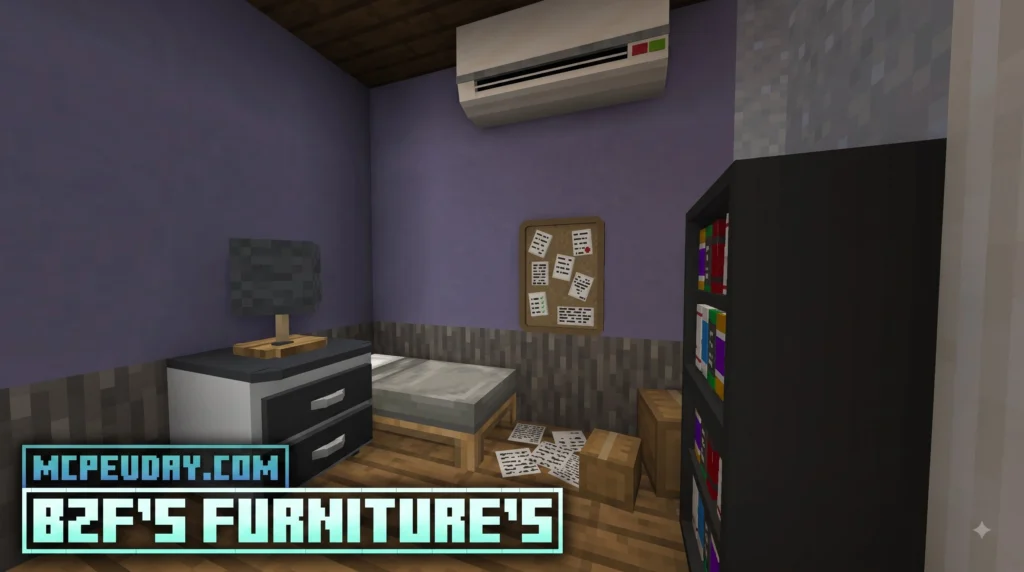
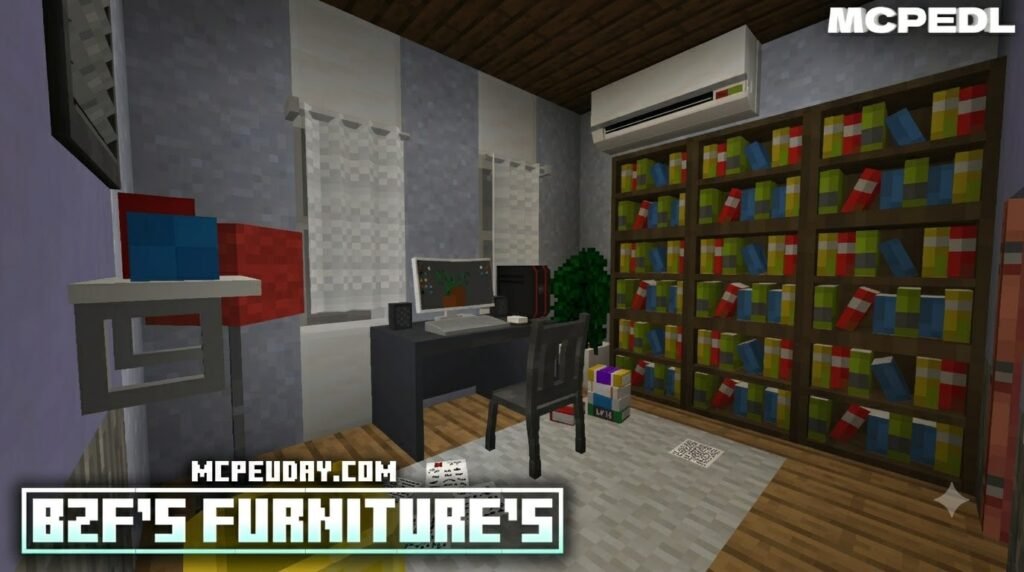
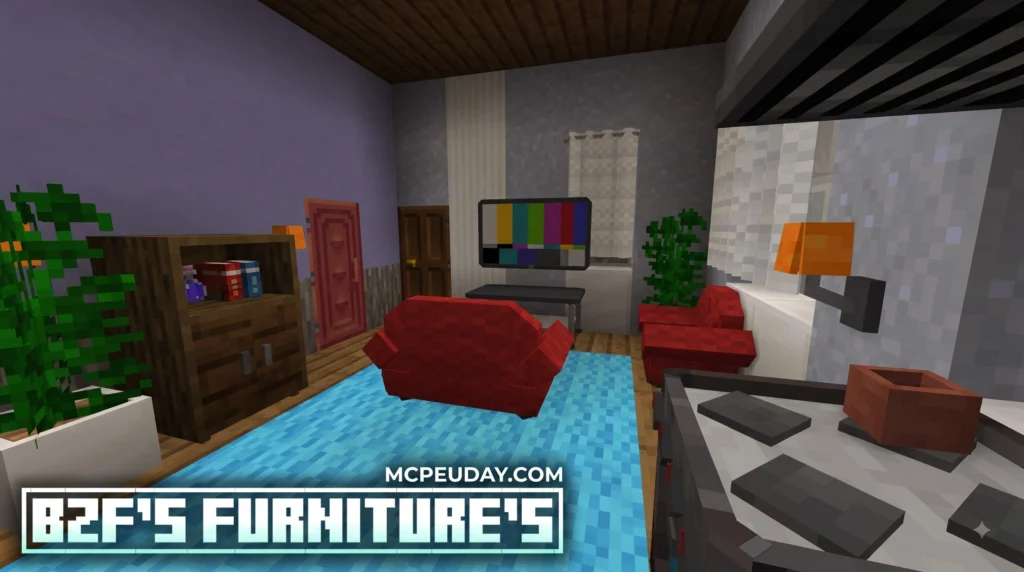
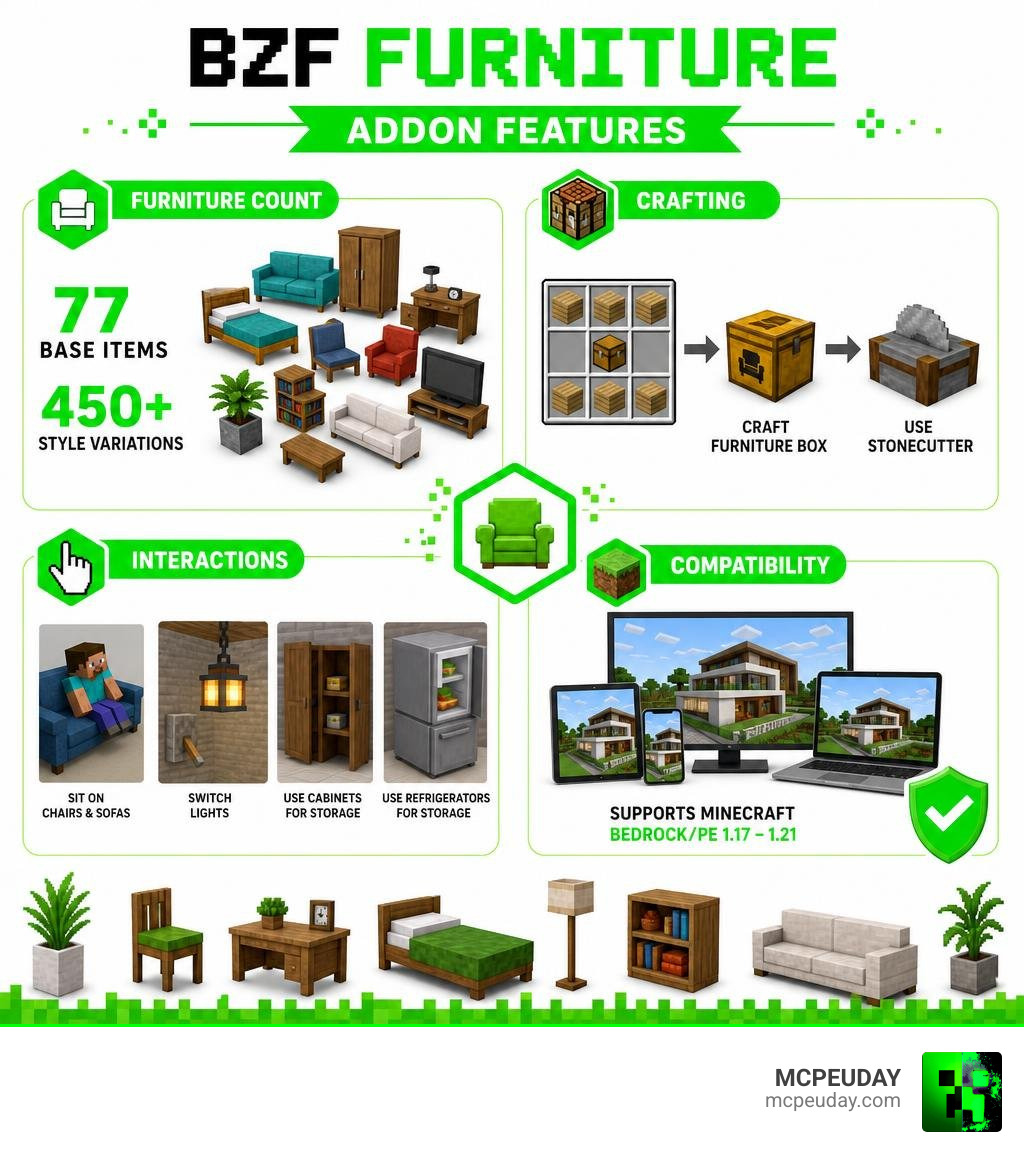
BZF FURNITURE Addon for Minecraft PE/Bedrock adds more than 450 furniture variations to Bedrock worlds, giving players detailed 3D items for homes, kitchens, bedrooms, gardens, offices, and other builds. Custom interior design in vanilla Minecraft has long been restricted to clever block placements like stairs for seats or trapdoors for table legs. This mod completely changes that dynamic by bringing high-quality, pixel-accurate 3D models into your world.
| Quick fact | What it means |
|---|---|
| Furniture content | 77 base items with 450+ style variations |
| Survival friendly | Craft themed furniture boxes, then use a Stonecutter to choose items |
| Interactive items | Sit on chairs and sofas, switch lights, and use some cabinets and refrigerators for storage |
| Supported versions | Minecraft Bedrock/PE 1.17 through 1.21 |
| Latest release | v2.8.0, updated in January 2026 |
Instead of building a sofa from stairs and signs, you can place purpose-made furniture that fits a clean, vanilla-style world. The addon also supports practical decorating, from kitchen counters and TVs to patio pieces, plants, Halloween props, and custom bedcovers. Whether you are building a suburban modern villa or decorating a rustic survival base, this package ensures your interiors look lively and fully equipped.
In this guide, I am UDAY GAMER, and I will walk you through downloading, installing, crafting, and using the addon on Minecraft PE and Bedrock.
What is the BZF FURNITURE Addon for Minecraft PE/Bedrock?
The BZF FURNITURE Addon for Minecraft PE/Bedrock is a popular decoration mod created to transform standard, plain interiors into richly detailed spaces. While vanilla Minecraft offers limited choices for interior design, this pack introduces true 3D models with detailed textures that fit right into the game’s aesthetic without feeling out of place or breaking immersion.
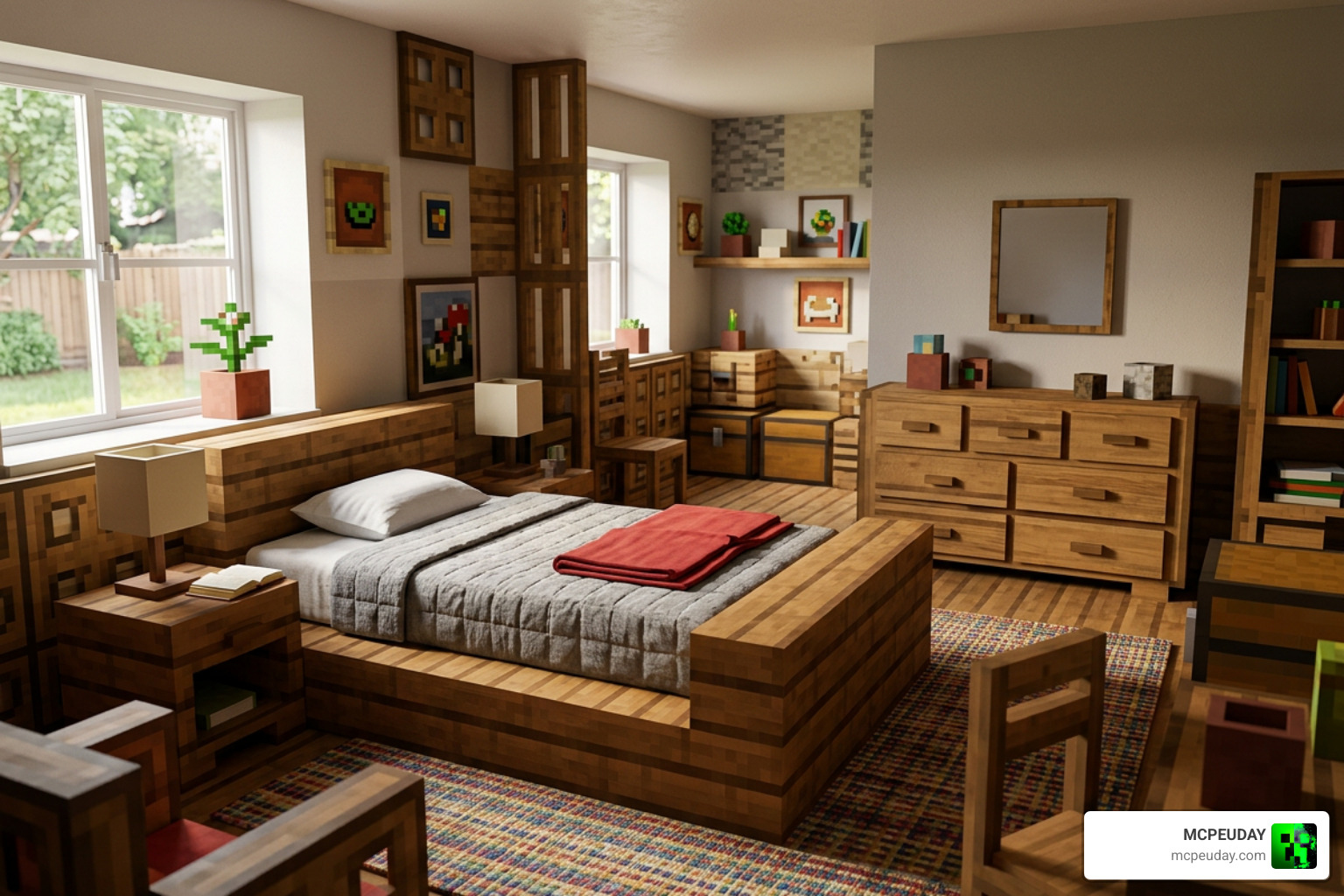
With over 450 style variations derived from 77 base items, we no longer need to rely on awkward stair-and-sign combinations to build a simple couch. Whether you want to deck out a suburban modern house or build an outdoor patio, this addon provides modern, rustic, and themed objects to suit any project. The models use clean blocky geometry that respects Minecraft’s core art direction while delivering unprecedented detail for modern builds.
Key Features and Supported Rooms in BZF FURNITURE Addon for Minecraft PE/Bedrock
The expansion covers every major area of a home or build project. Here is a detailed look at the types of rooms we can decorate with these custom blocks:
- Living Rooms: Modern couches, armchairs, sleek coffee tables, flat-screen TVs, audio setups, and complete entertainment units to create cozy social spaces.
- Kitchens: Modular kitchen counters, sinks, hanging wall cabinets, modern stoves, range hoods, and fully functional refrigerators for realistic kitchen layouts.
- Bedrooms: Contemporary bed frames, functional nightstands, spacious wardrobes, and custom fabric bedcovers designed to give bedrooms a personalized feel.
- Offices: Ergonomic computer desks, swiveling office chairs, desktop PCs, laptops, desk organizers, and decorative book piles for modern workspaces.
- Gardens & Patios: Sturdy outdoor benches, decorative foliage blocks, patio tables, sun umbrellas, and lawn lamps to spruce up yards and exterior landscapes.
Interactive Mechanics in BZF FURNITURE Addon for Minecraft PE/Bedrock
What sets this addon apart from basic block packs is its functional gameplay elements. Many objects in this mod act as interactive entities rather than static scenery:
- Sitting Mechanics: You can actually sit down on chairs, office stools, and plush sofas without slipping through them or standing on top of awkward hitboxes.
- Lighting Controls: Modern ceiling lamps, desk lights, fluorescent fixtures, and wall lamps can be manually toggled on or off to adjust room lighting and atmosphere.
- Container Storage: Selected kitchen cabinets, drawers, and refrigerators function as real storage units for organizing your survival food and valuable resources.
- Custom Bedcovers: Custom fabric bedcovers can be placed directly over vanilla beds to completely revamp your sleeping quarters with stylish patterns.
To see these interactive features in action during actual survival gameplay, check out this guide on the BEST furniture addon for survival Minecraft pe/bedrock 1.21+ .
Survival Crafting: How the Stonecutter and Storage Boxes Work
Many furniture mods clutter the standard Crafting Table menu with hundreds of individual recipes, making it frustratingly difficult to find what you need. The BZF FURNITURE Addon for Minecraft PE/Bedrock solves this issue by using an intuitive, streamlined Stonecutter system that keeps your crafting interface organized and fast.
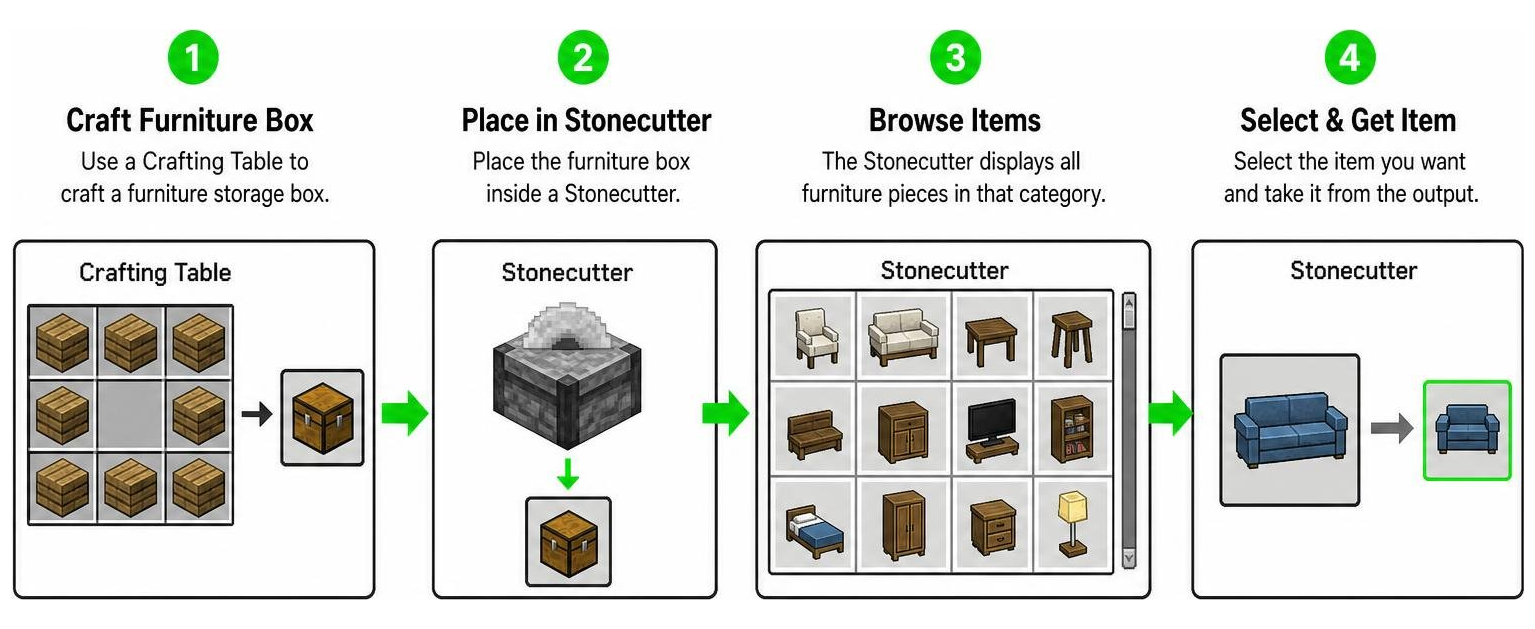
We start by crafting standard furniture storage boxes using basic wood planks at a traditional Crafting Table. Once we have a furniture box, we place it inside a Stonecutter. The Stonecutter interface then displays all available furniture pieces tied to that box category, letting us pick exact items instantly without wasting resources on dozens of separate recipes.
The Four Storage Box Types
To keep decorating organized and efficient in survival mode, furniture pieces are logically split across four themed storage boxes:
| Storage Box Type | Theme & Category Focus | Typical Output Items |
|---|---|---|
| Indoor Box | Living spaces, kitchens, offices, bedrooms | Couches, flat-screen TVs, computer desks, refrigerators, kitchen counters |
| Garden Box | Exterior yards, patio areas, outdoor gardens | Garden benches, patio tables, sun umbrellas, lawn lamps, foliage blocks |
| Halloween Box | Seasonal, spooky, and party build props | Pumpkin props, cobwebs, haunted decor, themed party items |
| Special Box | Unique lighting, electronics, custom beds | Fluorescent lights, modern bedcovers, specialized tech items, ceiling lamps |
This simple four-box structure ensures you can easily acquire any piece of furniture you need without searching through clutter or clogging up your inventory space.
Step-by-Step Installation Guide for Minecraft Bedrock & PE
Installing custom addons on mobile devices, tablets, and computers is straightforward when using standard .mcaddon or .mcpack files. Follow these detailed steps to install the pack on your device correctly:
- Download the File: Download the latest version of the addon file (
.mcaddonor.mcpack) to your mobile device, tablet, or Windows PC. - Import into Minecraft: Tap or double-click the downloaded file. Minecraft will launch automatically and display top-of-screen notifications stating “Import Started” followed shortly by “Import Successful.”
- Apply Resource Pack: Open your world edit settings menu, navigate to Resource Packs under the Active/My Packs section, and activate the BZF Furniture Resource Pack.
- Apply Behavior Pack: In the same world settings menu, go to Behavior Packs and activate the corresponding BZF Furniture Behavior Pack to enable custom interactions.
Enabling Experimental Features and Version Compatibility
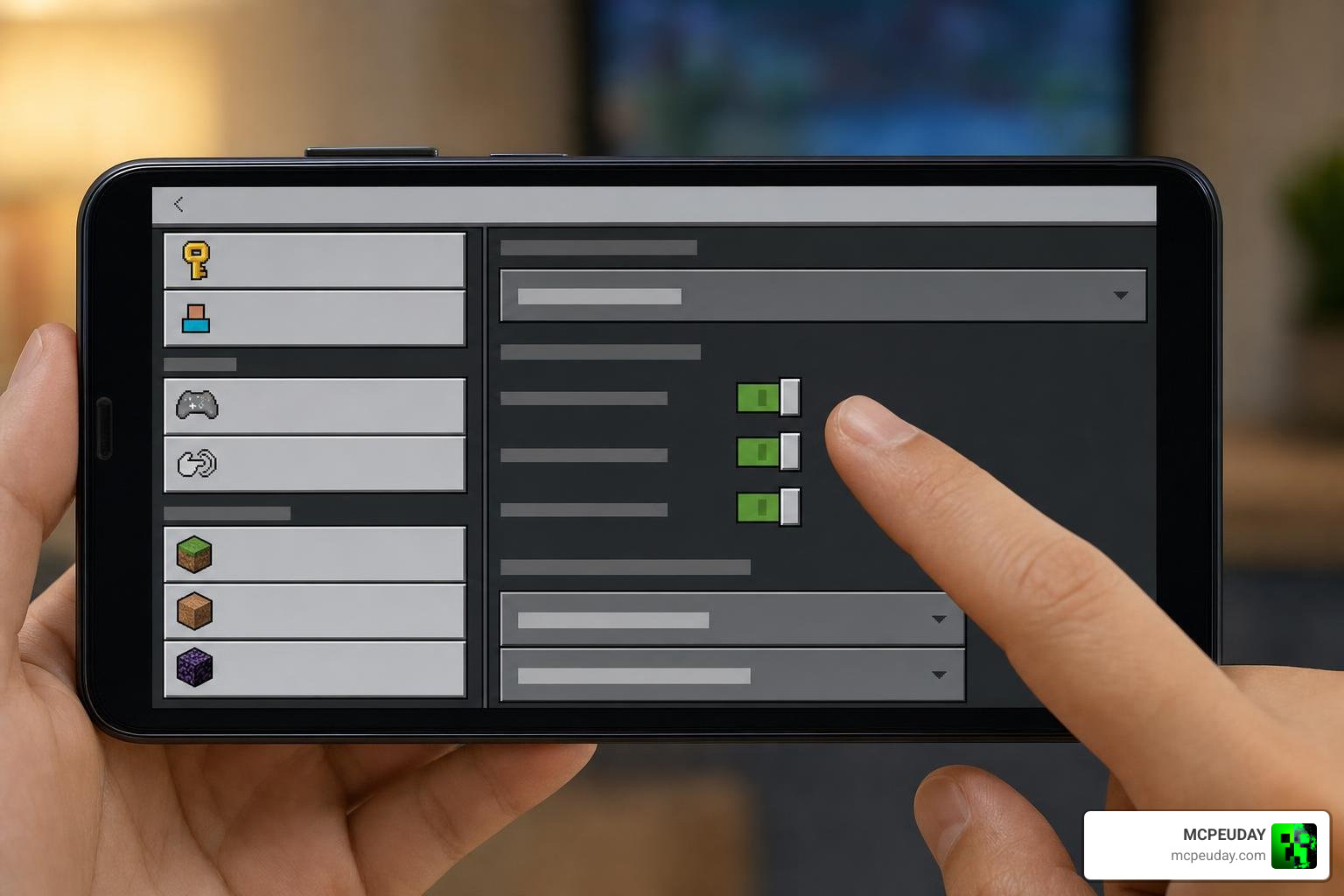
For custom geometry, interactive seats, and toggleable lighting scripts to work properly, specific world experimental toggles must be turned on before loading your world:
- Scroll down to the Experiments section located in your World Settings side menu.
- Turn on Holiday Creator Features.
- Turn on Upcoming Creator Features.
- Confirm the warning prompt to clone or save your changes, then load into the world.
The addon is tested and fully functional across Minecraft Bedrock/PE versions 1.17, 1.18, 1.19, 1.20, and 1.21. It supports cross-platform play across Android, iOS, Windows, and console editions seamlessly.
What’s New in Latest Updates (v2.7.0 & v2.8.0)?
The developers behind BZF Furniture regularly update the mod to ensure full compatibility with modern Bedrock engine changes and community feedback. Released in January 2026, version v2.8.0 fixed critical bugs and introduced fresh decorative content for survival builders.
Key updates and enhancements across recent releases include:
- Texture Bug Fixes: Fixed rendering glitches where fluorescent light fixtures previously rendered as default dirt blocks in survival worlds.
- Lighting System Updates: Brightness levels on lamps, desk lights, and overhead fixtures were recalibrated to produce smoother ambient illumination.
- New Plant Props: Added several indoor potted plant variations and fresh garden foliage blocks for enhanced natural decorating.
- Bedrock 1.21 Fixes: Improved entity interaction scripts to prevent sitting desynchronization and seating glitches on mobile devices.
For a complete visual showcase of these modern updates and bug fixes, take a look at this video showcasing the BEST furniture addon for survival Minecraft pe/bedrock 1.21+ 🛋️ .
Frequently Asked Questions about BZF Furniture
How do you craft furniture items in survival mode?
You craft one of the four themed furniture storage boxes (Indoor, Garden, Halloween, or Special) at a standard Crafting Table using basic wood planks. Next, place your crafted storage box into a Stonecutter to open the selection menu, allowing you to choose and extract your exact desired furniture items instantly.
Is BZF Furniture Addon compatible with Minecraft Bedrock 1.21?
Yes, the latest v2.8.0 update is specifically optimized for Minecraft Bedrock 1.21 while maintaining backwards compatibility with versions 1.17 through 1.20 across mobile, console, and PC platforms.
Can you sit on chairs and store items in cabinets?
Yes! Armchairs, office seats, stools, and sofas allow players to sit directly on them by interacting with the object. Additionally, kitchen cabinets, drawers, and refrigerators offer functional internal storage slots for keeping items organized, while light fixtures can be switched on and off manually.
Conclusion
The BZF FURNITURE Addon for Minecraft PE/Bedrock provides an incredible upgrade for players looking to elevate their interior design projects. With over 450 variations, survival-friendly Stonecutter crafting, and interactive features like sit-able chairs and toggleable lights, it remains one of the top decoration mods available in 2026. Whether you are building modern skyscrapers or cozy log cabins, this addon delivers top-tier decorative quality.
To discover more survival mods, graphics shaders, textures, and custom packs for your game, visit our full collection in the MCPE Bedrock Addons Category.