Alleis Skin Pack: A Quick Guide Before You Install
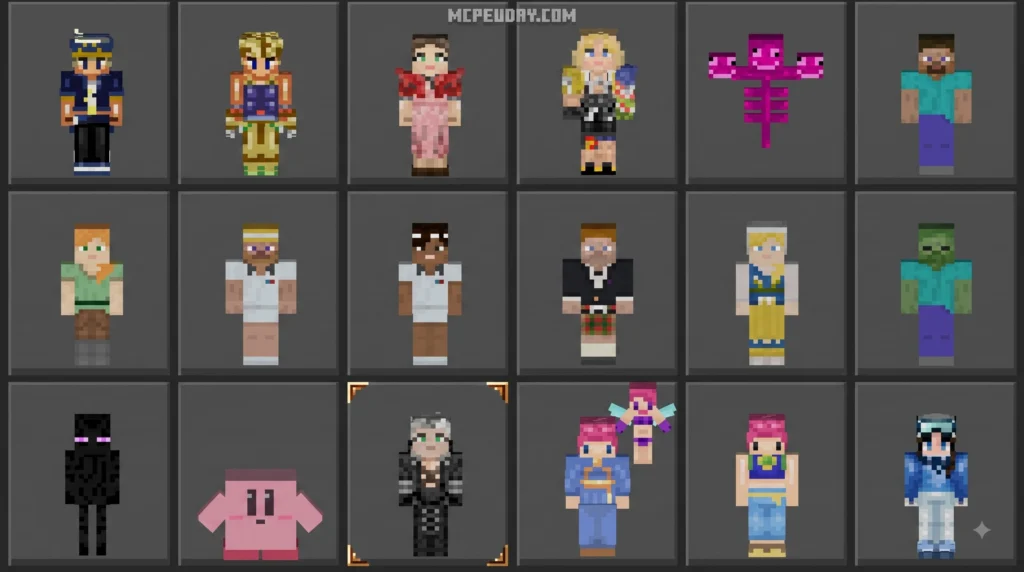
Alleis Skin Pack is a collection of Minecraft Bedrock character skins that use custom geometry to add model shapes and details beyond a normal flat skin design. Players often call these “4D” or “5D” skins, but those labels are not technically accurate. A clearer name is custom model skins or custom geometry skins.
| Quick answer | What it means |
|---|---|
| What makes it different? | It can change parts of the player model, not just the texture painted on it. |
| Is it a normal Marketplace skin pack? | No. Standard Marketplace skins generally follow Minecraft’s usual skin model rules. |
| Can it be installed with MB Loader? | Yes, on supported Android setups, by replacing files from a downloaded free Marketplace skin pack. |
| Is there a risk? | Yes. Changing game data to public Android media storage can expose data to other apps and may put a Microsoft account at risk. |
| Is MB Loader the only option? | No. Available methods depend on your device, Bedrock version, and launcher. |
This guide explains what the pack does, why the “4D/5D” name can be confusing, and how to avoid common installation errors. It also covers the important security trade-off involved in using MB Loader and public media storage.
I am UDAY GAMER, and I will walk you through the key checks to make before changing any Minecraft files.
What Is the Alleis Skin Pack and How Does It Work?
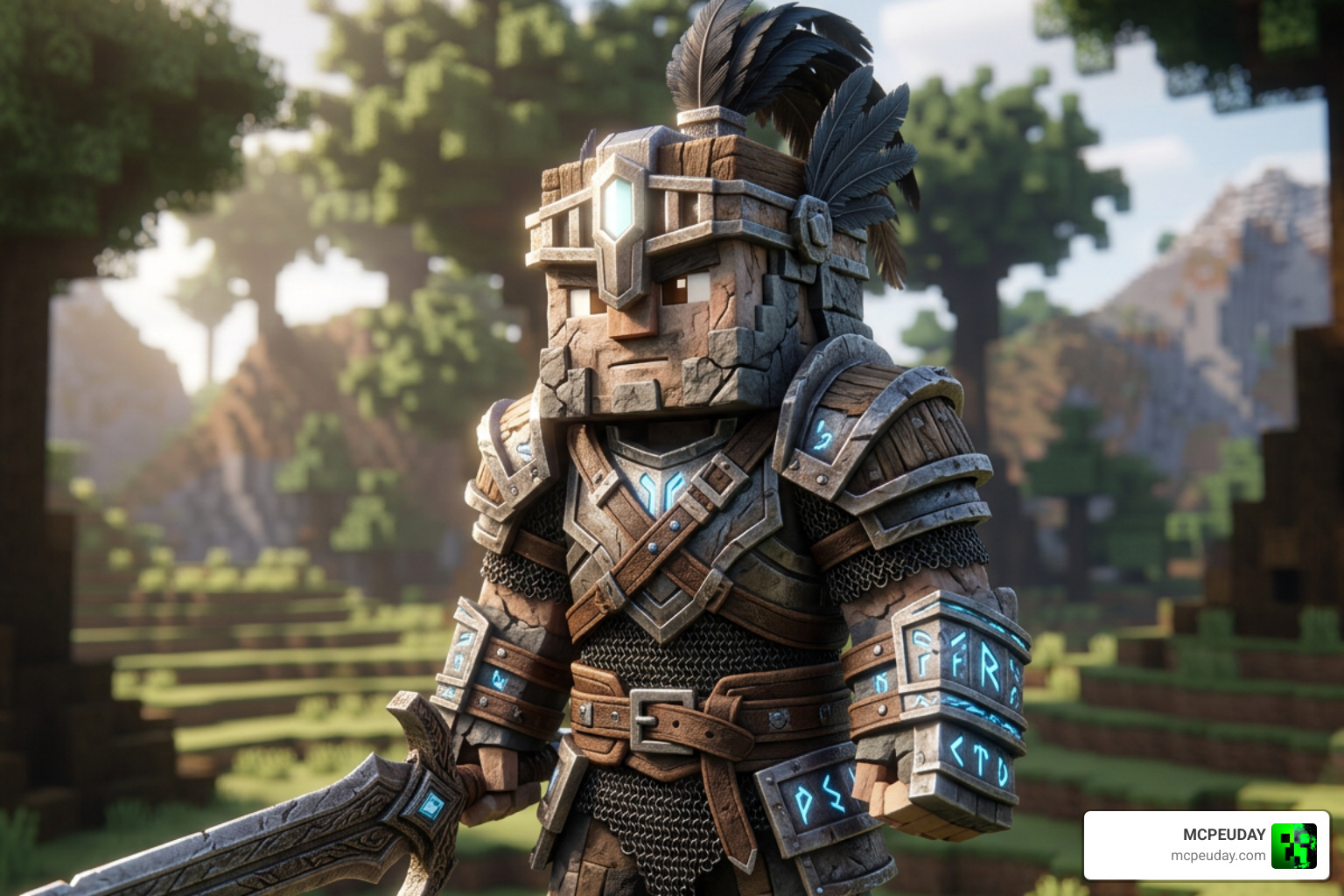
The Alleis Skin Pack is one of the most popular custom skin creations in the Minecraft Bedrock community. Unlike traditional skins that simply layer a 2D texture map over the default Steve or Alex player body, this pack fundamentally changes how player models look inside the Bedrock engine.
By taking advantage of Minecraft’s rendering engine, custom geometry skins allow creators to add extra polygons, wings, extended limbs, floating accessories, and completely reshaped body parts. When you load the Alleis Skin Pack, your character transformed into a distinct entity that standard skin editors simply cannot produce.
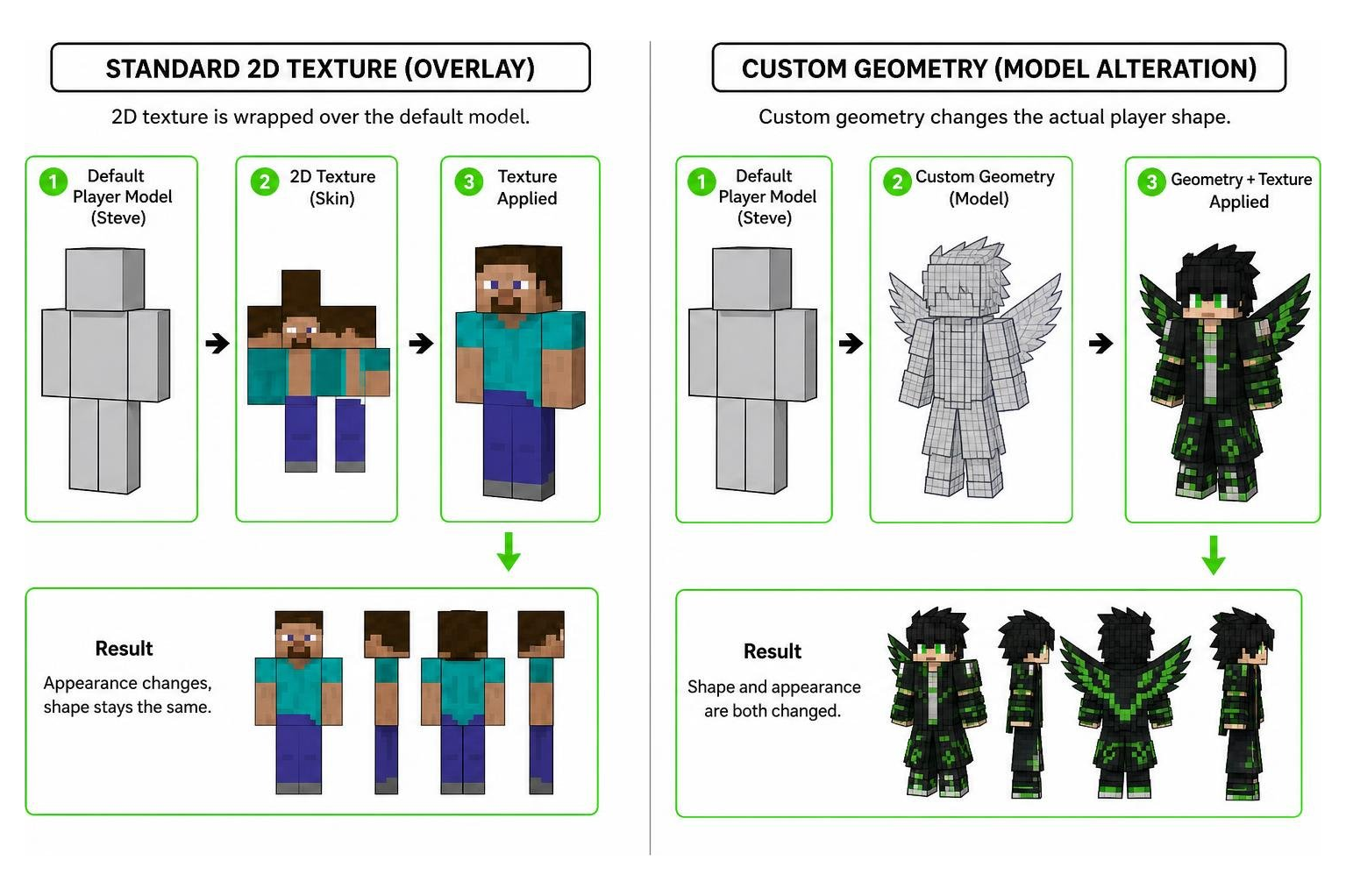
Understanding Misleading 4D and 5D Skin Terminology
In the Minecraft community, you will frequently hear creators and players refer to custom model packs as “4D skins” or “5D skins.” We always like to clear up this misconception right away: these terms are complete misnomers.
In physics and digital design, a 4th or 5th dimension involves time or complex hyper-spatial dimensions. Minecraft Bedrock operates inside a standard 3D rendering space. When someone talks about a “4D skin,” they are simply referring to a custom 3D mesh (geometry) attached to the character skeleton. The Bedrock engine technically restricts standard players to basic 3D boxes, so when a skin breaks out of these default bounds with custom geometry, community members jokingly or poetically dubbed them “4D.” While the term caught on across internet forums, calling them custom geometry skins or custom model skins is the correct technical description.
Unique Features of the Alleis Skin Pack
What makes the Alleis Skin Pack stand out among custom geometry creations is its attention to visual polish and stylistic features:
- Custom Geometry Meshes: Overhauls the basic player body with unique silhouettes, extended armor pieces, and stylized limbs.
- 3D Visual Enhancements: Adds distinct floating accessories, detailed headpieces, and custom tail or wing structures directly to the model.
- Vibrant Texturing: Combines precise UV maps with expressive color palettes, ensuring the skin looks dynamic from every camera angle.
- Engine Integration: Formatted specifically to sync with Bedrock’s rendering pipeline when properly loaded into the game cache.
Security Risks of MB Loader and Public Media Storage
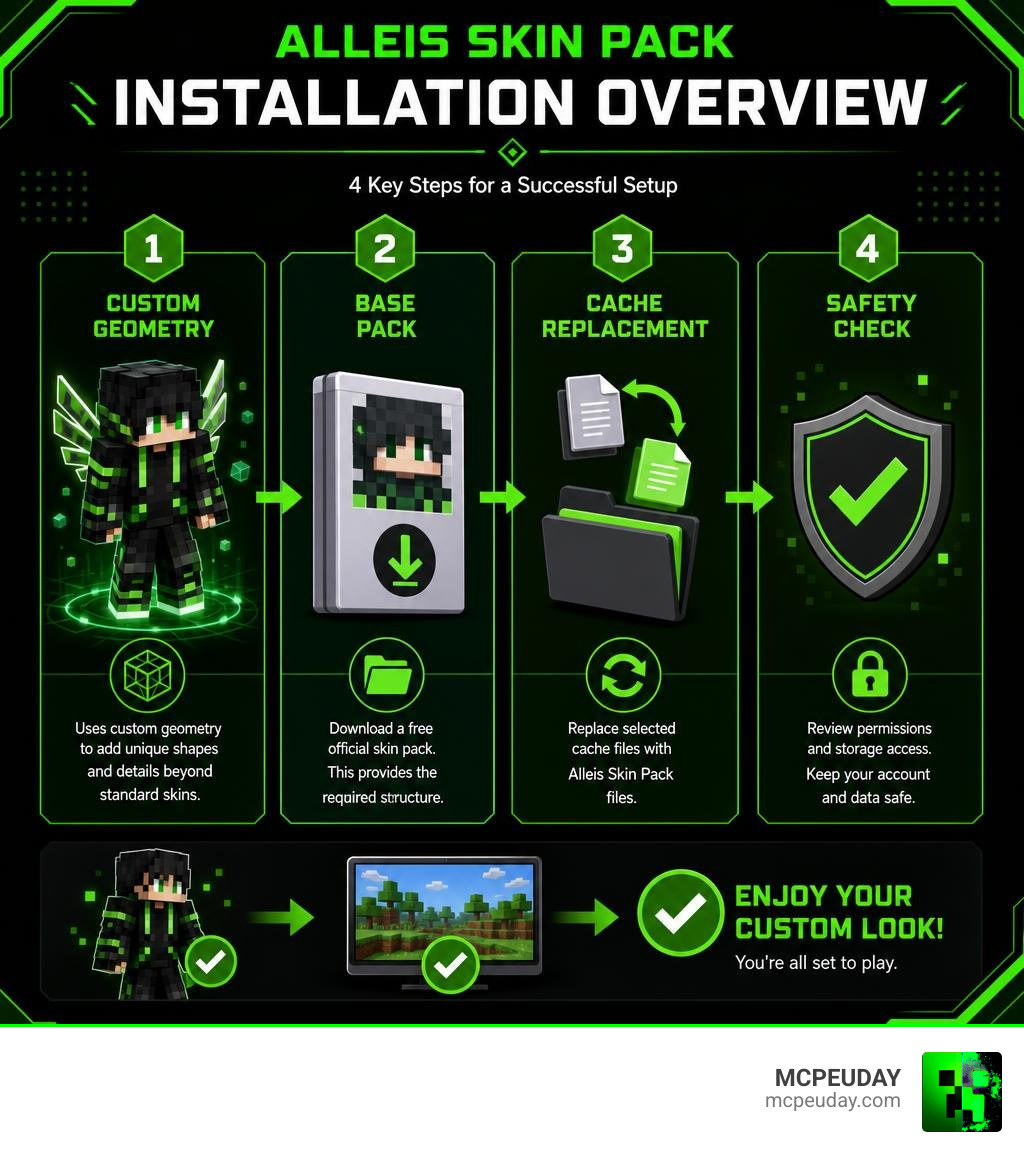
Before jumping into the setup process, we must address an essential security concern. Installing the Alleis Skin Pack via MB Loader on Android requires shifting your game’s data location to Android/media.
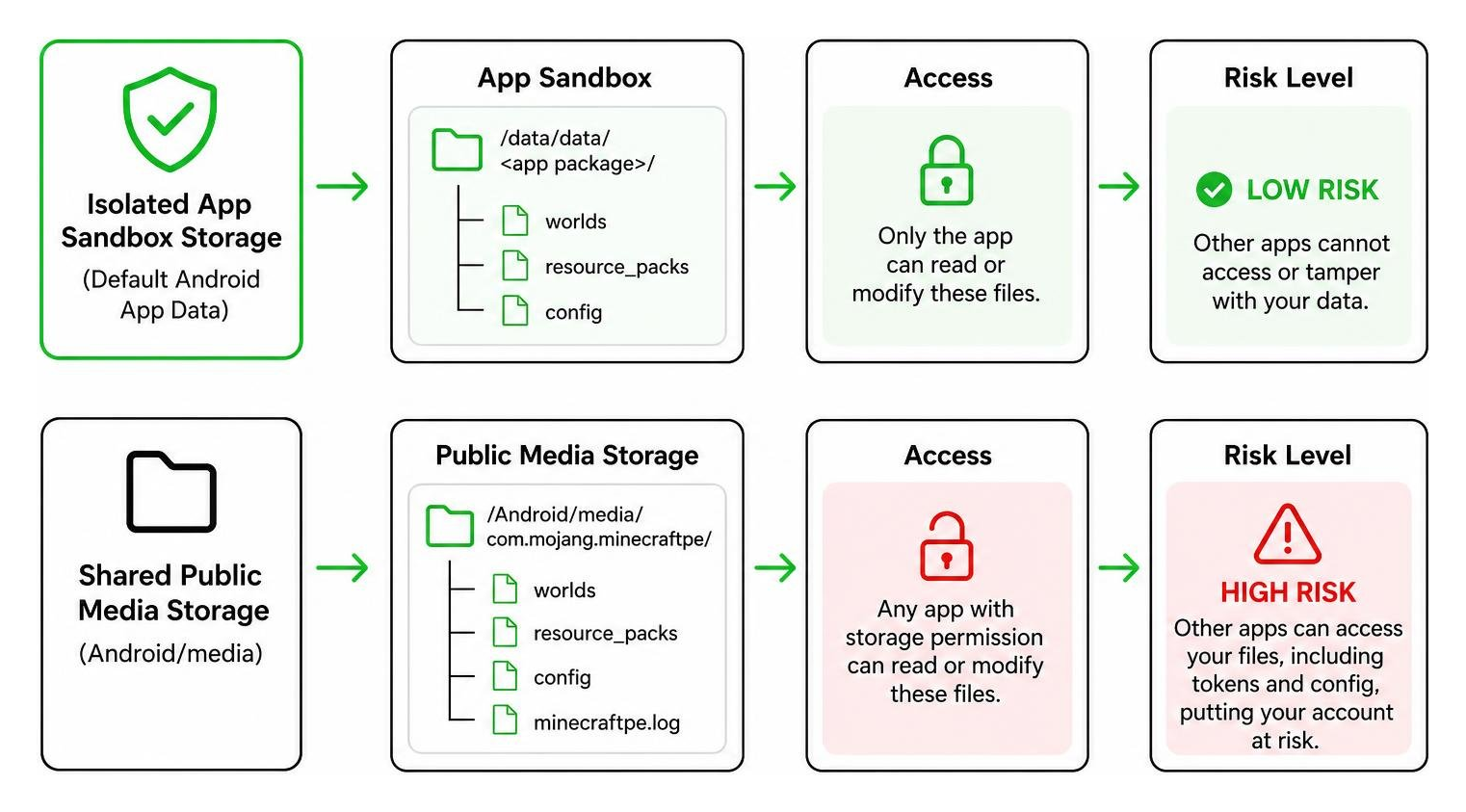
Under standard Android operations, app data stored in default internal directories is sandboxed, meaning other apps cannot read or modify those files. However, setting the forced game data location to the Android/media directory makes your Minecraft files publicly accessible to other applications installed on your mobile device that hold basic storage permissions.
Because your local Minecraft files contain session tokens and configuration data associated with your logged-in Microsoft account, placing these files in public media storage poses potential security risks. If a malicious app on your device scans public media folders, it could theoretically access sensitive account tokens, putting your Microsoft account security at risk. We strongly advise using caution, avoiding untrusted third-party apps on your device, and weighing this account safety trade-off before proceeding.
Step-by-Step Installation Guide for MB Loader
If you choose to proceed with loading the Alleis Skin Pack on your Android device using MB Loader, follow this step-by-step sequence carefully:
- Enable MB Loader Hidden Settings: Open MB Loader on your device, navigate to the About tab, and repeatedly tap the flower icon until the developer options activate.
- Configure Game Storage: Go to App Settings, scroll down to the developer controls, and set Force game data location to
Android/media. - Launch and Sign In: Start Minecraft through MB Loader and make sure you are signed into your Microsoft account.
- Download a Base Skin Pack: Head to the official in-game Minecraft Marketplace and download a completely free skin pack. The community frequently uses the free Cute Kitty HD Skin Pack as a placeholder base.
- Exit the Game: Fully close Minecraft and open your favorite Android file manager application.
Installing the Alleis Skin Pack on Android
Once you have prepared the base placeholder pack, you need to replace its cached files with the custom files from the Alleis Skin Pack.
First, open your file manager and navigate to the following cache directory path: Android/media/io.github.bambosan.mbloader/premium_cache
To easily locate the folder you just generated, sort your file manager folders by Date Modified. The newest folder in the directory corresponds to the free Marketplace pack (such as the Cute Kitty HD Skin Pack) you downloaded moments ago.
Open that target folder. Inside, you will see the original skin pack files. Delete all contents within this specific cache folder, but do not delete the cache folder itself!
Next, extract your downloaded Alleis Skin Pack files. Copy all extracted files and paste them directly inside the emptied Marketplace cache folder. Ensure you maintain the exact directory structure: the skin textures, geometry JSON files, and manifest.json must occupy the top level of that specific cache folder.
Once the files are pasted, reopen Minecraft through MB Loader. Navigate to your Dressing Room or skin selection screen, select the base Marketplace pack you downloaded earlier, and you will see your new custom geometry skins rendered on your character.
Troubleshooting and Alternative Installation Methods
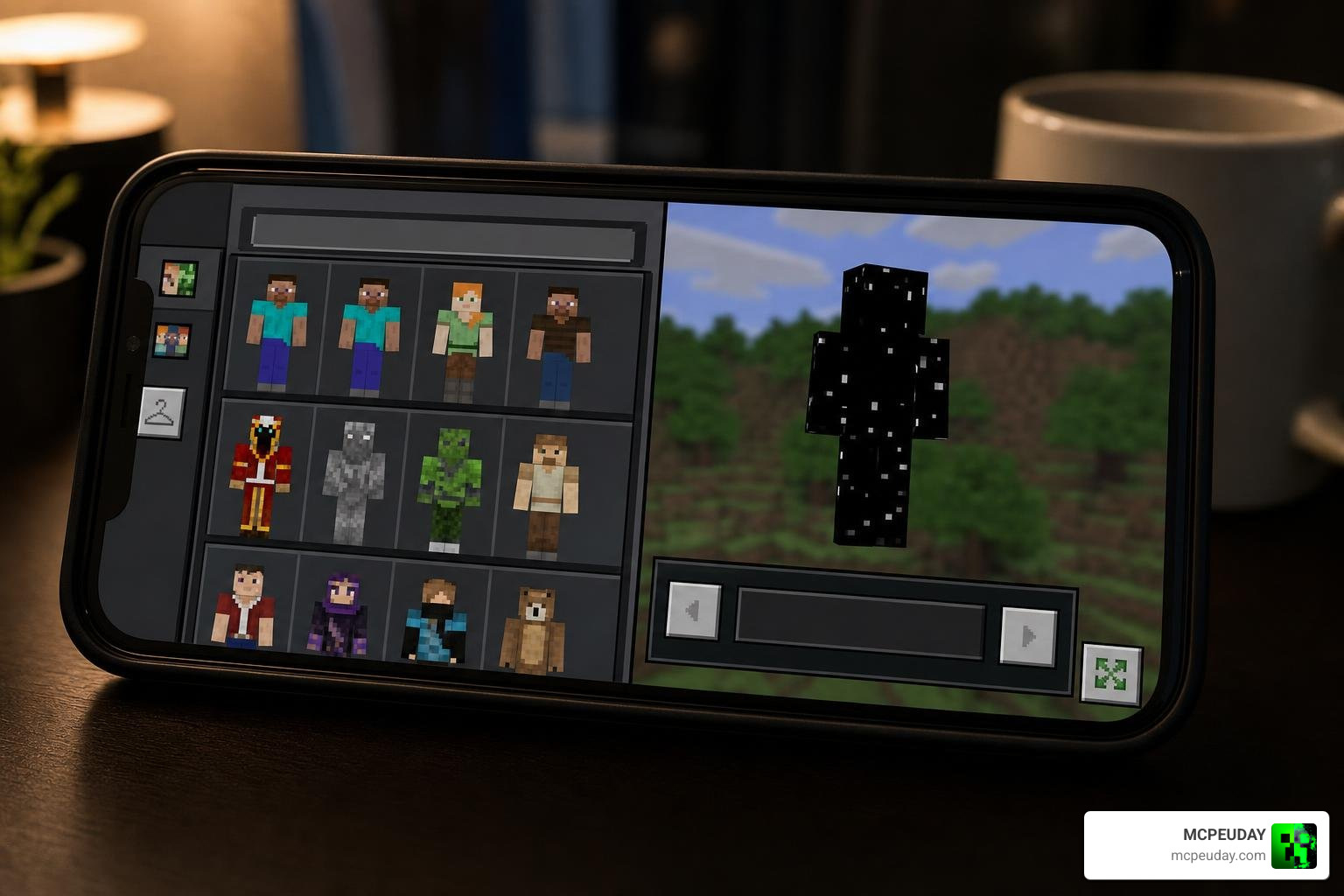
If you follow the steps and the Alleis Skin Pack does not appear, or if your character renders as a invisible or corrupted black texture, do not panic. Here are quick troubleshooting steps:
- Verify Folder Structure: Double-check that you did not nest the skin pack inside an extra subfolder when pasting it into
premium_cache. The geometry and texture files must reside directly inside the cache folder ID. - Clear Cache and Retry: Delete the specific folder inside
premium_cache, reopen Minecraft, re-download your free Marketplace placeholder pack, and perform the replacement again. - Verify Version Compatibility: Ensure your version of MB Loader supports the installed Bedrock build, as major game updates occasionally change how cache files read custom geometry.
If you are not using Android or prefer not to use MB Loader, alternative installation methods exist depending on your gaming platform:
| Method / Platform | Platform Support | Setup Complexity | Security Risk | Custom Geometry Support |
|---|---|---|---|---|
| MB Loader Cache Swap | Android | Medium | Higher (Public media directory) | Yes (Full custom models) |
| PC Native Manifest Modding | Windows 10/11 | Advanced | Low (Standard local app data) | Yes (Requires launcher overrides) |
| Standard Skin Import | All Bedrock Platforms | Easy | None (Official method) | No (Flat 2D skins only) |
Frequently Asked Questions About Alleis Skin Pack
What is the exact file path for replacing skin cache files?
When using MB Loader on Android, the exact path to locate downloaded Marketplace placeholder skins is: Android/media/io.github.bambosan.mbloader/premium_cache Inside this folder, sort by date to find the most recently cached Marketplace skin folder where you will paste your custom files.
Why are custom geometry skins incorrectly called 4D skins?
The term “4D skin” is a community-created nickname that caught on online. Because these skins modify standard 3D player models with external meshes, custom geometry, and floating elements beyond default engine limits, players colloquially dubbed them 4D or 5D. However, they are simply 3D custom geometry skins.
Is using MB Loader safe for my Microsoft account?
Using MB Loader requires switching game data storage to Android/media, making files accessible to all apps on your Android device with basic media permissions. If a malicious app exists on your device, it could potentially read account token data. To keep your account safe, only use trusted apps and avoid keeping unverified APKs on your device.
Conclusion
The Alleis Skin Pack is an extraordinary way to customize your character beyond standard 2D textures, letting you show off impressive custom geometry and unique models in Minecraft Bedrock. While installing custom model skins via MB Loader requires navigating Android cache folders and understanding potential security trade-offs, following our step-by-step guide ensures a smooth setup process without missing textures or game errors.
At MCPEUDAY, we strive to bring you the best guides, tips, and custom content for your favorite voxel sandbox game. If you are looking to revamp your world’s visuals even further after setting up your new skins, Explore Minecraft Bedrock Texture Packs to transform your landscapes, lighting, and overall gameplay experience!