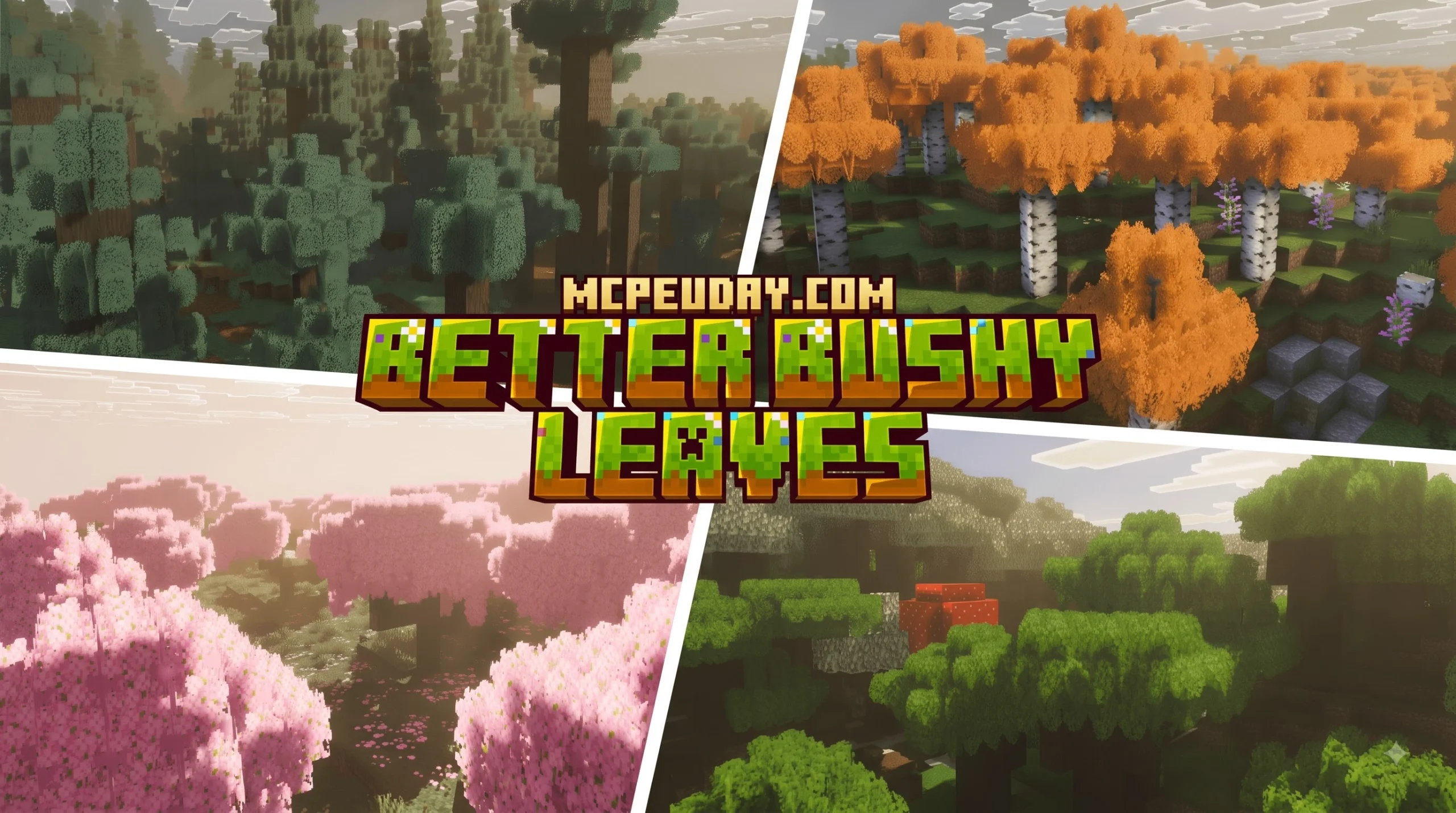
Download Better Bushy Leaves Addon for Minecraft PE/Bedrock
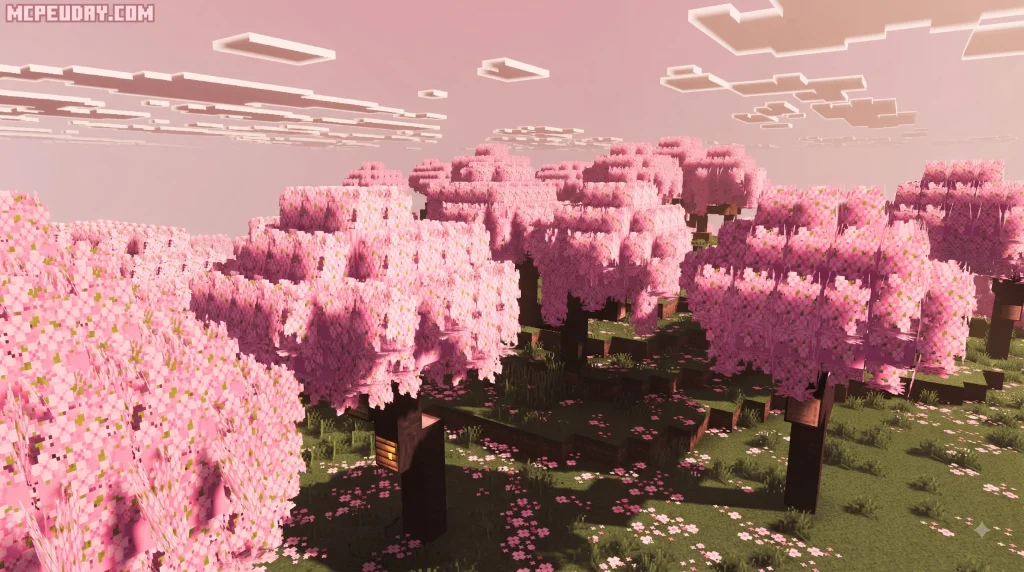
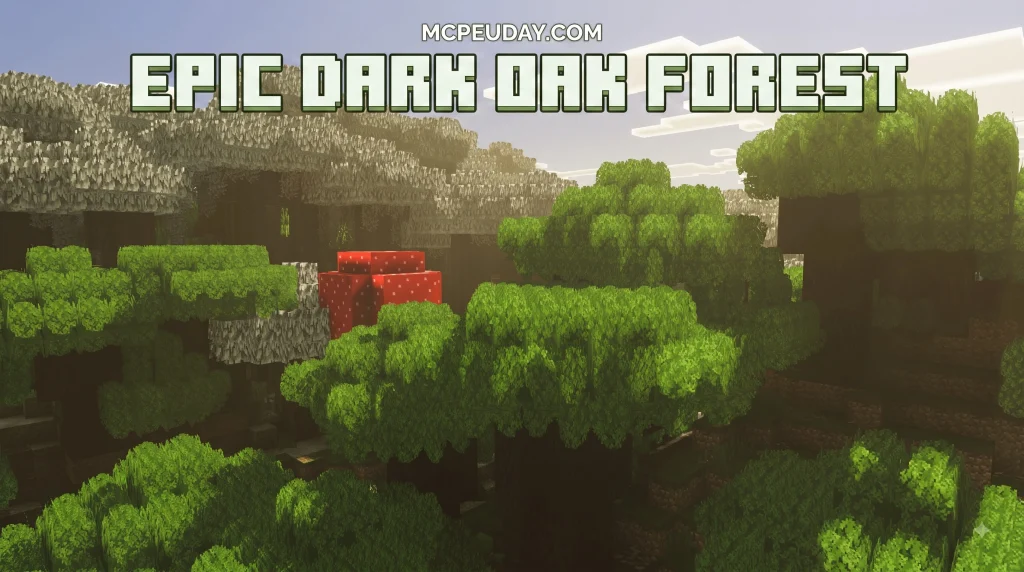
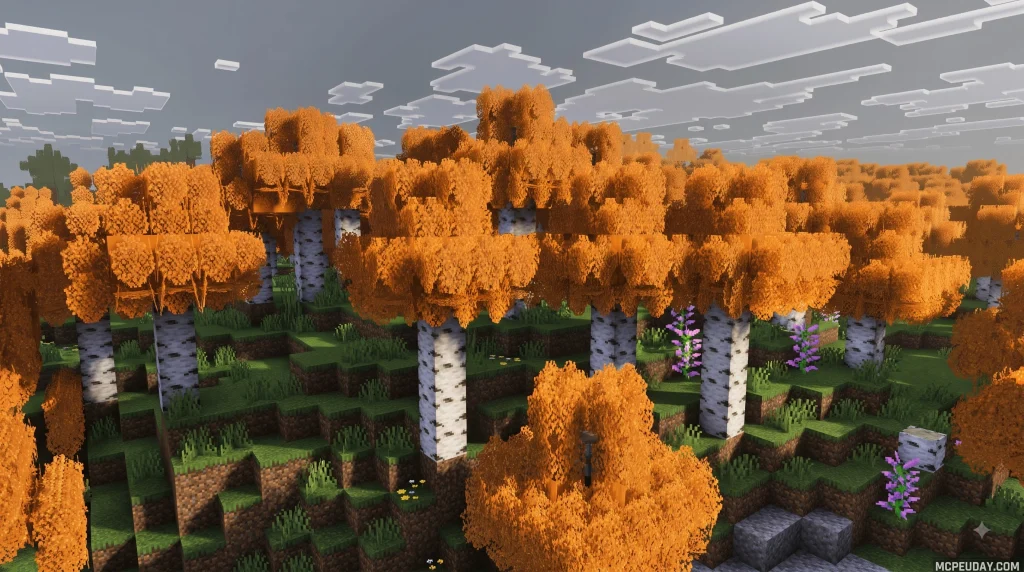
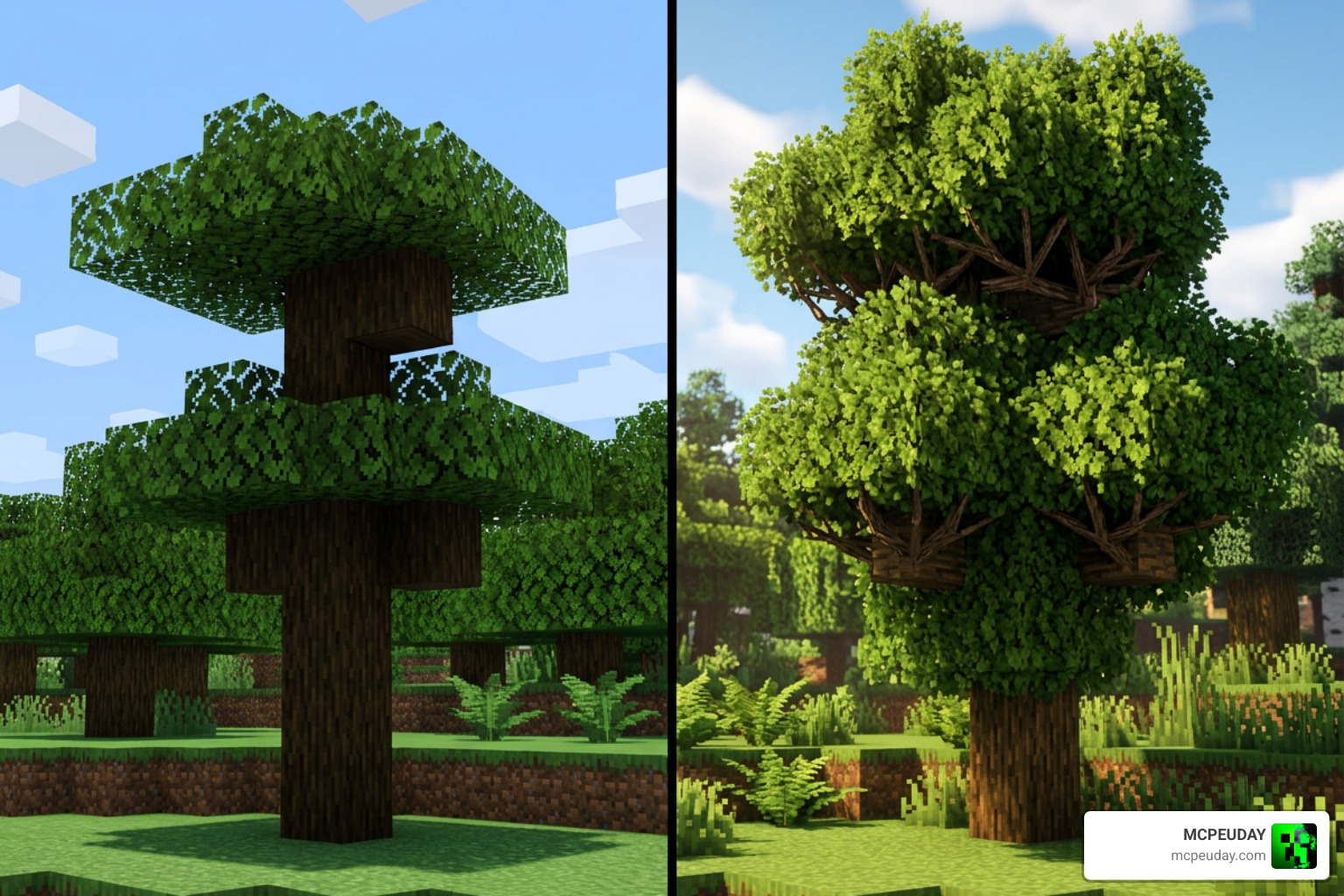
Better Bushy Leaves Addon for Minecraft PE/Bedrock is a comprehensive foliage resource pack that transforms standard cubic tree canopies into detailed, natural-looking forests featuring layered 3D-style leaves, organic leaf layouts, and authentic internal branch textures.
- Best for: Players who want immersive, detailed forests and lush tree canopies without sacrificing performance or switching to high-resolution textures
- Supported versions: Minecraft Bedrock 1.19 through 1.21.11
- Resolution: Vanilla-friendly 16x texture design
- Download status: Look for the Bedrock-compatible
.mcpackfile edition designed specifically for Pocket Edition and Bedrock platforms - Important requirement: Does not require OptiFine on Bedrock Edition, but turning on Fancy Graphics in video settings is required for leaves to render proper transparency and extra 3D geometry
In standard vanilla Minecraft, leaves often resemble flat green cubes, especially when standing right next to a tree trunk or looking up into a thick forest canopy. This resource pack introduces layered depth and tactile geometry while perfectly preserving the iconic 16x Minecraft pixel art aesthetic. It has earned widespread popularity with more than 33,000 downloads across the community, though players should always ensure their downloaded build matches their installed Bedrock engine release.
This in-depth guide explains exactly what to download, how the Bedrock custom foliage system operates differently from Java leaf modifications, and how to eliminate potential graphics issues or frame rate dips in heavy biomes.
I am UDAY GAMER, and I will walk you through setting up lush, dense foliage seamlessly in your Minecraft PE worlds.
What is the Better Bushy Leaves Addon for Minecraft PE/Bedrock?
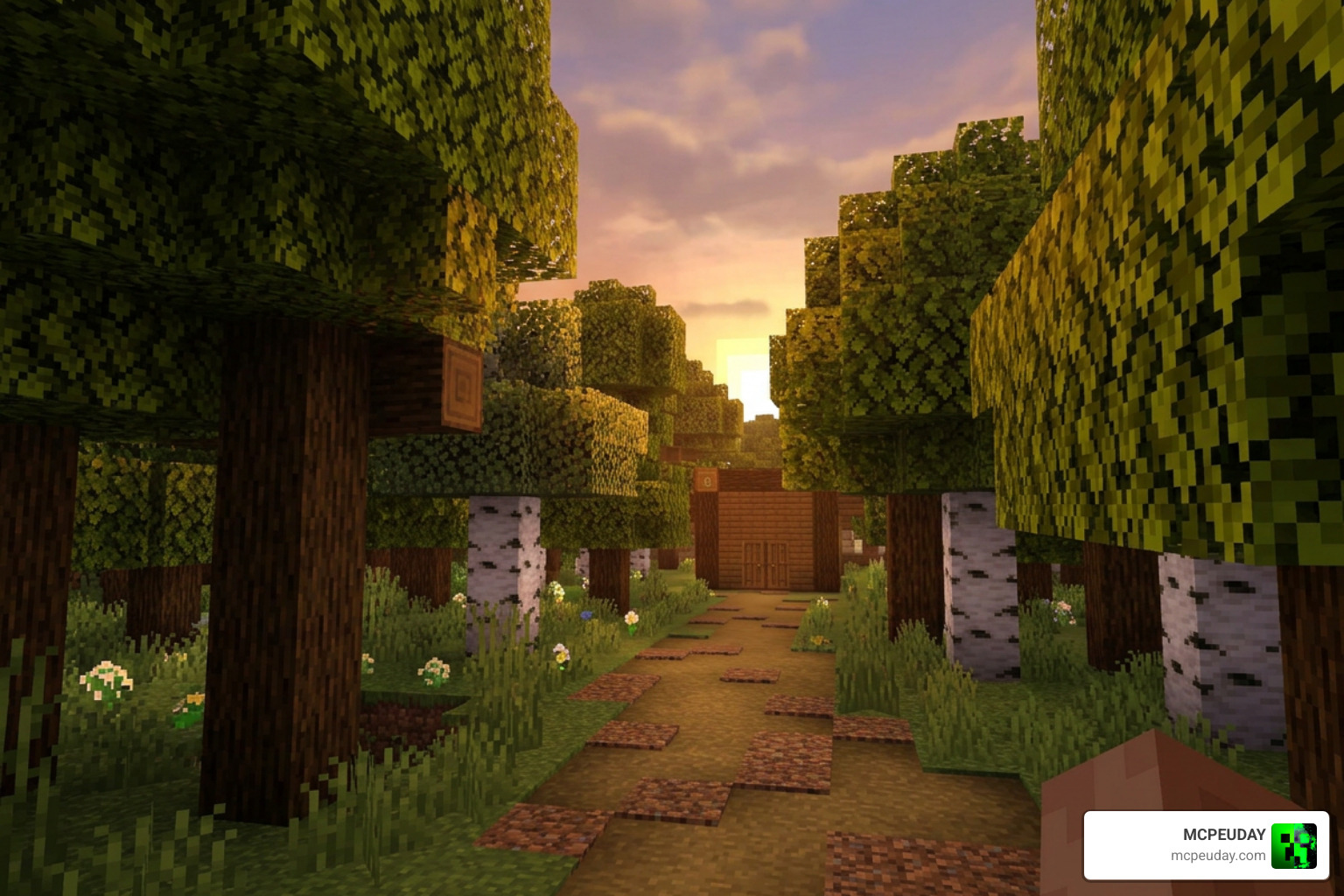
The Better Bushy Leaves Addon for Minecraft PE/Bedrock is meticulously crafted to eliminate the blocky, uniform appearance of tree canopies across mobile devices, tablets, consoles, and Windows Bedrock setups. By upgrading standard single-cube leaf geometry with extra rendered foliage planes and sub-block extensions, trees look dramatically fuller, softer, and more organic without relying on demanding high-definition texture overhauls.
Because the pack adheres strictly to standard 16x pixel resolution, it delivers an aesthetically pleasing result that integrates naturally into vanilla biomes while keeping memory overhead light across diverse mobile and desktop hardware configurations.
Java vs Bedrock Foliage Differences
Rendering multi-layered foliage polygons functions quite differently depending on the game engine architecture. In Java Edition, resource packs frequently depend on complex third-party core mods or custom shader loaders to inject extra 3D leaf models into the rendering stack. On Minecraft PE and Bedrock Edition, custom leaf models are constructed using native Blockbench JSON geometry formatted specifically for the Bedrock render pipeline.
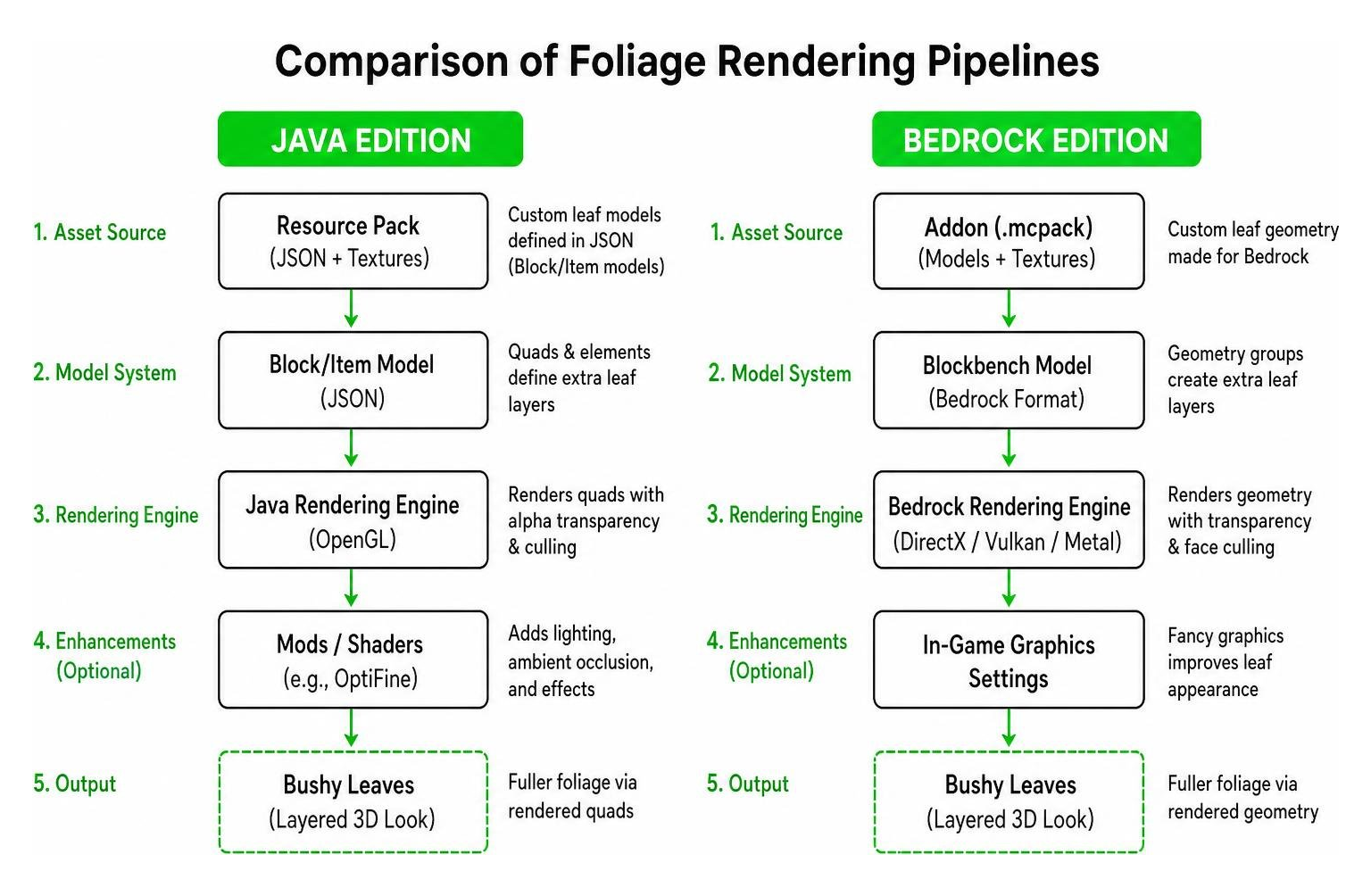
This structural engine difference means Bedrock players do not need to install complex Java modding frameworks or heavy performance patches to enjoy bushy tree canopies. However, it also means standard Java resource pack .zip archives cannot simply be renamed to .mcpack without undergoing specific model syntax conversions for Bedrock compatibility.
Supported Bedrock Versions
Keeping your game client updated guarantees seamless pack performance and prevents texture missing-file errors. The Better Bushy Leaves Addon for Minecraft PE/Bedrock actively supports:
- Minecraft Bedrock 1.19 (Wild Update trees, including Mangrove Swamps)
- Minecraft Bedrock 1.20 (Trails & Tales update, including Cherry Blossom groves)
- Minecraft Bedrock 1.21 through 1.21.11 (Tricky Trials update and latest engine hotfixes)
Always verify your world version and global resource pack hierarchy prior to applying the addon to existing survival save files or multiplayer realms.
Key Features and Visual Enhancements
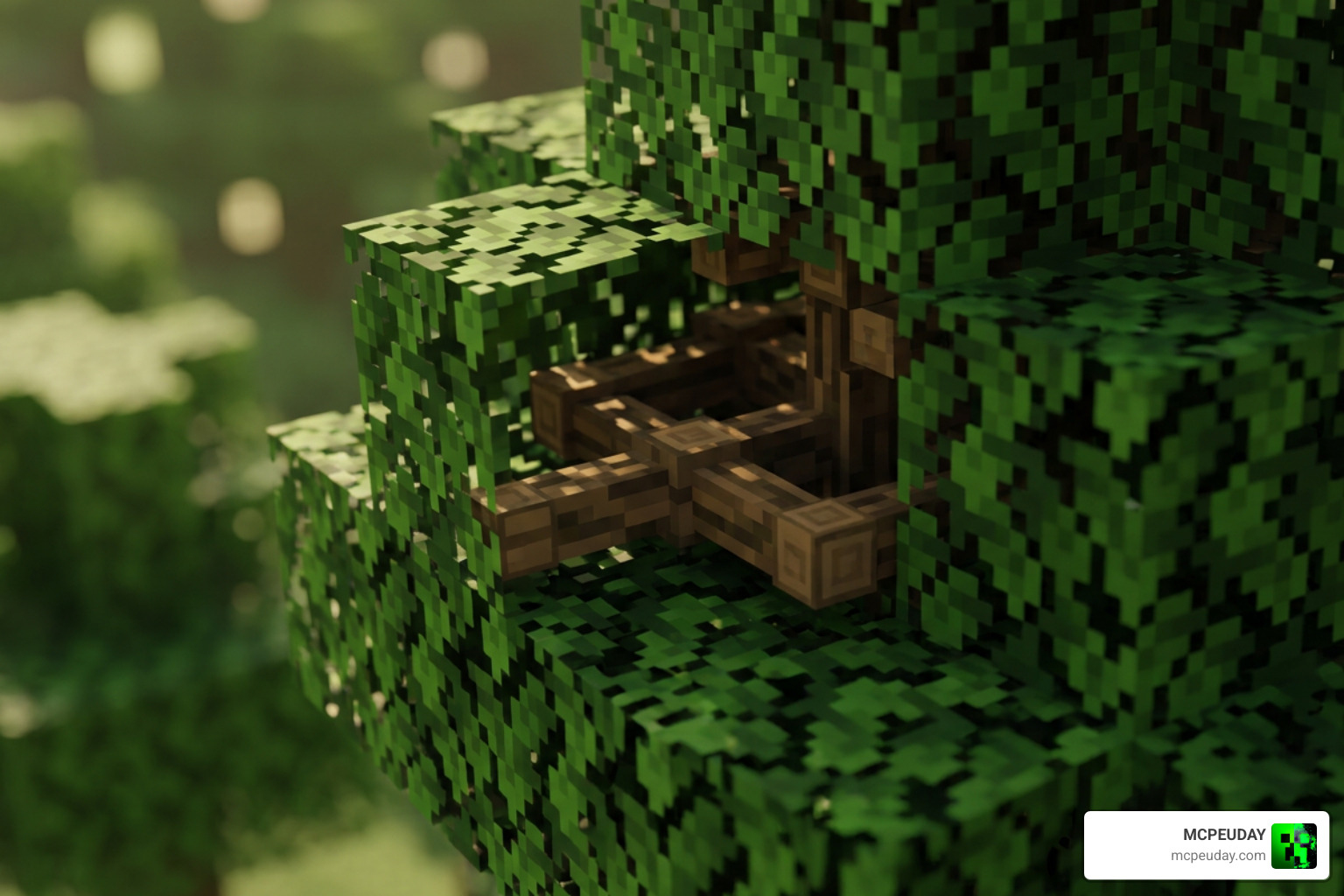
What truly elevates this addon above basic leaf recolors is its dedicated attention to interior canopy structure, individual species model differentiation, and subtle foliage randomization.
Key Features of the Better Bushy Leaves Addon for Minecraft PE/Bedrock
- 16x Vanilla Pixel Art: Seamlessly retains vanilla color palettes and pixel scale for full aesthetic harmony.
- Randomized Leaf Placement: Rotates, mirrors, and offsets leaf models dynamically so forest canopies avoid repeating square patterns.
- Species-Specific Textures and Geometry: Individualized block models customized for Oak, Birch, Spruce, Jungle, Acacia, Dark Oak, Mangrove, and Cherry trees.
- Extended 3D Geometry: Sub-pixel leaf extensions project slightly beyond standard block boundaries, softening edges between neighboring blocks.
- Lightweight Memory Footprint: Engineered to preserve device RAM and maintain high frame stability across mobile hardware.
Internal Branch Textures and Foliage Depth
Standing inside or directly beneath a tree canopy in unmodded Minecraft usually reveals hollow, flat green cubes. The Better Bushy Leaves Addon for Minecraft PE/Bedrock remedies this by inserting realistic internal wooden branch textures inside transparent leaf models. When traversing thick forests or building treehouses, you will notice detailed wooden branches extending naturally through the foliage canopy, creating an immersive wilderness environment during survival adventures.
Performance Setup and Mod Compatibility
Adding extra 3D geometry to every leaf block across sprawling forest biomes increases polygon rendering workload. Understanding how Bedrock handles transparent block passes helps maintain smooth frame rates on mobile phones and tablets.
| Leaf Render Style | Resolution | 3D Polygons | FPS Impact on Mobile | Required In-Game Graphic Setting |
|---|---|---|---|---|
| Vanilla Leaves | 16x | Very Low | Minimal | Simple or Fancy |
| Better Bushy Leaves | 16x | Medium | Low to Moderate | Fancy Graphics |
| HD 32x/64x Foliage Packs | 32x+ | High | Moderate to Severe | Fancy Graphics |
Mandatory Settings for the Better Bushy Leaves Addon for Minecraft PE/Bedrock
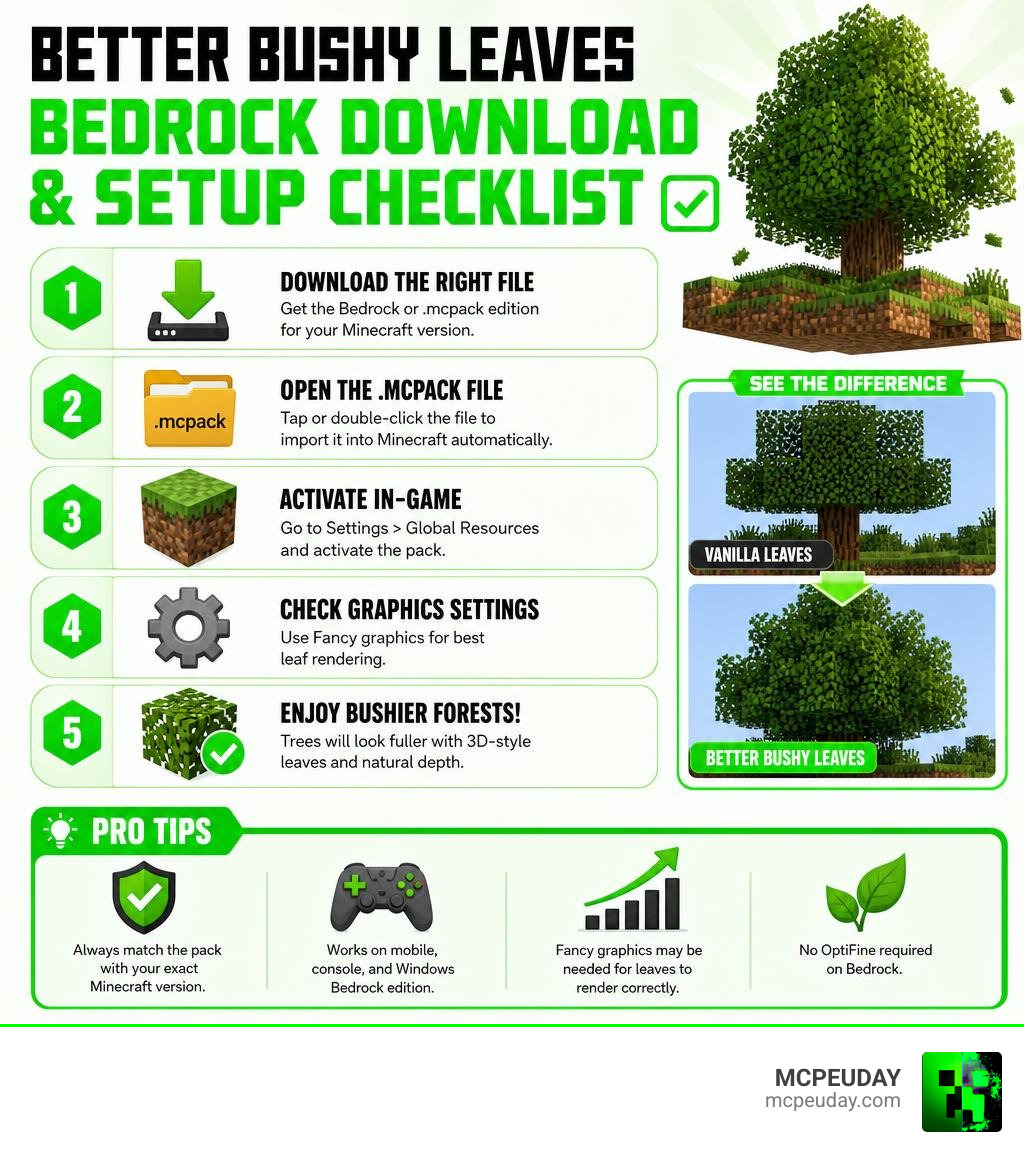
To display transparent 3D leaf layers properly, you must enable Fancy Graphics in your Minecraft video settings menu. If your graphics mode is toggled to Simple, Bedrock forces leaf blocks to render as solid opaque cubes, cutting off extended 3D leaf models and causing unwanted visual clipping.
For a detailed video breakdown on adjusting video configurations and pack loading order, watch this Bushy Leaves Texture Pack For Minecraft Bedrock! – Tutorial.
Performance Optimization and FPS Tips
If you experience minor stuttering in extremely dense jungle or dark oak forest biomes on older devices, consider these optimization steps:
- Decrease render distance by 2 to 4 chunks in the main video settings tab.
- Disable anti-alias smoothing or reduce smooth lighting levels on entry-level Android or iOS devices.
- Pair your setup with leaf culling resource packs to stop the render engine from drawing hidden leaf faces deep inside massive tree canopies.
Mod and Shader Integration
Because this pack modifies resource models rather than altering core game logic, it runs cleanly alongside world-generation mods, biome overhauls, and general add-ons. It displays excellent compatibility with major content packs, including:
- Quark
- Biomes O’ Plenty
- Cobblemon
Furthermore, it integrates smoothly with modern deferred graphics shaders on Bedrock, casting detailed dynamic real-time shadows between layered leaf leaves.
Installation Guide and Troubleshooting
Installing the Better Bushy Leaves Addon for Minecraft PE/Bedrock is quick and straightforward across mobile platforms and desktop environments.
How to Install on MCPE and Bedrock

- Download the official
.mcpackfile directly to your target mobile device or computer. - Open your preferred file manager app and tap or double-click the downloaded
.mcpackfile to trigger Minecraft automatically. - Allow Minecraft to load until the top notification banner confirms a successful resource import.
- Navigate to Settings > Global Resources (for game-wide use) or select individual World Settings > Resource Packs.
- Select the addon under the My Packs expandable list and press Activate.
- Verify that the pack sits near the top of your active resource stack to ensure correct texture priority over standard textures.
Troubleshooting Color Conflicts and Azalea Bugs
Occasionally, custom foliage or modded leaves such as Azalea bushes might display unexpected grayscale textures or misaligned branch colors. This occurs when custom biome color maps override default vanilla color tinting instructions.
To resolve color mapping issues:
- Reorder active resource packs so Better Bushy Leaves is positioned directly above any biome modification packs.
- If custom foliage tinting persists, extract the pack archive, navigate to
textures/blocks, and adjust the azalea foliage color map file to align with your custom biome preferences.
Frequently Asked Questions
Does the addon require OptiFine on Minecraft Bedrock?
No, OptiFine is an engine modification designed exclusively for Java Edition. The Better Bushy Leaves Addon for Minecraft PE/Bedrock operates natively on Bedrock’s custom model engine without requiring OptiFine or third-party executable loaders.
Will Better Bushy Leaves significantly drop mobile FPS?
Because the addon uses standard 16x vanilla textures instead of heavy high-definition resolution textures, frame rate impact remains negligible on most modern smartphones. On older mobile hardware, lowering render distance slightly ensures stable performance in thick biomes.
How does it compare to other leaf packs?
While alternative foliage enhancements offer dynamic procedural geometry or elevated 32x details, Better Bushy Leaves strikes an ideal equilibrium. It offers detailed internal wood branch textures and distinct per-tree geometry while maintaining the traditional Minecraft aesthetic and conserving device memory.
Conclusion
The Better Bushy Leaves Addon for Minecraft PE/Bedrock delivers an outstanding visual enhancement for survival forests without cluttering your screen or causing severe frame rate drops on mobile hardware. Featuring internal branch textures, tailored tree block geometry, and comprehensive support for Bedrock 1.19 through 1.21.11, it stands out as an essential upgrade for any Minecraft world.
For more top-tier resource packs, performance guides, and curated world additions, Explore Minecraft PE Mods and Addons right here on MCPEUDAY!