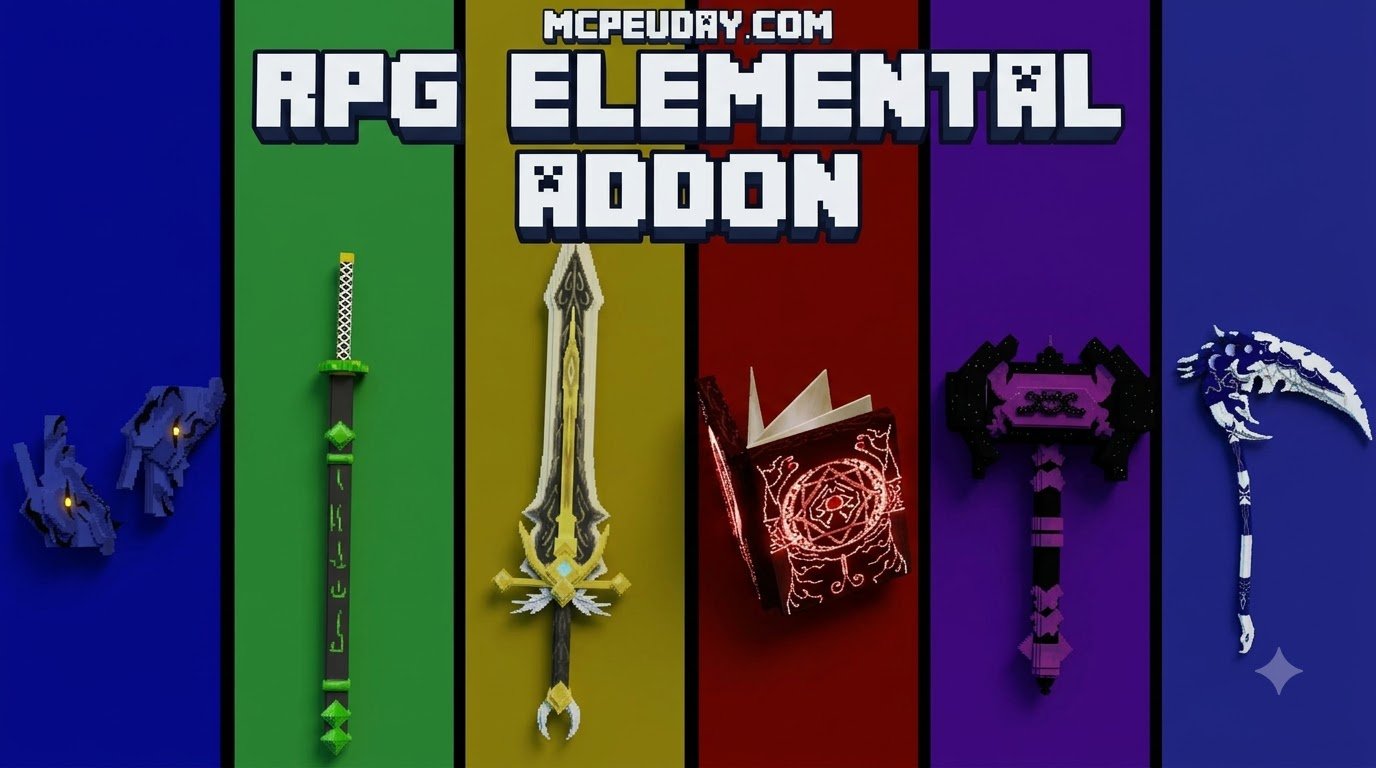
RPG Elemental Weapons Bring RPG Combat to Minecraft PE/Bedrock
Scroll down to D0vvnl0ad
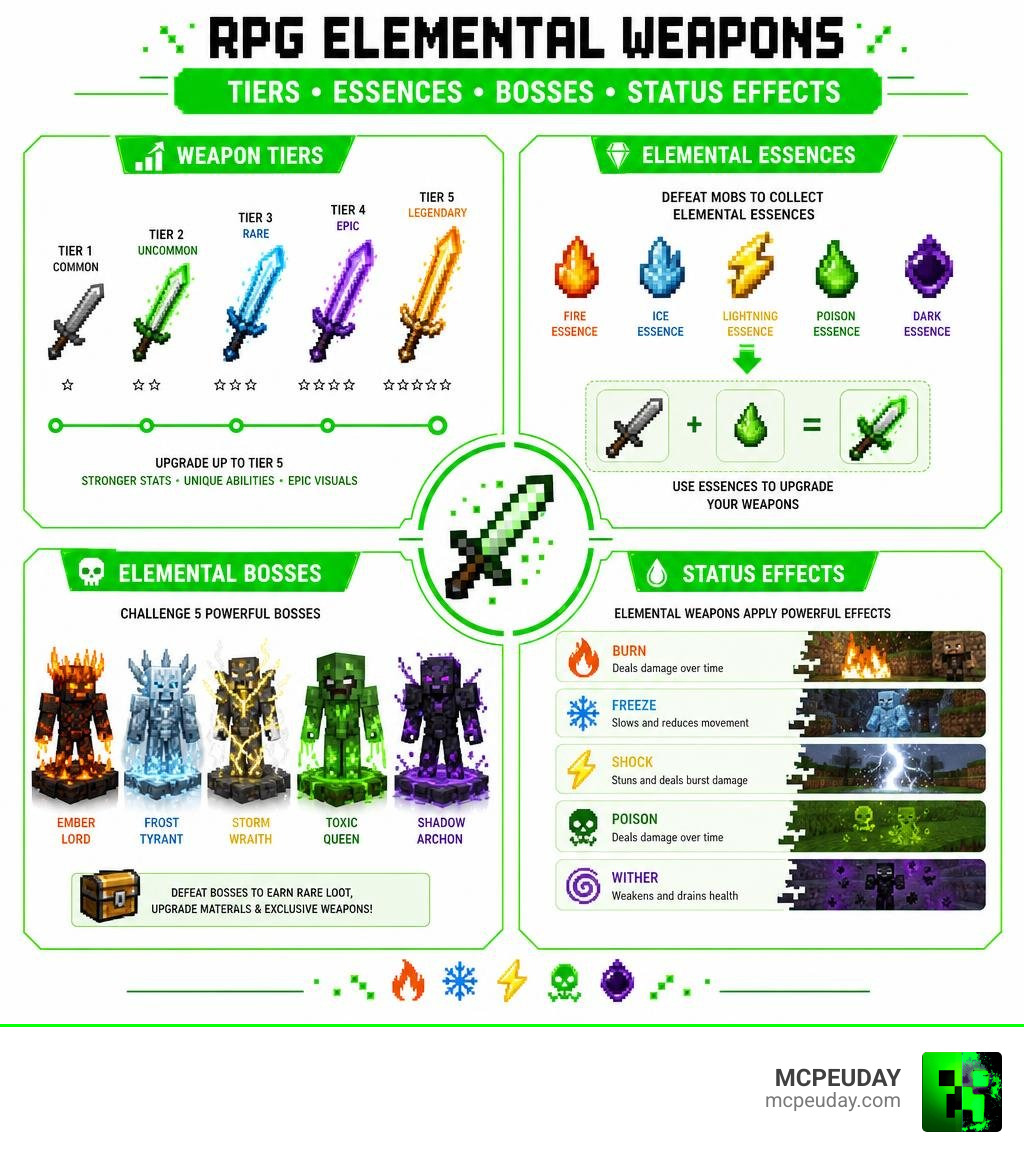
The RPG Elemental Weapon Addon for Minecraft PE/Bedrock adds more than 30 elemental weapons that give combat new powers, including fire damage, freezing attacks, lightning strikes, and poison effects. It is built for Bedrock 1.20 and newer on mobile and Windows 10/11, with weapons that can be upgraded up to five levels using element-specific essences dropped by mobs.
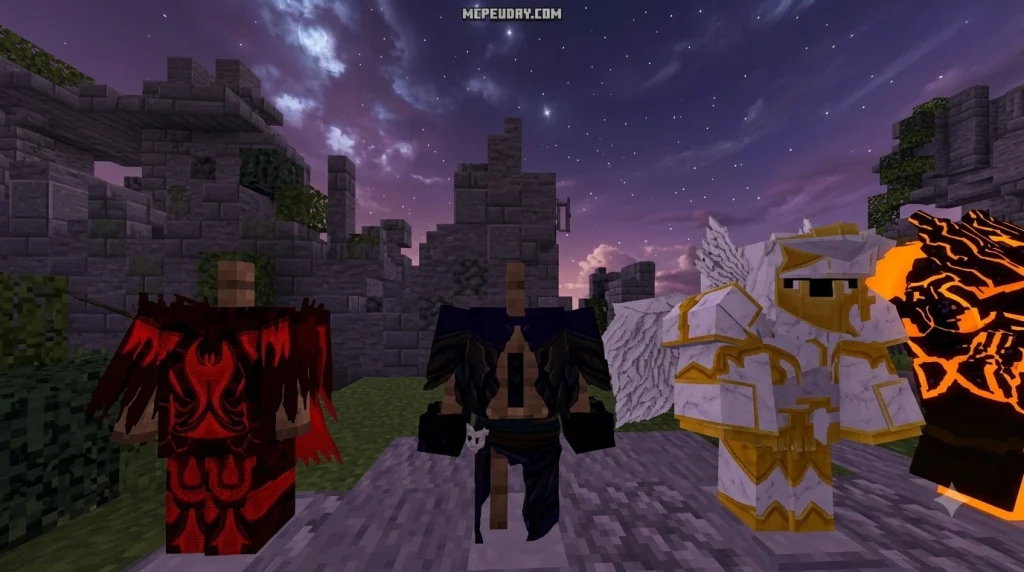
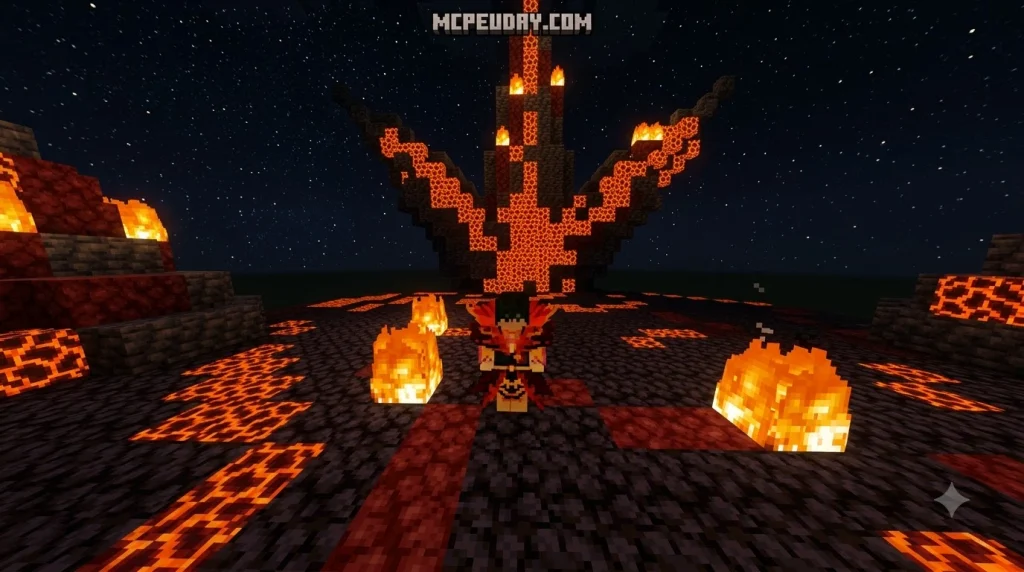
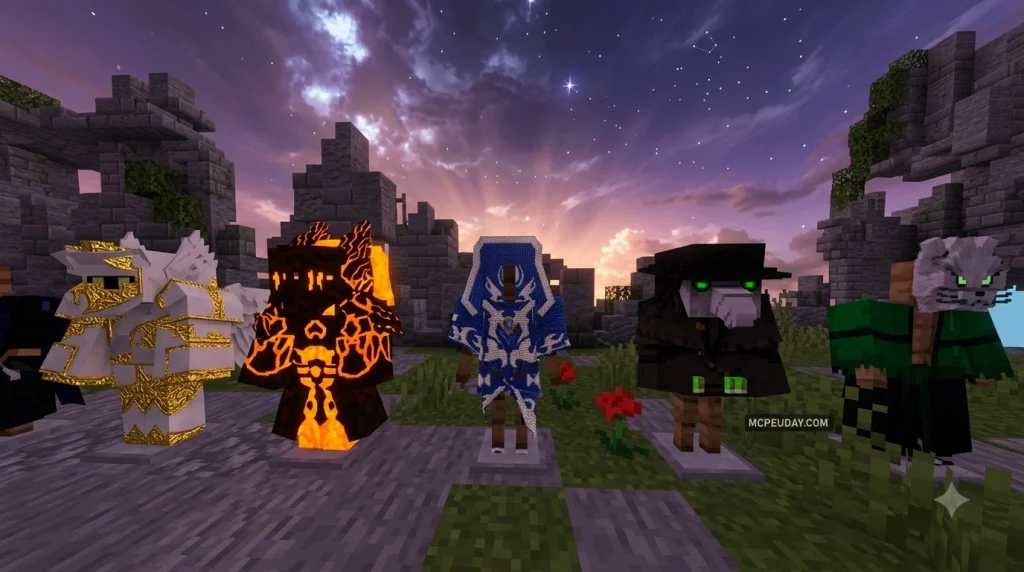
Expect a longer progression path than a normal sword addon: collect materials, improve your gear, learn each element’s strengths, and face five elemental bosses for endgame challenges. Visual particle trails, elemental auras, and custom combat effects help every weapon feel distinct.
I am UDAY GAMER, and this guide will help you choose, craft, upgrade, and install elemental weapons without the usual Bedrock compatibility confusion.
Core Features of the RPG Elemental Weapon Addon for Minecraft PE/Bedrock
Standard melee combat in vanilla Bedrock can get repetitive once you have obtained a full set of Netherite gear. This addon completely retools your arsenal by introducing over 30 unique elemental weapons, each designed with bespoke attack attributes, custom passive abilities, and specialized active skills. Having surpassed over 500,000 downloads across major addon communities, it stands out as one of the most comprehensive combat overhauls available for modern versions of the game.
Unlike simpler packs such as the Elemental Swords Addon, this expansion integrates a complete role-playing framework. You are not simply swinging a retextured blade; you are commanding environmental forces that interact directly with the world around you. Built from the ground up for Bedrock 1.20 and newer (running smoothly across mobile devices and Windows 10/11), it features optimized entity behavior scripts that maintain stable frame rates even during intense boss encounters.
Elemental Types and Combat Abilities
The arsenal is divided across several distinct elemental schools, each offering tailored combat dynamics:
- Fire Elements: Set groups of targets ablaze with lingering thermal damage while creating fiery bursts on impact. Fire weapons excel at area denial and crowd control against massive swarms.
- Ice Elements: Inflict slowness and freeze debuffs, locking fast-moving targets in place or breaking their attack cadence. Ice spells can also create momentary barriers to shield your character from ranged projectiles.
- Lightning Elements: Unleash chain-lightning shocks and summon localized thunderbolts, functioning similarly to dedicated spell kits like the Lightning Magic Addon. Lightning blades excel in rainy weather where conductivity increases shock radius.
- Poison and Decay Elements: Apply high-potency damage-over-time effects that bypass heavy armor ratings, making them formidable tools against tough mini-bosses.
| Element Type | Primary Combat Ability | Status / Debuff Effect | Best Matchup |
|---|---|---|---|
| Ignis (Fire) | Blazing Cleave & Fire Trail | Burn Damage Over Time | Overworld Beasts & Undead |
| Glacies (Ice) | Frost Shockwave & Permafrost | Slow IV & Freezing Paralysis | Fast Melee Mobs & Raiders |
| Fulgur (Lightning) | Chain Bolt & Thunder Surge | Instant Stun & Shock | Armored Players & Water Mobs |
| Toxis (Poison) | Toxic Burst & Acid Mist | Poison II & Armor Erosion | High-HP Bosses & Golems |
Custom Bosses and Mob Interactions
To give your new gear a proper test, the addon introduces 5 elemental bosses that spawn in dedicated structures or through ritual summoning items. These encounters scale in difficulty based on player progression, boasting custom attack phases, arena-wide area-of-effect spells, and distinct resistances. Defeating these titanic foes requires players to adapt their loadouts and master elemental counterplay.
These elemental mechanics encourage thoughtful weapon swapping. For example, using a flame-imbued blade against Nether-native mobs like Blazes or Magma Cubes yields little results due to innate heat immunity, whereas an ice or water weapon delivers massive vulnerability bonuses. Similar to deep RPG expansions like the Brutal Legends Addon 26.x / 1.21 MCPE Bedrock RPG Weapons & Skills, understanding boss resistances is essential for victory.
Weapon Crafting, Upgrades, and Progression Systems
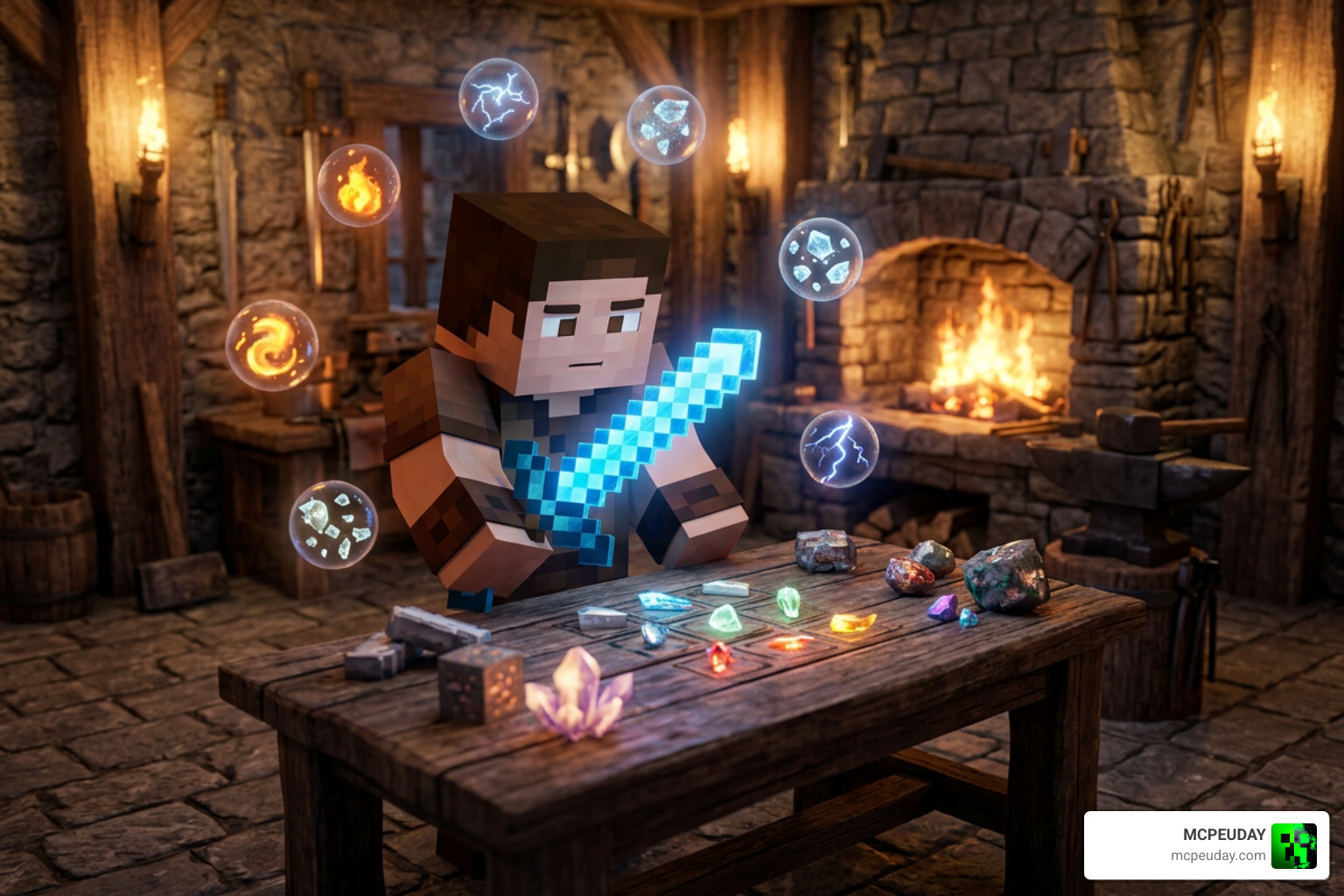
Progression in this addon avoids giving players overpowered gear immediately. You begin by forging basic elemental frames before enhancing their magical conduits through multiple tiers. This steady power curve fits naturally alongside equipment expansions like the Sword Expansion Addon, rewarding careful resource gathering, exploration, and tactical experimentation across diverse biomes.
Crafting Mechanics and Elemental Essences
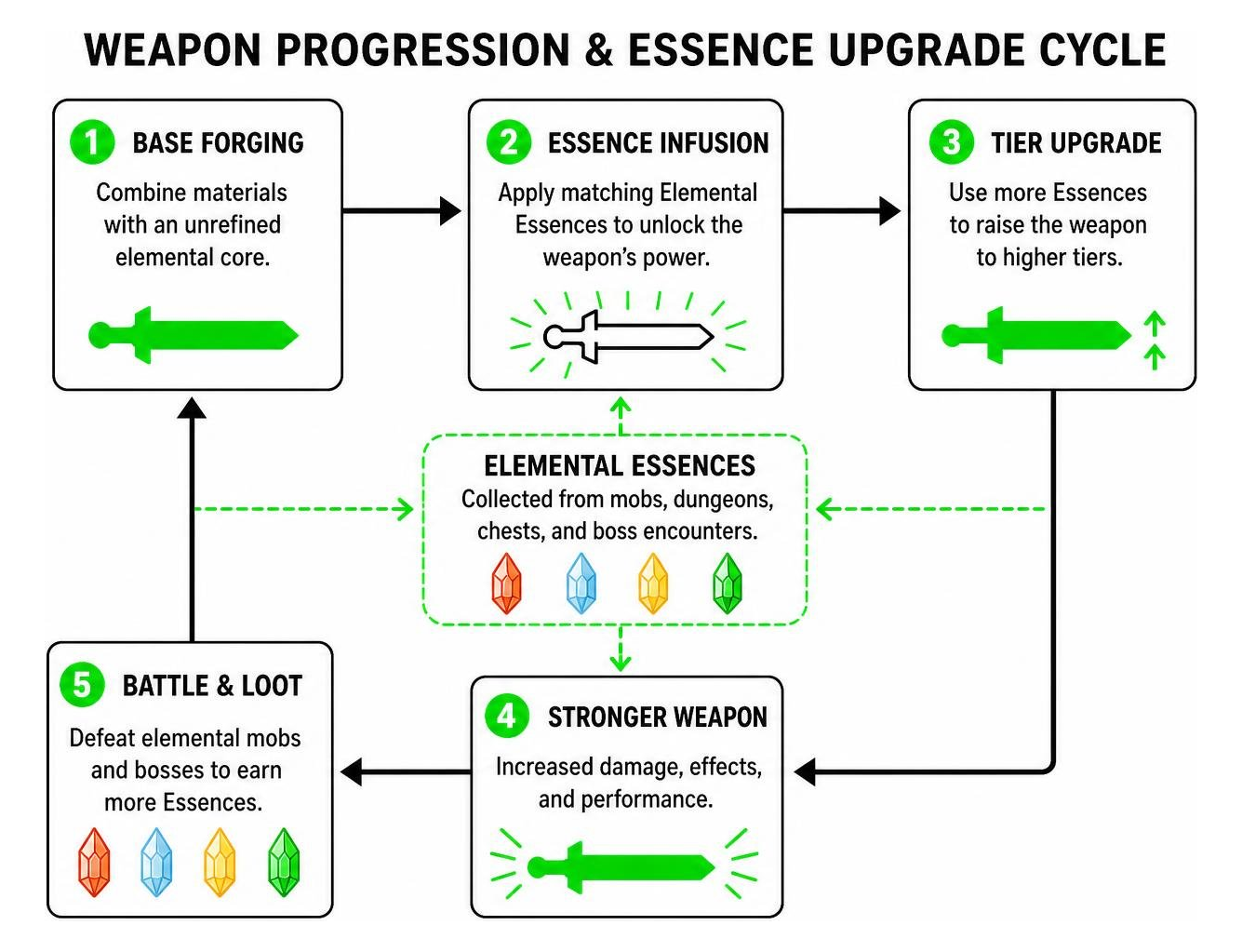
Each weapon line requires specialized forging materials alongside raw Elemental Essences. These essences drop from corresponding elemental mobs, dungeon chests, and boss encounters.
- Base Forging: Combine standard materials (such as Diamonds, Netherite, or specialized ores) with an unrefined elemental core at a crafting table to build your baseline weapon frame.
- Essence Infusion: Defeat elemental foes in targeted environments to gather specific drops (e.g., Glacial Cores in frozen tundras, Volcanic Shards in nether fortresses).
- Tier Upgrades (Levels 1–5): Bring your weapon and required essences to an elemental anvil or upgrade station. Each tier enhances base attack damage, increases active ability radius, and reduces skill cooldowns while extending weapon durability.
If you enjoy diverse weapon categories like polearms, daggers, or specialized gear found in the Sculker Weapons and Tools Addon or the True Weapons Addon 1.21 / 26.x, you will appreciate how each level distinctively boosts your character’s combat potential.
Visual Effects, Audio, and Custom Animations
Every weapon is paired with distinct visual styling and sound design. Swinging a high-tier lightning halberd emits crackling particle trails, while charging an ice hammer generates a glowing frost aura around your character model. Special abilities trigger screen-shake pulses and illuminated elemental surges that light up dark caves.
Hit sounds have been custom-mixed to deliver punchy, satisfying feedback whenever an elemental reaction triggers. For players accustomed to smooth third-person combat overhauls like the New Weapons Overhaul Addon, the customized swing animations make every battle feel impactful. You can see these abilities in action through this gameplay demonstration of the RPG Elemental Weapon addon in Minecraft PE Bedrock edition.
Installation and Setup Guide for Bedrock Edition

Installing the addon on Minecraft Bedrock is straightforward across mobile devices (iOS/Android) and Windows 10/11 PCs.
How to Install the RPG Elemental Weapon Addon for Minecraft PE/Bedrock
- Step 1: Download both the
.mcpackor unified.mcaddonfiles for the Resource and Behavior packs from a verified source. - Step 2: Open the downloaded file directly to let Minecraft launch and automatically import the components into your game directory.
- Step 3: Navigate to your world settings, open the Resource Packs section, and activate the elemental weapon pack under your active packs list.
- Step 4: Move to the Behavior Packs tab and ensure the matching behavior package is active so entity scripts and crafting recipes load properly.
Experimental Toggles and Performance Settings
Because this addon introduces custom entities, items, and tick-based ability scripts, certain experimental world settings must be enabled to prevent missing textures or broken recipes:
- Holiday Creator Features (if available on your version)
- Custom Biomes & Molang Features
- Upcoming Creator Features
- Beta APIs / Experimental Gameplay
On lower-end mobile devices, reducing your render distance by 2–4 chunks will ensure that high-density particle effects run smoothly during chaotic multiplayer boss fights. Furthermore, toggling off fancy bubbles and screen animations in the game video menu can provide an additional frame rate boost on budget smartphones.
Frequently Asked Questions
Is the RPG Elemental Weapon Addon for Minecraft PE/Bedrock Compatible with Multiplayer?
Yes. The addon runs smoothly on local LAN sessions, Bedrock Dedicated Servers, and Minecraft Realms. As long as the host enables the behavior packs and required experimental toggles, connecting players will automatically download the resource files upon joining. In player-versus-player (PvP) scenarios, elemental status effects scale symmetrically, making arena duels and faction battles exceptionally dynamic.
How Do You Upgrade Elemental Weapons to Level 5?
Upgrading a weapon to its maximum Level 5 tier requires rare essences dropped exclusively by the 5 elemental bosses. Once acquired, combine your Level 4 weapon with the boss essence and Netherite ingots at an elemental upgrade station to unlock its final skill tree, maximum durability scaling, and ultimate area-of-effect spells.
Do Elemental Effects Work Against Nether Bosses?
Elemental effects follow strict environmental rules. Nether bosses and mobs are immune to fire and burn debuffs, but they take amplified damage from ice and water-aligned weapons. Conversely, ice-based enemies are vulnerable to high-tier fire attacks, making strategic weapon preparation key before exploring hazardous dimensions.
Conclusion
The RPG Elemental Weapon Addon transforms Bedrock combat into a layered, rewarding adventure filled with strategic spellcasting, satisfying weapon progression, and challenging boss encounters. Whether you play solo or run a dedicated multiplayer server, it provides an exceptional role-playing experience for modern Minecraft.
At MCPEUDAY, we strive to keep you updated with reliable guides, installation tutorials, and the highest-quality gameplay modifications. If you are ready to expand your world even further, browse more Minecraft PE mod addons and assemble your ultimate combat setup today.

1 thought on “RPG Elemental Weapon Addon (26.x, 1.21) – MCPE/Bedrock Mod”