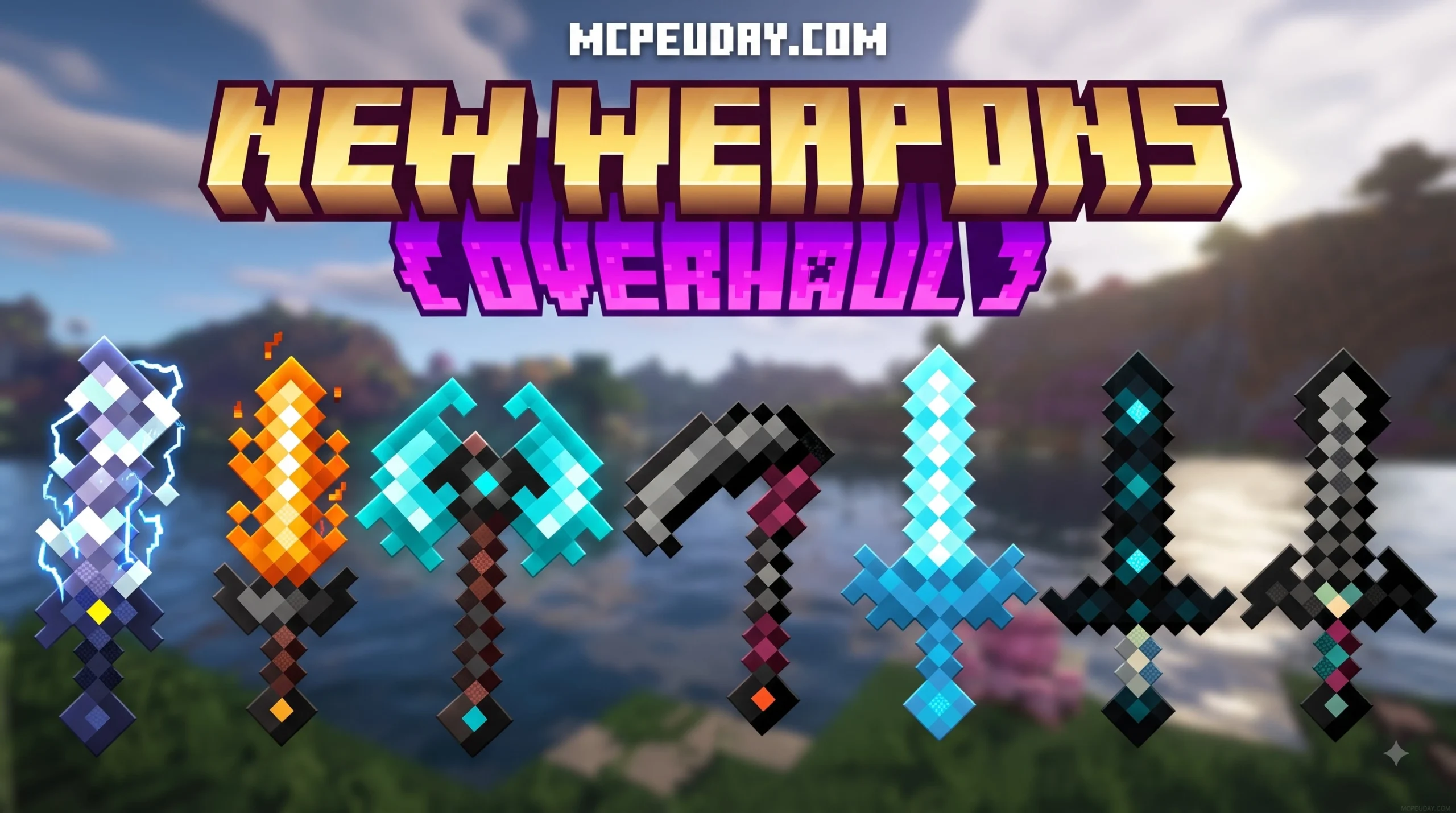
What Is the New Weapons Overhaul Addon for Minecraft PE/Bedrock?
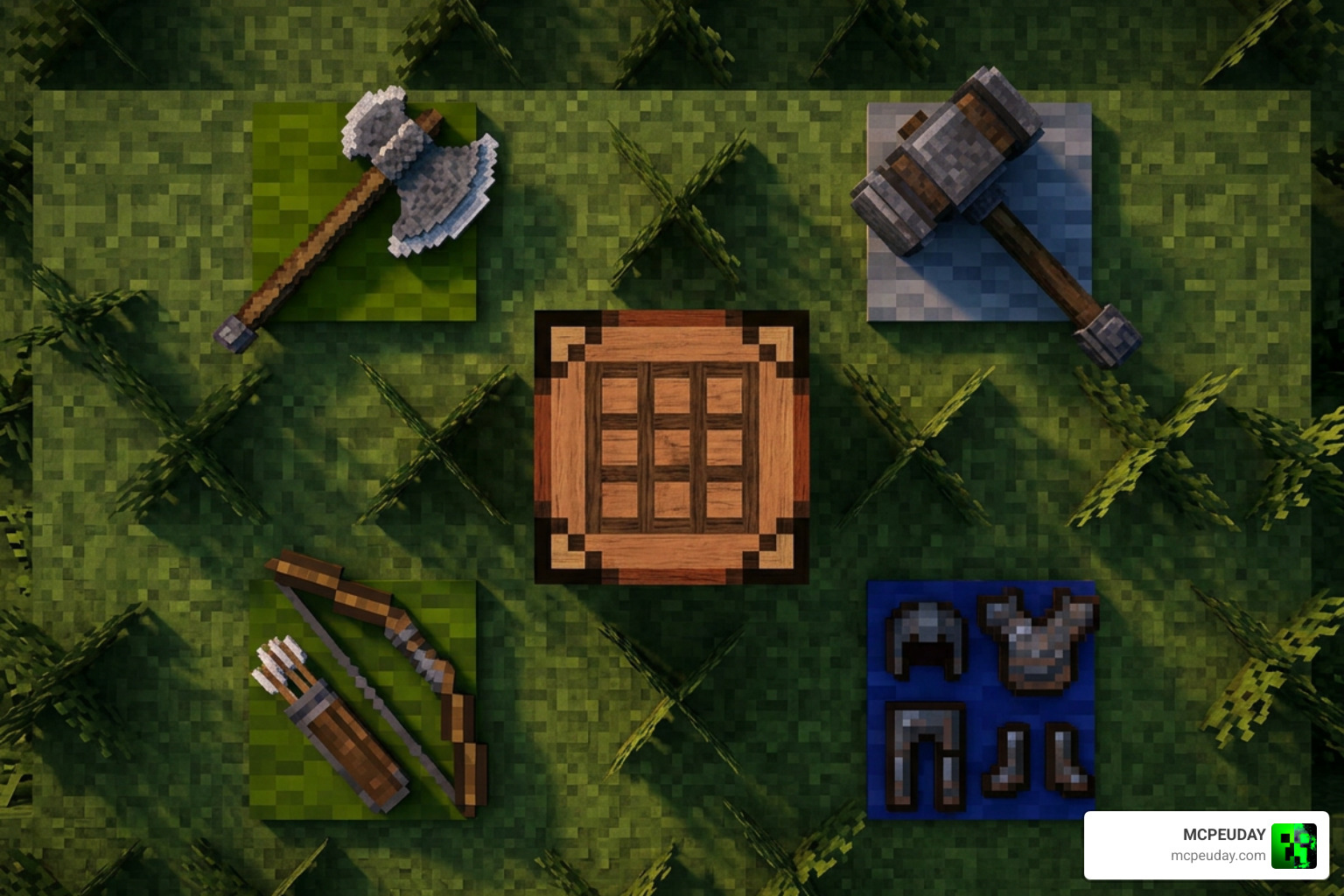
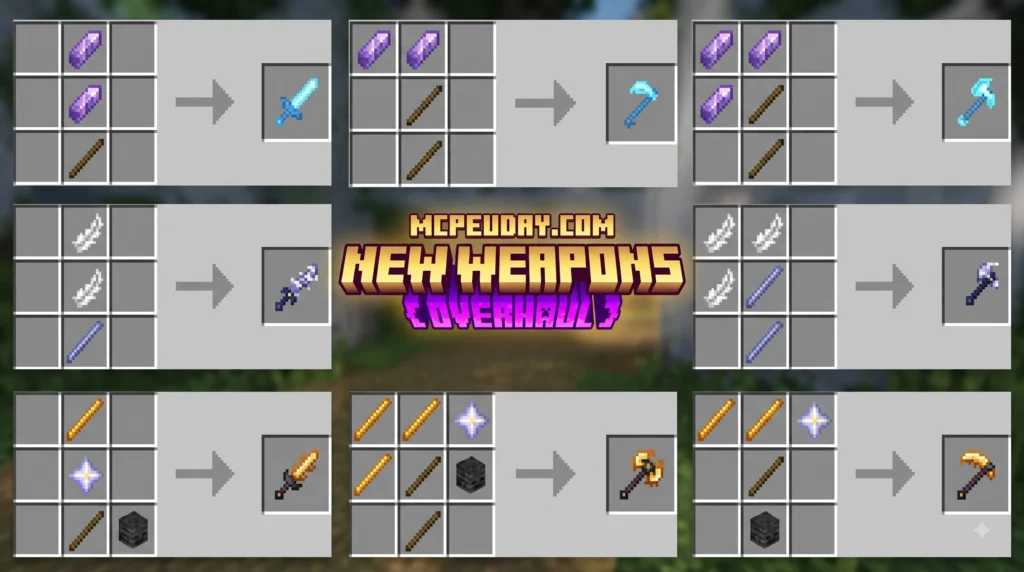
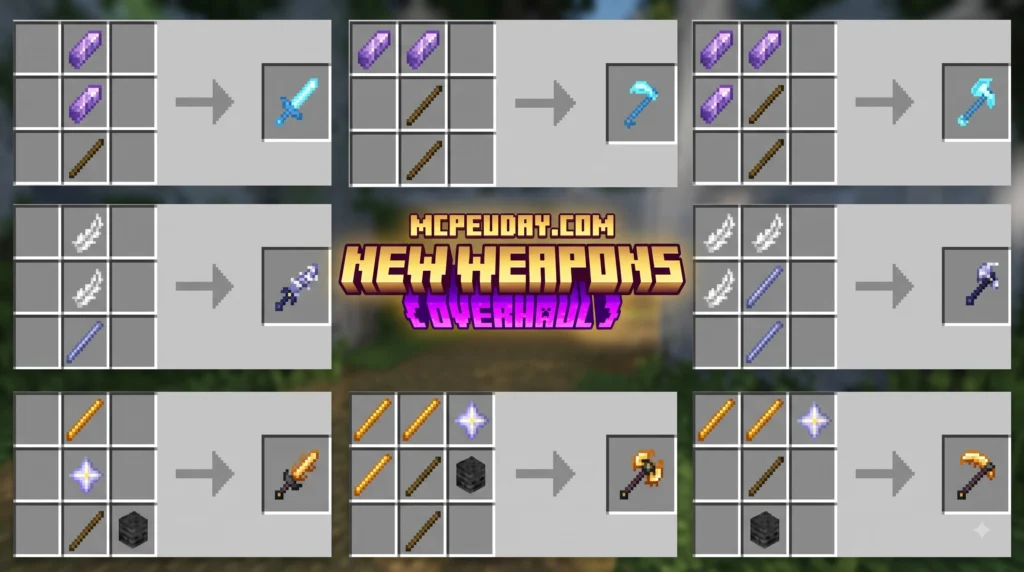
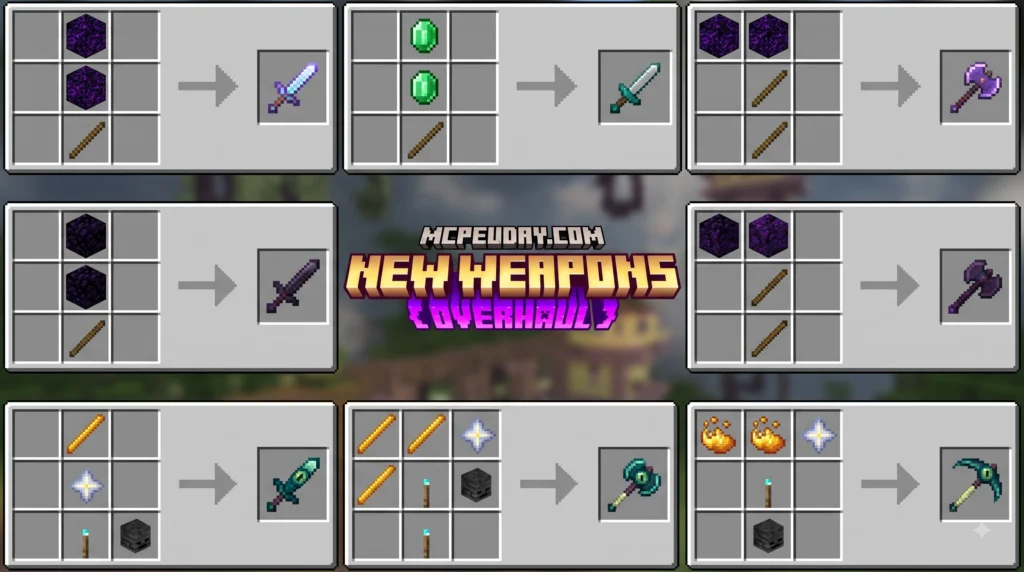
The New Weapons Overhaul Addon for Minecraft PE/Bedrock transforms basic vanilla combat into an engaging, action-packed survival experience. Instead of sticking strictly to standard swords and bows, this modification introduces dynamic weapon dynamics, visual flare, and specialized class mechanics. Over 44,000 players have already downloaded this system, rating it a solid 4.1 for its lightweight feel and high replayability.
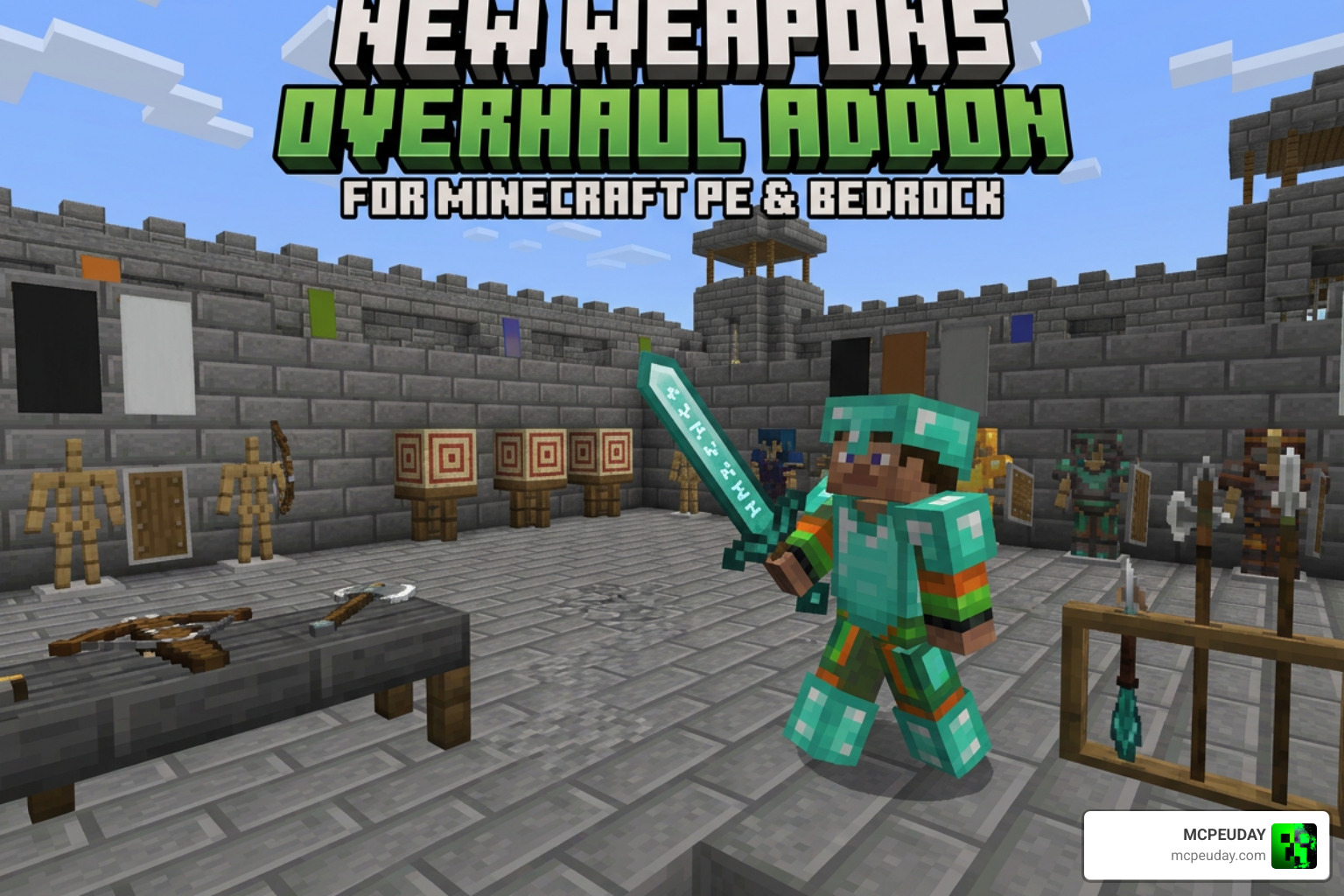
What sets this project apart is how effortlessly it integrates into Bedrock Edition. Players looking for broader armor and equipment suites can explore 500+ NEW Weapons, Tools & Armor added to Minecraft Bedrock to see how modern add-ons reshape gear progression. Our goal with this overhaul is to make every combat encounter in Bedrock feel tactical, reward smart positioning, and offer fresh options for every playstyle. Whether you are exploring dark caves, fighting the Ender Dragon, or participating in player-versus-player battles on custom multiplayer servers, this addon brings modern action RPG elements directly into your portable Minecraft world.
Key Features and Weapon Categories in New Weapons Overhaul Addon for Minecraft PE/Bedrock
This addon organizes gear into distinct combat tiers and specialized weapon types. Whether you prefer aggressive melee rushes, crowd control, or long-range sniping, there is a specialized tool designed for your playstyle:
- Heavy Melee Weapons: Battleaxes and warhammers that deal high burst damage with slower attack sweeps to break enemy defenses and push back aggressive mob waves.
- Agile Daggers & Rapier Blades: Fast-striking weapons that trade raw power for high mobility, swift attack recovery, and critical hit potential during rapid encounters.
- Reach & Polearm Weapons: Spears and halberds that allow you to keep dangerous mobs like Creepers, Piglins, and Ravagers at a safe distance while continuously delivering thrust damage.
- Enhanced Ranged Tools: Upgraded crossbows and shortbows with faster draw times, specialized projectile trajectories, and high velocity arrows for distance precision.
- Class-Based Armor Sets: Up to 7 custom armor sets with unique mechanics that unlock full set bonuses when all four pieces are worn, granting attributes like fire resistance, movement speed, or health regen.
RS Pack vs BH Pack Technical Breakdown
To keep gameplay smooth across mobile devices, consoles, and PC, the addon is split into two lightweight components. The total file footprint remains under 700 KB, ensuring rapid load times even on lower-spec mobile devices and mobile phones with restricted RAM allocations.
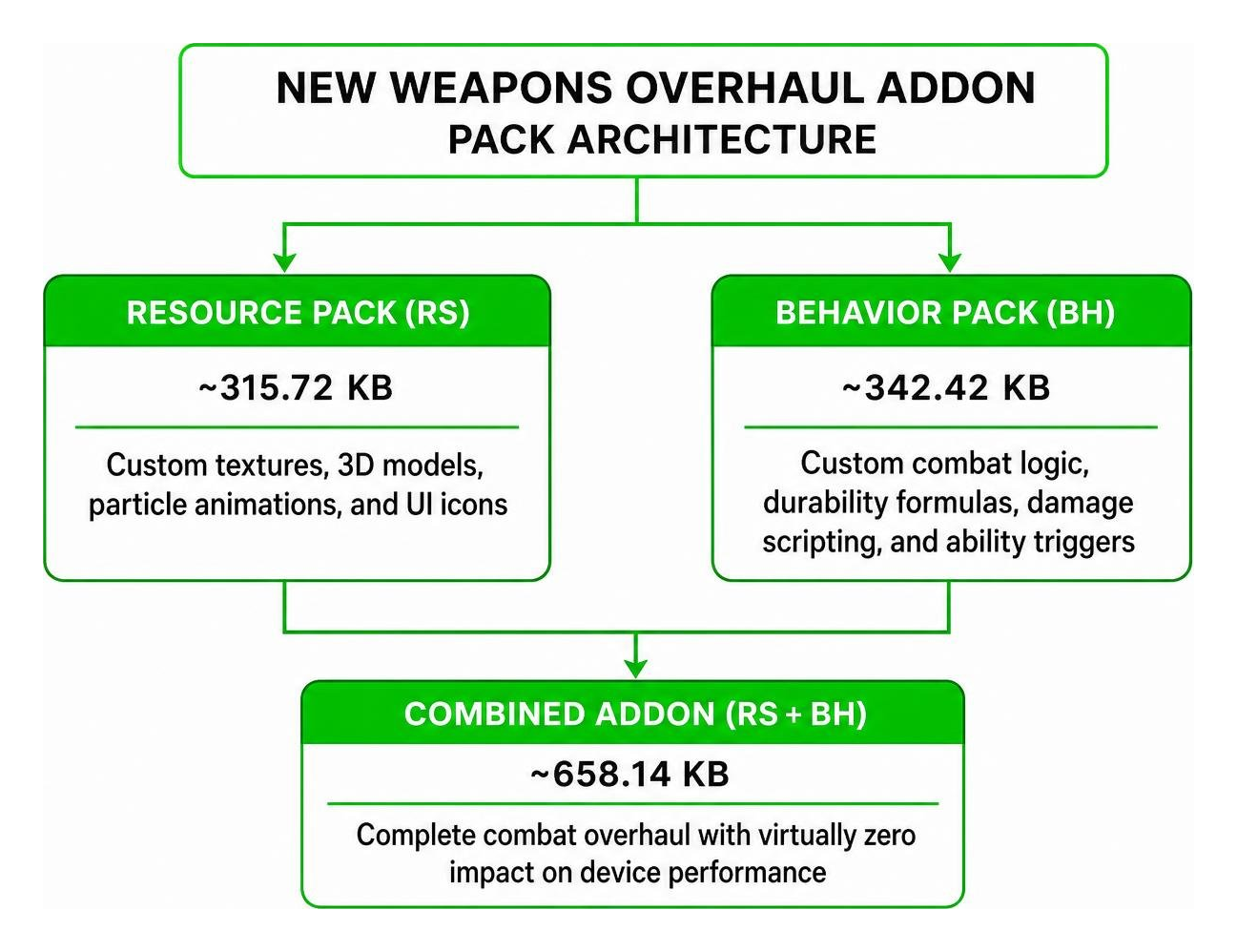
| Pack Type | File Size | Key Functionality |
|---|---|---|
| Resource Pack (RS) | ~315.72 KB | Custom textures, 3D models, particle animations, sound effects, and UI icons |
| Behavior Pack (BH) | ~342.42 KB | Custom combat logic, durability formulas, damage scripting, entity behaviors, and ability triggers |
| Total Combined Size | ~658.14 KB | Complete combat overhaul with virtually zero impact on device performance |
Combat Mechanics and Crafting in the Weapons Overhaul
Vanilla Minecraft combat can sometimes feel like a simple click-racing test with limited tactical variety. The New Weapons Overhaul Addon for Minecraft PE/Bedrock changes this paradigm by turning survival encounters into a light RPG system. Weapon choice directly impacts your movement speed, attack range, knockback vectors, and tactical options against different mob types. By balancing heavy high-damage strikes against swift low-damage stabs, players must adapt their combat rhythm based on the threats they encounter deep underground or in night-time biomes.
Special Abilities and Gameplay Mechanics in New Weapons Overhaul Addon for Minecraft PE/Bedrock
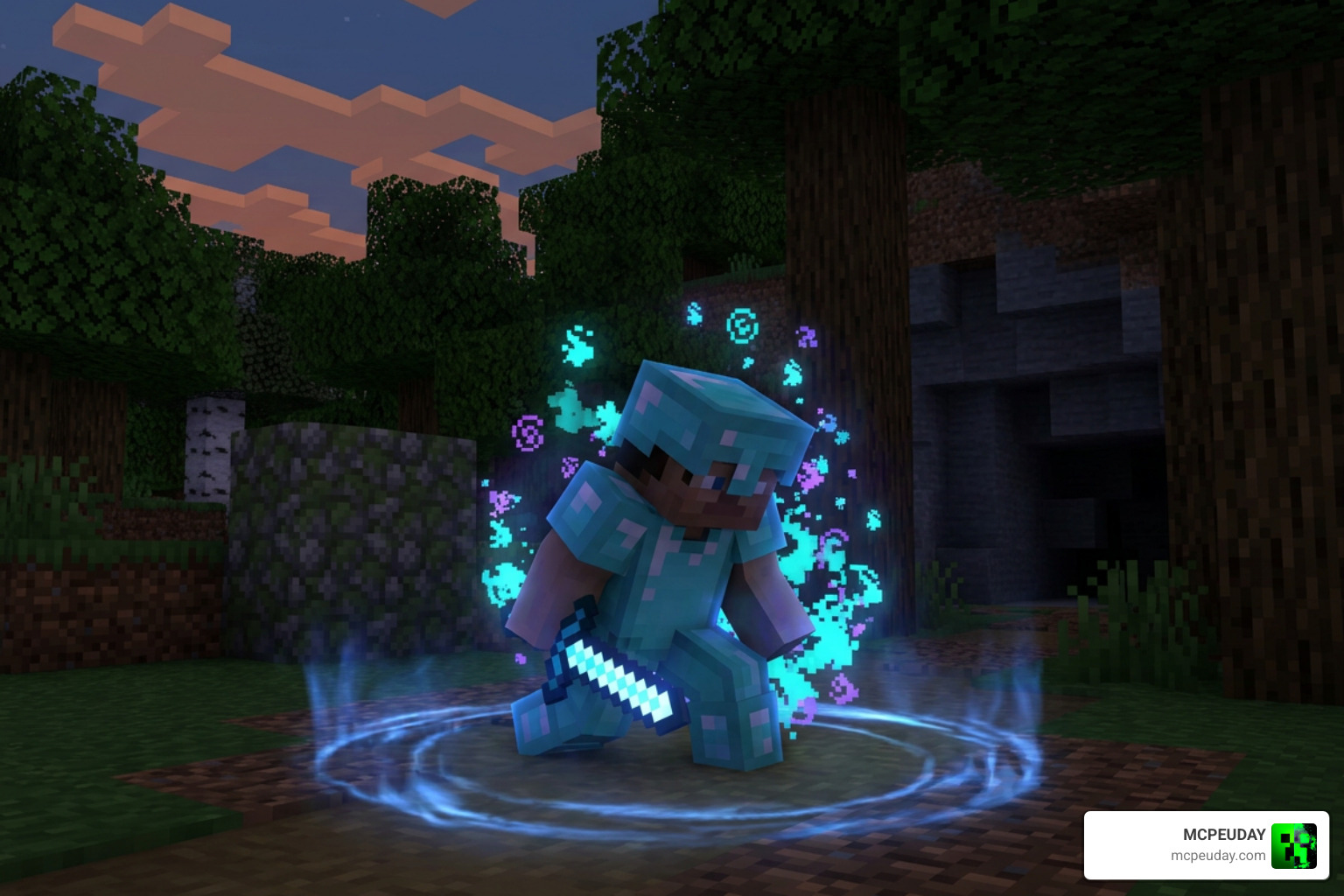
The defining highlight of this addon is the inclusion of active gear abilities and full-set synergies. Instead of passive stat increases alone, gear actively responds to your inputs during intense survival battles:
- Sneak Activation: Trigger specialized weapon slashes, dash strikes, or defensive particle shields by sneaking (crouching) and right-clicking on PC or tapping the interaction screen on mobile devices.
- Cooldown Management: Powerful abilities are balanced with short cooldown timers and visible visual prompts to prevent constant button-manning and encourage strategic execution during tough mob ambushes.
- Crowd Control Effects: Specific heavy strikes apply area-of-effect knockback, slowness, or vulnerability debuffs to keep swarming cave mobs and Skeleton archers at bay.
- Set Bonuses: Equipping a complete 4-piece custom gear set unlocks unique movement boosts, enhanced jump height, passive resistance effects, or elemental damage aura effects.
Crafting and Obtaining New Gear in Survival Mode
We designed the gear progression to fit seamlessly alongside standard vanilla survival exploration. You will not need to cheat or open creative inventory menus to access these arsenal upgrades:
- Gather Standard Materials: Collect core vanilla ores including Iron, Gold, Diamond, and Netherite, alongside essential mob drops like Blaze Rods, Ender Pearls, and String.
- Utilize Upgraded Workbenches: Craft specialized weapons using standard Crafting Tables or dedicated upgrade benches depending on the item tier and complexity.
- Progressive Upgrades: Higher-tier weapons require base weapons alongside rare crafting components, ensuring that early-game tools remain relevant throughout your journey into the Nether and the End dimensions.
- Enchantment Compatibility: All overhauled tools and weapons retain compatibility with standard vanilla anvil combination and enchanting table mechanics, allowing you to add Sharpness, Unbreaking, and Mending.
How to Install and Configure the Addon in Minecraft Bedrock
Installing custom content in Minecraft Bedrock is straightforward, but toggling correct settings is vital for custom scripts and active skills to function properly without errors.
Experimental Settings and Compatibility Requirements
Because this addon introduces custom scripts, modified combat tables, and new item behaviors, you must activate specific toggles in your world settings menu before entering the game:
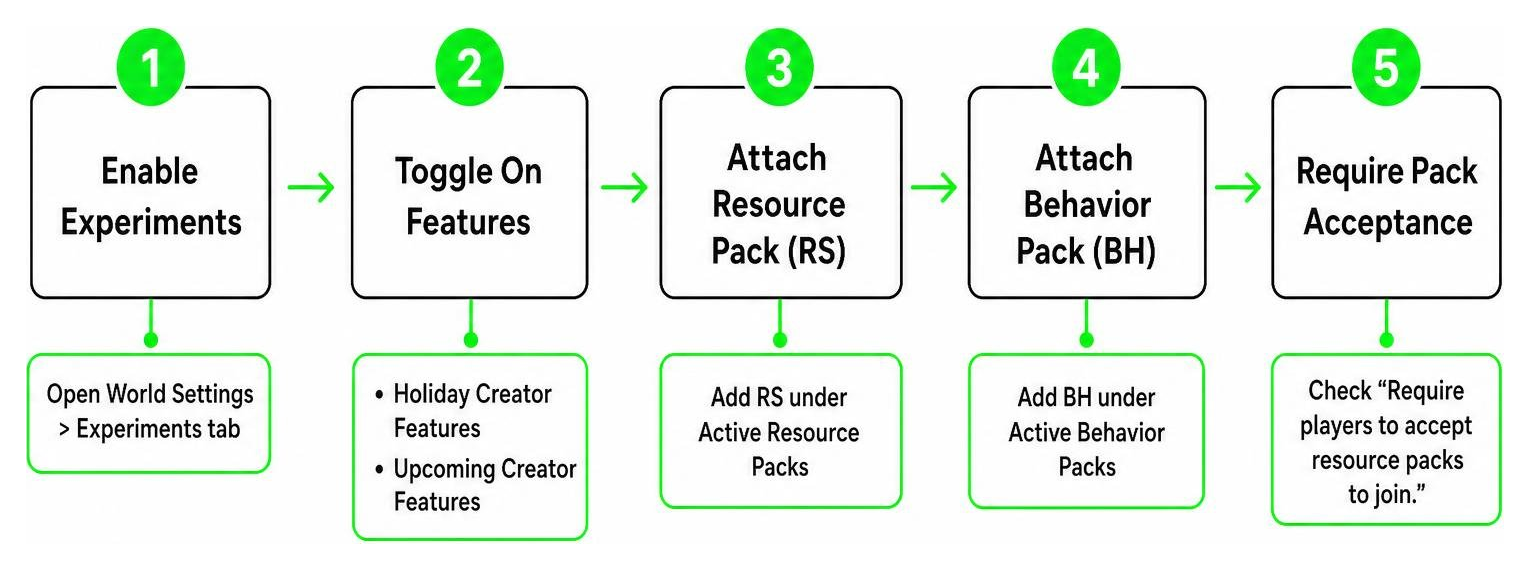
- Open your World Settings menu and scroll down to the Experiments tab.
- Toggle on Holiday Creator Features and Upcoming Creator Features to enable custom item definitions and custom animation parsing.
- Navigate to the Resource Packs tab and attach the Resource Pack (RS) under Active Resource Packs.
- Navigate to the Behavior Packs tab and attach the Behavior Pack (BH) under Active Behavior Packs.
- If hosting a multiplayer session or dedicated Bedrock Realm, check the box for “Require players to accept resource packs to join.” to ensure all clients synchronize textures correctly.
Troubleshooting Known Issues and Performance Tips
While the total footprint is tiny (under 700 KB), minor setup mistakes can prevent abilities from firing correctly or cause missing texture placeholders:
- Missing Textures (Black/Purple Blocks): Ensure the RS Pack is placed above standard default resource packs in your active pack priority list inside the settings menu.
- Abilities Not Triggering: Double-check that all experimental toggles are turned on in world settings. Behavior scripts fail silently if these experimental options are disabled.
- Multiplayer Sync Issues: Ensure the world host has a stable internet connection and that joining players fully download the prompt packages before spawning into the world.
- Frame Rate Drops on Low-End Mobile: Lower rendering distance to 8-10 chunks if particle animations during heavy weapon swings cause temporary frame pacing hitches.
Frequently Asked Questions about the Weapons Overhaul Addon
Do I need to enable Experimental Gameplay toggles for this addon?
Yes, enabling experimental toggles is mandatory for full addon functionality. Custom item behavior, active cooldown timers, customized animation states, and particle effects depend on Bedrock’s experimental script engine. You must enable Holiday Creator Features and Upcoming Creator Features in your world settings prior to launching or creating the world.
Is the New Weapons Overhaul Addon compatible with multiplayer servers?
Absolutely. The addon works smoothly in dedicated multiplayer worlds, local LAN co-op games, and Minecraft Bedrock Realms. Just make sure the world host installs both the Resource (RS) and Behavior (BH) packs into the world file and forces incoming players to accept the resource download prompt before joining the realm.
How do active weapon and gear abilities trigger during combat?
To trigger an active ability, wear the full gear set or hold the specific active weapon in your main hand, sneak (crouch using shift or the crouch button), and tap the screen (on mobile devices) or right-click (on PC/console controllers). Ensure your ability cooldown timer has elapsed before attempting another trigger.
Conclusion
The New Weapons Overhaul Addon for Minecraft PE/Bedrock provides an ideal balance between lightweight performance and rich RPG-style combat progression. By keeping the combined file size under 700 KB, it delivers active abilities, set bonuses, specialized weapon archetypes, and strategic combat choices without slowing down your mobile device, console, or server host.
Ready to take your survival worlds even further with custom mods and technical enhancements? Discover more mods and addons on MCPEUDAY to customize your Minecraft PE experience with top-tier graphics, gameplay additions, unique survival mods, and adventure packs!
1 thought on “New Weapons Overhaul Addon (26.x, 1.21) – MCPE/Bedrock Mod”