
Scroll down to D0vvnl0ad
What is the EnderWoman Addon for Minecraft PE/Bedrock (Download)?
To download and install the EnderWoman Addon for Minecraft PE/Bedrock, first download the .mcaddon file for Minecraft Bedrock 1.21.41 or newer, then open it to import the resource and behavior packs into Minecraft. Next, activate both packs in your world settings under Resource Packs and Behavior Packs. Finally, enable Holiday Creator Features, Custom Biomes, and Molang Features in the Experiments tab, restart Minecraft, and enter your world to find the new mobs in the End.
The End dimension in vanilla Minecraft has always been an eerie, barren wasteland dominated by dark skies, floating islands, and towering Endermen. While its minimalist style works well, many of us want to add fresh life and personality to the dimension without ruining its original feel. That is where the EnderWoman Addon for Minecraft PE/Bedrock (Download) comes into play.
Rather than turning the End into a chaotic combat zone, this pack introduces two refined, lore-friendly mobs: the Enderwoman and the Endergirl. These new variants bring a softer, more graceful aesthetic to the bleak void. Designed with lightweight models and custom animations, the addon fits right in with classic Bedrock mechanics. If you enjoy character redesigns, you might also like exploring the Mob Girls Addon for even more stylized transformations across the Overworld.
| Feature / Trait | Classic Enderman | Enderwoman Mob | Endergirl Mob |
|---|---|---|---|
| Model Build | Tall, blocky, rigid limbs | Tall, slender, smooth curves | Petite, shorter humanoid frame |
| Spawn Frequency | Common across all End biomes | Rare, atmospheric encounter | Uncommon, found near structures |
| Teleport Effects | Standard purple particles | Glowing, soft particle trails | Quick glittery burst particles |
| Gameplay Role | Hostile when stared at | Passive-neutral ambient mob | Neutral explorer / companion |
| Performance Impact | Default vanilla processing | Zero noticeable mobile lag | Zero noticeable mobile lag |
The pack focuses heavily on gameplay balance. You will not find overpowered bosses or game-breaking items here. Instead, it enriches the atmosphere, giving mobile and console players a polished aesthetic upgrade that runs smoothly on almost any device. For more background on how Minecraft addons work, you can read the Minecraft addon overview on Wikipedia.
Step-by-Step Installation: How to Install in 3 Simple Steps
Getting your world ready for these new mobs takes only a couple of minutes. Because Bedrock addons use custom entity models and behaviors, enabling specific game toggles ensures everything renders and animates properly.
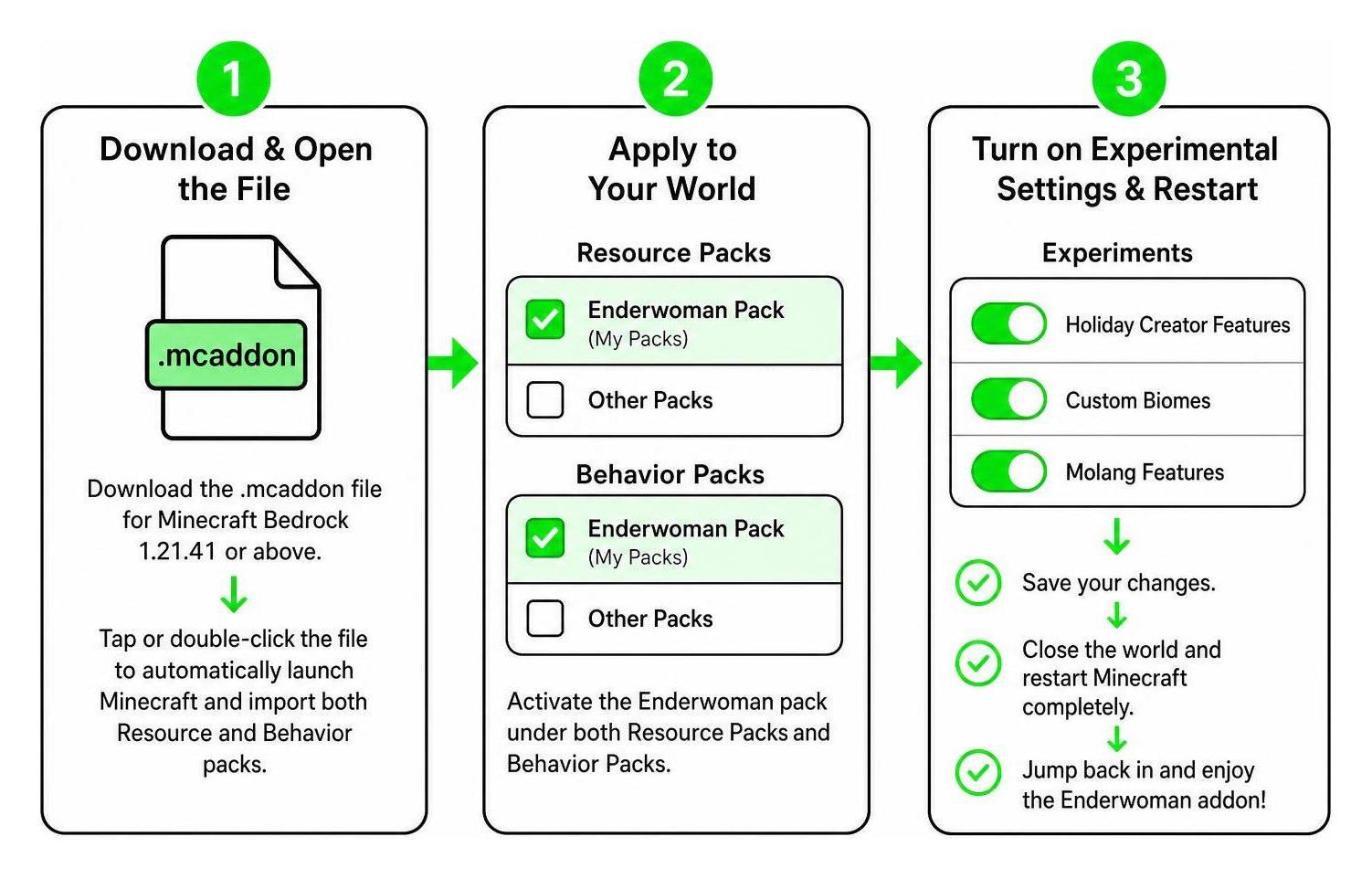
Follow these simple steps:
- Download and Open the File: Download the
.mcaddonfile designed for Minecraft Bedrock 1.21.41 or above. Tap or double-click the downloaded file on your device (Android, iOS, or Windows) to automatically launch Minecraft and import both the Resource and Behavior packs. - Apply to Your World: Go to your world settings (or create a new world). Navigate down to Resource Packs and activate the Enderwoman pack under “My Packs.” Then, do the exact same thing under Behavior Packs.
- Turn on Experimental Settings & Restart: Scroll to the Experiments tab in world settings. Enable Holiday Creator Features, Custom Biomes, and Molang Features. Save your changes, close the world, restart Minecraft completely to clear cached assets, and jump right back in.
This setup process works seamlessly whether you play on local single-player worlds, cross-platform multiplayer, or dedicated Bedrock Realms. Because the addon requires minimal processing power, players on low-end hardware can enjoy steady frame rates without experiencing crashes or stuttering. If you are new to installing Bedrock content, the Minecraft addon installation guide on Wikipedia provides additional background on how resource and behavior packs work together.
Key Features, Mob Behavior, and Visual Aesthetics
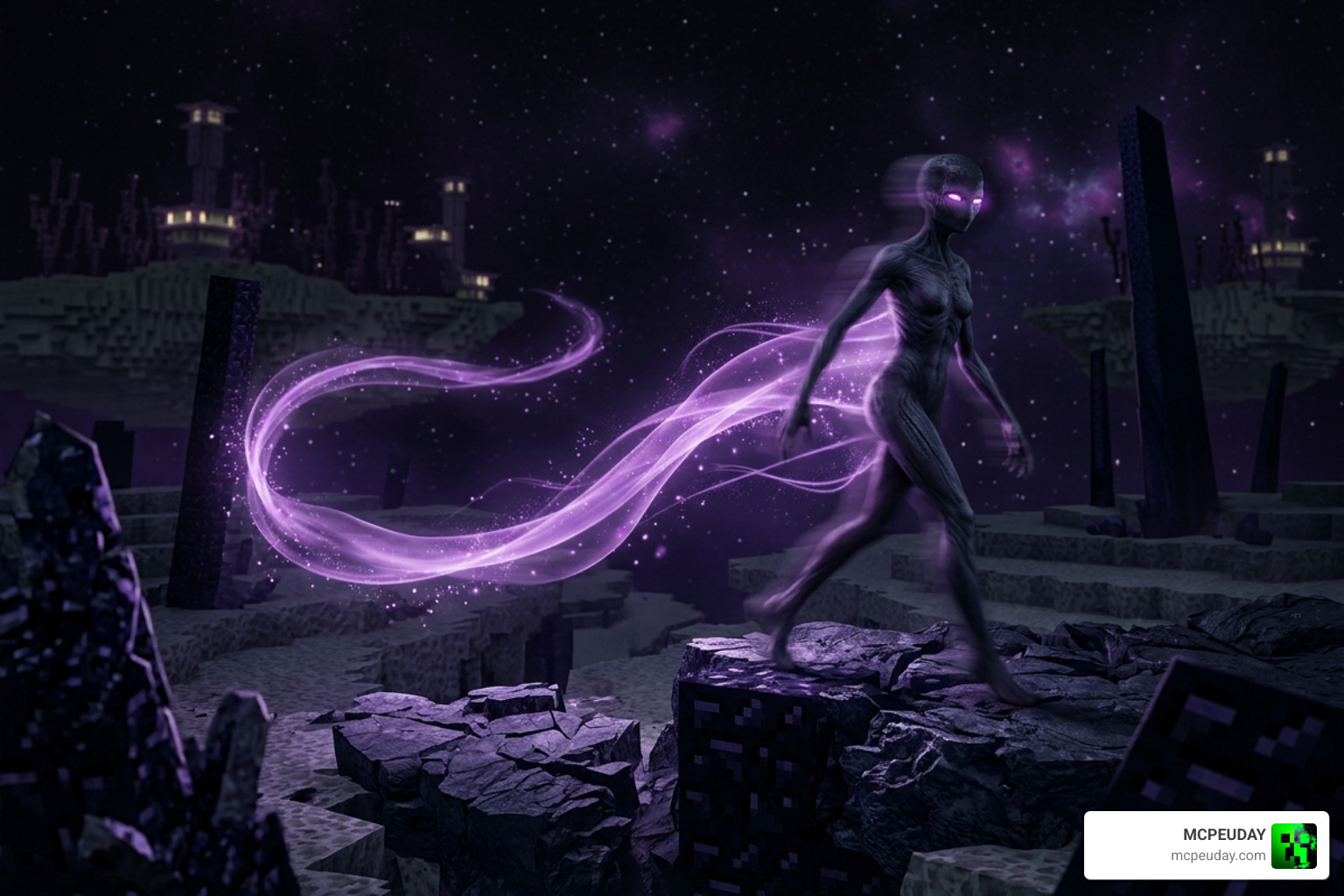
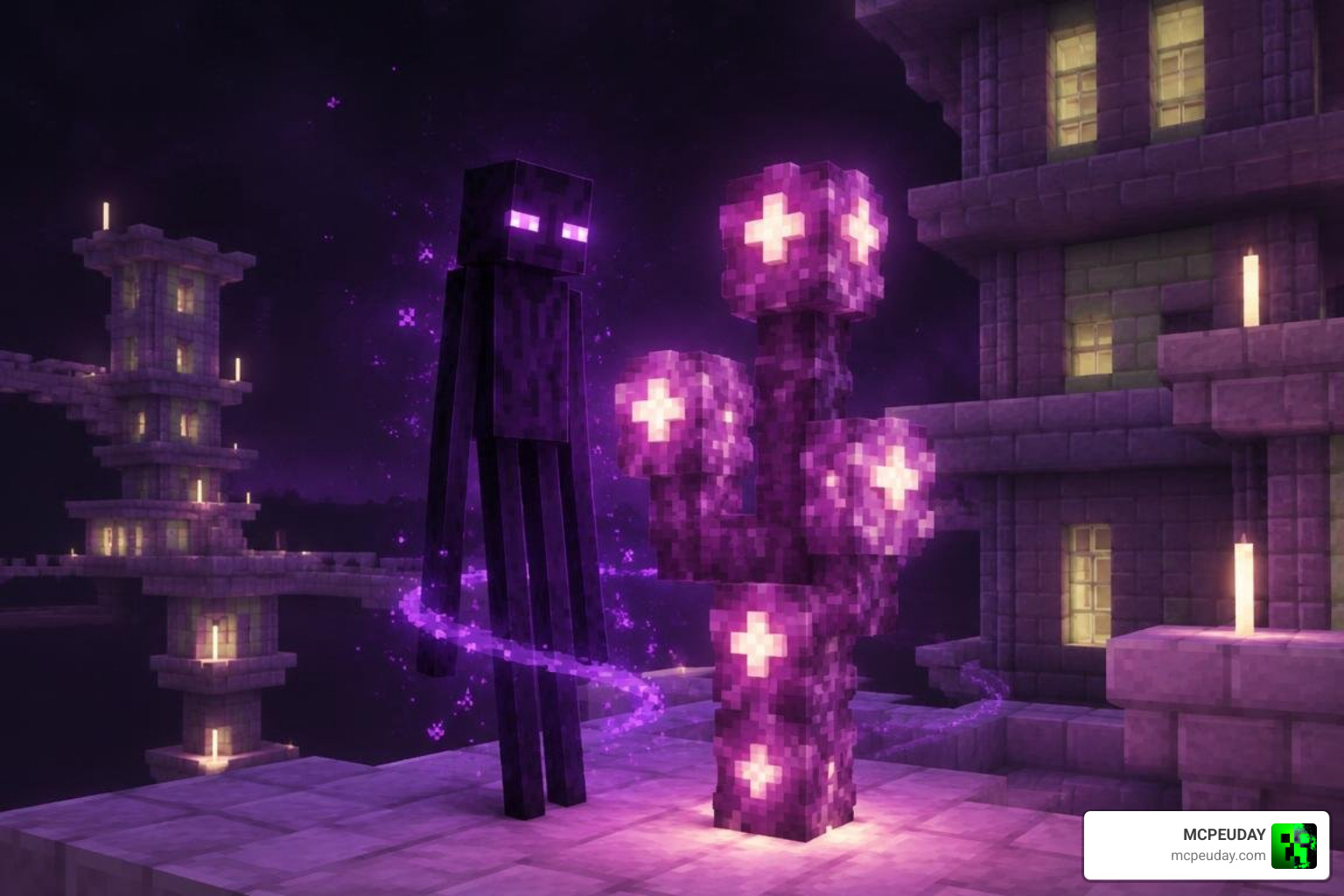
The Enderwoman Addon stands out because of its attention to visual details and motion. When an Enderwoman teleports across an End stone plain, she leaves behind a glowing, ribbon-like trail of soft purple light instead of the standard blocky particle cloud. Think of it like a glittery cat-nap for the End—peaceful, quick, and visually striking.
The mob features custom ambient sound design and subtle facial glow textures that light up dark corners of the void. If you like playing around with entity transformations, you can pair this mod with the Morph Plus Addon to see how custom mob models behave from a first-person perspective.
Unique Characteristics of the EnderWoman Addon for Minecraft PE/Bedrock (Download)
Both mobs introduced in this pack come with unique design choices that separate them from basic mob re-skins:
- Graceful Silhouettes: The Enderwoman retains the tall, mysterious height of an Enderman but incorporates a slender, stylized frame with fluid movement animations.
- Calm Atmosphere: Unlike standard Endermen that shake violently when aggravated, the Enderwoman maintains a tranquil demeanor, reacting smoothly to player proximity.
- Controlled Spawning: To keep encounters meaningful, Enderwomen have a lower spawn rate than standard Endermen. Finding one among the chorus plants feels like a genuine discovery rather than an everyday annoyance.
- Custom Particle Emission: Both mobs emit soft, glowing particle trails during teleportation, creating a dreamlike visual signature that standard Endermen lack.
- Ambient Sound Design: Subtle, otherworldly sound cues accompany each mob, reinforcing the End dimension’s lonely, atmospheric mood without becoming repetitive or intrusive.
Creative Building and Storytelling Potential with the EnderWoman Addon for Minecraft PE/Bedrock (Download)
Beyond survival exploration, this addon is a fantastic tool for content creators, mapmakers, and builders. You can place an Enderwoman as an ancient, silent guardian within custom End city temples, or build deep lore for an adventure map featuring lost dimension wanderers. The mobs’ calm, neutral behavior makes them ideal for cinematic builds where unpredictable hostility would ruin the scene.
Those who enjoy character-driven worlds and creative NPC dynamics can also check out our Jenny Mods collection to discover other character-focused Bedrock expansions. For a broader understanding of how custom mobs and addons extend Minecraft’s base systems, the Minecraft modding article on Wikipedia offers useful context.
Pro Tips for the Best End Dimension Experience
To get the most out of your journey into the End with this addon, keep these tips in mind:
- Pair with Shaders: Use a clean Bedrock shader pack to make the glowing eye textures and teleportation trails pop against the dark void.
- Search Chorus Forests: Endergirls frequently spawn near large clusters of Chorus Fruit. Exploring outer End islands gives you the best chance of running into them.
- Test in Creative First: Before taking your high-level survival gear into the void, load a quick Creative flat world to test spawn eggs and get familiar with their animation cycles.
- Stack with Other Packs: Browse through our wider Mod Addons collection to combine atmospheric packs with biome expansions and custom gear.
- Adjust Your Render Distance: On lower-end mobile devices, slightly reducing render distance can help maintain smooth frame rates while still showcasing the addon’s custom particle effects.
- Use Spawn Eggs for Controlled Encounters: In Creative mode, spawn eggs let you place Enderwomen and Endergirls exactly where you want them, which is perfect for building custom scenes or testing behavior before committing to a survival run.
Frequently Asked Questions About the Enderwoman Mod
Is the Enderwoman Addon compatible with Minecraft Bedrock 1.21+ Realms?
Yes, the addon runs smoothly on multiplayer worlds and Bedrock Realms. As long as the Realm host applies the Behavior and Resource packs with the proper experimental toggles turned on, all connected players will download the assets automatically upon joining. The lightweight models and particle effects are optimized for mobile performance, so even players on older phones or tablets should experience stable frame rates during multiplayer sessions.
How do Enderwoman and Endergirl differ from standard Endermen?
While classic Endermen are tall, strictly hostile when provoked, and spawn frequently across the End, Enderwomen and Endergirls feature unique slender models, reduced spawn rates, smoother animations, and custom glowing particle trails that enhance the visual atmosphere. Their passive-neutral behavior also makes them safer to observe and build around, which is a significant departure from the standard Enderman’s aggressive stare-triggered hostility.
What experimental gameplay toggles are required to run the mod?
To ensure custom entity behaviors and Molang scripts function properly on Bedrock 1.21.41+, make sure you toggle Holiday Creator Features, Custom Biomes, and Molang Features inside your world settings before loading your save. These toggles allow the addon’s custom entity definitions, spawning rules, and animation scripts to run without conflicts. If you forget to enable them, the mobs may not appear or may display incorrect models and animations.
Can I use the Enderwoman Addon alongside other mods?
Yes, the addon is designed to be lightweight and compatible with most other Bedrock packs. It does not overwrite vanilla Enderman files, so you can safely combine it with shaders, biome expansions, and other mob addons. If you experience any conflicts, try loading the Enderwoman pack higher in your resource and behavior pack priority list.
Conclusion
The Enderwoman Addon brings a fresh mix of elegance, balanced behavior, and smooth mobile performance to Minecraft Bedrock. By introducing carefully designed mobs with custom particle effects and peaceful mechanics, it turns the lonely End dimension into an atmospheric, story-rich environment.
Whether you are designing an elaborate void shrine, playing on a multiplayer server with friends, or simply exploring the outer islands on your phone, this addon delivers a great visual upgrade without lag. The three-step installation process—download the .mcaddon, activate both packs, and enable experimental toggles—takes only a few minutes and works across Android, iOS, Windows, and Bedrock Realms.
Visit our homepage to download more high-performance MCPE Bedrock mods and addons and customize your Minecraft worlds today. For additional context on how Minecraft modding works across platforms, you can explore the Minecraft modding overview on Wikipedia.