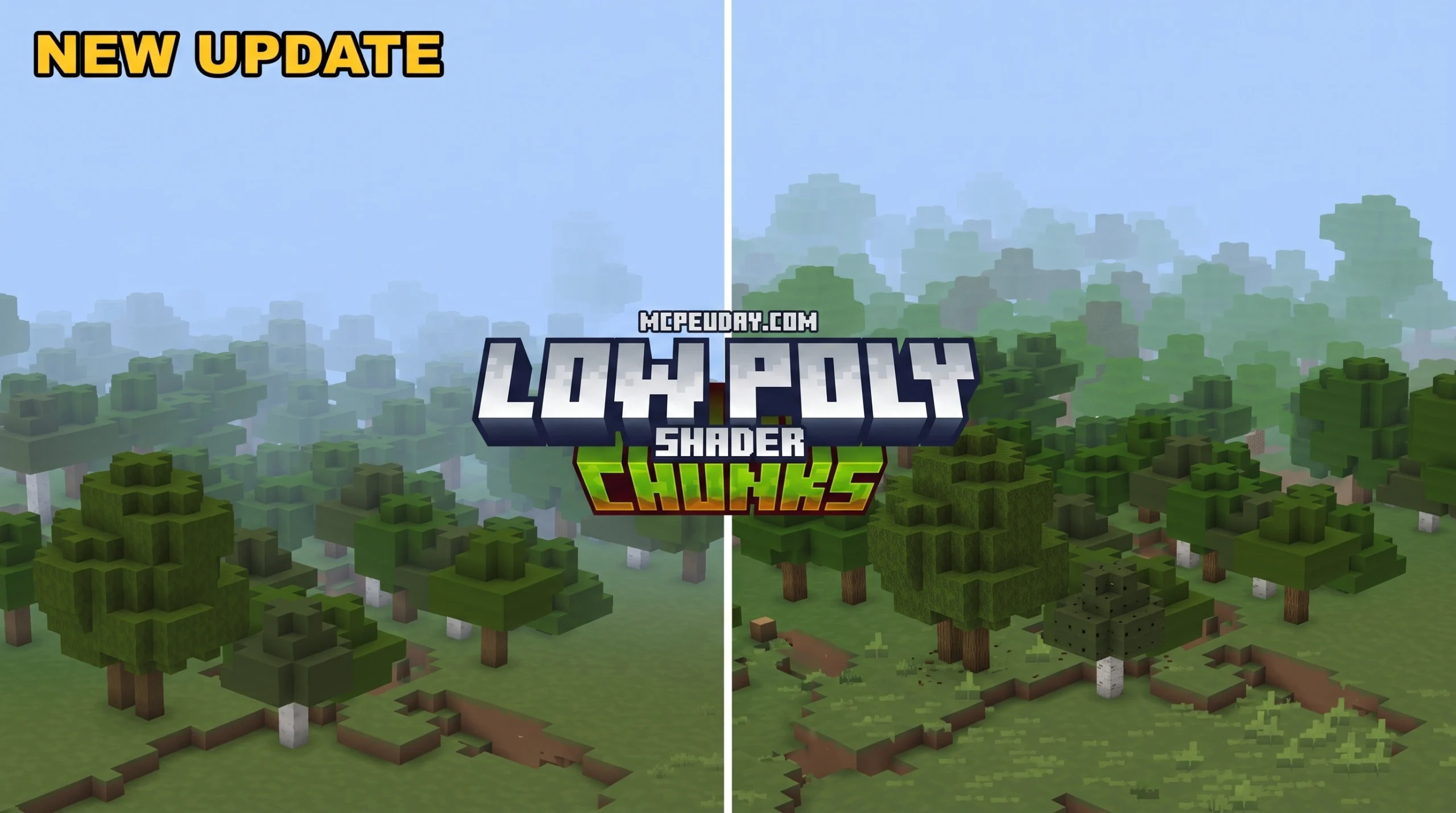
What the Low Poly Chunks Addon Does for Minecraft Bedrock
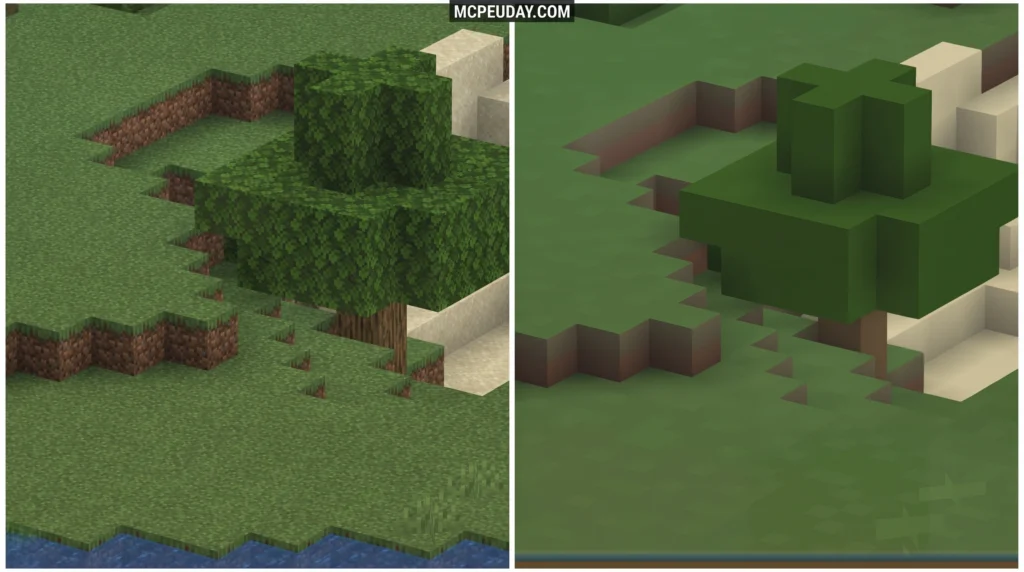
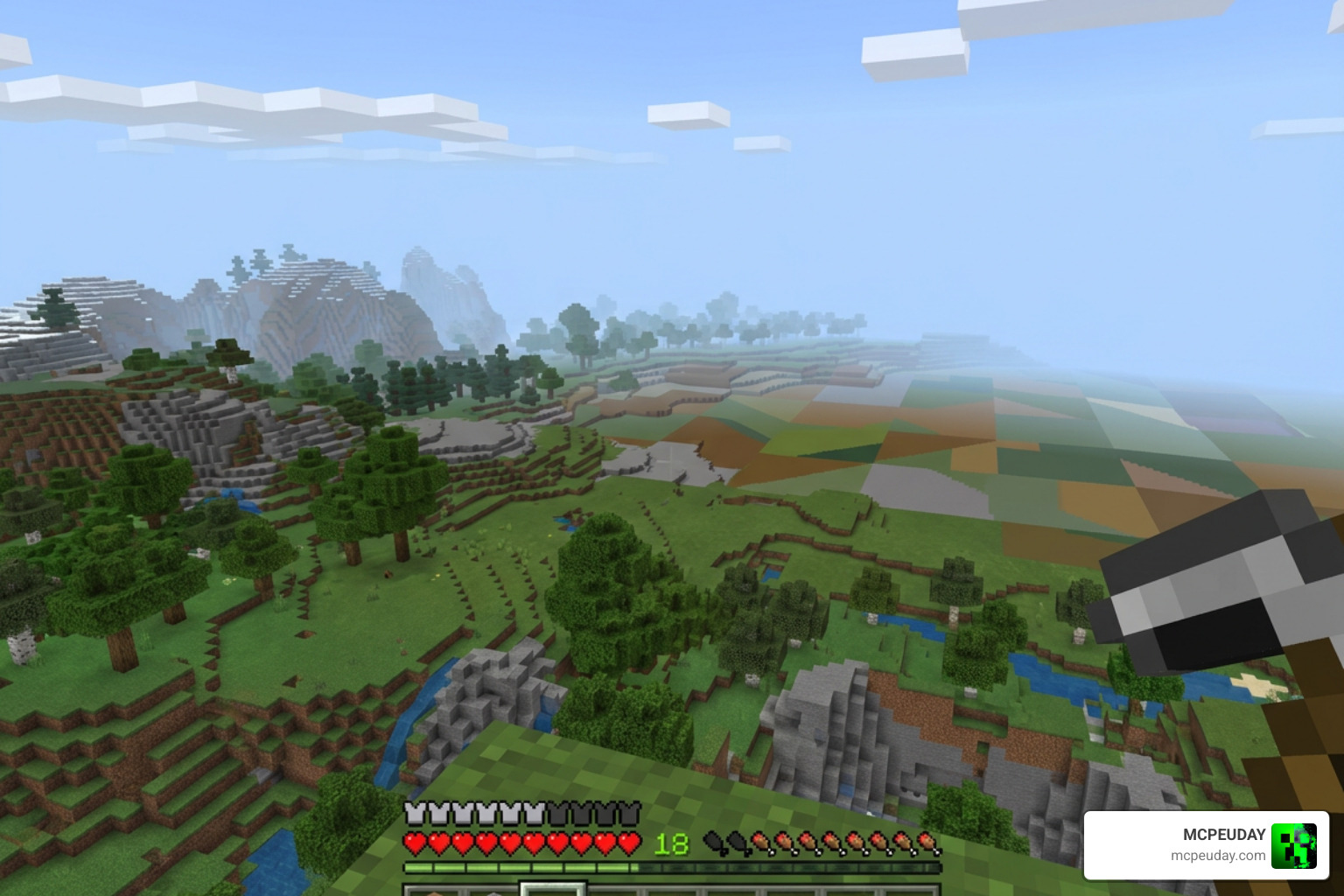
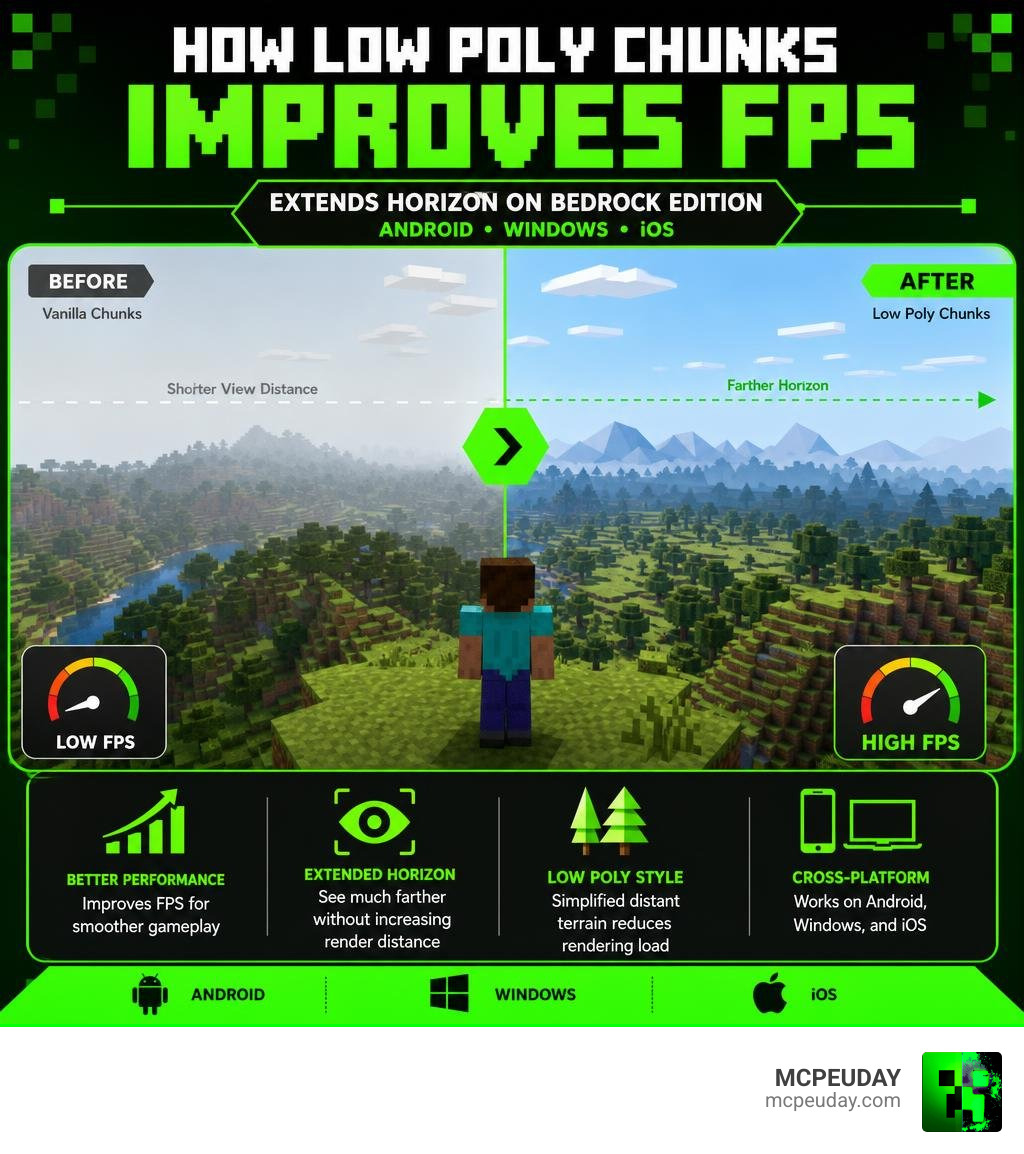
The Low Poly Chunks Addon is a shader for Minecraft Bedrock Edition that makes distant chunks appear simplified and lower-detail, so your device runs faster while your horizon looks much further away.
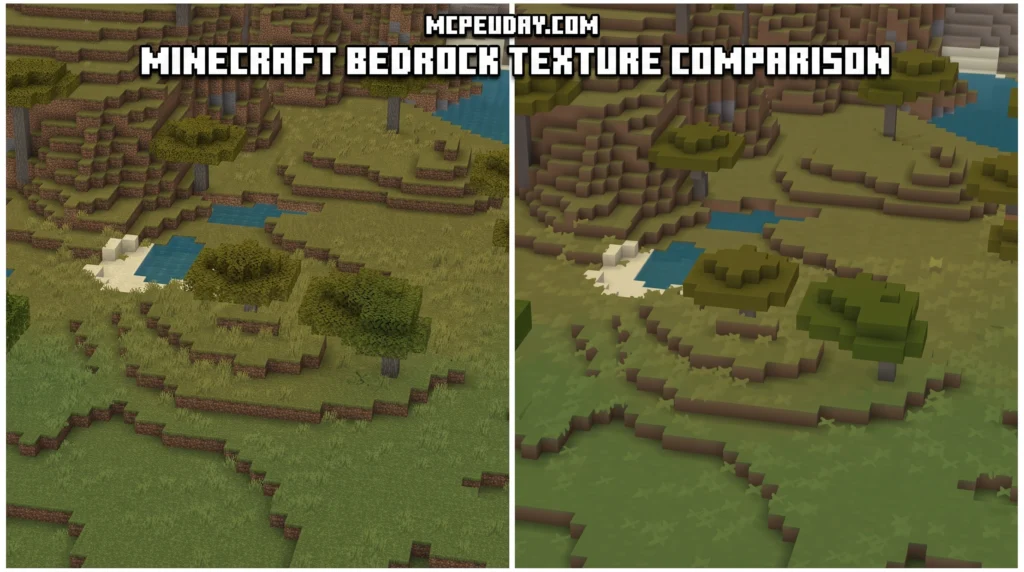
Quick answer for anyone searching right now:
- What it is: A shader/addon that reduces the visual detail of far-away chunks in Minecraft Bedrock
- What it does: Simulates the Distant Horizons effect from Java Edition — without needing Java
- Who it’s for: Players on Android, Windows, or iOS — especially on phones or low-end PCs
- Main benefit: You can keep render distance low for performance, but the horizon looks like it stretches much further
- How to get it: Download the
.mcpackfile and import it into your global resources
If you play Minecraft on a phone or a budget PC, you already know the pain. You drop render distance to the minimum just to keep the game running smoothly — and suddenly your world feels tiny and cut off. Mountains, forests, and rivers that should be visible just… aren’t there.
That’s exactly the problem the Low Poly Chunks Addon solves.
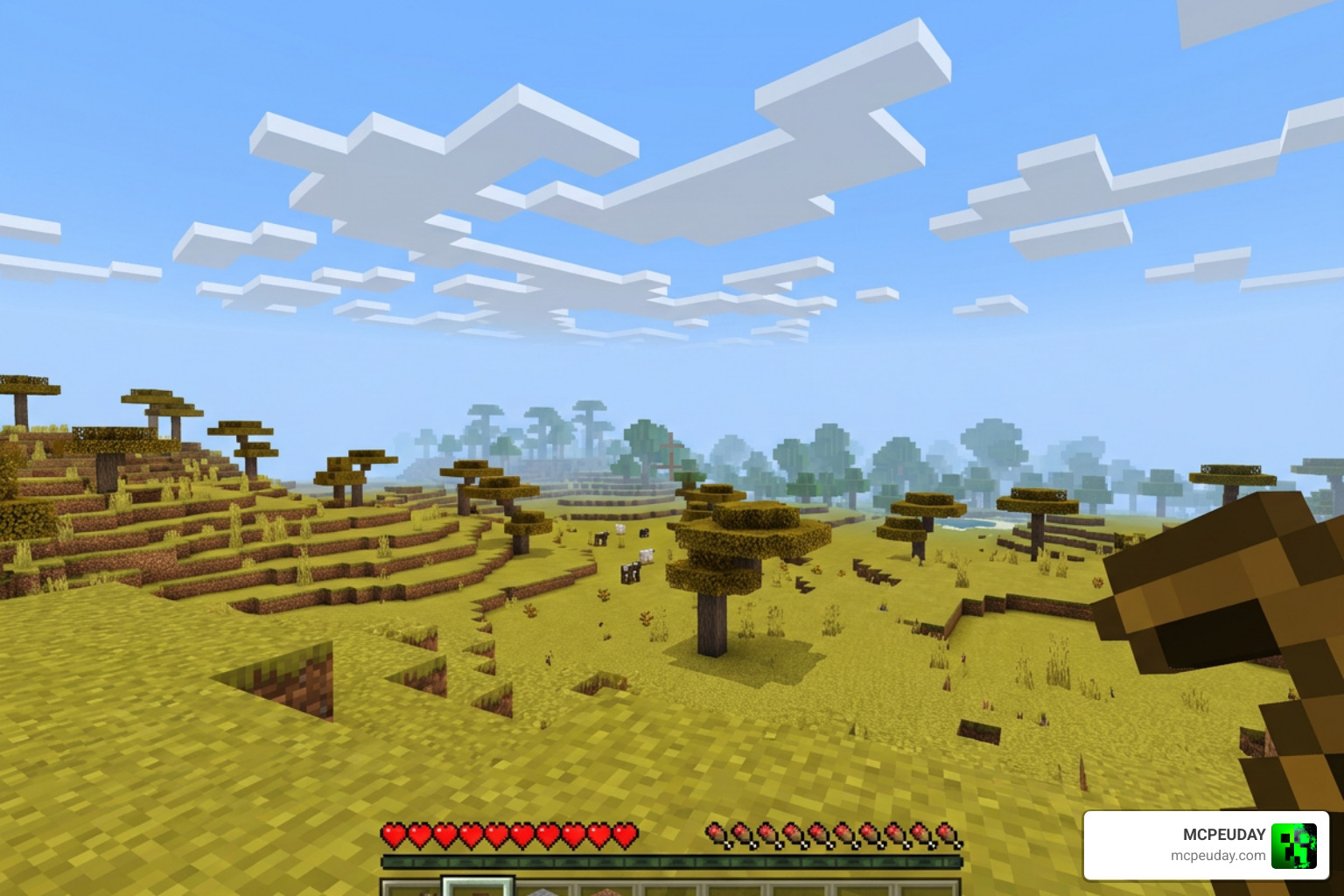
Instead of loading full-detail chunks far out (which kills performance), this shader renders distant terrain in a simplified, low-poly style. Trees become clean silhouettes. Clouds turn angular. The horizon takes on a stylized, map-like look. And your FPS stays stable — players report hitting 76–78 FPS even across wide-open savannah terrain with the extended horizon active.
It’s one of the most practical visual upgrades available for Bedrock players in July 2026.
What is the Low Poly Chunks Addon?
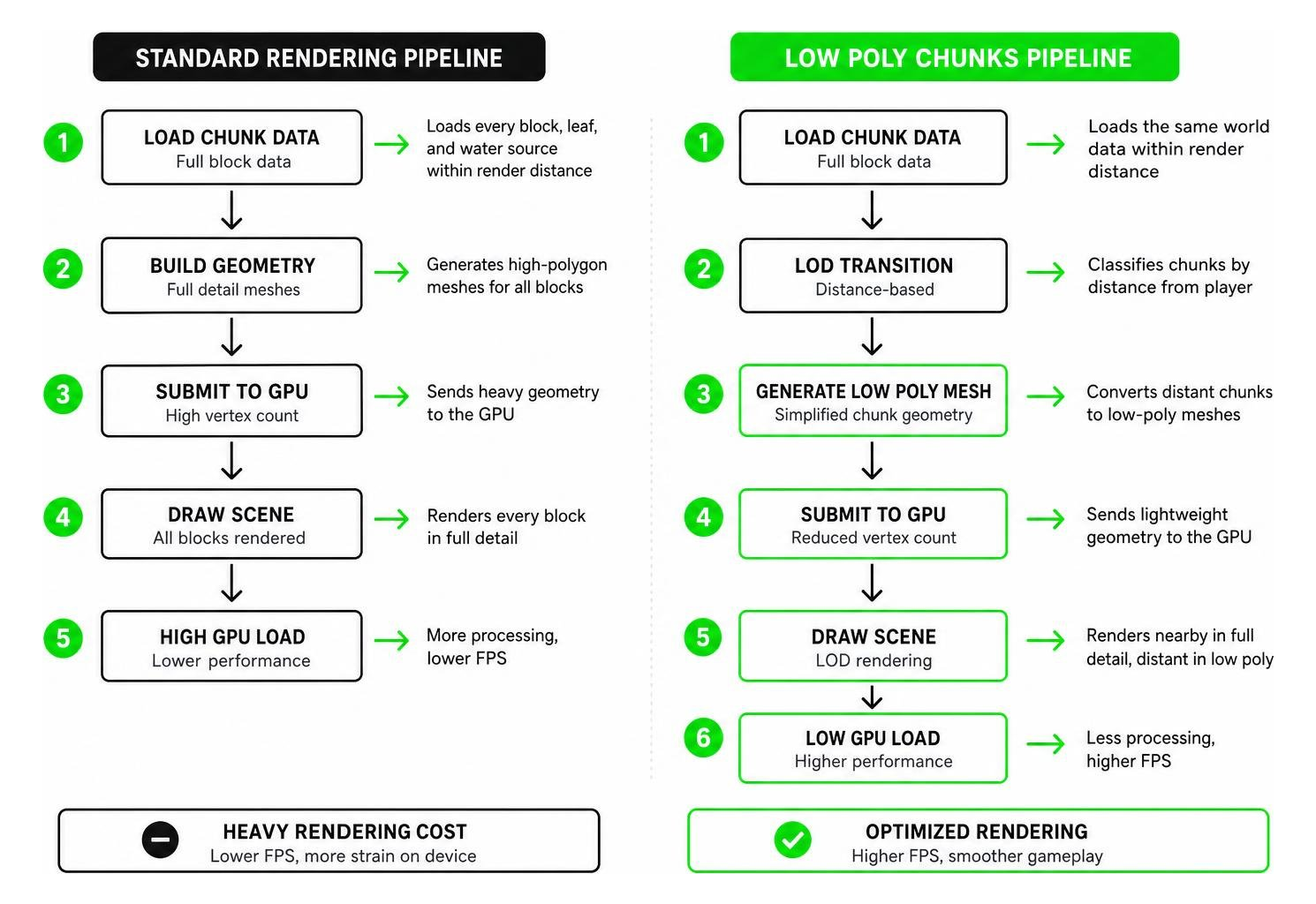
At its core, the Low Poly Chunks Addon is a smart graphical optimization designed specifically for Minecraft Bedrock Edition. When we play Minecraft, our devices have to calculate and render every block, leaf, and water source within our render distance. This chunk loading process is incredibly heavy on mobile devices and low-end PCs.
By utilizing the Low Poly Chunks Shader Download, we can completely change how our game handles rendering. Instead of completely hiding distant chunks behind a thick wall of ugly fog, this addon renders them using simplified, low-polygon meshes. It strips away the complex individual block details of far-off terrain, turning them into solid, clean shapes.
This gives your game a gorgeous, stylized aesthetic. Instead of feeling like your world ends abruptly 100 blocks away, you get a sweeping, dramatic view of the horizon that looks like a miniature tabletop map.
How the Low Poly Chunks Addon Simulates Distant Horizons
If you have ever watched Java Edition players use the famous Distant Horizons mod, you know how breathtaking Minecraft can look when you can see thousands of blocks away. For a long time, Bedrock players were left in the dark because Bedrock’s rendering engine (RenderDragon) is notoriously difficult to mod.
The Low Poly Chunks Addon acts as Bedrock’s answer to Distant Horizons. It simulates this Level of Detail (LOD) rendering technique directly on Bedrock platforms (Android, Windows, and iOS). It tricks your eyes by keeping the chunks closest to you in full, glorious detail, while seamlessly transitioning the chunks further away into lightweight, low-poly versions. The result is a massive sense of scale without the massive performance cost.
Visual Changes to Distant Terrain, Trees, and Clouds
When you activate this shader, the visual transformation is immediate. As you look toward the horizon, the world takes on a beautifully stylized, clean look.
- Distant Terrain: Jagged mountain peaks and rolling hills turn into smooth, low-poly slopes.
- Trees and Forests: Instead of thousands of individual leaf blocks rendering in the distance, forests blend into clean, minimalist green silhouettes.
- Clouds and Sky: The skybox and clouds adapt to match this angular, stylized theme, giving the entire horizon a cohesive “distant world” vibe.
This stylized approach is highly popular in modern game design. In fact, many 3D artists use specialized tools like the LowPolyUV Blender Addon to achieve this exact clean, color-snapped look when creating assets for independent games. In Minecraft, it makes your builds stand out beautifully against a clean, dramatic backdrop.
Performance Benefits and Recommended Settings
The biggest selling point of the Low Poly Chunks Addon is performance. Normally, if you tried to double or triple your render distance, your frame rate would drop into the single digits, turning your game into a slideshow.
By reducing the geometric complexity of distant chunks, your GPU doesn’t have to work nearly as hard. This allows players on budget Android phones, iPads, and older Windows laptops to experience sweeping vistas without overheating their devices.
Recommended Render Distance Configurations for the Low Poly Chunks Addon
To get the absolute best results from this addon, we recommend a slightly counter-intuitive setup:
- Set your in-game render distance as high as your device can comfortably handle before applying the shader. This allows the game engine to load the terrain data.
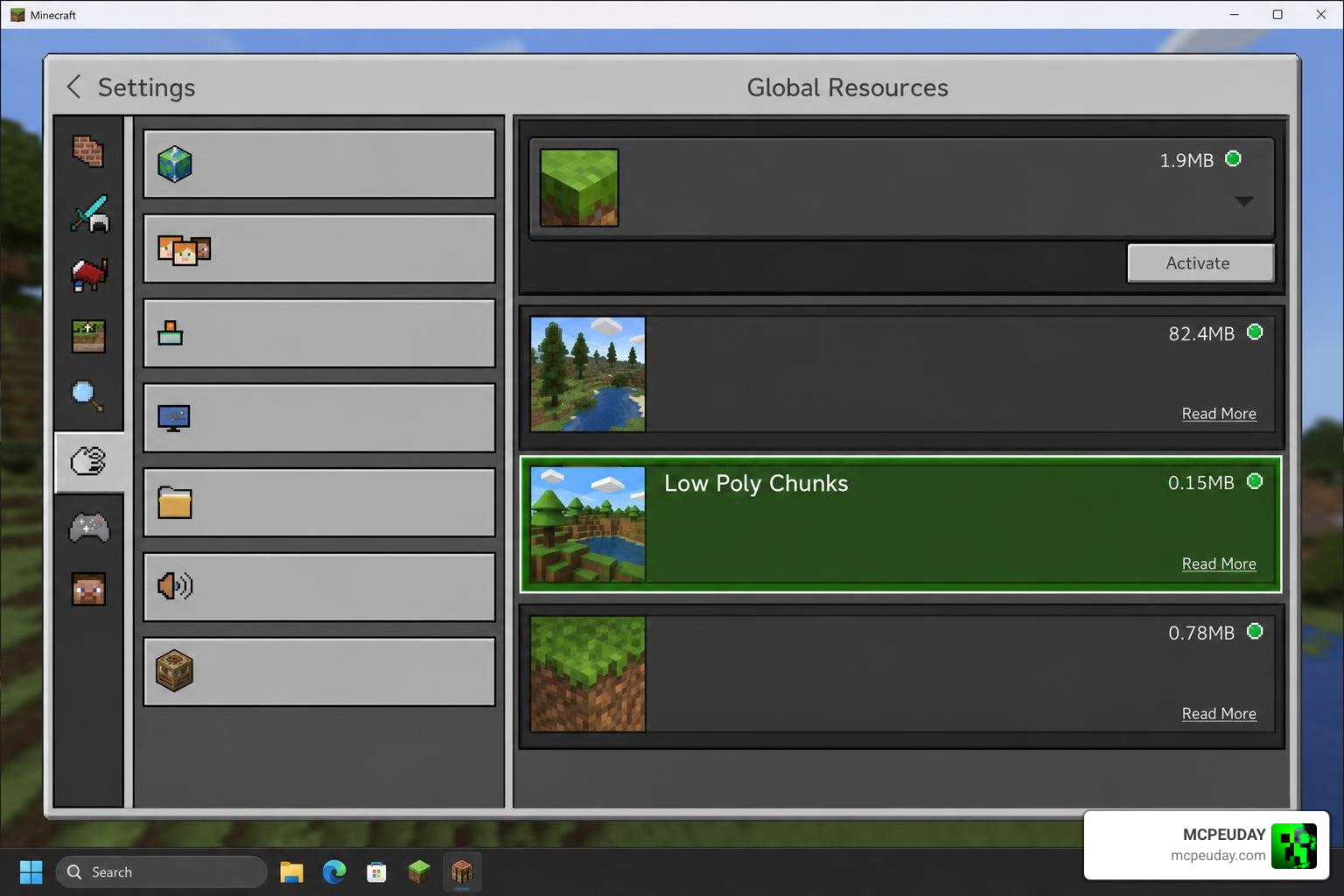
- Apply the Low Poly Chunks Addon in your Global Resources.
- The shader will take over the heavy lifting, converting those loaded distant chunks into low-poly versions.
- If you experience minor stutters, gradually decrease your render distance slider by 2–4 chunks until you find the sweet spot where your frame rate is perfectly smooth.
How to Install the Addon Across Different Platforms
Getting this addon up and running depends on which platform you play on. Because Minecraft Bedrock runs on everything from phones to PCs, the installation steps vary. You can download the official package files directly to your device to get started.
Installation Guide for Android and iOS
For mobile users, installing custom RenderDragon shaders requires a bit of extra setup due to platform security restrictions.
For Android:
- Download the Android-specific
.mcpackfile. - Because of recent Android folder access restrictions, we highly recommend using a helper tool like the MB Loader APK to successfully import the package files directly into your Minecraft folder.
- Once imported, open Minecraft, navigate to Settings > Global Resources, and activate the pack.
For iOS:
- Installing custom shaders on iOS is notoriously difficult due to Apple’s closed ecosystem.
- To successfully inject the material files required for the shader to run, a jailbroken device or a specialized IPA signing tool is generally required to modify the Minecraft app directory.
Installation Guide for Windows 10/11
Windows players have the easiest path to enjoying extended, low-poly horizons, but you still need a tool to bypass RenderDragon’s default restrictions.
- Download the Windows-optimized version of the shader.
- Use a tool such as BetterRenderDragon, MatJect, or Material Bin Loader to allow Minecraft to load custom material shaders.
- Double-click the downloaded
.mcpackfile to automatically launch Minecraft and import the addon. - Go to Settings > Global Resources, activate the pack, and restart your game to let the new rendering engine initialize.
Limitations, Known Issues, and Comparisons
While we absolutely love what the Low Poly Chunks Addon achieves, it is important to understand its limitations. Because it relies on injecting custom materials into Minecraft’s RenderDragon engine, game updates can sometimes break compatibility. When Mojang releases major engine updates, you may need to wait for the addon creators to release an updated version.
Additionally, this is a stylized performance shader, not a full-scale game engine modification. If you are looking for how professional game developers build entire low-poly worlds from scratch, they typically use massive asset libraries like the Low Poly Complete Collection or the Low Poly Mega Pack in Unity to construct stylized environments. They might even use assets like Lowpoly Substances for stylized water and fire animations, or the Low Poly Prototype Pack to quickly block out levels.
In Minecraft, we are working within the constraints of blocks, so the addon focuses strictly on optimizing and simplifying the blocks that already exist in your world.
Comparison with Other Bedrock Performance Packs
How does this compare to other graphic optimization packs on Bedrock?
Most standard performance packs simply add heavy fog to block your view, or they aggressively lower your simulation distance. While this does improve FPS, it makes the world feel incredibly claustrophobic. The Low Poly Chunks Addon does the exact opposite: it clears away the fog and lets you see further, using clever geometry reduction to keep your device running cool.
Frequently Asked Questions about Low Poly Chunks
Does the Low Poly Chunks Addon work on Minecraft Bedrock 1.21?
Yes! The addon has been updated to support Minecraft Bedrock 1.21 (and shader version 26.x). Always make sure you download the latest version of the pack to match your current game client.
Will this addon significantly increase my FPS on mobile?
Absolutely. If you struggle with lag when exploring new areas or standing on high mountains, this addon will reduce the load on your mobile GPU, resulting in a much more stable frame rate and fewer sudden lag spikes.
Can I use this addon alongside other texture packs?
Yes, you can! Because this addon primarily changes how distant chunks are rendered, you can stack your favorite 16×16 or stylized texture packs underneath it in your Global Resources list.
Conclusion
The Low Poly Chunks Addon is a game-changer for anyone who wants to experience majestic, long-distance views in Minecraft Bedrock without melting their phone or laptop. It brings a gorgeous, modern, stylized look to the game while keeping your frame rates buttery smooth.
We at MCPEUDAY are always looking for the best ways to elevate your gaming experience. If you want to customize your game’s visuals even further, be sure to Explore Minecraft Texture Packs on our site to find the perfect style to match your new, beautiful horizon!