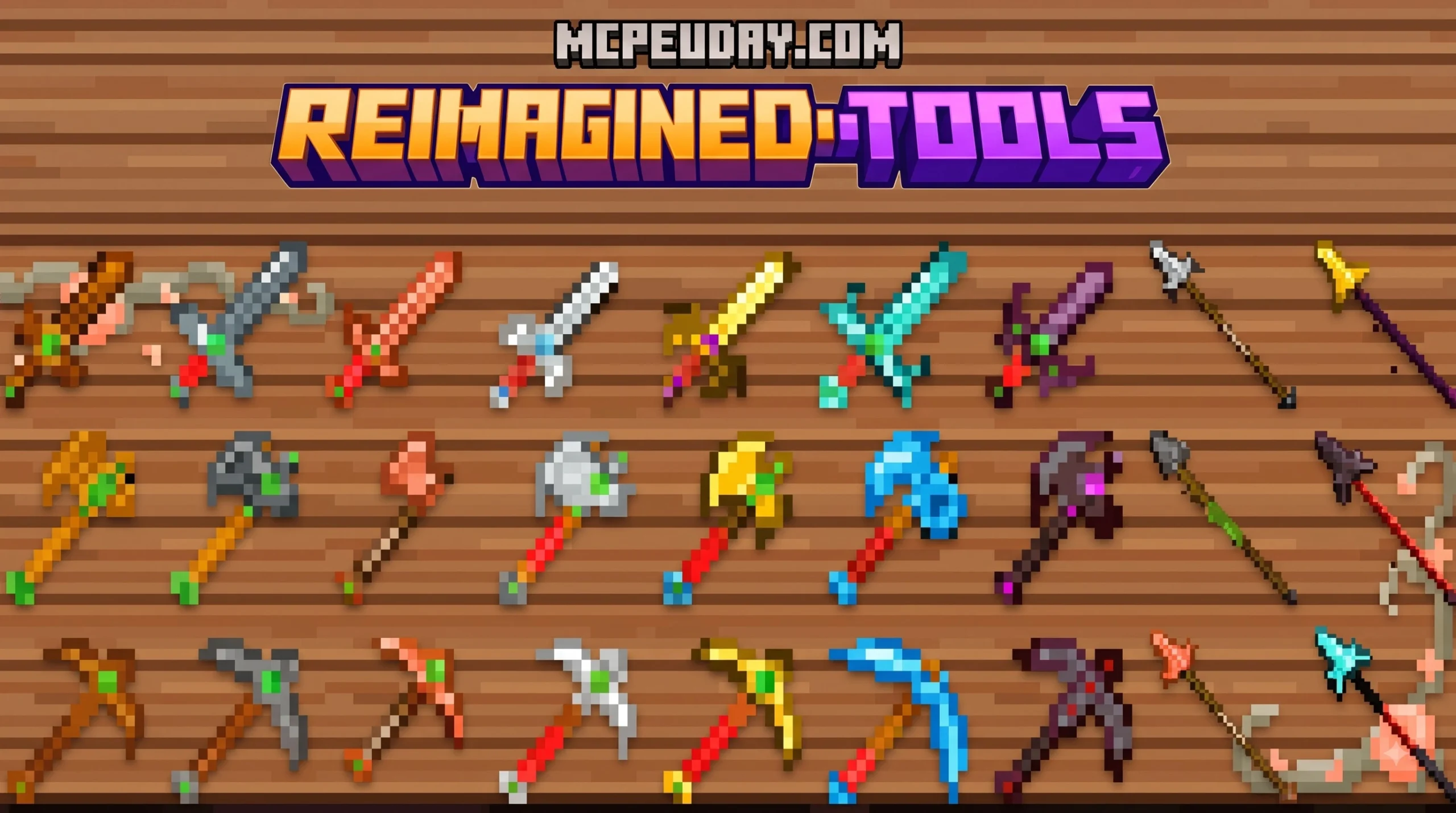
What is the Reimagined Tools Addon For MCPE?
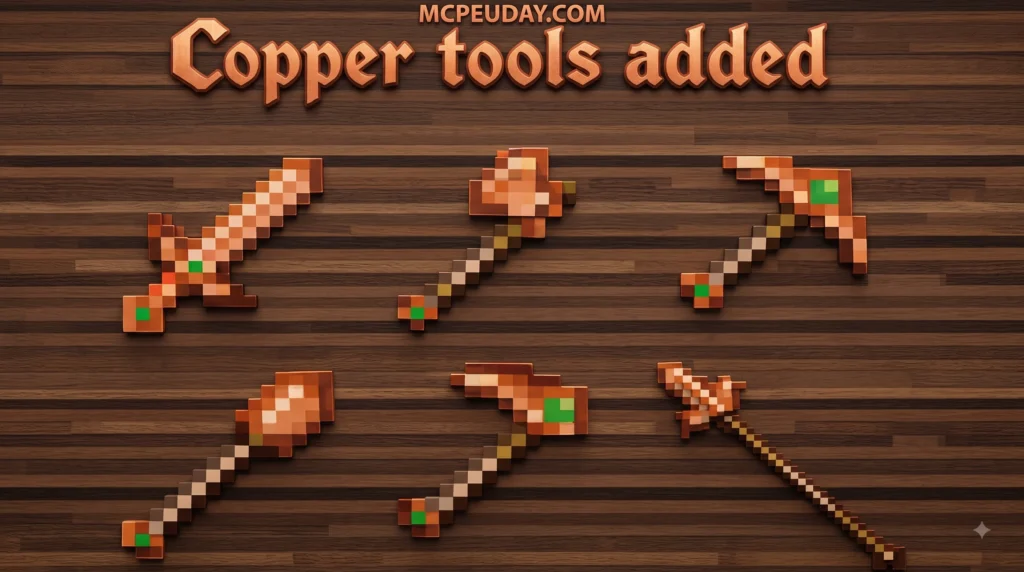
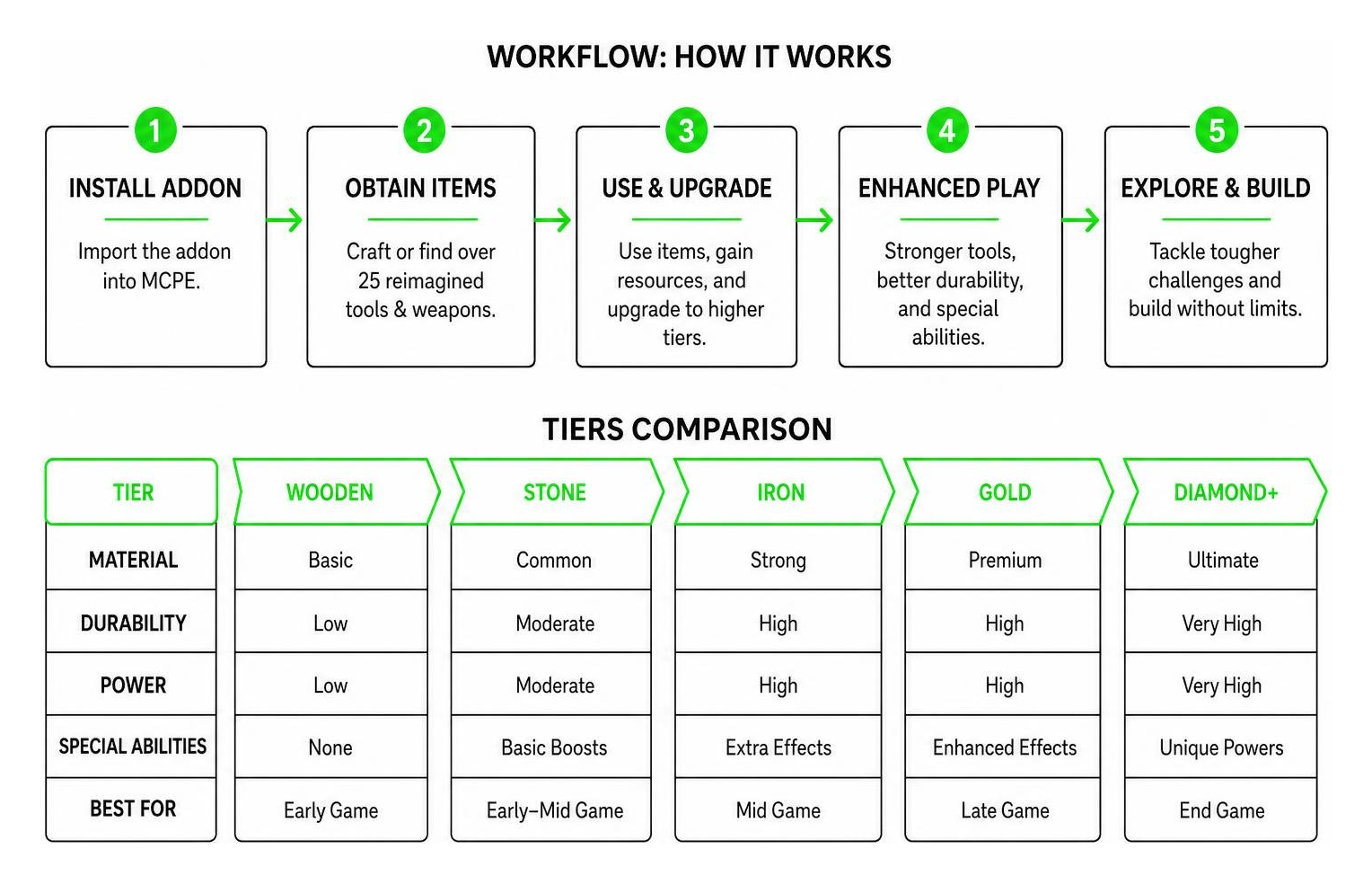
The Reimagined Tools Addon For mcpe is a complete overhaul of how equipment looks, feels, and functions in Minecraft Pocket Edition. Instead of relying on the flat, basic standard items that have defined the game for years, this addon introduces rich 3D models and over 25 unique tools and weapons directly into Bedrock Edition. It transforms basic survival gameplay into a much more dynamic, RPG-like experience while strictly preserving the core gathering and crafting mechanics players love.
From early-game wooden tools to high-level endgame gear, every piece of equipment receives a complete visual and mechanical upgrade. Whether you are caving deep near bedrock for rare ores, excavating massive underground strongholds, or building sprawling mega-structures on the surface, these updated mechanics breathe fresh energy into familiar survival routines. For a complete visual showcase of how these revamped items transform Bedrock gameplay, check out the Bedrock Reimagined Showcase Video.
Features of the Reimagined Tools Addon For MCPE
What sets this addon apart from standard texture updates is the depth of its feature set and gameplay enhancements:
- 32×32 Textures: High-resolution textures offer twice the detail of standard vanilla graphics, giving gear a crisp, clean, and modern aesthetic without overloading performance on mobile devices.
- Custom Passive Abilities: Tools come equipped with passive effects, including “Mining Rush” on pickaxes (which boosts mining speed sequentially as you continuous dig) and “Harvest Blessing” on axes (increasing crop and wood-cutting yield efficiency).
- Boosted Durability and Combat Stats: Gear features enhanced durability pools and elevated attack damage ratings, smoothing out the transition across mid-to-late game progression.
- Enhanced 3D Tool Models: Items feature distinct physical shapes, full volumetric geometry, and custom grip positions when held in hand, stowed on back slots, or dropped on the ground.
- Smooth Animation Controllers: Custom animations trigger when swinging, blocking, or activating special tool abilities during active combat or mining.
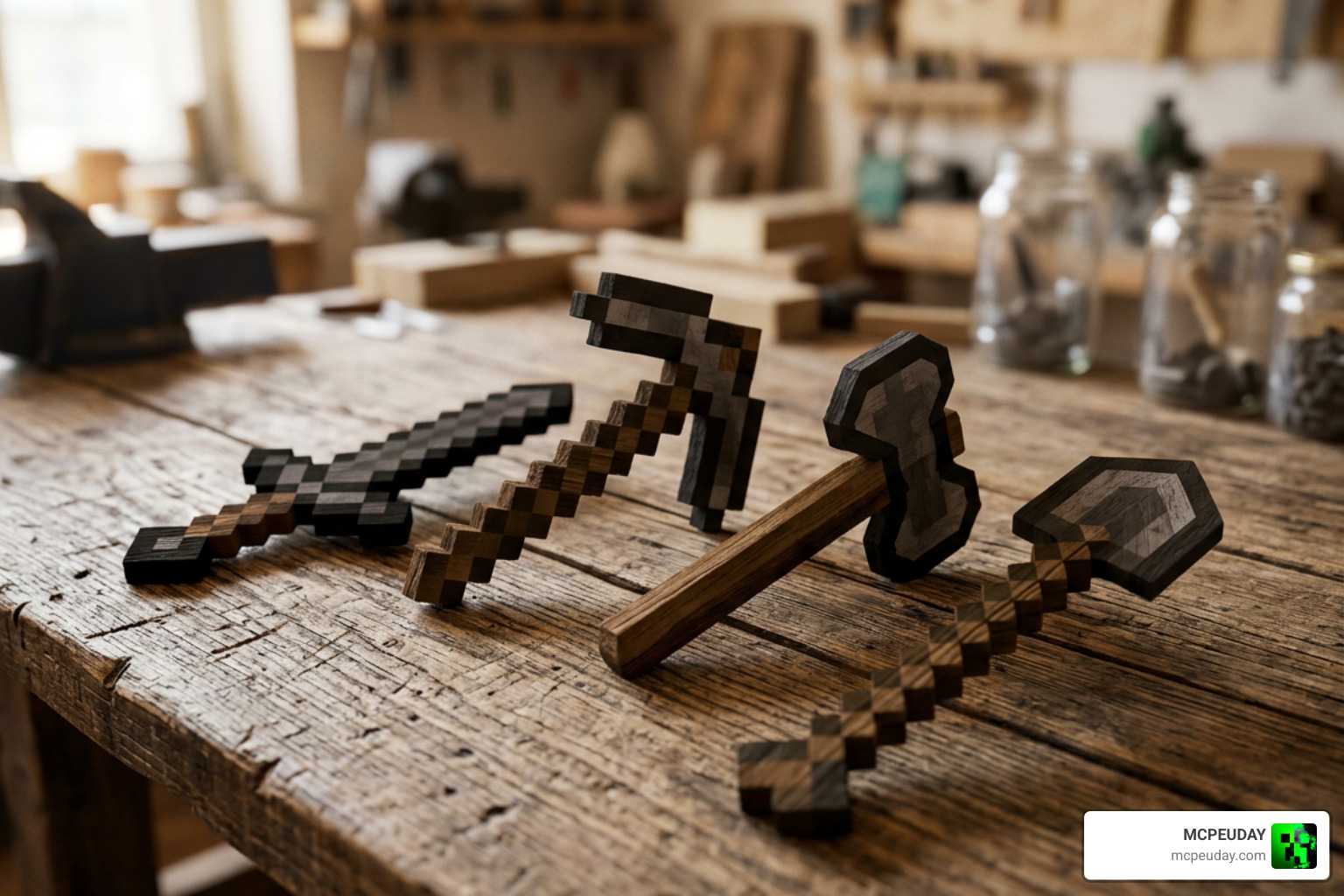
Why You Need the Reimagined Tools Addon For MCPE
If you have spent hundreds of hours in vanilla Minecraft PE, standard tool progression can quickly feel monotonous. You craft stone, upgrade to iron, skip straight to diamond, and eventually netherite without any real operational changes to how you gather resources. This addon fixes that progression fatigue by introducing special mechanics that directly reward tool usage.
Mining for ancient debris in the Nether or clearing giant dark oak forests feels significantly faster, more tactical, and far more satisfying with custom abilities active. Furthermore, weapon damage scaling feels balanced across various difficulty settings, ensuring combat encounters remain challenging yet rewarding whether playing solo or on multiplayer servers.
Reimagined Tools vs Vanilla Minecraft Tools
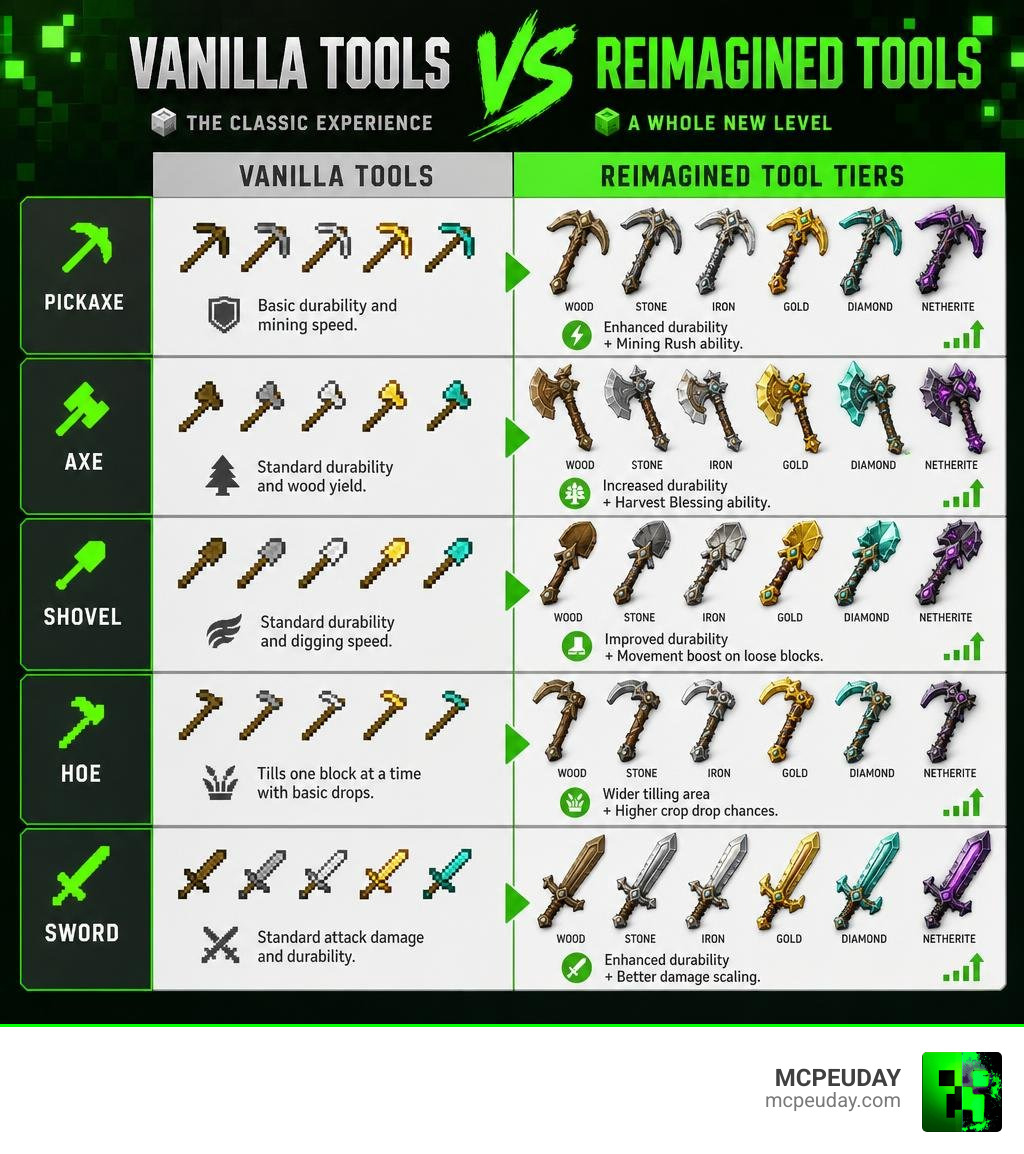
Vanilla tools serve their purpose well in basic survival, but they suffer from rigid limitations—flat 16×16 pixel art, linear durability drops, and zero special status effects. The Reimagined Tools Addon For mcpe breaks away from these constraints across every tier, giving each material distinct active advantages.
Unique Tool Abilities
- Pickaxes: Trigger Mining Rush, granting short bursts of Haste while digging continuously through stone, deepslate, or netherrack layers.
- Axes: Feature Harvest Blessing, allowing quick tree clearing with bonus sapling drops, leaf decay acceleration, and extra log yields.
- Shovels: Provide subtle movement speed boosts while traversing or clearing sand, gravel, clay, and dirt path blocks.
- Hoes: Offer expanded 3×3 tilling areas, automatic seed planting capabilities, and increased crop drop chances upon harvesting.
- Swords & Daggers: Deliver localized heavy knockback effects and critical bleed chance on consecutive successful strikes against hostile mobs.
| Tool Tier | Vanilla Features | Reimagined Addon Features |
|---|---|---|
| Wood / Stone | Low durability, standard speed, 16×16 pixels | Enhanced durability, custom 3D models, 32×32 textures |
| Iron / Gold | Basic speed/durability trade-off | Increased attack damage, passive tier perks, fast swing rates |
| Diamond | High durability, fixed mining speed | Mining Rush / Harvest Blessing abilities fully activated |
| Reimagined Tier | N/A (Does not exist in Vanilla) | Top-tier stat boosts, maximum durability, custom 3D particle effects |
Known Issues & Limitations
While this addon adds an impressive array of content and performance optimizations, there are a few minor limitations to keep in mind when configuring your game:
- Texture Glitches: If experimental toggles are disabled in world creation, custom 3D models may display missing pink-and-black checkerboard textures.
- Durability Display: Certain custom tier items may show non-standard durability bars in older Bedrock build updates, though functionally the item remains intact until depleted.
- Mod Conflicts: Other addons that rewrite vanilla player animation controllers might clash with custom tool hold poses if placed above this pack in your active pack priority list.
How to Download and Install the Addon in 3 Simple Steps
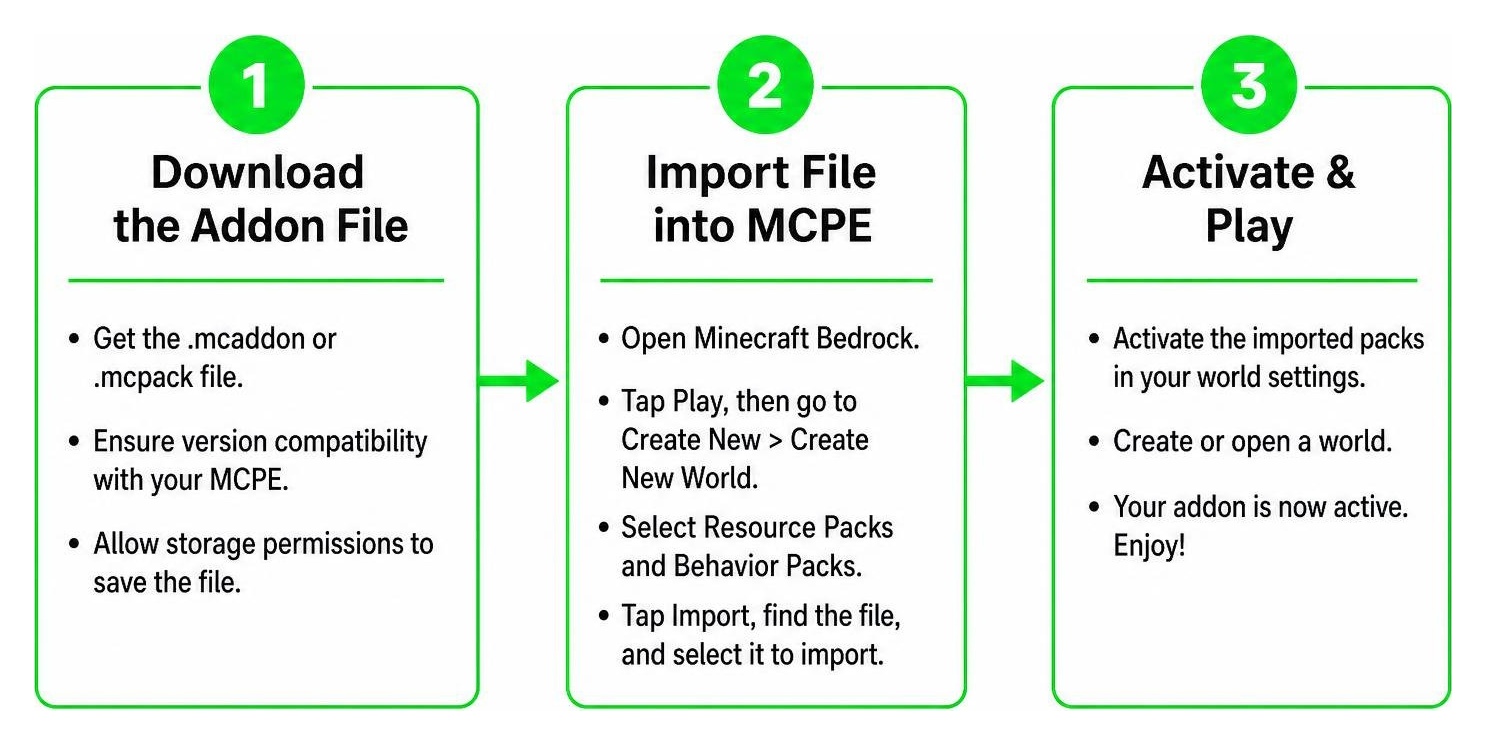
Installing custom Bedrock content on mobile devices or tablets is straightforward once you understand file routing. Follow this comprehensive step-by-step installation process to get your new gear working smoothly in MCPE as of 2026.
Step 1: Download the Addon File
First, grab the official .mcaddon or .mcpack file from a trusted content source. Ensure that you choose the file version compatible with your current version of Minecraft Bedrock Edition. Grant your device browser storage permissions so the file saves directly to your local downloads folder without file corruption or compression errors.
Step 2: Import File into MCPE
Once downloaded, open your mobile device’s File Manager app to complete the auto-import process:
- Locate the downloaded
.mcaddonor.mcpackfile in your Downloads folder. - Tap directly on the file name.
- Select Open with Minecraft (or tap the file directly if your OS automatically associates
.mcaddonextension types with Minecraft PE). - Minecraft PE will automatically launch in the foreground and display a top banner reading “Import Started” followed quickly by “Successfully Imported”.
Step 3: Enable Behavior Packs and Experiments
To make sure all custom 3D models, 32×32 textures, and 25+ new tools work correctly without missing assets, you must turn on the necessary experimental pack settings in your world configuration:
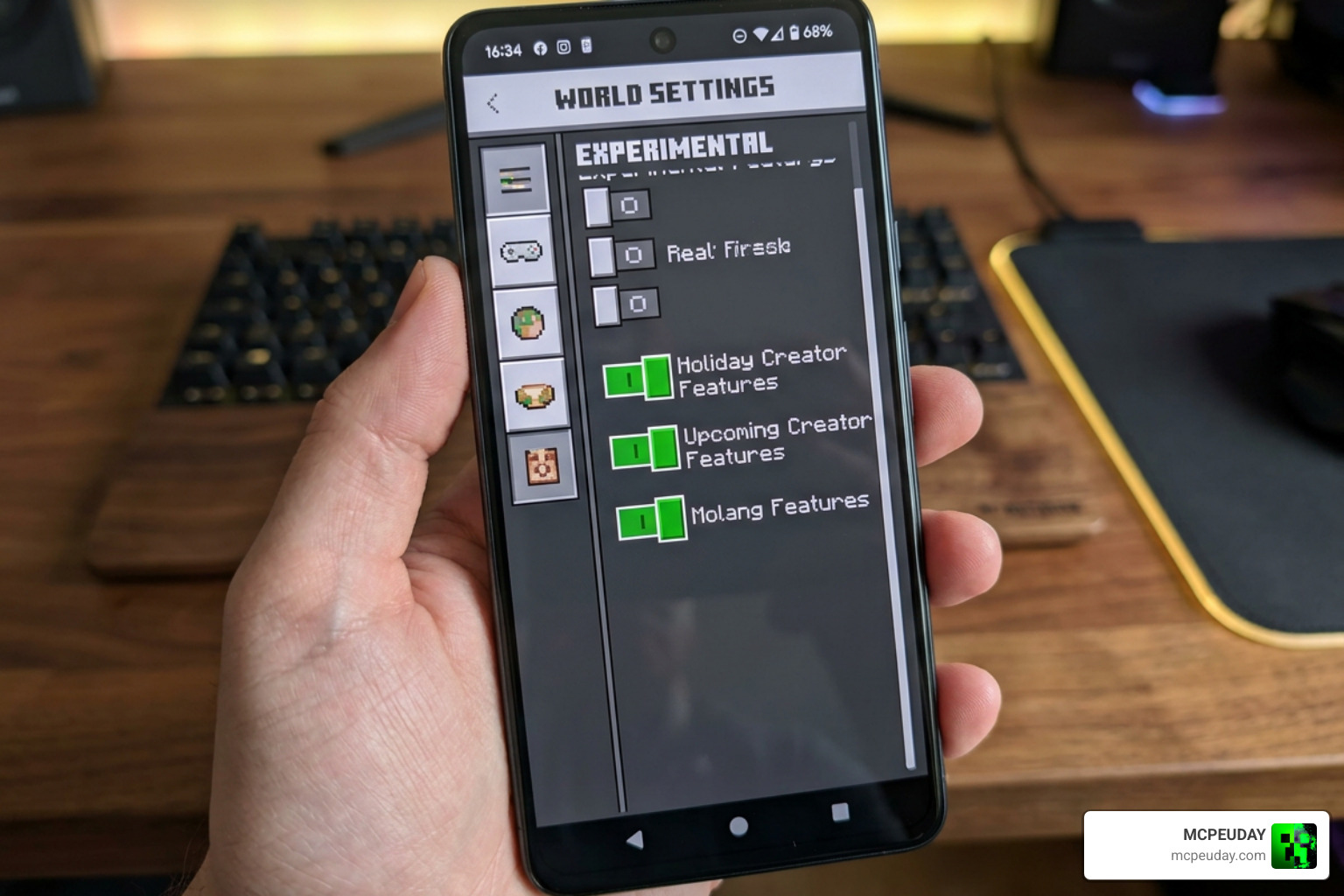
- Open Minecraft and select Create New World (or tap the edit pencil icon next to an existing survival world).
- Scroll down on the left sidebar menu to Experiments.
- Turn ON Holiday Creator Features, Upcoming Creator Features, and Custom Biomes / Molang Features.
- Move down to Resource Packs under the Add-ons section, locate the Reimagined Tools pack, and tap Activate.
- Move to Behavior Packs, locate the matching behavior file, and tap Activate.
- Confirm that both packs appear under the Active tab, enter your world, and enjoy your fully upgraded survival arsenal!
Frequently Asked Questions
Is the Reimagined Tools Addon safe for multiplayer?
Yes! The addon works exceptionally well in local multiplayer, local area network (LAN) setups, and private Bedrock Realms. As long as the host player has properly installed and enabled both the Resource Pack and Behavior Pack in the global world settings menu, visiting players will automatically download the required client resources upon connecting. This ensures everyone sees the exact same 3D tool models and particle effects without needing manual file transfers beforehand.
Does this addon work with other Bedrock mods?
In most cases, yes. The addon is engineered to be modular and light on system resources. However, if you are running extensive overhaul mods that specifically alter vanilla tool ID codes, custom player hand animations, or block breaking speed calculations, load priority matters. Place the Reimagined Tools Addon For mcpe near the top of your active pack priority list in world settings to ensure its scripts take precedence.
Why are my reimagined tools missing textures?
Missing textures (which manifest as magenta-and-black checkerboard blocks or transparent held items) occur almost exclusively when Experimental Features are turned off in the world options menu, or when the Resource Pack and Behavior Pack versions are mismatched. Double-check your world settings menu to verify that Holiday Creator Features and Molang Features toggles are toggled ON, then restart the Minecraft app.
Conclusion
The Reimagined Tools Addon For mcpe stands out as one of the most complete ways to bring exciting visual upgrades and fresh gameplay mechanics to Minecraft Bedrock Edition in 2026. With over 25 redesigned tools, gorgeous 32×32 textures, fluid 3D item renders, and game-changing custom passive abilities like Mining Rush and Harvest Blessing, it elevates ordinary survival resource gathering into a truly engaging RPG adventure.
By following our simple 3-step download and installation guide, you can quickly transform your survival worlds with superior gear progression. Looking for even more ways to upgrade your gameplay, graphics, and performance? Explore More MCPE Mods and Addons on our main directory for the absolute latest shaders, texture packs, and gameplay overhauls!