Understanding the Offhand Torch Addon For mcpe
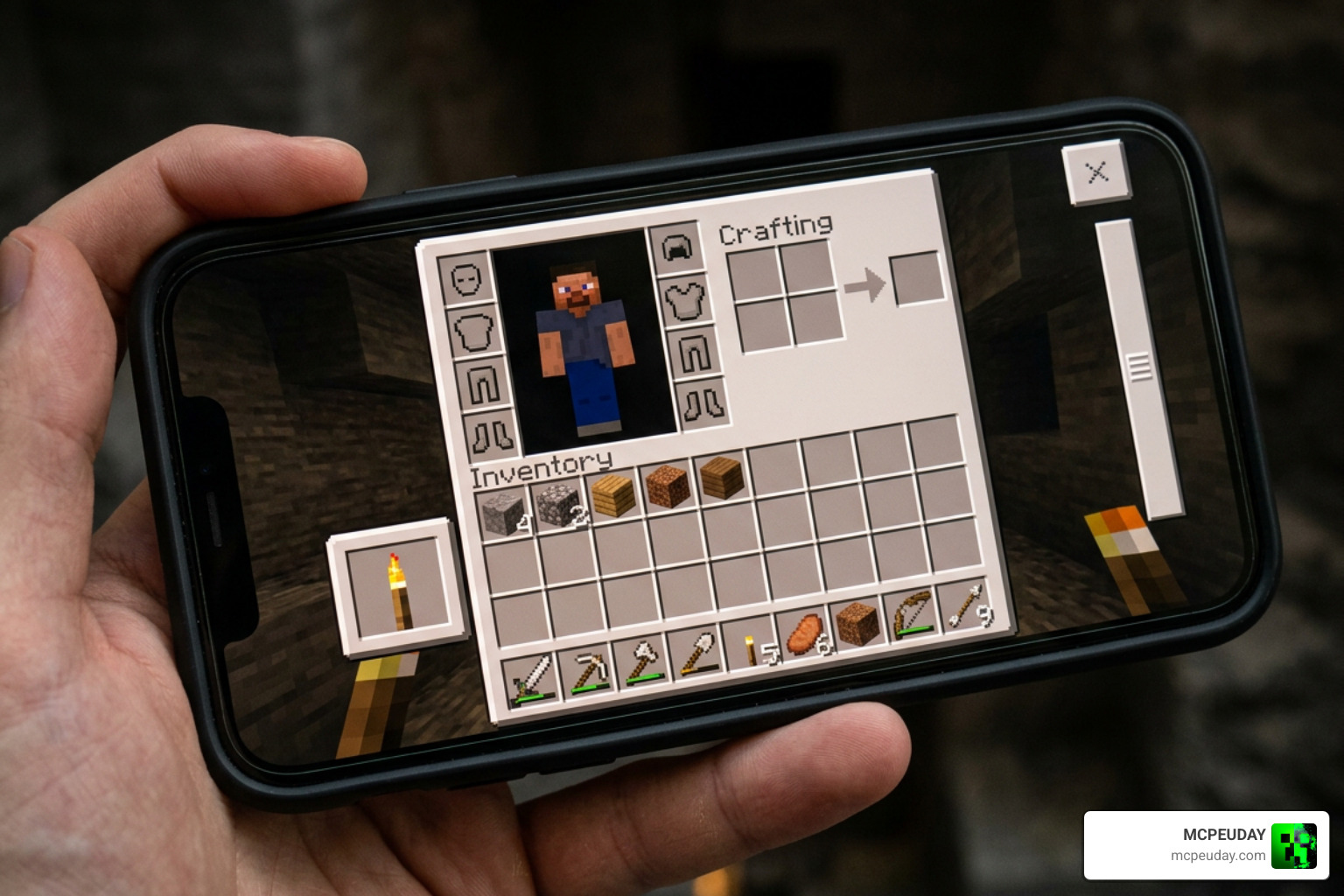
Ever since the offhand slot was introduced in Minecraft 1.9, players have dreamed of using it just like Java Edition players do. While Bedrock Edition includes the offhand slot in the player inventory UI, native gameplay severely limits what you can place in it. By default, vanilla Bedrock players can only hold items like shields, maps, arrows, firework rockets, and nautilus shells in their offhand. As documented on the Minecraft Wiki, Java Edition players enjoy far greater flexibility, placing torches, tools, and blocks directly into their offhand for seamless dual-wielding. That is where the Offhand Torch Addon For mcpe comes to the rescue.
In vanilla gameplay, torches naturally provide a maximum light level of 14. This is crucial because hostile mobs require low light levels to spawn in dark caves and unlit surface areas. Without an addon, placing a torch means constantly pausing your work, swapping your active hotbar slot to torches, tapping a block surface, and then switching back to your pickaxe, axe, or sword. This clunky hotbar rotation interrupts your flow, wears down momentum during long subterranean mining runs, and leaves you wide open to sudden mob ambushes.
With dynamic lighting mechanics packed into modern addons, holding a torch in your offhand actually illuminates the area around you as you walk, while still allowing you to place physical torches onto surfaces whenever needed. Over 100,000 Bedrock players have downloaded offhand torch addons to bridge this exact feature gap. By tapping into custom Bedrock scripting and entity definitions, these addons allow the player entity to project an ambient light field that follows your character seamlessly across underground tunnels, dense forests, and oceanic trenches.
Key Features and Gameplay Benefits
Using an offhand torch fundamentally changes how you explore deep caves, build late-night structures, and defend your base against hostile threats. Instead of sacrificing your active main-hand tool every time you enter a dark corridor, dual-wielding a torch ensures instant visibility without sacrificing combat or gathering capabilities. Here is how default torch mechanics compare directly to using the addon:
| Feature | Default MCPE Gameplay | With Offhand Torch Addon |
|---|---|---|
| Main Hand Usage | Must switch off weapons/tools to hold torches | Keep pickaxe, axe, or sword active at all times |
| Placement Speed | Slow due to constant hotbar scrolling | Instant placement with offhand secondary tap |
| Efficiency Boost | Standard pace with frequent hotbar micro-management | Up to 50% faster mining, building, and lighting |
| Mob Safety | Vulnerable while holding non-weapon items | High; weapon stays ready while lighting area |
| Dynamic Lighting | Torch only emits light when physically placed | Torch emits moving light aura while held in offhand |
Enhancing Mining with Offhand Torch Addon For mcpe
Mining requires speed, precision, and constant situational awareness. When strip mining or branch mining at deep slate levels (such as Y=-58 where diamonds are most abundant), constantly switching items back and forth slows down progress significantly. Using the Offhand Torch Addon For mcpe boosts mining and building efficiency by up to 50% because you never need to put away your diamond or netherite pickaxe.
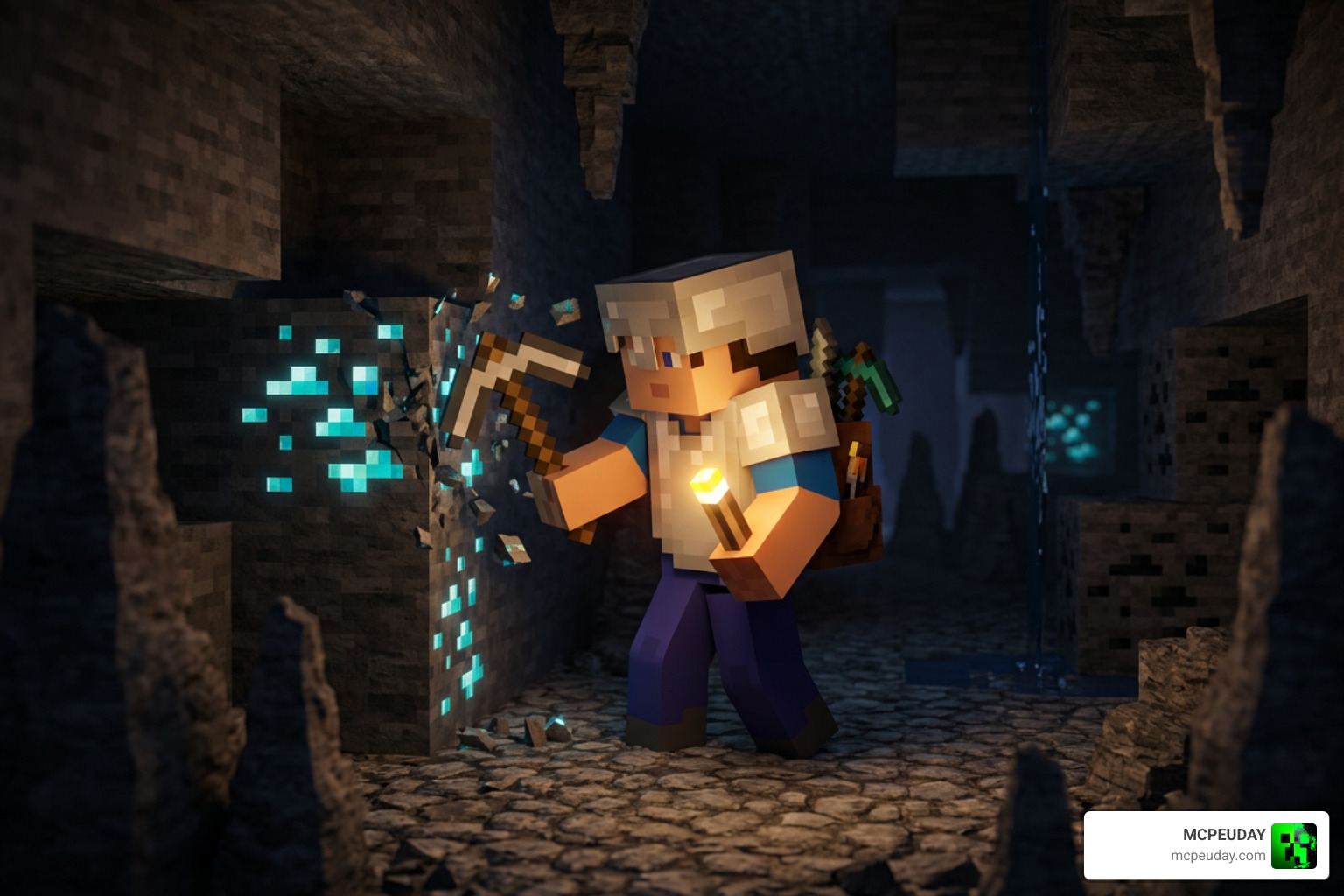
When a creeper sneaks around a dark corner or a skeleton fires an arrow from across a ravine, you won’t get caught holding a piece of coal on a stick. Your enchanted sword or shield is immediately available in your main hand or integrated combat layout, allowing you to react in a split second while keeping the ambient light high enough to spot incoming threats before they get close. Furthermore, exploring underwater caverns or flooded ravine systems becomes drastically safer when light travels directly with your player character model.
Compatibility Features of Offhand Torch Addon For mcpe
Most offhand torch packs run smoothly alongside other behavior and resource packs available for Bedrock Edition. Because modern offhand torch modifications primarily hook into light-updating player interaction scripts and offhand slot item definitions, you can pair them with realistic graphics shaders, custom UI textures, or extra mob addons without experiencing severe frame drops or performance hits on mobile devices.
However, to ensure seamless execution, these addons rely heavily on Minecraft’s Experimental Gameplay toggles located within the world settings menu. Enabling these experimental switches allows the Bedrock engine to process dynamic light calculations, custom item placement listeners, and dual-wielding inventory states in real time without conflicting with standard world generation mechanics.
How to Download and Install the Addon
Installing addons on mobile devices, tablets, or consoles can sometimes feel confusing due to platform-specific file handling, but following a clear step-by-step framework keeps the installation smooth and hassle-free.
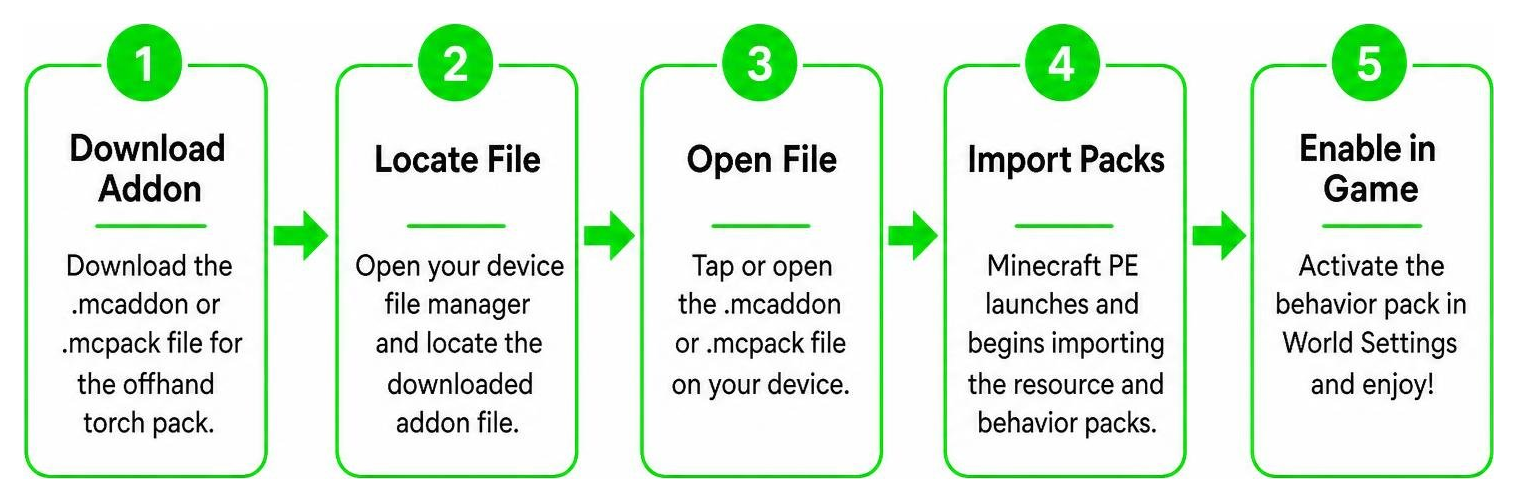
Before beginning the installation process, ensure your Minecraft Pocket Edition app is fully updated to the latest release version. Having an outdated game client can prevent custom behavior scripts from loading properly or cause experimental toggles to crash during world startup.
Downloading the Addon Files
- Download the valid
.mcaddonor.mcpackfile for your chosen offhand torch pack directly onto your Android, iOS, or Windows device. - Open your device’s built-in file manager (such as the default Files app on iOS or CX File Explorer / ZArchiver on Android).
- Locate the downloaded file in your Downloads folder.
- Tap or click on the
.mcaddonfile. Choose to open it with Minecraft. The game will launch automatically and display an import banner at the top of the screen confirming that the resource and behavior packs are importing into your local game storage.
Activating Behavior and Resource Packs
Once the import notification confirms success, you must properly attach both pack components to your chosen world:
- Launch Minecraft PE, navigate to the main menu, and select Play.
- Click the edit pencil icon next to an existing world or select Create New World.
- Scroll down on the left-side configuration panel to the Resource Packs menu, open My Packs, and activate the offhand torch resource pack.
- Scroll down to the Behavior Packs menu, open My Packs, and activate the matching behavior pack. Ensure both packs appear under the Active drop-down lists.
- Navigate down to the Experiments tab within world settings and toggle Beta APIs, Upcoming Creator Features, and Molang Features to ON.
- Save your settings, enter your world, place a stack of torches into your offhand slot, and enjoy smooth, dynamic lighting as you explore dark environments!
Frequently Asked Questions
Is the Offhand Torch Addon compatible with the latest MCPE version?
As of 2026, the vast majority of offhand torch addons are regularly updated by community creators to remain fully compatible with current Bedrock updates. Always verify that your installed pack version matches the creator’s recommended Minecraft build, and double-check that experimental features remain toggled on after major game patches or engine updates.
Does holding a torch in offhand prevent hostile mob spawns?
Yes! Because torches supply a light level of 14, carrying a lit torch in your offhand illuminates the immediate radius around your player. Since hostile mobs like zombies, skeletons, and creepers require light levels of 0 to spawn in modern versions of Minecraft Bedrock Edition, the moving light aura effectively stops mobs from spawning right next to you while you walk.
Can you place torches directly from the offhand slot?
Yes. Depending on your active control scheme (touchscreen controls, Bluetooth gamepad, or mouse and keyboard), executing a secondary action (such as right-click, long-press, or left trigger) while aiming at a valid block surface will place a physical torch straight from your offhand stack without requiring you to switch away from your main-hand tool or weapon.
Does the Offhand Torch Addon work in multiplayer and Realms?
Yes, provided the world host or Realm owner has installed and activated both the behavior pack and resource pack in the world settings. When joining a multiplayer world with this addon enabled, non-host players will automatically download the necessary resource pack files upon joining, allowing everyone on the server to enjoy offhand dynamic lighting simultaneously.
Conclusion
The Offhand Torch Addon For mcpe brings an essential feature to Bedrock Edition that saves time, prevents unexpected mob attacks, and makes cave mining far more engaging and efficient. Getting it installed takes only a couple of minutes, and the immediate boost to survival gameplay quality is noticeable from the very first underground expedition.
Whether you play on Android, iOS, Windows, or a Bedrock-compatible multiplayer world, the main advantage is convenience. Keeping your preferred tool or weapon ready while your surroundings stay visible makes survival feel smoother and more practical, especially during long resource-gathering sessions or late-game construction projects.
Whether you are strip mining for deepslate diamonds or building expansive bases through the night, dual-wielding torches eliminates unnecessary menu clutter and hotbar swapping. If you are ready to upgrade your game even further, Explore more mods and addons on our site for top-rated content!