What Is the Vanilla RTX Normals Texture Pack?
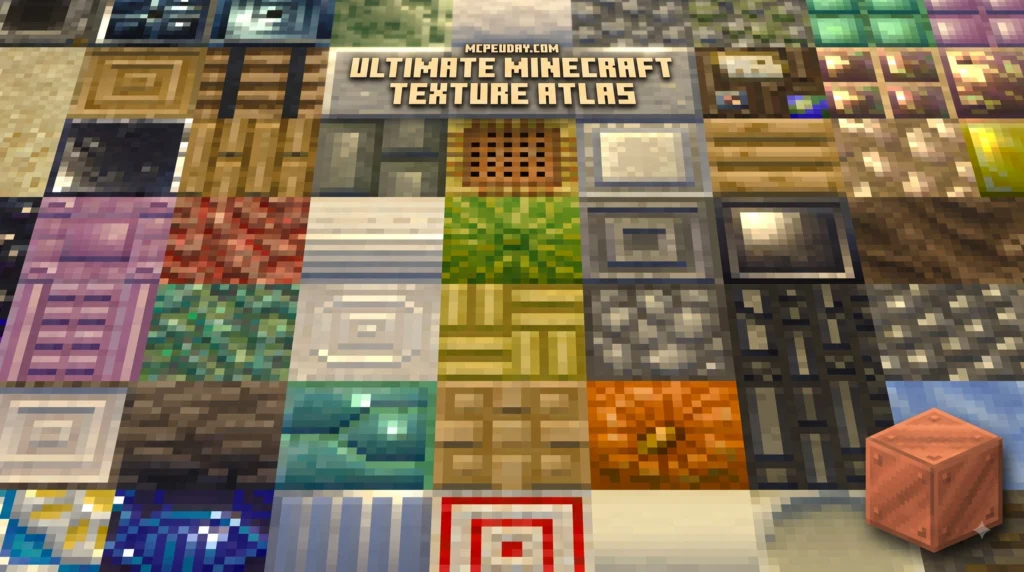
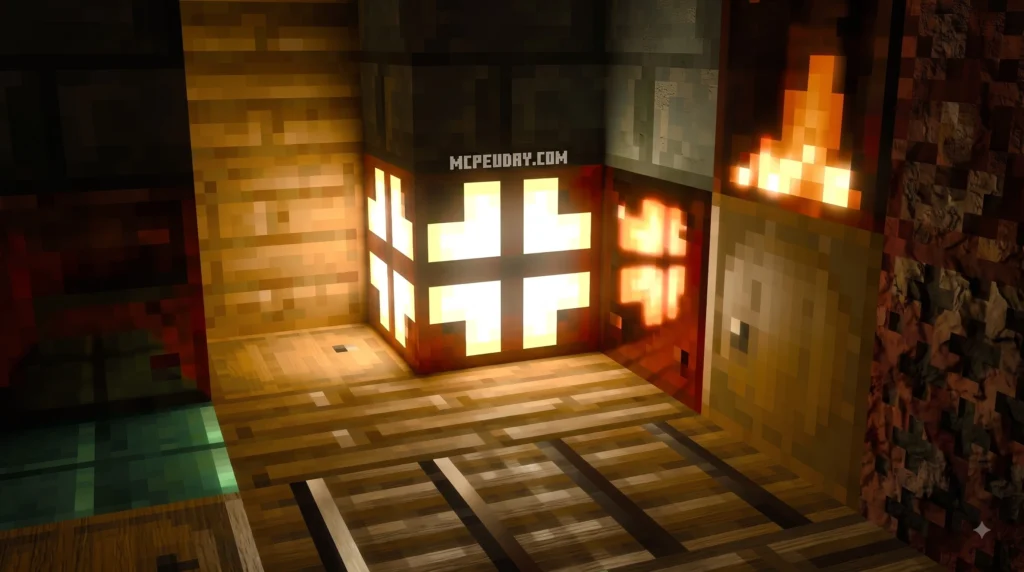
When we look at default Minecraft blocks in standard graphics mode, every block surface is completely flat. When ray tracing is enabled, the game engine uses Physically Based Rendering (PBR) texture maps to determine how light interacts with surfaces.
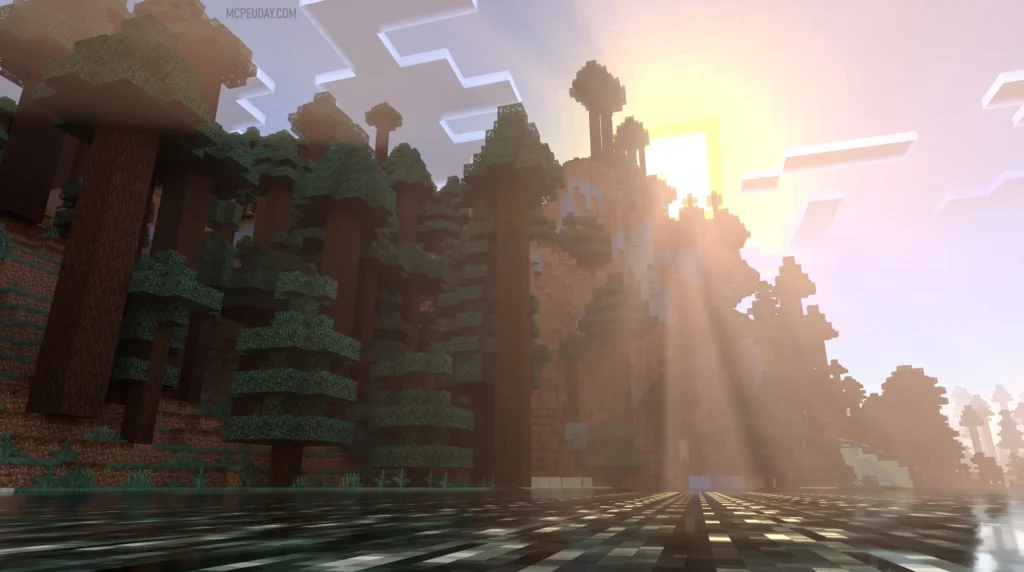
The Vanilla RTX Normals texture pack adds dedicated RGB-encoded normal maps to default Minecraft textures. Each pixel on a normal map uses color values to tell the rendering engine which direction that specific surface pixel is facing. Instead of guessing depth based on monochrome height maps, normal maps directly direct individual pixel light bounces across 3D surfaces.
Created by community developer Cubeir, who has produced 17 projects with over 2.6 million total downloads across platforms, this pack features handcrafted 16x normal maps. It has accumulated over 368,300 downloads on CurseForge since its release as part of the broader Vanilla RTX project, which has been continuously maintained since late 2020.
How the Vanilla RTX Normals Texture Pack Enhances Visuals
The primary strength of the Vanilla RTX Normals texture pack is its commitment to visual consistency. In default Minecraft, shared materials—such as the wood on a lectern and standard oak planks—share the same visual tone. Cubeir meticulously crafted the PBR materials so that identical materials look cohesive across all block types under dynamic lighting.
Normal maps enhance block materials by simulating micro-surface curvature:
- Stone and Brick Surfaces: Bevels, cracks, and grout lines reflect light angles accurately without altering the block’s physical hitboxes.
- Ores and Metals: Smooth metallic surfaces reflect light sharply, while raw ores feature distinct bumpy textures that catch direct torchlight.
- Emissive Lighting: Blocks like redstone ore, glowstone, and command blocks emit vibrant point lights and subtle glow effects without requiring external shaders.
Comparing Vanilla RTX, Normals, and Opus Variants
The project includes three distinct variants, each handling surface depth differently. The table below highlights how they compare:
| Feature | Vanilla RTX (Base) | Vanilla RTX Normals | Vanilla RTX Opus |
|---|---|---|---|
| Texture Approach | 16x Heightmaps upscaled to 192x Normal Maps | Native Handcrafted 16x Normal Maps | Hybrid Combination (Heightmap + Normal Map) |
| Visual Style | Stylish, deep dimensional relief | Clean, authentic vanilla feel | Maximum high-resolution surface detail |
| Map Resolution | 192x (Upscaled) | 16x (Native) | 192x Composite |
| Best For | Players who prefer dramatic depth | Players wanting exact vanilla pixel matching | Enthusiasts with high-end RTX hardware |
While the standard Vanilla RTX pack upscales 16x heightmaps into 192x normal maps to create smooth gradients, the Vanilla RTX Normals texture pack keeps every texture strictly at 16x native resolution. This ensures pixel-perfect lighting dynamics that match Minecraft’s original pixel grid.
Hardware Requirements and Supported Bedrock Versions
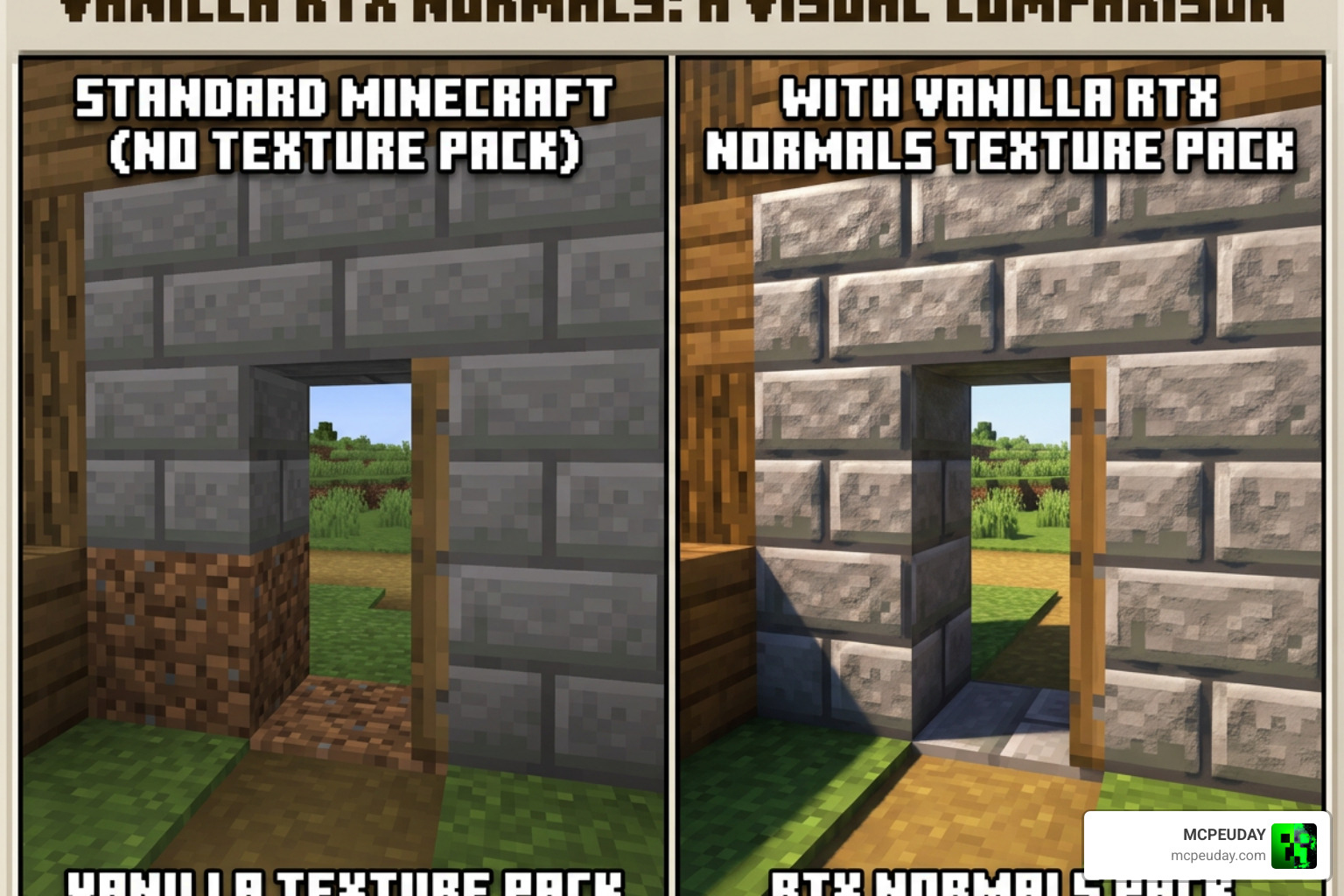
Running ray-traced visuals in Minecraft Bedrock requires specific hardware capabilities. Minecraft’s engine relies on DirectX Raytracing (DXR), meaning standard graphics cards without real-time hardware ray-tracing cores cannot run these textures.
Compatible GPUs and Hardware Specs
To run the Vanilla RTX Normals texture pack smoothly, your PC must meet the following hardware requirements on Windows 10 or Windows 11:
- NVIDIA Graphics Cards: GeForce RTX 20 Series (RTX 2060 or higher), RTX 30 Series, RTX 40 Series, or RTX 50 Series GPUs.
- AMD Graphics Cards: Radeon RX 6000 Series (RX 6600 or higher) or RX 7000 Series GPUs built on RDNA 2 architecture or newer.
- Intel Graphics Cards: Intel Arc A380, A750, A770, or newer DXR-compliant desktop GPUs.
- System Memory & CPU: At least 8 GB RAM and a modern multi-core processor to handle world rendering concurrently.
If you play on a laptop equipped with dual GPUs (integrated graphics alongside a dedicated RTX chip), ensure Windows graphics settings prioritize your high-performance discrete GPU for Minecraft.
Supported Minecraft Bedrock Versions
We continuously update the pack alongside Bedrock engine revisions to maintain full block coverage and prevent visual glitches. The Vanilla RTX Normals texture pack supports over 20 distinct Bedrock updates, including:
- Minecraft Bedrock Edition 1.21.130
- Bedrock Version 26.0 and 26.0.02
- Bedrock Version 26.3
- Bedrock Version 26.10
Whether you play on standard release builds or preview versions, downloading the correct release tag ensures that newly added blocks maintain complete PBR channel coverage.
How to Install Vanilla RTX Normals and Fix Common Engine Bugs
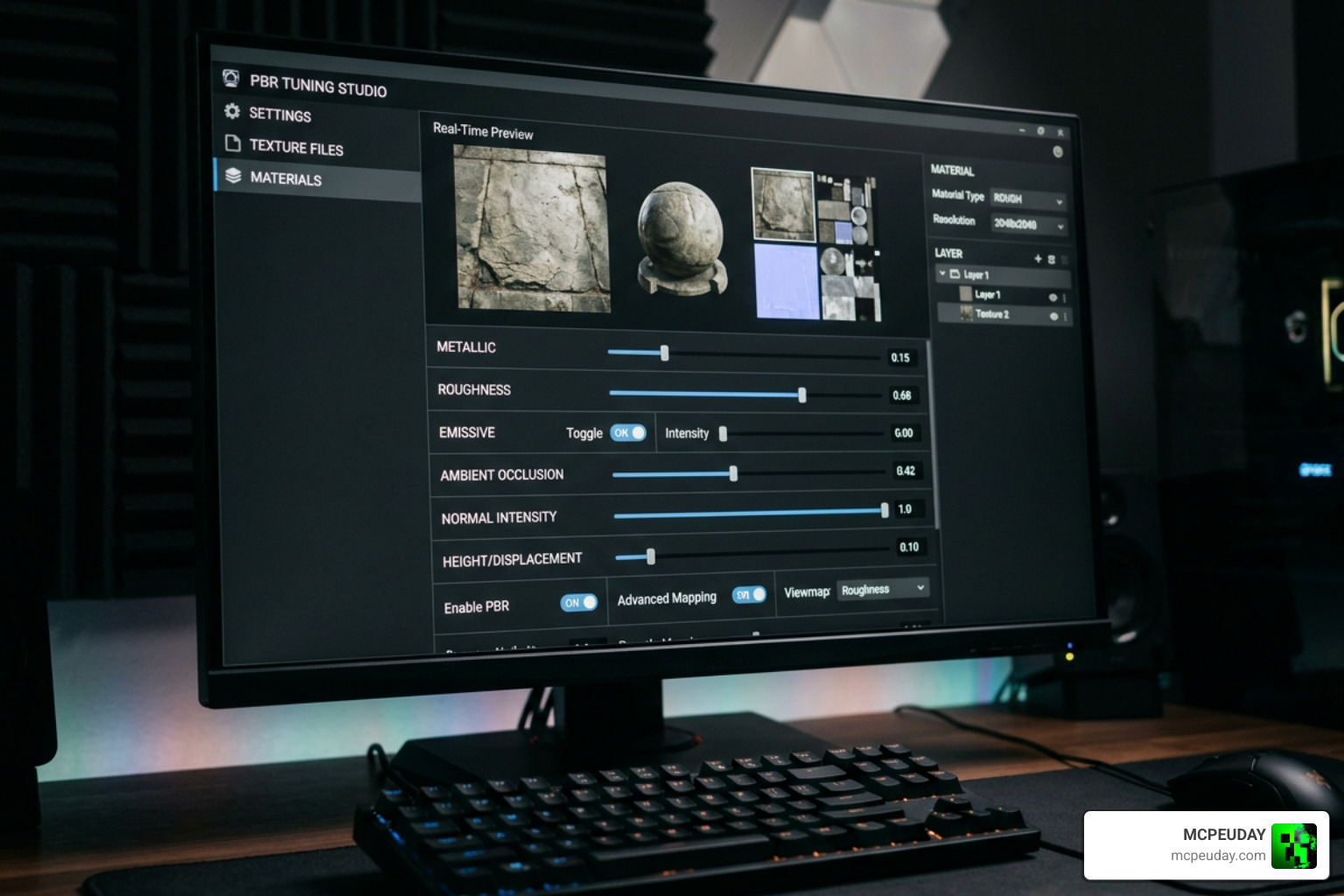
You can install the pack manually by importing the .mcpack file directly into Bedrock, or automatically manage it using the dedicated companion application. You can watch a visual demonstration via this Vanilla RTX Normals texture pack comparison to see how normal maps compare visually in real gameplay.
Installing via Vanilla RTX App
The Vanilla RTX App simplifies package management, parameter tuning, and game updates. The app repository holds 72 stars on GitHub and provides automated setup workflows.
- Install the App: Open Windows PowerShell and run
winget install "Vanilla RTX App"or download it directly from GitHub. - Download Resources: Click Get latest RTX packs inside the app interface to fetch updated files for the Vanilla RTX Normals texture pack.
- Tune Texture Parameters: Use the built-in Tuner tab to adjust surface normal intensity, adjust metalness/roughness curves, or set emissive light multipliers. You can also apply the “Lazify surface normals” filter (range 0–255) to soften sharp heightmap edges.
- Launch Minecraft: Click Launch Minecraft RTX inside the app to start the game with optimal launch flags.
Fixing Common Minecraft Bedrock Engine Bugs
The Bedrock rendering engine frequently suffers from persistent driver and engine bugs. The Vanilla RTX App includes built-in workarounds for these common issues:
- Greyed-Out RTX Toggle (Bug MCPE-191513): Recent updates sometimes disable the ray tracing toggle even on valid DXR hardware. Launching the game directly through the Vanilla RTX App bypasses menu locks and forces ray tracing activation.
- Failed PBR Loading (Bug MCPE-152158): Textures occasionally fall back to standard non-RTX flat layers upon loading a world. The app’s automated launch sequence applies graphics toggles in the background to ensure PBR sets load reliably every time.
- VSync Latency and Stutter (Bug MCPE-121850): In-game VSync can starve the ray tracing pipeline of performance. Disable Minecraft’s internal VSync in the options menu, then enforce VSync globally using your NVIDIA Control Panel or AMD Software software.
- GeForce RTX 50-Series Crashing: Newer graphics cards require updated DLSS dynamic link libraries. The Vanilla RTX App includes a DLSS Swapper feature that updates outdated
nvngx_dlss.dllfiles in your game directory to resolve stability issues.
Compatibility, Licensing, and Project Customization
Using Vanilla RTX Normals Texture Pack with Other Add-ons
You can safely combine the Vanilla RTX Normals texture pack with other non-RTX resource packs or custom gameplay add-ons. To avoid visual glitches, structure your Resource Pack loading hierarchy under Settings → Global Resources properly:
- Place utility add-ons, UI tweaks, or custom gameplay scripts at the top of the active list.
- Place the Vanilla RTX Normals texture pack below UI packs but above default textures or secondary cosmetic packs.
- Avoid running multiple RTX texture variants simultaneously (e.g., combining standard Vanilla RTX with Vanilla RTX Normals), as overlapping PBR channel definitions cause visual artifacting.
When using custom lighting presets like BetterRTX, set your atmospheric fog multiplier between 0.5 and 0.7 inside the Vanilla RTX App tuner to achieve balanced shadow and fog density.
Community Guidelines and Usage Rights
The Vanilla RTX project is an independent fan initiative created by Cubeir. While it is free to download and use for personal gameplay, streaming, and content creation, certain community licensing rules apply:
- Personal Use: You can freely alter textures or adjust PBR values locally for personal enjoyment or video production.
- Redistribution: You may utilize textures within personal modpacks or public projects provided you give clear attribution to Cubeir and link back to the official Vanilla RTX on CurseForge page.
- Commercial Restrictions: Selling modified versions of Vanilla RTX files or locking the pack behind paid paywalls is strictly prohibited.
Frequently Asked Questions About Vanilla RTX Normals
Is Vanilla RTX Normals an official Mojang or NVIDIA product?
No. The Vanilla RTX Normals texture pack is an unofficial, community-made project created by developer Cubeir. While NVIDIA showcased ray tracing capabilities in early Bedrock tech demos, Mojang does not provide an official default RTX pack. Vanilla RTX was built from the ground up to serve as that missing official-quality default pack.
Why is the ray tracing option greyed out in Minecraft Bedrock?
The ray tracing option typically becomes unavailable due to Bedrock bug MCPE-191513, missing DXR graphics drivers, or dual-GPU laptops defaulting to integrated graphics. Ensure your hardware supports ray tracing, update your GPU drivers, and launch the game through the Vanilla RTX App to bypass menu locks.
Can I use Vanilla RTX Normals in my own custom resource pack?
Yes, you can use assets from the pack in non-commercial personal projects, provided you include explicit creator attribution for Cubeir. However, re-uploading the complete pack or monetizing derivative work on commercial platforms violates the project’s license terms.
Conclusion
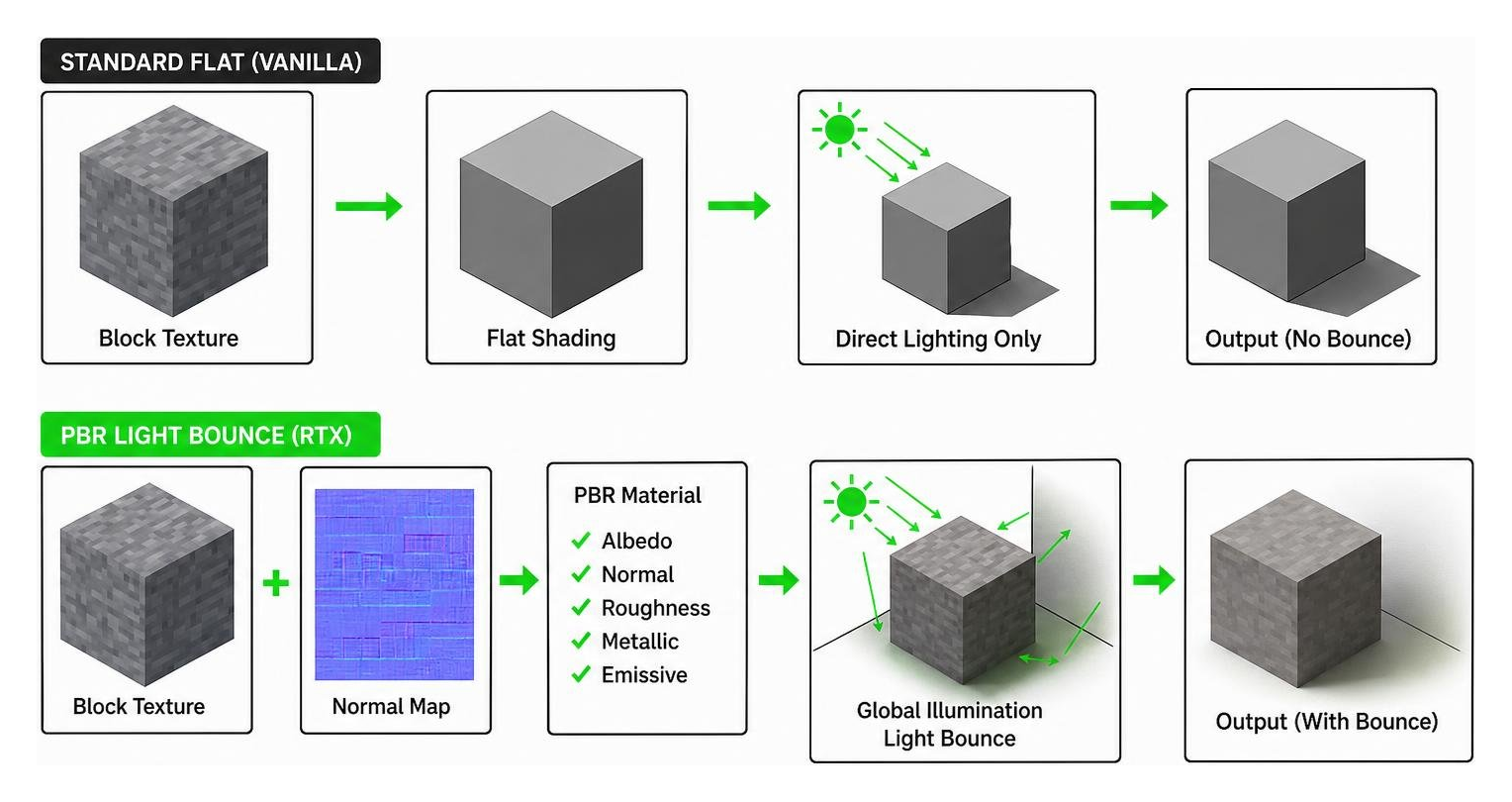
The Vanilla RTX Normals texture pack remains one of the cleanest ways to experience real-time ray tracing in Minecraft Bedrock Edition. By leveraging handcrafted 16x normal maps rather than heavy upscaled heightmaps, it delivers realistic light reflection, detailed surface contours, and vibrant emissive lighting while retaining Minecraft’s core pixel art identity.
When paired with the companion Vanilla RTX App, managing updates, overcoming engine bugs, and fine-tuning PBR channels becomes effortless. Explore more Minecraft Bedrock texture packs on our platform to find add-ons, shaders, and resources to build your ultimate gameplay experience.
