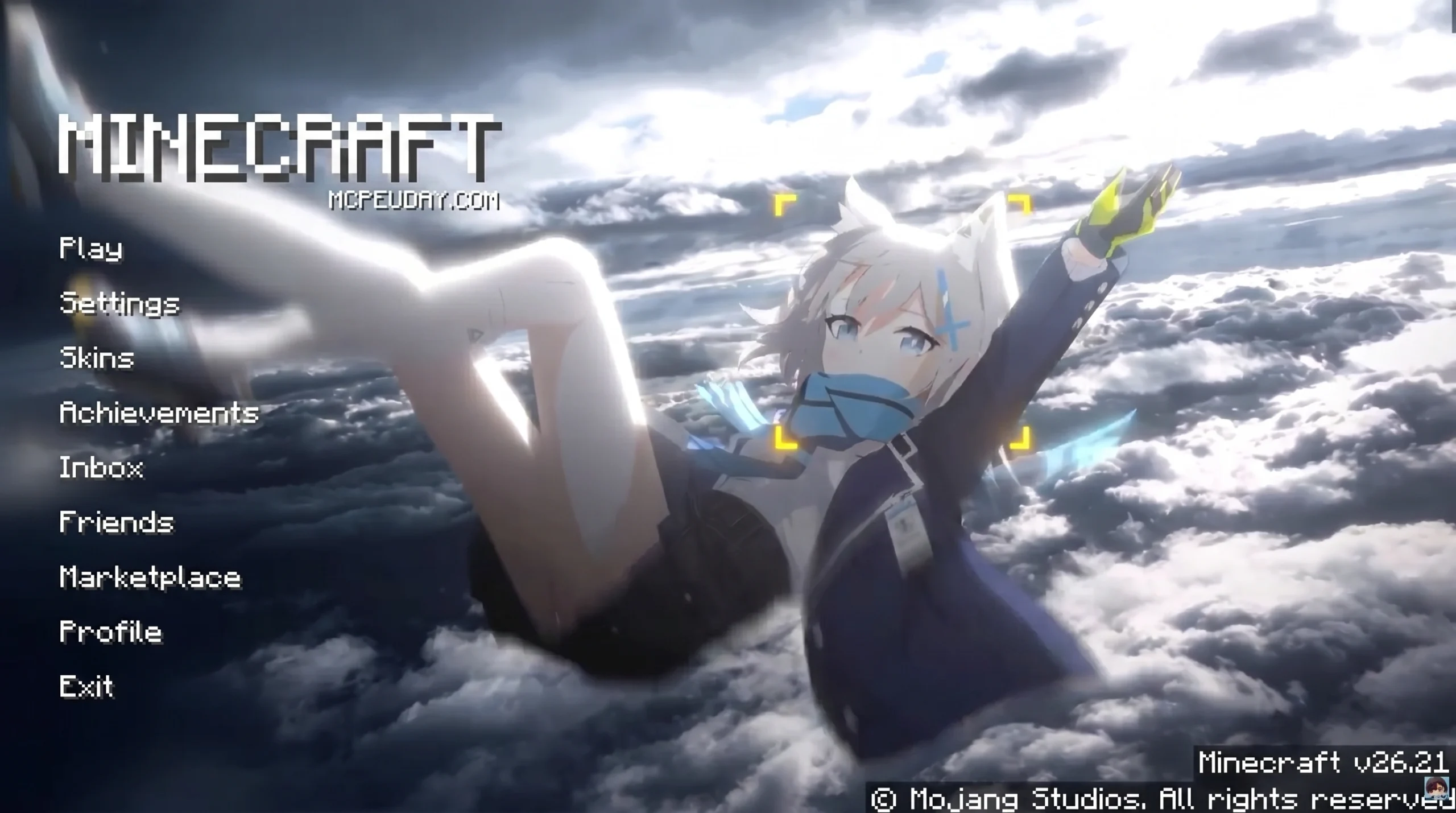
What the Shiroko Skyfall UI Pack Is and Why Players Love It
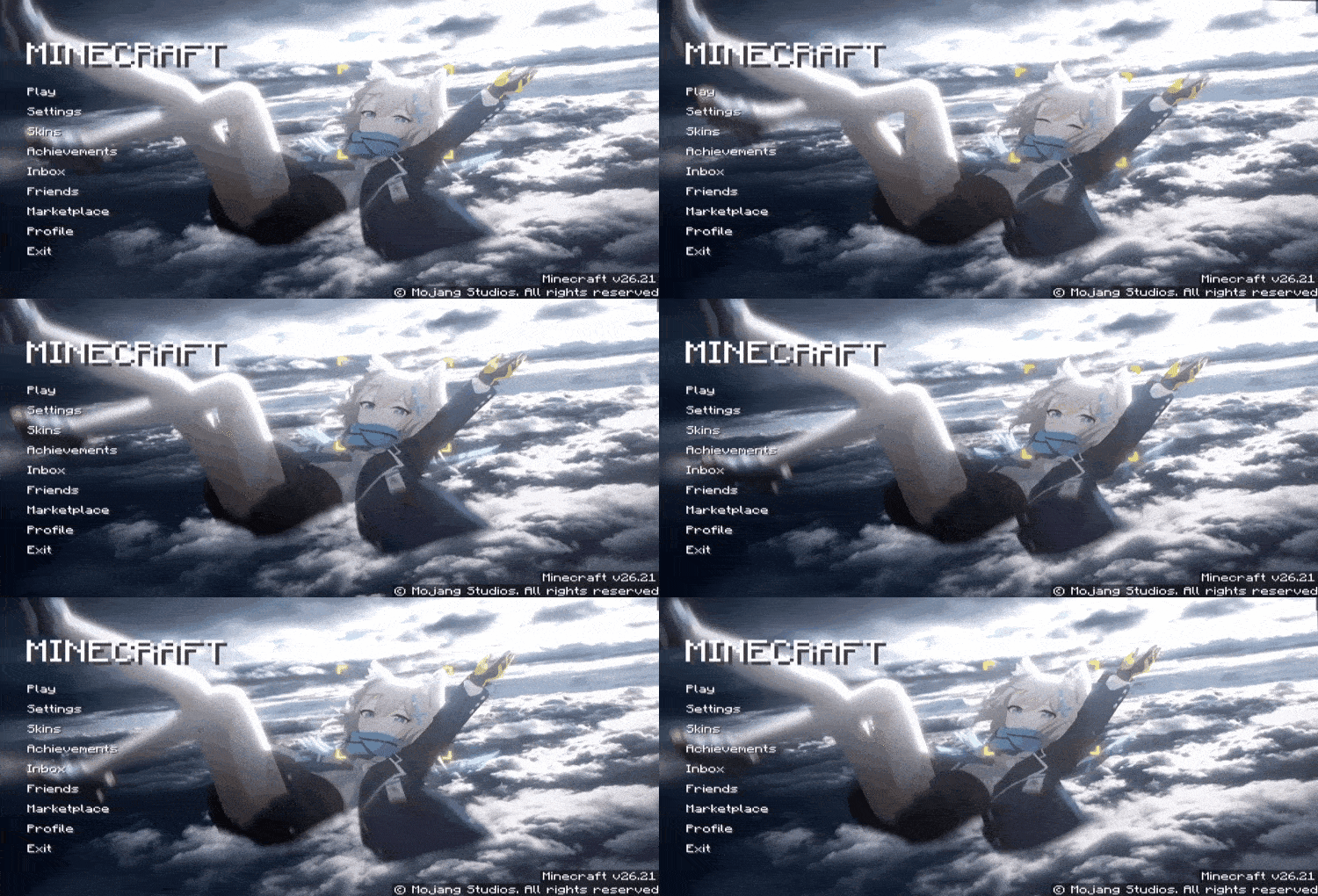
The Shiroko Skyfall UI Pack is a custom Minecraft Bedrock resource pack that brings the look and feel of Sunaookami Shiroko — the iconic Blue Archive character — directly into your game menus and HUD.
Quick answer for what it includes:
- A Shiroko-inspired color palette with cool blues, whites, and tactical accents
- Animated menu backgrounds with rotating crosshair halo effects
- Custom buttons, overlays, and HUD elements themed around Shiroko’s design
- Packaged in
.mcpackformat for easy Bedrock Edition install on Windows, Android, and iOS - Compatible with Minecraft Bedrock 1.21 and later versions
Anime-themed UI packs have grown hugely popular in the Minecraft community. The Shiroko Pack texture pack has already pulled in over 3,400 views and 356 downloads — and that number keeps climbing as Blue Archive fans look for ways to bring their favorite characters into their gameplay.
What makes this pack stand out is its fusion of tactical military aesthetics with clean, modern anime design. Shiroko’s calm personality and sharp visual style translate surprisingly well into smooth, readable menus that look great without hurting performance.
Whether you are new to Minecraft resource packs or a seasoned modder, this guide walks you through everything — from what the pack looks like, to how to install and customize it.
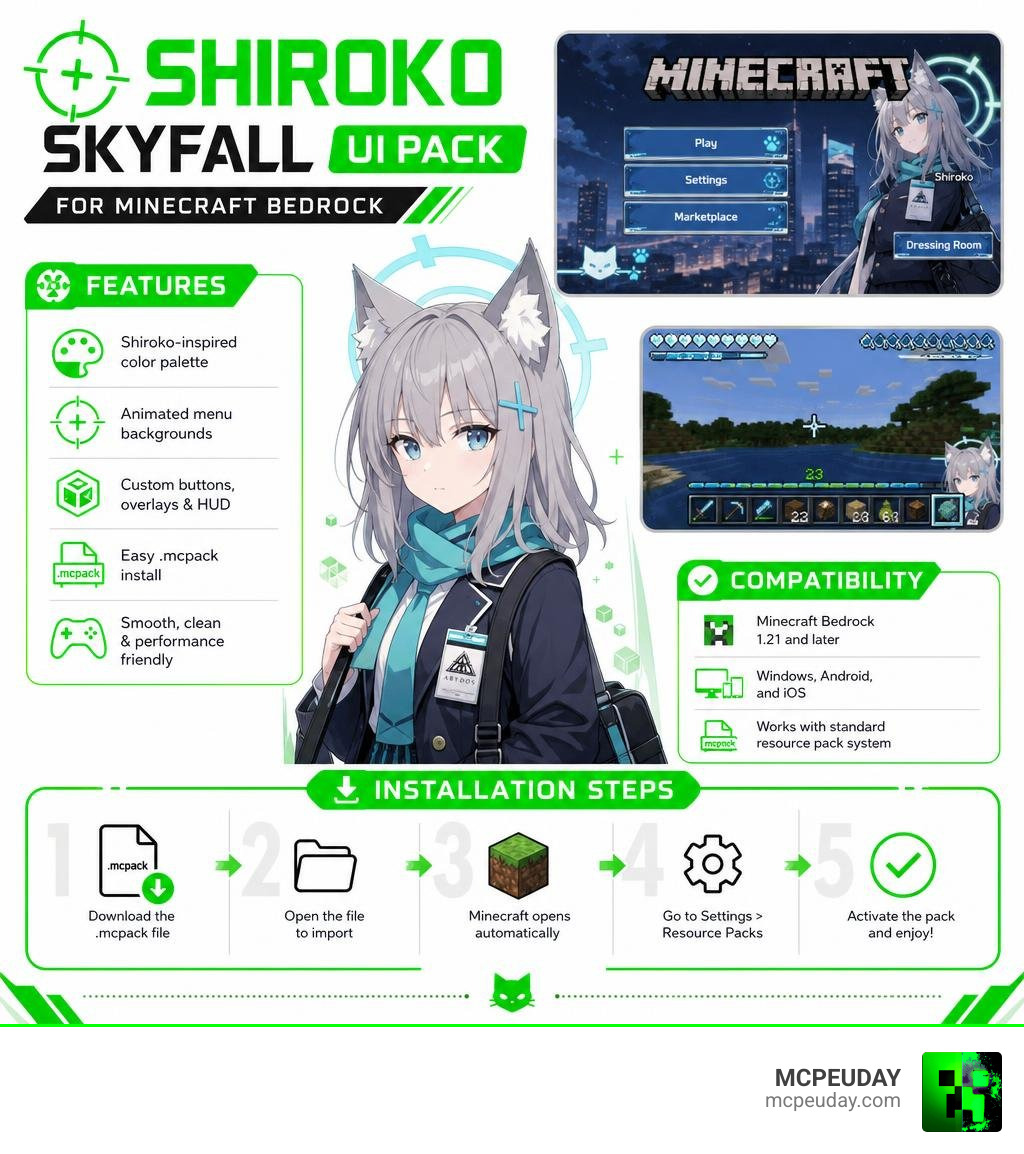
What is the Shiroko Skyfall UI PACK?
At its core, the Shiroko Skyfall UI PACK is an interface overhaul designed to replace the blocky, gray screens of vanilla Minecraft with a sleek, futuristic aesthetic. It centers entirely around Sunaookami Shiroko, the beloved mascot of the tactical mobile RPG Blue Archive. With over 1,432 dedicated wiki pages, Shiroko is famous for her calm demeanor, her signature cycling habit, and her hilarious tendency to casually plan bank robberies to help pay off her school’s massive debt.
We love how this pack captures her dual nature: soft and school-themed on one hand, but highly tactical and military-grade on the other. By merging her character design with the clean layouts of modern digital interface systems, this pack creates a polished gaming environment. If you want to see the exact aesthetic mood this pack captures, you can check out the gorgeous Shiroko Skyfall Live Wallpaper which features the same beautiful, atmospheric blue tones and tactical overlay details.
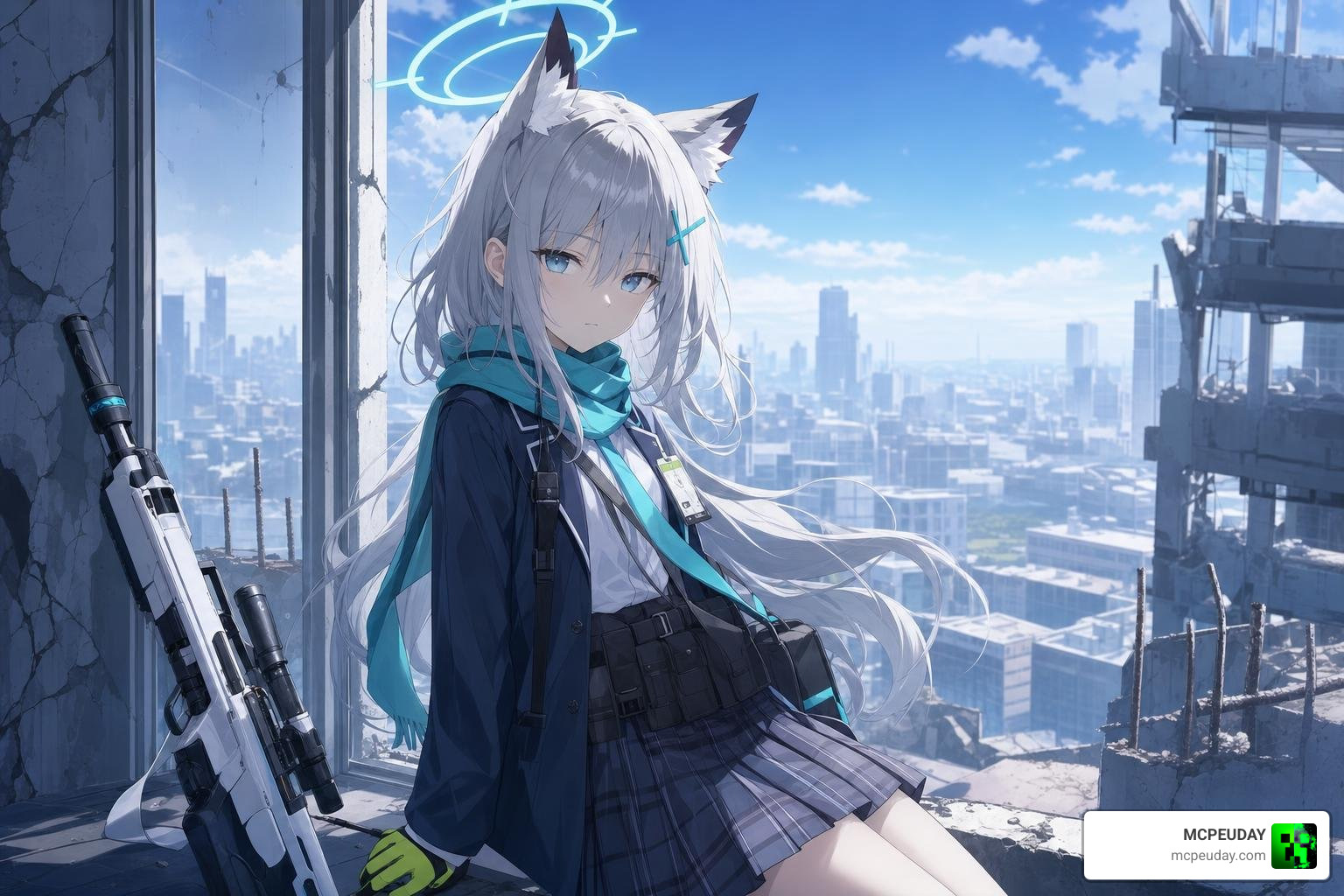
Visual Aesthetics of the Shiroko Skyfall UI PACK
The visual design of the Shiroko Skyfall UI PACK centers around a carefully chosen color palette. It uses cool sky blues, pale grays, and clean whites to create a calm, futuristic atmosphere.
The standout feature is the animated main menu. Instead of a static Minecraft panorama, we are greeted by a rotating crosshair halo animation inspired directly by Shiroko’s own halo in Blue Archive. Combined with clean, modern sans-serif typography, the menus look less like a block game and more like a high-tech military command center. The animations are fast and responsive, ensuring that navigating through your worlds or adjusting your settings feels incredibly satisfying.
Functional Features and UI Components
This pack does not just change the look of your home screen; it completely redesigns how you interact with Minecraft. Some of the most notable functional upgrades include:
- Custom Buttons: Semi-transparent, rectangular buttons with sharp borders that light up with a bright blue accent when hovered over or tapped.
- Redesigned HUD: The health, hunger, and armor bars are streamlined with a futuristic, minimalist look that keeps your screen clear during intense battles.
- Enhanced Settings Overlay: Navigating settings can often feel cluttered in Minecraft. This pack cleans up the layout, drawing design inspiration from advanced utility packs like The Ty-Els Settings Overlay UI Pack to make toggling options faster and more intuitive.
- High-Contrast Text: Readability is prioritized, ensuring that item names, chat messages, and coordinates are easy to read against any background.
Design Inspiration: Skyfall UI Kits and Texture Packs
The clean, structural layout of the Shiroko Skyfall UI PACK is heavily inspired by professional-grade design systems. In software development, digital creators use production-ready frameworks to build interfaces that are highly functional and beautiful.
For instance, design agencies like Skyfall create specialized systems for various industries. You can find many of these on the Skyfall Free UI Kits platform, which highlights how clean, structured grids can make complex information easy to digest.
Two great examples of these professional systems are the Skyfall Bazaar UI Kit (a conversion-optimized system for eCommerce storefronts updated on Apr 7, 2026) and the Skyfall Ledger kit (a precision-engineered FinTech system for banking apps updated on Apr 2, 2026). The creators of the Shiroko Skyfall pack used similar structural principles—such as consistent padding, clear button hitboxes, and logical navigation hierarchies—to make the Minecraft interface feel like a premium application.
| Design System | Primary Focus | Key UI Components Included | Design Philosophy |
|---|---|---|---|
| Skyfall Bazaar | eCommerce & Storefronts | Product grids, cart sequences, seller portals | Conversion-optimized, clean product layouts |
| Skyfall Ledger | FinTech & Banking | Transaction tables, KYC flows, account summaries | Compliance-ready, high-trust data displays |
| Shiroko Skyfall | Gaming (Minecraft Bedrock) | Custom HUD, animated menus, settings overlays | Tactical anime aesthetic, fast navigation |
How the Shiroko Skyfall UI PACK Draws Inspiration from Existing Texture Packs
This pack also builds on a rich history of community texture packs. Shiroko has inspired creators across many different gaming communities. For example, geometry dash players might be familiar with the popular texture pack hosted on the Sunaookami Shiroko Pack GitHub (currently at version v2.207), which brings Shiroko’s blue aesthetic into that game.
By looking at what worked well in other community packs, the developers of the Shiroko Skyfall UI pack were able to refine their own release. They focused on keeping the file size small and the performance fast, which has helped the pack earn praise in community reviews for its balance of beauty and speed.
Compatibility and Installation Guide
The Shiroko Skyfall UI PACK is built primarily for Minecraft Bedrock Edition (also known as MCPE). Because Bedrock runs on a wide range of devices—including Windows, Android, iOS, and consoles—the pack is optimized to run smoothly on both high-end PCs and mobile devices.
The pack utilizes Minecraft’s native JSON UI engine, meaning it alters the layouts directly without requiring heavy scripts or third-party mod loaders. It is fully compatible with Minecraft Bedrock version 1.21 and later.
How to Install and Optimize the UI Pack
Installing the pack on your device is a quick and straightforward process. Follow these simple steps to get started:
- Download the Pack: Get the official
.mcpackfile from our verified download links. - Import to Minecraft: Double-click or tap the downloaded
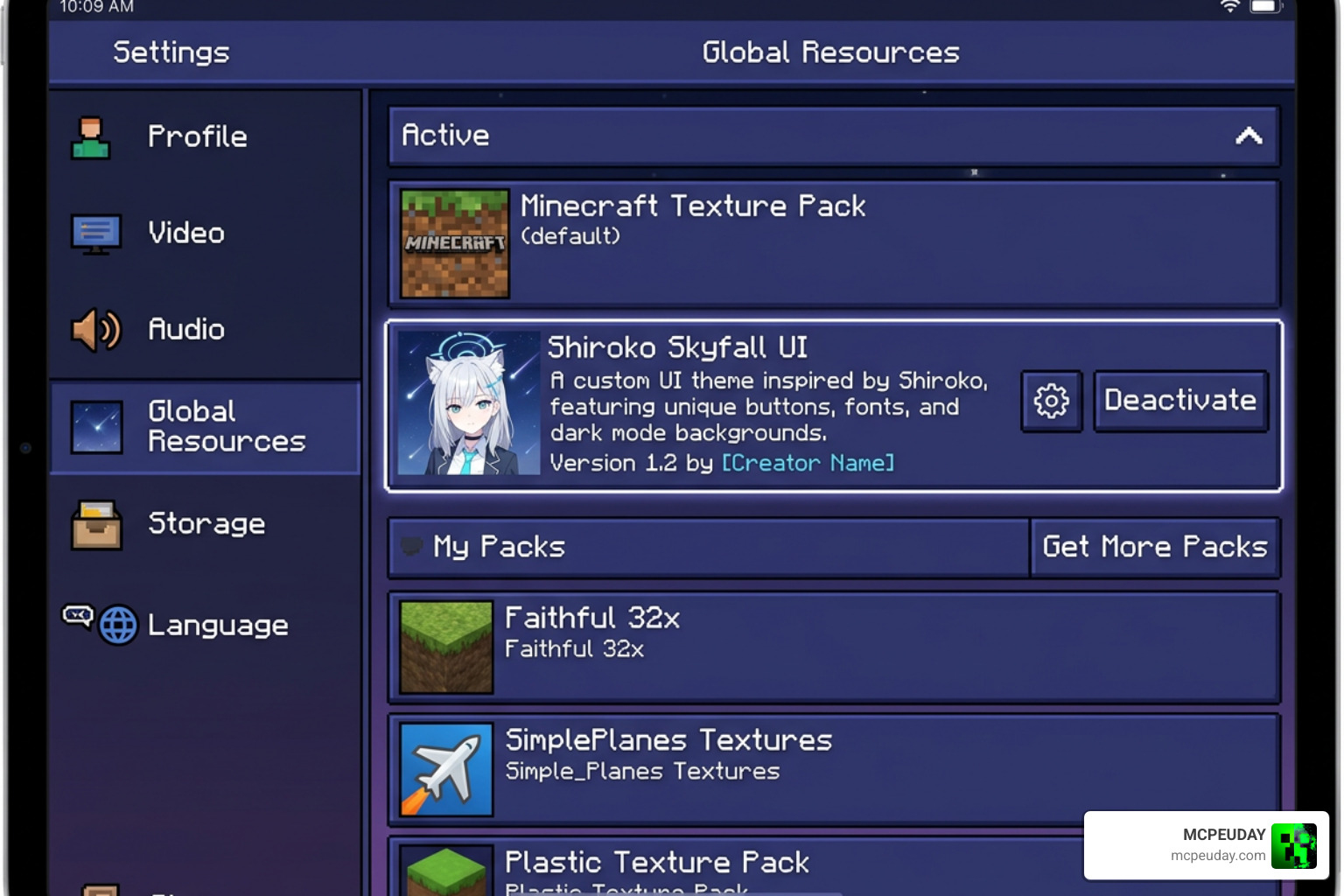
.mcpackfile. Your device will automatically launch Minecraft and import the pack. - Activate the Resource Pack: Go to the main menu of Minecraft, select Settings, scroll down to Global Resources, and click on “My Packs”. Find the Shiroko Skyfall UI Pack and click “Activate”.
- Adjust Your Settings: To ensure the best performance, we recommend going into your video settings and enabling “Fancy Graphics” while keeping your render distance at a level comfortable for your device.
If you experience any frame rate drops on older mobile devices, you can toggle off screen animations in Minecraft’s accessibility settings. This keeps the gorgeous blue visual theme while saving processing power for a higher frame rate during gameplay.
Frequently Asked Questions about Shiroko Skyfall UI
Is the Shiroko Skyfall UI Pack free to download?
Yes! The pack is completely free to download and use for personal gameplay. The creators offer it as a passion project for the community. Just make sure to download it from trusted sources like MCPEUDAY to avoid malware.
Which Minecraft versions support this UI pack?
This UI pack is fully optimized for Minecraft Bedrock Edition (MCPE) version 1.21 and later. It works perfectly on Windows, Android, and iOS devices.
Can I customize the animations and colors?
Yes, if you have some basic knowledge of JSON editing. You can unzip the .mcpack file, navigate to the UI folder, and edit the JSON templates to tweak animation speeds, adjust the color codes, or even swap out background images to match your personal taste.
Conclusion
At MCPEUDAY, we love seeing how creative the Minecraft community can be. The Shiroko Skyfall UI PACK is a perfect example of what happens when you combine professional design principles with a love for great anime characters. It gives your game a fresh, modern, and tactical look that makes every survival session or creative build feel like a brand-new experience.
If you want to customize your game even further with custom shaders, gameplay mods, or gorgeous blocks, Explore Minecraft Texture Packs on our platform. We keep our library fully updated with the latest and greatest releases so you can build your perfect Minecraft setup. Happy crafting, and enjoy your new tactical interface!
1 thought on “Animated Shiroko Skyfall UI Pack (26.x, 1.21) – MCPE/Bedrock Texture Pack”