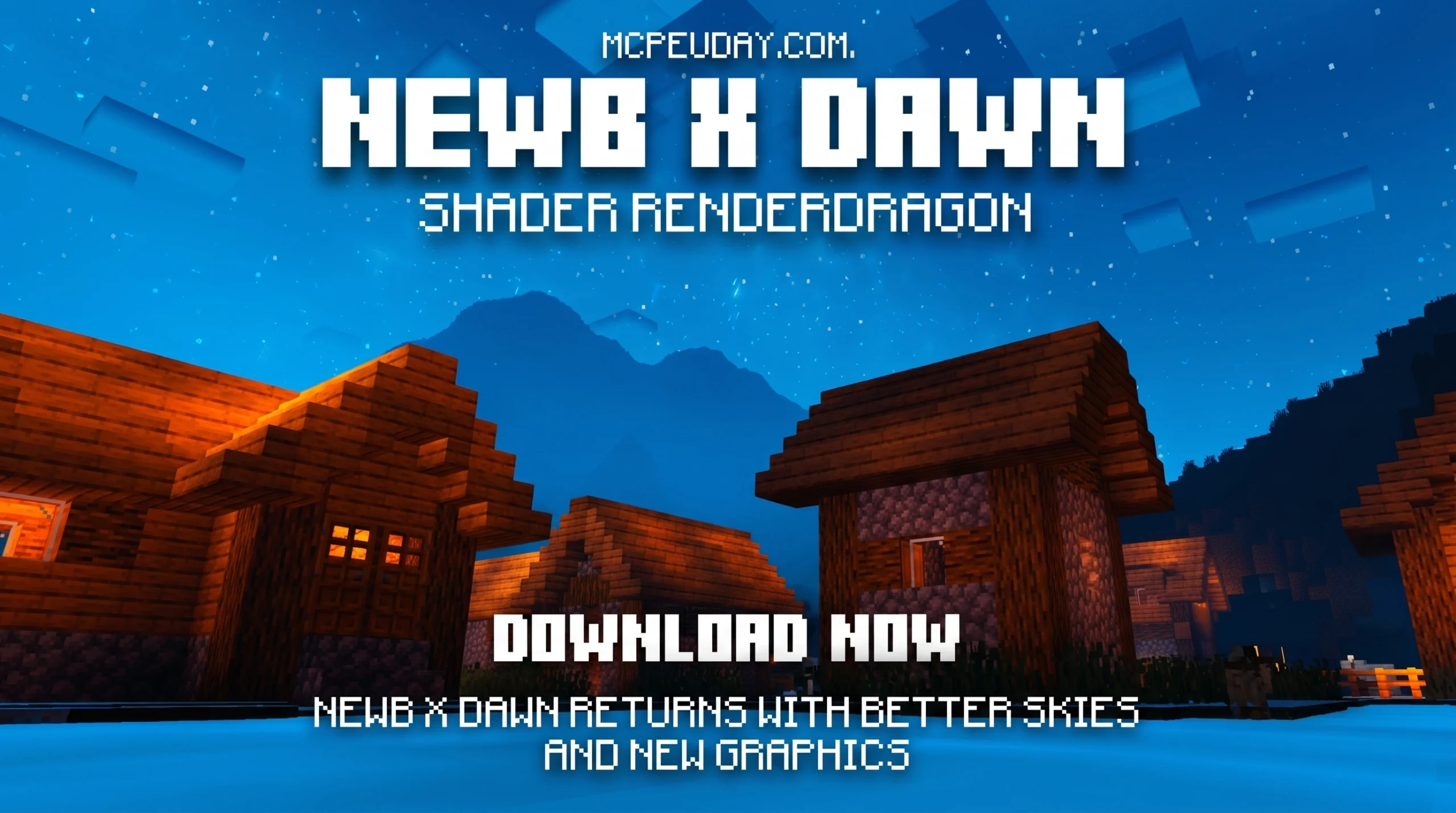
What You Need to Know About Newb X Dawn Shader Right Now
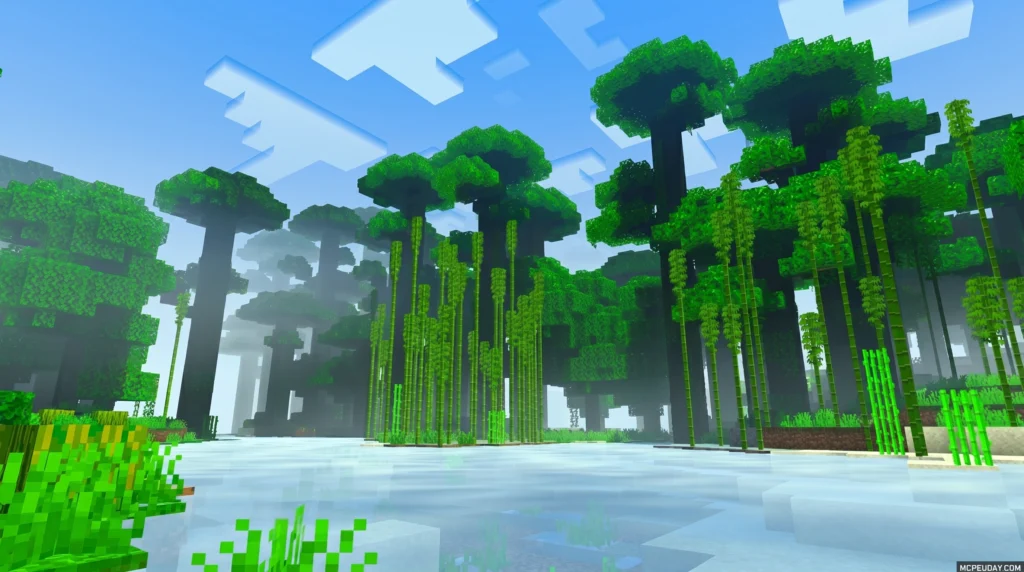
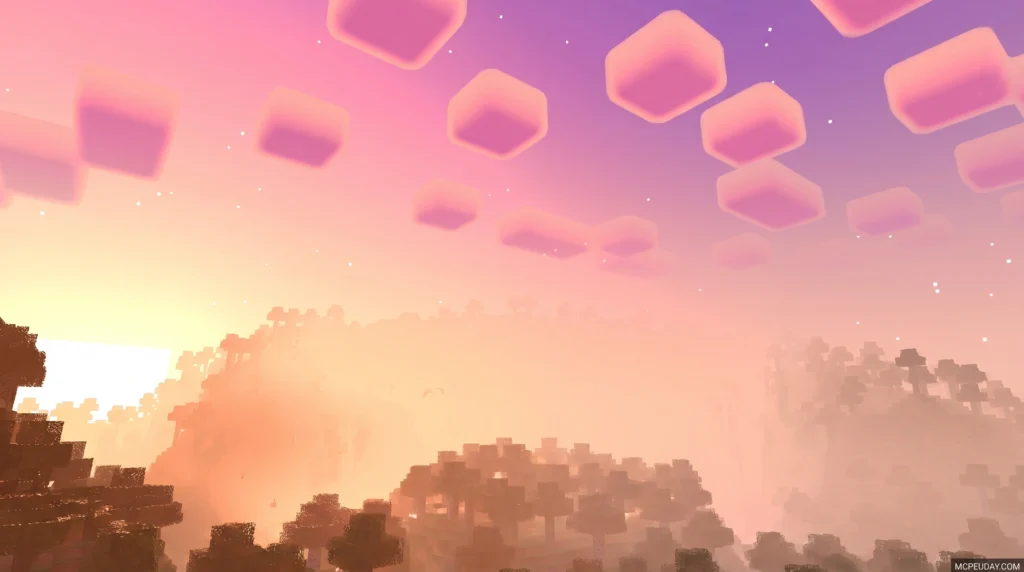
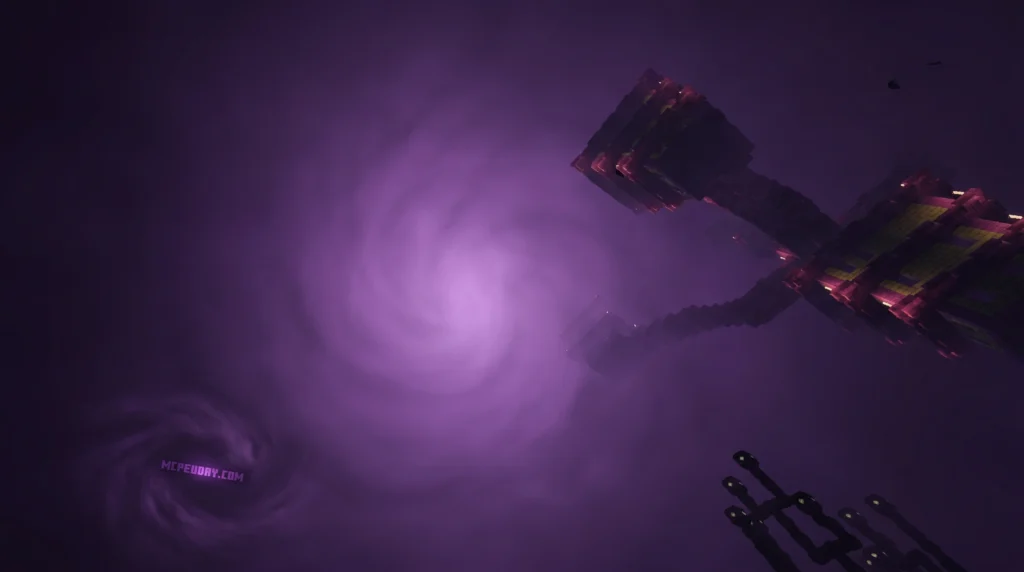
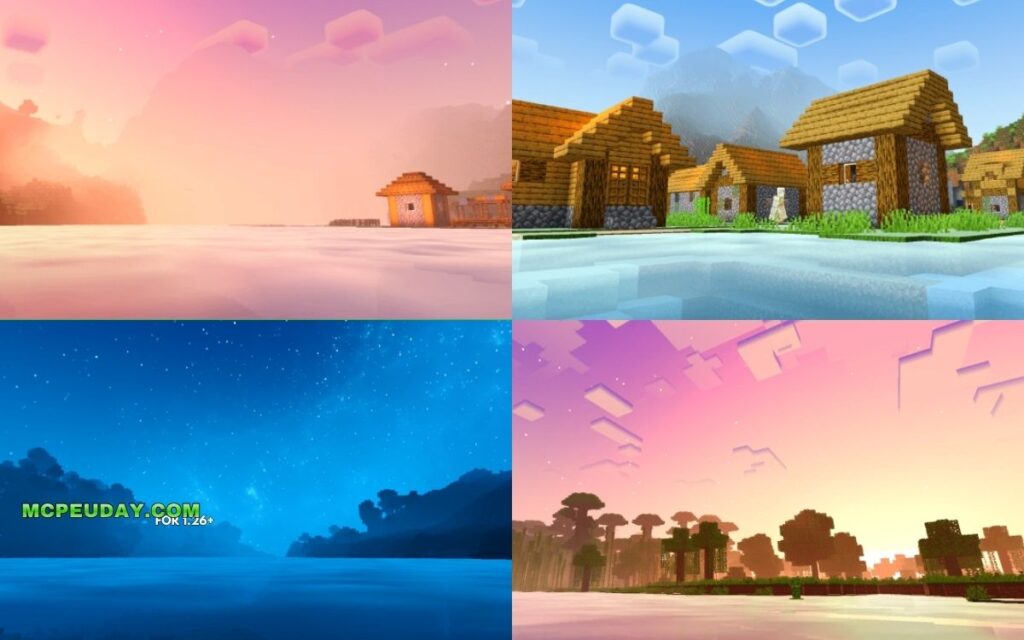
The Newb X Dawn Shader is a free, lightweight shader pack for Minecraft Bedrock Edition that gives your game RTX-like visuals — without needing an RTX graphics card.
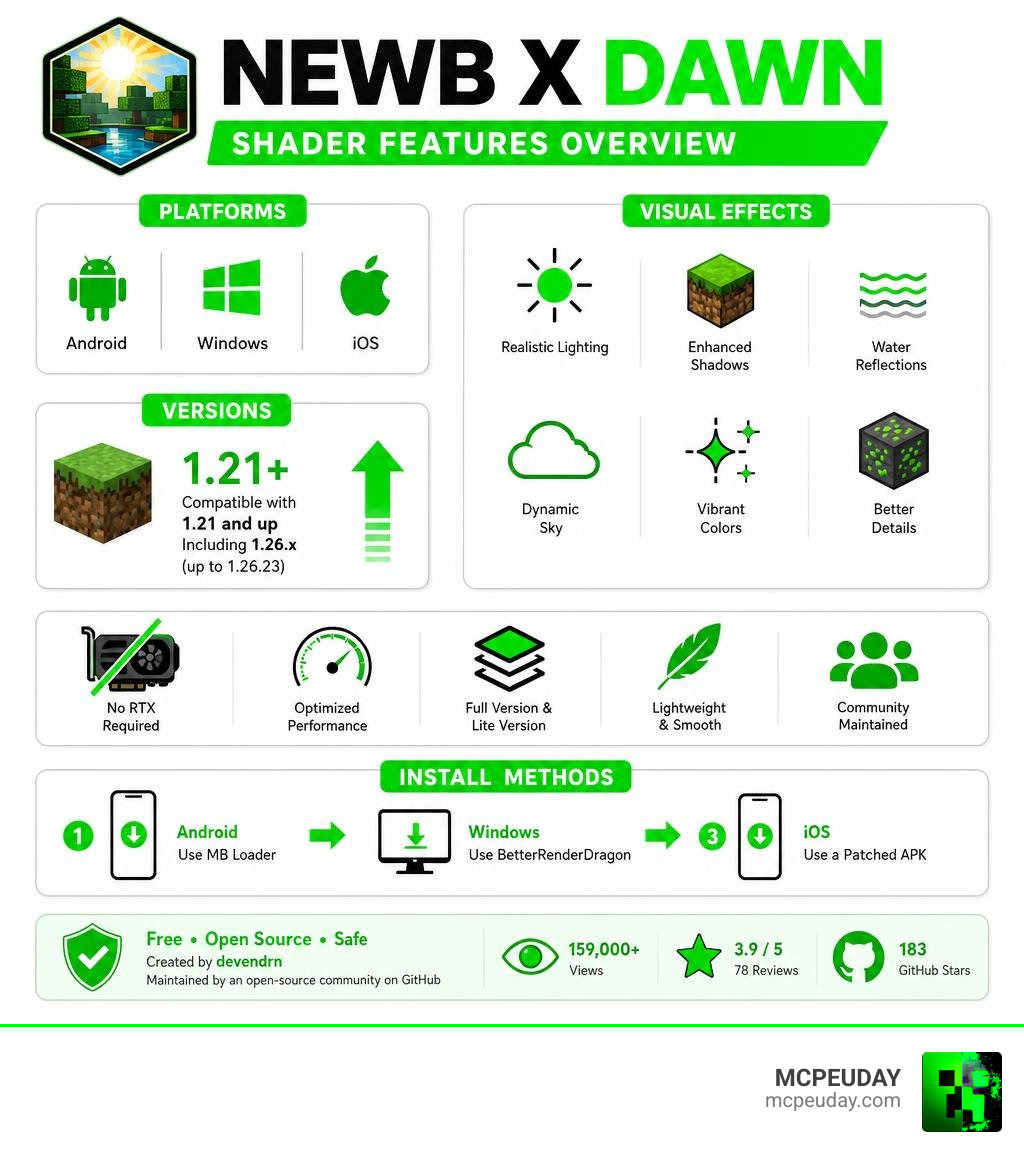
Here’s a quick summary of everything important:
- What it is: A custom RenderDragon shader that enhances vanilla Minecraft visuals on Bedrock Edition
- Platforms: Android, Windows, and iOS
- Minecraft versions: Compatible with 1.21 and up, including version 1.26.x (up to 1.26.23)
- RTX required? No — it runs on standard hardware
- Two versions available: Full version and Lite version (for lower-end devices)
- How to install: Use MB Loader (Android), BetterRenderDragon (Windows), or a patched APK
- Who made it? Originally created by developer devendrn and maintained by an open-source community on GitHub
If you’ve been searching for a shader that makes Minecraft PE look stunning without needing expensive hardware, this is one of the most popular options available right now. It was previously called Newb X RTX — but the name was changed to Newb X Dawn specifically to clear up confusion. No RTX card is needed.
The shader has racked up over 159,000 views on distribution pages and holds a 3.9 out of 5 average rating from 78 user reviews. The GitHub project behind it has earned 183 stars from the Minecraft modding community.
Whether you’re on a budget Android phone or a mid-range Windows PC, this guide will walk you through everything — features, compatibility, installation, and tips to keep it running smooth.
What is the Newb X Dawn Shader?
To understand what makes the Newb X Dawn Shader so special, we have to look at how Minecraft Bedrock handles graphics. A few years ago, Mojang introduced the RenderDragon engine, which unfortunately broke traditional shaders. For a long time, players were stuck with flat, vanilla graphics unless they owned an expensive ray-tracing setup.
Enter the Newb project. Originally known as Newb X RTX, the development team rebranded it to Newb X Dawn to avoid the common misconception that you need an RTX graphics card to run it. It is the modern, RenderDragon-compatible successor to the legendary GLSL-based “Newb Shader” (which has amassed over 1.2 million downloads over its lifetime).
Developed primarily by devendrn and supported by a dedicated open-source community on GitHub, this shader is built on the philosophy of “lightweight and soft aesthetics.” Instead of completely changing how Minecraft looks, it enhances the core vanilla aesthetic, keeping things clean, smooth, and incredibly atmospheric.
If you want to grab the files immediately, you can check out the Newb X Dawn Shader for MCPE 1 21 Bedrock Edition Download Now page to start your visual upgrade.
Key Visual Features and Enhancements
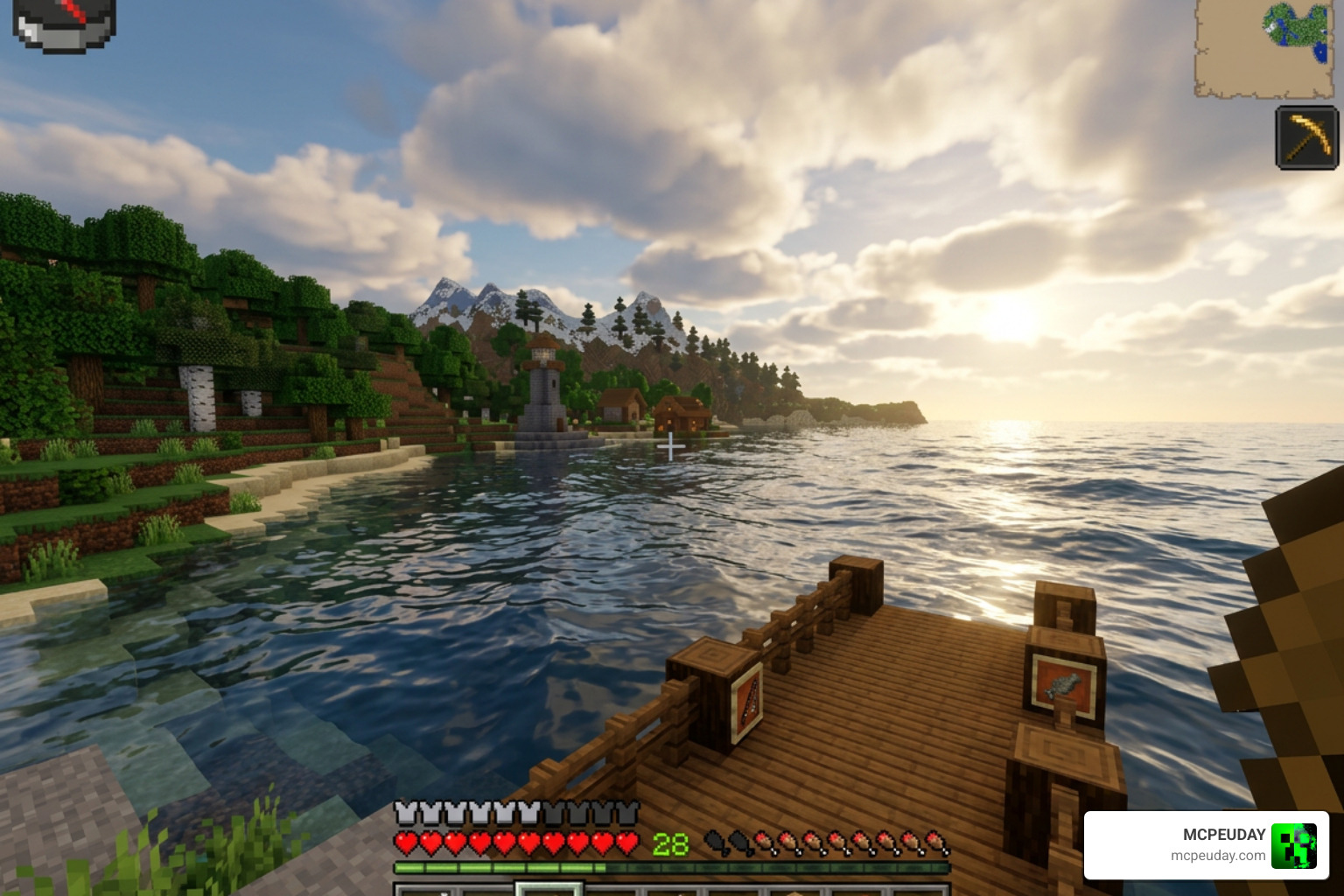
The Newb X Dawn Shader transforms the blocky world of Minecraft into a living, breathing environment. It does this by adding subtle, realistic physics and lighting changes that mimic Java Edition’s high-end shaders.
Here are the standout features you will notice as soon as you load into your world:
- Volumetric Clouds: Soft, fluffy clouds that have actual depth and move naturally across the sky.
- Torch Glow: Warm, realistic lighting emitted from torches, lanterns, and other light sources, creating cozy interiors and dark, moody caves.
- Dynamic Sunset and Sunrise Effects: Brilliantly blended gradients of orange, pink, and purple during twilight hours.
- Plant Movement: Leaves, grass, and crops sway gently in the wind, making forests feel alive.
- Glowing Armor & Blocks: Subtle emissive textures that make enchanted armor and glowing blocks (like copper bulbs or redstone components) pop in the dark.
To give you a better idea of the differences, here is a quick comparison:
| Feature | Vanilla Minecraft | Newb X Dawn Shader |
|---|---|---|
| Clouds | Flat, 2D pixelated squares | 3D volumetric, soft-edged clouds |
| Water | Static, flat blue texture | Realistic waves, transparency, and reflections |
| Skybox | Standard day/night cycle | Stretched skies, galaxy nights, and falling stars |
| Lighting | Harsh, blocky light transitions | Soft, warm glow with realistic color blending |
| Foliage | Completely static blocks | Gently waving leaves, grass, and flowers |
Immersive Skies in Newb X Dawn Shader
The skybox is one of the most breathtaking parts of this pack. The shader features “stretched skies” that make the atmosphere feel vast and infinite. During the day, realistic sun rays break through the clouds.
At night, the sky transforms into a deep galaxy theme complete with shifting cosmic dust and occasional falling stars. If you enjoy dramatic, cinematic skies, you might also want to compare this with our guide on the Newb X Unwind Shader for Minecraft Ultra Realistic Graphics Smooth FPS Stunning Visuals.
Water Reflections and Environmental Effects
Water in vanilla Minecraft can look a bit dull. With this shader, water gets physical depth, realistic waves, and real-time reflections of the sun, moon, and sky.
Even the Nether and the End dimensions get visual overhauls. In the End, the sky is replaced with dark, swirling cosmic energy that makes fighting the Ender Dragon feel like an epic space battle. Lanterns and hanging chains also swing gently, adding to the environmental immersion. For a slightly different take on vanilla-friendly visuals, see the Newb X Super Vanilla Shader for Minecraft Best Vanilla Shader 2026.
Compatibility, Versions, and Hardware Requirements
One of the best things about the Newb X Dawn Shader is its accessibility. Because it does not rely on hardware-accelerated ray tracing, you do not need an Nvidia RTX or AMD RX graphics card. It runs beautifully on standard mobile processors and integrated computer graphics.
The shader supports Minecraft Bedrock versions 1.21 up to the latest 1.26 releases (including sub-versions like 1.26.23). It is fully compatible with Android, Windows, and iOS. You can find the latest compatible files directly on the Newb X Dawn Shader for MCPE 1 21 Bedrock Edition Download Now page.
Standard vs Lite Newb X Dawn Shader
To make sure everyone can enjoy these visuals, the developers offer two main versions:
- Standard Version: Includes all the bells and whistles—volumetric clouds, detailed water waves, heavy reflection mapping, and full environmental animations. Great for modern PCs and mid-to-high-end phones.
- Lite Version: Tailored specifically for low-resource or budget devices. It keeps the beautiful sky gradients, warm torch light, and basic plant swaying while disabling heavy effects like volumetric clouds and complex water reflections to maximize your FPS.
If you are playing on an older phone and want to keep your frame rates as high as possible, we also highly recommend checking out our review of the Newb X Ale Shader for Minecraft PE Bedrock Best Realistic Shader for Low End Devices.
How to Install the Shader on Android, Windows, and iOS
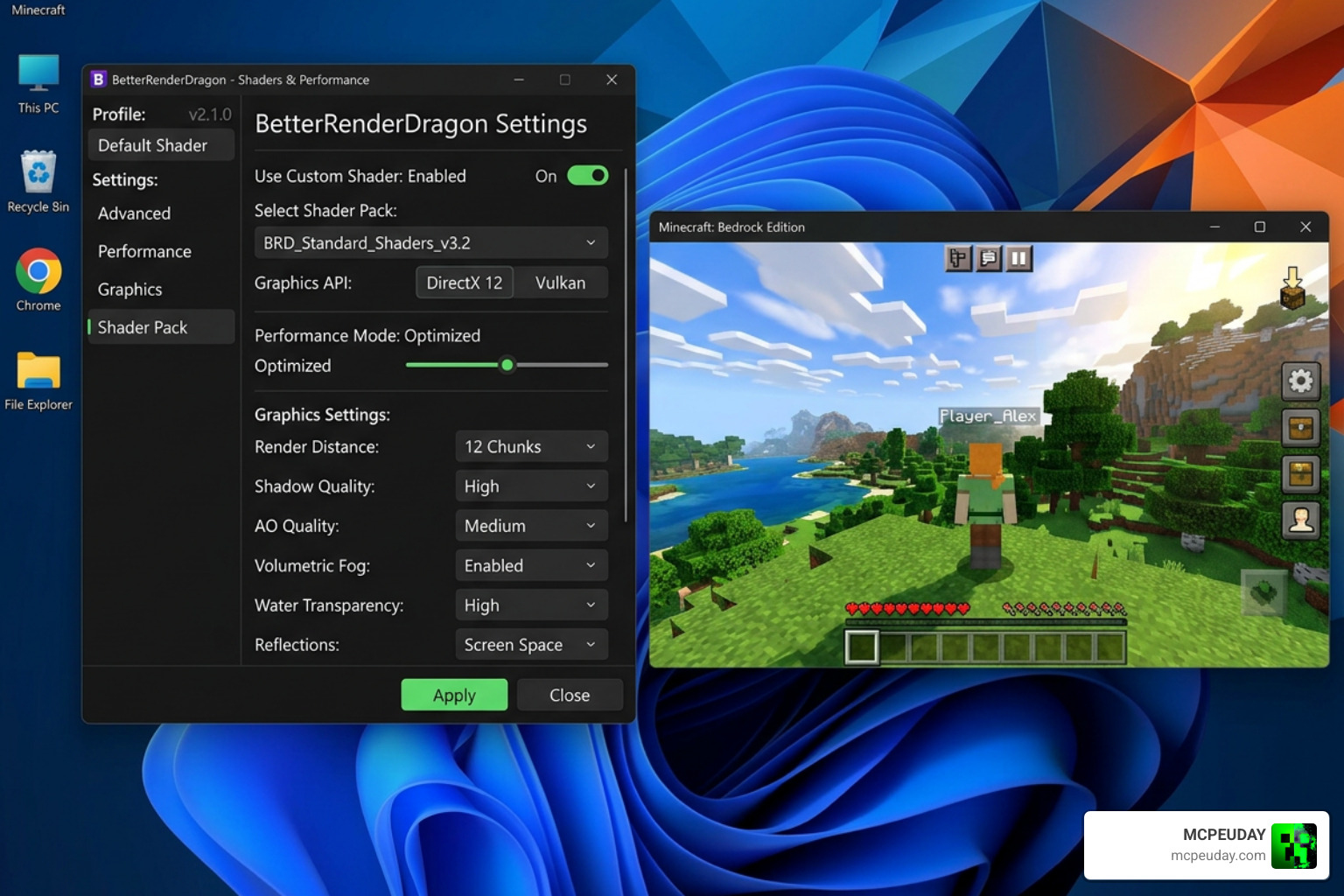
Because Minecraft’s RenderDragon engine does not officially support custom shaders, installing them requires a few extra steps depending on your platform. Always make sure to delete any older shader versions from your Minecraft storage before installing a new one to prevent resource conflicts!
Here are the recommended installation methods:
For Android Users
You have two main paths to get this working:
- MB Loader (Recommended): Download and install the MB Loader APK. Launch Minecraft through the loader, then import and activate the Newb X Dawn resource pack in your Global Resources.
- Patched APK: Some players prefer using a pre-patched Minecraft APK that has RenderDragon shader support unlocked. Once installed, simply import the
.mcpackfile directly.
For Windows Users
To bypass the RenderDragon restrictions on PC, we recommend:
- BetterRenderDragon (BRD): Download the BetterRenderDragon tool. Use it to enable the MaterialBinLoader mod.
- Material.bin Replacement: If BRD is not working for you, you can manually replace the game’s
material.binfiles with the shader’s patched files.
For iOS Users
Importing shaders on iOS can be tricky due to system restrictions. You will need to download the iOS-specific .mcpack file and open it using a file manager that can copy the files directly into Minecraft’s document folder.
For the official patch files and development updates, you can check out the project’s open-source community on GitHub.
Frequently Asked Questions about Newb X Dawn Shader
Does Newb X Dawn require an RTX graphics card?
No! While it was originally named Newb X RTX because the lighting was inspired by high-end ray-traced packages, it runs entirely on standard rasterized graphics. It is compatible with non-RTX devices, including budget Android phones and laptops with integrated graphics.
Which Minecraft Bedrock versions are supported?
The shader is fully compatible with Minecraft Bedrock versions 1.21 through 1.26.x. That as Mojang updates the RenderDragon engine, you may need to download updated patches to keep the shader working smoothly on newer game builds.
Who are the creators of this shader?
The project was created by the developer devendrn. Because the codebase is open-source under the MIT License, a talented community of contributors on GitHub helps maintain, patch, and build custom variants of the shader to keep it compatible with the latest Minecraft updates.
Conclusion
The Newb X Dawn Shader is an absolute must-have if you want to elevate your Minecraft Bedrock experience in 2026. It strikes a flawless balance between stunning, modern lighting and the classic vanilla feel we all love, all while remaining incredibly friendly to lower-end devices.
If you are ready to explore more incredible graphic upgrades for your game, check out our curated list of the Best Shaders for MCPE 1 21 2026 Top 3 Realistic Minecraft PE Shaders to find the perfect look for your next survival adventure!