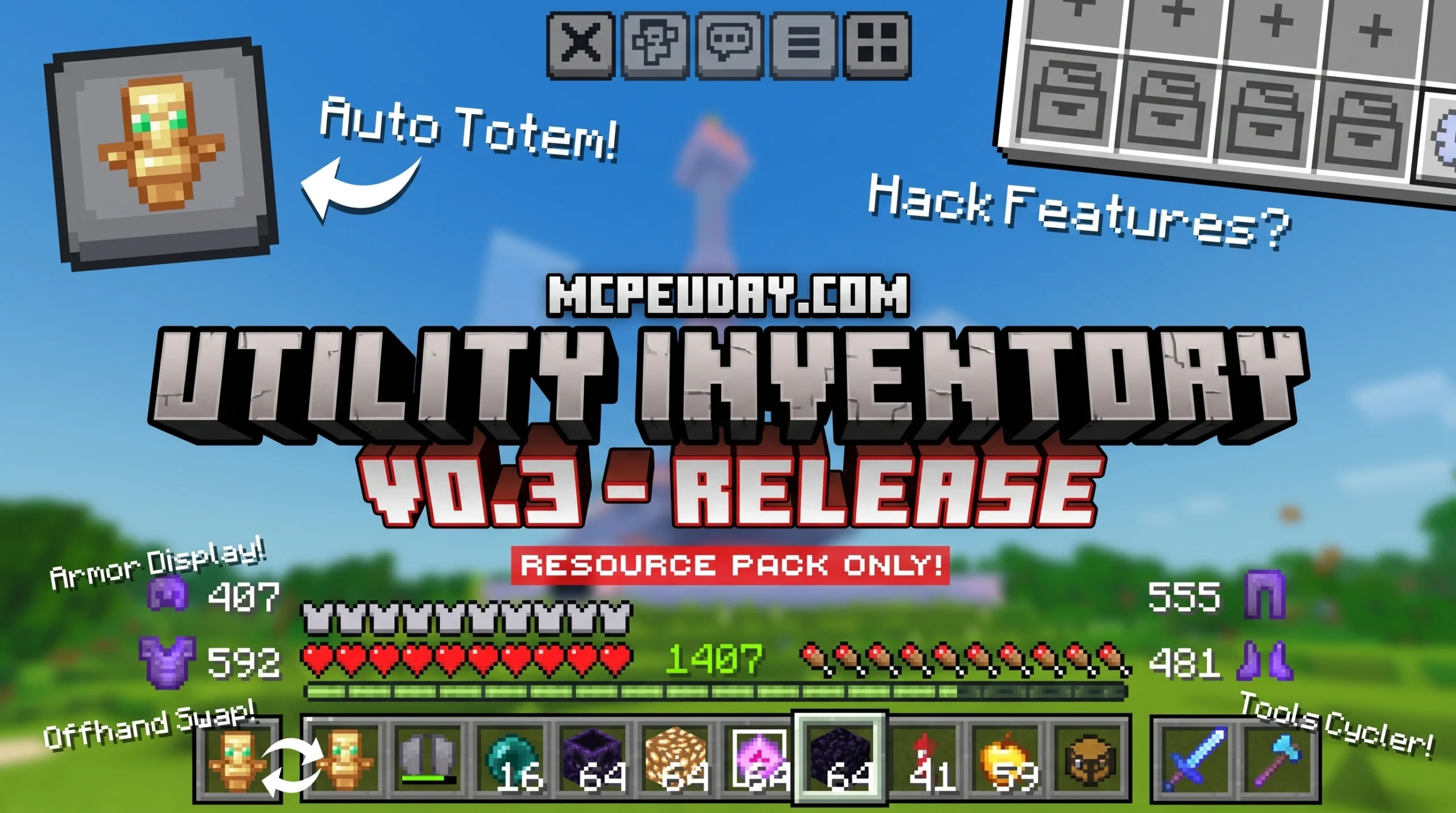
Why the Utility Inventory Pack Is a Game-Changer for Minecraft Bedrock Players
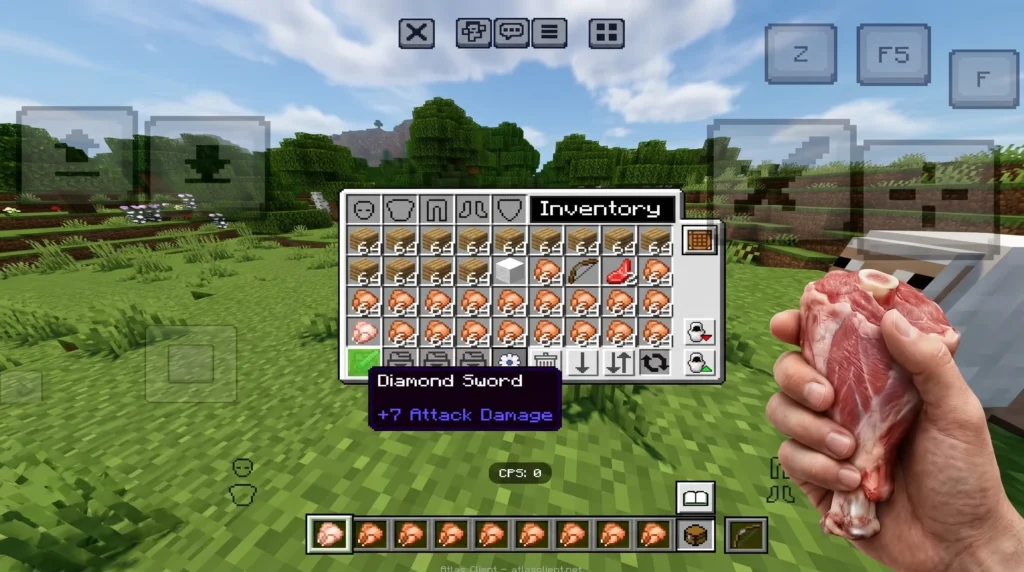
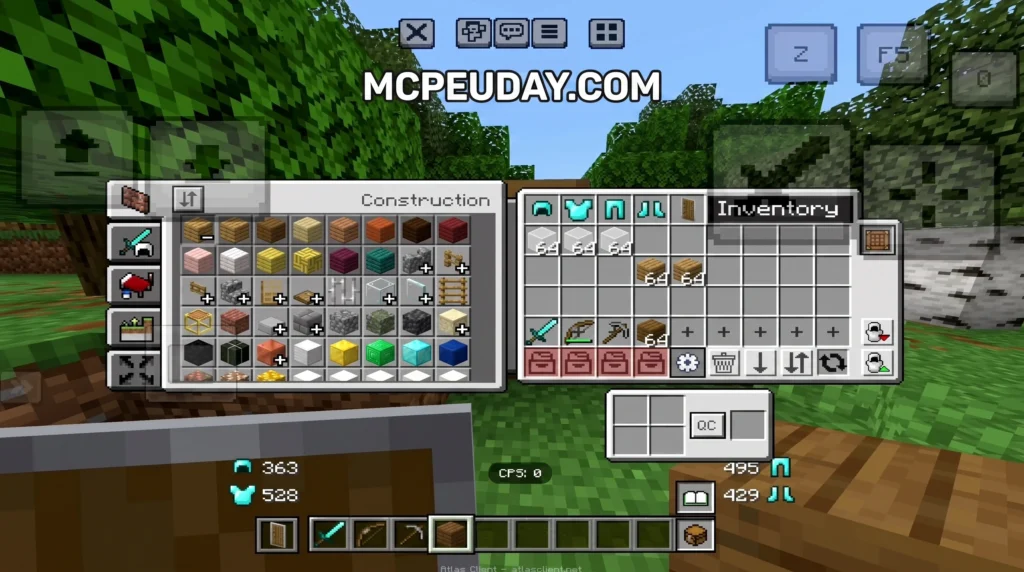
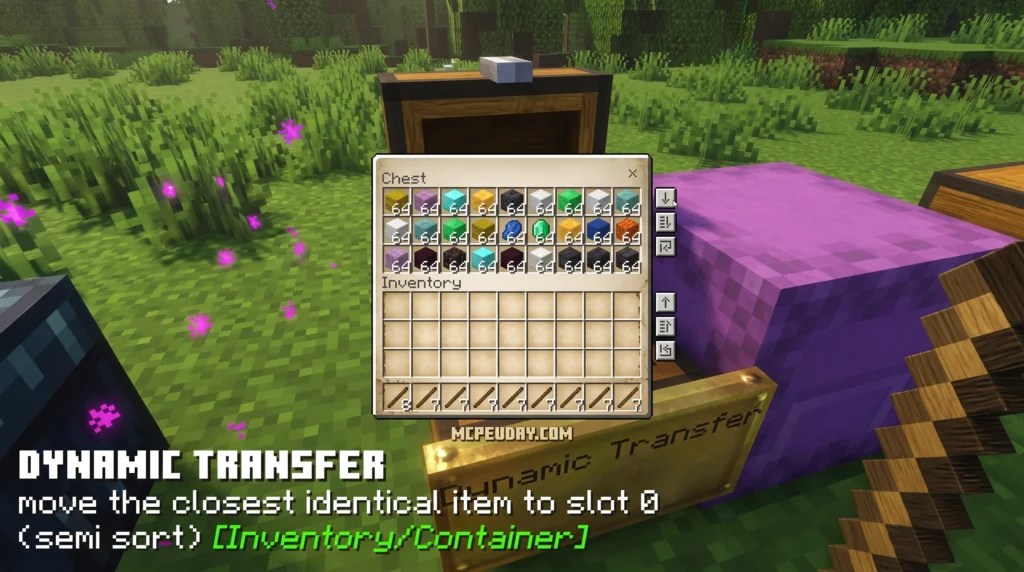
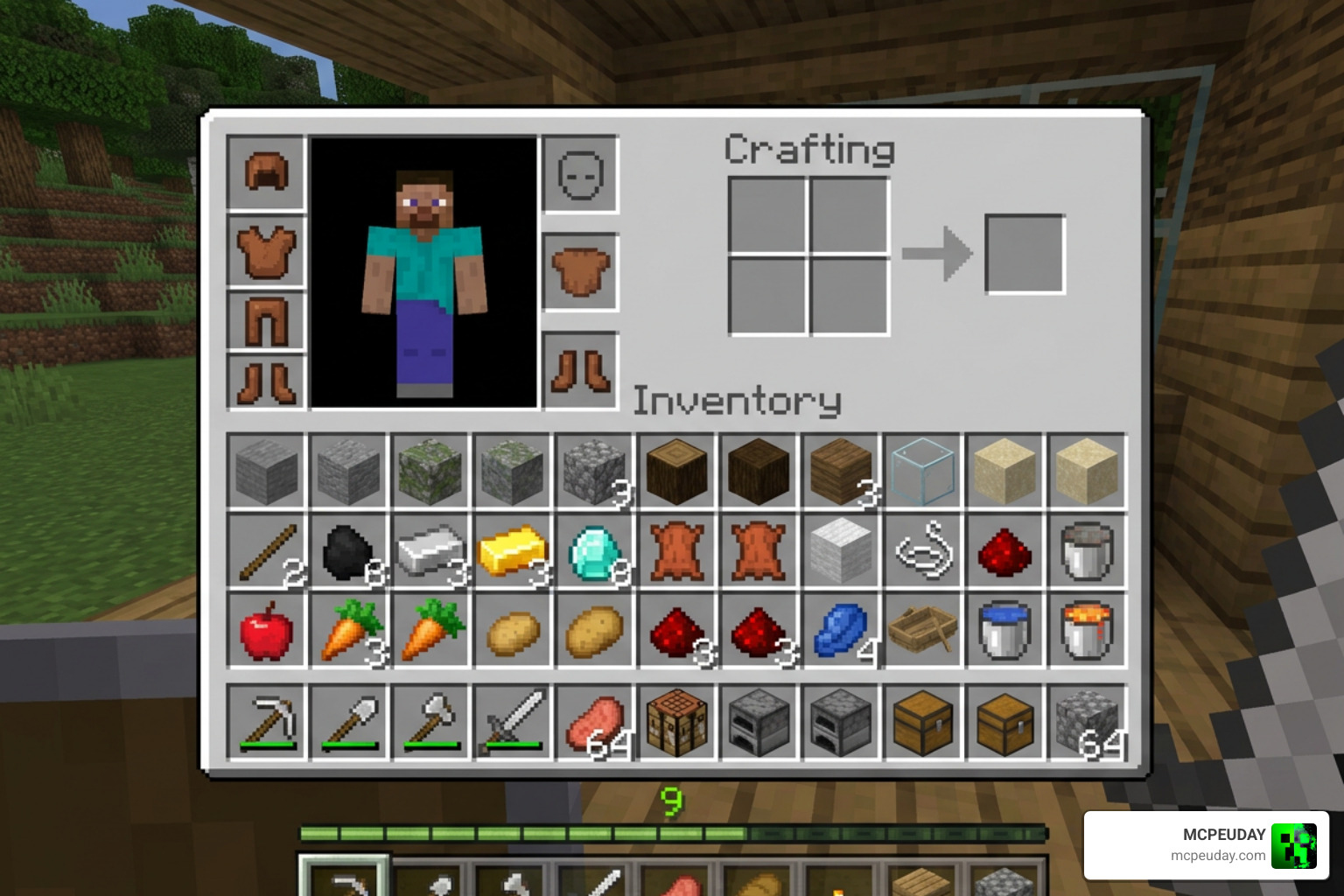
The Utility Inventory Pack is a resource pack for Minecraft Bedrock Edition that adds practical inventory tools directly to your in-game UI — no mods, no extra clients needed.
Quick answer — here’s what it does:
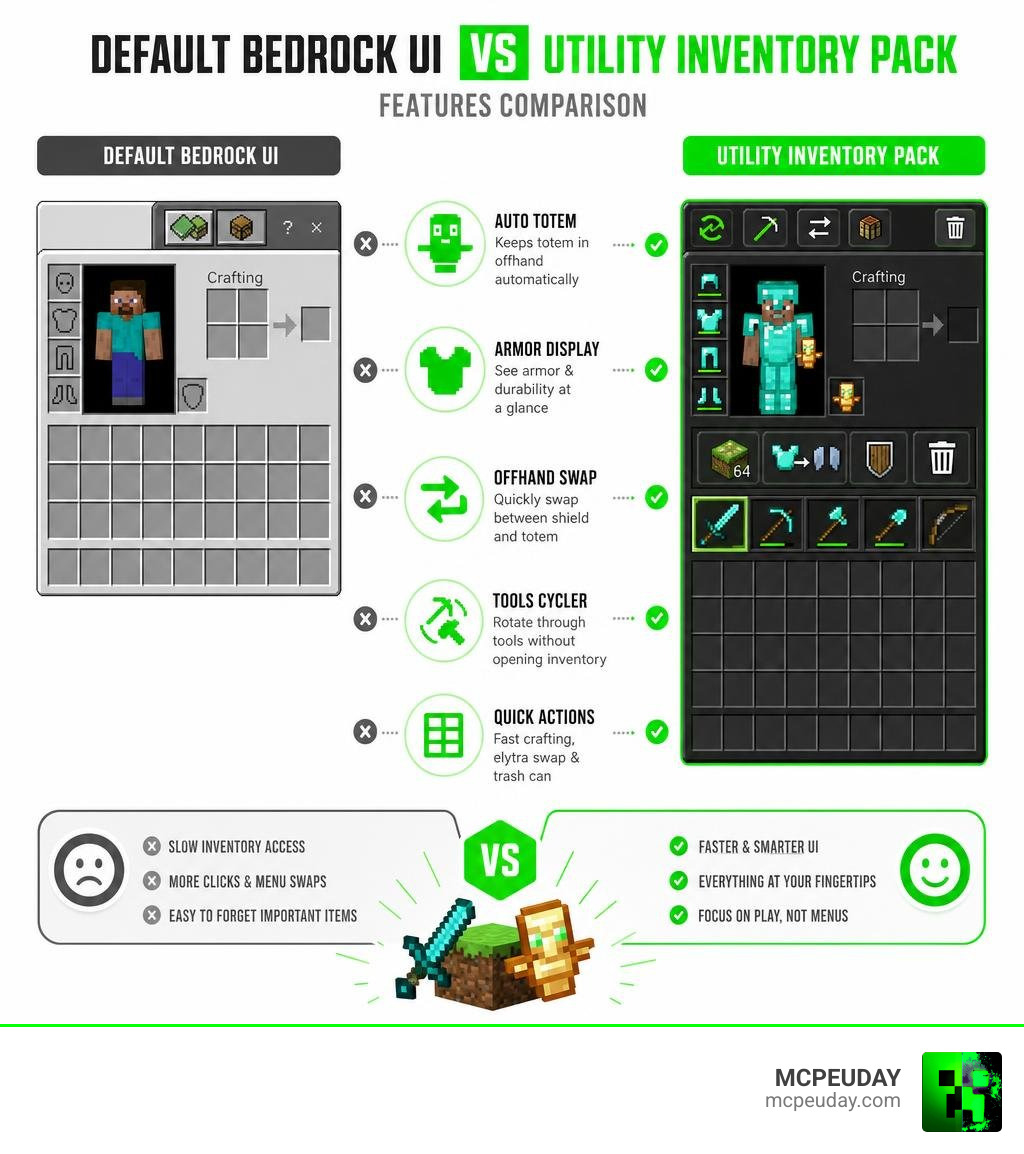
- Adds Auto Totem to keep a totem of undying in your offhand automatically
- Shows Armor Display so you can see your gear’s durability at a glance
- Enables Offhand Swap for fast shield and totem switching
- Includes a Tools Cycler to rotate through tools without opening your full inventory
- Adds Quick Actions like instant stack crafting, chestplate-to-elytra swaps, and a trash can button
If you’ve ever died in survival because you were fumbling through menus, or lost a PvP fight because swapping gear took too long — this pack solves exactly that.
The default Bedrock inventory is slow and clunky compared to Java Edition. The Utility Inventory Pack fixes that using only native Bedrock UI features, meaning it works on mobile, PC, and console without breaking anything else.
It has earned a 4.2 out of 5 rating from 86 user reviews and has been shared over 5,200 times across platforms — making it one of the more trusted inventory enhancement packs in the Bedrock community.
What is the Utility Inventory Pack for Minecraft Bedrock?
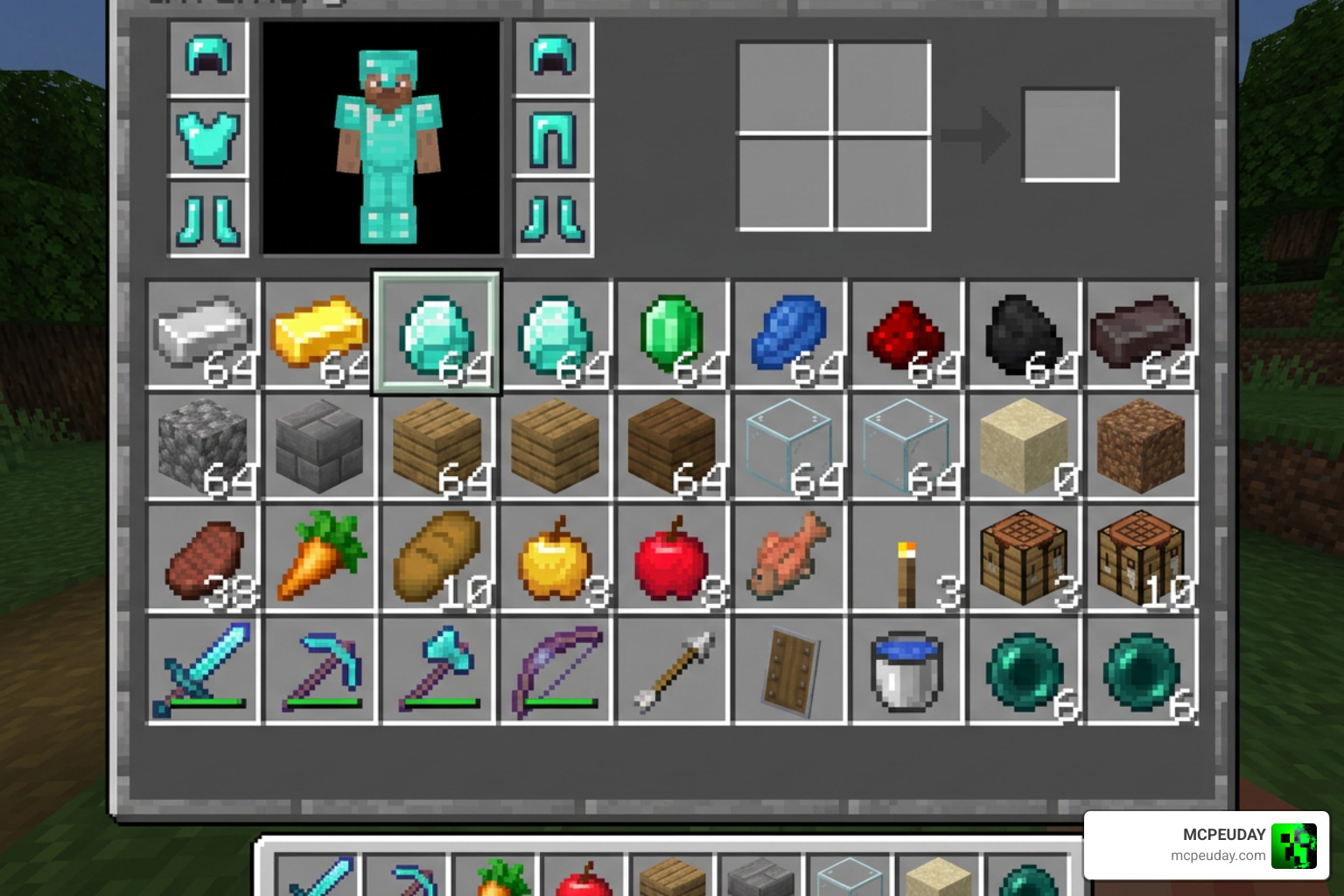
At its core, the Utility Inventory Pack is a client-side resource pack designed to streamline item management and real-time combat preparation in Minecraft Bedrock Edition. By default, Bedrock players on mobile and console have to deal with a UI that requires multiple taps just to perform basic actions like equipping a shield or trashing unwanted blocks. This pack changes the game by adding intuitive shortcut buttons and vital status displays directly onto your main inventory screen.
Whether you are trying to survive a fall into lava or gearing up for a PvP match, keeping your inventory organized is a matter of life and death. If you want to make your survival experience even more forgiving, you can pair this pack with the Gamerule Keepinventory True 1 21 – Download & Open on Mobile guide, ensuring you never lose your hard-earned items. And if you do happen to perish, using the Death Grave Coords Addon will help you pinpoint exactly where your grave is located.
Core Features of the Utility Inventory Pack
The pack is packed with features that feel almost like hacks, but are completely legitimate client-side UI improvements:
- Auto Totem: A lifesaver in tight spots. When your active totem pops, this system helps you quickly move another Totem of Undying from your inventory straight into your offhand slot.
- Armor Display: No more opening your inventory mid-fight to check if your helmet is about to break. It displays your equipped armor pieces and their current durability status directly on your HUD.
- Offhand Swap: Swap items between your main hand and offhand with a single tap. This is incredibly useful for switching from a shield to a torch or a totem.
- Tools Cycler: Quickly cycle through your mining and harvesting tools without having to open the full inventory screen and drag items manually.
If you love having full Java-like control over your offhand, we highly recommend checking out the Doublehands Functional Offhand Like Java Addon to expand your dual-wielding capabilities even further.
Quick Actions and UI Customization
The Utility Inventory Pack introduces several brilliant quick actions that completely eliminate slow menu sorting:
- Quick Craft: Tap on your crafting recipes to instantly create full stacks of items without spam-clicking. For an even more streamlined experience, you can combine this with the Quick Craft Addon.
- Chestplate and Elytra Swap: Switch between your protective chestplate and your elytra in just two quick taps. This makes aerial transitions seamless.
- Temporary Storage Slots: The pack adds temporary storage slots inside the menu. If your inventory is completely full, you can place items here temporarily to free up space while sorting through your chest loot.
- Trash Can Integration: Discard useless blocks like cobblestone or dirt in a single action using the built-in trash can button.
Version Differences and Compatibility
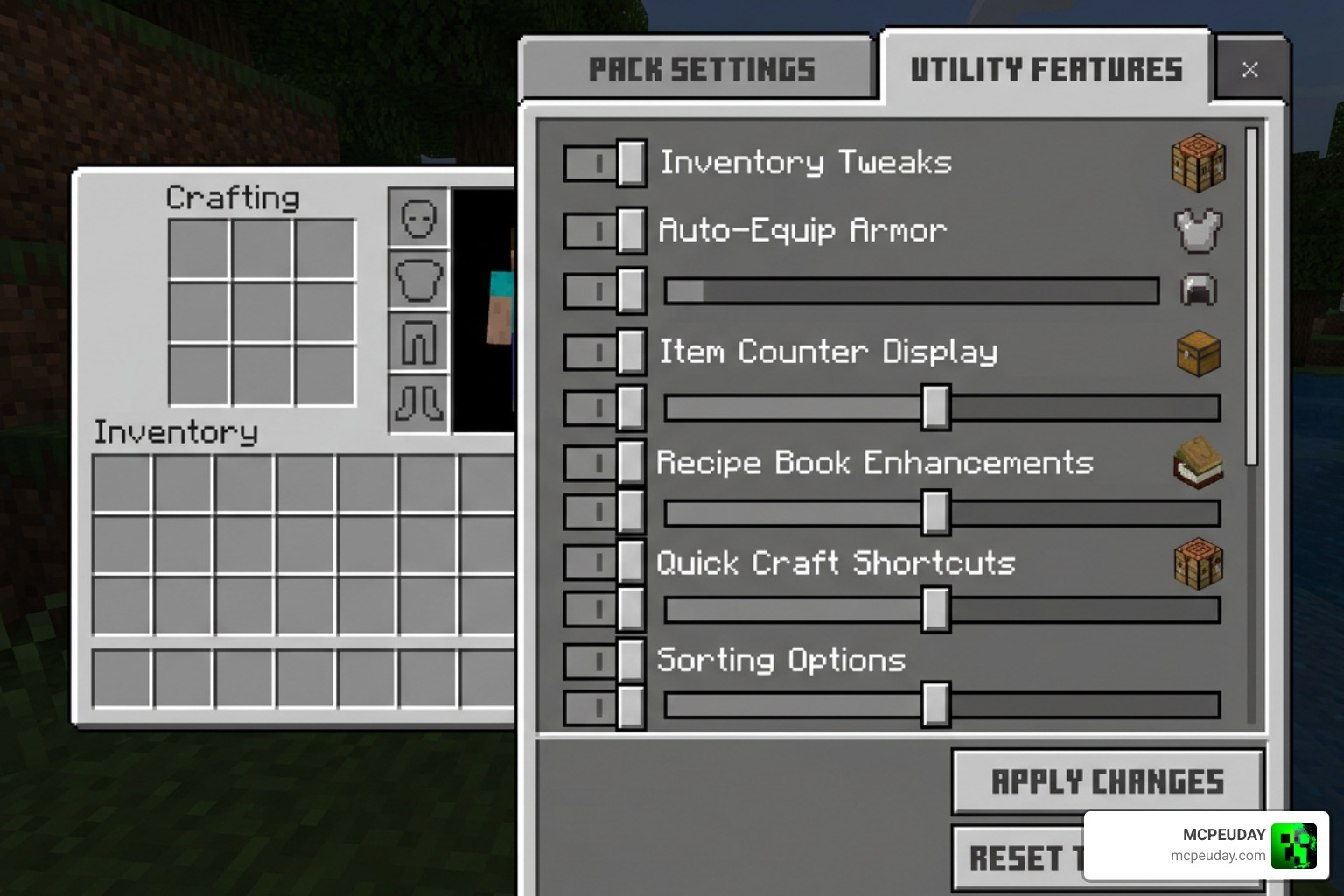
As Minecraft Bedrock updates, different versions of the Utility Inventory Pack have been released to maintain compatibility.
- Utility Inventory V0.3 (Inventory v2): Created by HeruXD, this version is specifically optimized for Minecraft Bedrock 26.10 and above. It focuses heavily on native Bedrock UI capabilities, meaning it does not require external client launchers to function.
- Utility Inventory 1.21 / 26.x: These versions are updated to align with the latest game updates, ensuring that all UI buttons map correctly even when Mojang changes the default layout.
To see the pack in action and understand how to configure these versions, you can watch the BEST Utility Inventory Pack for Minecraft Bedrock – YouTube showcase video.
Installation Guide for Mobile, PC, and Console
Installing the pack is straightforward since it is distributed as a standard .mcpack file.
- Download the File: Search for a trusted source. The popular V0-3.mcpack.zip file has been downloaded nearly 1,000 times on hosting sites like Sfile.mobi.
- Mobile Installation (Android/iOS): Once downloaded, tap on the file and select “Open with Minecraft”. The game will automatically import the resource pack.
- PC Setup: Double-click the downloaded
.mcpackfile, and Minecraft Bedrock on Windows will launch and install it automatically. Go to Settings > Global Resources to activate it. - Console Limitations: Since consoles (Xbox, PlayStation, Nintendo Switch) cannot easily download external files directly, you will need to apply the pack to a Minecraft Realm or a world hosted on a PC/Mobile device first, then join that world from your console.
Comparing Utility Inventory Pack with Other UI Solutions
How does this pack stack up against other popular inventory and HUD solutions? Let’s take a look:
| Feature | Utility Inventory Pack | Utility UI | Better Inventory Pack | ItzRiyo Inventory HUD |
|---|---|---|---|---|
| Auto Totem / Offhand Swap | Yes | No | No | Yes |
| Armor Durability HUD | Yes | Yes | Yes | Yes |
| Quick Craft & Trash Can | Yes | No | Yes | No |
| No External Mods Needed | Yes | Yes | Yes | Yes |
| HUD Customization | Medium | High | Low | Medium |
If your primary focus is keeping track of your gear’s health, you might also want to look into the Durability Viewer Addon for Minecraft PE Bedrock, which specializes in detailed item health tracking.
Why Choose the Utility Inventory Pack Over Alternatives?
The standout reason to choose the Utility Inventory Pack is its focus on native Bedrock integration. Many other packs require complex scripts or custom clients that can flag anti-cheat systems on popular servers. This pack achieves its features purely through clever UI layout modifications.
While professional game developers use advanced toolkits like the Ultimate Inventory System | Game Toolkits | Unity Asset Store to build complex inventory layouts from scratch in custom engines, Minecraft players rely on resource packs to do the heavy lifting within Mojang’s framework. This pack does exactly that — delivering high-level functionality with zero performance impact. It is incredibly lightweight, meaning you won’t experience any of the frame drops or UI lag common with heavier scripting addons.
Frequently Asked Questions About the Utility Inventory Pack
Does the Utility Inventory Pack require experimental gameplay settings?
No! Because it operates entirely as a client-side resource pack (modifying only the user interface), you do not need to enable experimental toggles in your world settings. This makes it perfect for survival worlds where you still want to earn achievements.
Can I use this pack on multiplayer servers like Realms?
Yes. Since it is a client-side resource pack, you can use it on any multiplayer server, including official Realms and public servers. It does not send malicious packets to the server, so it is safe from automatic anti-cheat bans. However, always check specific server rules regarding UI helpers.
How do I fix UI overlapping issues on mobile devices?
If buttons overlap with your mobile touch controls, go to Minecraft’s video settings and adjust the Safe Area slider. You can also customize the button visibility settings within the pack’s sub-options to hide elements you don’t use, keeping your screen clean and clutter-free.
Conclusion
The Utility Inventory Pack is an essential upgrade for any Minecraft Bedrock player tired of fighting with the default interface. By bringing tools like Auto Totem, quick armor swapping, and instant stack crafting to your fingertips, it bridges the gap between Bedrock and Java gameplay.
If you want to customize your Minecraft experience even further with more gameplay tweaks, graphics improvements, and utility mods, Explore more Minecraft Mod Addons in our extensive library here at MCPEUDAY!