Why Every Minecraft Player Should Know About Dynamic HUD Addons
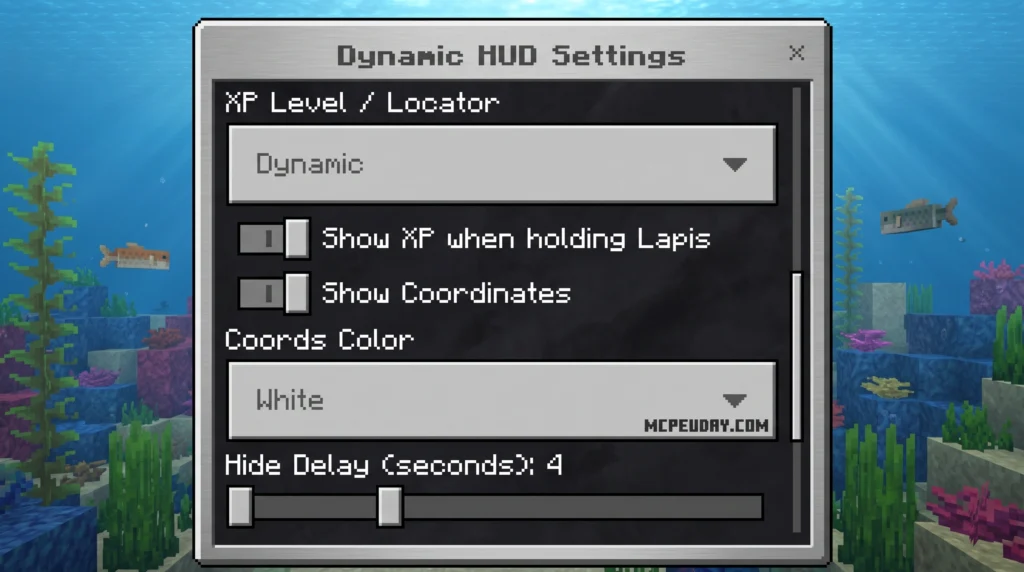
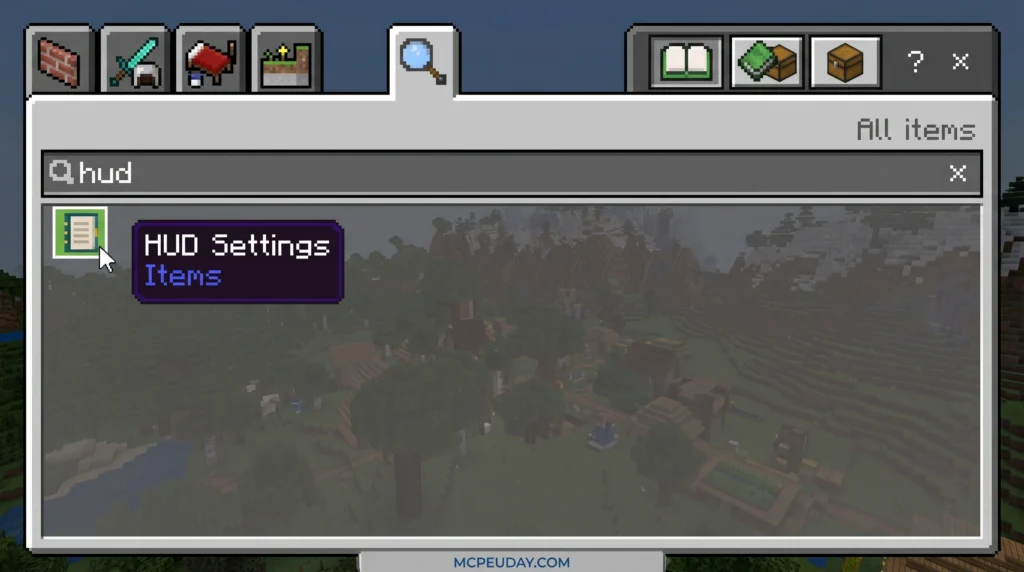
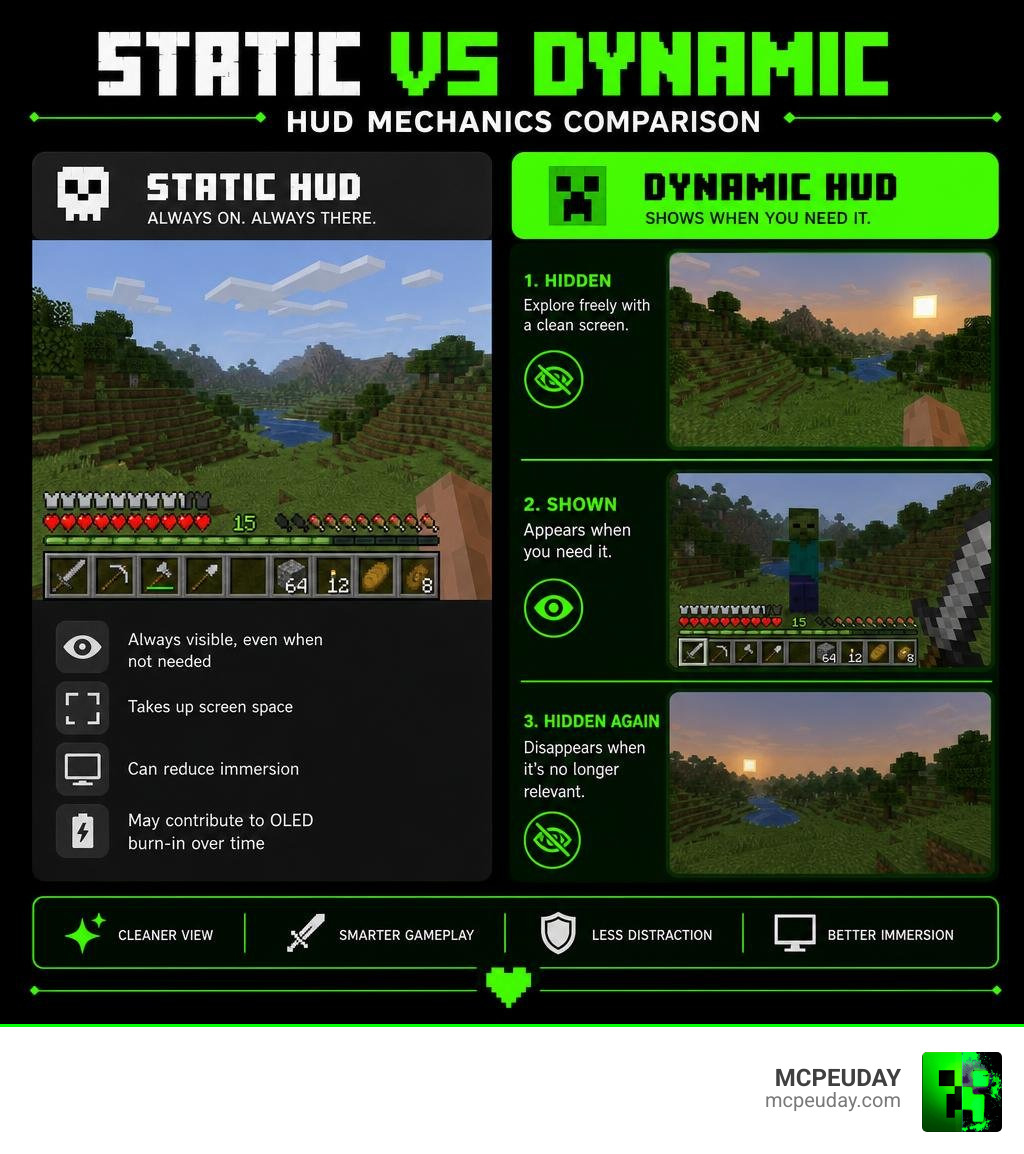
A Dynamic HUD Addon is a mod or resource pack that automatically hides and shows your on-screen interface based on what you’re doing in-game — so your health bar, hotbar, and other elements only appear when you actually need them.
Quick answer — what a Dynamic HUD Addon does:
- Hides HUD elements when they aren’t relevant (exploring, standing still)
- Shows health, hunger, and hotbar automatically when you take damage or start fighting
- Reduces screen clutter for a cleaner, more immersive view
- Helps protect OLED monitors from burn-in caused by static on-screen elements
- Available for Minecraft Bedrock (MCPE), Java Fabric, and other games
Most Minecraft players spend hours staring at the same static bars in every corner of their screen — even when those bars aren’t telling them anything useful. That’s the problem a Dynamic HUD Addon solves.
Instead of a frozen interface that’s always there, dynamic means the HUD reacts to you. It moves, fades, hides, and reappears based on context. The result? A screen that feels alive, and gameplay that feels more like actually being in the world.
The idea has taken off across multiple games. Factorio’s Dynamic HUD mod was even inspired by a developer noticing real burn-in marks on their own OLED monitor — proof that this isn’t just about looks, it’s practical too.
What is a Dynamic HUD Addon?
To understand why a Dynamic HUD Addon is such a game-changer, we have to look at what we’ve been tolerating for years. A traditional “static” HUD (Heads-Up Display) is a permanent fixture on your screen. Whether you are locked in a mortal battle with a Warden or simply watching a beautiful pixelated sunset, those red hearts, armor icons, and food drumsticks remain rigidly glued to your display.
A dynamic HUD, by contrast, relies on context-aware visibility. It acts as an invisible assistant that monitors your in-game actions. When you are peacefully walking through a birch forest, the addon gently fades your hotbar, health, and status indicators out of view. The moment you stub your toe on a sweet berry bush, draw a bow, or open a chest, the interface instantly glides back into view.
This automatic hiding and showing does wonders for player immersion. Instead of looking at a video game interface, you are looking directly at the world. While using a Better Inventory Pack helps organize your items when you actually open your menus, a dynamic HUD ensures that your screen remains beautifully clear during active exploration.
Key Features and Benefits of Dynamic HUDs
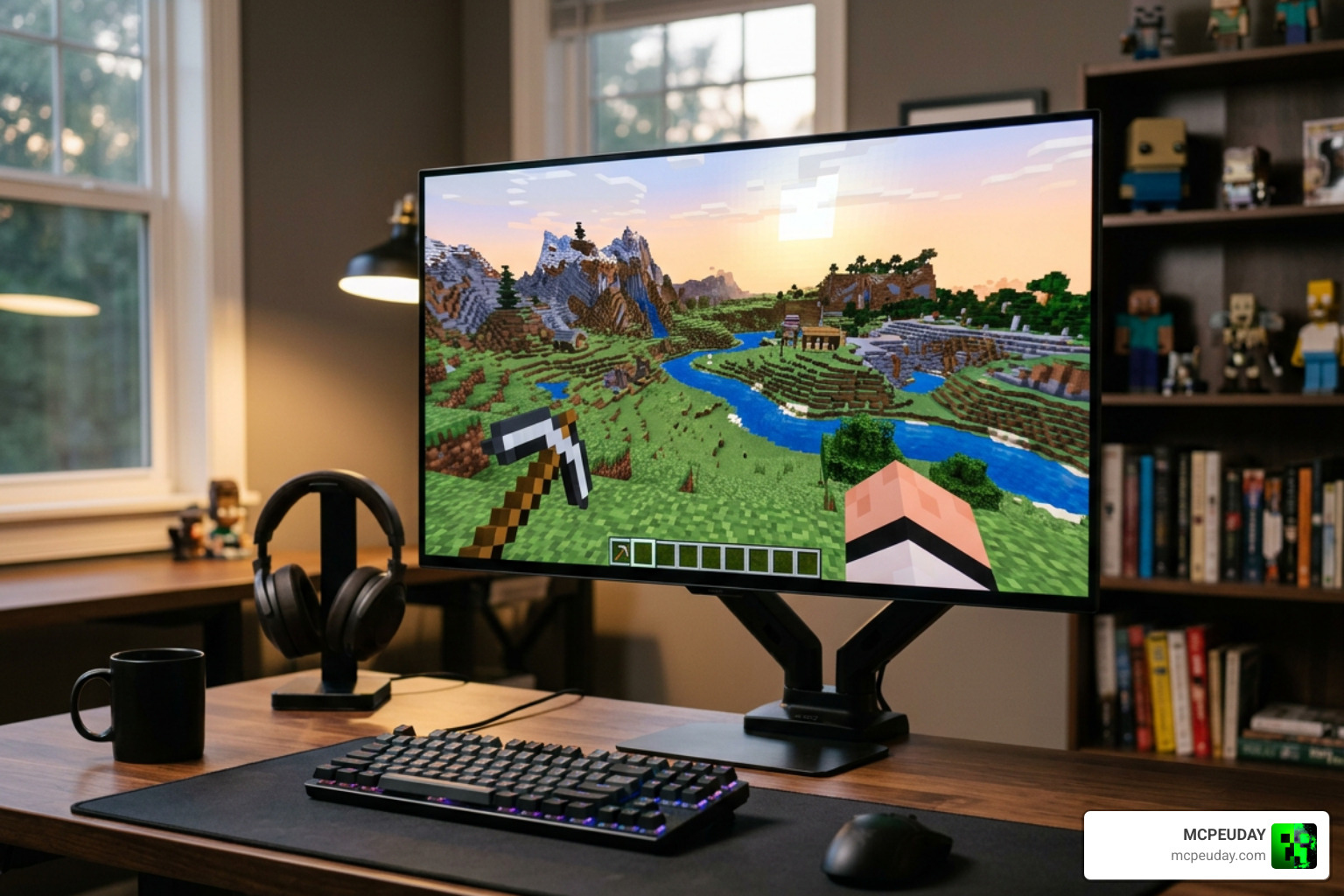
Switching to a dynamic setup offers several practical advantages that go far beyond just looking clean.
- OLED Burn-In Prevention: As we move deeper into 2026, more gamers than ever are playing on gorgeous OLED monitors. However, static white and bright red HUD elements are prime candidates for causing permanent screen burn-in. By automatically hiding these elements when they aren’t needed, a dynamic HUD significantly extends the lifespan of your high-end display.
- Velocity-Based Movement: Some advanced dynamic HUD mods (such as those built on tModLoader for Terraria) actually calculate your player’s velocity. The interface elements will shift slightly or rotate depending on how fast you are moving, adding a organic, physical weight to your screen.
- Screen Border Control and Snapping: Modern addons allow you to drag and drop widgets anywhere on your screen. With built-in snapping, you can align your health, coordinates, or active status effects perfectly against the edges of your screen without them drifting out of bounds.
- Performance Optimization: A well-coded dynamic HUD doesn’t just hide pixels; it stops rendering them. This reduces the layout overhead on your graphics engine, leading to smoother, more consistent frame rates.
Popular Dynamic HUD Addon Options for Minecraft
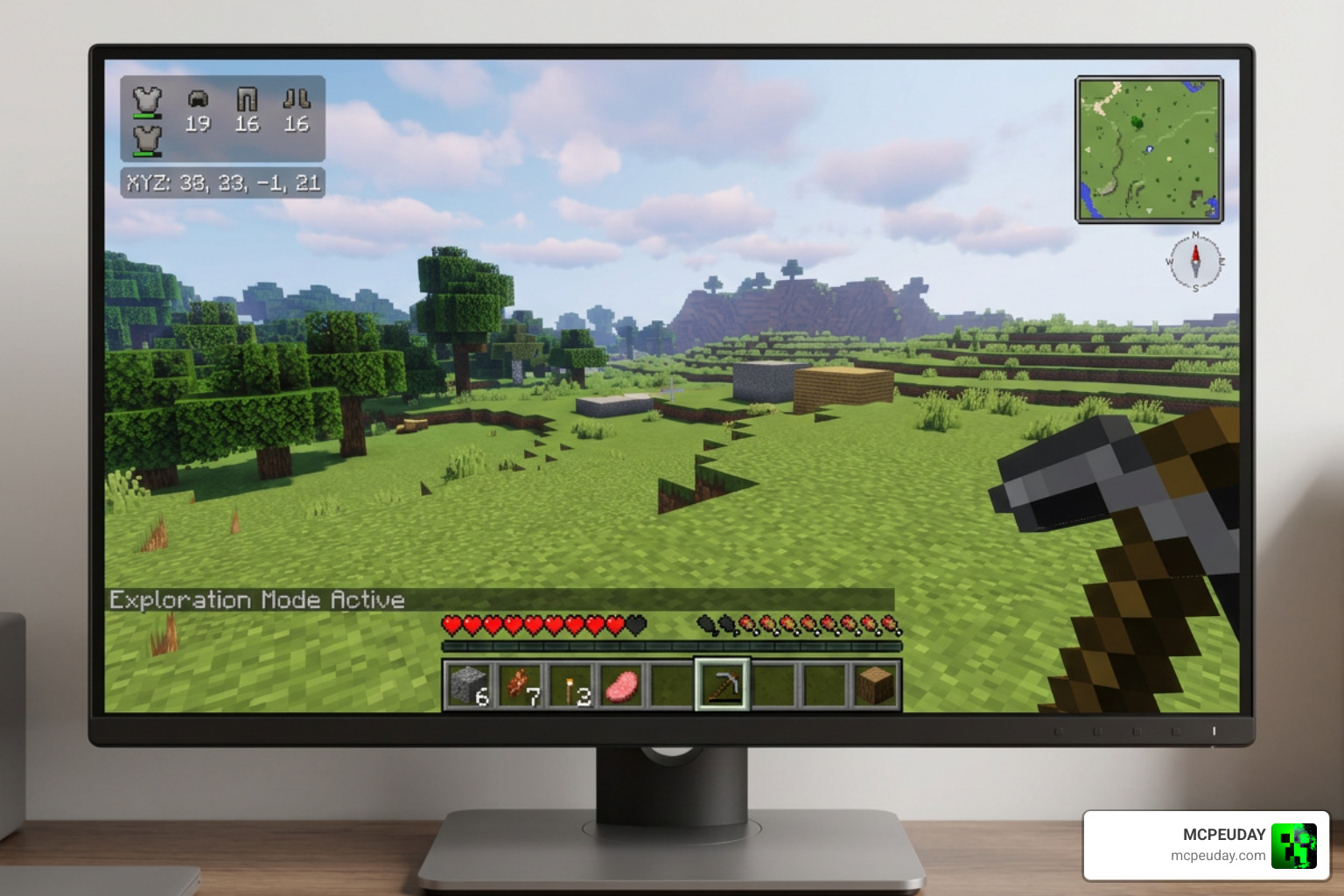
Depending on how you play Minecraft, there are several outstanding ways to get a dynamic interface up and running on your system.
Dynamic HUD Addons for Minecraft Bedrock (MCPE)
Because Minecraft Bedrock Edition (MCPE) is designed to run on everything from mobile phones to consoles, its UI engine can be notoriously stubborn. However, custom resource packs have successfully bypassed these limitations.
On mobile devices, touch controls can take up a massive amount of screen real estate. A mobile-focused Dynamic HUD Addon will automatically hide touch d-pads and action buttons when you are stationary or using a physical controller, giving you back valuable screen space. These packs also restructure the action bar layouts so that your experience bar and off-hand slot only draw attention to themselves when their values change.
Dynamic HUD Addon for Minecraft Fabric
For Java Edition players, the Fabric modding ecosystem offers some of the most advanced UI customization tools available. At the center of this is the V-Fast/DynamicHUD library, a robust framework that developers use to build highly responsive interfaces.
By checking the latest Releases · V-Fast/DynamicHUD · GitHub, players can find mods that feature automatic saving and deep widget customization. These tools let you scale, color, and toggle individual text widgets on the fly. When paired with a utility utility like the Utility Inventory Pack, you get a highly functional setup where your inventory is easy to manage, but your main screen remains completely distraction-free.
Other Notable Minecraft HUD Mods and Packs
If you want to spice up your game’s visual style beyond just hiding the default bars, there are fantastic aesthetic packs available. For instance, pairing a dynamic layout with the Animated Menu Reze Pool UI gives your game a sleek, modern anime-inspired look from the main menu all the way into your active world. Many of these packs also allow you to add custom crosshairs that fade out when you aren’t holding a weapon, or display active status effects only when their duration is running low.
Technical Challenges and Limitations of Dynamic HUDs
While dynamic HUDs are incredibly satisfying to use, they do come with a few technical hurdles that players and developers have to navigate:
- Render Engine Conflicts: In Minecraft, many graphics mods and shaders change how the game renders post-processing effects. If a dynamic HUD mod tries to fade an element out while a shader is trying to apply a blur effect to it, you might experience flickering or visual glitches.
- Touch Control Overlapping in MCPE: On mobile devices, hiding touch controls can sometimes lead to a “dead zone” where the game doesn’t register your taps because it still thinks the hidden button is active.
- Aspect Ratio Issues: Many legacy dynamic HUD layouts (such as classic S.T.A.L.K.E.R. HUD mods) are hardcoded for standard 16:9 widescreen displays. If you play on an ultra-wide monitor or an older 4:3 screen, elements might stretch, overlap, or render completely off-screen.
- The Uninstallation Trap: In complex mods (like the Dynamic HUD mod for Factorio), the mod forcibly hides the game’s core UI elements. If you uninstall the mod while your HUD is currently hidden, the game might save that hidden state permanently. To prevent this, players must perform a manual “re-saving” step — using a hotkey like Alt + H to bring all UI elements back to full visibility before saving and deleting the mod.
How Developers Create and Configure Dynamic HUDs
Behind every smooth fade-out is a mountain of math and logic. Developers use a mix of Java (for Java Edition mods) and JSON structures (for Bedrock packs) to tell the game when an element should be visible.
To make configuration easier for players, developers often integrate tools like the Yet Another Config Lib (YACL) library. This allows players to adjust fading speeds and display durations using simple sliders. For example, a developer might commit a Simplified config set up that removes complex command lines and replaces them with an intuitive in-game menu.
To track real-time changes in the game, developers use a system called the DynamicValueRegistry. This registry acts as a listener. When your health drops, the registry fires an event that tells the renderer: “Hey, show the health bar right now!”
| Tool / API | Primary Platform | Best Used For |
|---|---|---|
| Fabric API | Java Edition | Registering basic render events and keybinds |
| Bedrock JSON UI | Bedrock Edition | Modifying element bindings and touch layouts |
| YACL (Yet Another Config Lib) | Java Edition | Creating user-friendly slider menus for fade times |
| DynamicValueRegistry | Java Fabric | Tracking real-time stat changes to trigger HUD fades |
How to Install, Configure, and Troubleshoot Dynamic HUD Mods
Ready to clean up your screen? Here is how you can install and configure these mods safely.
Step-by-Step Installation Guide
- For Bedrock Edition (MCPE): Download your chosen dynamic HUD resource pack (usually ending in
.mcpack) from MCPEUDAY. Double-click or tap the file to automatically import it into Minecraft. Go to Settings -> Global Resources, and activate the pack. - For Java Edition (Fabric): Ensure you have the Fabric Loader and Fabric API installed. Download the dynamic HUD mod jar file and place it directly into your
modsfolder. - Aesthetic Upgrades: If you want a complete interface overhaul, we highly recommend installing the Animated Menu Reze Pool UI alongside your dynamic mod to give your menus a beautiful, cohesive look.
Troubleshooting and Best Practices
If things don’t look right, don’t panic! Follow these simple troubleshooting steps:
- Check the Log: If your game crashes or elements refuse to hide, open your game directory and check the
client.logfile. Search for the name of your HUD mod to see if there is a conflict with another active mod. - The Emergency Reset Key: If your HUD disappears and won’t come back, try pressing the default reveal hotkey (usually Alt + H or F1). This should instantly force all interface elements to render.
- Verify Your Aspect Ratio: If elements are cut off, check the mod’s configuration file in your
configfolder. Ensure the UI scaling matches your current monitor resolution.
Frequently Asked Questions about Dynamic HUDs
How does a Dynamic HUD prevent OLED burn-in?
OLED screens degrade when static, bright images are left on the screen for hundreds of hours. Because a dynamic HUD fades your health, hunger, and hotbars out of view during peaceful gameplay, those pixels get to rest and change colors, completely eliminating the risk of permanent ghost images.
Can I use a Dynamic HUD mod on Minecraft Bedrock?
Yes! While Bedrock doesn’t support deep Java-based modding, custom UI resource packs can achieve the exact same dynamic hiding behavior. You can also pair these layouts with custom visual themes, like our popular Animated Shiroko Skyfall UI Pack, to give your entire interface a stunning animated upgrade.
What should I do if my Dynamic HUD mod is not working?
First, ensure you have all required dependency mods installed (like the Fabric API or architecture libraries). Next, check for keybind conflicts in your control settings; sometimes the HUD toggle key is bound to the same key as another mod, preventing it from opening.
Conclusion
Dynamic HUD technology represents the future of gaming interfaces. By moving away from the rigid, screen-hogging boxes of the past, we can finally enjoy our games with the absolute maximum amount of visual clarity and immersion.
Whether you are looking to protect your brand-new OLED monitor or simply want to experience your world without a wall of red hearts blocking your view, a Dynamic HUD Addon is one of the best upgrades you can give your game.
If you are looking to take your immersion even further, check out our comprehensive Best Minecraft Horror Mods for Java & Bedrock 2026 Guide to find the perfect, spine-chilling worlds to explore with your newly cleaned-up screen!
1 thought on “Dynamic HUD Addon (26.x, 1.21) – MCPE/Bedrock Mod”