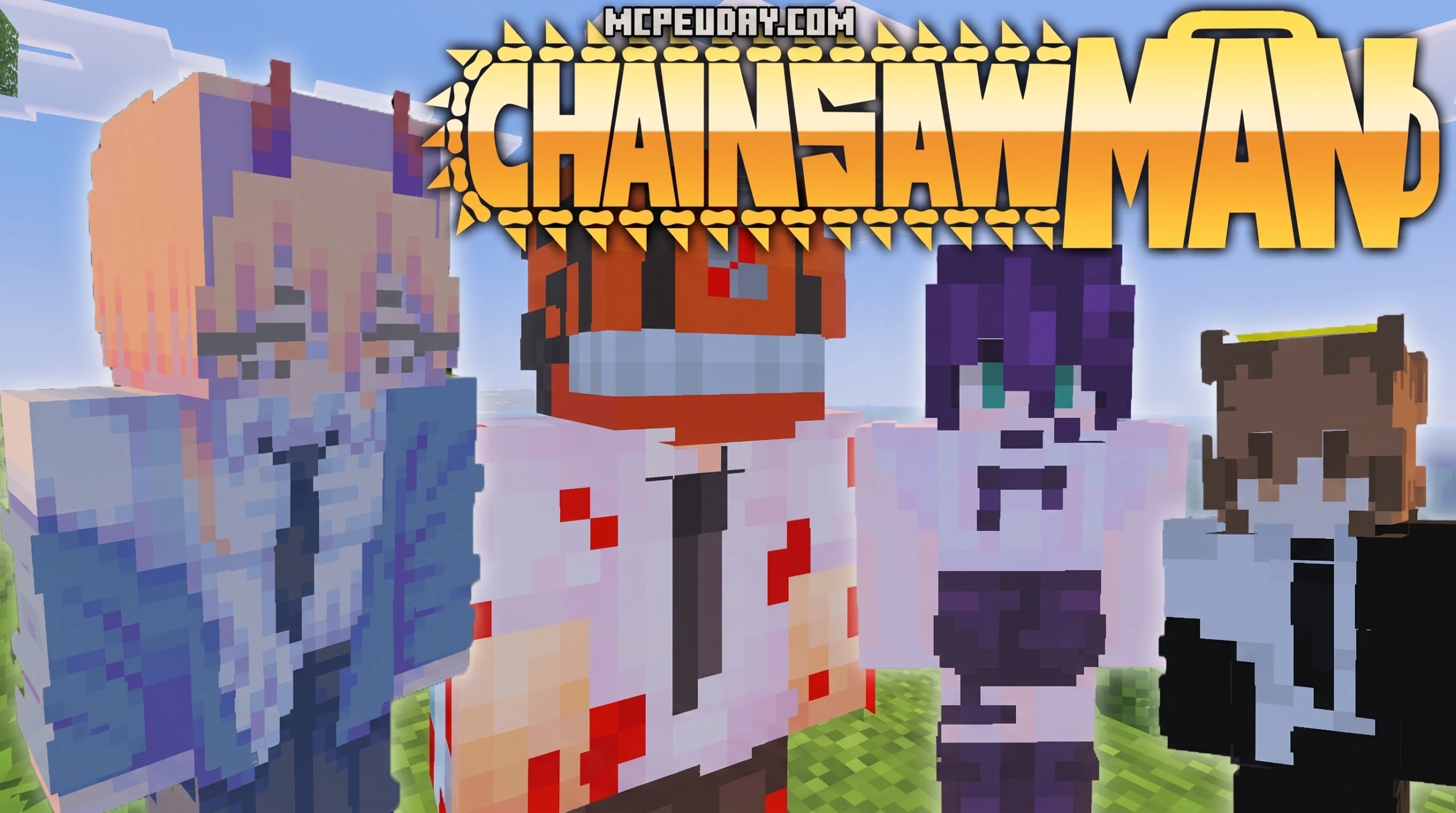
What the Chainsawman Addon Does — and How to Get It Working
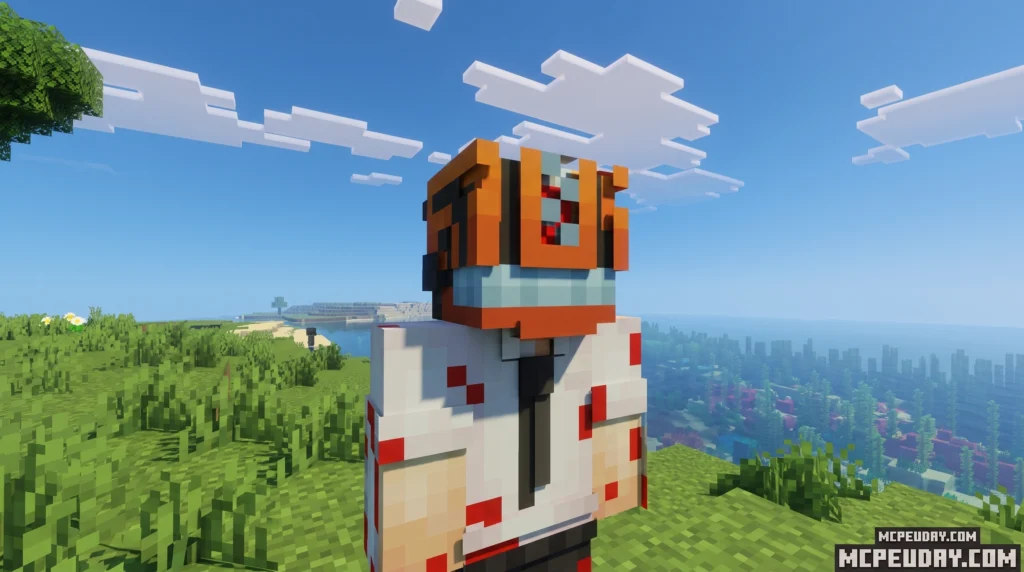


The Chainsawman Addon for Minecraft PE/Bedrock lets you transform into Denji’s chainsaw hybrid form, tame Pochita as a companion, and fight your way through mobs using a blood-powered combat system.
Quick answer — here’s what you need to know:
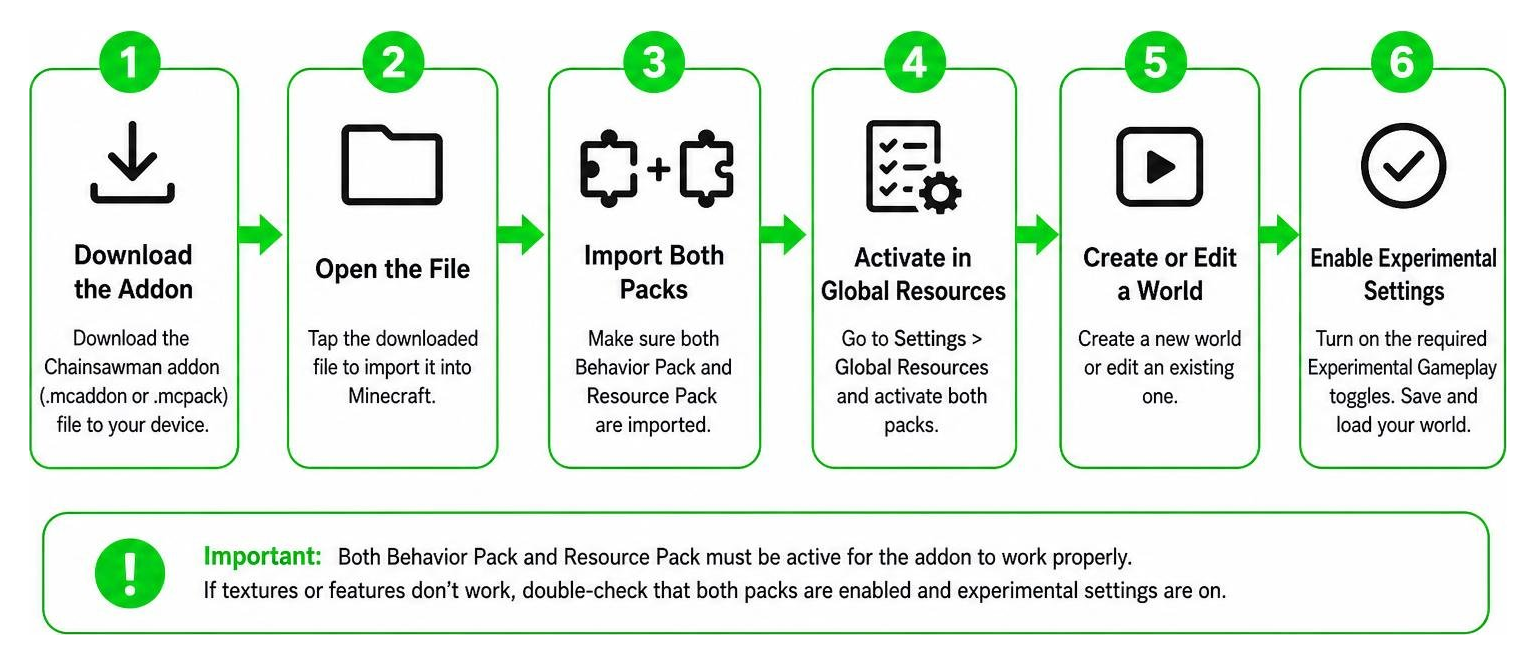
- Download both the Behavior Pack and Resource Pack for the addon
- Enable Experimental Settings in your Minecraft world (Beta APIs, Holiday Creator Features, Molang Queries)
- Find Pochita in passive animal spawn areas (he’s about 50x rarer than normal animals)
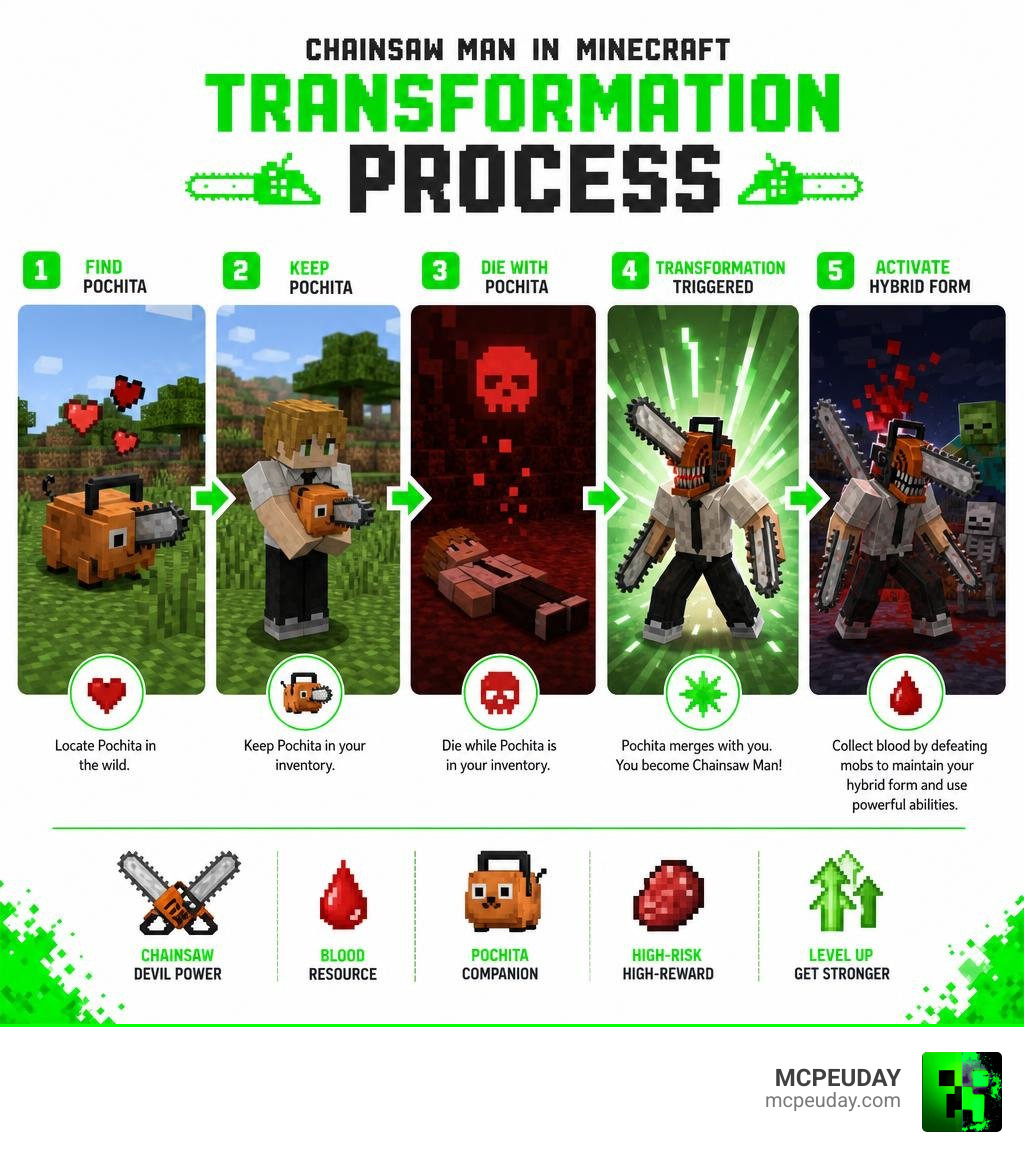
- Die with Pochita in your inventory to trigger the Chainsaw Man transformation
- Collect blood points by killing mobs to fuel abilities and maintain your hybrid form
This addon works on Minecraft Bedrock/PE version 1.21 and is one of the most feature-rich anime addons available — it changes actual survival mechanics, not just your skin.
There are a few versions floating around, and getting the wrong one (or skipping an experimental toggle) is the number one reason players run into problems. This guide walks you through everything.
What is the Chainsawman Addon for Minecraft PE/Bedrock?
If you have ever wanted to wield the chaotic power of the Chainsaw Devil in your survival world, the Chainsawman Addon is exactly what you need. Unlike standard skin packs or basic weapon mods, this addon completely overhauls the survival gameplay loop of Minecraft Bedrock Edition. It introduces a high-risk, high-reward combat system where you trade your human fragility for the terrifying, blood-fueled strength of a devil hybrid.
By downloading the Chainsaw Man Addon 26.x MCPE 1.21 Download, you can step directly into Denji’s shoes. The addon is built specifically for Bedrock, meaning it is fully optimized for mobile devices, consoles, and Windows 10/11. It allows you to experience the dark, thrilling world of Public Safety Devil Hunters right from your favorite gaming device in 2026.
Key Features of the Chainsawman Addon
This mod is packed with unique features that go far beyond basic visual changes:
- True Hybrid Transformation: Rev your engine and sprout chainsaws from your head and arms, completely changing your model and animations.
- Custom 3D Models and Textures: High-quality, custom-modeled entities bring characters, weapons, and devils to life with incredible detail.
- The Blood Point System: A custom fuel mechanic where you must constantly defeat enemies to maintain your powers and heal.
- Interactive Companions and NPCs: Encounter legendary characters like Kishibe or tame Pochita to help you on your journey.
If you are a fan of custom power systems in Minecraft, you might also want to check out our guides on the Anime Characters Addon or explore other massive overhauls like the One Piece Addon 26 x 1.21 Best Anime Mod for Minecraft PE.
Comparing Addon Versions for Minecraft 1.21
The Bedrock community has seen a few creators tackle this universe. The three most prominent versions are Yuguilu’s (often updated as the 26.x series), Eyebags’, and GameHunter’s lightweight compilation.
Depending on your device and what you want out of the gameplay, here is how they stack up:
| Feature | Yuguilu’s Version (26.x) | Eyebags’ Version | GameHunter’s Version (1.2.2) |
|---|---|---|---|
| Primary Focus | Deep progression, contracts, boss fights | Classic transformation mechanics | Lightweight, mobile optimization |
| Pochita Utility | Tameable companion & revival tool | Companion pet | Efficient tree-cutting tool |
| Visual Quality | Excellent (fixed previous oversized heads) | Good classic textures | Performance-friendly models |
| Device Performance | Medium to High-end devices | Medium-end devices | Runs smoothly on any low-end phone |
| Best For | Immersive survival roleplay | Quick action gameplay | Multiplayer servers & older devices |
For the complete, feature-rich experience on version 1.21, we highly recommend Yuguilu’s 26.x version, which you can read about in detail on our Chainsaw Man Addon MCPE 1.21 1.26 page.
Step-by-Step Installation Guide and Required Settings
Installing custom scripted mods on Bedrock requires a tiny bit of preparation. Because this addon changes fundamental game behaviors, skipping a step will result in broken textures or a transformation that refuses to activate.
Before doing anything, always back up your favorite worlds! Experimental addons can sometimes conflict with existing world data, so starting a fresh world is always the safest bet.
For a visual walkthrough, you can also check out this helpful How To Download Chainsawman Mod Video.
Enabling Experimental Gameplay Toggles
To allow the advanced scripting, 3D custom models, and complex combat mechanics to load, you must toggle several experimental settings in your world creation screen:
- Go to your World Settings.
- Scroll down to the Experiments tab.
- Toggle on Holiday Creator Features.
- Toggle on Upcoming Creator Features.
- Toggle on Beta APIs (critical for the custom blood and transformation scripts).
- Toggle on Molang Queries.
- Turn on Education Edition (required by some versions for custom item interactions).
Importing Behavior and Resource Packs
Once your settings are ready, you need to import the downloaded files:
- Locate your downloaded
.mcaddonor separate.mcpackfiles. - Double-click or tap on the Resource Pack (RP) to automatically import it into Minecraft.
- Do the exact same for the Behavior Pack (BP).
- In your world settings, go to Resource Packs and activate the Chainsaw Man pack.
- Go to Behavior Packs and activate the corresponding pack.
- Crucial Step: Ensure the Chainsaw Man Behavior Pack is placed at the very top of your active pack list priority to prevent other mods from overwriting its custom scripts.
Taming Pochita and Mastering the Chainsaw Devil Transformation
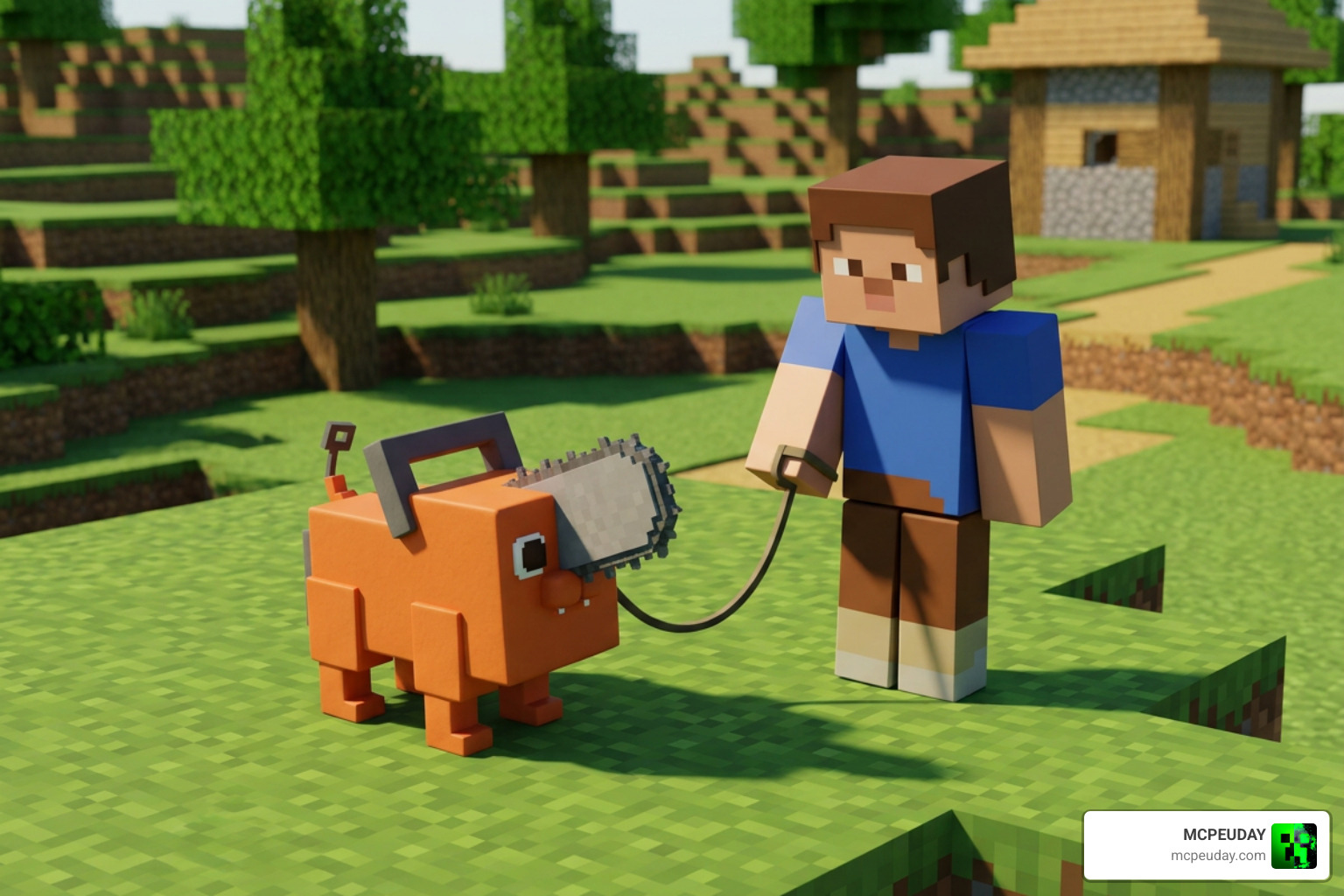
Once you load into your world, your first objective is to find your adorable orange best friend. Pochita is not just a cute face; he is your ticket to ultimate power.
How to Find and Tame Pochita
Pochita spawns naturally in the world wherever passive animals (like sheep and cows) spawn, such as plains and forest biomes. However, he is exceptionally rare—roughly 50 times rarer than standard passive mobs.
When you finally spot him, here is what you need to do:
- To pick him up: Walk up and punch him to safely add him to your inventory.
- To tame him: Place him down, sneak, and interact with him. Taming him requires a literal “blood sacrifice” (it will cost you a small amount of health), but once tamed, he will follow you, attack hostile mobs, and act as an incredibly fast, automatic tree-cutting tool when carried!
Activating the Chainsawman Addon Transformation
There are two primary ways to unleash your inner devil hybrid, depending on which version of the addon you are running:
- The Rip Cord Method: If you have accumulated at least 10 blood points, you can use the Rip Cord item in your inventory to transform. Warning: Wielding this power is dangerous. If your health is below 8 hearts in human form, pulling the rip cord will instantly kill you!
- The Pochita Death Contract: If you keep a tamed Pochita in your inventory and your health drops to zero during a fight, you won’t see a Game Over screen. Instead, your contract with Pochita activates, automatically reviving you on the spot as the legendary Chainsaw Devil!
Blood Points, Demonic Contracts, and Boss Battles
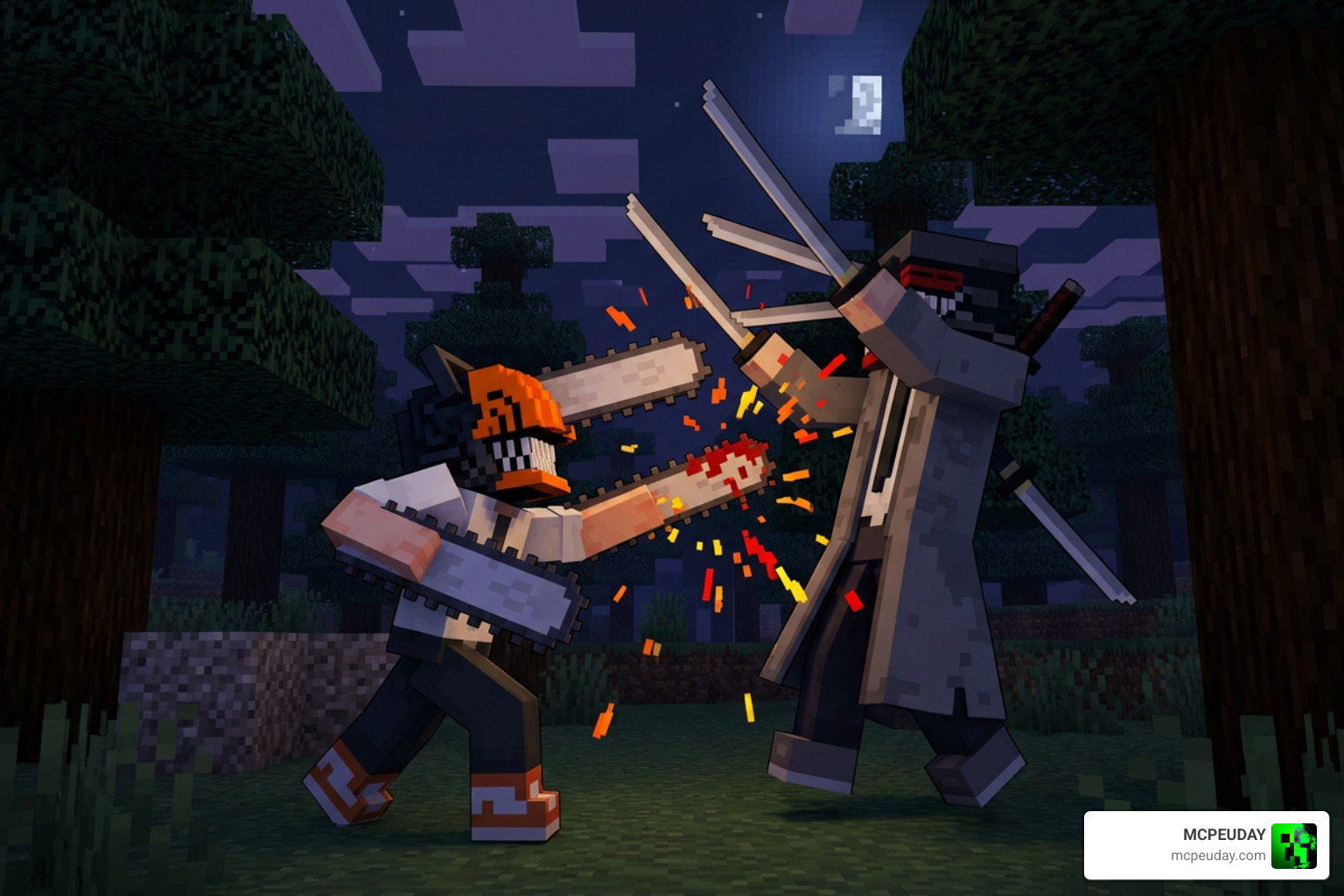
Once transformed, you will notice your health bar double to 40+ points, and you will gain massive speed and strength boosts. However, maintaining this form is a constant battle against hunger and depletion.
This deep combat style is very similar to what you might experience in other high-tier anime combat mods, such as the Jujutsu Kaisen Addon.
Managing the Blood Point System
In devil form, your hunger bar drains at an alarming rate. Standard food won’t do much for you; instead, you must feed on blood:
- Hunting for Blood: Attacking and killing fleshy, living mobs (like zombies, pigs, or villagers) will reward you with blood points and automatically regenerate your health and hunger.
- The Bloodless Immunity: Beware of skeletons and iron golems! Because they are completely bloodless, attacking them will not heal you or grant blood points.
- Special Moves: You can perform a powerful Leap Strike (sprint and right-click/tap) to close the distance on enemies, but keep an eye on your reserves, as this devastating move costs exactly 5 blood points to execute.
Unlocking Demonic Contracts and Fighting Katana Man
As you progress and explore, you can unlock powerful demonic contracts to expand your arsenal:
- The Curse Nail: This weapon functions as a powerful sword, but using its special ability allows the Curse Devil to take some of your own health to strike your target. If you manage to land exactly three hits, the Curse Devil deals massive, fatal damage to almost any foe.
- The Contractor Item: By finding the legendary hunter Kishibe spawning in your world, you can engage in a sparring match. Defeating him allows you to join Public Safety and unlocks the Contractor item.
- Katana Man Boss Fight: Prepare yourself for the ultimate test! The Crimson Flowers update introduces Katana Man as a powerful boss. He features rapid dash attacks and immense health, requiring you to master your blood healing and leap strikes if you hope to survive the encounter.
Frequently Asked Questions about the Chainsaw Man Addon
Why isn’t the Chainsaw Man transformation working in my world?
If you are pulling the rip cord and nothing is happening, or if the models look broken, check the following:
- Experimental Toggles: Ensure “Beta APIs” and “Molang Queries” are turned on. This is the most common mistake.
- Pack Priority: Make sure the Behavior Pack is at the very top of your active list.
- World State: Try applying the addon to a completely new world, as older saved worlds can sometimes block custom scripts from running.
Can I use the Chainsaw Man addon in multiplayer or Realms?
Yes! The Chainsawman Addon is fully compatible with multiplayer. You and your friends can download the packs, join the same world, and form your very own Devil Hunter squads to take down boss mobs together. Just make sure the host or server owner has enabled all the correct experimental settings.
How do I revert back to human form after transforming?
If you want to save your blood points and return to normal, you have two options:
- The Manual Method: Select the very last slot of your hotbar and double sneak.
- The Command Method: Open your chat box and type
/function contract_revoketo instantly break the transformation.
Conclusion
The Chainsawman Addon is a masterpiece of anime integration for Minecraft Bedrock, offering an incredibly polished blend of survival utility, high-risk combat, and faithful anime roleplay. Whether you are using Pochita to clear out entire forests in seconds or facing off against Katana Man in a high-stakes duel, this mod completely revitalizes the Bedrock experience.
At MCPEUDAY, we are dedicated to bringing you the absolute best and most up-to-date resources for your game. If you loved this addon, be sure to explore our extensive MCPE/Bedrock Category for even more amazing mods, shaders, and anime overhauls. Keep your blood points high, your saws sharp, and happy hunting!
