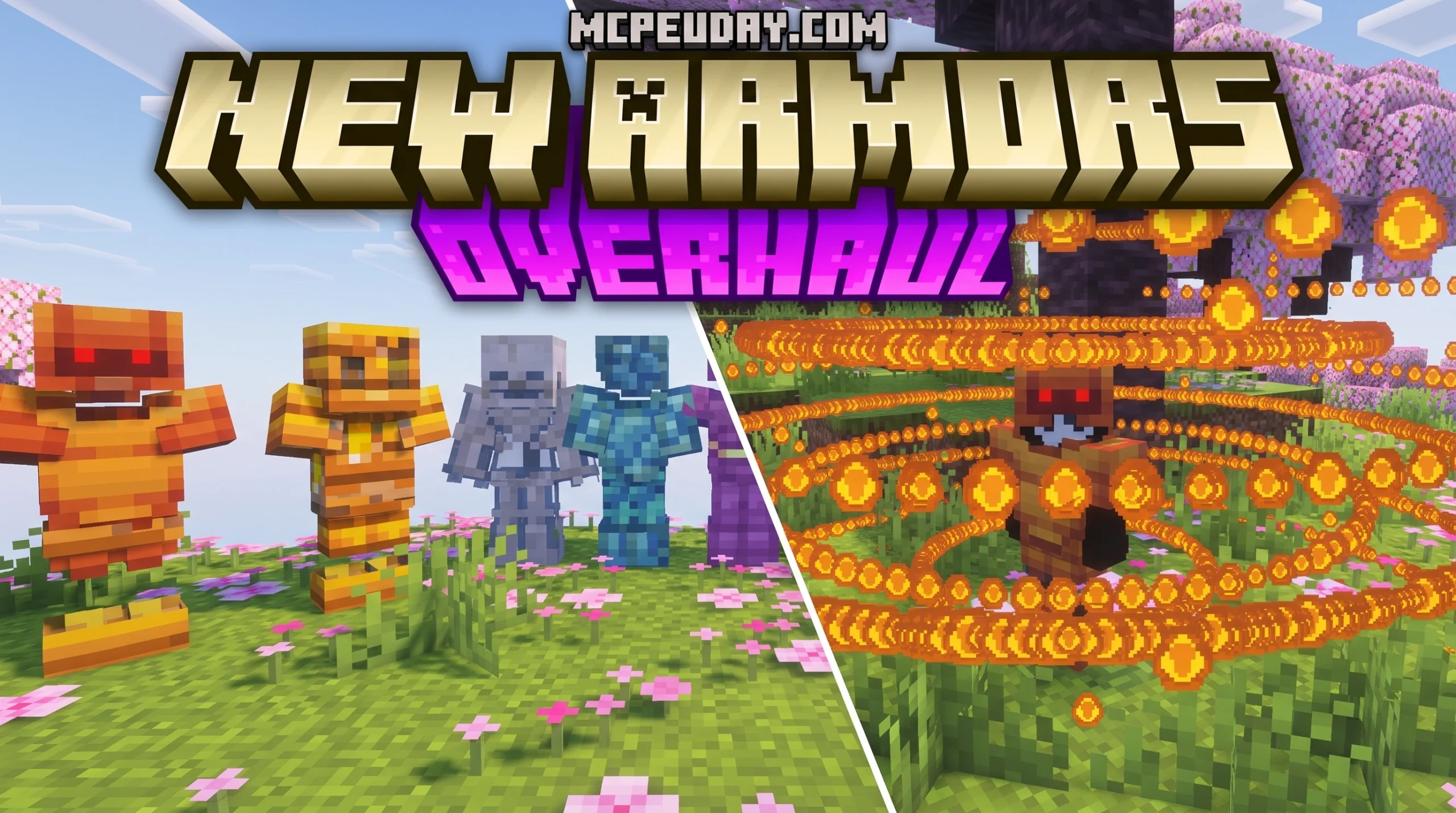
Why the New Armors Overhaul Addon Is a Game-Changer for Minecraft Bedrock
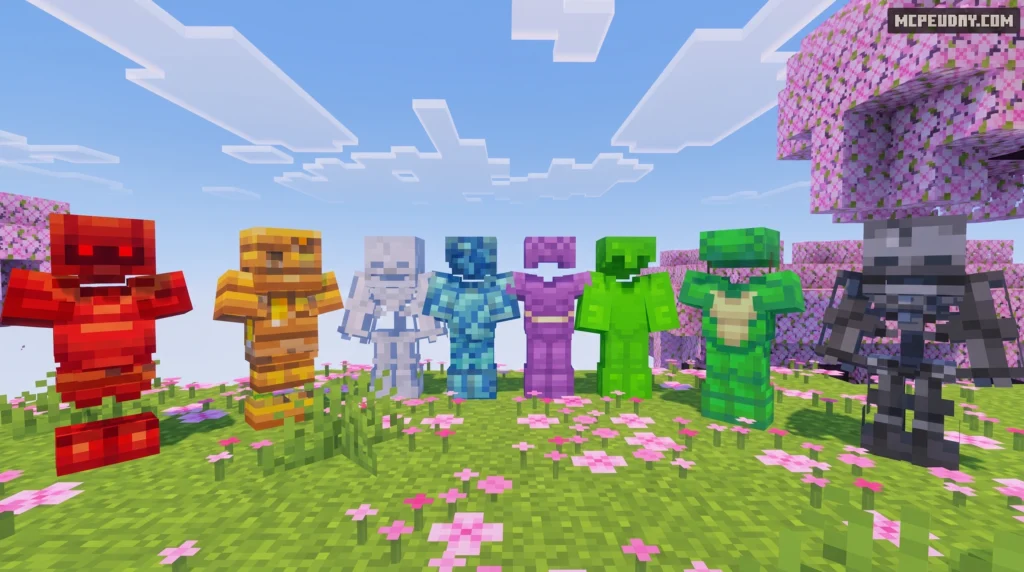
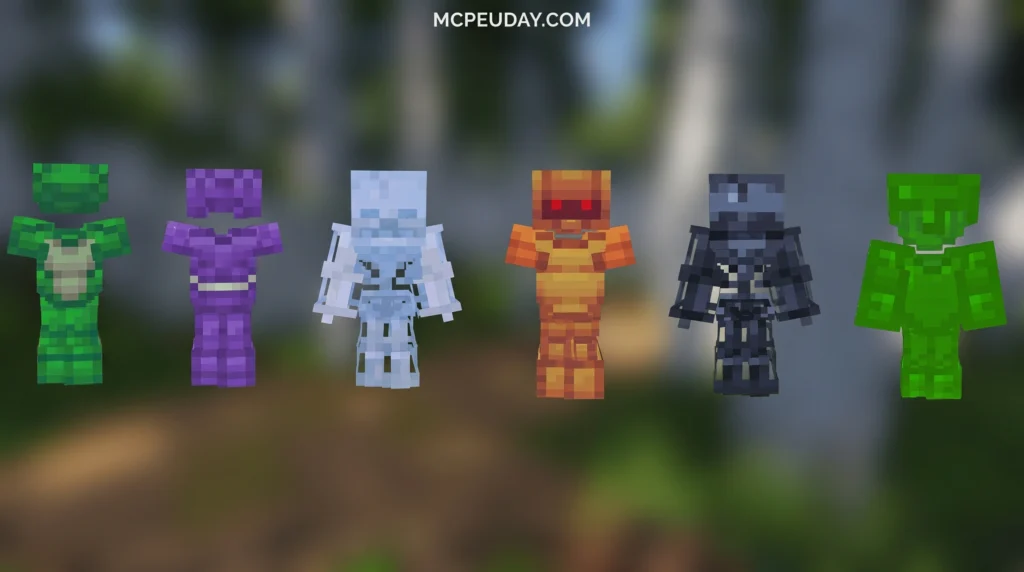
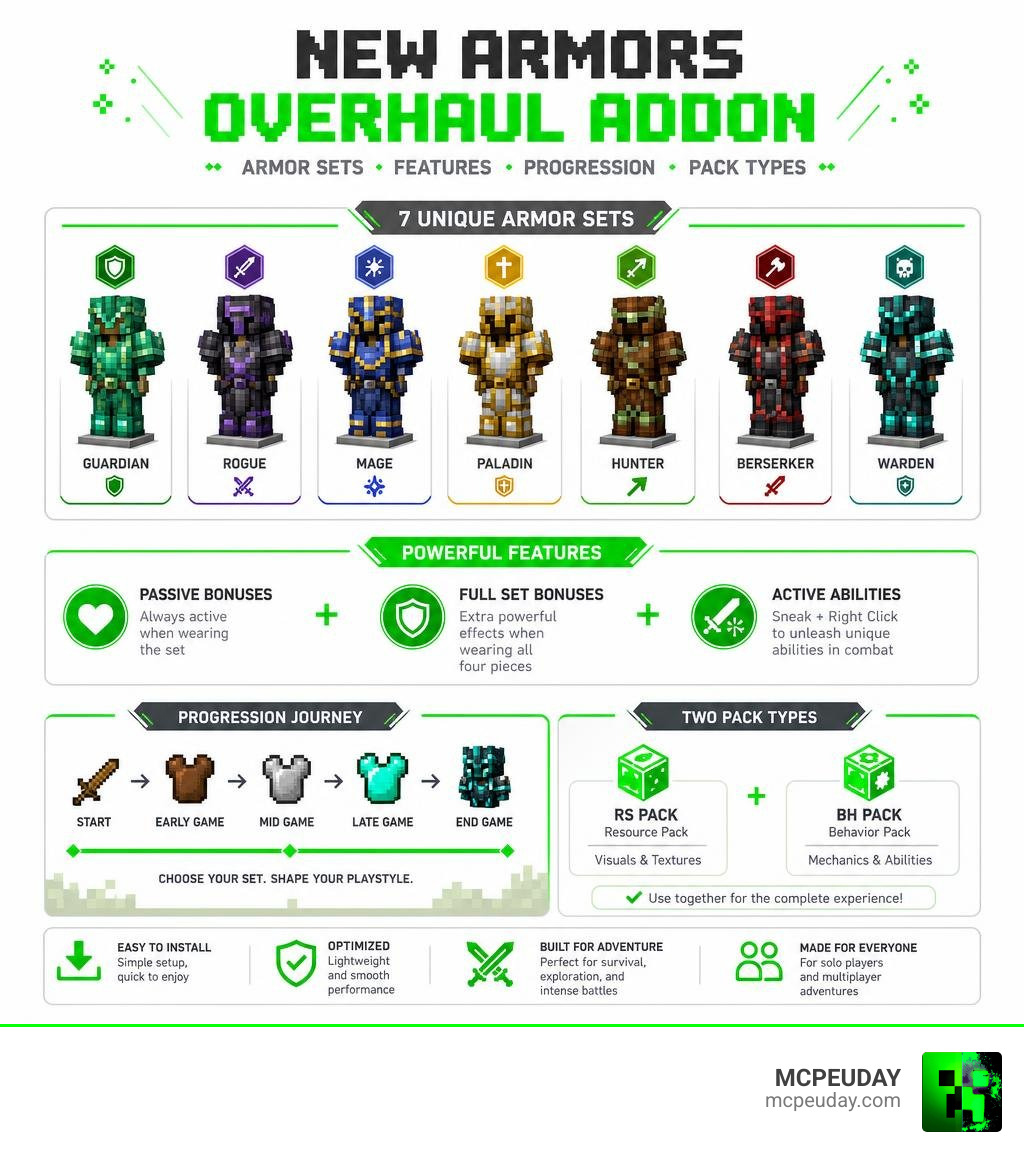
The New Armors Overhaul Addon is a Minecraft Bedrock mod that replaces the game’s basic armor system with seven unique armor sets, each with passive effects, full set bonuses, and active abilities you trigger in combat.
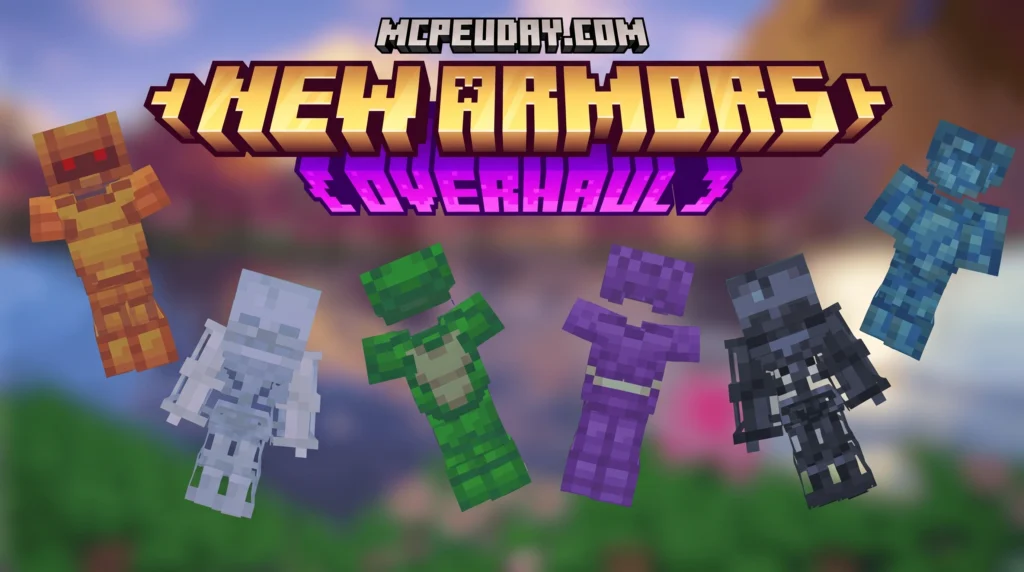
Quick answer for what it includes:
- 7 custom armor sets with unique mechanics
- Two versions: RS Pack (Resource Pack) and BH Pack (Behavior Pack)
- Passive bonuses active at all times when wearing a set
- Full set bonuses for wearing all four pieces
- Active abilities triggered by sneaking and right-clicking
- Works with Minecraft Bedrock Edition (MCPE)
- Over 44,000 downloads and a 4.1 rating
Instead of just swapping iron for diamond, this addon makes armor feel like a real build decision. Each set changes how you play — not just how much damage you can take.
The mod has a small file footprint (under 700 KB total for both packs) but delivers a surprisingly deep layer of gameplay. Whether you’re pushing into deep caves or battling in a fortress, the right armor set can completely shift your strategy.
What is the New Armors Overhaul Addon?
In vanilla Minecraft Bedrock, armor progression is pretty straightforward. You start with leather, move up to iron, grab some diamonds, and eventually upgrade to netherite. It is a linear path where higher tiers simply give you more protection points.
The New Armors Overhaul Addon completely rewrites this formula. Instead of just offering a static defense value, it introduces seven distinct armor sets designed around specific playstyles. Each piece of armor contributes to passive status effects, but the real magic happens when you equip a complete set.
Once you are fully suited up, you unlock powerful full set bonuses and active abilities that can turn the tide of any battle. It turns survival Minecraft into a light RPG experience where your armor represents your “class.” If you enjoy expanding your defensive options, you might also want to check out our guide on the More Armour Addon for Minecraft PE Bedrock for even more custom gear choices.
Key Features of the New Armors Overhaul Addon
- Seven Specialized Armor Sets: Each set is tailored for distinct situations, whether you are mining, fighting mobs, or exploring hostile dimensions.
- Passive Buffs: Enjoy constant benefits like speed boosts, fire resistance, or increased mining speed just by wearing the gear.
- Active Abilities: Unleash temporary, powerful skills on a cooldown to get yourself out of tight spots.
- Stunning Visual Feedback: Activating your abilities triggers custom particle effects and geometric patterns around your character, making you look as powerful as you feel.
- Lightweight Performance: The resource pack (RS Pack) and behavior pack (BH Pack) are highly optimized, ensuring smooth gameplay even on lower-end mobile devices.
Comparing RS Pack and BH Pack Versions
To get the full experience of the New Armors Overhaul Addon, you must understand how its two core components work together. The addon is split into the RS Pack (Resource Pack) and the BH Pack (Behavior Pack).
Here is a quick breakdown of how they compare:
| Feature | RS Pack (Resource Pack) | BH Pack (Behavior Pack) |
|---|---|---|
| File Size | ~315.72 KB | ~342.42 KB |
| Primary Purpose | Visual textures, models, and custom particle effects | Coding, active abilities, stat changes, and cooldowns |
| Required? | Yes, for visual representation | Yes, for gameplay mechanics |
| Multiplayer Sync | Must be downloaded by joining players | Handled by the world host |
Armor Sets and Gameplay Mechanics
Using the New Armors Overhaul Addon requires a bit of tactical thinking. Instead of mixing and matching different armor pieces (like a diamond chestplate with iron boots), this mod strongly rewards commitment. Mixing sets is discouraged because you will lose access to the game-changing full set bonuses and active abilities.
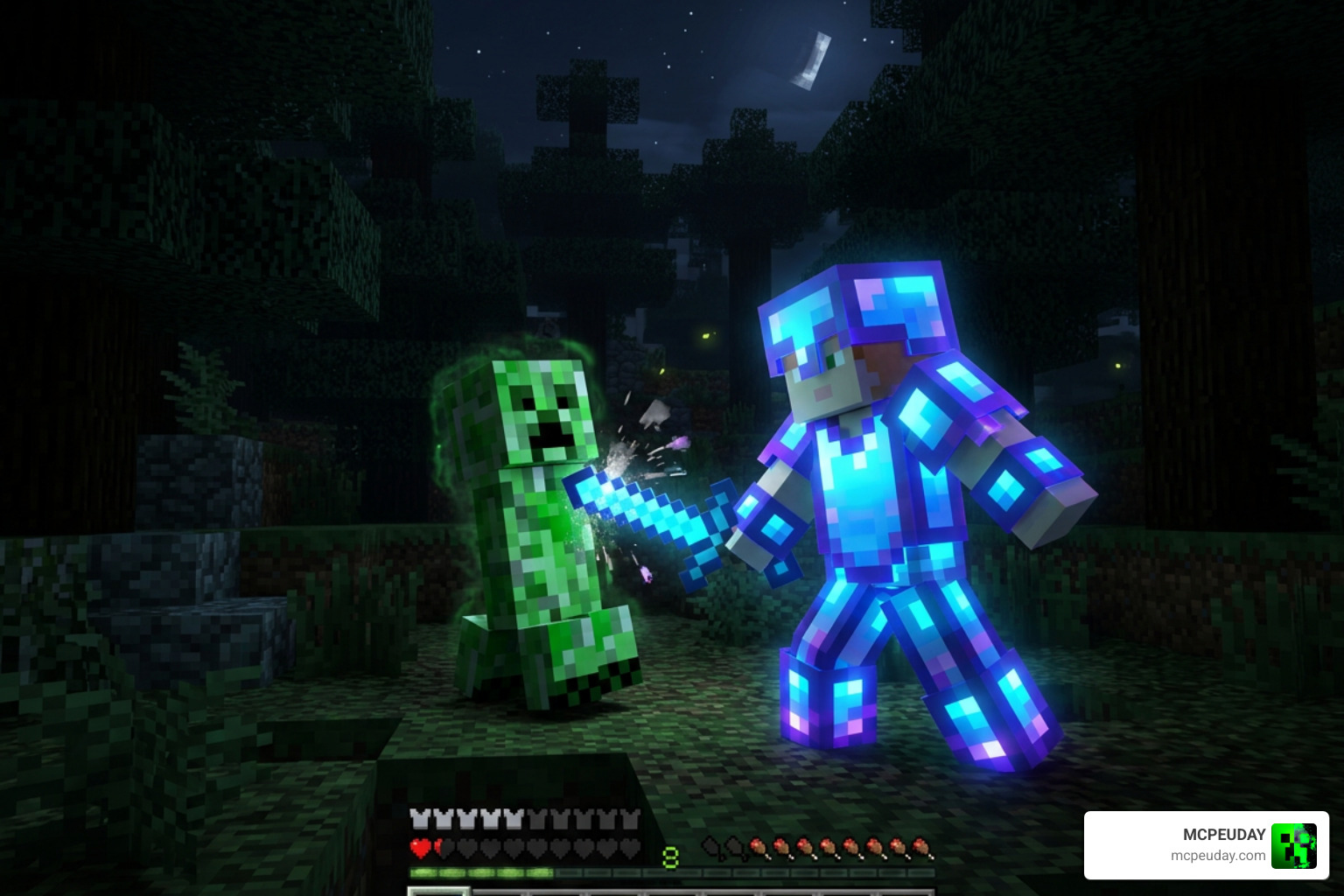
When you are in the middle of a fight, combat timing becomes crucial. Your active abilities are not meant to be spammed constantly; they rely on precise cooldowns. If you trigger your shield or burst ability too early, you might find yourself defenseless when a creeper sneaks up behind you.
For players who love highly specialized defensive playstyles, combining these mechanics with options like the Shadow Armor Tanks Addon can make your survival world feel like an epic cooperative raid.
Active Abilities in the New Armors Overhaul Addon
Every complete armor set comes with a charged active ability. To trigger it, you simply need to hold down your sneak button (Shift on PC, or the center d-pad button on mobile) and right-click (or tap the screen).
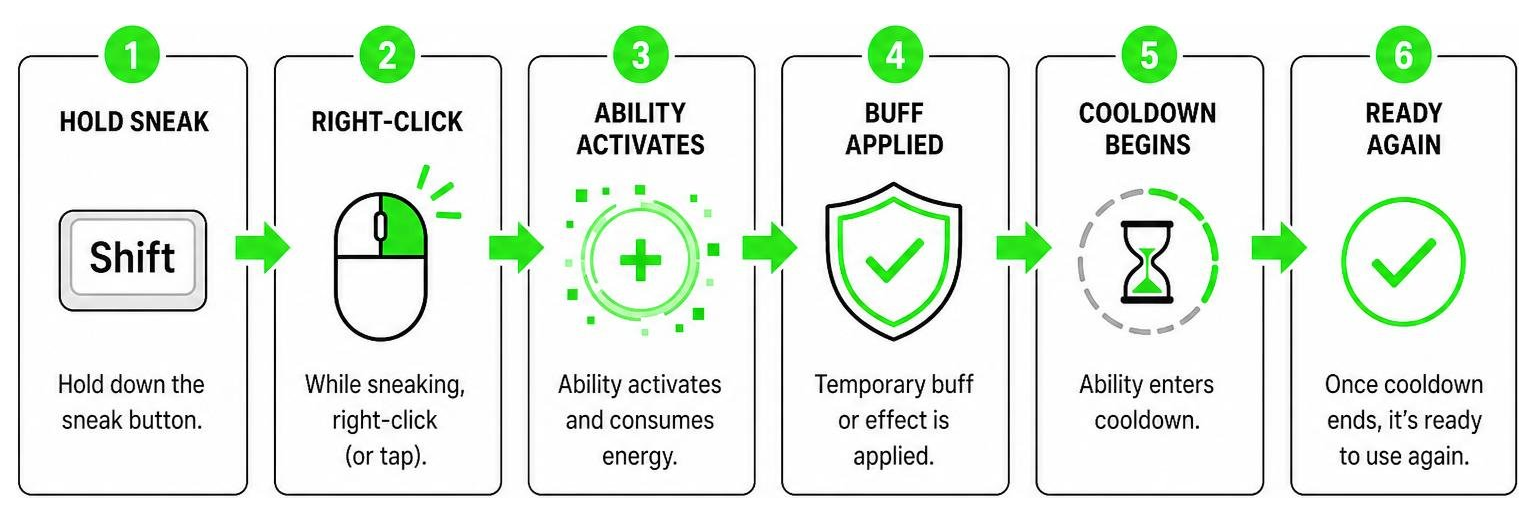
When activated, you will see geometric particle patterns swirl around your character, signaling that your temporary buff is live. These abilities range from explosive shockwaves that clear out surrounding mobs to temporary invincibility shields. This system forces you to think about your timing, making combat feel much more engaging than vanilla Minecraft’s standard sword-swinging. If you enjoy armor that changes the way you interact with blocks, check out the Block Armor Addon as well.
How It Affects Gameplay Balance and Progression
This addon completely shifts how you approach survival progression. Instead of rushing straight for netherite, you might find yourself keeping a specialized set of armor in your inventory specifically for deep cave exploration or nether fortresses.
Because each set has distinct advantages and disadvantages, your armor becomes a true build choice. You can see these mechanics showcased in action in this OP Armor Showcase Video, which highlights just how powerful these sets can be when utilized correctly.
Installation and Compatibility Guide
Getting the New Armors Overhaul Addon up and running in your world is incredibly simple, but you do need to make sure you follow the steps carefully to avoid broken textures or missing abilities.
Step-by-Step Installation for Bedrock Edition
- Download the Files: Download both the RS Pack and the BH Pack (often packaged together as a
.mcaddonfile). - Import to Minecraft: Double-click or tap the downloaded file. Minecraft Bedrock will open automatically and import the packs.
- Create or Edit a World: Go to your world settings.
- Activate Resource Packs: Scroll down to “Resource Packs”, find the New Armors Overhaul Addon, and click activate.
- Activate Behavior Packs: Do the same under “Behavior Packs”.
- Enable Experimental Toggles: Make sure to toggle on Holiday Creator Features and Upcoming Creator Features in your world settings to ensure the custom armor scripts load correctly.
If you like carrying extra gear for your different armor builds, we highly recommend pairing this mod with the Backpacked Armor Addon to keep your inventory clean!
Compatibility with Other Minecraft Mods
Because this addon introduces custom armor scripts, it may conflict with other mods that modify the default player armor slots or inventory behavior. However, it generally runs smoothly alongside custom weapons, world generation mods, and mob addons.
If you are looking to build an underwater-themed loadout alongside your new gear, check out our guide on the Nautilus Armor in Minecraft to see how custom marine armor fits into your modded setup.
How It Compares to Other Minecraft Armor Overhauls
Armor overhauls are incredibly popular across the entire gaming community. To understand where the New Armors Overhaul Addon sits, it helps to look at how other games handle similar overhauls.
For instance, in the Skyrim modding community, creators have built massive overhauls like the Realistic Armor Overhaul at Skyrim Special Edition Nexus – Mods and Community or the massive New Haven Complete Weapon, Armor, and Artifact Overhaul. These mods focus heavily on visual facelifts, swapping out vanilla meshes for highly detailed, realistic historical designs.
Similarly, Fallout 4 players use mods like the New Equipment Overhaul to add functional headlamps and expanded paint options, while Fallout New Vegas players enjoy the Armor System Overhaul to layer extra metal plates and leather over their outfits. Even tactical medieval games feature popular gear expansions, such as the Bahamut’s Armory + (RBM patch available on Nexus) on Steam.
While those RPG mods focus heavily on hyper-realistic textures and complex physical layering, the New Armors Overhaul Addon for Bedrock takes a more arcade-style, gameplay-first approach. Instead of bogging down your device with massive 4K textures, it prioritizes active combat mechanics, cool particle effects, and meaningful survival choices that fit perfectly into Minecraft’s blocky aesthetic.
Frequently Asked Questions about New Armors Overhaul
How do you activate the special abilities of the armor sets?
To activate your armor’s unique ability, make sure you are wearing the full four-piece set. Then, simply sneak (hold Shift on keyboard or press the crouch button on mobile) and right-click (or tap your screen).
Is the New Armors Overhaul Addon compatible with multiplayer servers?
Yes! The addon works great on local multiplayer worlds and dedicated servers. Just make sure the host has enabled both the Resource and Behavior packs, and that “Require players to accept resource packs to join” is turned on.
Do I need to enable Experimental Gameplay settings for this addon?
Yes. Because this addon uses custom components and scripting to trigger active abilities, you must enable Holiday Creator Features and Upcoming Creator Features in your world settings before launching.
Conclusion
At MCPEUDAY, we love mods that make the classic survival loop feel fresh again. The New Armors Overhaul Addon does exactly that by transforming your armor from a simple health bar buffer into a dynamic, active combat tool.
Whether you are looking to dominate your world with high-tier passive buffs or enjoy the visual flair of geometric particle shields, this addon is a must-have for your Bedrock world in 2026. Ready to discover more game-changing additions for your world? Head over to our Explore MCPE Bedrock Category to find the latest shaders, custom weapons, and gameplay mods!