What the Glow Em All Shader Does (And Why Miners Love It)
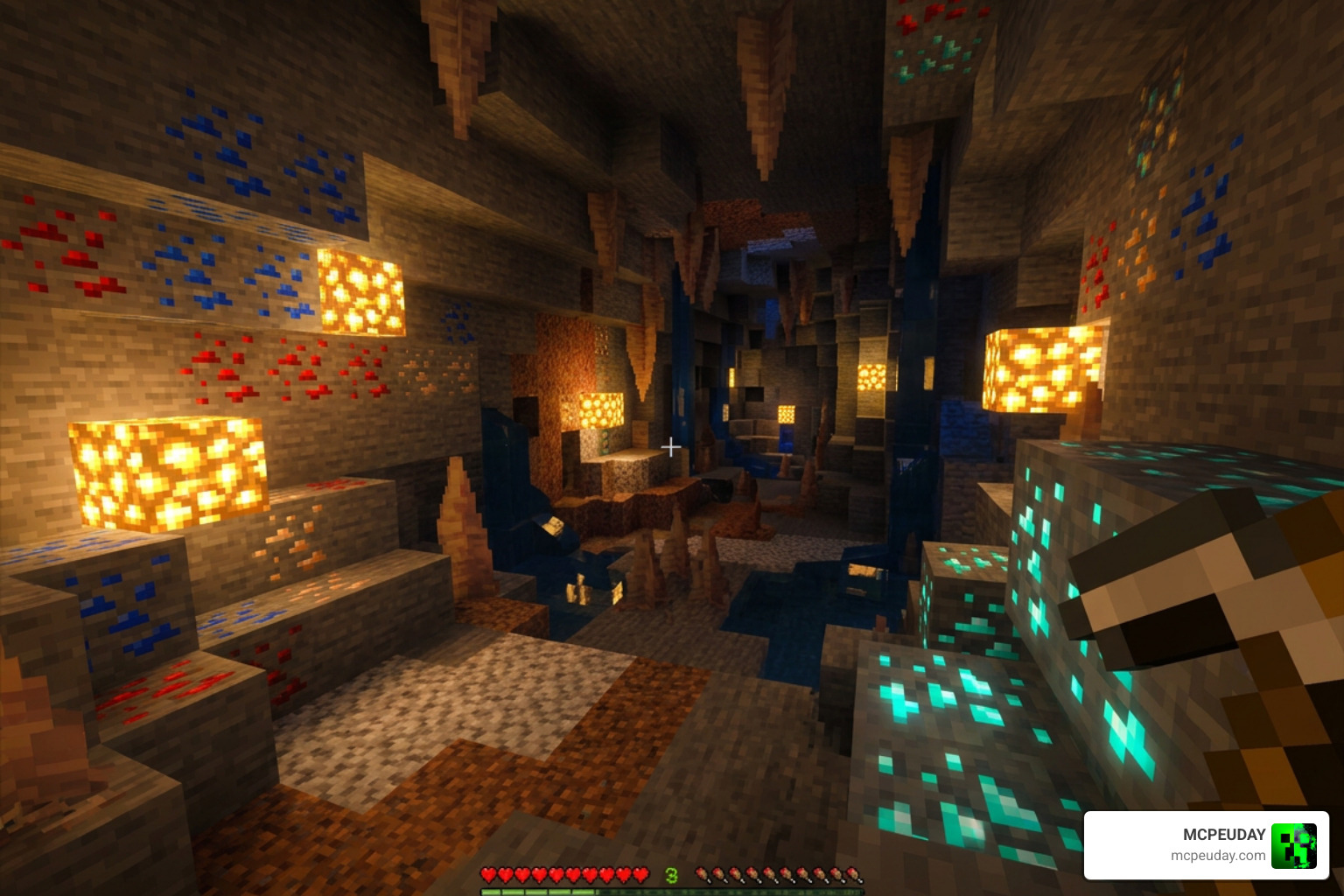
The Glow Em All Shader is a lightweight resource pack for Minecraft Bedrock Edition (MCPE) that makes ores and caves glow so you can spot resources faster in the dark.
Quick answer for what it does:
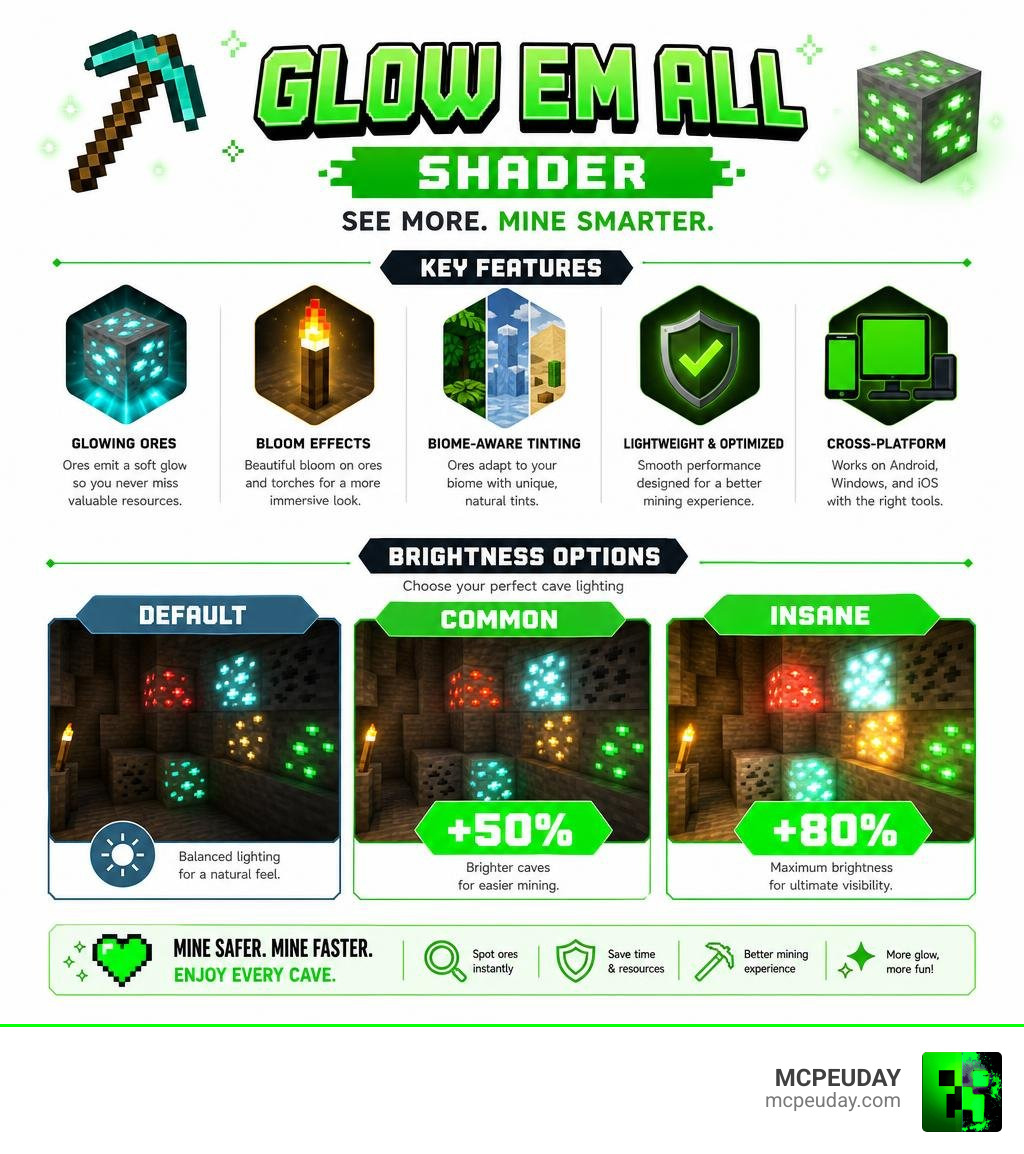
- Adds a soft glow to ore blocks so they stand out in dark caves
- Brightens cave lighting with three options: Default, Common (+50%), and Insane (+80%)
- Adds bloom effects to ores and torches
- Includes biome-aware tinting (emerald in jungles, icy blue in tundras, amber in deserts)
- Works on Android, Windows, and iOS with the right tools installed
It has racked up over 875,000 downloads and is one of the most popular glowing ore packs available for MCPE. That said, it does require an unofficial loader to work — because Minecraft Bedrock doesn’t support custom shaders out of the box.
If you’ve ever lost a diamond vein in a pitch-black cave or wasted time squinting at stone walls, this shader was built exactly for that problem. Mining becomes faster, safer, and honestly a lot more satisfying when every ore lights itself up for you.
Keep reading to learn how to install it, which platforms it supports, and what to watch out for after recent Minecraft updates.
What is the Glow Em All Shader and Its Key Features?
At its core, the Glow Em All Shader is designed to solve one of the most tedious parts of Minecraft survival: mining in pitch-black darkness. Instead of spamming hundreds of torches or constantly chugging Night Vision potions, this shader applies a gorgeous, color-true glow directly to ore blocks.
Unlike heavy, resource-intensive graphic packs that can turn your mobile device into a pocket-sized furnace, this pack uses lightweight rendering techniques. It is optimized specifically for Bedrock’s rendering engine (Render Dragon), ensuring that your frame rates remain smooth even when deep underground. If you are new to how these visual modifications work, you can read our guide on What are Shaders in Games to understand the technology behind the magic.
Biome-Aware Glow Tinting in Glow Em All Shader
One of the coolest features that sets the Glow Em All Shader apart from generic glowing ore packs is its biome-aware glow tinting. Rather than using a static lighting model everywhere, the shader dynamically adapts to the atmosphere of different biomes:
- Jungle Biomes: Emits a mystical emerald glow, transforming deep jungle caves and treehouses into magical, vibrant environments.
- Snowy Tundras: bathes the landscape in a frosty blue illumination, making polar nights feel incredibly atmospheric.
- Desert Biomes: Radiates a warm amber glow, perfect for exploring desert temples and sandstone ruins.
- Nether & Lava Zones: Enhances the fiery depths with intense, cinematic bloom effects on ancient debris and quartz.
- End Dimension: Features an ethereal violet lighting that makes End Cities look beautifully futuristic.
Custom Brightness Options and Presets
We love options, and this shader gives us plenty of them. Depending on how much help you want in the dark, you can choose from several brightness and styling presets:
- Default Minimum: Keeps the vanilla cave darkness but makes the ores themselves pop out.
- Common Brightness: Makes caves roughly 50% brighter, giving you a clear view of your surroundings.
- Insane Brightness: Boosts cave visibility by 80% — practically eliminating the need for torches.
- Outlined Preset: Draws crisp, glowing silhouettes around ore veins so you can spot them from far away.
- Halo-Only Variant: Provides a softer, near-vanilla glow effect for players who want a more immersive look.
| Preset Name | Visibility Boost | Best For | Visual Style |
|---|---|---|---|
| Default Minimum | 0% (Vanilla Caves) | Immersive Survival | Subtle Glow |
| Common | +50% Cave Brightness | General Mining | Soft Glow & Balanced Shadows |
| Insane | +80% Cave Brightness | Fast Resource Grinding | High Visibility |
| Outlined | N/A | Spotting Hidden Veins | Crisp Silhouettes |
| Halo-Only | N/A | Vanilla-Plus Gameplay | Soft Ambient Bloom |
How to Install and Setup the Pack
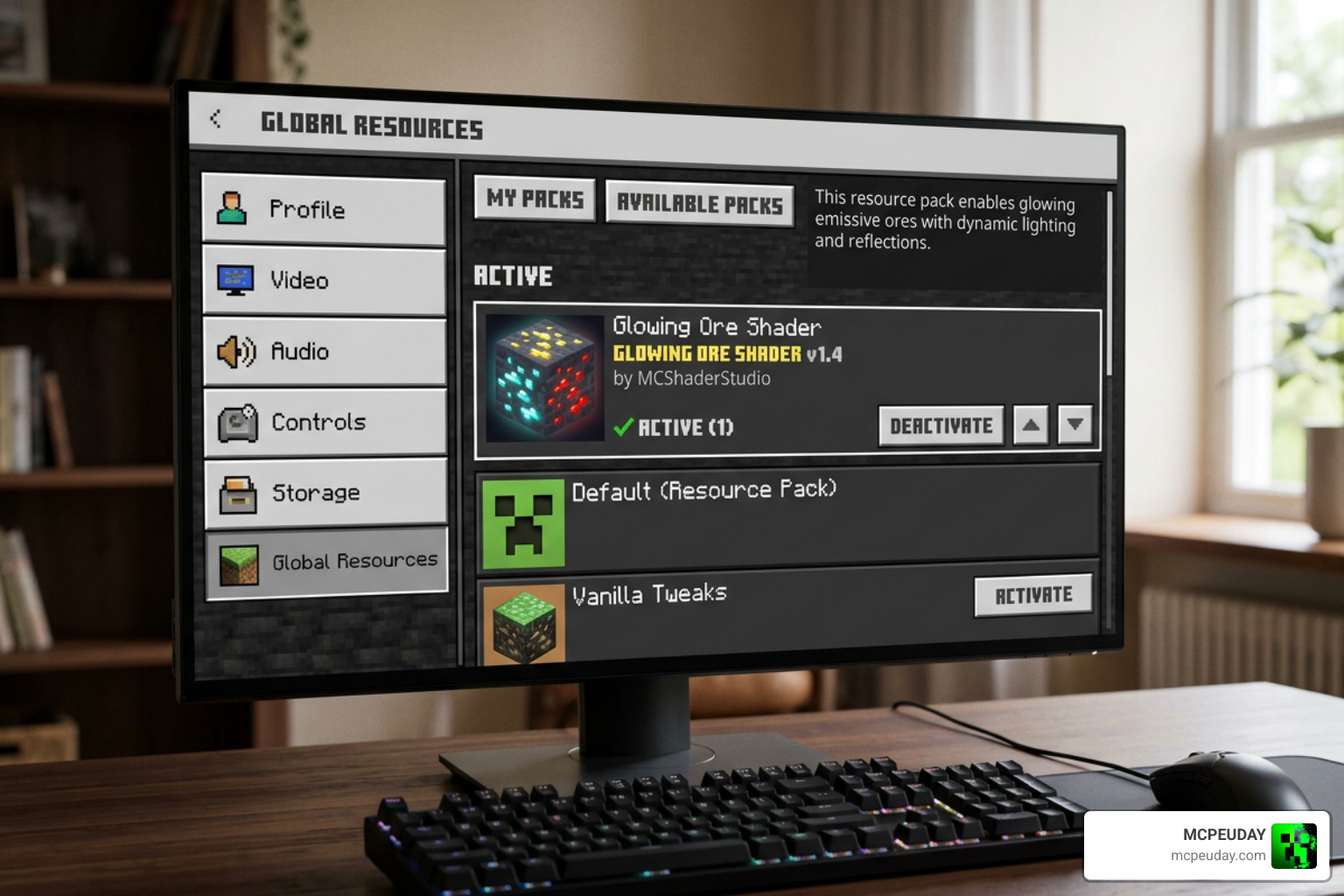
Setting up the Glow Em All Shader requires a few specific steps because of how Bedrock handles custom graphics. If you need a broad overview of how to manage these files, check out our comprehensive guide on How to Get Shaders in Minecraft. For official background on how Bedrock resource packs are structured, you can also review the Minecraft Creator documentation for resource packs.
How to Install and Activate the Glow Em All Shader
To get the best visual experience, follow these general steps:
- Download the official
.mcpackfile from a trusted source. - Tap or double-click the file to automatically import it into Minecraft.
- Open Minecraft, go to Settings > Global Resources, and activate the pack.
- For the best visual output, ensure that Fancy Graphics is enabled in your Video settings, and place the shader at the very top of your active resource pack list to prevent other texture packs from overriding it.
For a detailed walkthrough on this specific version, you can refer to our installation guides on MCPEUDAY.
Platform-Specific Installation Steps
Because Minecraft Bedrock operates on the Render Dragon engine, you cannot simply load custom shaders on every platform without a helper tool. Below is our step-by-step diagram of how the installation process works depending on your device.
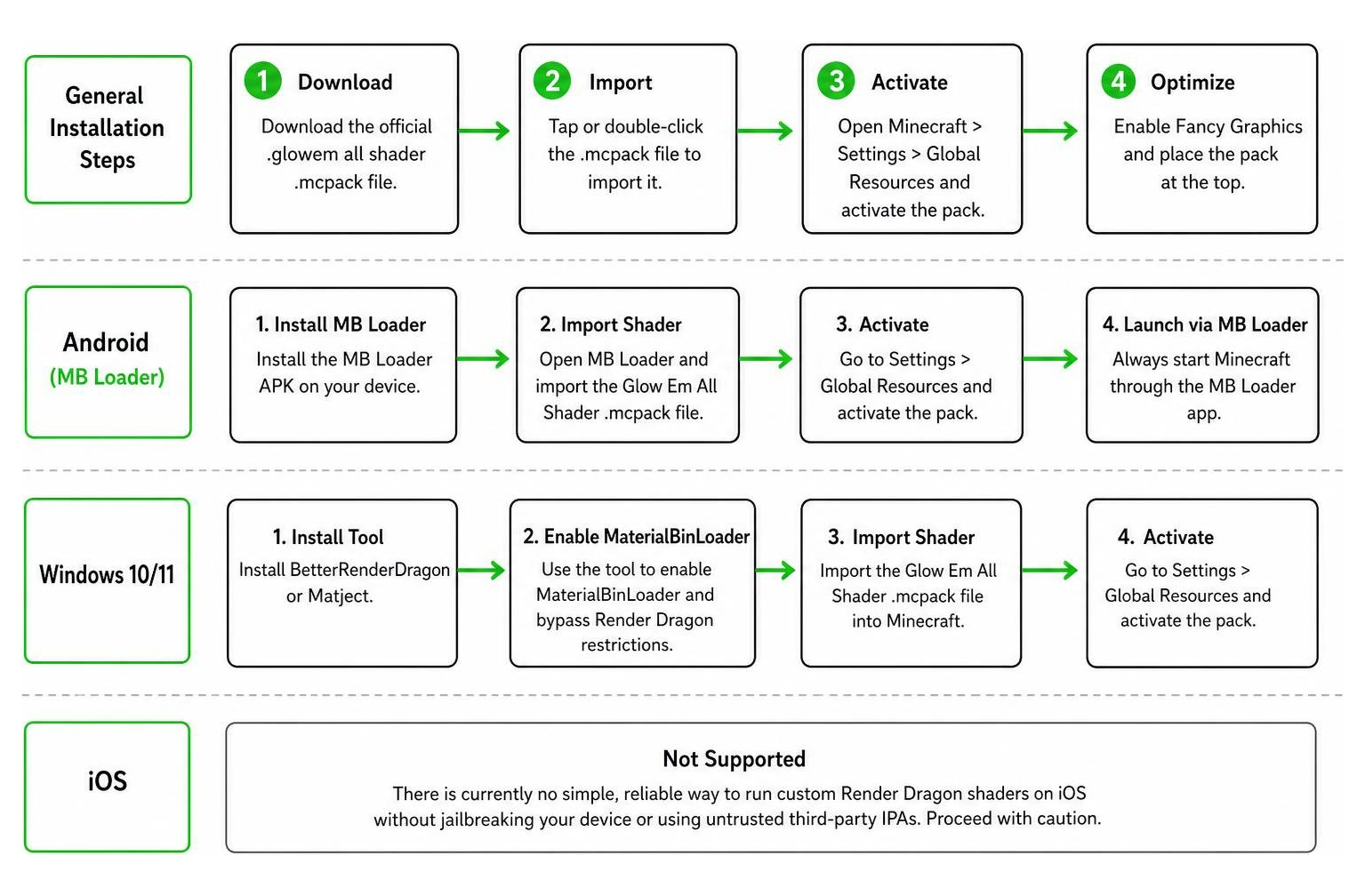
- Android: You will need to use a third-party loader like MB Loader. Install the MB Loader APK, import the Glow Em All Shader resource pack, activate it in your Global Resources, and always launch the game through the MB Loader app. For more Android-specific tips, check out our guide on Minecraft Shaders Download for Android.
- Windows 10/11: To bypass Render Dragon restrictions, you must use BetterRenderDragon or Matject to enable MaterialBinLoader. Once configured, import the
.mcpackfile and activate it in your settings. - iOS: Unfortunately, there is currently no simple, reliable way to run custom Render Dragon shaders on iOS without jailbreaking your device or using untrusted third-party IPAs. We recommend proceeding with caution here.
Compatibility, Performance, and Known Issues
While the Glow Em All Shader is incredibly lightweight, there are a few technical hurdles to keep in mind.
The biggest challenge comes from Mojang’s updates. When Minecraft updated to version 1.21.101, the developers made major changes to the rendering engine. This update broke almost all custom Bedrock shaders. The developers of Glow Em All have released workarounds (such as version 3.7.2), but these are temporary fixes. If you want the most stable, bug-free experience, some players choose to downgrade their game to version 1.21.94.
For the latest updates and files directly from the community, keep an eye on our dedicated shader download pages on MCPEUDAY.
Performance Tips:
- Battery Saver: If you are playing on a mobile device during a long mining session, enable the in-game Battery Saver mode.
- Reduce Bloom in the Nether: The intense lava reflections in the Nether can occasionally cause minor frame drops on older mobile GPUs. If this happens, you can edit the
emissive.jsonfile in the pack to lower the bloom intensity.
Frequently Asked Questions
Does Glow Em All Shader work on Minecraft Bedrock 1.21+?
Yes, but with caveats. The shader supports version 1.21, but because of the rendering changes introduced in update 1.21.101, you must use the latest updated versions of the pack alongside third-party patchers like BetterRenderDragon (Windows) or MB Loader (Android) to get it to display correctly.
Do I need a third-party loader to run this shader?
Yes. Because Mojang’s Render Dragon engine does not officially support custom community shaders, you must use a loader like MaterialBinLoader, BetterRenderDragon, or MB Loader to inject the custom code into the game. Always make sure to back up your worlds before installing third-party tools!
How does it compare to other MCPE shaders?
While many graphic packs try to change the entire game’s sky, water, and shadows, the Glow Em All Shader focuses on doing one job perfectly: making mining easier and more beautiful. It is far lighter than full-scale realistic shaders, making it the perfect choice for mid-range and budget mobile devices. For a broader look at what is available, you can explore our list of the 15 Best Minecraft PE Shaders June 2026.
Conclusion
The Glow Em All Shader is an absolute game-changer for anyone who spends their survival hours deep underground. By adding gorgeous, biome-aware glows to your ores and giving you complete control over your cave lighting, it removes the frustration of dark mining while keeping your game running smoothly.
If you are ready to completely transform your Minecraft graphic experience, we highly recommend checking out our handpicked selection of the Best Shaders for MCPE 1.21 2026 Top 3 Realistic Minecraft PE Shaders to find the perfect visual style for your next adventure!