What Shaders in Games Actually Are (And Why They Matter)
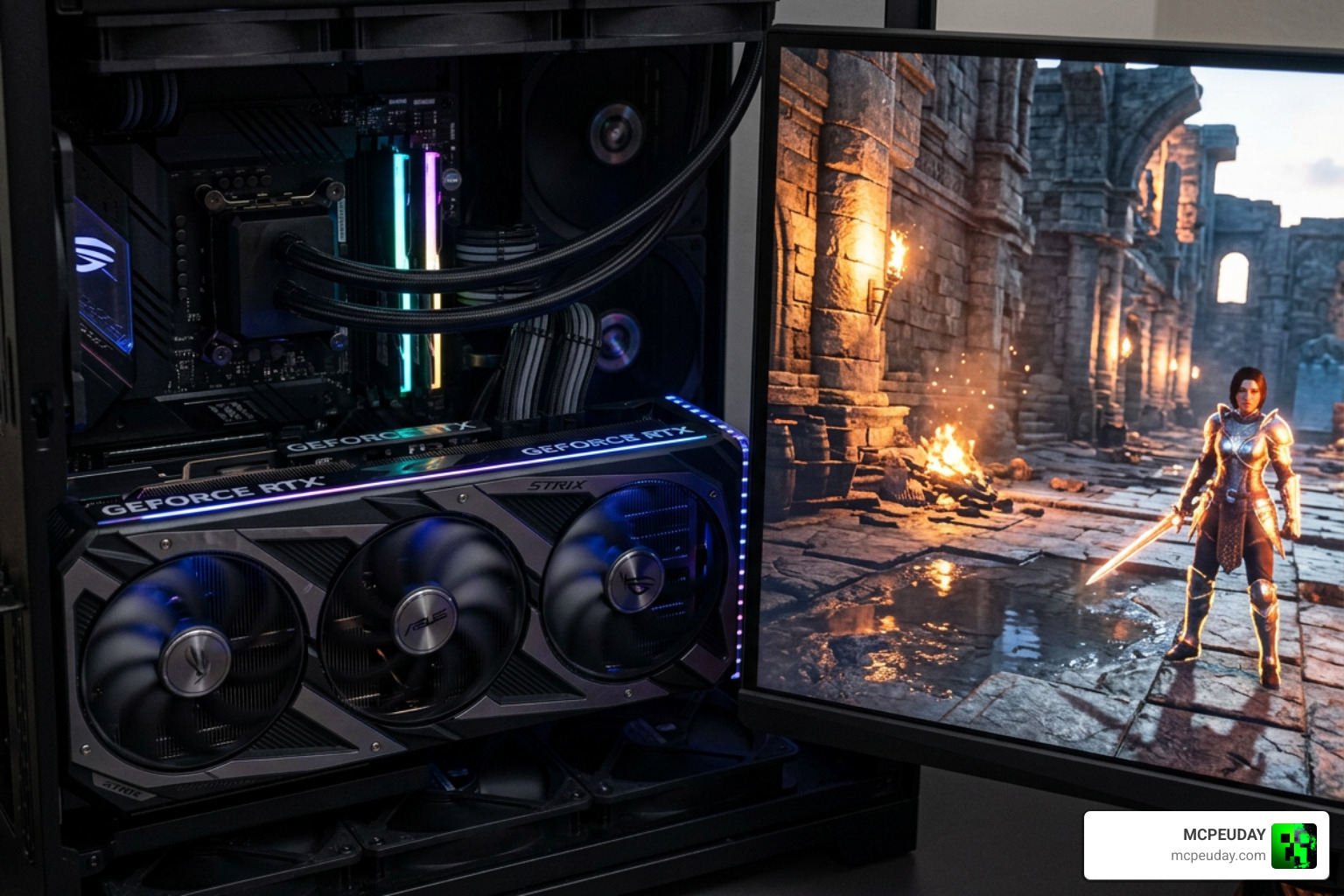
If you’ve ever wondered what are shaders in games, here’s the short answer:
They handle everything from the glow on a sword to the way water reflects sunlight. Without shaders, modern games would look flat and lifeless.
Quick answer at a glance:
- What they are: Mini programs running on your graphics card (GPU)
- What they do: Control colors, lighting, shadows, textures, and visual effects
- Where they run: On thousands of GPU cores at the same time, in parallel
- Why they matter: Every visual effect you see in a game is produced by a shader
- Who uses them: Game engines like Unity, Unreal, and Minecraft’s RenderDragon all rely on them
Every time your game renders a frame — whether that’s a Minecraft sunset or a Cyberpunk 2077 rain-soaked street — shaders are doing the heavy lifting. A modern 2880×1800 display running at 60 fps needs over 311 million pixel calculations every single second. Your GPU handles that load by running shader programs across thousands of specialized cores simultaneously.
That scale is hard to wrap your head around. But once you understand how shaders work, you’ll see your favorite games in a completely new way.
What Are Shaders in Games and How Do They Work?
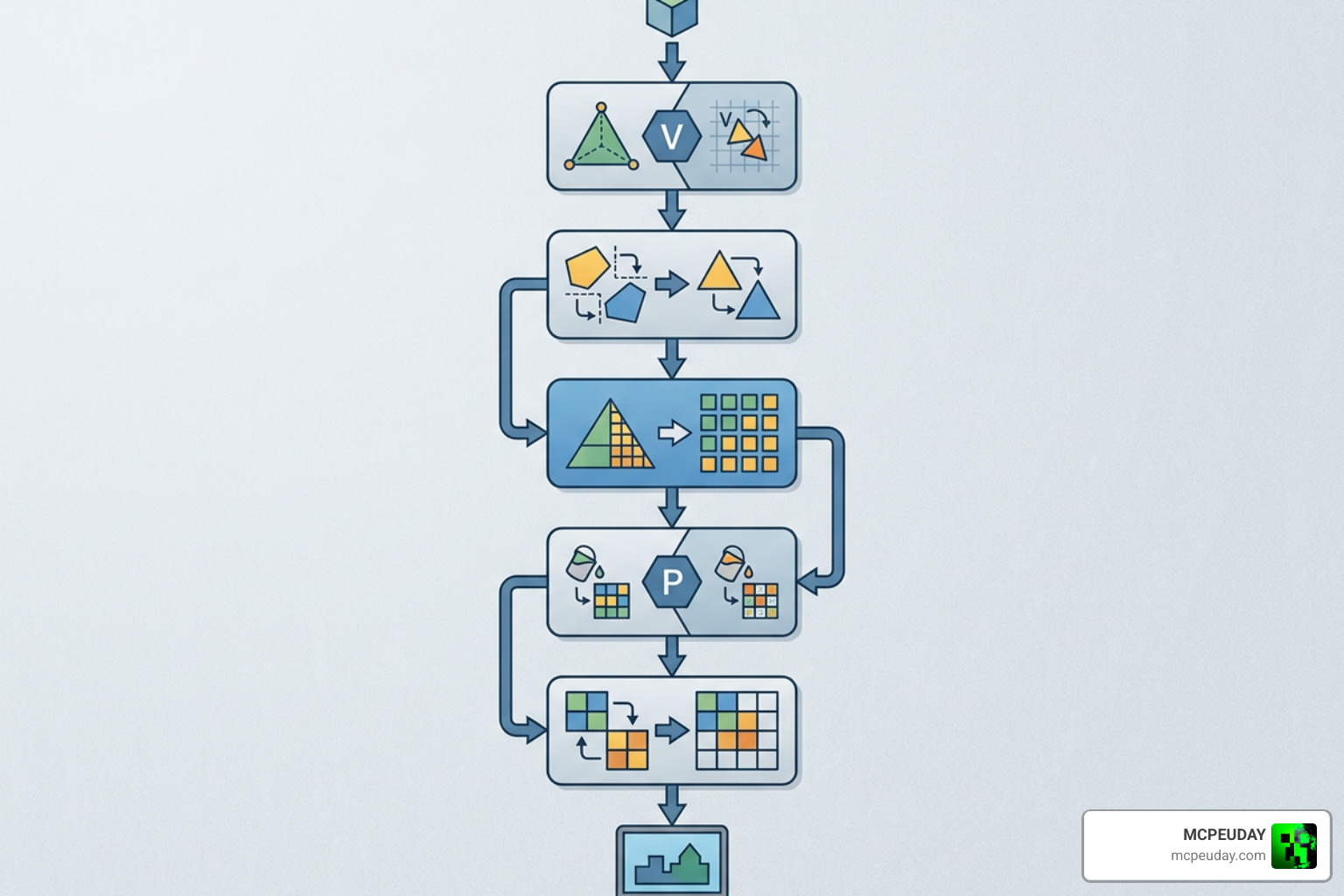
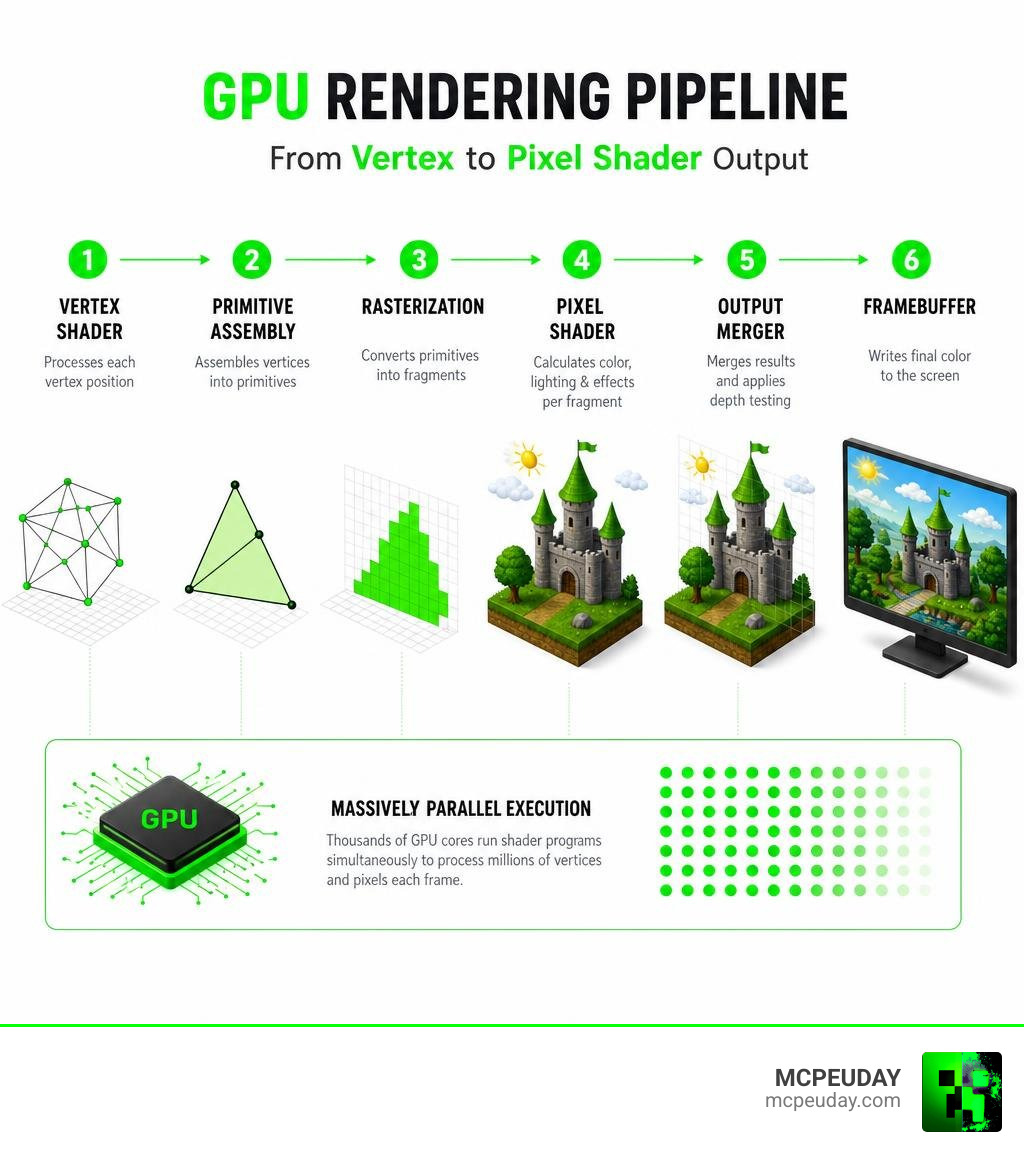
To understand what are shaders in games, we first need to look at how computers render 3D scenes. When you play a game, the virtual world is made of thousands of 3D points called vertices. These vertices form triangles, which in turn form the 3D models of characters, buildings, and environments.
However, your monitor is a flat 2D grid of pixels. The journey from a 3D mathematical model to a 2D image on your screen is called the graphics rendering pipeline. Shaders are the specialized programs that run at various stages of this pipeline to manipulate the geometry and calculate the exact color of every single pixel.
To achieve real-time rendering at 60+ frames per second, shaders run directly on the Graphics Processing Unit (GPU). Unlike a Central Processing Unit (CPU), which might have up to 18 or 24 highly powerful cores designed for sequential tasks, a GPU has thousands of smaller, specialized processors. For example, a GeForce RTX 2070 contains 2,304 specialized processors designed to execute shader calculations in parallel.
Because rendering has an Amdahl’s index of 1 (meaning it is perfectly parallelizable), the GPU can assign different pixels or vertices to different cores. Each thread executes the exact same shader program simultaneously. You can learn more about the history of shaders to see how this architecture evolved, or read up on how shaders function on a basic level through functional programming principles.
The Evolution from Fixed-Function Hardware to Programmable Shaders
In the early days of 3D gaming (the 1990s), graphics cards relied on fixed-function pipelines. This meant the hardware had separate, hard-wired units dedicated to specific tasks like basic texturing or fixed lighting calculations. Developers had very little control over how a 3D model was drawn; they could only toggle pre-set hardware switches.
Everything changed in 2001 with the release of the Nvidia GeForce 3 (NV20), the first consumer video card with programmable pixel and vertex shaders. This shifted the industry from fixed-function hardware to a programmable pipeline.
With programmable shaders, developers were no longer constrained by the hardware manufacturer’s pre-built lighting models. They could write custom programs using graphics APIs like DirectX and OpenGL. This flexibility allowed for the creation of unique art styles, realistic water physics, and dynamic shadows, entirely transforming the visual landscape of gaming.
Shaders vs. Materials: Understanding the Difference
In game development, the terms “shader” and “material” are often used interchangeably by players, but they represent two very different things in graphics programming:
- The Shader: This is the actual code (the program) written in a shading language. It defines the mathematical logic of how light interacts with a surface, how textures are blended, and how vertices move.
- The Material: This is an asset container that holds specific settings, parameters, and textures that are fed into the shader.
Think of a shader as a coloring book page with instructions (e.g., “Color the jacket blue, make it look shiny”). The material is the set of crayons and textures you choose to fill in those lines (e.g., a leather texture, a metallic value of 0.8, and a blue diffuse map).
This separation allows for incredible efficiency. For example, we can write a single “Human Skin Shader” and reuse it across hundreds of different characters. Each character simply gets their own material containing unique skin textures and color parameters, saving massive amounts of GPU memory and development time.
If you are a Minecraft player looking to enhance your game’s visual style, understanding this difference is key to customizing your game. Check out our guide on How to Get Shaders in Minecraft to see how custom shader programs can completely overhaul the look of your virtual worlds.
The Core Types of Shaders in Modern Game Engines
Modern graphics pipelines use several different types of shaders, each optimized for a specific stage of the rendering process. Here is a quick breakdown of how they compare:
| Shader Type | Pipeline Stage | Primary Input | Primary Output | Main Responsibility |
|---|---|---|---|---|
| Vertex Shader | Geometry Processing | 3D Vertex Coordinates | Transformed 2D Screen Space | Positions vertices; handles model movement and animations. |
| Pixel / Fragment Shader | Rasterization / Coloring | Interpolated Pixel Data | Final Pixel Color | Calculates lighting, shadows, reflections, and textures. |
| Geometry Shader | Primitive Generation | Whole Primitives (Triangles) | New/Modified Primitives | Dynamically adds or removes geometry (e.g., grass blades). |
| Compute Shader | General Purpose (GPGPU) | Arbitrary Data Buffers | Processed Data Buffers | Handles physics, AI, and non-graphical calculations. |
Vertex and Pixel/Fragment Shaders: The Foundation of what are shaders in games
The two most fundamental pillars of what are shaders in games are vertex shaders and pixel (or fragment) shaders.
Vertex Shaders
The vertex shader is the first programmable stage in the graphics pipeline. Its primary responsibility is to transform the 3D coordinates of an object’s vertices from model space (how the 3D model is saved in the files) to world space, view space (relative to the camera), and finally to 2D clip space (where it sits on your screen).
Beyond simple math transformations, vertex shaders are used to animate geometry. For instance, a vertex shader can dynamically sway the vertices of a tree mesh back and forth to simulate wind, or make a flag wave without requiring the CPU to calculate every single movement.
Pixel/Fragment Shaders
Once the vertices are positioned, the GPU determines which pixels on your screen are covered by the resulting triangles. This process is called rasterization. The GPU then runs a pixel shader (often called a fragment shader) for every single covered pixel.
The pixel shader’s job is to calculate the final color of the pixel. It does this by sampling textures, calculating how light from various sources hits the surface, and factoring in reflections. If you want to dive deeper into how these programs manage coloring, check out this guide on All You Need to Know About Pixel Shaders.
Advanced Geometry Shaders: Tessellation, Mesh, and Ray-Tracing
As graphics hardware has grown more powerful, new shader stages have been introduced to handle highly complex visual tasks.
Tessellation Shaders
Introduced to allow games to dynamically increase geometric detail. A tessellation shader takes a low-polygon model and subdivides its triangles into many smaller ones on the fly. This is highly useful for terrain rendering, where mountains close to the player camera receive millions of extra triangles for fine rock details, while distant mountains remain low-polygon to save performance.
Mesh Shaders
Introduced with modern architectures like Nvidia Turing, mesh shaders replace the traditional vertex and geometry shader pipeline. They allow the GPU to process geometry using cooperative thread groups, increasing the frame rate or triangle count in algorithm-intensive rendering by an order of magnitude.
Ray-Tracing Shaders
These specialized shaders calculate the intersection of light rays with 3D geometry in real-time. They are divided into generation, closest-hit, any-hit, and miss shaders, allowing for physically accurate reflections, soft shadows, and global illumination.
For mobile players, modern engines have brought these stunning lighting systems to portable devices. You can explore some of the most beautiful visual enhancements available today in our breakdown of the Best Shaders for MCPE 1.21 2026 Top 3 Realistic Minecraft PE Shaders. If you want a more lightweight but incredibly realistic lighting experience, the Newb X Ambient Shader for Minecraft PE Realistic Lighting Smooth Shadows FPS Friendly is a fantastic choice, while the Newb X Stars Shader for Minecraft PE MCPE Ultra Realistic Graphics FPS Friendly Stunning Night Sky provides breathtaking celestial visuals.
Compute Shaders: Non-Graphical GPU Calculations
While most shaders are designed to put pixels on a screen, compute shaders are designed for general-purpose computing on the GPU (GPGPU). They run outside the standard graphics pipeline.
Because GPUs are incredibly fast at processing massive arrays of numbers, compute shaders are perfect for running complex mathematical simulations that would crush a standard CPU. Game developers use compute shaders for:
- Advanced physics simulations (such as cloth, fluid dynamics, or hair movement).
- Massive particle systems (managing millions of individual sparks or dust motes).
- Artificial intelligence pathfinding for hundreds of enemies at once.
The main challenge with compute shaders is managing thread divergence. In GPU architectures, threads are executed in groups (called warps or wavefronts). If a conditional “if/else” statement in the shader code forces different threads in the same group to execute different instructions, the GPU has to run those paths sequentially rather than in parallel, which can impact performance.
Why Do PC Games Need to Preload and Compile Shaders?
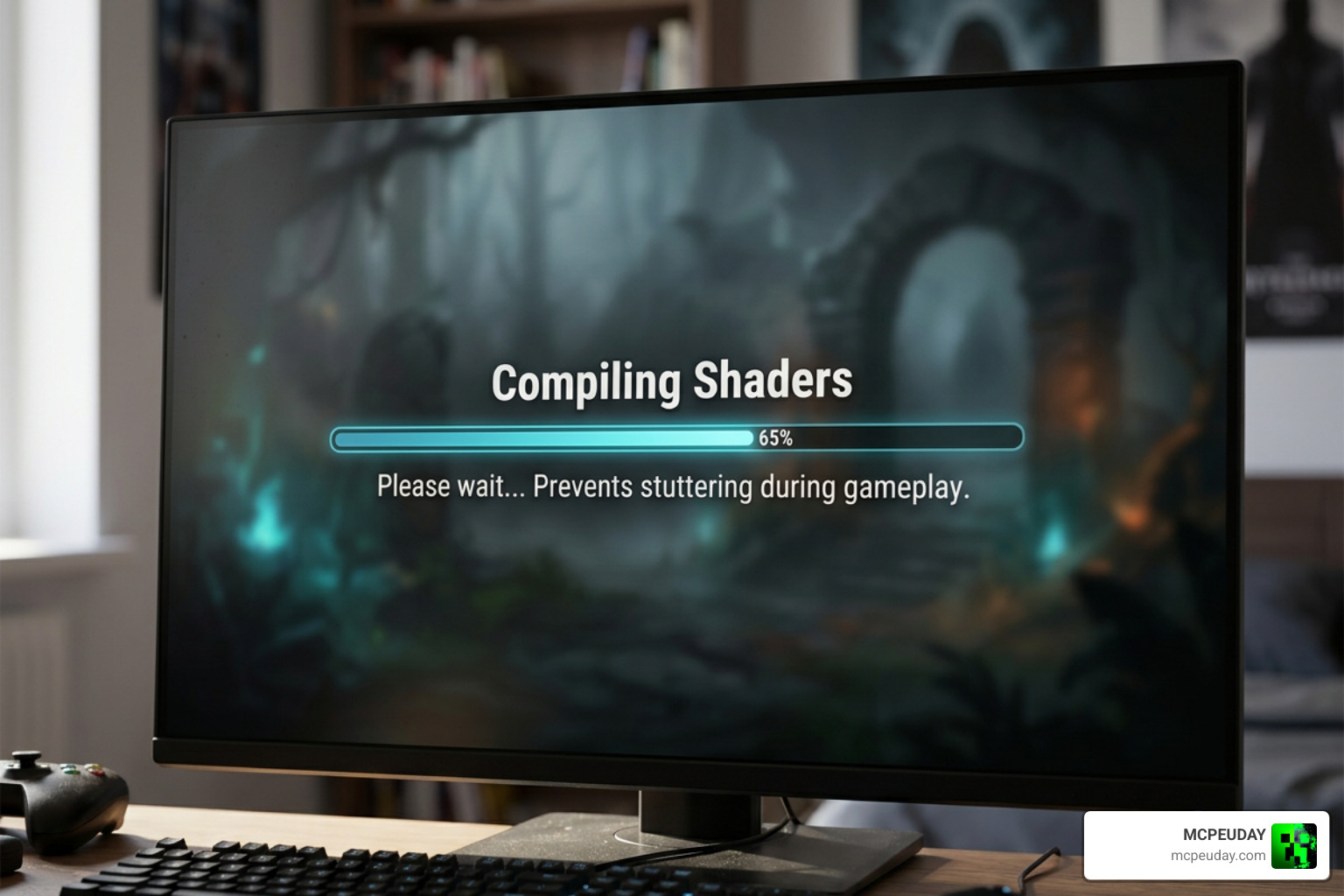
If you’ve played a modern PC game recently, you have undoubtedly run into a loading screen that says: “Compiling Shaders. Please wait…” It can take anywhere from a few seconds to several minutes. But why do we have to wait for this?
To understand why, we have to look at how shader code is delivered. Developers write shaders in high-level shading languages. However, your graphics card cannot read this raw code. It must be compiled into machine code (binary instructions) that your specific GPU model understands.
If a game does not compile these shaders ahead of time, it is forced to compile them on-the-fly (in real-time) during gameplay. The moment you turn a corner and an enemy casts a fireball, the game suddenly encounters a shader it hasn’t compiled yet. The CPU has to pause the rendering process, compile the shader, and send it to the GPU. This causes a brief pause in rendering, resulting in a sudden drop in frame rate known as a stutter or frame time spike.
To prevent this, modern games use shader preloading. For a detailed look at this process, you can read What Are Shaders and Why Games Need to Preload Them.
On-the-Fly Compilation vs. Preloading Shaders
Let’s look at how these two approaches affect your actual gameplay experience:
- On-the-Fly Compilation: The game starts instantly, but as you play, you will experience constant micro-stutters. Every time you enter a new area, shoot a new weapon, or see a new visual effect, the game will hitch. This is often a sign of poor PC optimization.
- Preloading Shaders: The game forces you to wait at the main menu or a loading screen while it compiles all shaders for your hardware. Once finished, these compiled shaders are saved in a local shader cache on your storage drive. During gameplay, the game simply pulls the pre-compiled shaders instantly from the cache, ensuring a smooth, stutter-free frame rate.
For games like Minecraft, using the right shader setup can mean the difference between a laggy slideshow and an incredibly smooth experience. If you want to see gorgeous graphics without sacrificing performance, take a look at the 3 Best Shaders for Minecraft 1.21 Ultra Realistic Smooth FPS Stunning Graphics. If you are running on a budget setup, you might want to opt for the Newb X Unwind Shader for Minecraft PE MCPE Best Realistic Shader for Low End Devices, which is perfectly optimized for performance.
Why PC Games Can’t Ship Pre-Compiled Shaders (Unlike Consoles)
Console players rarely, if ever, see a “compiling shaders” screen. Why is this?
It all comes down to hardware fragmentation.
- Consoles are fixed platforms: Every single PlayStation 5 or Xbox Series X has the exact same GPU architecture, memory layout, and operating system. Because the hardware is a known constant, game developers can compile the shaders on their own development machines and ship the pre-compiled binary files directly on the game disc or download.
- PCs are highly fragmented: There are thousands of different combinations of CPUs, GPUs, driver versions, and operating systems. A shader compiled for an Nvidia RTX 4070 will not run on an AMD RX 7800 XT; in fact, a shader compiled for an RTX 4070 on driver version 551.12 might fail on driver version 551.20!
Because developers cannot possibly pre-compile shaders for millions of hardware configurations, they must ship the raw shader code and let your PC compile it specifically for your unique hardware and driver setup.
Modern Shader Development Tools and Future Trends
Historically, writing shaders was a highly academic, math-heavy process. Programmers wrote raw code in shading languages like HLSL (High-Level Shader Language for DirectX), GLSL (OpenGL Shading Language), or compiled intermediate formats like SPIR-V.
While these languages are still the backbone of graphics programming, modern game engines have introduced tools that make shader creation accessible to artists and designers who don’t know how to write code. You can learn more about how engines handle this by reading how to Explore shaders in Unity.
Visual Editors: Making what are shaders in games Accessible to Artists
Today, engines like Unity (with Shader Graph) and Unreal Engine (with the Material Editor) use node-based visual programming.
Instead of writing lines of math equations to calculate light reflection, an artist can drag and drop visual “nodes” representing mathematical functions (like multiply, add, or texture sample) and connect them with visual lines. The engine then automatically compiles these visual graphs into clean HLSL or GLSL code behind the scenes.
This has allowed game studios to rapidly prototype visual effects and manage thousands of shader variants (different permutations of a shader used for different graphics settings) without needing dedicated graphics programmers for every single material.
Next-Gen Trends: AI-Assisted Kernels and Virtualized Geometry
As we look further into 2026 and beyond, several cutting-edge trends are completely changing how shaders are designed and executed:
- Virtualized Geometry (Nanite-Style): Unreal Engine’s Nanite technology bypasses traditional vertex shading limits. It allows developers to import film-quality, multi-million-polygon assets directly into a game. The engine dynamically groups and virtualizes the geometry, rendering only the details that are physically visible down to the pixel level.
- AI-Assisted Kernel Generation: Machine learning models are now being trained to write and optimize shader code. AI can analyze a highly expensive, complex ray-tracing shader and rewrite the mathematical formulas to run twice as fast with zero perceptible loss in visual quality.
- Real-Time Ray Tracing Integration: Ray tracing is no longer a niche feature. Modern shaders are built from the ground up to support hardware-accelerated ray tracing, allowing for realistic refraction in glass, physically accurate water ripples, and bouncing indirect light.
To see these high-fidelity visual concepts in action on mobile platforms, check out our list of the Top 5 Best Realistic Shaders for MCPE.
Frequently Asked Questions about Shaders in Games
Do shaders lower game performance or FPS?
Yes, shaders can have a major impact on your game’s performance and frames per second (FPS). Because shaders run directly on your GPU, highly complex shaders (like those calculating real-time ray-traced reflections, volumetric fog, or high-end water physics) require more mathematical calculations per pixel, which increases the time it takes the GPU to render each frame.
If your GPU is overwhelmed by heavy shader calculations, your frame rate will drop. However, many shaders are designed with optimization in mind. If you are playing on a mobile device or a low-end PC, you can find brilliant, lightweight options. For example, our Best Render Dragon Shaders for MCPE 1.21 Tested on Real Devices 2026 Guide features shaders that have been thoroughly tested to balance beautiful visuals with smooth performance.
Why do I have to recompile shaders after a GPU driver update?
When you update your graphics card drivers, the manufacturer (Nvidia, AMD, or Intel) often updates the compiler built into the driver. This compiler is responsible for translating the game’s shader code into binary machine code for your GPU.
Because the new driver may introduce new optimization techniques, instruction sets, or bug fixes, your old compiled shaders (stored in your shader cache) are no longer compatible. The game detects this change, invalidates the old cache, and forces a recompilation to ensure the game runs with the best possible performance and stability on the new driver.
Can you run modern shaders on older graphics cards?
It depends on the graphics API (like DirectX 12, Vulkan, or OpenGL) and the hardware features the shader requires. Modern shaders often rely on hardware-level features like Ray Tracing cores or Mesh Shading pipelines. If your older graphics card does not support these APIs or lacks the physical hardware units, the shader will either fail to run or run with extremely poor performance.
However, for retro or highly customizable games, there are plenty of options tailored specifically for older setups. If you are trying to find the perfect balance on a budget device, you can check out the Newb X Lowres Shaders for Minecraft PE MCPE Complete Beginners Guide Installation Settings FPS Tips or try the Newb X Super Vanilla Shader for Minecraft Best Vanilla Shader 2026 to get clean, classic graphics without melting your graphics card.
Conclusion
Shaders are the unsung heroes of modern video game graphics. From simple vertex alterations that make leaves rustle in the wind to complex pixel calculations that simulate the physical properties of light, these tiny GPU programs are responsible for everything we see on screen.
While the transition from fixed-function hardware to programmable pipelines opened the floodgates for video game realism, it also introduced technical challenges like shader compilation stutter on PCs. Fortunately, with modern preloading techniques, visual scripting tools, and highly optimized shader engines, developers are finding better ways than ever to deliver breathtaking visual fidelity without compromising on performance.
At MCPEUDAY, we love helping you push your games to their absolute visual limits. Whether you are looking to turn your mobile Minecraft world into a photorealistic paradise or find lightweight, FPS-friendly lighting tweaks for an older device, we’ve got you covered. Explore the best Minecraft shaders on MCPEUDAY and transform your gaming experience today!

27 thoughts on “What Are Shaders in Games? How They Work + Why They Matter”