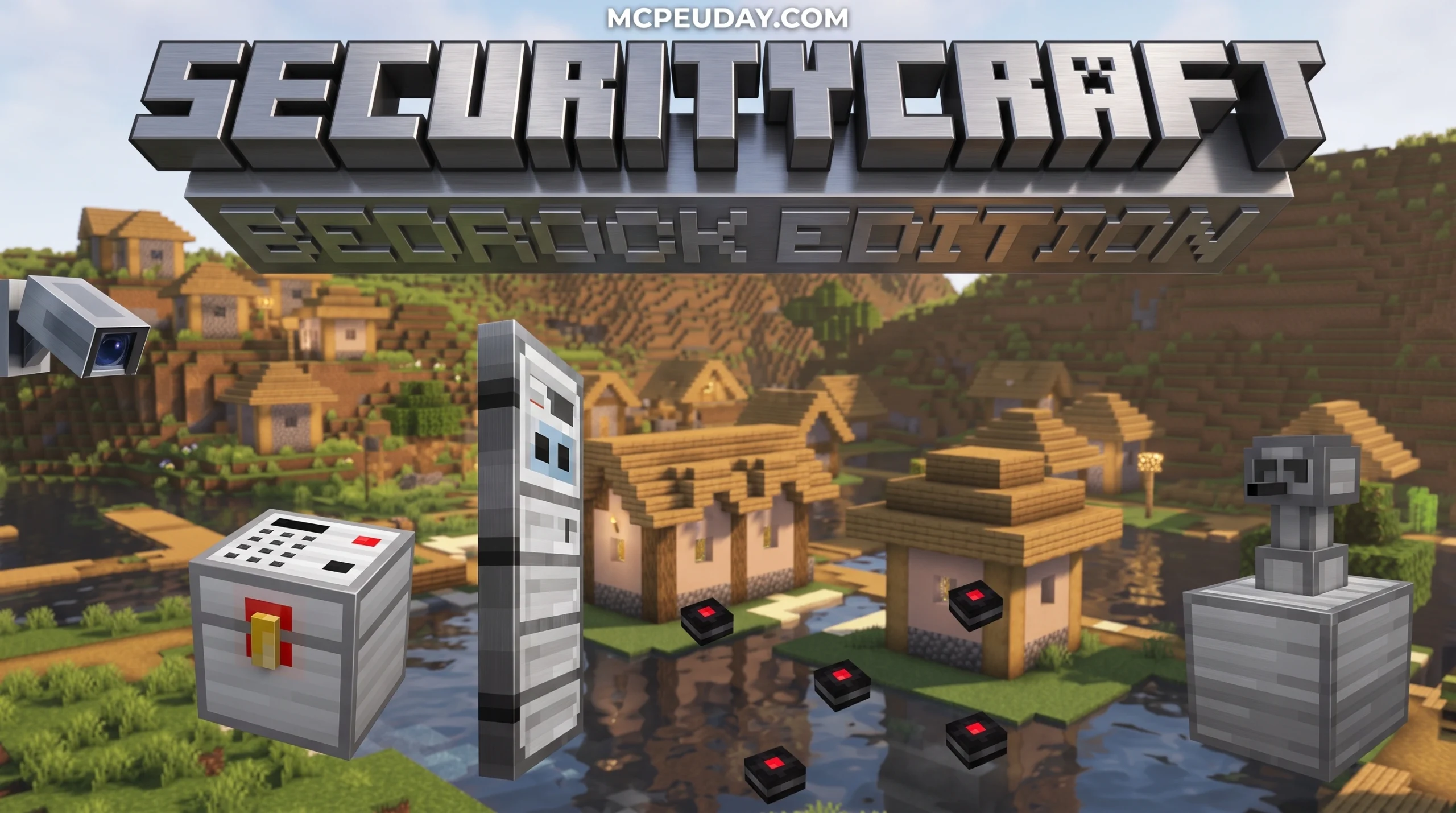
SecurityCraft Addon for MCPE: What Every Minecraft Player Needs to Know
If you’ve been searching for a SecurityCraft addon for MCPE, here’s the quick answer:
- SecurityCraft is a Java Edition mod only. It runs on Forge and is not officially available for Minecraft: Pocket Edition (MCPE) or Bedrock Edition.
- MCPE players can use unofficial addons that recreate similar features like security cameras, keypads, and laser tripwires.
- The original mod adds 80+ items and blocks and has been updated across 81 Minecraft versions, from 1.7.10 all the way to 1.21.5.
- Bedrock-compatible alternatives exist and can be installed using behavior packs and resource packs directly in MCPE.
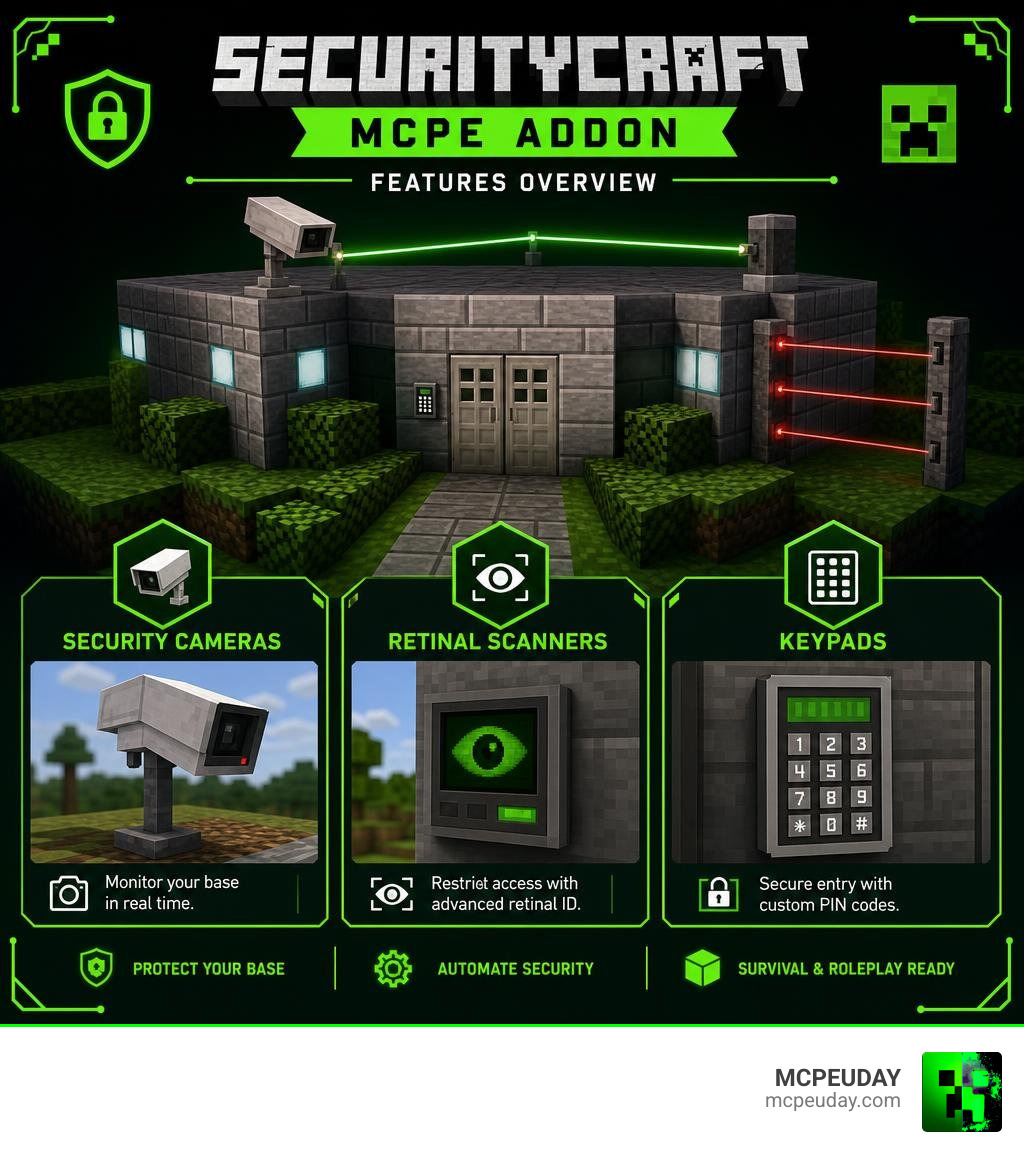
SecurityCraft is one of the most popular security mods ever made for Minecraft. It lets players build real defense systems — think security cameras, retinal scanners, keypads, and laser trip mines — all working together to protect your base. It supports both single-player and multiplayer worlds, which makes it a fan favorite for survival and roleplay servers alike. Whether you are trying to keep out annoying creepers or protect your hard-earned diamonds from sneaky griefers on a multiplayer server, having a robust defense system is absolutely essential.
As of July 2026, the demand for high-tech surveillance and defense mechanisms in Minecraft PE has reached an all-time high. Players are no longer satisfied with simple wooden doors and basic iron golems. They want advanced, automated systems that can detect, track, and neutralize threats before they even get close to their storage chests.
The problem? It was built for Java Edition. That leaves millions of MCPE and Bedrock players wondering if they can get the same experience on their device.
That gap is exactly what this guide is here to fill. I’m UDAY GAMER from MCPEUDAY, and I’ll walk you through everything — from what SecurityCraft actually does, to the best MCPE alternatives, to how to install them without breaking your world.
Is There an Official SecurityCraft Addon for mcpe?
To put it simply: no, there is no official Bedrock port created by the original Java developers. The classic SecurityCraft mod is built specifically for the Java Edition of Minecraft and relies heavily on the Minecraft Forge mod loader. Because Java and Bedrock (MCPE) use completely different programming languages—Java uses Java, while Bedrock is built on C++—you cannot simply drop a Java .jar mod file into your mobile device or console and expect it to run. This fundamental difference in architecture has always been a major hurdle for cross-platform modding.
Over the years, the original Java mod has seen incredible support, releasing updates for 81 different Minecraft versions, including legacy favorites and modern updates like version 1.19, 1.20, and the recent 1.21.5. The developers have consistently maintained the mod, ensuring that Java players always have access to the latest security technology.
However, Bedrock players do not have to miss out on the fun. The passionate Minecraft community has stepped up to create custom Bedrock ports. If you want to experience these high-tech defense systems on your phone, tablet, or Windows 10/11 PC, you can download the community-made SecurityCraft Bedrock Addon which brings these iconic defense tools straight to the Bedrock engine. These community developers work tirelessly to translate complex Java logic into Bedrock-compatible scripts, ensuring a smooth and authentic experience.
How SecurityCraft Addon for mcpe Replicates Java Features
Recreating complex Java mechanics on Bedrock is no small feat, but modern creators have done an outstanding job. The unofficial SecurityCraft Addon for mcpe utilizes Bedrock’s custom scripting API and resource systems to bring high-tech defense blocks to life.
Here is how the core features are replicated in MCPE:
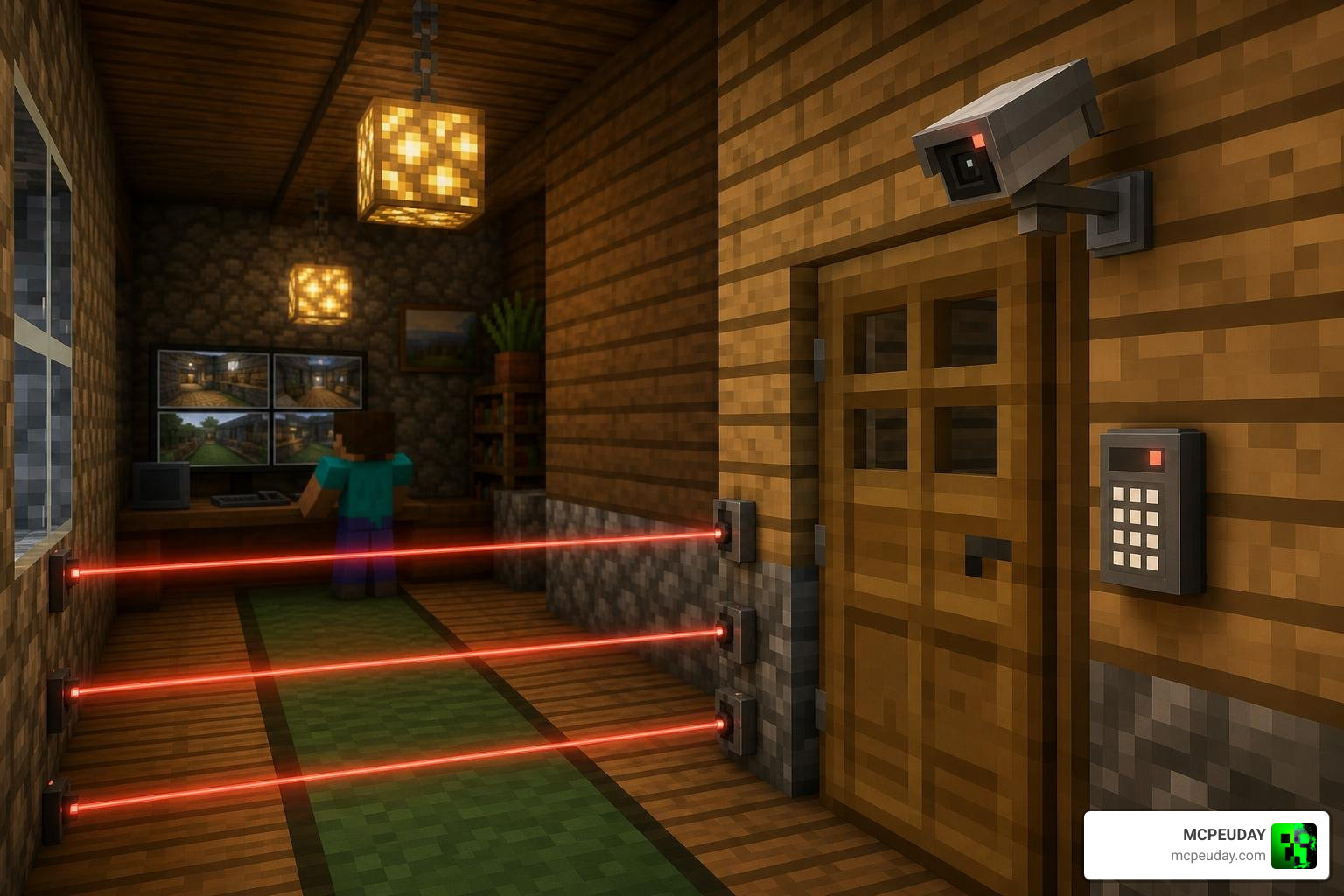
- Retinal Scanners: In Java, these scan the player’s face and output a redstone signal if they match the owner. In the Bedrock Security Craft Addon, these blocks use custom entity detection scripts to verify player names when they stand directly in front of the scanner. This ensures that only authorized users can gain entry to your secret vaults.
- Keypads & Keycard Readers: These blocks open custom user interfaces (UIs) on your screen when clicked. You can type in a 4-digit PIN or hold a specific keycard to trigger a redstone signal, allowing you to build secure vaults. The UI is designed to be highly responsive, even on touch-screen mobile devices.
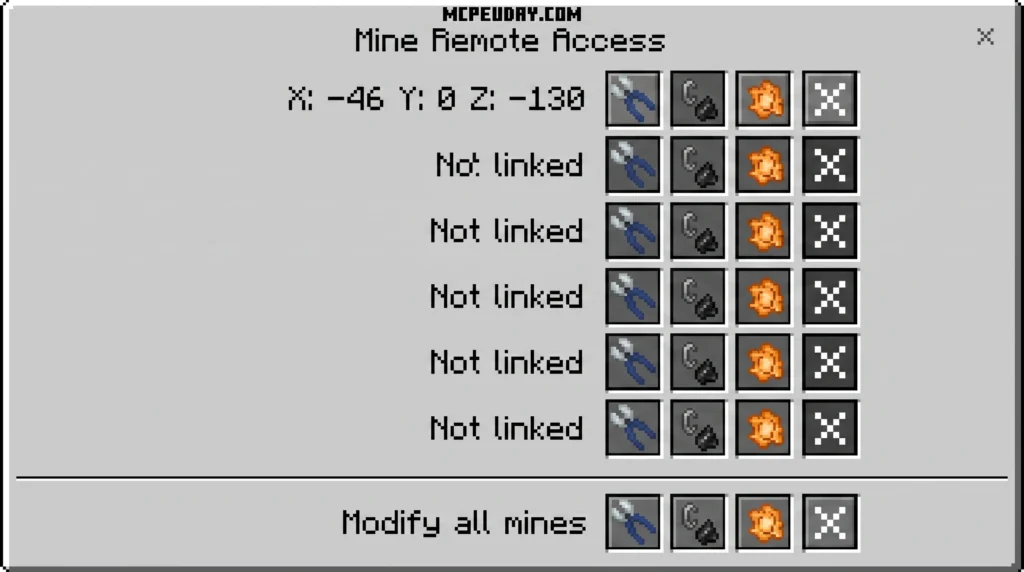
- Laser Tripwires: These placeable blocks project a visible beam of light between two points. If any mob or unauthorized player crosses the laser, it instantly triggers an alarm or activates connected TNT. You can use these to set up deadly traps around the perimeter of your base.
Performance Differences: Java Mod vs Bedrock Addon
While Bedrock addons are incredibly fun, there are some technical differences you should keep in mind before building a massive high-tech fortress.
Because Bedrock is optimized to run smoothly on everything from low-end mobile phones to high-end gaming PCs, it handles entities and block rendering differently than Java. Here is a quick breakdown of how the Java mod compares to the MCPE addon:
| Feature | Java Edition SecurityCraft | MCPE / Bedrock Security Addons |
|---|---|---|
| Code Base | Java (Forge / NeoForge) | C++ (JSON Behaviors & Scripting API) |
| Render Distance Impact | High (Heavy rendering on cameras) | Low (Optimized for mobile devices) |
| Camera View | Picture-in-Picture or Full Screen | Full-screen entity view override |
| Entity Lag | High if many cameras are active | Low to Medium (Strict limits on active entities) |
| Redstone Integration | Flawless native redstone | Good, but relies on block-update workarounds |
Best Alternatives and Security Addons for MCPE
If you want to explore different styles of surveillance and defense, you are not limited to just one addon. The Bedrock community has developed several distinct projects that focus on different aspects of security. Some focus purely on passive surveillance, while others introduce active defense blocks like automated turrets and electric fences.
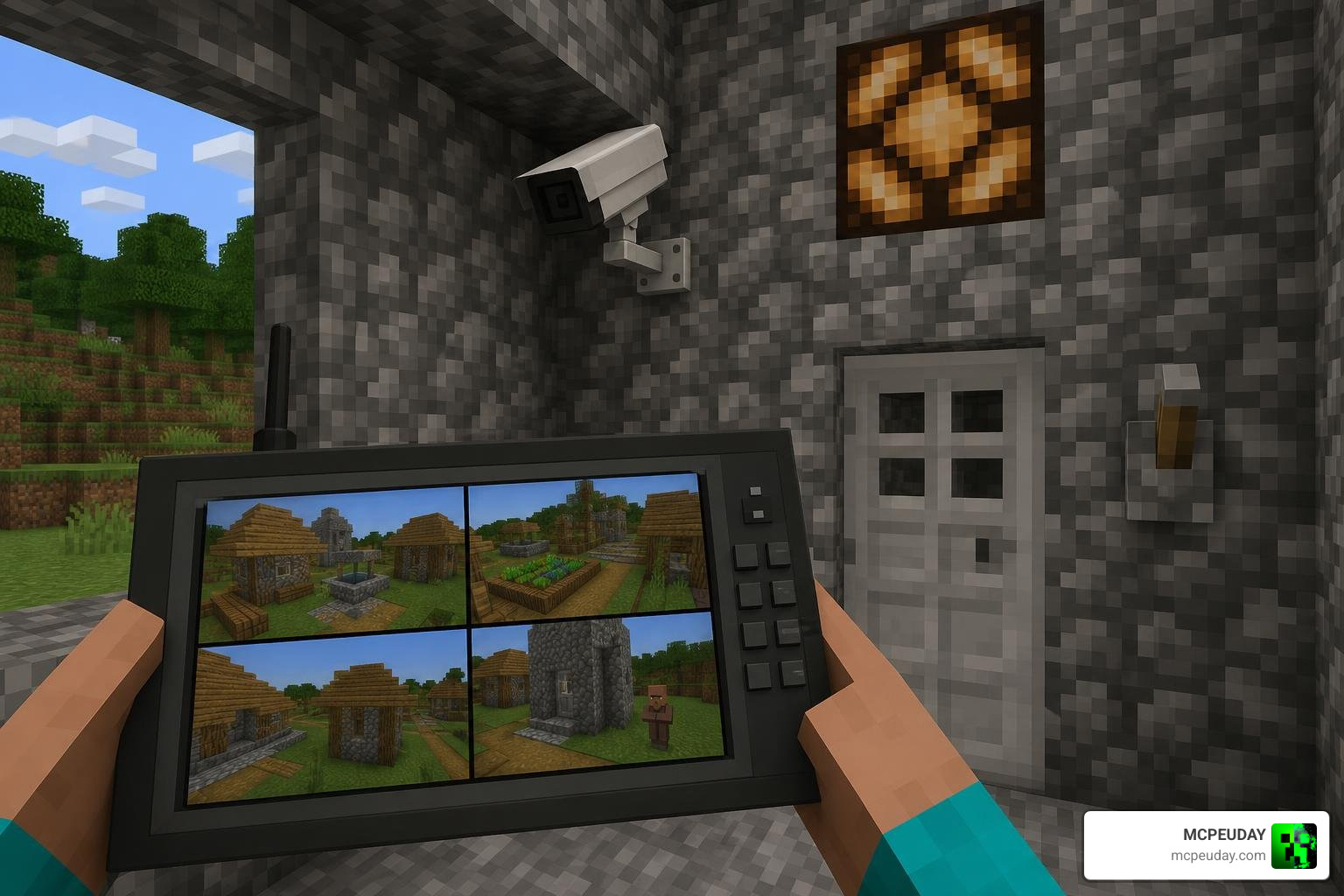
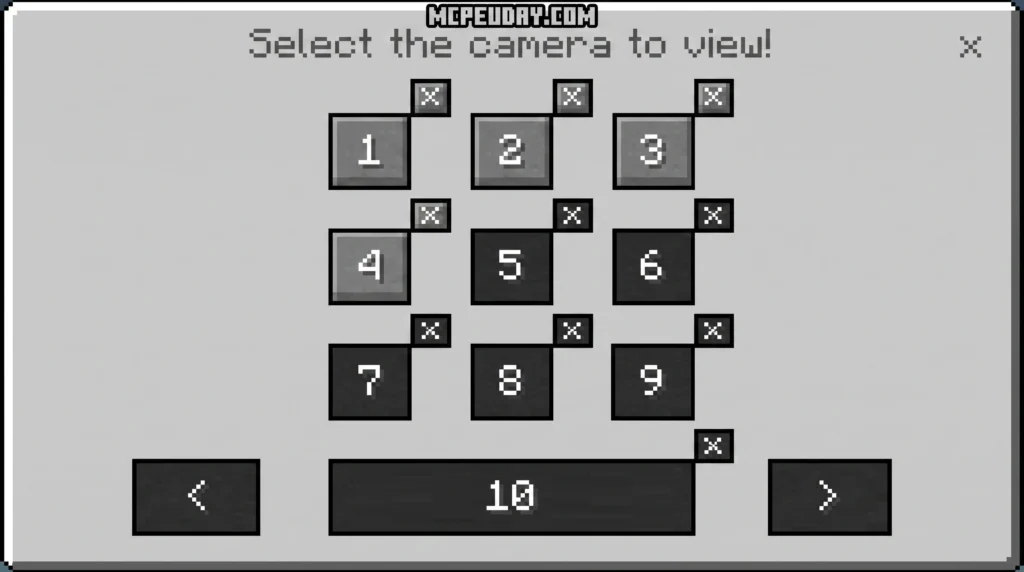
One of our absolute favorites is the Actual Security Cameras Addon. Unlike general security packs, this specific addon focuses heavily on a realistic closed-circuit television (CCTV) experience. It allows you to place functional cameras around your world and view their feeds in real-time using a handheld monitor item. It is perfect for keeping an eye on your village, monitoring your automated farms, or tracking potential intruders in multiplayer worlds. The visual interface is incredibly clean, giving you a true security guard experience right from your mobile screen.
Installation and Troubleshooting for MCPE Security Mods
Installing custom addons on MCPE is much easier than it used to be, but it still requires a few precise steps to ensure everything works without bugs. Because these addons introduce brand-new blocks, custom UIs, and complex scripts, you must configure your world settings correctly. Skipping even a single step can result in broken textures or non-functional blocks.
Step-by-Step Installation of SecurityCraft Addon for mcpe
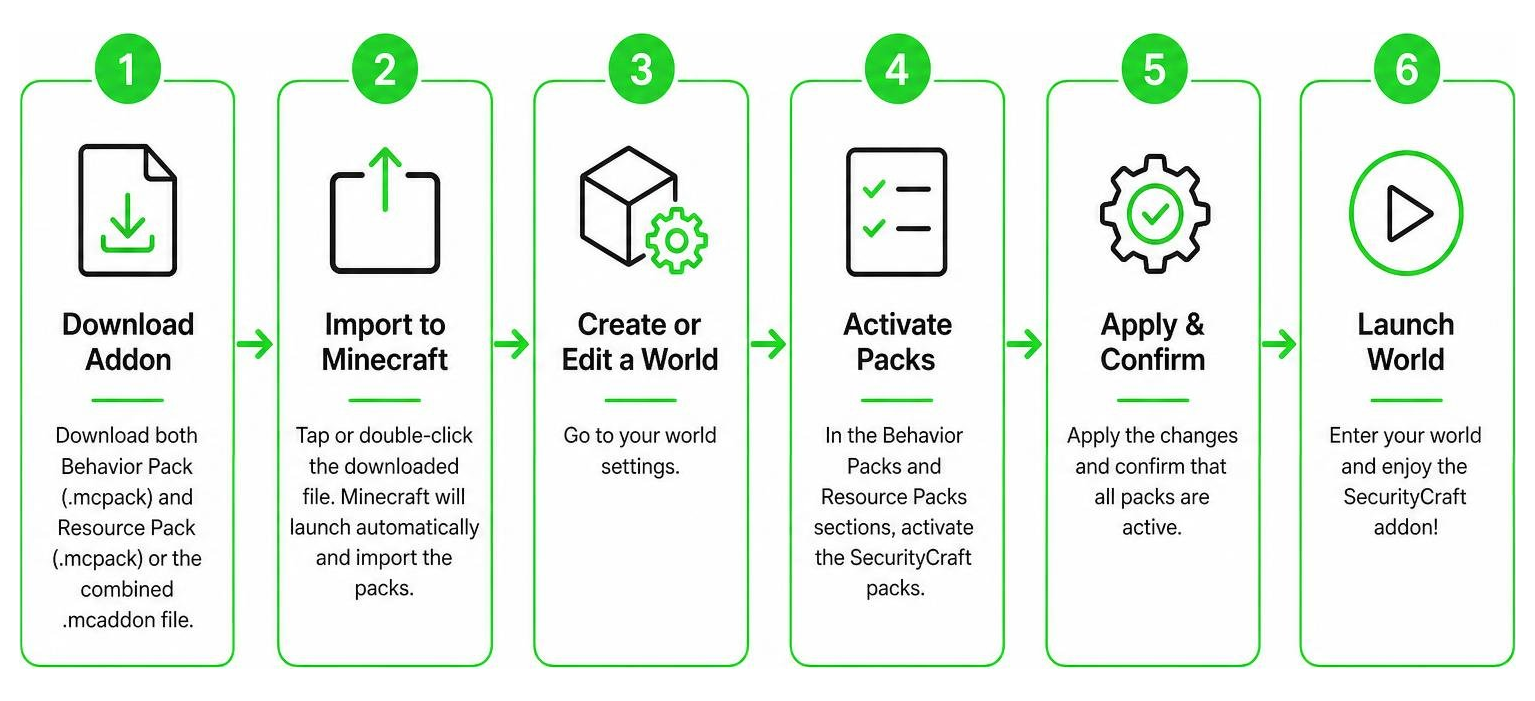
- Download the Addon: Download both the Behavior Pack (
.mcpack) and Resource Pack (.mcpack) or the combined.mcaddonfile from our trusted links. - Import to Minecraft: Tap or double-click the downloaded file. Minecraft will launch automatically and import the packs. You should see a notification at the top of your screen saying “Successfully imported”.
- Create or Edit a World: Go to your world settings menu. You can either apply this to an existing world or create a brand-new one for testing.
- Enable Experimental Gameplay: This is the most important step! Scroll down to the “Experiments” tab and enable Beta APIs, Holiday Creator Features, and Upcoming Creator Features. Without these toggles active, custom blocks, scripts, and keypads will not work at all.
- Activate the Packs: Under “Resource Packs” and “Behavior Packs”, find the security addon and click “Activate”. Ensure that both packs are active simultaneously.
- Launch Your World: Enter your world and start crafting your security gear!
Common Bugs and Compatibility Issues
While we test these addons thoroughly, Bedrock updates can occasionally cause issues. Here are the most common bugs and how to fix them:
- Invisible Camera Blocks: If your security cameras or retinal scanners are invisible, it means the Resource Pack is either not activated or is being overridden by another texture pack. Make sure the security resource pack is at the very top of your active list in the world settings.
- Keypads Not Responding: If clicking a keypad does not open a menu, you likely forgot to turn on the “Beta APIs” toggle in your world’s experimental settings. Double-check your world settings to ensure all experimental features are enabled.
- Multiplayer Sync Issues: In multiplayer worlds or Realms, guest players might experience lag when viewing camera feeds. To minimize this, keep your camera networks small and avoid placing more than 10 active cameras in a single chunk. This helps maintain a stable frame rate for everyone on the server.
Frequently Asked Questions about MCPE Security Mods
Can I use SecurityCraft on Minecraft Bedrock multiplayer servers?
Yes! Most Bedrock security addons support multiplayer (SMP) and can be used on local worlds, LAN games, and dedicated Bedrock servers. However, if you are using them on a Realm, make sure the world host has uploaded and activated both the resource and behavior packs with experimental toggles turned on. Every player joining the server will automatically download the required resource pack.
Does the MCPE security addon support Minecraft version 1.21.5?
Yes, the latest community-made addons are updated to support modern Bedrock versions up to 1.21.5. The developers actively maintain these packs to ensure compatibility with major game updates. Always check the download page on our site to ensure you are downloading the version that matches your current game build.
Are retinal scanners and keypads functional in MCPE?
Absolutely. While they do not use the exact same Java code, they use custom Bedrock scripts to achieve the same results. Keypads will ask you to set a passcode, and retinal scanners will only emit a redstone signal when the designated owner stands in front of them. This allows for highly secure, automated redstone doors and vaults.
Conclusion
While the official Java-based SecurityCraft mod remains exclusive to PC players using Forge, the Bedrock community has done wonders. By using a high-quality SecurityCraft addon for MCPE, you can protect your hard-earned diamonds, set up complex camera grids, and keep griefers out of your base. These addons bring a whole new level of depth and strategy to your survival gameplay.
We at MCPEUDAY are dedicated to bringing you the safest, most stable, and most exciting addons for your pocket adventures. Ready to turn your simple dirt hut into a high-tech military bunker? Explore more Minecraft Addons on our site and start building your ultimate defense system today! Whether you are playing solo or hosting a massive multiplayer server, these security tools will completely transform how you protect your virtual creations.
