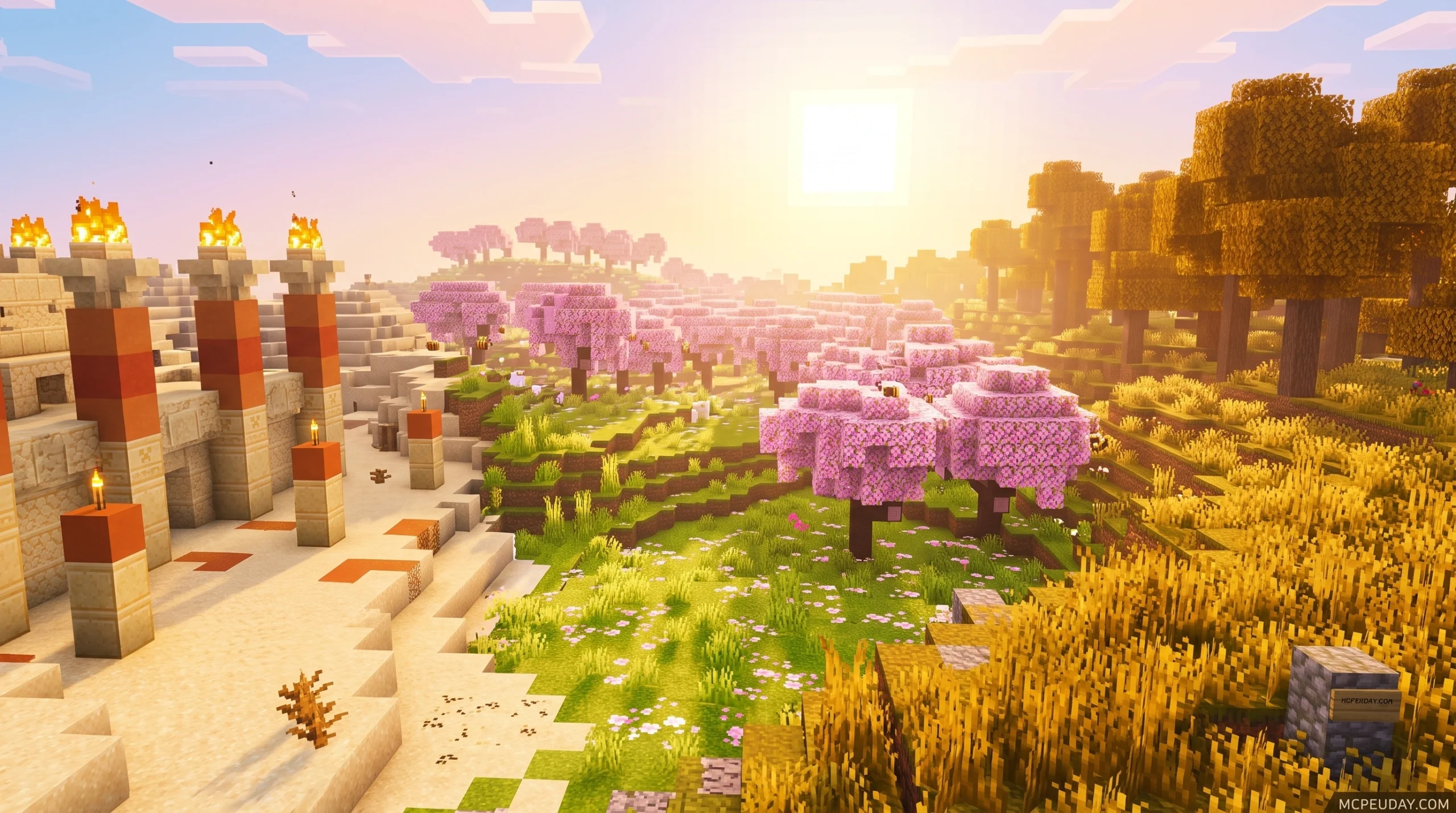
What the Phantom Visuals Shader Does for Minecraft PE
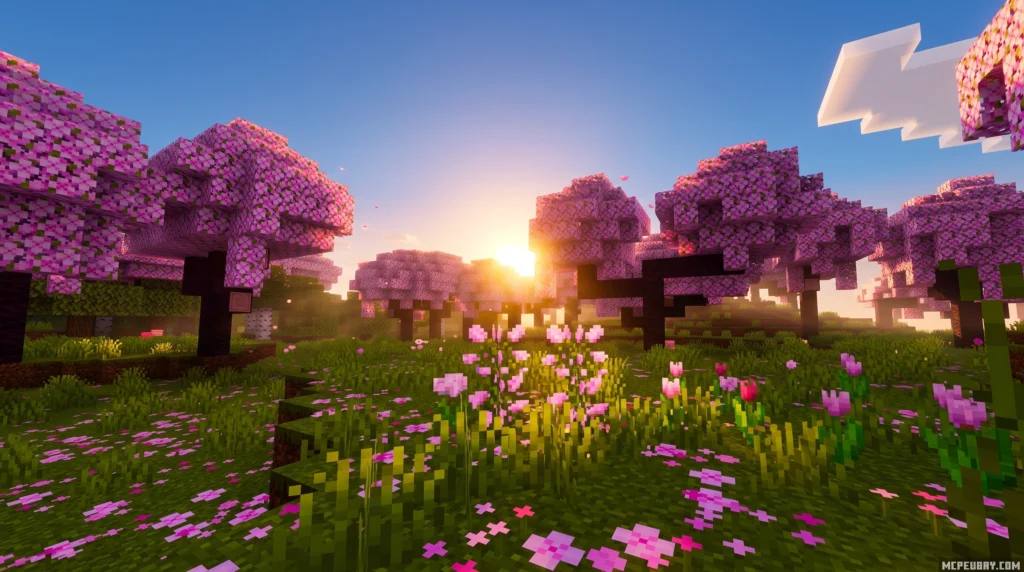
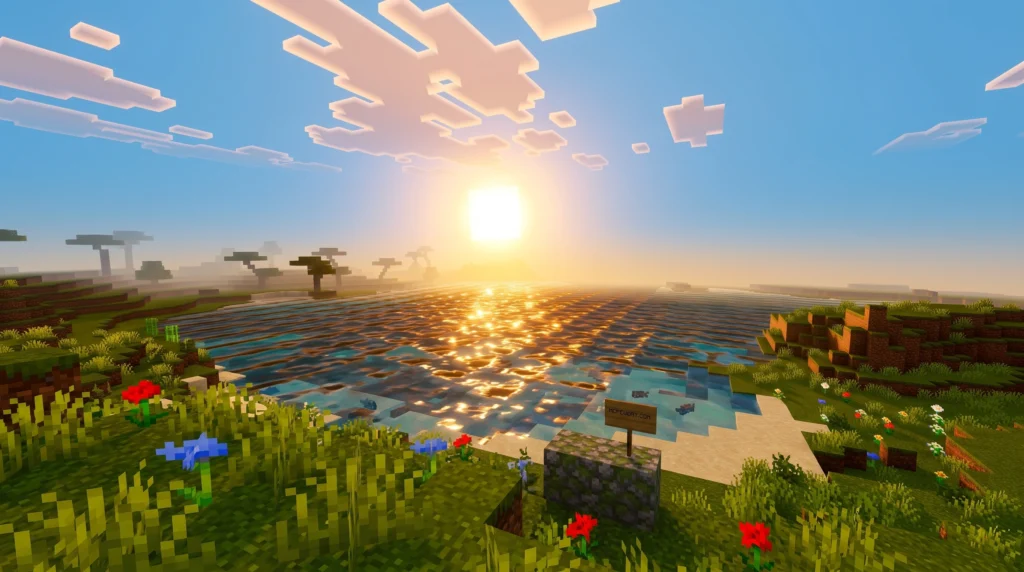
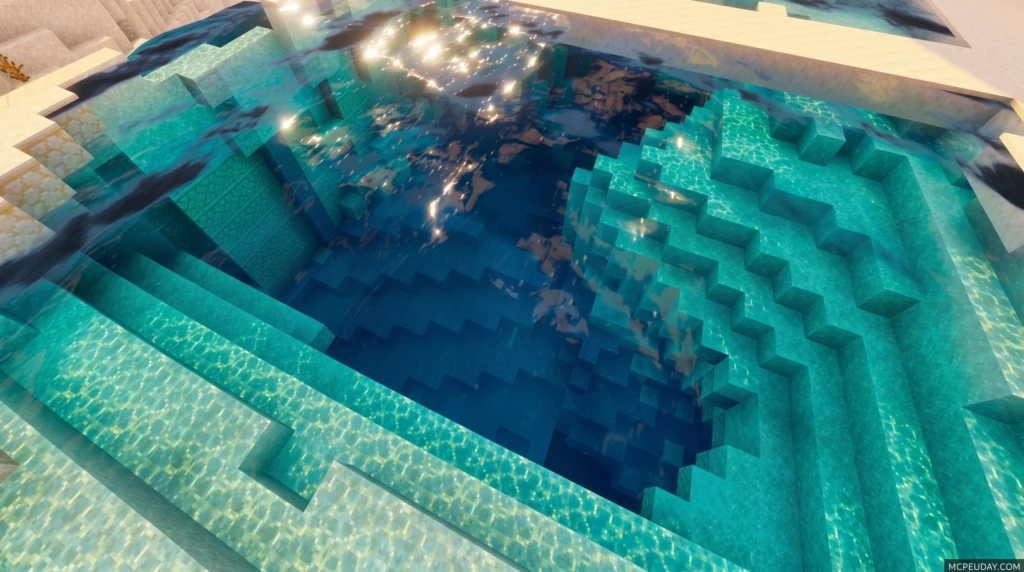
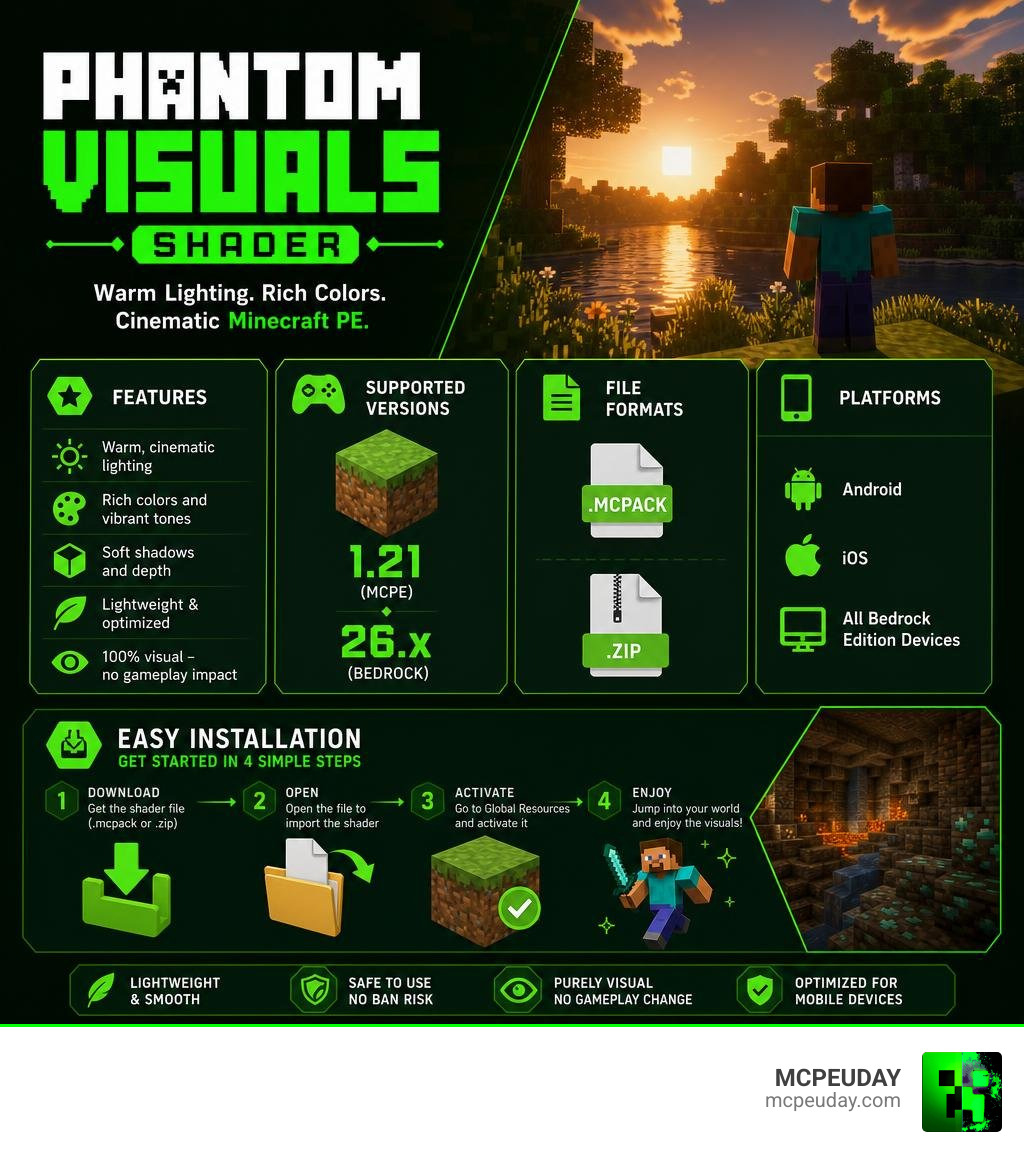
Phantom Visuals Shader is a lightweight visual addon for Minecraft Bedrock Edition and MCPE that transforms how your world looks — adding warm tones, soft lighting, and a cinematic atmosphere without touching gameplay at all.
Quick answer for what you need to know:
- What it is: A cosmetic shader pack for Minecraft PE and Bedrock Edition
- What it does: Improves lighting, colors, shadows, and atmosphere with warm, saturated tones
- Platforms: Android, iOS, and all Bedrock Edition devices
- Versions supported: Minecraft 1.21 and Bedrock 26.x
- File formats:
.mcpackand.zip - Does it affect gameplay? No — purely visual, zero impact on survival or mechanics
- Performance: Lightweight and optimized for mobile devices
- Downloads: Over 156,000 downloads across all versions
It’s one of the most downloaded shader packs in the MCPE community for a reason. Whether you’re building a base at sunset or exploring dark caves, Phantom Visuals makes every moment look sharper and more cinematic.
This guide covers everything — features, installation, version history, and compatibility — so you can get it running fast.
What is the Phantom Visuals Shader?
If you have ever played mobile Minecraft and felt that the default graphics looked a bit flat, dull, or washed out, you are not alone. To fix this, players turn to visual modifications. But what are shaders in games? In simple terms, they are programs that calculate how light, shadows, and colors behave in a virtual space, transforming flat textures into dynamic environments.
The Phantom Visuals Shader acts as a cosmetic enhancement and visual addon for Minecraft Pocket Edition (MCPE) and Bedrock Edition. Unlike heavy modifications that can slow your device to a crawl or cause severe lag, this pack is designed to work within the modern Bedrock rendering constraints while delivering a warm, saturated, and highly cinematic aesthetic. It breathes new life into the game without requiring high-end hardware.
If you are new to upgrading your pocket world, learning how to get shaders in Minecraft? is the perfect first step to completely transforming your visual experience and enjoying a console-like atmosphere on your mobile device.
Key Features and Visual Improvements
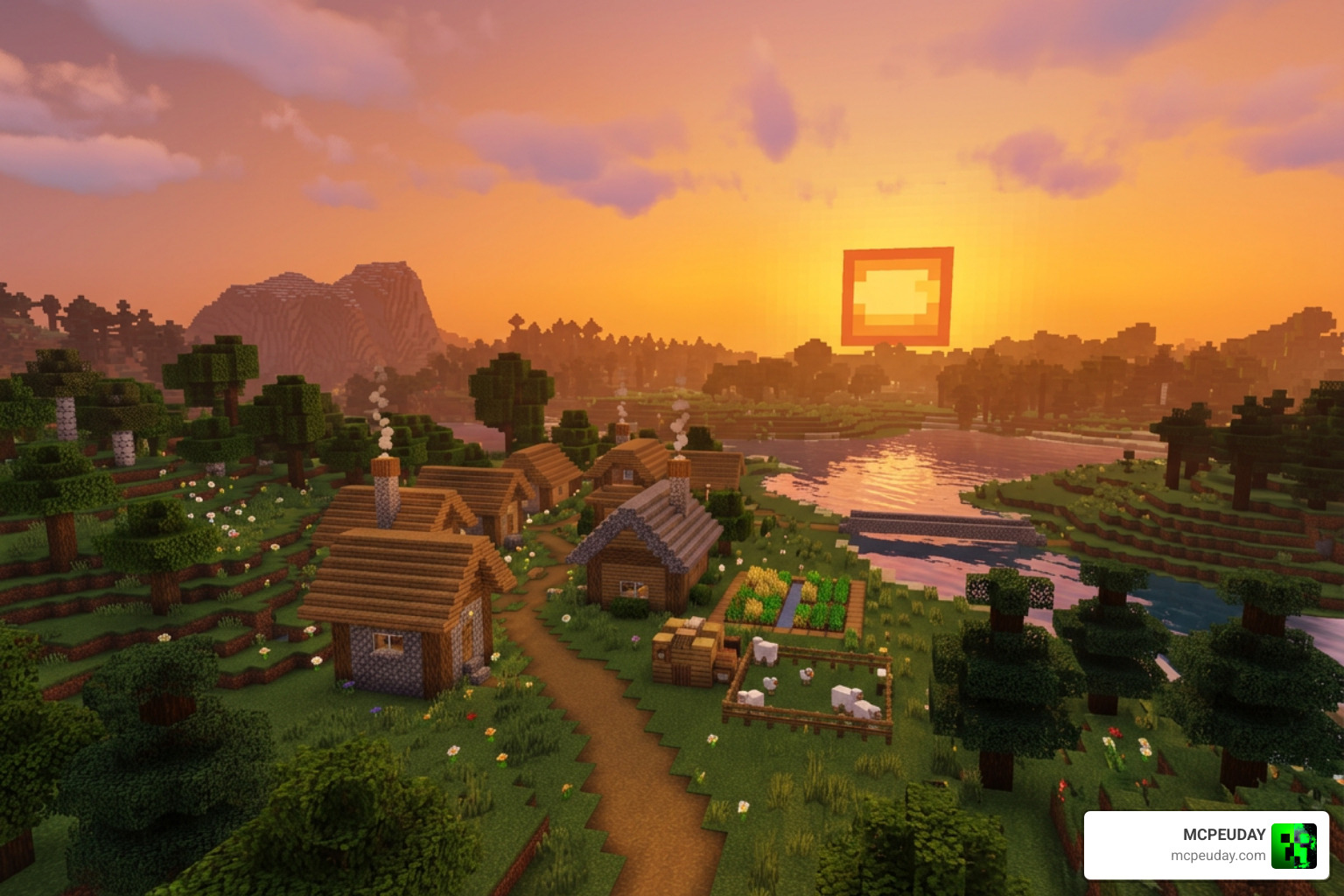
The primary goal of the Phantom Visuals Shader is to bathe your world in a cozy, saturated color palette. It avoids the harsh, blinding whites of some ultra-realistic packs, opting instead for a balanced, eye-friendly approach that makes long gaming sessions much more comfortable.
Here are the main visual features you will notice immediately upon activation:
- Warm and Saturated Colors: Every biome feels more vivid. Grasslands look richer, deserts feel warmer, and autumn-like biomes truly pop with deep, organic tones.
- Smoother Lighting Transitions: The transition between light and shadow is gradual, eliminating blocky, pixelated lighting errors that often plague default Bedrock graphics.
- Atmospheric Haze: Distant horizons feature a smooth, blended haze that makes your world feel infinitely larger, deeper, and more immersive.
- Natural Sunlight Warmth: The sun emits a gentle, golden glow rather than an overexposed glare, casting realistic shadows across the terrain.
- Enhanced Sky Transitions: Dawn and sunset blend realistically without washing out the clouds or the sky gradients, creating breathtaking backdrops for your builds.
- Soft Cloud Edges and Light Bloom: Clouds look fluffier and less blocky, while light sources like torches, lanterns, and glowstone emit a soft, atmospheric bloom that enhances indoor spaces.
To explore this pack further and grab the latest updates directly from our community platform, you can check out our dedicated download pages on MCPEUDAY, where we keep all files updated, verified, and scanned for safety.
Cinematic Atmosphere of Phantom Visuals Shader
Beyond the basic lighting, this pack excels at creating deep contrast. In forests and deep caves, shadows feel heavy and mysterious, making survival mode feel genuinely suspenseful and rewarding. Light rays break through dense tree canopies beautifully, and water surfaces feature detailed, soft reflections that make rivers, lakes, and oceans feel incredibly alive. This attention to detail ensures that whether you are building a cozy cottage or exploring a massive cavern, the visual feedback is always top-tier.
If you want to compare how this atmosphere holds up against other top-tier options, take a look at our curated list of the Top 5 best realistic shaders for MCPE.
Performance, Compatibility, and Supported Versions
One of the biggest hurdles for mobile players is finding a shader that does not turn their phone into a pocket-sized furnace. Thankfully, the Phantom Visuals Shader is highly optimized. It does not rely on heavy, unoptimized scripts, meaning you get stable frame rates even during busy raids or complex redstone operations.
Because modern Minecraft Bedrock uses the Render Dragon engine, traditional shaders no longer work. This pack is built specifically to align with these engine updates, making it one of the Best render dragon shaders for MCPE 1.21 tested on real devices 2026 guide options available.
| Device Type | Expected Performance | FPS Stability | Recommended Settings |
|---|---|---|---|
| Low-End Android/iOS | 45 – 60 FPS | Good | Medium Render Distance, Fancy Graphics Off |
| Mid-Range Devices | Stable 60 FPS | Excellent | High Render Distance, Beautiful Skies On |
| High-End / Tablets | 60 – 120 FPS | Flawless | Maximum Settings |
Supported Versions and Platforms for Phantom Visuals Shader
This pack is fully compatible with Minecraft PE/Bedrock versions 1.21.x and 26.x. It runs flawlessly across Android, iOS, and Windows Bedrock platforms.
For players running the absolute latest updates, finding a pack that handles the new blocks without breaking is crucial. If you are looking for alternatives that offer similar stability, check out the 3 best shaders for Minecraft 1.21 ultra realistic smooth FPS stunning graphics.
How to Install the Shader on Android
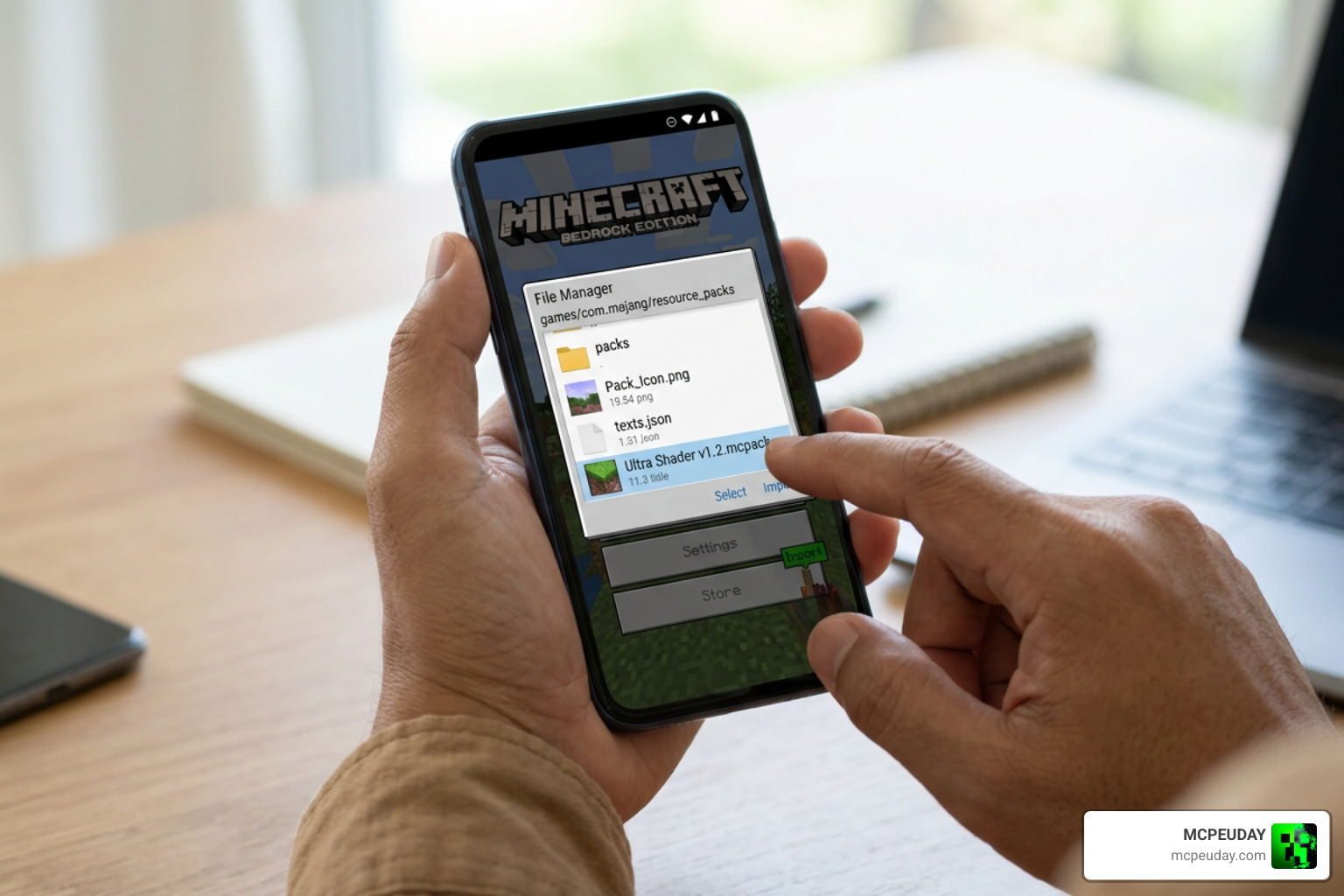
Installing the Phantom Visuals Shader on an Android device is quick and straightforward. The pack is usually distributed in two formats: .mcpack (which installs automatically) and .zip (which requires manual extraction).
For a complete walkthrough on activating these files across different systems, read our comprehensive How to turn on shaders in Minecraft 2026 guide Java Bedrock MCPE setup fast mcpeuday.
Step-by-Step Android Installation Guide:
- Download the File: Grab the
.mcpackfile from a trusted source. You can find more mobile-friendly options on our Minecraft shaders download for Android page. - Open with Minecraft: Locate the downloaded file in your device’s file manager. Tap on the
.mcpackfile and select “Open with Minecraft.” The game will launch automatically and import the resource pack. - Manual ZIP Extraction (If using
.zip): If you downloaded a.zipfile, extract it using a file manager app. Copy the extracted folder and paste it into the following directory:Android/data/com.mojang.minecraftpe/files/games/com.mojang/resource_packs/ - Activate in Settings: Open Minecraft, go to Settings, scroll down to Global Resources, and activate Phantom Visuals under “My Packs.”
- Apply to World: If you want it only on a specific world, go to that world’s individual settings, select Resource Packs, and activate it there.
Version History and Changelog Analysis
The developer of Phantom Visuals has consistently updated the pack to squash bugs and improve performance. Let’s look at how the pack has evolved over its recent updates:
- Version 1.1.4 (26.2K downloads): Introduced initial compatibility with Render Dragon updates and balanced the sunlight intensity to prevent oversaturation.
- Version 1.1.6 (11.2K downloads, 2.1 MB file size): Smoothed out long-distance atmospheric haze and fixed a major bug where sky transitions would wash out during sunrise.
- Version 1.1.7 (2.07 MB file size): The current definitive version for 2026. This release optimized light bloom around torches, improved cloud edges, and reduced memory usage on low-end mobile devices.
(Note: While searching for “Phantom” online, you might encounter a highly popular machine learning framework on GitHub at Phantom-video/Phantom . That project focuses on subject-consistent AI video generation and is completely unrelated to our favorite Minecraft Bedrock resource pack!)
Frequently Asked Questions
Does this shader change gameplay mechanics?
No, the Phantom Visuals Shader is purely cosmetic. It does not add new items, blocks, mobs, or alter survival mechanics. It is safe to use on survival servers, realms, and multiplayer worlds without affecting achievements, making it perfect for players who want a visual upgrade while keeping the vanilla gameplay intact.
Where can I safely download the shader files?
We always recommend downloading from trusted sources like MCPEUDAY to avoid malicious files. Our team thoroughly tests every file to ensure it is safe, functional, and free of malware before making it available to the community. This guarantees a smooth installation process without risking your device’s security.
Are there any known compatibility conflicts?
Because it acts as a global resource pack, it can conflict with other shaders that modify lighting, fog, or skyboxes. For the best results, ensure Phantom Visuals is placed at the top of your active resource packs list in Minecraft’s settings. Additionally, avoid running it alongside other heavy graphic packs to prevent rendering glitches.
Conclusion
The Phantom Visuals Shader remains an outstanding choice for Minecraft PE and Bedrock players in 2026. It strikes the perfect balance between cinematic beauty and mobile performance, turning blocky landscapes into warm, golden masterpieces without causing lag or overheating your device. Whether you are a casual builder or a hardcore survivalist, this pack offers a refreshing visual upgrade that makes every sunset and cave exploration feel special.
If you are ready to explore more ways to elevate your mobile gaming graphics, check out our ultimate list of the Best shaders for MCPE 1.21 2026 top 3 realistic Minecraft PE shaders to find your perfect visual match and take your pocket world to the next level!