What the Lumenix Ultra Shader Does for Minecraft Bedrock
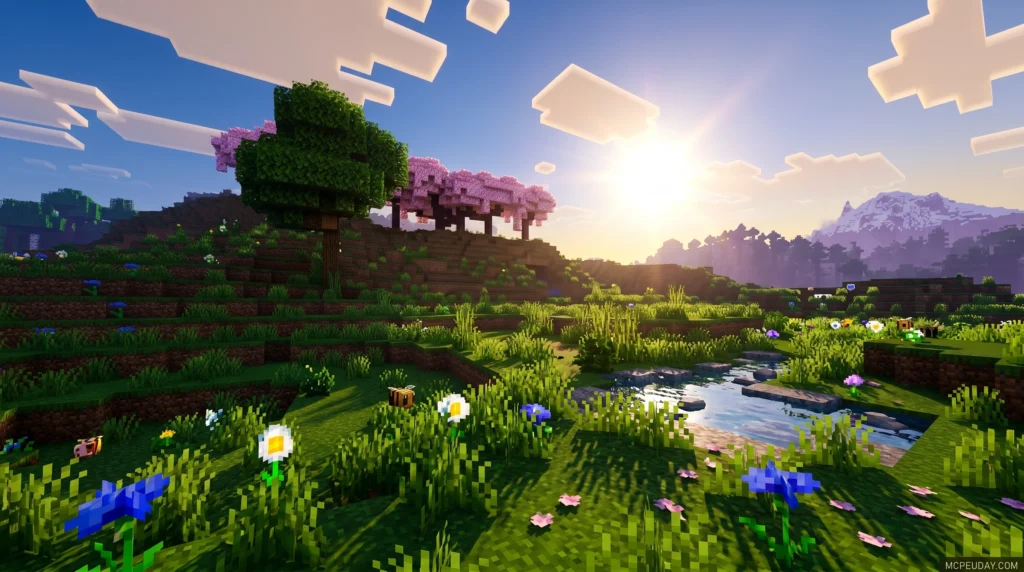
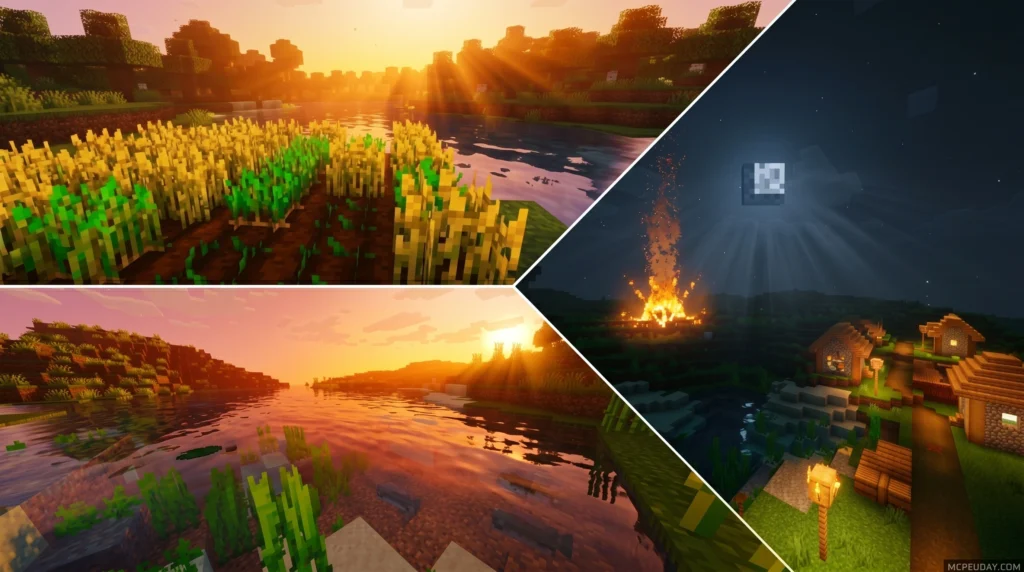
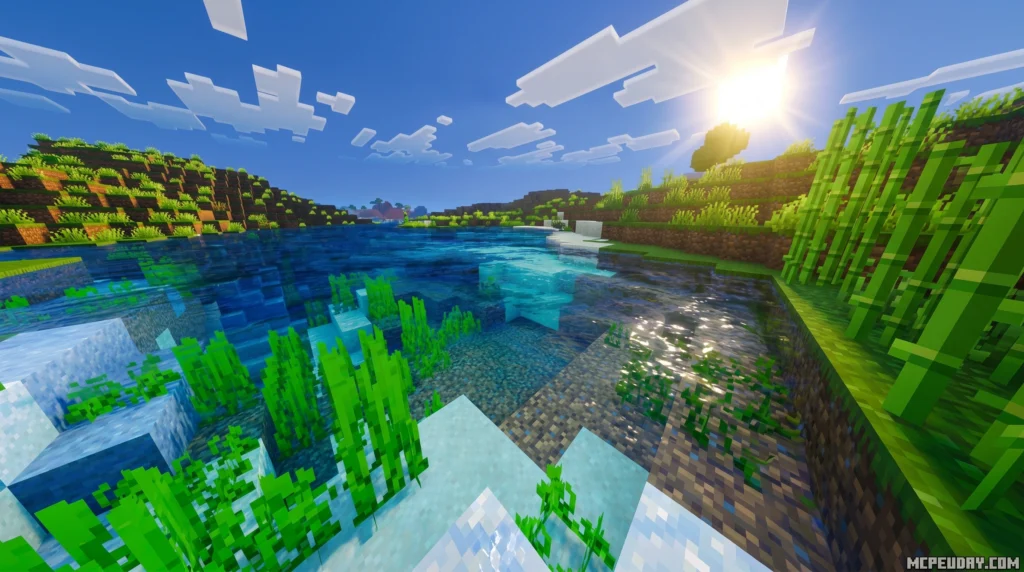
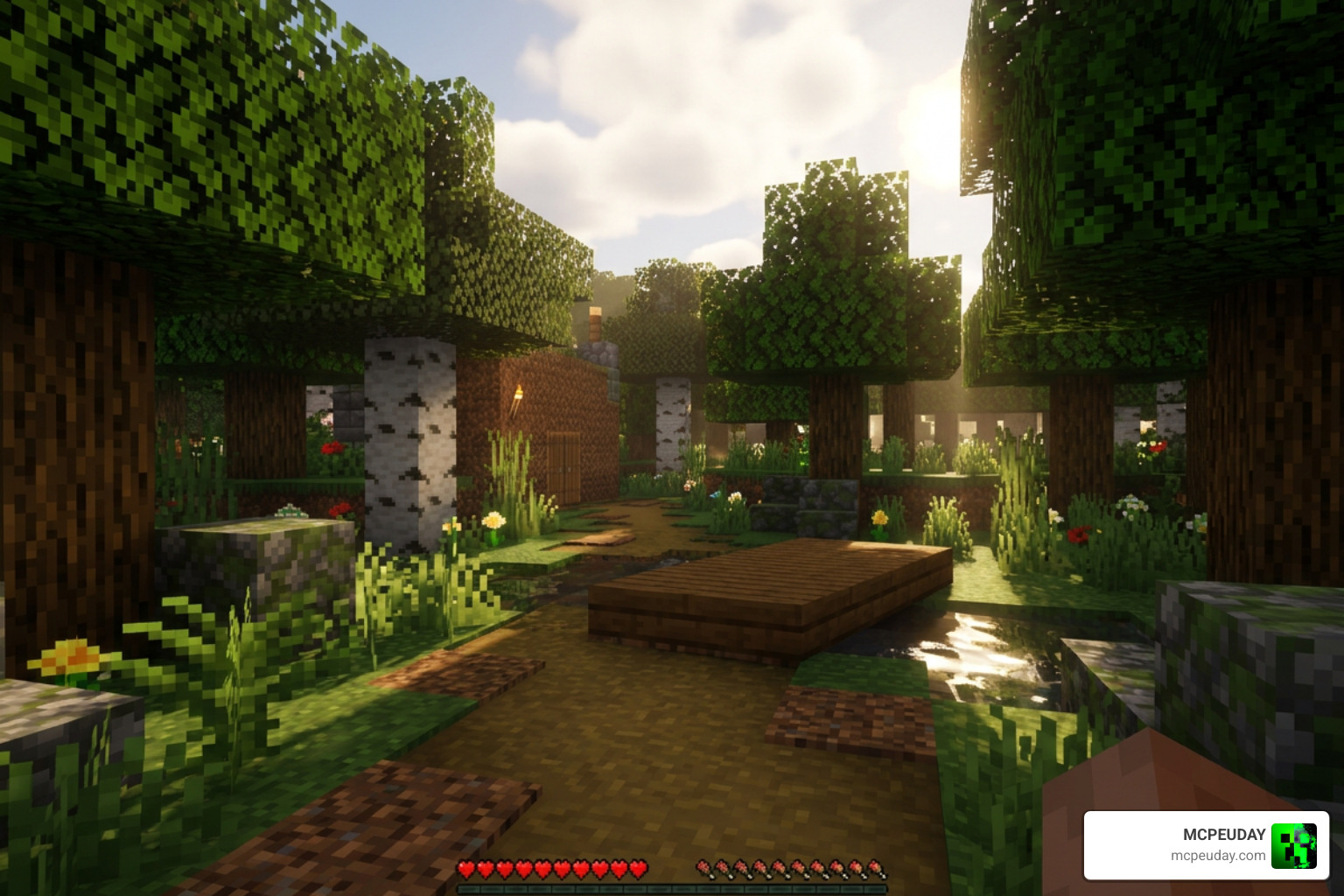
Lumenix Ultra Shader is a visual enhancement pack for Minecraft Bedrock Edition (MCPE) that improves lighting, shadows, and color grading to create more cinematic, realistic-looking scenes — without breaking your game’s stability.
Quick answer for anyone searching:
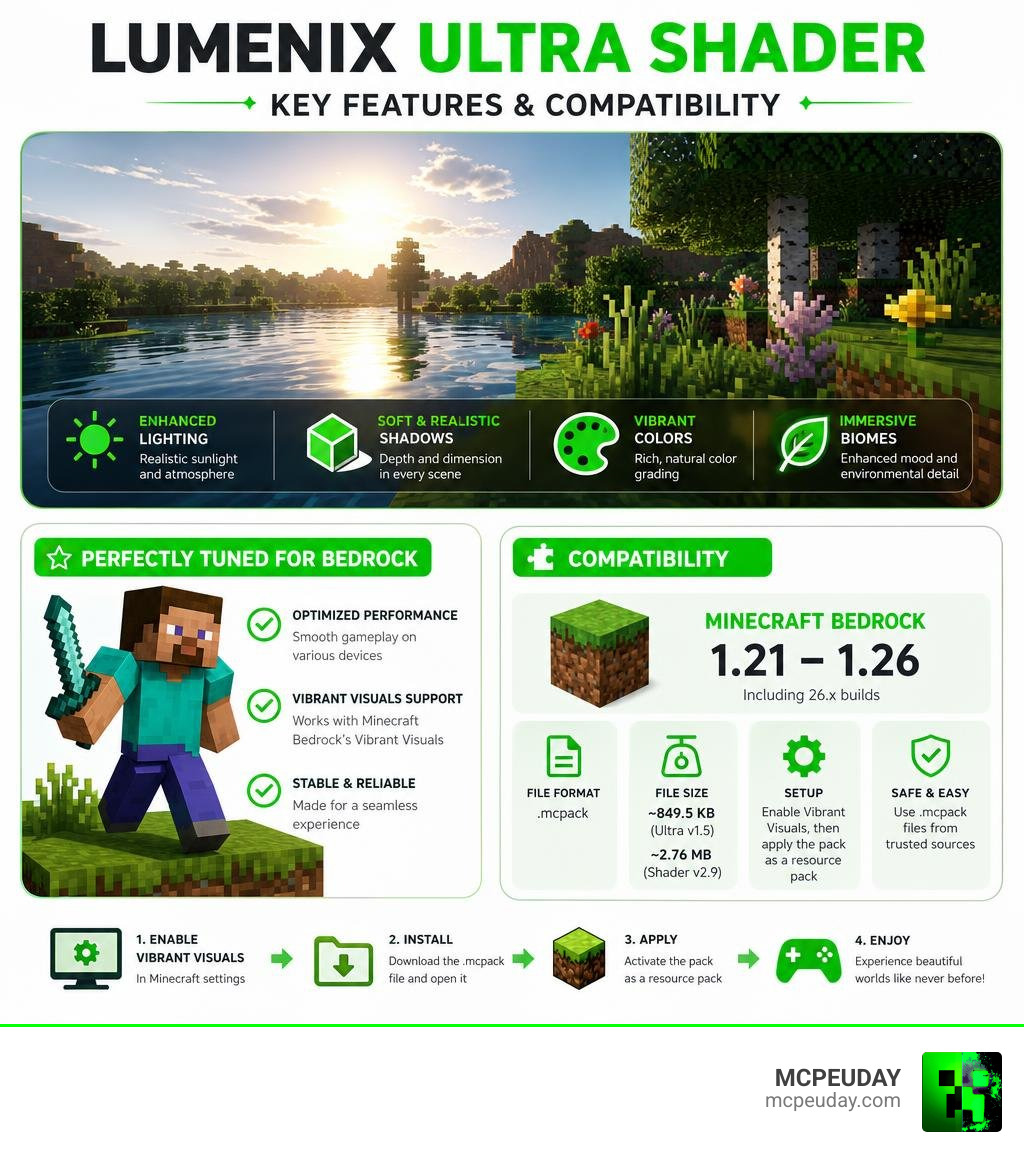
- What it is: A shader/texture pack for Minecraft PE and Bedrock Edition
- What it does: Enhances lighting, shadows, color vibrancy, and biome atmospherics
- Supported versions: Minecraft Bedrock 1.21 and 1.26 (including 26.x builds)
- File format: .mcpack
- File size: ~849.5 KB (Ultra v1.5) or ~2.76 MB (Shader v2.9)
- How to use: Enable Vibrant Visuals in settings, then apply the pack as a resource pack
- Where to get it: Download safely via trusted Minecraft mod sites as an .mcpack file
If you’ve ever felt like vanilla Minecraft Bedrock looks a little flat or washed out, you’re not alone. Millions of players look for shaders every month to breathe new life into their worlds.
Lumenix Ultra stands out because it balances visual quality with performance. It’s not just about making things look pretty — it’s about keeping the game playable, especially on mobile devices.
With over 521 shares and compatibility across both Bedrock 1.21 and 1.26, it’s one of the more widely-used shader options in the MCPE community right now.
What is the Lumenix Ultra Shader?
The Lumenix Ultra Shader is a specialized graphics and texture pack designed to work alongside Minecraft Bedrock’s modern rendering systems. Since Mojang introduced the Render Dragon engine, traditional shaders have struggled to run on Bedrock Edition. In the past, players could easily install GLSL or HLSL shaders that completely rewrote the game’s rendering pipeline. However, Render Dragon locked down these capabilities, forcing developers to adapt. They had to create clever texture and material packs that mimic high-end PC shader effects directly within the new engine’s constraints.
Lumenix Ultra does exactly this. It injects cinematic visuals, dynamic lighting enhancements, and rich color palettes into your game without requiring high-end hardware or complex modifications. By utilizing the native capabilities of the Render Dragon engine, it achieves stunning results that were previously thought impossible on mobile devices. If you are looking to revamp your world’s appearance and explore other visual styles, you can also Discover more options in the Minecraft Shaders Category on our site.
Core Visual Improvements and Features
When you load up your world with this pack active, the visual transformation is immediate and striking. The shader targets several core areas of the game’s graphics to deliver a cohesive, realistic aesthetic:
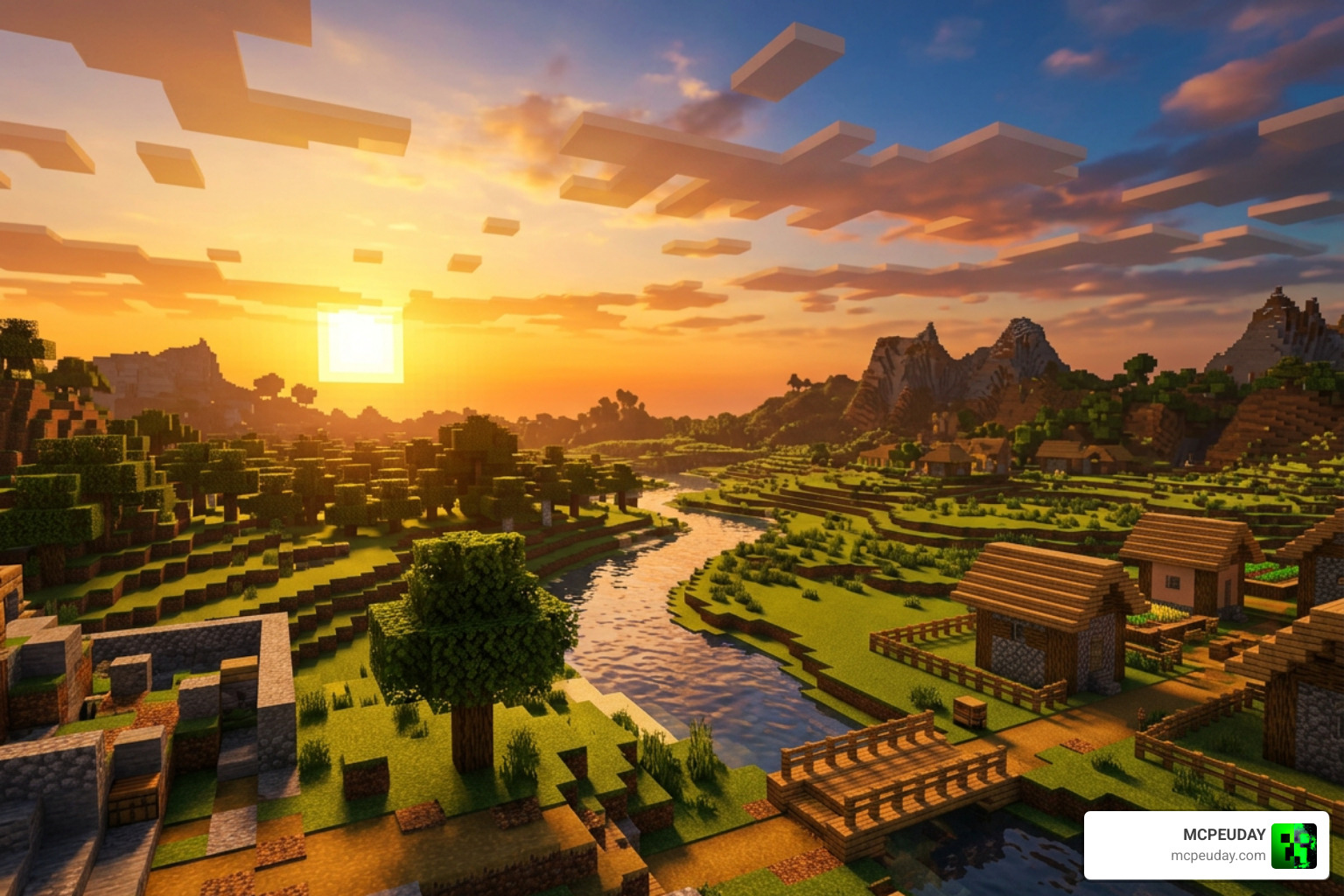
- Ambient Lighting: Sunlight feels warmer and more natural, casting a golden hue during sunrise and sunset. Moonlight is equally enhanced, casting a soft, cool, and mysterious glow over the landscape that makes night exploration feel like a completely different game.
- Realistic Shadows: Instead of harsh, pitch-black blocks beneath trees and structures, you get softer, more natural shadows. These shadows blend smoothly into the environment, creating a sense of depth and realism that vanilla Minecraft lacks.
- Color Grading: The overall color palette is fine-tuned to increase saturation and contrast. This makes green forests look incredibly lush, deserts look hot and arid, and oceans look deeply blue and inviting. The color grading is designed to be vibrant without being oversaturated or straining to the eyes.
Comparing Lumenix Ultra Shader with Standard Versions
The Lumenix family has evolved through several iterations, each catering to different player preferences and device capabilities. While the standard Lumenix Shader (such as v2.2 and v2.9) focuses on broad visual overhauls and general performance, the Lumenix Ultra Shader is tailored specifically for players who want maximum cinematic flare and atmospheric depth.
To get the absolute best results out of the Ultra edition, you must enable the Vibrant Visuals setting in your game’s video options. This setting allows the shader to utilize advanced color mapping and contrast adjustments. Below is a quick comparison of how the versions stack up:
| Feature | Lumenix Ultra Shader (v1.5) | Lumenix Shader (v2.9) |
|---|---|---|
| File Size | 849.5 KB | 2.76 MB |
| Primary Focus | High-contrast cinematic lighting & custom biome fogs | Advanced ambient lighting & temporal effects |
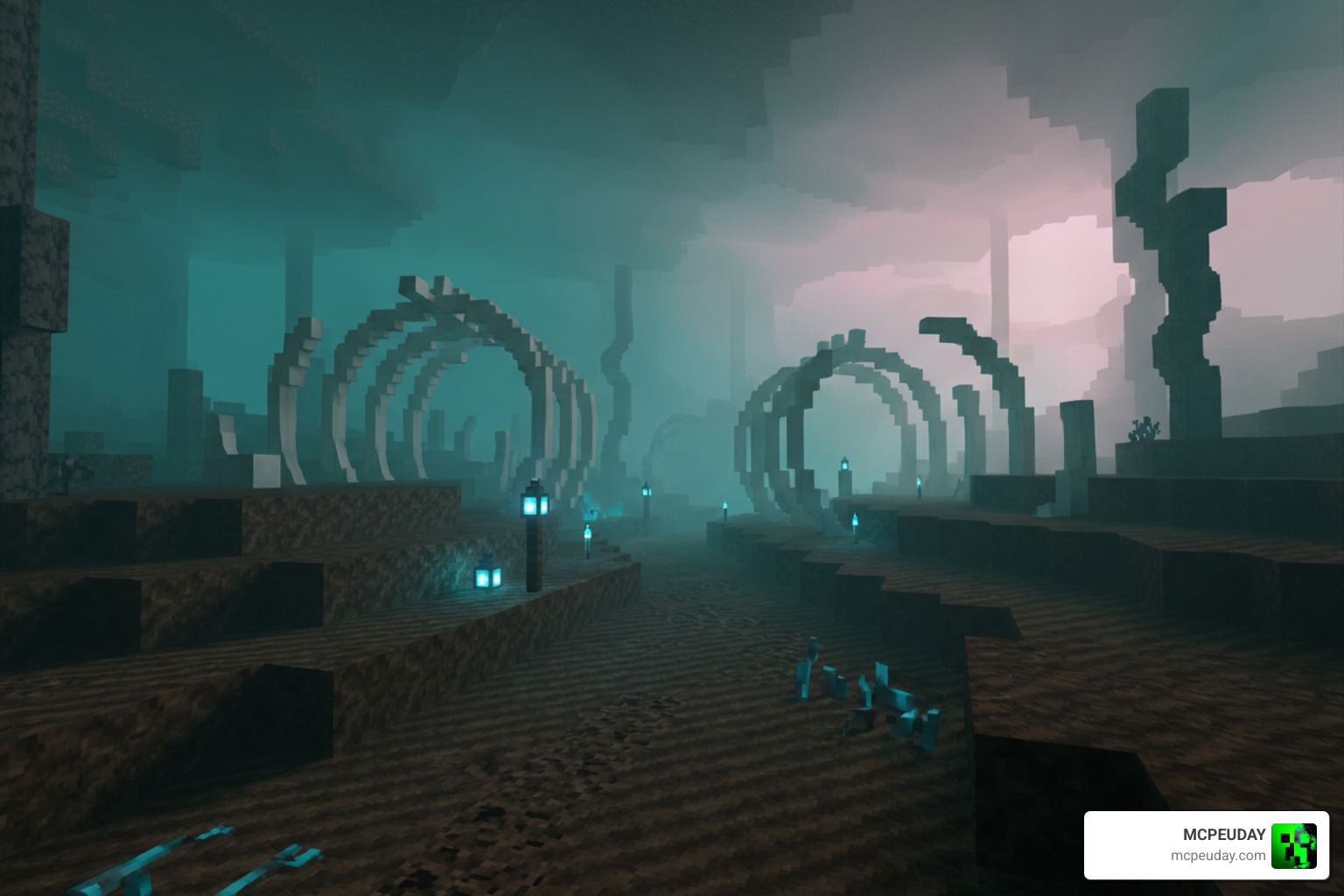
| Key Biome Effects | Intense fog for Swamp & Crimson Forest | Eerie teal fog for Soul Sand Valley & pink fog for Cherry Grove |
| Vibrant Visuals Req. | Yes (highly recommended) | Optional |
Performance, Compatibility, and Version Changelogs
Before downloading any new graphics pack, it is important to understand how it will affect your frame rate and overall gameplay experience. Fortunately, we have tested this pack extensively across multiple devices to ensure it meets our high standards for stability and performance. If you want to see how it ranks against other popular options in the community, you can Check out the Best Render Dragon Shaders for MCPE 1.21.
Overall, the performance impact of Lumenix Ultra is remarkably low, making it one of the most accessible shaders available today. Because it operates primarily as a highly optimized resource and material pack rather than a heavy external injector, it avoids the massive FPS drops associated with older, heavy shader pipelines. Whether you are playing on a budget phone or a high-end gaming rig, you can expect a smooth, stutter-free experience.
Supported Minecraft Versions and Platforms
As of June 2026, the Lumenix Ultra Shader supports a wide range of versions and platforms, ensuring that almost any Bedrock player can enjoy its features:
- Minecraft PE / Bedrock: Versions 1.21 and 1.26 (including the 26.x development builds). The developers are quick to update the pack whenever Mojang releases a new beta or official build.
- Platforms: Android, iOS (mobile devices), and Windows 10/11. It is fully optimized for touch controls as well as keyboard and mouse setups.
- Views & Popularity: The Lumenix Shader Ultra Texture Pack (specifically version 26.10) has rapidly gained traction with rising view counts (currently sitting at 197 views on early listing pages) as players update their clients and look for reliable visual upgrades.
Changelog Highlights: From v1.5 to v2.9
The development of the Lumenix series shows a clear dedication to atmospheric detail and community feedback. Here are the highlights of what has changed across the main releases, showing how the shader has matured over time:
- Lumenix Shader Ultra (v1.5): This landmark release introduced enhanced lighting, custom atmospherics, and tailored color grading. It also added intense, heavy biome fogs specifically designed to make the Swamp and Crimson Forest biomes feel incredibly spooky, dark, and atmospheric.
- Lumenix Shader (v2.2): This update focused on refining the celestial elements. It improved sun and moon illuminance, added richer color grading with higher saturation, and introduced the beautiful pink fog for Cherry Grove biomes alongside the eerie teal fog for the Soul Sand Valley, making nether exploration much more intense.
- Lumenix Shader (v2.9): Further optimized for the latest Render Dragon updates, expanding the file size to 2.76 MB to accommodate higher-resolution skyboxes, smoother ambient transitions, and better compatibility with modern mobile GPUs.
How to Install and Safely Download the Shader
To ensure your game runs smoothly and safely, always download your packs from verified sources. The internet is full of outdated or malicious files, so sticking to trusted community hubs is essential. To see where this shader fits in the wider ecosystem and discover other high-quality alternatives, you can Learn about the 3 Best Shaders for Minecraft 1.21.
For the safest experience, use the download options provided by MCPEUDAY or creator-verified sources referenced from the pack page. The file sizes are highly optimized: the Ultra v1.5 pack is only 849.5 KB, while the comprehensive v2.9 pack is 2.76 MB. These small file sizes mean you can download them in seconds, even on a limited mobile data connection.
Step-by-Step Installation for Lumenix Ultra Shader
Installing the shader is incredibly straightforward, thanks to the modern .mcpack format. Follow these simple steps to get started:
- Download the Pack: Grab the
.mcpackfile for your preferred version from a verified download source. - Import to Minecraft: Double-click or tap the downloaded
.mcpackfile. Minecraft Bedrock will open automatically and import the pack. You should see a notification at the top of your screen saying “Import Started” followed by “Successfully Imported”. - Adjust In-Game Settings: Go to Settings > Global Resources, expand the “My Packs” section, select the Lumenix Ultra Shader, and click “Activate”.
- Enable Vibrant Visuals: Ensure that the “Vibrant Visuals” setting is toggled On in your video settings. This is a crucial step to unlock the full depth of the shader’s color grading and custom fog effects.
If you encounter any issues where the pack does not import automatically, you can manually rename the file extension from .mcpack to .zip, extract the contents, and move the folder directly into your game’s resource_packs directory.
Technical Insights and External Shader Frameworks
If you are a developer or a curious player wondering how modern creators achieve these lighting effects within the strict limits of the Render Dragon engine, they often look to external frameworks and industry-standard tools for inspiration. For instance, game developers on other platforms utilize tools like Lumen: Stylized Light FX 2 | Particles/Effects | Unity Asset Store or study the Lumen: Stylized Light FX 2 – Dev Community | Dev Asset Collection to learn about performance-friendly, mesh-based volumetric lighting techniques.
Additionally, open-source projects like the umar-afzaal/LumeniteFX repository on GitHub showcase how advanced post-processing effects – such as motion vectors, bloom, and ambient occlusion – can be computed efficiently on mobile hardware. By studying these frameworks, Minecraft creators can find clever ways to optimize their material files. (Note: Make sure not to confuse this Minecraft shader with unrelated commercial brands, such as those reviewed on the Lumenix Beamers Reviews 21 – Trustpilot page).
Frequently Asked Questions About Shaders
If you still have questions about optimizing your mobile setup, Read our guide on the Top 5 Best Realistic Shaders for MCPE.
Is Lumenix Ultra Shader compatible with Minecraft Bedrock 1.21?
Yes! The shader is fully compatible with Bedrock 1.21 and the newer 1.26 (26.x) updates as of June 2026.
What is the file size of the Lumenix Ultra Shader?
The file size is extremely lightweight. The Ultra v1.5 version is only 849.5 KB, making it perfect for quick downloads on mobile data. The v2.9 version is slightly larger at 2.76 MB due to additional high-resolution assets.
Does this shader cause lag on mobile devices?
Hardly at all! While the standard Lumenix Shader [ v2.2 ] holds a 3.2 rating and the Ultra version holds a 3.1 rating (largely due to players trying to run them on very old devices without enabling the correct settings), it is highly optimized. If you experience any frames dropping, simply lower your in-game render distance.
Conclusion
The Lumenix Ultra Shader is a fantastic, lightweight solution for anyone wanting to escape the flat look of vanilla Minecraft Bedrock. By combining clever atmospheric fog, rich color grading, and improved lighting, it completely transforms your survival world into a cinematic adventure.
We at MCPEUDAY are committed to bringing you the safest, most thoroughly tested modifications for your game. If you’re ready to upgrade your graphics today, go ahead and Download the Best Shaders for MCPE 1.21 on MCPEUDAY.