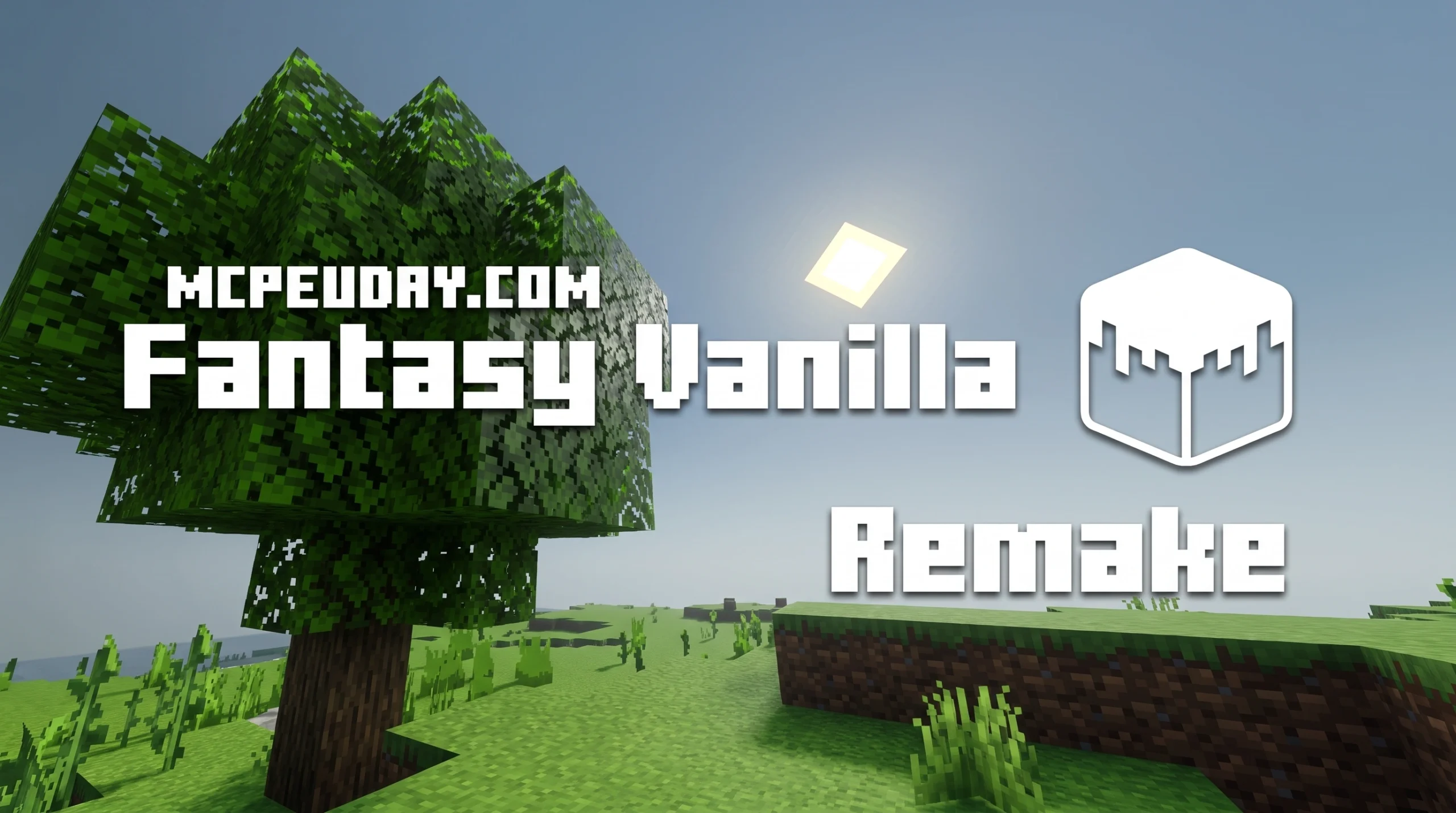
What the Fantasy Vanilla Shader Is (And Why Players Love It)
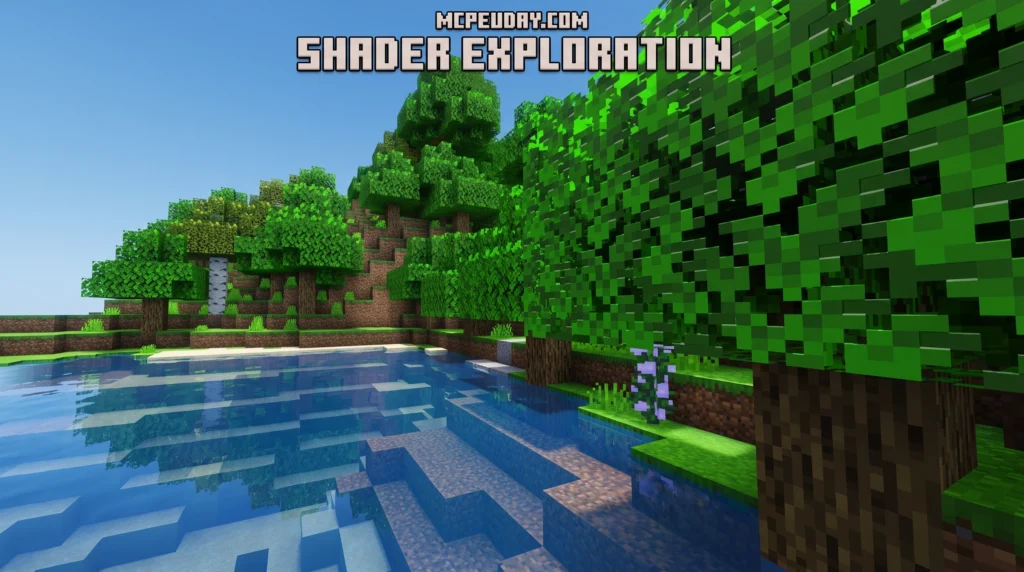
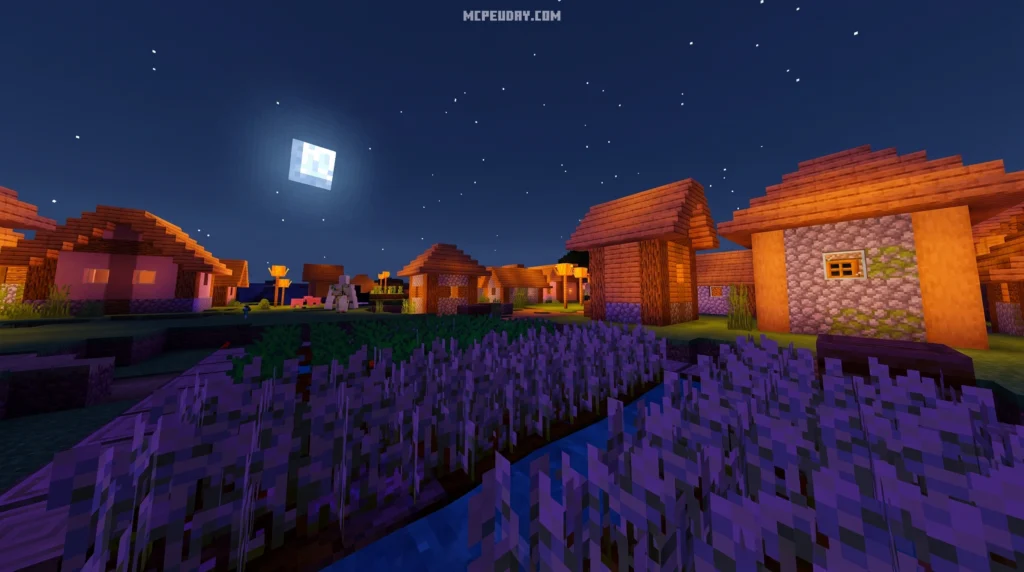
The Fantasy Vanilla Shader is a lightweight graphics enhancement pack for Minecraft Bedrock Edition (MCPE) that adds realistic lighting, shadows, water, and clouds — while keeping the classic vanilla Minecraft look intact.
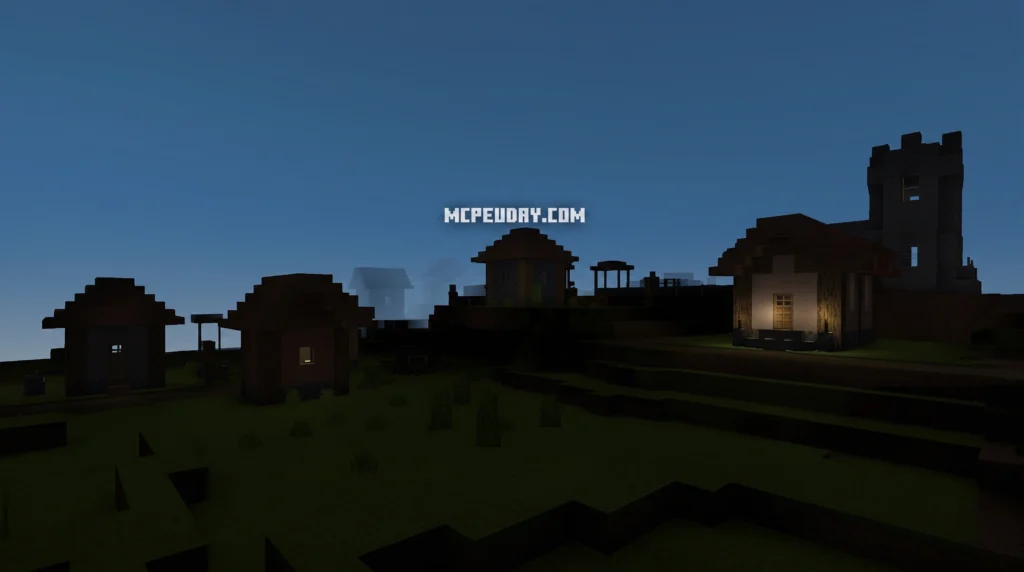
Quick answer at a glance:
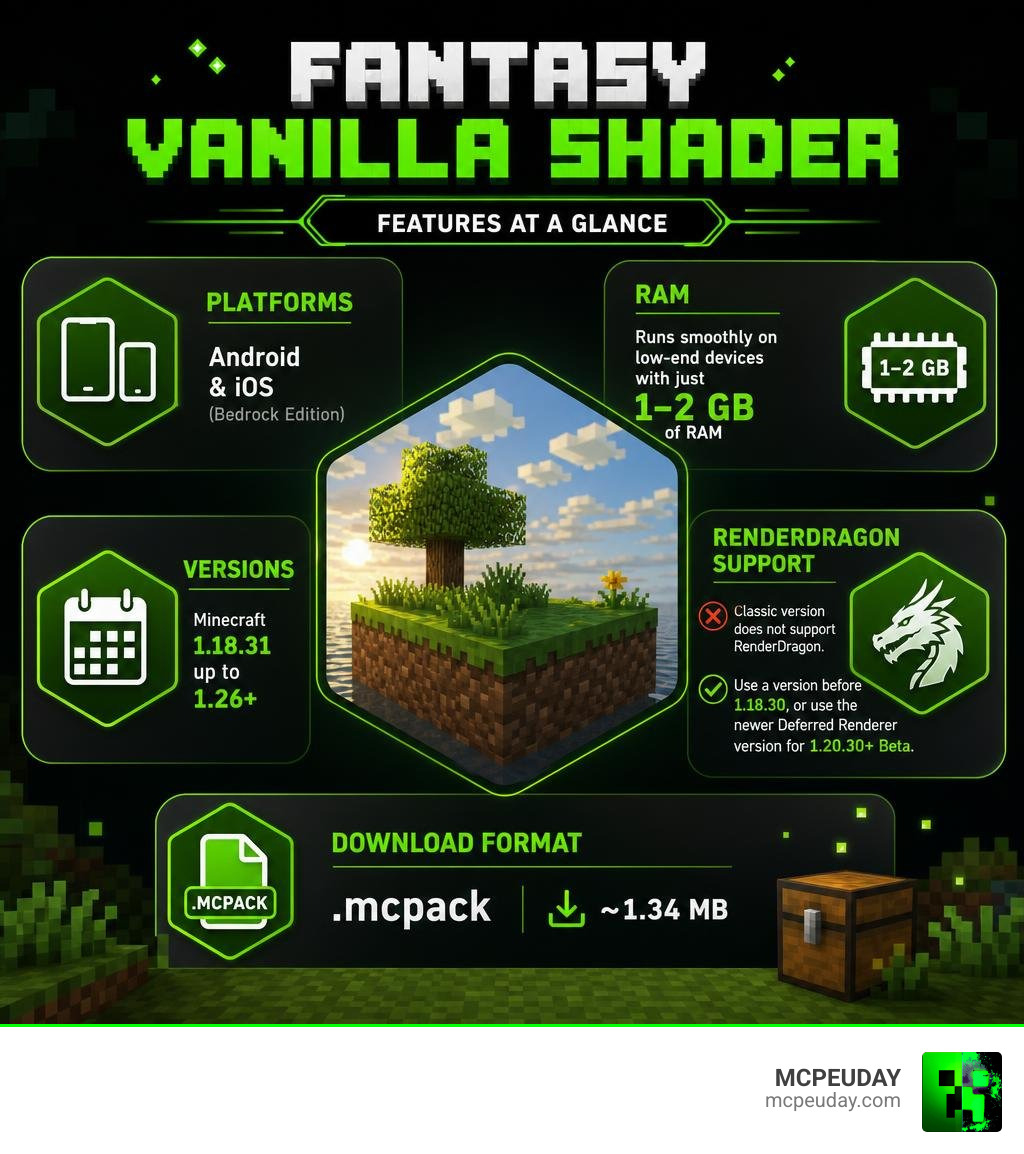
- What it is: A shader pack for Minecraft PE/Bedrock that enhances visuals without changing the core vanilla style
- Platforms: Android and iOS (Bedrock Edition)
- Versions supported: Minecraft 1.18.31 up to 1.26+
- RenderDragon: The classic version does not support RenderDragon — use a version before 1.18.30, or use the newer Deferred Renderer version for MCPE 1.20.30+ Beta
- Device requirements: Runs on low-end devices with just 1–2 GB of RAM
- Download format:
.mcpackfile (~1.34 MB) - Two versions available: Quality (better visuals) and Performance (smoother frame rates)
If you’ve ever wanted your Minecraft world to look noticeably better without turning it into a completely different game, this shader is built for exactly that.
It keeps the blocky charm you know, but adds sunbeams, realistic water reflections, volumetric clouds, and moving plants on top. And it’s small enough to run on a budget phone.
The shader has gone through several updates over the years, including a full remake — the Fantasy Vanilla Remake — adapted to Minecraft’s newer deferred rendering techniques, making it more realistic than ever for mobile players.
What is the Fantasy Vanilla Shader?
At its core, the Fantasy Vanilla Shader is designed to maintain Minecraft’s original vanilla aesthetic while introducing beautiful, subtle graphic updates. It is a hybrid resource and shader pack optimized heavily for mobile devices running Bedrock Edition. It doesn’t throw out the default look of the game; instead, it polishes it.
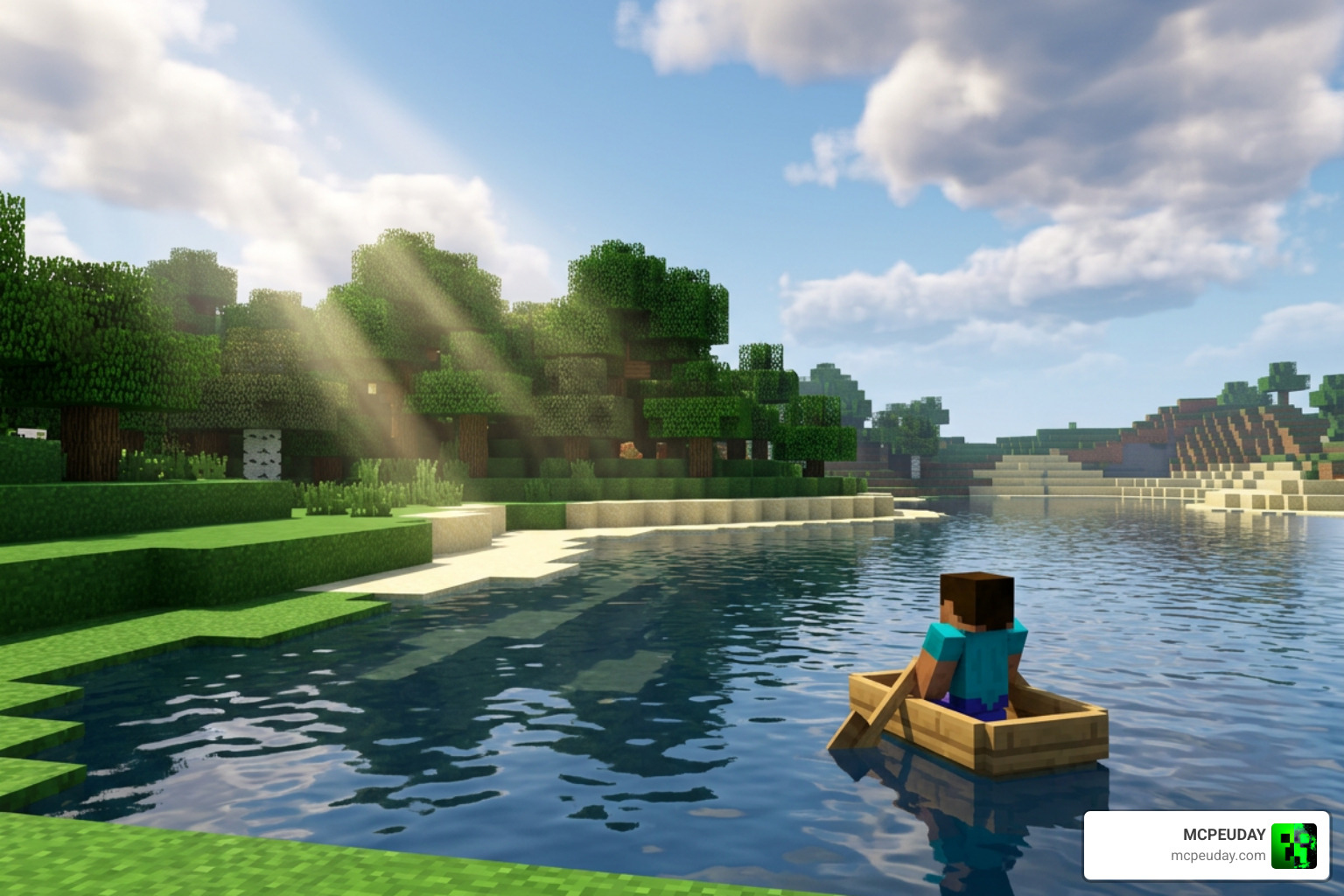
Whether you are exploring deep caves or sailing across a vast ocean, this pack enhances the atmosphere. The day and night cycles feel much more immersive thanks to custom skyboxes and subtle fog adjustments. If you want to check out the classic version, it is widely available across the community as a lightweight resource pack.
Key Features of the Fantasy Vanilla Shader
This shader pack packs an impressive punch for its tiny file size. Here are the main features we love:
- Volumetric Clouds: Beautiful, soft, and realistic clouds that float naturally across the sky.
- Realistic Shadows: Volumetric, detailed shadows that shape-shift depending on the sun’s position.
- Water Caustics & Reflections: The water looks alive with realistic waves, depth coloring, and light reflections.
- Sunbeams & Godrays: Stunning sunbeams that break through the trees during sunrise and sunset.
- Plant & Leaf Movement: Subtle waving animations for leaves, grass, and crops to make the world feel alive.
- Atmospheric Fog: Immersive fog that changes based on the biome and weather conditions.
If you are new to graphics modding and want to understand how these packages work under the hood, check out our guide on What Are Shaders in Games.
Quality vs. Performance Versions
We know that not everyone is playing on a top-of-the-line gaming tablet. That is why the creators of the Fantasy Vanilla Shader Renewed released two distinct versions:
- Quality Pack (
.mcpack): This is the full experience. It includes high-fidelity water caustics, volumetric shadows, waving leaves, and complex lighting. It is perfect if your device has a bit of thermal headroom. - Performance Pack (
.mcpack): This version disables resource-heavy features like complex water rendering and plant waving. It prioritizes keeping your frame rate smooth and stable while keeping the upgraded sky, basic shadows, and fog.
| Feature | Quality Version | Performance Version |
|---|---|---|
| Volumetric Clouds | Yes | Yes |
| Waving Plants & Leaves | Yes | No |
| Realistic Water Caustics | Yes | No |
| Custom Sunbeams | Yes | Yes (Optimized) |
| Target RAM | 2 GB+ | 1–2 GB |
If you are running the Quality version but still want to squeeze out every drop of performance from your game, we highly recommend pairing it with our Vanilla X Optimizer FPS Boost pack.
Compatibility, Performance, and Installation Guide
One of the biggest hurdles for Minecraft Bedrock players in 2026 is the RenderDragon graphics engine. When Mojang introduced RenderDragon, it broke traditional shader support. However, we have a few workarounds that will let you experience these gorgeous visuals.
For those running modern versions of the game, you can check out our curated list of the Best Render Dragon Shaders for MCPE 1.21 to find options that work natively with the new engine. For official background on Bedrock resource packs, creator features, and pack structure, you can also reference the Minecraft Bedrock creator documentation.
RenderDragon Support and Device Performance
The classic Fantasy Vanilla Shader does not natively run on the standard RenderDragon engine. To use the classic version, players must downgrade their Minecraft PE client to a version prior to 1.18.30.
However, if you are playing on newer versions like MCPE 1.20.30+ Beta up to 1.26+, you can use the Fantasy Vanilla Remake (Deferred Renderer Pack). This version uses Minecraft’s official deferred rendering pipeline to produce high-end lighting effects natively on supported hardware!
In terms of performance, the shader is incredibly lightweight. Even the classic versions run flawlessly on budget Android and iOS devices with only 1-2 GB of RAM. If you need other low-spec options, check out the incredibly popular Newb X Lowres Renewed Shader.
How to Install the Fantasy Vanilla Shader
Installing the shader on your mobile device is simple because it comes in the native .mcpack format.
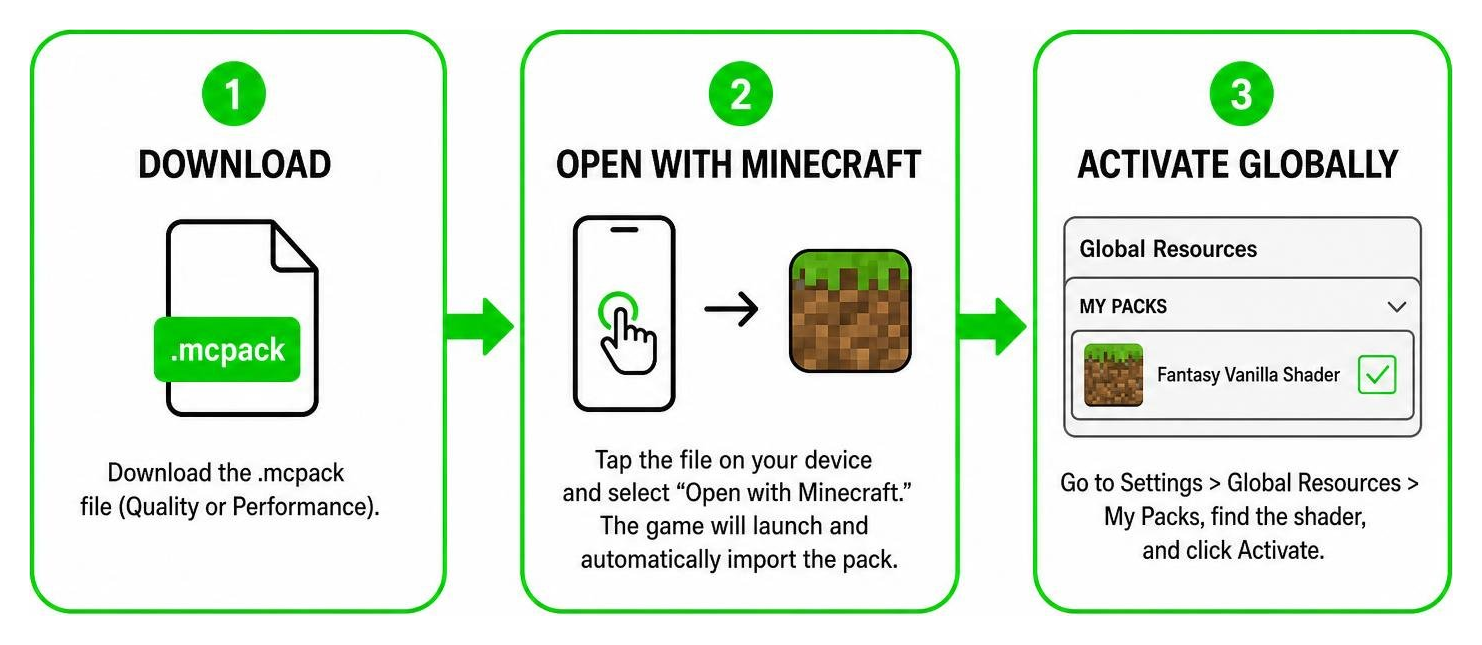
Follow these simple steps to install it on Android or iOS:
- Download the File: Grab the
.mcpackfile (either Quality or Performance). - Open with Minecraft: Tap on the downloaded file on your mobile device and select “Open with Minecraft.” The game will launch and automatically import the pack.
- Activate Globally: Go to Settings > Global Resources > My Packs, find the shader, and click Activate.
- Create/Edit World: If you are using the Deferred Renderer version, make sure to enable “Render Dragon Features for Creators” or “Deferred Technical Preview” in your world experimental settings!
For a more comprehensive look at setting up graphics packs, read our How to Turn On Shaders in Minecraft 2026 Guide.
Comparing Fantasy Vanilla to Other Shaders
To help you decide if this is the right pack for you, let us compare it to a few other popular options on the market.
If you want a classic, lightweight alternative that keeps things incredibly close to the base game, check out the Newb X Super Vanilla Shader.
Fantasy Vanilla vs. Vanilla Plus
The term “Vanilla Plus” can refer to a few different projects. In the Java Edition space, the Vanilla Plus Shader is a massive project designed to run on OptiFine or Iris. It requires a dedicated graphics card supporting OpenGL 4.0 and cannot run on mobile devices.
For Bedrock players, the Fantasy Vanilla Remake Beta (Deferred Renderer Pack) bridges this gap by bringing those high-end PC-like deferred lighting features directly to your phone. While Java’s Vanilla Plus offers legacy profiles (like mimicking SEUS v08), Fantasy Vanilla focuses entirely on keeping your mobile device running cool and lag-free.
Fantasy Vanilla vs. I Like Vanilla
Another popular alternative in the Java space is the I Like Vanilla shader. This shader is famous for its insane level of customization, offering over 400 configurable settings in its menu! It also includes built-in accessibility features like colorblindness correction and an isometric camera view.
While “I Like Vanilla” is fantastic for PC players who love to tweak every single setting, it is far too heavy and incompatible with mobile devices. Fantasy Vanilla, on the other hand, is a simple “plug-and-play” solution. It doesn’t require a complex setup — you just import the .mcpack and start playing.
Frequently Asked Questions about Fantasy Vanilla
Does Fantasy Vanilla Shader work on RenderDragon?
The classic versions (v1.3.1 and v1.4 Renewed) do not work on RenderDragon. To run them, you must downgrade Minecraft PE to a version before 1.18.30. However, the newer Fantasy Vanilla Shader (1.26+) Deferred Renderer Pack is specifically designed to work on RenderDragon using the new Deferred Technical Preview settings in MCPE 1.20.30+ Beta and newer.
What are the system requirements for this shader?
For the classic versions, any Android or iOS device with 1–2 GB of RAM can run the Performance pack easily. For the newer Deferred Renderer Remake, your device must support hardware-accelerated ray tracing or advanced rendering pipelines (typically mid-to-high-range modern phones).
Where can I download the official .mcpack files?
You can download the official files from trusted community resource sites. The file size is incredibly small (around 1.34 MB), making it quick to download even on slow connections.
Conclusion
The Fantasy Vanilla Shader remains one of the best ways to upgrade your Minecraft PE graphics without melting your mobile device. Whether you choose the classic Performance pack on an older version of Minecraft, or dive into the gorgeous deferred rendering features of the Remake Beta on version 1.26+, you are bound to fall in love with your blocky worlds all over again.
Ready to explore even more visual upgrades? Check out our ultimate list of the Best Shaders for MCPE 1.21 2026 Top 3 and download your next favorite pack today!
Download
Download Shader
MORE SHADERS- Shaders – MCPEUDAY
Free with Minecraft Marketplace All Packs – Click and Join
