What You Need to Know About the Vibrant Realism PBR Shader
The Vibrant Realism PBR Shader is one of the most searched visual upgrades for Minecraft Bedrock — but there’s an important distinction most players miss before downloading.
Quick answer:
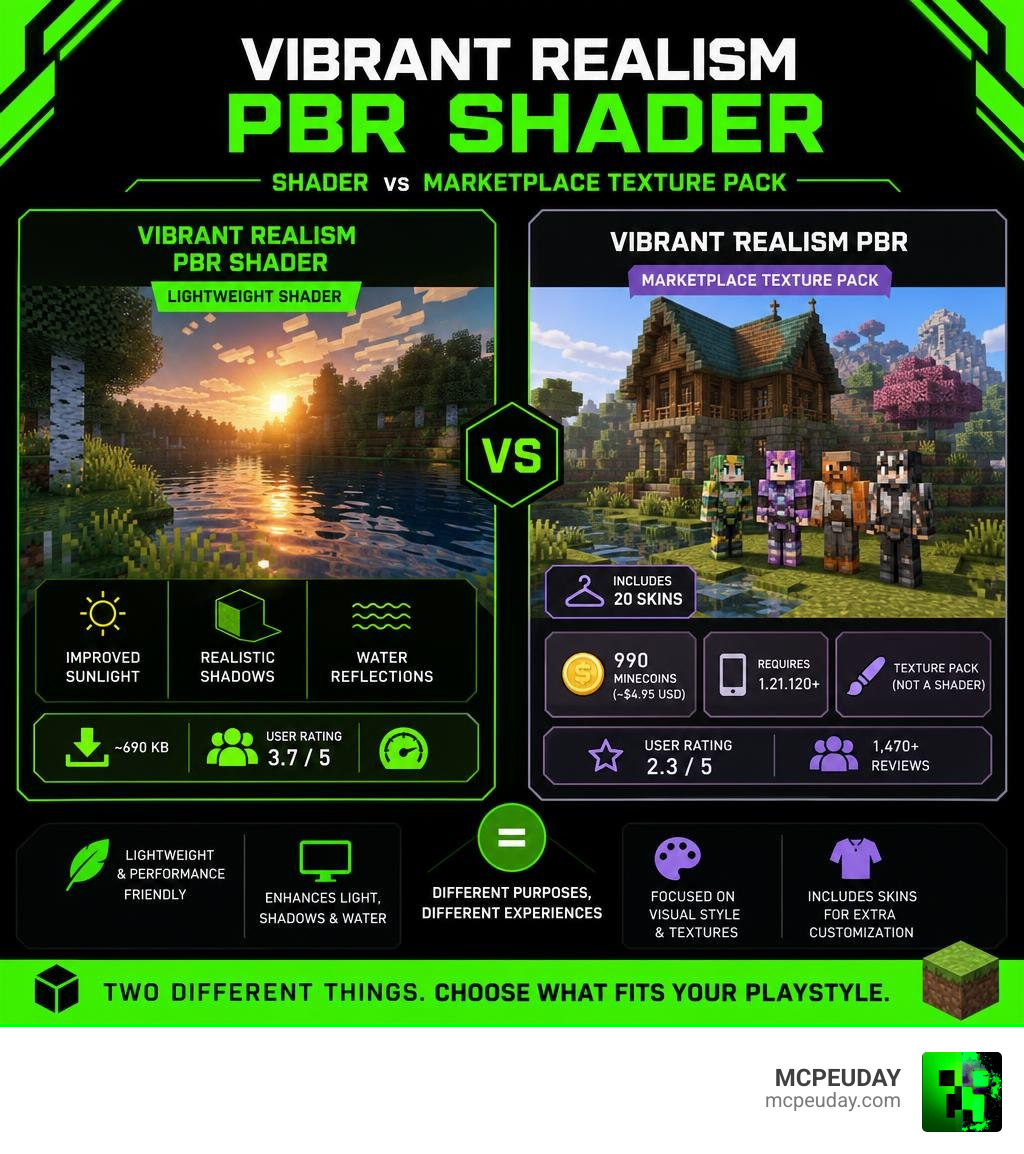
- Vibrant Realism PBR Shader (found on third-party sites like MCPEUDAY) is a lightweight Bedrock shader/resource pack, ~690 KB, that adds improved sunlight, shadows, and water reflections
- Vibrant Realism PBR (on the official Minecraft Marketplace) is a texture pack by 5 Frame Studios — not a shader — priced at 990 Minecoins (~$4.95 USD), includes 20 skins, and requires Bedrock 1.21.120 or later
- These are two different things with similar names
The Marketplace version has a mixed reception — it holds a 2.3 out of 5 average from over 1,470 player ratings, with 62% of reviews being 1-star. The third-party shader version sits at a more favorable 3.7 out of 5 from its own user base on download sites.
Neither version is a full shader replacement like OptiFine or Iris on Java Edition. But depending on your device and what you’re after, one of them might still be exactly what you need.
What is the Vibrant Realism PBR Shader?
At MCPEUDAY, we love exploring how far we can push Minecraft’s graphics. To understand the Vibrant Realism PBR Shader, we have to untangle a bit of community confusion.
When you search for this term, you will find two primary options:
- A lightweight, community-made shader pack (often called the Vibrant Realism PBR Shader) distributed on third-party modding sites.
- The official Vibrant Realism PBR texture pack created by 5 Frame Studios, which is sold on the official Minecraft Marketplace.
The Marketplace pack was first published on November 25, 2025, and received its latest major update on February 3, 2026. It costs 990 Minecoins (approximately $4.95 USD) and comes bundled with 20 bonus skins. While it is marketed with buzzwords like “true HD shading” and “realistic PBR textures,” it is technically a resource pack configured to work with Minecraft’s built-in lighting engine rather than an independent shader program.
Visual Features of the Vibrant Realism PBR Shader
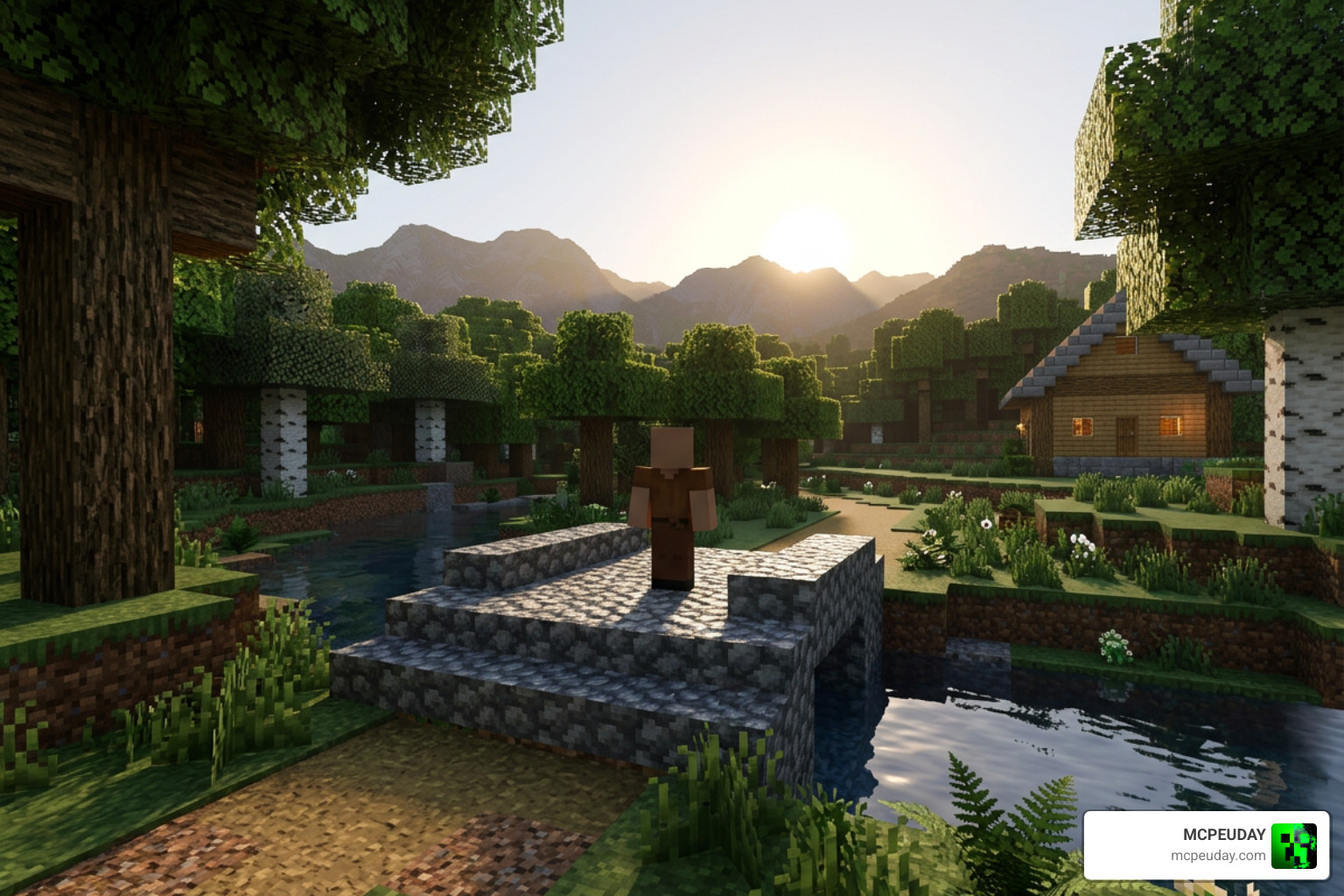
Whether you choose the lightweight community shader or the Marketplace pack, the goal is to make Minecraft look incredibly lifelike. If you want a deep dive into the official pack’s design, you can check out the Vibrant Realism PBR Texture Pack by 5 Frame Studios Review for a detailed player perspective.
The main visual features include:
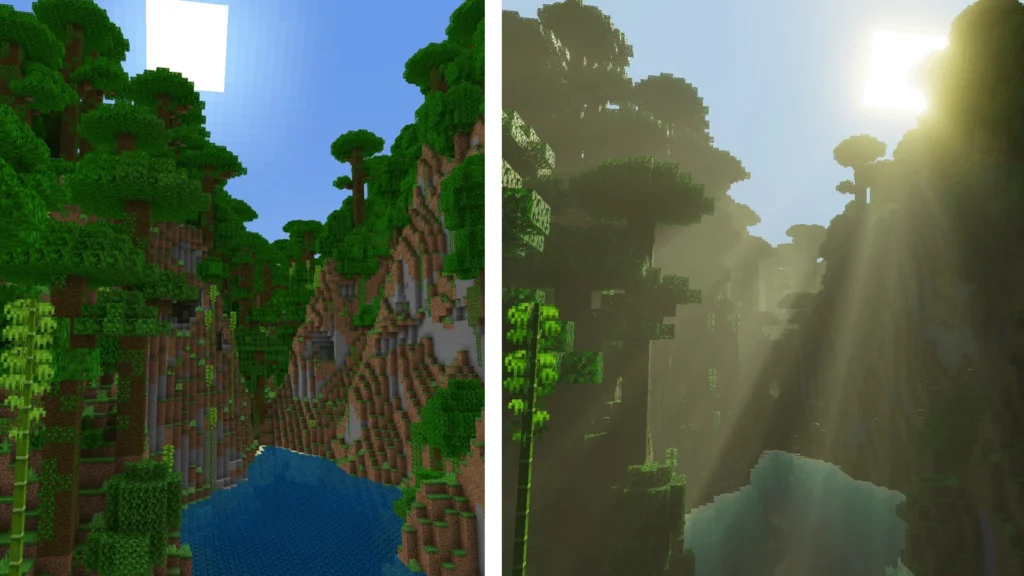
- Dynamic Sunlight and Shadows: The sun casts distinct, moving shadows that transition smoothly as the day progresses.
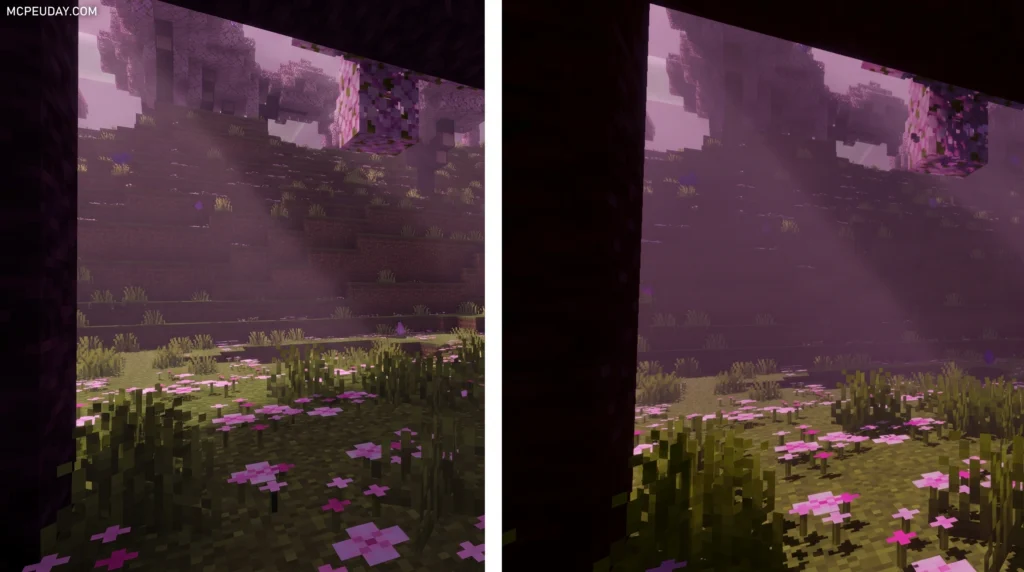
- Improved Ambient Light: Caves feel darker and more atmospheric, while sunset and sunrise fill the horizon with warm, orange glows.
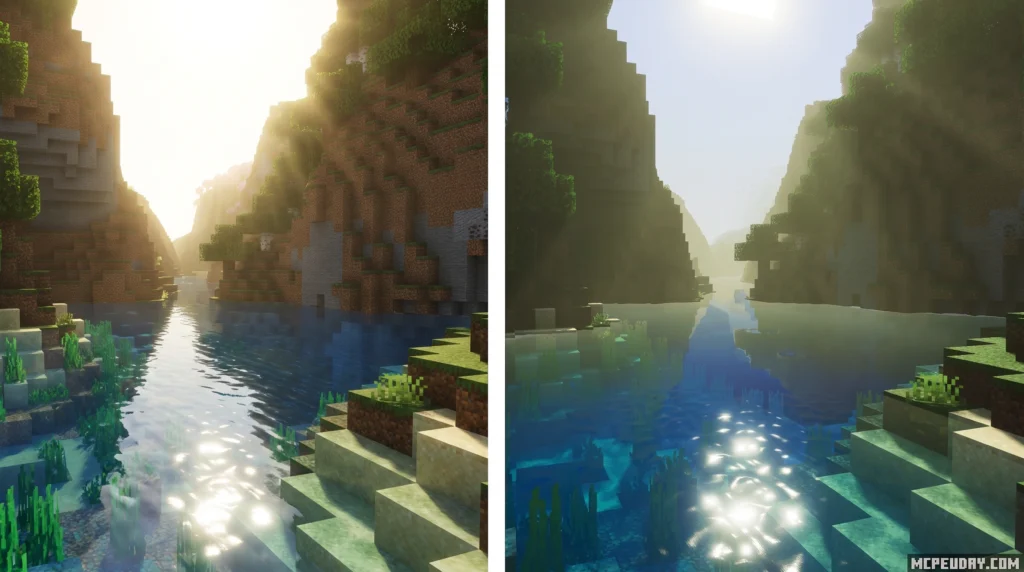
- Water Reflections: Water surfaces are no longer static, opaque blocks. Instead, they feature realistic ripples and reflect the sky and light sources.
- PBR Height Maps: In the “Full Experience” mode, blocks like stone, dirt, and wood feature 3D height maps that give them physical depth under light.
Is it a True Shader or a Resource Pack?
To understand why this distinction matters, we have to look at how Minecraft renders graphics. If you’ve ever asked yourself What are Shaders in Games, you know they are programs that change how light, shadows, and materials are rendered in real-time.
Ever since Mojang introduced the Render Dragon rendering engine to Bedrock Edition, traditional third-party shaders have been notoriously difficult to run. Because of this:
- The community-made Vibrant Realism PBR Shader is actually a heavily optimized resource pack that tweaks the Render Dragon’s native lighting files.
- The Marketplace version uses custom shading and fog effects baked directly into the textures to trick your eyes into seeing realistic depth.
Because they rely on resource pack structures rather than external code injection, they are highly compatible with vanilla Minecraft but lack the infinite customization of Java-based shader engines.
Pros, Cons, and Player Ratings
Before you spend your hard-earned Minecoins or download files to your device, it is wise to look at the community consensus.
The Marketplace version by 5 Frame Studios currently holds a 2.3 out of 5-star rating based on 1,470 player reviews. A whopping 62% of those ratings are 1-star. On the other hand, the community-created shader version hosted on third-party sites has a 3.7 out of 5-star rating from 1,084 reviews.
Here is a breakdown of why players love or hate these options:
Pros:
- Beautiful, cinematic lighting in biomes like Cherry Groves and the Nether.
- Outstanding water visuals and underwater visibility.
- Highly optimized; the community version is only 690 KB and runs smoothly on mobile devices.
- Multiple sub-pack options (Full Experience vs. X16 Vanilla) to suit different tastes.
Cons:
- Intense brightness sensitivity can make daytime visuals look washed out or overly white.
- Occasional lighting bugs where shadows flicker or torches fail to cast light properly.
- The Marketplace version is not a true shader, which has left many premium buyers feeling misled.
Compatibility, Versions, and Installation
If you want to give the Vibrant Realism PBR Shader a try, compatibility is straightforward. The lightweight community shader supports a wide range of Bedrock versions, from older releases like 1.18.31 and 1.19.23 up to the latest 1.21.x updates.
The official Marketplace pack has stricter requirements, needing Minecraft Bedrock version 1.21.120 or newer to run its advanced features.
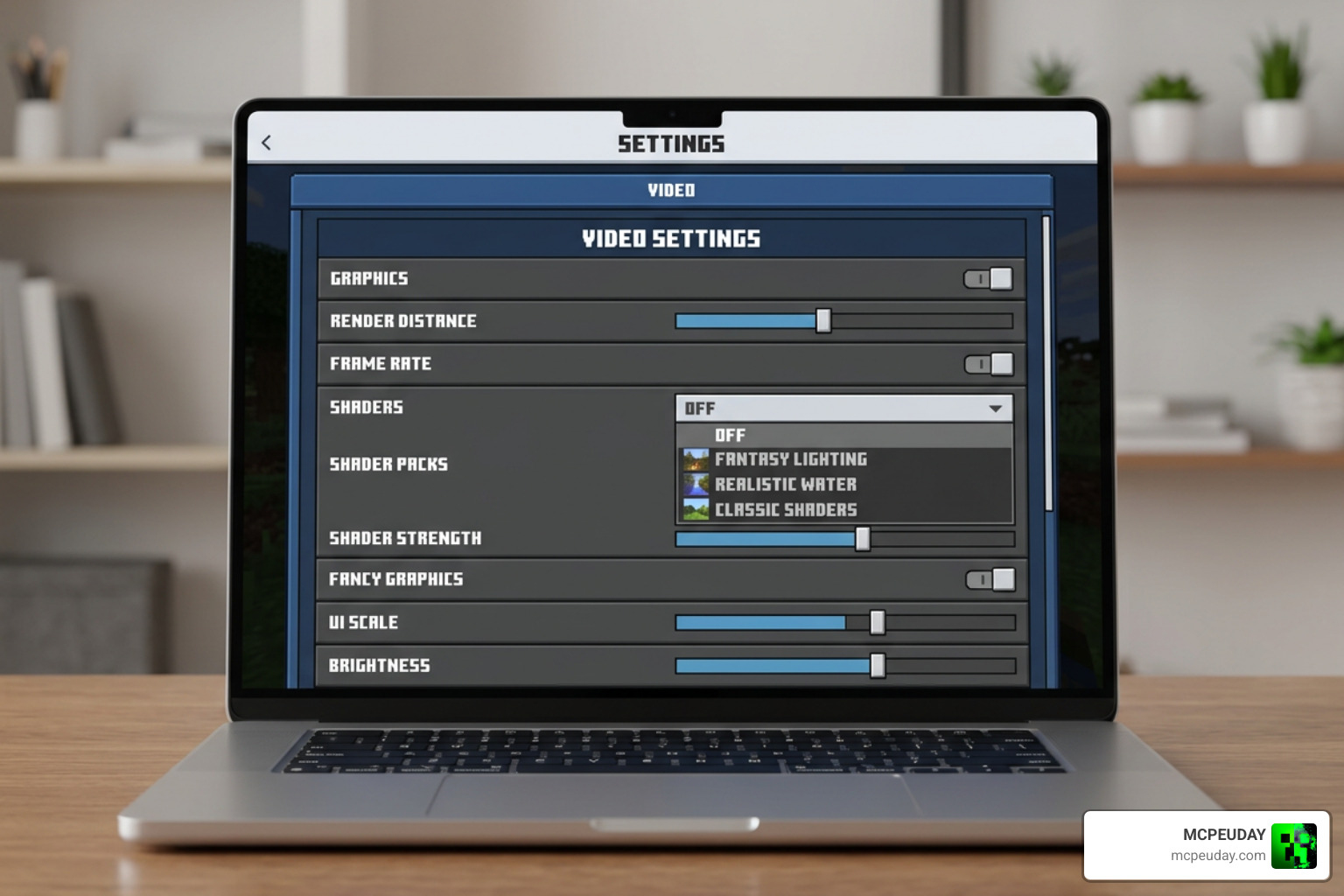
When downloading community shaders from third-party sites, always practice safe downloading. Ensure you are using trusted platforms like MCPEUDAY to avoid malware risks or malicious redirects. To learn more about managing these files, read our guide on How to Get Shaders in Minecraft.
How to Install the Vibrant Realism PBR Shader on MCPE
Installing a shader on Minecraft Pocket Edition (MCPE) or Windows 10/11 Bedrock is quick and easy. Follow our step-by-step process below to get started. For a more comprehensive platform setup, you can visit our How to Turn on Shaders in Minecraft 2026 Guide Java Bedrock MCPE Setup Fast MCPEuday.
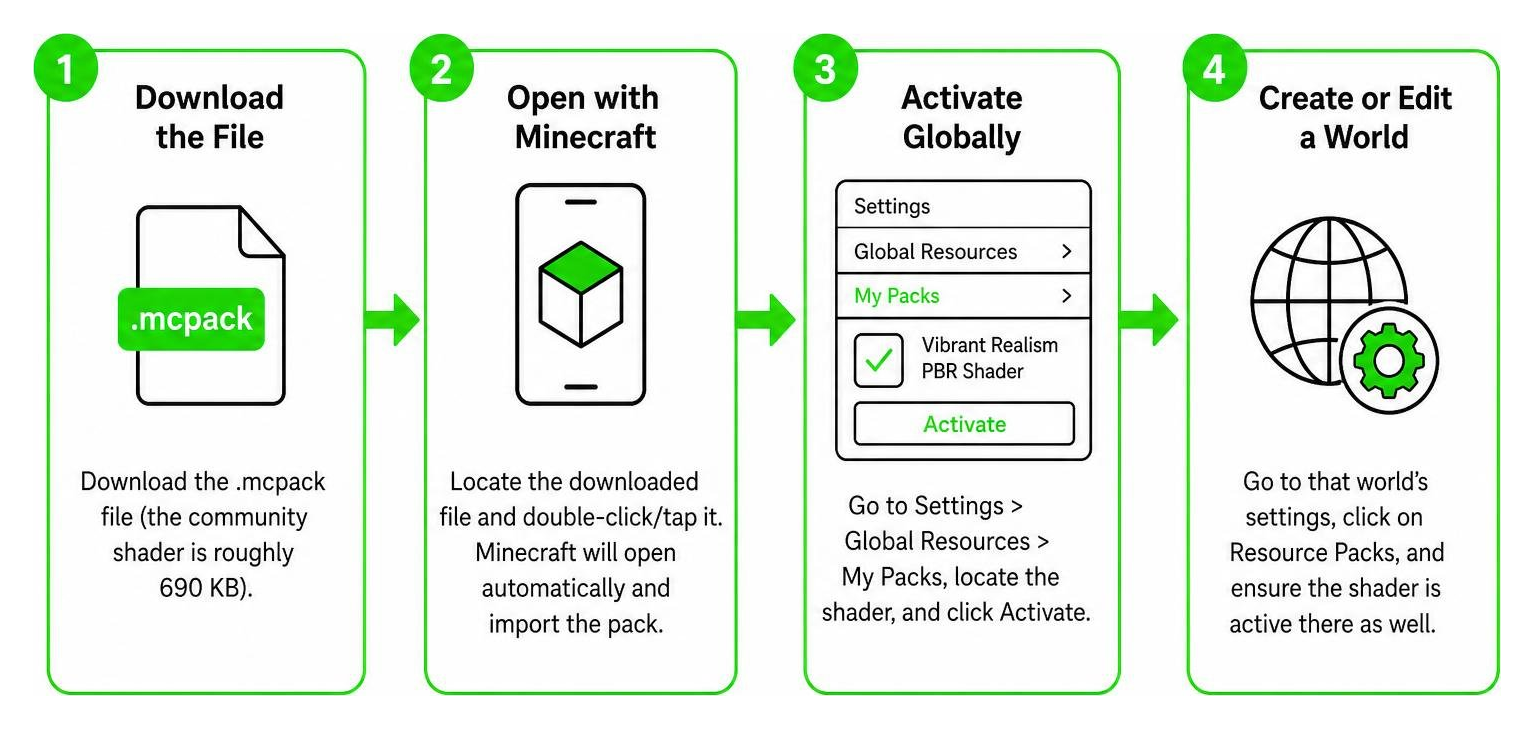
- Download the File: Download the
.mcpackfile (the community shader is roughly 690 KB). - Open with Minecraft: Locate the downloaded file on your mobile device or PC and double-click/tap it. Minecraft will open automatically and import the pack.
- Activate Globally: Go to the main menu, select Settings > Global Resources > My Packs, locate the shader, and click Activate.
- Create or Edit a World: If you want to use it on a specific world, go to that world’s settings, click on Resource Packs, and ensure it is active there as well.
Comparing Vibrant Realism to Other Shaders
How does this pack stack up against other popular visual upgrades? Let’s take a look at how it compares to some of the heavy hitters in the Bedrock community.
| Shader / Pack Name | Realism Level | Performance Impact | Best For |
|---|---|---|---|
| Vibrant Realism PBR | Moderate to High | Low (690 KB) | Low-end mobile devices and casual play |
| Revolution Vibrant Visuals Shader | High | Medium | Players wanting dramatic skybox and atmosphere changes |
| Optimum Realism | Extreme (3D POM) | High | High-end PCs and devices with ray-tracing support |
While packs like Optimum Realism offer mind-blowing 3D textures, they require substantial hardware power. The Vibrant Realism PBR Shader strikes a much friendlier balance for mobile players who want beautiful water and lighting without turning their phones into portable heaters.
Alternative Shaders for Bedrock Edition
If you want to explore other options before making up your mind, we have tested and reviewed dozens of fantastic alternatives right here on MCPEUDAY:
- If you want similar color enhancements, try the Vibrant Visuals Shader or the classic Vibrant Legacy Shader.
- For updated versions of older designs, the Vibrant Legacy Rewrite Shader is an excellent pick.
- If your game feels too dark, check out the Vibrant Brightness Shader or the glow of the Vibrant Lumina Shader.
- For high-end devices, we highly recommend the Vibrant RTX Visuals Shader or the Vibrant VSL Shader.
- Other fantastic choices include the standard Vibrance Shader and the legendary Sildaum Vibrant Shaders.
- For specialized visual overhauls, check out the Definitive Vibrant Visuals Shader, Dreamy Vibrant Visuals Shader, Enhanced Vibrant Visuals Shader, or the Ultra Vibrant Visuals Shader for Minecraft.
Frequently Asked Questions about Vibrant Realism PBR
Is Vibrant Realism PBR officially endorsed by Mojang?
No. While the version by 5 Frame Studios is sold on the official Minecraft Marketplace, it is a third-party creation. Mojang hosts the Marketplace and curates its content, but they do not officially endorse individual packs as standard game features.
What is the difference between the Full Experience and X16 Vanilla modes?
The Full Experience includes custom, high-definition textures with built-in 3D height maps that react dynamically to light. The X16 Vanilla mode keeps Minecraft’s classic, pixelated look but still applies the upgraded lighting, shadow, and water reflection effects.
Does this shader work on low-end mobile devices?
Yes! The lightweight, 690 KB community-made version of the Vibrant Realism PBR Shader is highly optimized. If you are using the Marketplace version, choosing the X16 Vanilla sub-pack will ensure smooth performance on older phones and tablets.
Conclusion
The Vibrant Realism PBR Shader offers a fantastic way to breathe new life into Minecraft Bedrock. While the official Marketplace pack has received mixed reviews due to its price tag and brightness sensitivity, the lightweight community shader remains a top-tier choice for players who want realistic lighting and water without sacrificing game performance.
If you are looking for more ways to upgrade your game, check out our curated list of the Best Shaders for MCPE 1.21 2026 Top 3 Realistic Minecraft PE Shaders to find the perfect visual match for your device!