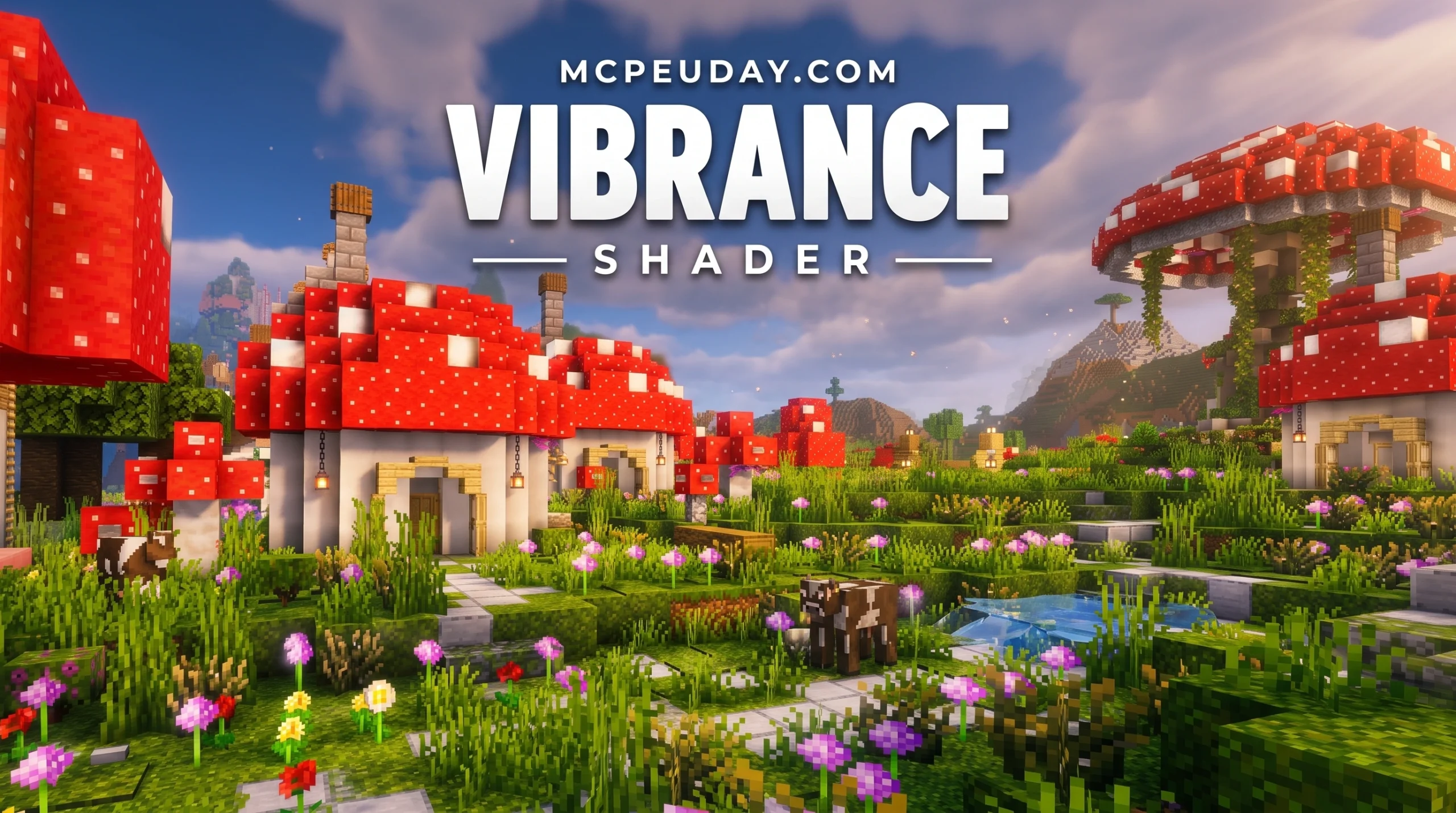
What Is the Vibrance Shader and Where Can You Get It?
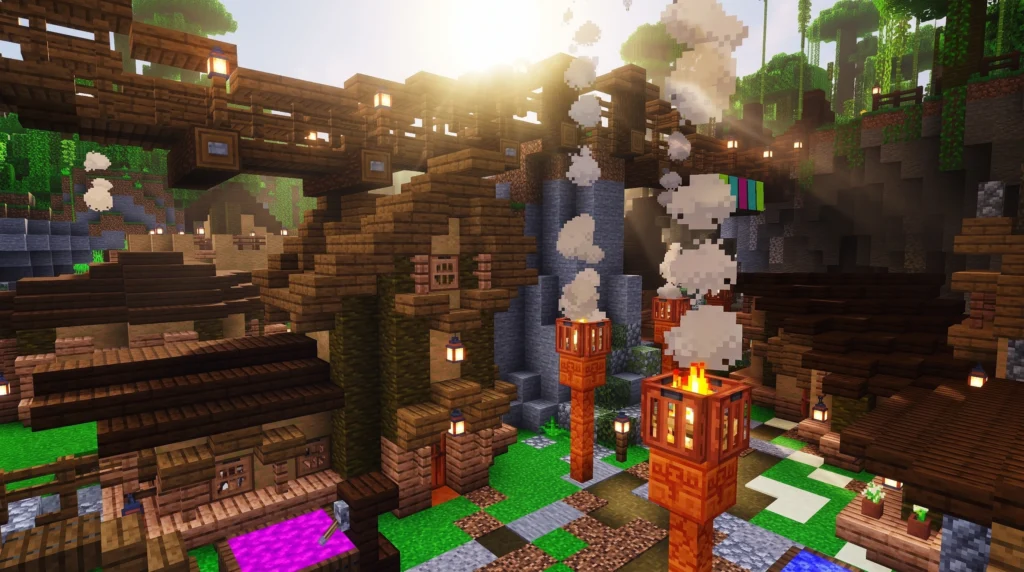
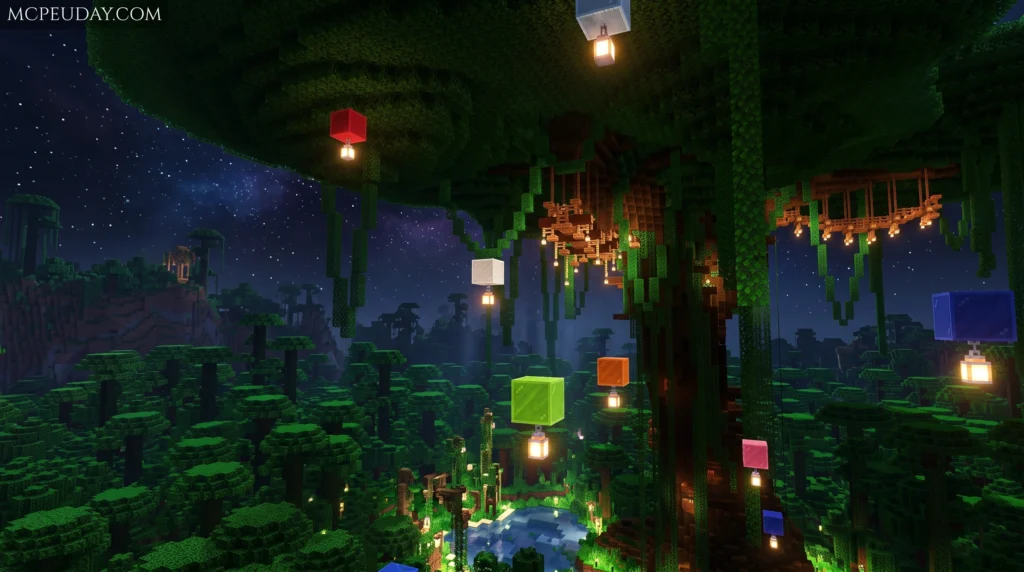
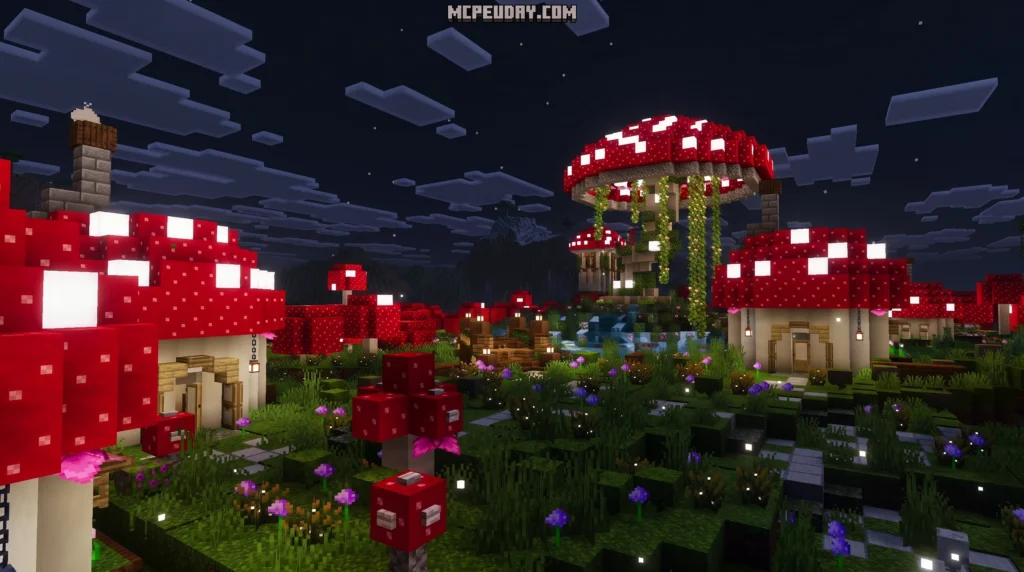
The Vibrance Shader is a graphics enhancement for Minecraft that boosts color saturation, adds realistic lighting, and makes your world look dramatically more vivid — available as both a community-made Java Edition shader pack and as inspiration for Bedrock’s official Vibrant Visuals feature.
Quick answer — main Vibrance Shader options to download:
- Visual Vibrance — A community shader for Java Edition (Iris loader) that recreates Bedrock’s Vibrant Visuals. Over 1.29 million downloads. Latest release: v0.3.5a (February 2026).
- Revolution Vibrant Visuals — A texture pack for Minecraft Pocket Edition / Bedrock with 1.5 million downloads. Comes in Realistic, Default, and Vanilla versions.
- Vibrance Renewed — A modified version of Chocapic13’s shaders, built for specific mod compatibility.
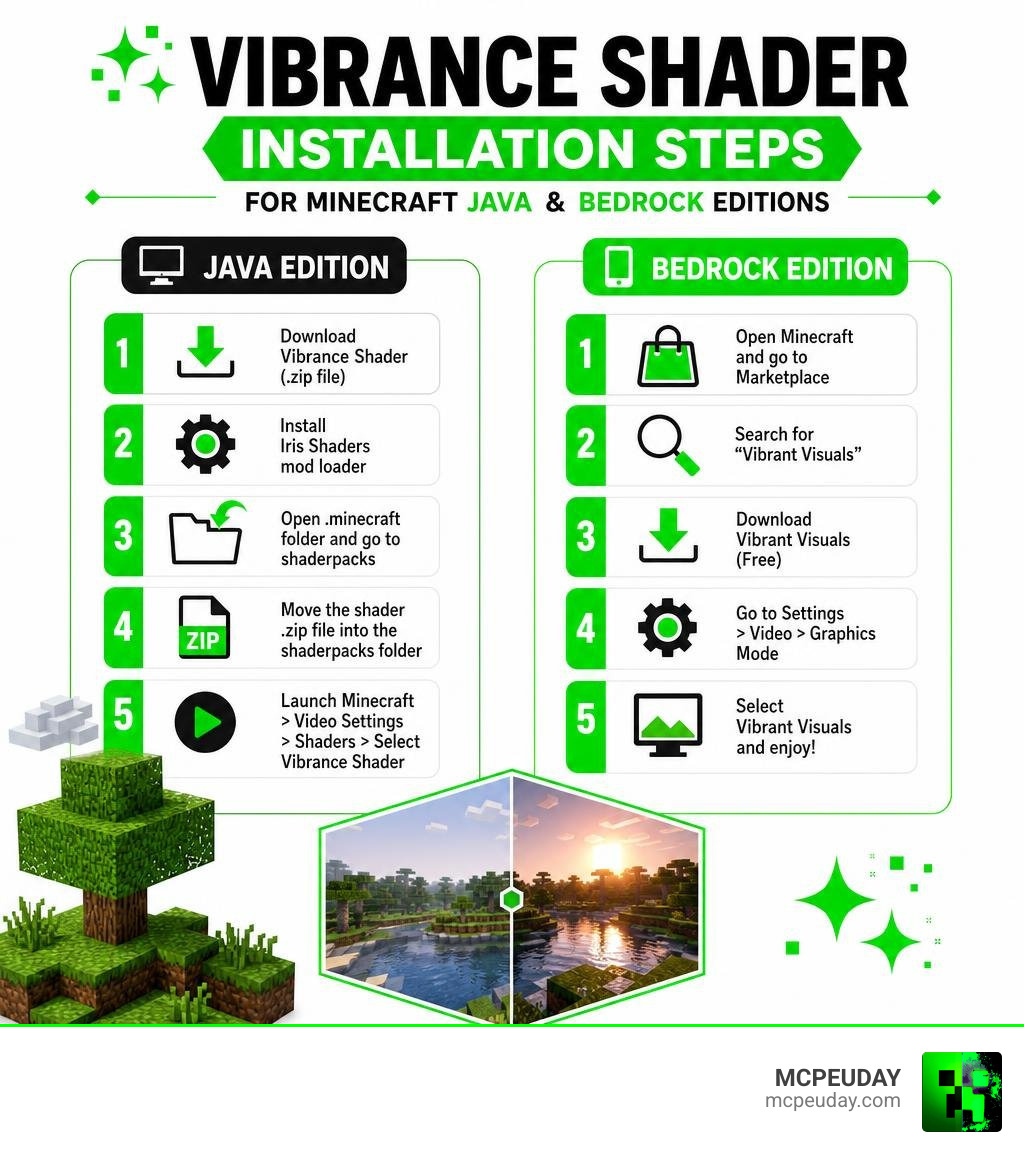
- Official Vibrant Visuals — Built into Minecraft Bedrock Edition. Enable it at Settings > Video > Graphics Mode > Vibrant Visuals.
If you’ve ever loaded up a Minecraft world and thought, “this looks kind of flat and washed out,” you’re not alone. Vanilla Minecraft has a distinct charm, but its lighting and color system hasn’t always kept up with what modern hardware can do.
That’s exactly where the Vibrance Shader comes in.
It’s one of the most searched-for shader upgrades right now — and for good reason. Whether you’re on Java Edition or Bedrock/PE, there’s a version built for your setup. The tricky part is knowing which one to grab and how to get it running fast.
This guide cuts through the confusion and gets you to the right download in minutes.
What is the Vibrance Shader and How Does It Work?
To understand how the Vibrance Shader works, we have to look under the hood of Minecraft’s rendering engine. Unlike standard saturation filters that simply make every color brighter (often resulting in “burned out” or neon-looking pixels), smart vibrance algorithms are highly selective.
According to technical Vibrance – Shaders Documentation , a true vibrance shader selectively boosts the saturation of less-saturated pixels while protecting highly saturated ones. It even includes algorithms to protect skin tones so that player skins and humanoid mobs don’t turn bright orange or red.
If you look at the raw mathematical logic behind rendering—such as the GLSL code found in Vibrance.frag —the shader calculates the luminance of each pixel and applies a gradual saturation curve. This prevents color clipping and preserves clarity in darker scenes.
In modern Minecraft, this concept has evolved. On Bedrock Edition, Mojang introduced an official graphics upgrade known as Vibrant Visuals. This feature utilizes a deferred lighting pipeline and Physically Based Rendering (PBR). It uses special texture maps called MERS (Metalness, Emissive, Roughness, Subsurface scattering) to dictate how individual blocks reflect light, glow in the dark, or scatter light beneath their surfaces.
For Java Edition players, community developers stepped up to bridge the gap. The popular Visual Vibrance – Minecraft Shader was specifically created to recreate Bedrock’s official deferred lighting and PBR experience on the Java platform using the Iris shader loader.
Key Visual Enhancements and Compatibility
When you install the Vibrance Shader, you aren’t just getting slightly brighter grass. You are fundamentally changing how light behaves in your game.
Here are the main visual upgrades you can expect:
- Dynamic Water Effects: Water is rendered as fully transparent with realistic light scattering, depth color grading, and active caustics that dance across the ocean floor.
- Atmospheric Sky and Clouds: Volumetric fog and atmospheric scattering change dynamically throughout the day. Clouds appear three-dimensional and can render up to 128 chunks away.
- Physically Based Materials: Metals reflect light realistically, wet surfaces look glossy, and glowing blocks (like magma or sea lanterns) cast actual colored light onto their surroundings.
If you are eager to see these features in action, check out More info about Vibrant Visuals Shader to see how these upgrades look side-by-side with vanilla graphics.
To help you choose the best fit for your device, we have compared the leading vibrance-focused options below:
| Shader / Pack Name | Supported Platforms | Key Highlight | Best Suited For |
|---|---|---|---|
| Visual Vibrance | Java Edition (Iris) | Recreates Bedrock’s deferred lighting pipeline | High-end PC players wanting a modern look |
| Revolution Vibrant Visuals | Bedrock / MCPE | 1.5M downloads, static light optimization | Mobile and console players |
| Vibrance Renewed | Java Edition (OptiFine) | Modified Chocapic13 pack for LOTR mod | Modded Minecraft players |
| Official Vibrant Visuals | Bedrock (Built-in) | Native RenderDragon deferred rendering engine | Supported Xbox, PlayStation, iOS, Android, and PC devices |
Advanced Lighting and Shadows in Vibrance Shader
One of the coolest elements of the modern Vibrance Shader pipeline is how it handles shadows. Instead of rendering perfectly smooth, blurry shadows that look out of place in a block game, these shaders often utilize pixel-aligned shadows. This means the shadow edges align perfectly with Minecraft’s block resolution, preserving the game’s classic retro aesthetic while still providing realistic depth.
Point lights—like torches, lanterns, and glowstone—also receive a major upgrade. In packs like the Vibrant VSL Shader 26 x 1 21 MCPE Bedrock Shader, light sources emit distinct, colored hues. A soul torch casts a cool blue glow, while a traditional torch bathes a cave in warm orange light, creating an incredibly immersive atmosphere.
How Vibrance Shader Compares to Other Packs
The Vibrance Shader family stands out because it focuses on color harmony and atmospheric depth without completely rewriting Minecraft’s identity.
For instance, classic shader packs like Chocapic13’s Shaders are famous for their heavy cinematic bloom and dramatic lens flares. While beautiful, they can sometimes feel overwhelming during normal survival gameplay. Modified versions like Vibrance Renewed, which you can read about on the Resource Packs/Vibrance (Chocapic13′ Shaders Edit)/Renewed wiki page, balance those heavy effects by syncing day/night cycles and adding waving plants specifically designed for custom adventure mods.
On the other hand, lightweight options like Newb Shaders or the Vibrant Legacy Simple Shader for MCPE focus purely on performance. They provide a clean, warm color boost and simple water waving without demanding heavy hardware, making them perfect for older mobile devices.
Step-by-Step Guide: How to Install and Configure the Shader
Ready to upgrade your game? Let’s walk through how to install and configure these packs quickly.
Method 1: Installing Visual Vibrance on Java Edition (v0.3.2a / v0.3.5a)
- Ensure you have the Iris mod loader installed for your version of Minecraft (such as 1.20.x or 1.21.x). OptiFine is not supported by this specific pack.
- Download the latest release from the v0.3.2a – Visual Vibrance page.
- Place the downloaded
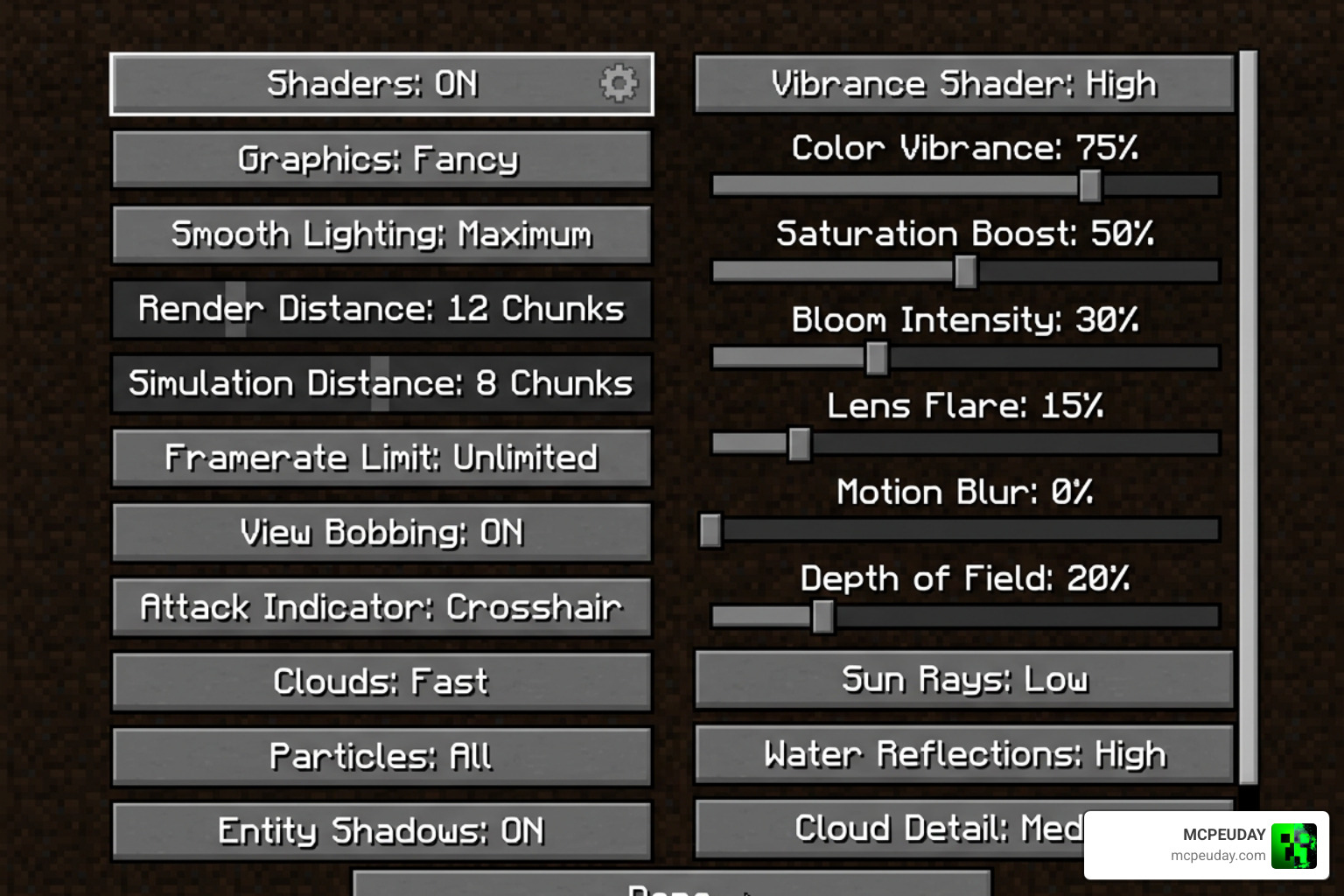
.zipfile directly into yourshaderpacksfolder inside your Minecraft directory. - Launch the game, head to Video Settings > Shader Packs, and select Visual Vibrance.
Method 2: Installing Vibrant Shaders on Bedrock / MCPE
- Download your preferred Bedrock pack, such as the Vibrant Shader 26 x 1 21 MCPE Bedrock Shader.
- If it is a
.mcpackfile, simply double-click or tap it to open it with Minecraft. It will install automatically. - If it is a
.ziparchive, unpack it and copy the folder to yourgames\com.mojang\resource_packsdirectory. - Open Minecraft, go to Settings > Global Resources, and activate the pack.
Frequently Asked Questions
Is this pack compatible with Minecraft Java Edition?
Yes, but it depends on which version you download. The community-made Visual Vibrance pack is designed specifically for Java Edition. To run it, your system must support OpenGL 4.3 or higher.
That because of these technical requirements, macOS and Raspberry Pi platforms are not supported. You will also need to use the Iris loader (version 1.7+), as older loaders or OptiFine will cause visual glitches. To look at the source code or track development, you can visit the official jbritain/visual-vibrance repository.
Does this graphics upgrade impact game performance?
Any shader pack that introduces real-time shadows, volumetric fog, and PBR reflections will impact your frames per second (FPS). However, you can easily optimize your settings to keep things running smoothly.
If you are on Bedrock Edition, you can use the built-in graphics sliders to toggle between Favor Performance and Favor Visuals presets. Lowering your “Deferred Render Distance” slider (which ranges from 2 to 28 chunks) is the fastest way to regain lost FPS. For players on low-end mobile devices, we highly recommend checking out our list of the Top 5 Best Realistic Shaders for MCPE to find lightweight alternatives that offer a great balance of beauty and speed.
What is the current development status of the project?
The Java-based Visual Vibrance project is currently marked as no longer actively developed. The repository has been archived by the author, meaning no official updates or bug fixes are planned.
However, because the project is open-source, the community continues to fork and build upon its foundation. If you are a PC gamer looking for similar selective color-boosting algorithms outside of Minecraft, you can explore projects like aston89/Smart-vibrance-for-reshade , which brings non-AI dynamic vibrance adjustments to a wide variety of games.
Conclusion
Upgrading your Minecraft graphics doesn’t have to be a headache. Whether you choose the community-crafted Visual Vibrance for Java or a dedicated Bedrock pack, the Vibrance Shader family offers an unmatched way to bring warmth, color, and life to your blocky adventures.
At MCPEUDAY, we make it our mission to bring you the safest, fastest, and most reliable downloads for all your favorite Minecraft modifications. If you want to explore even more ways to transform your game, don’t miss our curated list of the Best Shaders for MCPE 1 21 2026 Top 3 Realistic Minecraft PE Shaders and start exploring your worlds in a whole new light!