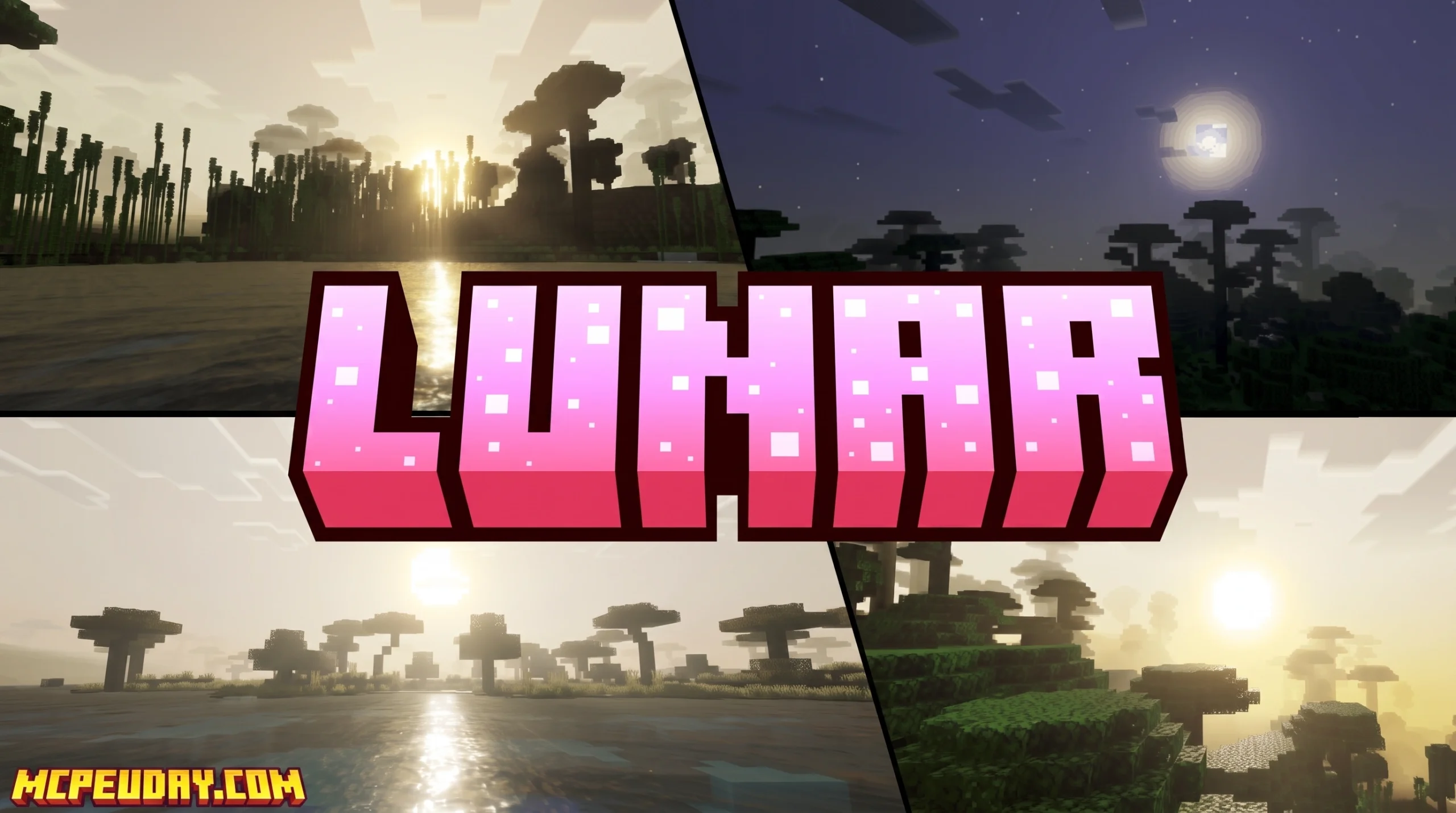
What Is Lunar Shader and Where Can You Download It?
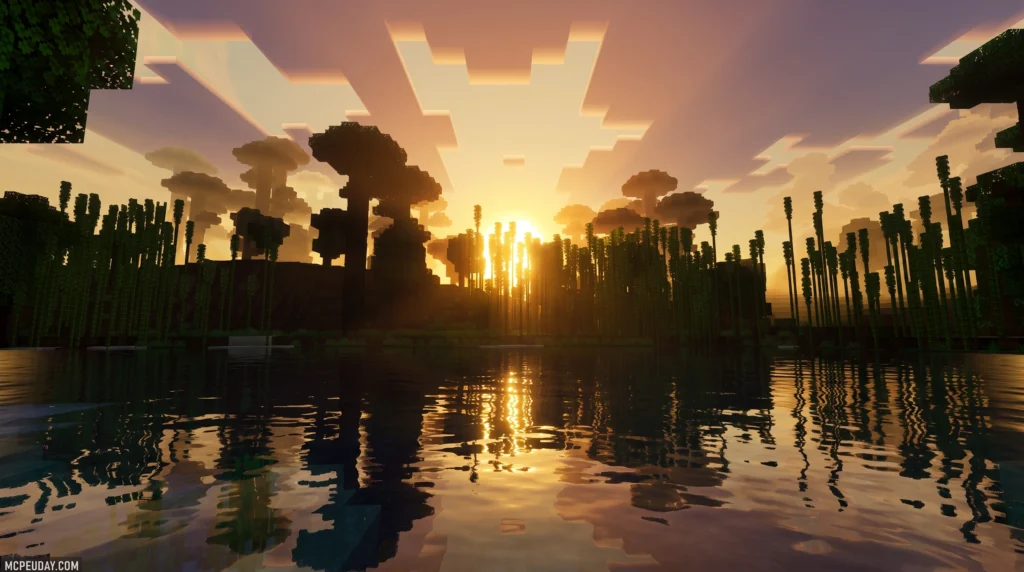
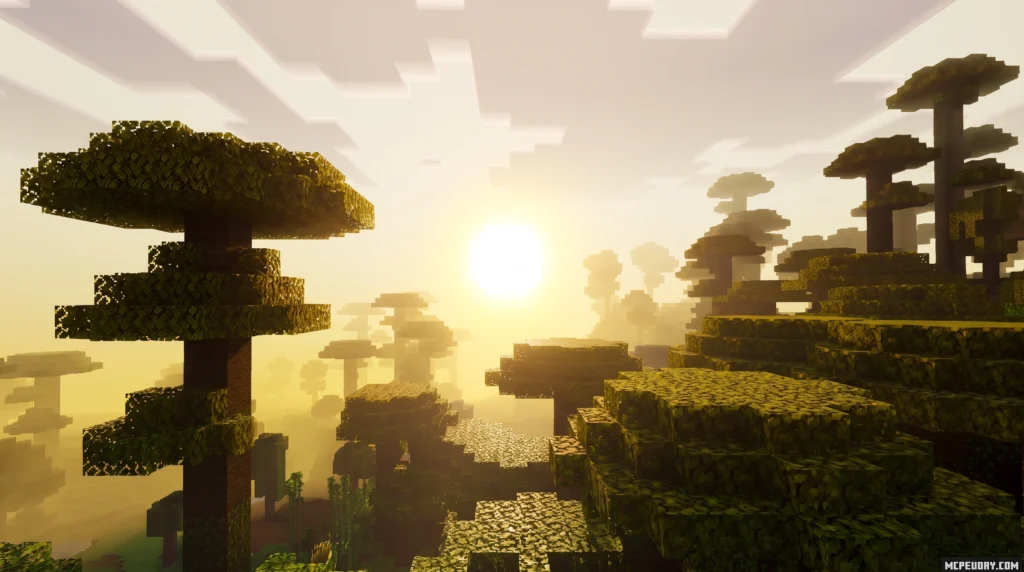
Lunar Shader is a lightweight shader pack for Minecraft Bedrock and PE that upgrades your game’s visuals with better color grading, water effects, and fog — all in a 330 KB file.
Here’s the quick answer if you just need the download facts:
- Latest version: Lunar Shader 1.6
- File size: 330.39 KB (.mcpack format)
- Supported versions: Minecraft Bedrock 1.21 and 1.26
- Last updated: July 1, 2026
- Total downloads: 73,100+
- User rating: 3.8 / 5
- Required setting: Enable Vibrant Visuals in Minecraft settings before use
Minecraft’s default graphics are iconic — but they’re flat. No glowing sunsets. No realistic water. No atmospheric fog rolling through your world.
That’s exactly the gap Lunar Shader fills. It’s a small but effective visual upgrade built specifically for Bedrock and PE players who want better-looking gameplay without a massive performance hit.
It has picked up over 73,000 downloads since launching in March 2026 and received 5 major updates, with the most recent drop on July 1, 2026.
Whether you’re on mobile or PC, this guide walks you through everything — from what the shader does to how to get it running in minutes.
What is the Lunar Shader and How Does It Work?
The Lunar Shader is a client-side visual enhancement pack designed to inject realism into Minecraft Bedrock Edition. Unlike heavy ray-tracing setups, it optimizes the way your device handles lighting, color rendering, and atmospheric effects. It works by tweaking the game’s built-in rendering settings to produce richer color grading, softer water reflections, and a smoother fog transition. By modifying the sub-renderers within the Bedrock engine, it achieves a beautiful aesthetic without overloading your GPU.
It is important to distinguish this Minecraft graphics pack from other “Lunar” themed projects online. For example, if you search the web, you might come across academic repositories like clementinegrethen/Lunar-G2R, which is a neural framework for estimating lunar surface reflectance (BRDF) from geometry, or game development scripts like ld38/scenes/world.lua at master · eevee/lunar-depot-38 used for rendering custom 2D circular worlds. While those are fascinating technical projects, our focus here is strictly on the Minecraft Bedrock rendering engine!
Compared to massive overhauls like the Lunac Shaders 3D Shader, the Lunar Shader is incredibly lightweight. Where other packs require complex heightmaps or massive MERS (Metallic, Emission, Roughness, Smoothness) textures, this pack relies on native Bedrock features to keep your frame rates high. It is a fantastic entry point if you are exploring the 15 Best Minecraft PE Shaders to find a balance between beauty and performance.
Key Visual Enhancements of Lunar Shader
We love how much this compact pack changes the overall atmosphere. Here are the main visual upgrades you will experience:
- Color Grading: Say goodbye to washed-out green plains and dull gray stone. The pack introduces a warm, vibrant color profile that makes sunsets glow with deep oranges and pinks. The daytime sky feels more dynamic, shifting from a bright morning blue to a deep, rich twilight.
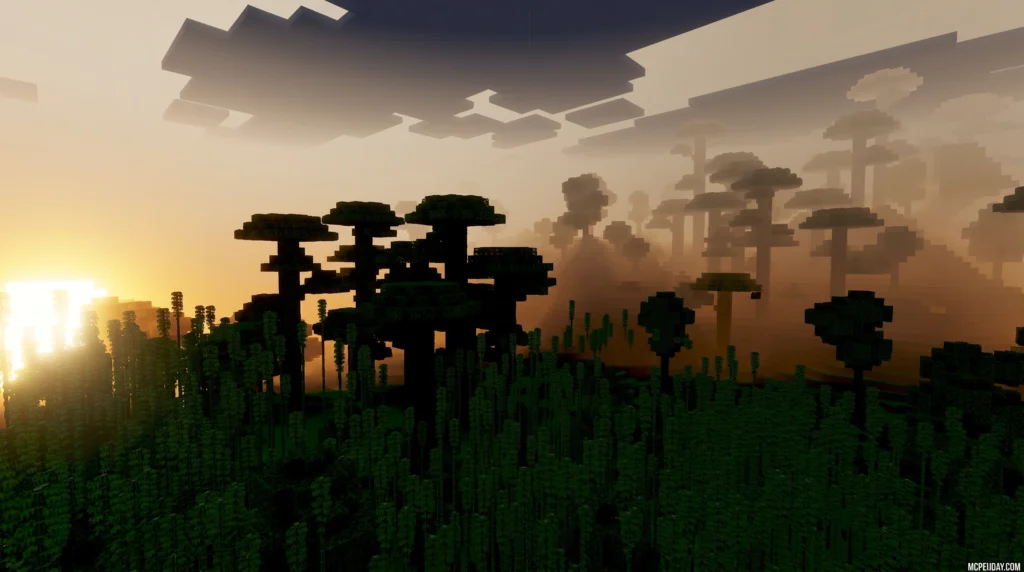
- Atmospheric Fog: The fog is no longer a harsh wall blocking your view. It blends naturally into the horizon, giving biomes like swamps and forests a mysterious, deep feel. This is especially noticeable during early mornings in-game, where a light mist hangs over the landscape.
- Water Effects: Water gets a subtle transparency boost and a gentle wave distortion effect that reflects the sky beautifully. Instead of the default opaque blue blocks, you will see a shimmering surface that lets you peer into the ocean depths.
- Circular Sun and Moon: The default blocky sun is replaced with a smooth, circular sun, shifting the skybox into something much more realistic. At night, the moon casts a soft, realistic glow over your builds.
- Custom Weather and Rain Particles: Much like the popular Lunac Shaders 2.8 | Vibrant Visuals Shader, this pack cleans up the default blinding rain, turning it into minimal, clean particles that do not block your vision during survival battles.
Supported Minecraft Versions and Platforms
As of July 2026, the Lunar Shader fully supports Minecraft Bedrock (PE) versions 1.21 and 1.26.
Because it is built directly for mobile and lightweight PC setups, it is fully compatible with Android, iOS, and Windows 10/11. It utilizes Bedrock’s modern graphics engine, making it a staple recommendation in our guide to the Best Render Dragon Shaders for MCPE. Whether you are playing on a high-end gaming rig or an older budget smartphone, the shader scales beautifully to match your hardware capabilities.
How to Install and Activate the Shader Pack
Getting the Lunar Shader up and running is straightforward, but because of recent engine updates in Bedrock Edition, you must toggle a few specific settings to avoid a black screen.
To learn the absolute basics of managing graphics packs, you can check out our step-by-step guide on How to Turn On Shaders in Minecraft. Below, we have broken down the setup process specifically for this pack.
Setting Up Lunar Shader on Minecraft Bedrock and PE
Follow these steps to install the shader on your mobile device or Windows PC:
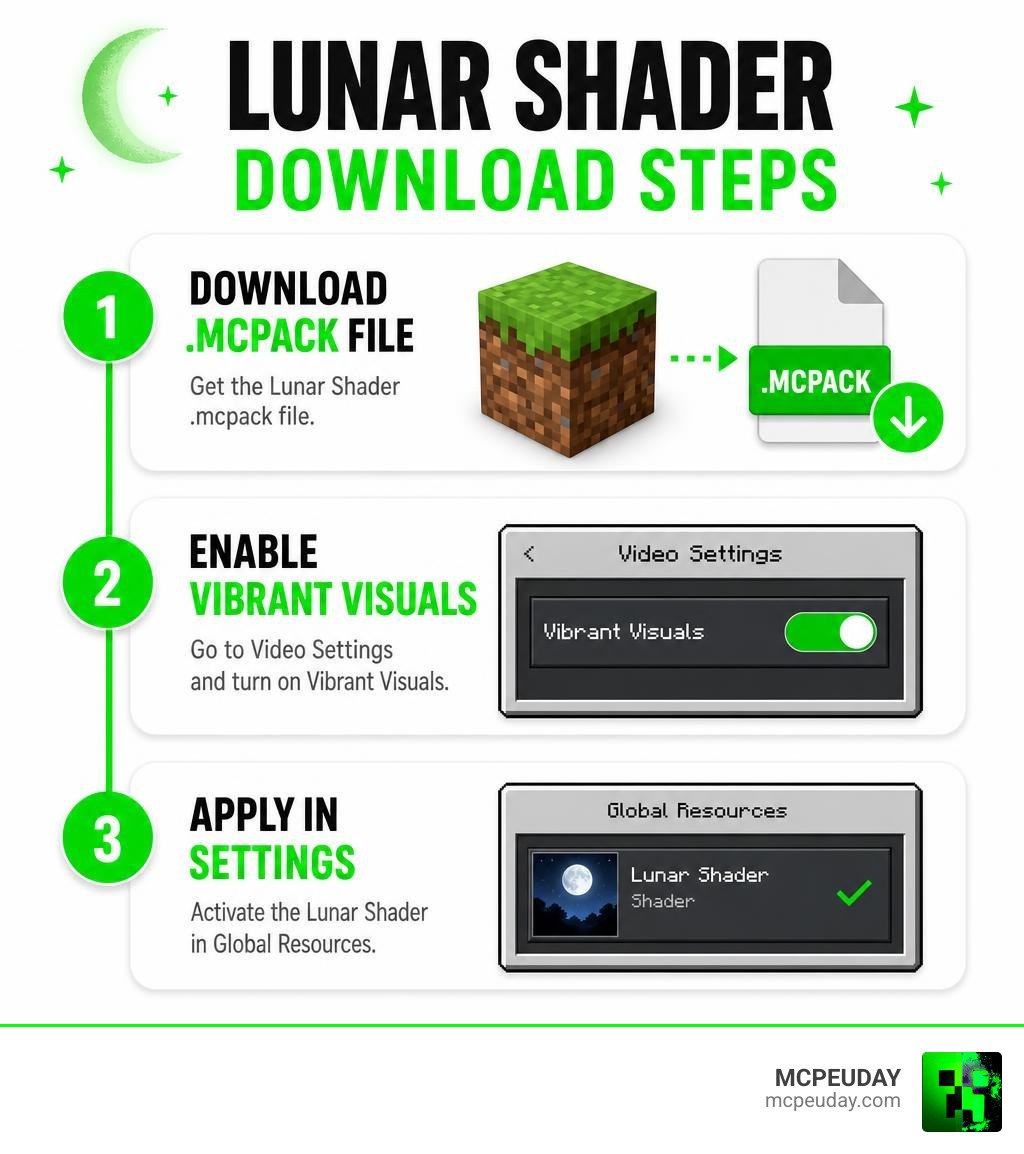
- Download the File: Grab the official
Lunar Shader 1.6.mcpackfile (it is only 330.39 KB!). - Import to Minecraft: Tap or double-click the downloaded
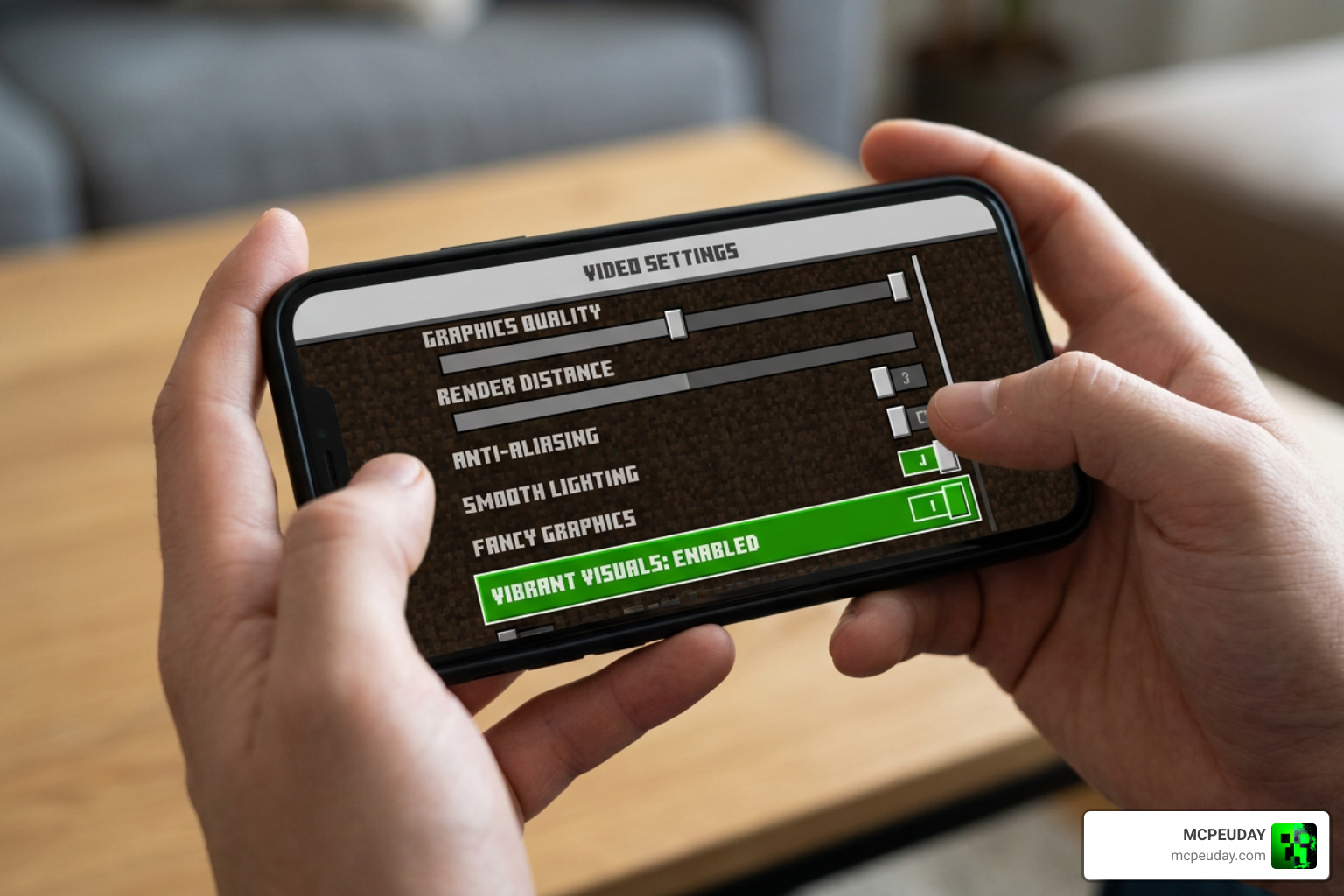
.mcpackfile. Minecraft will open automatically and display an “Import Started” message at the top of your screen. If you are on Android and the file does not open, use a file manager app to move the file directly to yourcom.mojangresource packs folder. - Enable Creator Settings: Go to your game’s main Settings, scroll down to Video, and ensure you toggle on Vibrant Visuals or Deferred Technical Preview (depending on your exact game version). This step is crucial because the Render Dragon engine requires these experimental toggles to render custom lighting maps correctly.
- Activate the Pack: Go to your world settings, click on Resource Packs, find the Lunar Shader under “My Packs,” and click Activate.
If you want to see how this pack stacks up against other realistic options, take a look at our list of the Top 5 Best Realistic Shaders for MCPE.
Configuring Shaders on Minecraft Clients
While the Lunar Shader is designed for Bedrock, many Java Edition players use custom clients like Lunar Client to boost performance. If you are playing on Java and want a similar aesthetic upgrade, you can learn How to set up Shaders on Lunar Client to install equivalent lightweight shader packs.
Custom clients make managing your graphics folders incredibly easy by letting you open your shader directory directly from the in-game video settings menu, ensuring you get maximum frames per second (FPS) regardless of your operating system. This is particularly useful for players who want to maintain competitive frame rates while enjoying enhanced visual fidelity during multiplayer matches.
Performance, Optimization, and Technical Specifications
One of the biggest selling points of the Lunar Shader is its footprint. Sitting at just over 330 KB, it runs smoothly on devices with as little as 2 GB to 3 GB of RAM. This makes it an excellent choice for budget mobile devices that typically struggle with larger, more demanding resource packs.
To help you decide if this is the right pack for your device, we have compared it to its heavier sibling, the Lunac 3D Shader:
| Feature | Lunar Shader (v1.6) | Lunac Shaders 3D |
|---|---|---|
| File Size | 330.39 KB | ~597 KB |
| Primary Platforms | Android, iOS, Windows | Android, iOS, Windows, Consoles |
| Key Tech Used | Native Color Grading & Fog | Deferred Rendering, MERS, Heightmaps |
| Performance Impact | Extremely Low (Ideal for low-end) | Medium to High (Requires 4GB+ RAM) |
| RTX Required? | No | No (Simulated Ray-Tracing) |
If you are running into performance hiccups on older mobile devices, follow this quick optimization workflow to keep your gameplay buttery smooth:
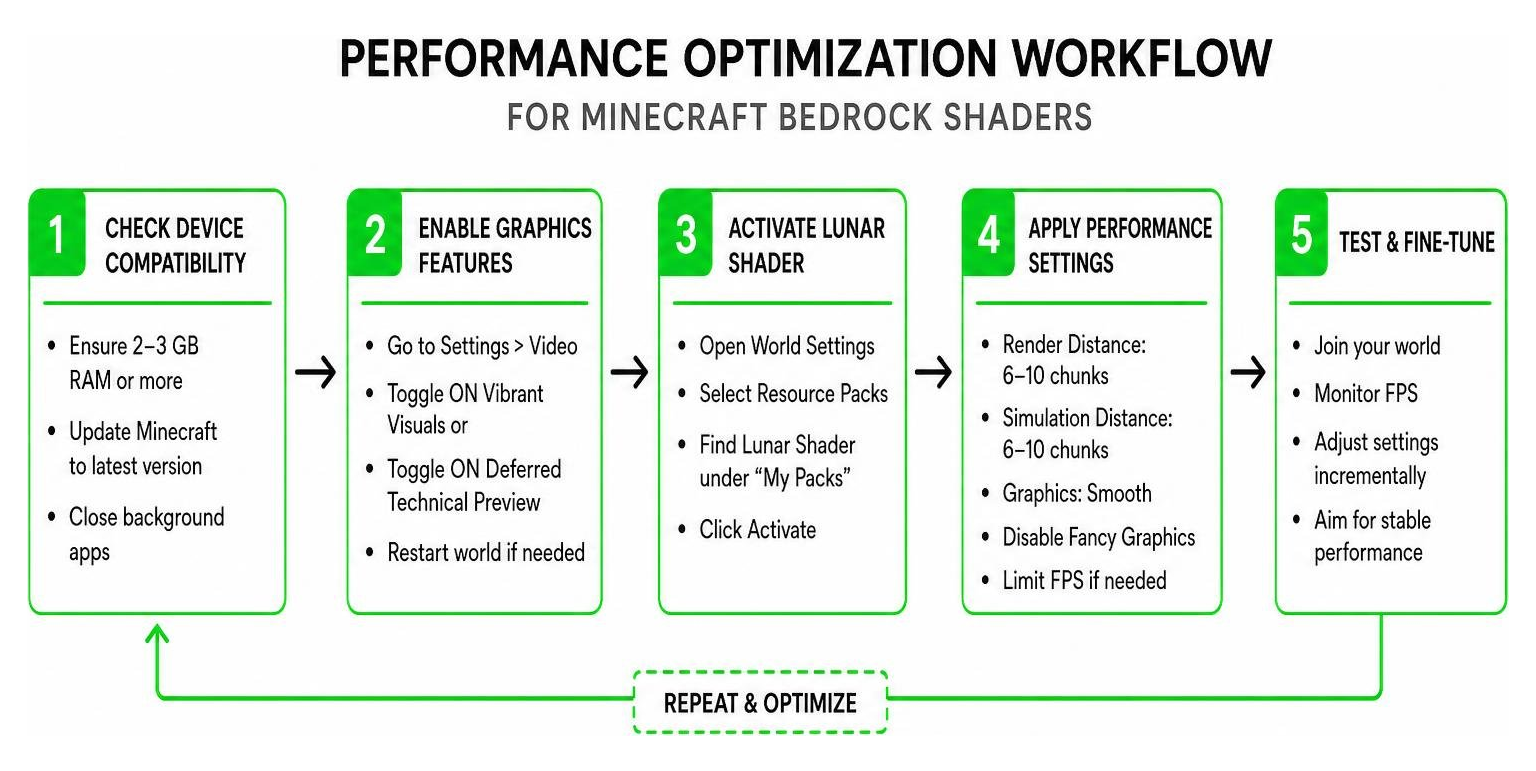
To get the absolute best performance out of this shader, we recommend adjusting a few in-game video settings. First, reduce your render distance to 8 or 10 chunks; this significantly reduces the load on your CPU and GPU. Second, turn off “Fancy Bubbles” and “Beautiful Skies” if you experience micro-stutters, as the shader already provides its own optimized skybox and atmospheric effects. Finally, set your frame rate limit to match your device’s refresh rate (usually 60Hz or 120Hz) to prevent unnecessary battery drain and overheating during long gaming sessions.
Frequently Asked Questions
What are the system requirements for Lunar Shader?
Because of its small file size and optimized code, the system requirements are very low.
- Android: Android 10 or higher, 3 GB RAM.
- iOS: iOS 14 or higher, 3 GB RAM.
- Windows: Windows 10/11 with integrated graphics or higher.
- Storage space: Less than 1 MB of free space.
Why is my screen black after loading the shader?
A black screen or missing textures usually means you forgot to enable the experimental graphics settings. Make sure you go to Settings > Video and enable the Vibrant Visuals toggle. Also, ensure you are running a compatible version of Minecraft (1.21 or 1.26).
Does Lunar Shader support multiplayer servers?
Yes! Since this is a client-side resource pack, you can use it on multiplayer servers and Realms without any issues. Weather changes (like minimal rain particles) are purely local, meaning they will enhance your screen without affecting the server’s actual weather state or other players’ gameplay.
Conclusion
At MCPEUDAY, we love finding graphics packs that deliver stunning visuals without turning your mobile device into a pocket-sized heater. The Lunar Shader is a masterclass in optimization, packing beautiful color grading, atmospheric fog, and clean water effects into a tiny 330 KB file.
Ready to completely transform your Minecraft worlds? Head over to our curated collection and Download the Best Shaders for MCPE 1.21 to experience the ultimate visual upgrade today!