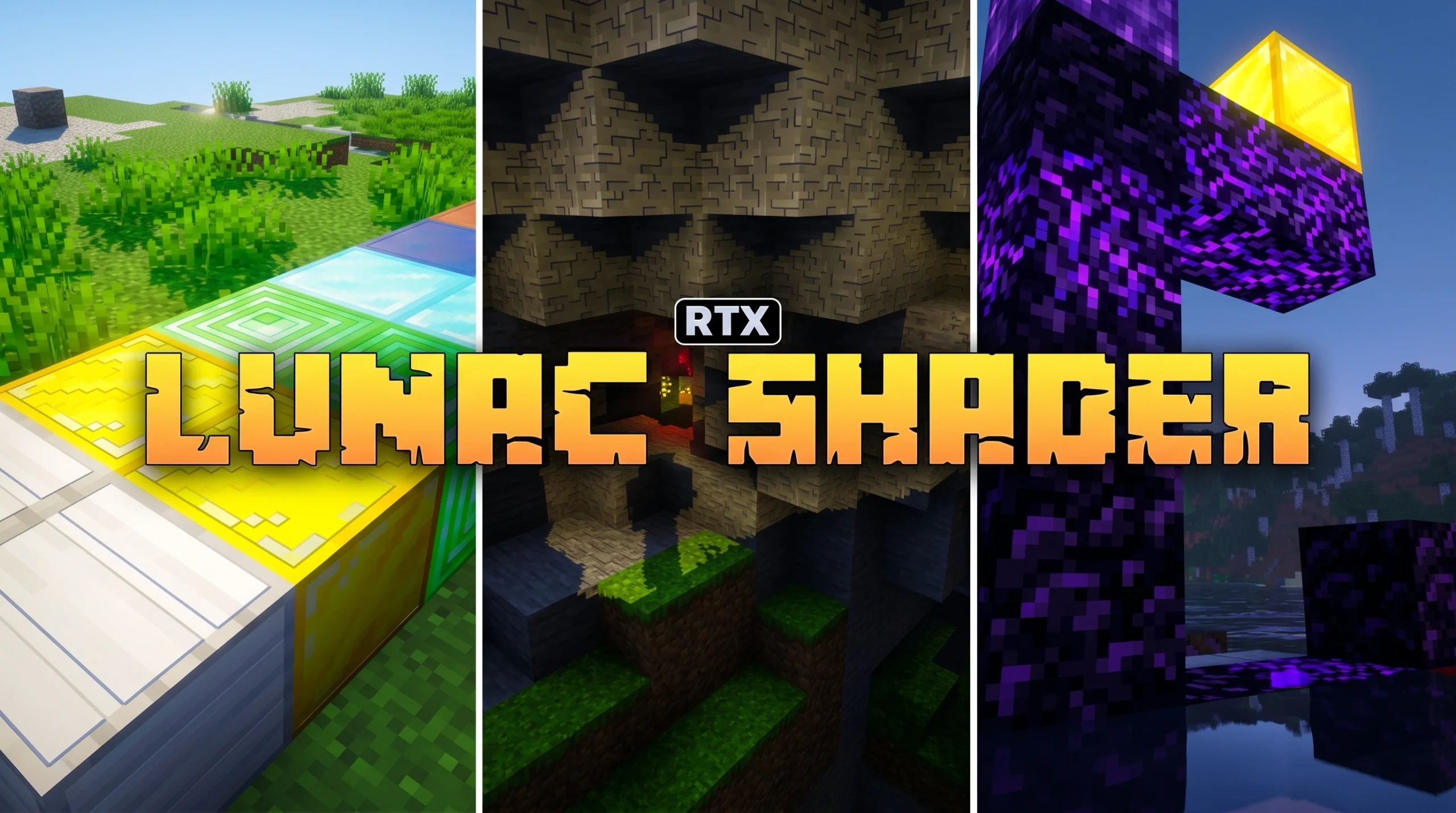
Why Lunac Shaders 3D Shader Is the Bedrock Graphics Upgrade You Need
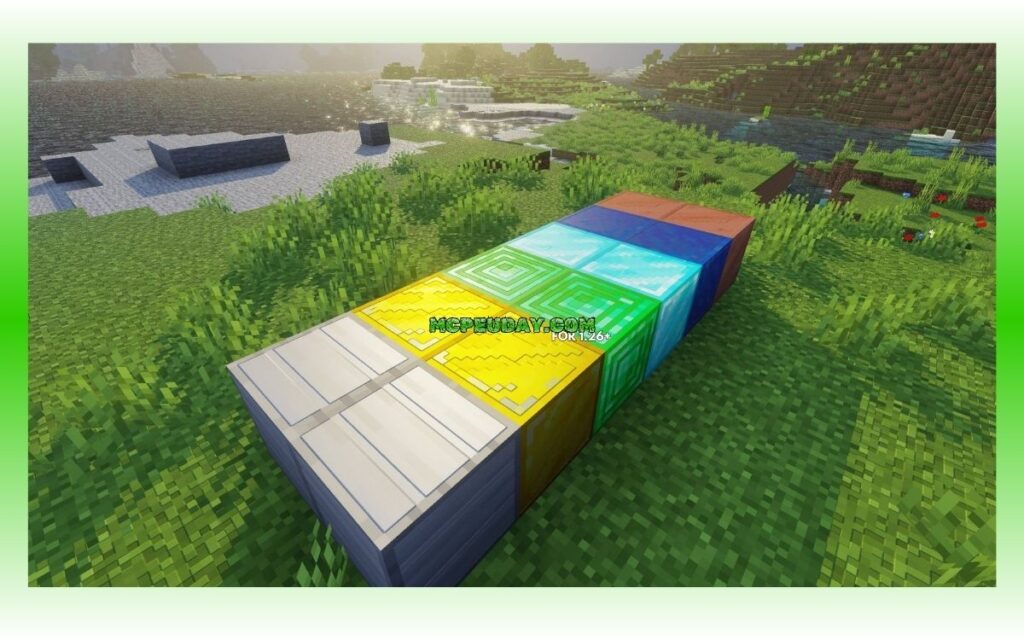
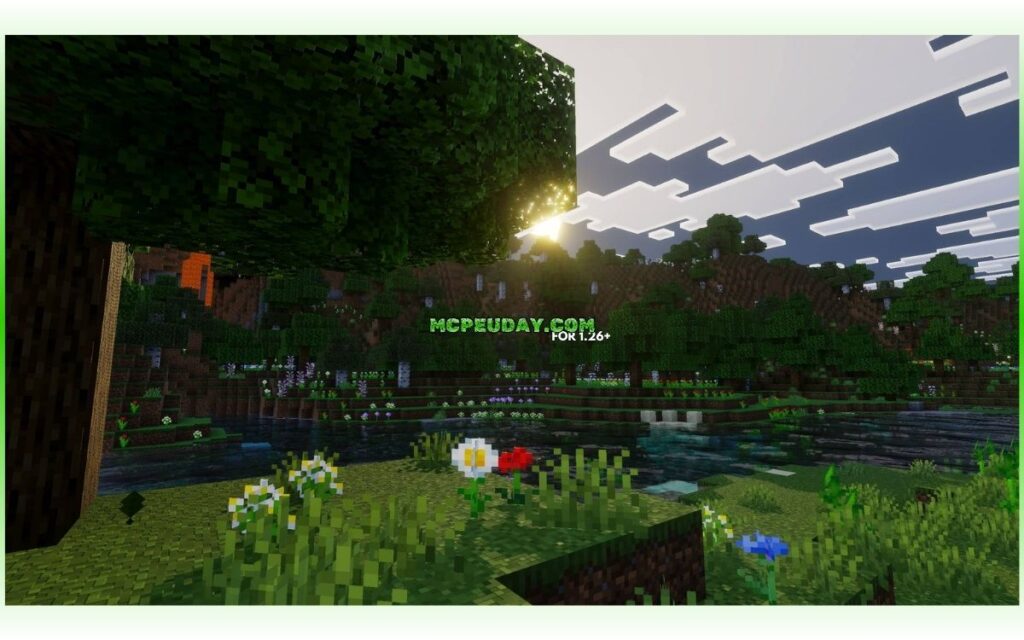
The Lunac Shaders 3D Shader is an extended shader pack for Minecraft Bedrock Edition that adds RTX-like graphics — no RTX GPU required.
Quick answer for what it does:
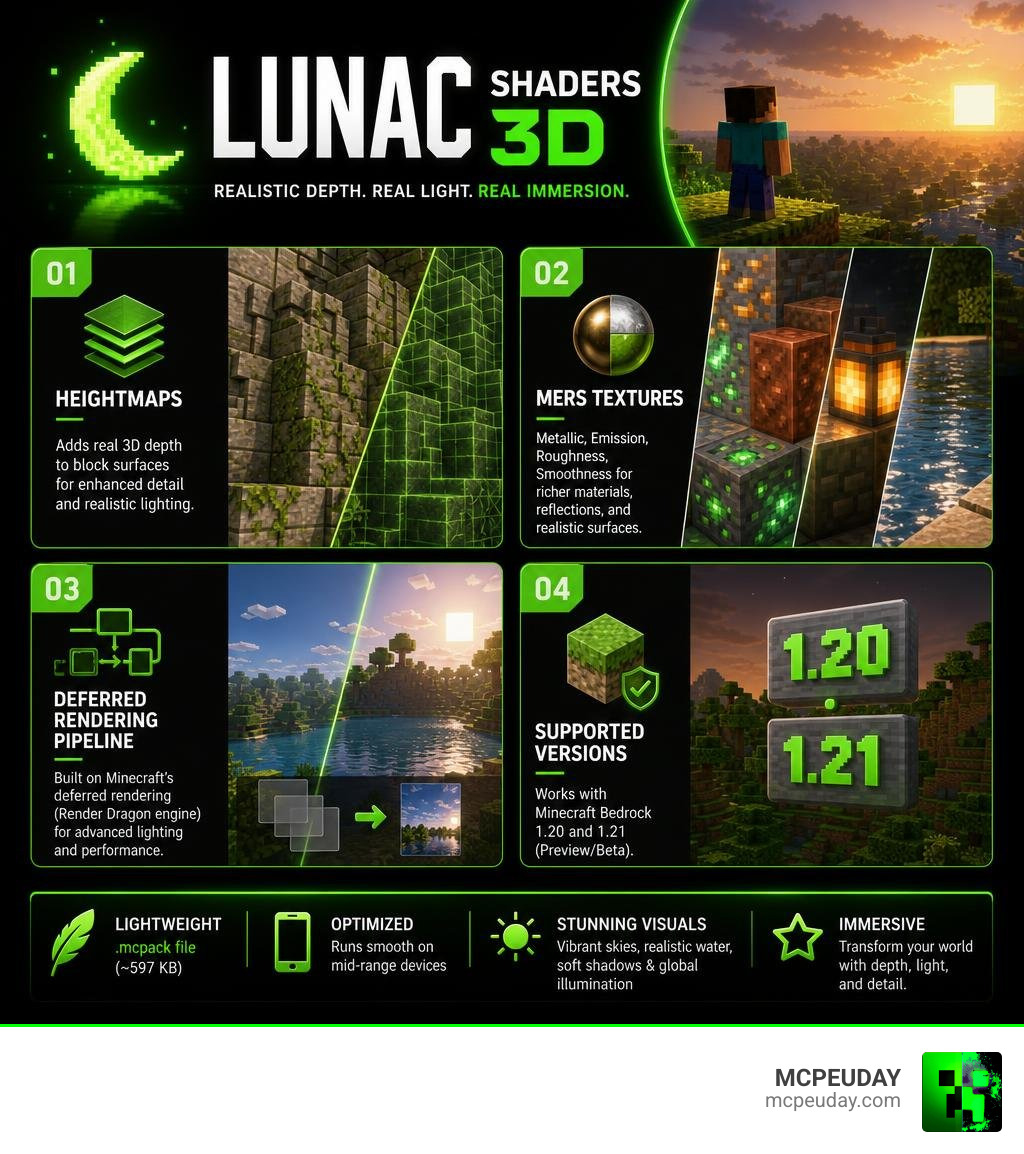
- Adds a Heightmaps system for real 3D depth on block surfaces
- Introduces MERS textures for improved lighting, reflections, and material detail
- Enhances water, shadows, sky, and global illumination
- Works via Minecraft’s deferred rendering (Render Dragon engine)
- Supports Minecraft Bedrock 1.20 and 1.21 (Preview/Beta builds)
- Available as a lightweight .mcpack file (~597 KB)
- Has over 258,000 downloads across all versions
Minecraft’s default visuals are iconic. But if you’ve ever wanted sunsets that actually glow, water that reflects the sky, or blocks that feel solid and textured, the standard look falls short.
That’s exactly the gap Lunac Shaders 3D fills.
It builds on the base Lunac Shader by layering in two powerful systems — Heightmaps and MERS textures — that make every surface react to light more realistically. The result is a world that looks dramatically different, whether you’re standing in a desert at noon or watching the sun dip below the ocean horizon.
The best part? It runs on mid-range phones and tablets, not just high-end gaming PCs.
What is the Lunac Shaders 3D Shader?
The Lunac Shaders 3D Shader is a major evolutionary step for Bedrock Edition graphics. At its core, it is an advanced extension of the original Lunac Shader project. While the base shader focuses on dynamic skies and clean lighting, the 3D version introduces a complex system of Heightmaps and MERS (Metallic, Emission, Roughness, Smoothness) textures.
Instead of blocks looking like flat, painted cardboard boxes, this shader forces them to interact dynamically with the environment. If you want to explore how it stacks up against other visual overhauls, check out our curated guide on the Top 5 Best Realistic Shaders for MCPE.
By leveraging Bedrock’s modern deferred rendering pipeline, the shader achieves stunning, ray-traced visual quality without the heavy performance overhead of hardware-accelerated RTX. This makes high-fidelity graphical upgrades accessible to mobile players on Android and iOS, as well as Windows PC users without expensive ray-tracing graphics cards. If you want to see how this pack transforms your pocket-sized worlds, you can find more details in the guide for Lunac Shaders 3D for Minecraft Pocket Edition 1.21 – TLauncher .
Key Features of Lunac Shaders 3D Shader
We have spent hours testing this shader across different biomes, and several key features stand out as absolute game-changers:
- Dynamic Global Illumination: Light bounces naturally off surfaces. If you place a red shulker box next to a white quartz wall, you will notice a subtle red glow reflecting onto the quartz.
- Blocky Shadows with Real-Time Depth: Instead of blurry, unrealistic shadow blobs, the shader uses sharp, blocky shadows. This preserves the classic, blocky aesthetic of Minecraft while adding realistic light calculation.
- Dynamic Skybox Cycles: The sky changes color and tone dynamically throughout the day. You will experience soft, misty golden sunrises, harsh desert glare at noon, deep orange beach sunsets, and crisp midnight blue skies.
- Realistic Water Physics: Water is no longer a static blue sheet. It features fully calculated real-time reflections, realistic wave distortion, and underwater light refraction.
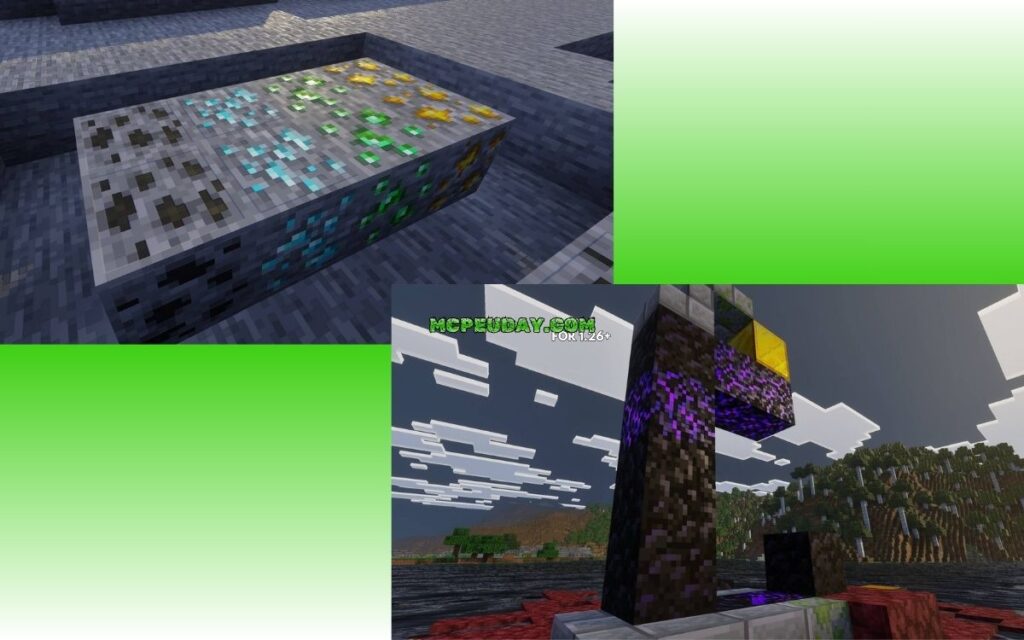
How MERS Textures and Heightmaps Work
To understand why the Lunac Shaders 3D Shader looks so much better than traditional mobile shaders, we need to look under the hood at how it handles textures.
Traditionally, Minecraft uses flat, 2D image maps. The 3D shader replaces or enhances these with two specialized systems:
- Heightmaps (Parallax Occlusion / Depth Map): This technology simulates physical depth on a flat surface. By reading a grayscale heightmap, the shader calculates how shadows should fall across the tiny crevices of a block. Cobblestone actually looks bumpy, brick mortar looks sunken, and tree bark features visible ridges.
- MERS Textures (Metallic, Emission, Roughness, Smoothness): This map tells the rendering engine how to treat light when it hits a specific block.
- Metallic determines if a block (like iron or gold) should reflect light like metal.
- Emission makes blocks like glowstone, magma, and redstone torches physically cast light into the surrounding area.
- Roughness and Smoothness dictate whether a surface scatters light (like rough dirt) or reflects it perfectly (like polished marble or wet mud during a rainstorm).
The shader supports multiple texture resolutions (including standard 16×16, detailed 32×32, and high-definition 128×128). This allows you to scale the visual fidelity up or down depending on your device’s capabilities.
Compatibility and System Requirements
Before you jump into downloading the .mcpack file, it is important to understand the hardware requirements. Because the Lunac Shaders 3D Shader utilizes Bedrock’s deferred rendering engine, it demands more processing power than simple, legacy color-filter shaders.
We have compiled a quick reference table to help you determine if your device can handle the heat:
| Metric / Requirement | Minimum Requirements | Recommended Specifications |
|---|---|---|
| Operating System | Android 10+ / iOS 14+ / Windows 10 | Android 13+ / iOS 16+ / Windows 11 |
| Processor (CPU) | Mid-range Octa-core (e.g., Snapdragon 700 series) | High-end processor (e.g., Snapdragon 8 series / Apple A15 or M-series) |
| Graphics (GPU) | Mali-G57 / Adreno 618 / Intel UHD Graphics | Adreno 730+ / Apple GPU / GTX 1060 or better |
| RAM | 4 GB | 6 GB to 8 GB+ |
| Minecraft Version | Bedrock Preview / Beta 1.20.50+ | Bedrock Preview / Beta 1.21+ (with Creator Experiments) |
| Storage Space | ~10 MB free space | ~50 MB free space |
Supported Minecraft Versions for Lunac Shaders 3D Shader
The Lunac Shaders 3D Shader is explicitly built for the modern era of Bedrock Edition. It supports Minecraft versions 1.20 and 1.21, with optimized performance specifically tailored for 1.21.x Preview and Beta builds.
Because Mojang’s deferred rendering engine is still technically an experimental feature, you must run a version of the game that supports “Render Dragon Features for Creators.” The shader developer actively updates the pack, with versions like Lunac Shaders 2.7 and its 3D variants keeping up with major game updates. For a deeper look at how this fits into the broader scene, check out our roundup of the 3 Best Shaders for Minecraft 1.21 Ultra Realistic Smooth FPS Stunning Graphics.
To ensure maximum compatibility, you can download the latest official versions directly from the Lunac Shaders 2.7 | Vibrant Visuals Shader – CurseForge page or explore mobile-specific installations via Lunac Shaders 2.7 | Vibrant Visuals Shader | Minecraft PE Addons .
Performance Modes and Device Optimization
If you notice your device running a bit warm or experiencing frame drops, don’t panic! The shader includes built-in optimization settings that you can toggle to balance performance and visual quality:
- Favor Performance Mode: This mode scales down the reflection resolution, limits the rendering distance of dynamic shadows, and simplifies water physics. It is highly recommended for mid-range Android tablets, older iPhones, and budget laptops.
- Favor Quality Mode: This unlocks full MERS texture reflections, high-resolution heightmaps, maximum global illumination accuracy, and pristine water physics. Use this if you are on a modern flagship mobile device, an iPad Pro, or a solid gaming PC.
- Adjust Brightness: The creator recommends setting your in-game brightness slider between 30% and 50%. Setting it too high can wash out the beautiful HDR-like contrast of the shader’s light maps.
- Set Resolution to Native: Always ensure your graphics resolution slider in Minecraft is set to “Native” to prevent blurry textures and scaling artifacts.
How to Install and Set Up the Shader
Setting up a deferred rendering shader requires a few more steps than installing a standard texture pack. Because these features are experimental, you must toggle specific settings inside Minecraft for the shader to render correctly.
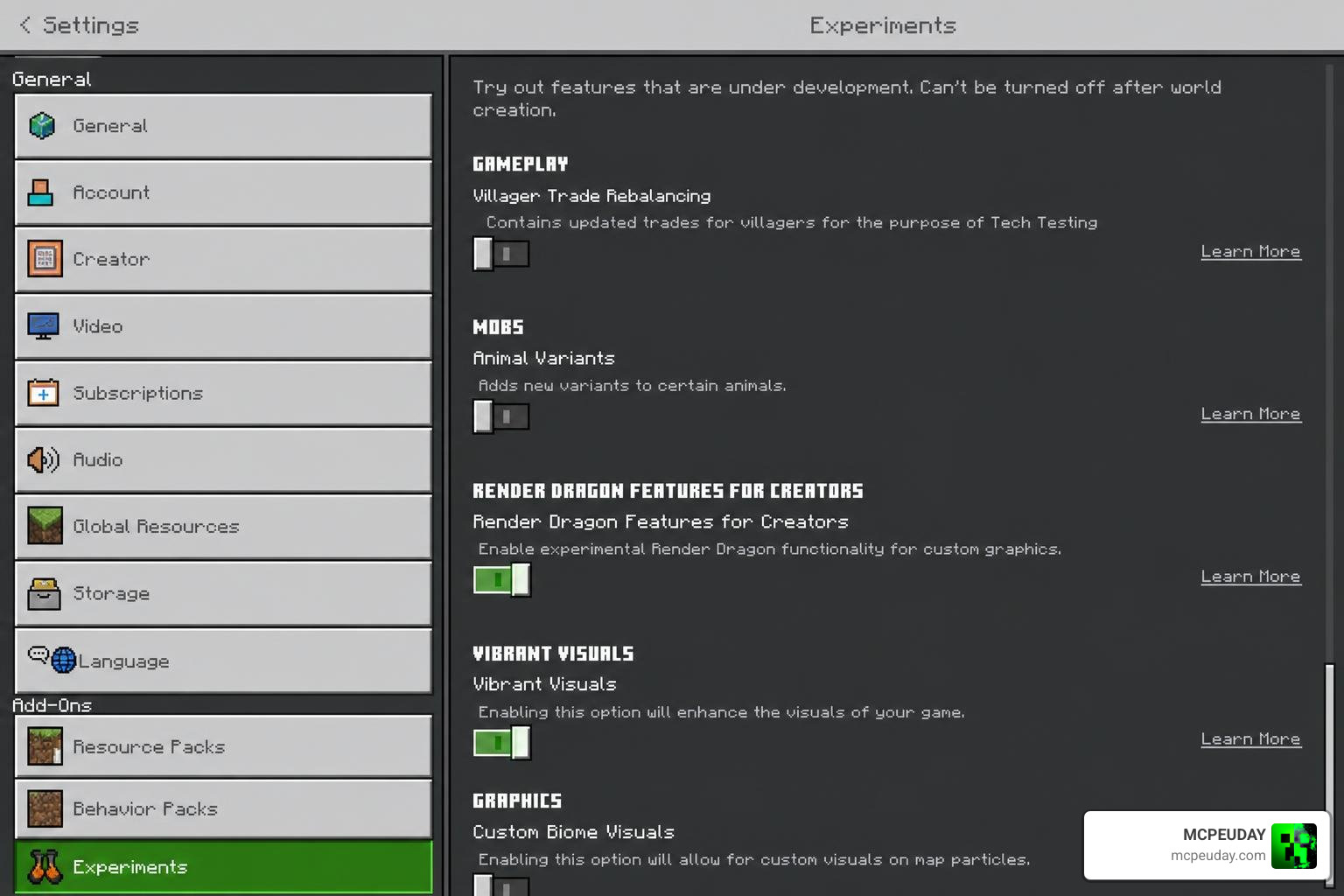
Before starting the installation, make sure you have downloaded the official .mcpack file. If you are looking for other styles or want to browse alternative graphic packs, visit our dedicated Category Shaders section.
Installation Steps for Android and iOS
- Download the Pack: Download the
.mcpackfile of the Lunac Shaders 3D Shader to your mobile device. - Import to Minecraft:
- Android: Use a file manager app to locate the downloaded file. Tap on it and select “Open with Minecraft.” The game will launch automatically and import the pack.
- iOS: Tap the downloaded file in your Files app, select the “Share” icon, and choose Minecraft from the app list.
- Enable Creator Experiments:
- Create a new world or tap the edit (pencil) icon next to an existing world.
- Scroll down to the Experiments tab on the left menu.
- Toggle on Render Dragon Features for Creators and Vibrant Visuals (if available in your build).
- Activate the Resource Pack:
- Go to Resource Packs under your world settings.
- Find Lunac Shaders 3D under “My Packs” and tap Activate.
- Adjust Video Settings:
- Launch the world, open your settings, and navigate to Video.
- Change your Graphics Mode to Vibrant Visuals (or “Deferred Technical Preview”).
Installation Steps for Windows and Consoles
- Get Minecraft Preview: Ensure you are running the Minecraft Preview app from the Microsoft Store, as stable versions do not always have the latest deferred rendering features active.
- Install the .mcpack: Double-click the downloaded
.mcpackfile. Windows will automatically open Minecraft Preview and install the shader. - World Configuration:
- Go to your world settings, navigate to the Experiments section, and enable Render Dragon Features for Creators.
- Activate the Lunac Shaders 3D pack under Resource Packs.
- Configure Graphics: Inside the game world, press ESC, go to Settings -> Video, and scroll down to the “Graphics Mode” dropdown. Select Vibrant Visuals (or “Deferred Technical Preview”). Set your resolution to “Native” and adjust the performance slider to match your GPU’s capabilities.
- Console Note: Shaders using deferred rendering are currently limited on consoles due to platform restrictions. However, players on Xbox and PlayStation can experience these shaders if they join a multiplayer world or Realm hosted by a PC user who has the shader active on the server side.
Frequently Asked Questions about Lunac Shaders 3D
We receive many questions about how to troubleshoot and get the most out of this shader. Below are the most common queries answered in detail.
Does Lunac Shaders 3D require an RTX graphics card?
No! One of the biggest achievements of the Lunac Shaders 3D Shader is that it provides gorgeous, ray-tracing-like visuals without requiring dedicated hardware ray-tracing cores (like Nvidia’s RTX or AMD’s RX cards).
Instead, it relies on Bedrock’s deferred rendering engine. This engine uses smart math and screen-space calculations to simulate reflections, depth, and shadows. While it still demands a decent GPU to run smoothly, it is fully compatible with standard mobile GPUs and non-RTX graphics cards.
Why are my shaders not loading or showing up black?
If your screen is pitch black, your textures are broken, or the shader simply looks like default Minecraft, it is usually caused by one of three things:
- Missing Experimental Toggles: You must enable Render Dragon Features for Creators in your world’s Experiments menu before loading the world.
- Incorrect Graphics Mode: Double-check that your in-game Video settings are set to Vibrant Visuals or Deferred Technical Preview. If it is set to “Fancy” or “Simple,” the shader will not load.
- Version Mismatch: Ensure your version of Minecraft Bedrock matches the shader version. If you are running an outdated stable build of Minecraft, it will not support the new deferred rendering code.
Can I use this shader on stable Minecraft Bedrock releases?
Currently, the deferred rendering pipeline is primarily active and stable in the Minecraft Preview and Beta builds. While some stable releases of Minecraft 1.20 and 1.21 have partial support, we highly recommend using the Preview app for the absolute best, bug-free visual experience. The developer constantly updates the pack to align with Mojang’s latest engine tweaks.
Conclusion
The Lunac Shaders 3D Shader is a true triumph of community-driven development. By combining heightmaps, MERS textures, and the power of the Render Dragon engine, it gives us a stunningly beautiful, atmospheric Minecraft world without forcing us to buy expensive hardware.
Whether you are watching a thunderstorm roll across a desert biome or admiring the reflection of torchlight on damp cave walls, this shader completely redefines what is possible on mobile devices and consoles.
If you are ready to explore more top-tier visual upgrades and find the perfect match for your device, make sure to read our ultimate guide on the Best Shaders for MCPE 1.21 2026 Top 3 Realistic Minecraft PE Shaders.
We at MCPEUDAY are committed to bringing you the safest, highest-quality downloads for all your Minecraft needs. Grab the shader, tweak your settings, and prepare to see your blocky worlds in a whole new light!
Ready to transform your game? Head over to our curated collection of the best shaders for MCPE 1.21 2026 and download your next favorite graphics pack today!
1 thought on “Lunac Shaders 3D Shader (26.x, 1.21) – MCPE/Bedrock Shader”