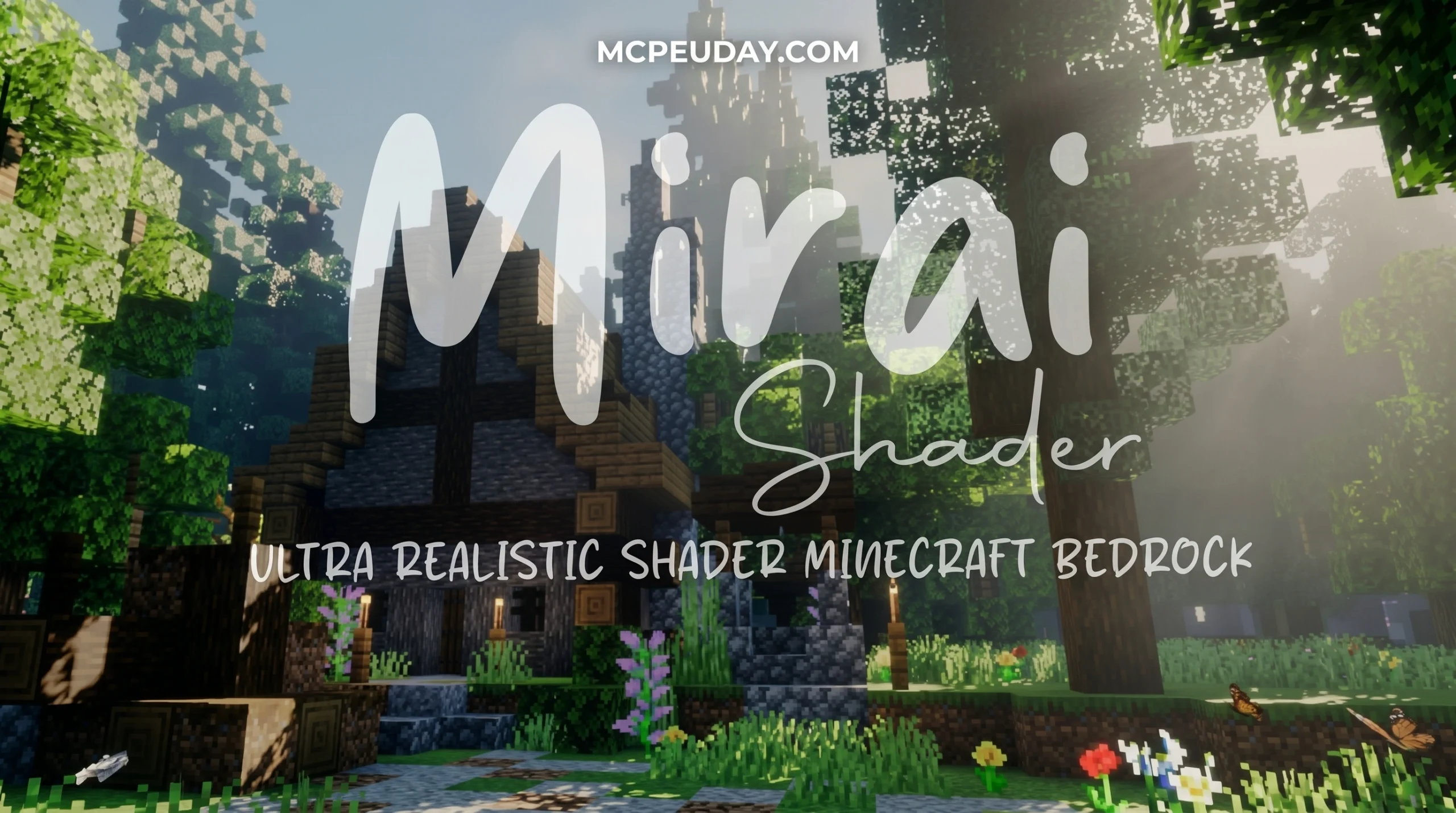
The Shader That Makes Minecraft Bedrock Look Stunning
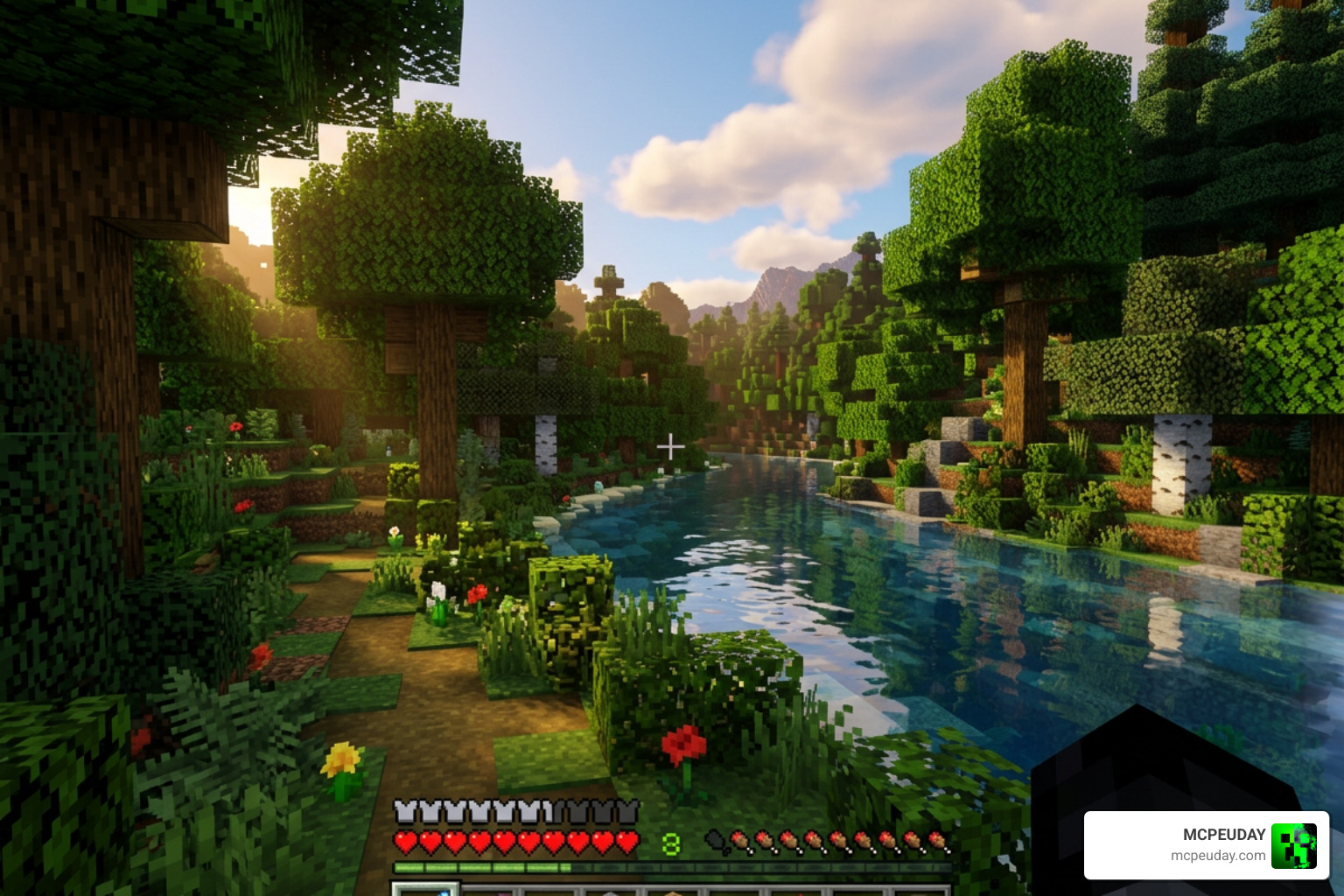
Mirai Shader is a visual overhaul resource pack for Minecraft: Bedrock Edition that rebuilds the game’s Render Dragon rendering pipeline to deliver realistic, vibrant graphics.
Quick answer for what you need to know:
- What it is: A shader pack for MCBE that modifies Render Dragon materials
- Who made it: Developer bambosan (open source on GitHub)
- Latest version: 2.1.1 (released April 2026)
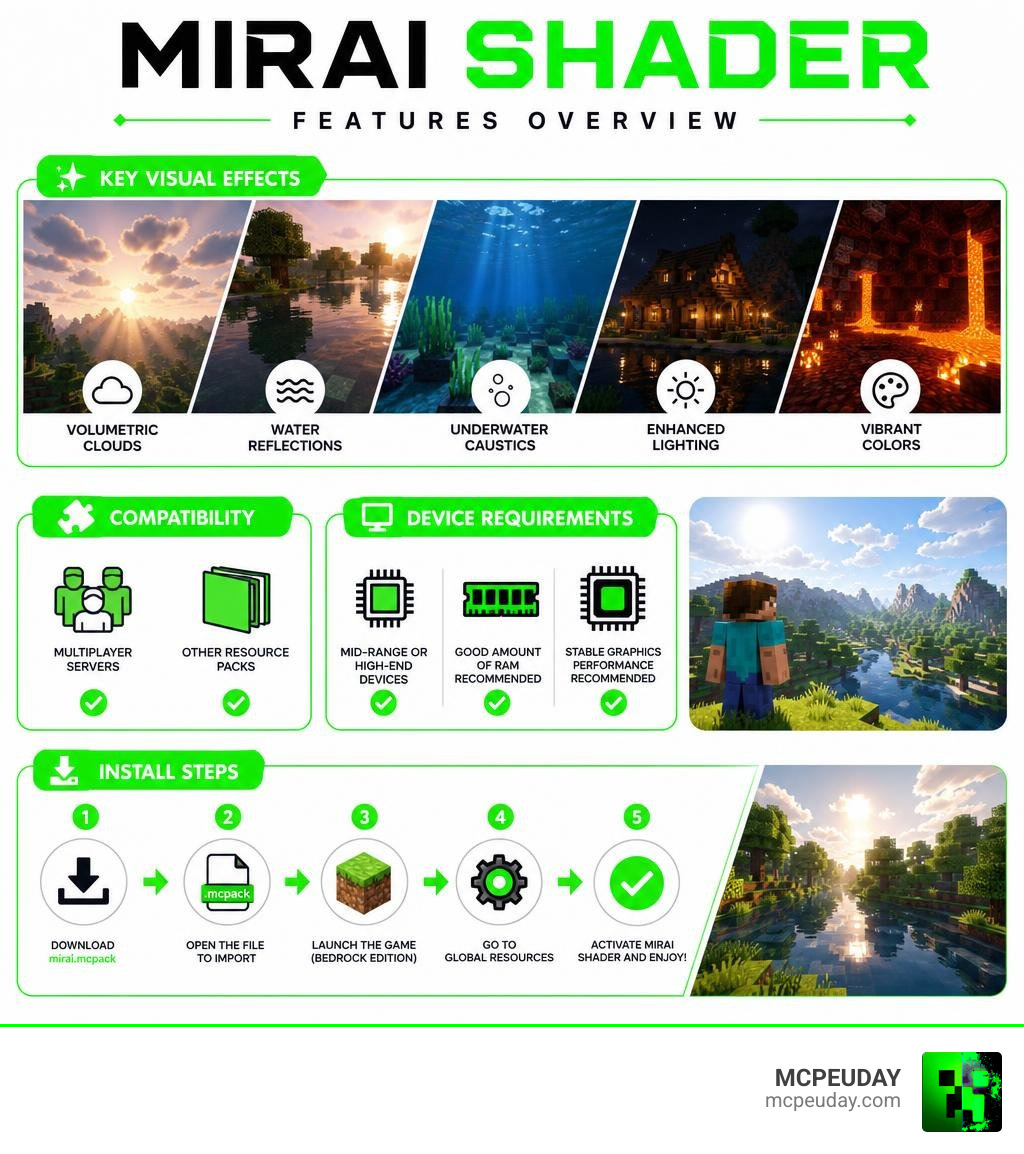
- Key features: Volumetric clouds, water reflections, underwater caustics, enhanced lighting
- Device needs: Mid-range to high-end devices recommended
- Server use: Yes, fully compatible with multiplayer servers
- Other packs: Yes, compatible with other resource packs
- Where to get it: GitHub (bambosan/mirai) or download the
.mcpackfile directly
If you just want to grab it fast — download the mirai.mcpack file, import it into Minecraft, and activate it through your launcher. That’s it.
For most Minecraft players, the default Bedrock graphics feel a little flat. Mirai changes that. It rebuilds 39 or more Render Dragon materials using custom GLSL shaders and JSON config files, pushing MCBE visuals much closer to what you’d expect from a high-end game — without switching to Java Edition.
It has earned a solid 4 out of 5 average rating from 139 users, and its GitHub repository shows active development with 5 releases so far.
Whether you’re exploring ocean floors, the Nether, or The End, Mirai adds a layer of visual polish that makes each biome feel genuinely different and alive.
What is the Mirai Shader and How Does It Work?
To understand how the Mirai Shader works, we have to look under the hood of Minecraft Bedrock Edition. Years ago, Mojang introduced the Render Dragon engine, which effectively locked down traditional shader methods. For a long time, the community struggled to bring back the beautiful, sweeping visual overhauls we loved.
That is where Mirai – bambosan steps in. Instead of trying to bypass Render Dragon, Mirai works directly with it. It modifies the underlying rendering pipeline by rebuilding and adjusting critical shader material files. By writing custom GLSL (OpenGL Shading Language) code, the developer has managed to inject vibrant, realistic lighting directly into Bedrock’s modern rendering architecture.
If you are curious about how other packs tackle this modern engine, you can check out our comprehensive Best Render Dragon Shaders for MCPE 1.21 Tested on Real Devices 2026 Guide to see how Mirai stacks up against the competition.
Rebuilding the Render Dragon Pipeline with Mirai Shader
The magic of Mirai lies in its technical foundation. The developer has rebuilt 39 distinct Render Dragon materials (with some versions adjusting up to 50 materials) from the ground up.
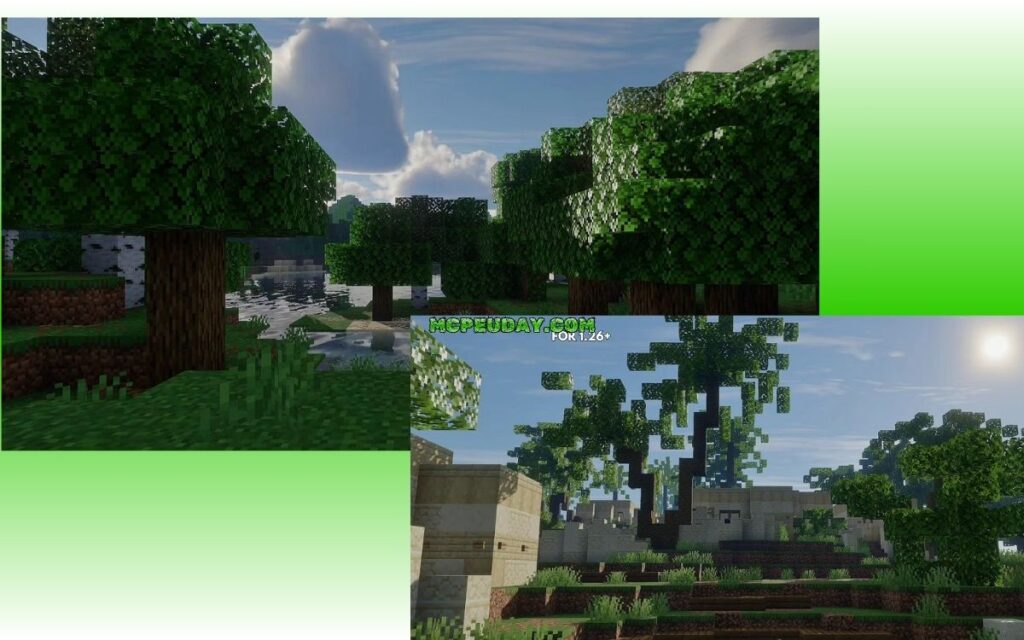
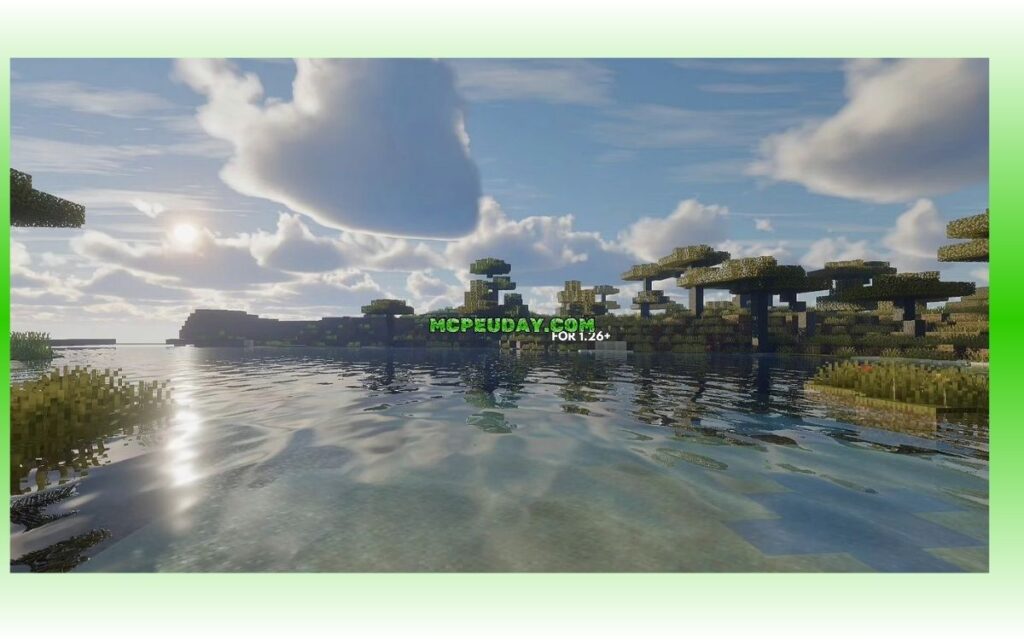
By editing these material files and using custom JSON configurations, Mirai completely alters how light bounces off blocks, how water behaves, and how fog fills the air. This approach allows the shader to bypass the flat, cartoonish look of vanilla Bedrock and replace it with a highly customized, vibrant visual pipeline.
Key Visual Features of Mirai Shader
Mirai Shader does not just make things brighter; it completely redefines the atmosphere of your world. Here are the core features you can expect when you activate the pack:
- 3D Volumetric Clouds: Instead of flat, 2D textures sliding across the sky, you get fluffy, layered clouds that catch the light of the sun and moon dynamically.
- Sharp Water Reflections: Water surfaces act like real physical liquid, reflecting the sky, clouds, and nearby terrain with screen-space reflections.
- Underwater Caustics: When you dive beneath the surface, you will see beautiful, shimmering light patterns projected onto the ocean floor.
- Atmospheric Fog: Each dimension—whether it is the Overworld, the Nether, or The End—receives customized fog that adds depth and mystery.
- Vibrant Color Correction: Colors are saturated and warm without feeling completely unnatural, striking a perfect balance between realism and Minecraft’s classic colorful charm.
Comparing Mirai to Other Bedrock Shaders
The current version of Mirai is actually a complete reboot of an older project. The original repository, known as bambosan/Mirai-Shader, was a fantastic early attempt that laid the groundwork. However, the modern reboot—housed under the Mirai repository—is a completely reimagined visual pipeline optimized for modern Bedrock versions.
To see where it fits in the broader ecosystem, we recommend looking at our list of the Top 5 Best Realistic Shaders for MCPE.
To give you a quick visual of how Mirai compares to standard, vanilla-style Bedrock shaders, we have put together this handy comparison table:
| Visual Feature | Vanilla Bedrock Shaders | Mirai Shader (Reboot) |
|---|---|---|
| Clouds | Flat 2D planes | High-quality 3D Volumetric |
| Water | Basic static transparency | Sharp reflections & caustics |
| Nether Atmosphere | Standard red fog | Dynamic lava glow & thick fog |
| The End Dimension | Dark sky, purple void | Void-like sky & obsidian reflections |
| Performance Impact | Very low / none | Moderate (Mid to High-end devices) |
| Active Development | Varies | Yes (v2.1.1 released in 2026) |
System Requirements and Platform Installation
Because the Mirai Shader rebuilds so many complex materials, it is more demanding than your average texture pack. The developer explicitly targets mid-range to high-end devices. If you are running an older budget phone, you might experience frame drops, particularly when looking at large bodies of water or rendering dense volumetric clouds.
If you find that your device struggles with Mirai, don’t worry! We have compiled a list of the 3 Best Shaders for Minecraft 1.21 Ultra Realistic Smooth FPS Stunning Graphics which includes excellent low-end alternatives.
How to Install on Android, Windows, and iOS
Installing shaders on modern Bedrock can be a little tricky due to Render Dragon’s restrictions. Here is the easiest way to get Mirai running on your platform:
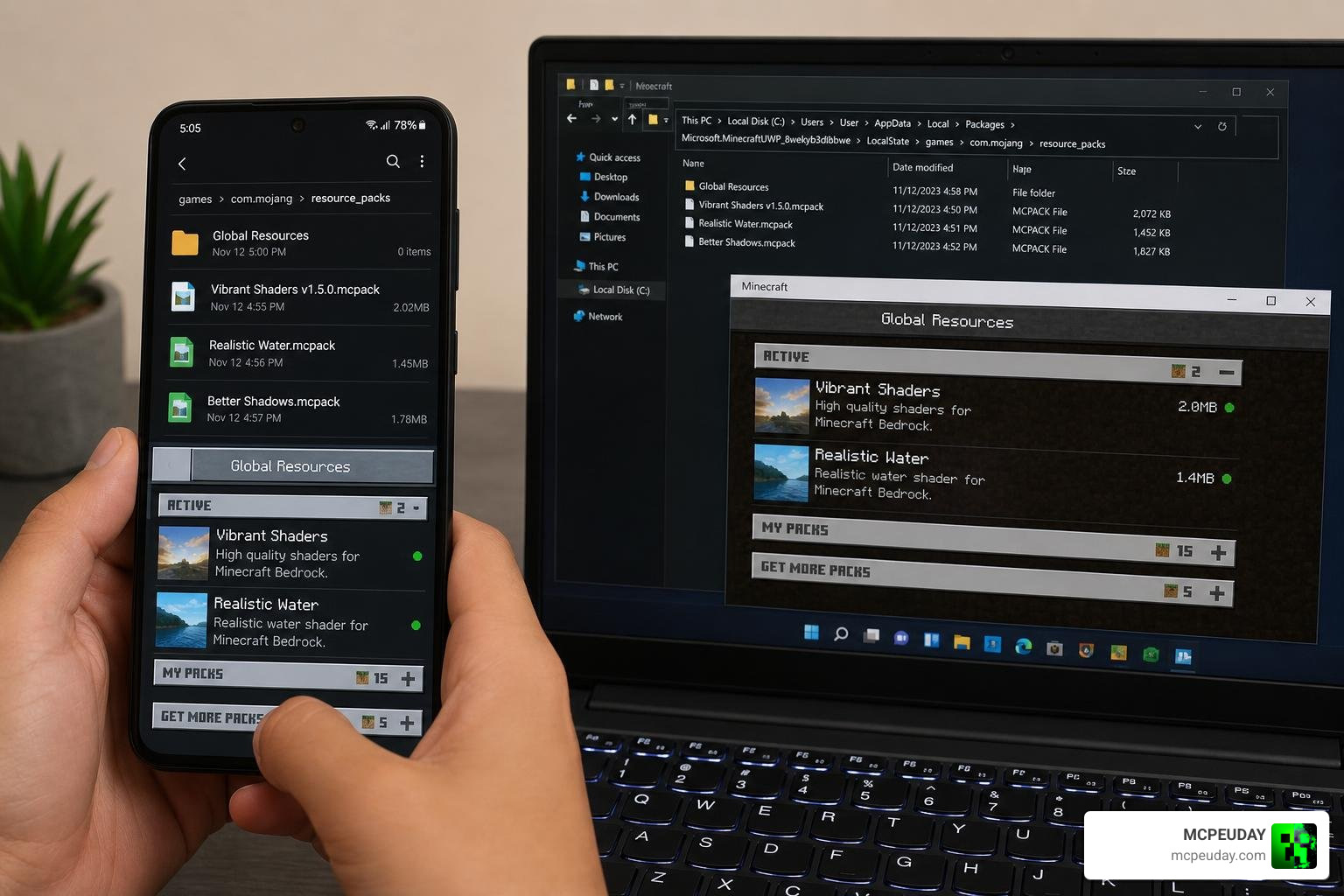
For Android Users:
- Download a Compatible Launcher: Because of Android’s file storage restrictions, you will likely need to use a tool like MB Loader or Levi Launcher to inject custom Render Dragon materials.
- Download the Pack: Grab the
mirai.mcpackfile. - Activate and Import: Import the pack into your launcher of choice, apply it to your Global Resources, and restart Minecraft if the visuals do not load immediately.
For Windows & iOS Users:
- Download the
.mcpack: Get the official package from the Mirai website. - Open the File: Double-clicking or tapping the file should automatically open Minecraft and import the pack.
- Prioritize the Pack: Go to Settings > Global Resources, activate Mirai, and make sure it is placed at the very top of your resource pack list to prevent other packs from overwriting its custom materials.
Frequently Asked Questions about Mirai
We know you probably have a few practical questions before downloading. Here are the most common things players ask about Mirai.
Is Mirai compatible with multiplayer servers and other resource packs?
Yes, absolutely! Because Mirai operates as a client-side resource pack, you can safely use it on multiplayer servers, Realms, and local worlds without any issues. It does not alter gameplay mechanics, so there is no risk of getting banned.
Additionally, it is highly compatible with other resource packs (like 3D block models or custom items). Just remember to keep Mirai at the top of your active pack list so its custom Render Dragon shaders load first. If you want to explore more compatible options, browse our dedicated Category Shaders page.
What are the known bugs and planned updates for Mirai?
At the moment, the repository has 8 open issues. The most notable limitation is that rain does not currently affect the visuals. In many high-end shaders, rain wetness adds reflections to ground blocks and changes the ambient lighting. The developer has stated that rain’s contribution to lighting and atmosphere is planned for a future update.
Who created Mirai and what is its license?
Mirai is created by developer bambosan. It is an open-source project hosted on GitHub, written primarily in GLSL (67.7%), with small helper scripts in Shell, SuperCollider, Scala, and Batchfile. It features an active community with 28 stars, 1 fork, and 28 watchers on its main repository, making it a highly trusted community project.
Conclusion
The Mirai Shader is one of the most exciting developments for Minecraft Bedrock graphics in 2026. By rewriting 39+ Render Dragon materials, creator bambosan has successfully brought back the stunning, vibrant, and realistic visuals that Bedrock players have been missing for years.
If you are ready to completely transform your Minecraft experience with volumetric clouds, gorgeous water reflections, and deep atmospheric lighting, we highly recommend giving Mirai a try.
For more top-tier recommendations, be sure to check out our ultimate guide on the Best Shaders for MCPE 1.21 2026 Top 3 Realistic Minecraft PE Shaders to keep your game looking spectacular!