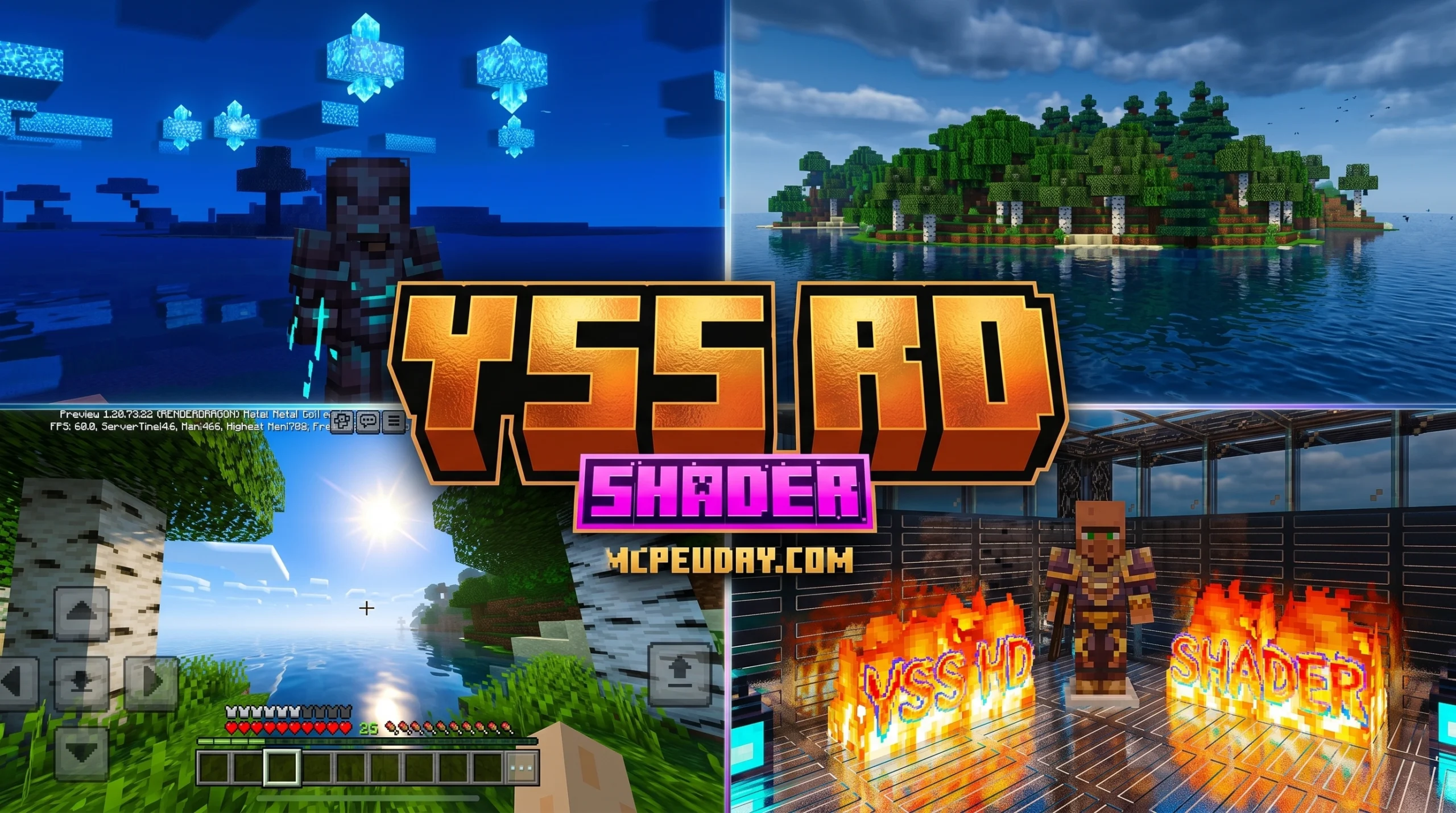
What You Need to Know About YSS RD Shader Right Now
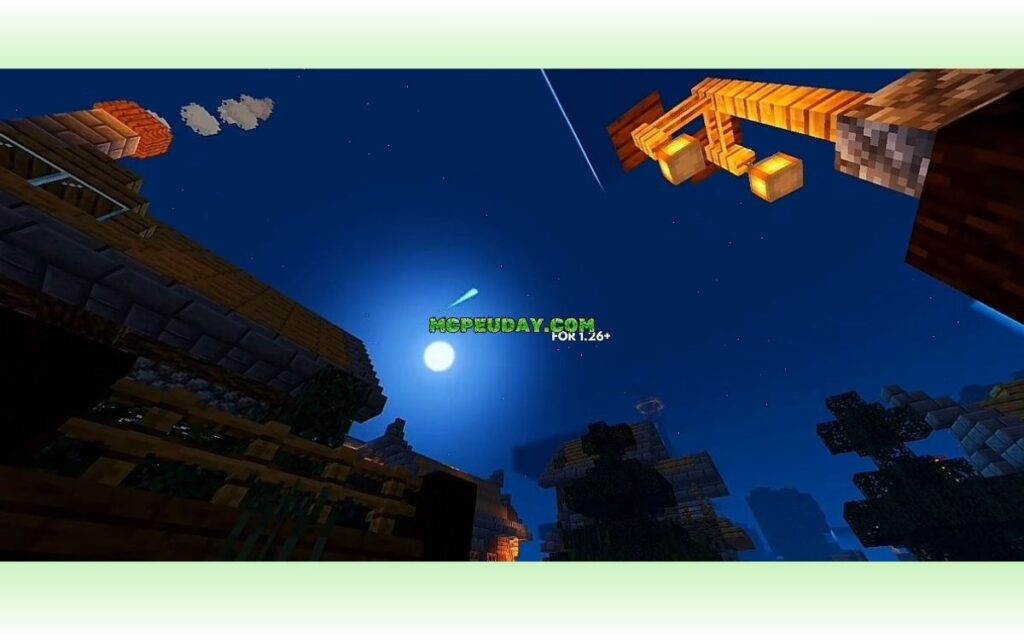
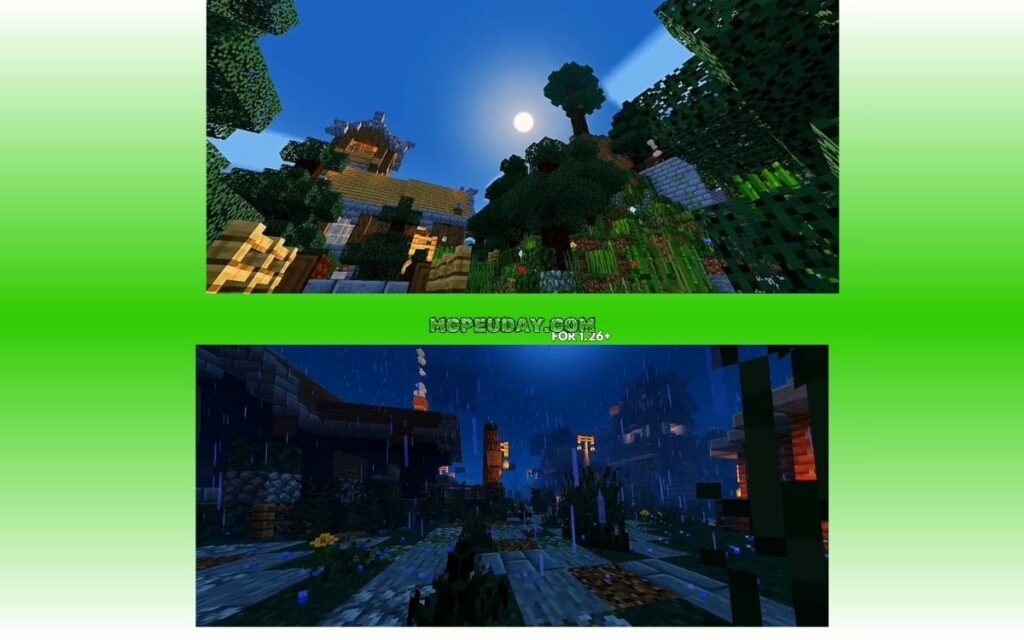
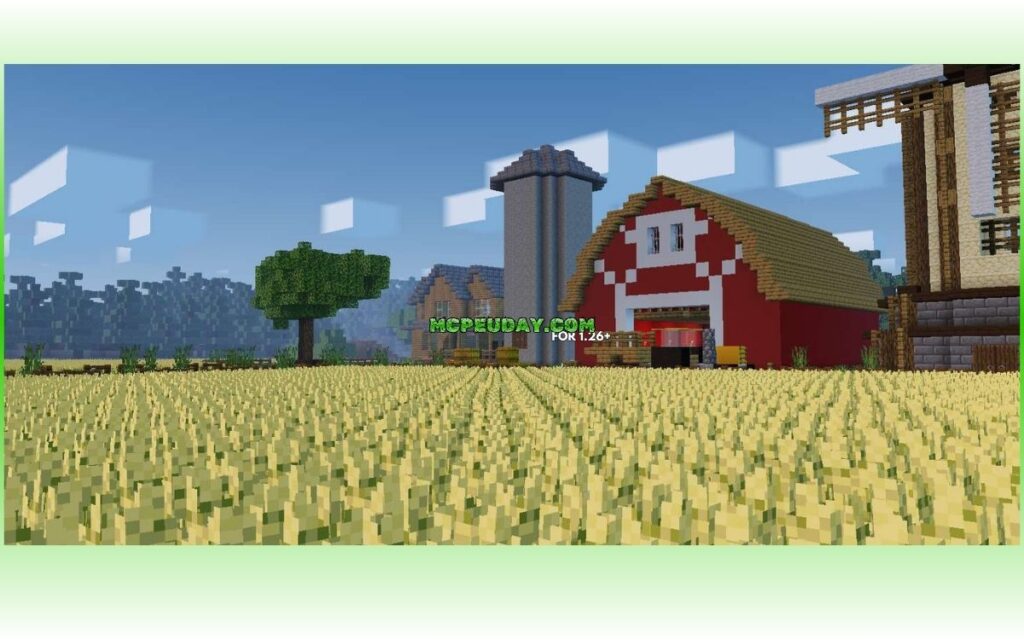
The YSS RD Shader is one of the earliest and most recognized shaders built for Minecraft Bedrock’s RenderDragon engine — and if you want better-looking graphics on Bedrock Edition, it’s one of the first places to start.
Quick answers:
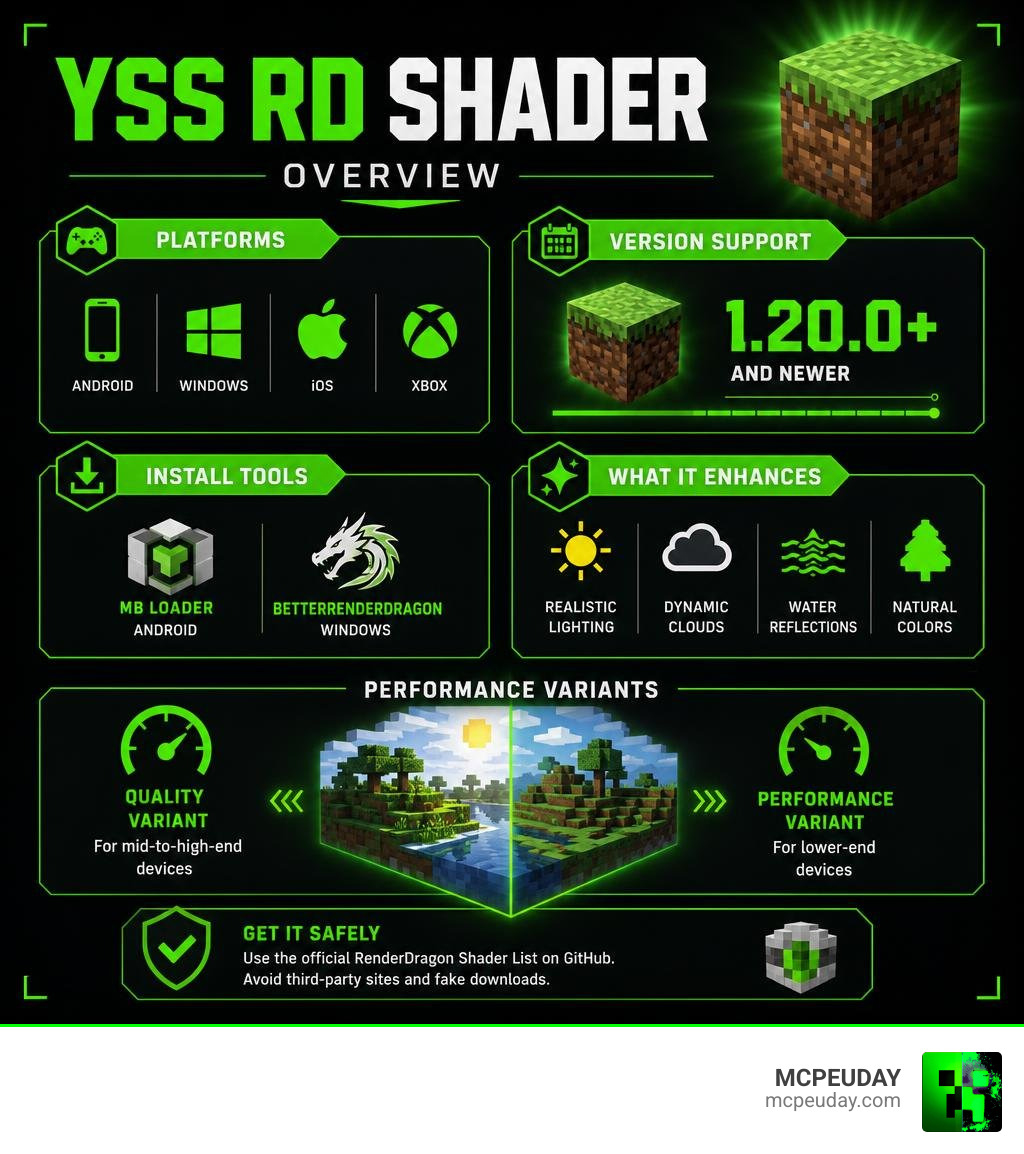
- What it is: A shader pack that upgrades Minecraft Bedrock’s visuals using the Vanilla RenderDragon engine
- Who it’s for: Players on Android, Windows, iOS, and Xbox running Minecraft 1.20.0 or newer
- What you need: MB Loader or a patched Minecraft APK (Android), or BetterRenderDragon (Windows)
- Where to get it safely: The official RenderDragon Shader List on GitHub — not third-party sites
- Performance: Best on mid-to-high-end devices; a performance variant is available for lower-end hardware
Minecraft Bedrock switched to the RenderDragon rendering engine a few years back, replacing the old OpenGL and DirectX system. That change broke traditional shader support — and made loading custom shaders a lot more complicated.
YSS RD was built specifically to work within that new system.
It brings real visual improvements — better lighting, realistic clouds, sun reflections, and more — to a version of Minecraft that many players thought couldn’t support shaders at all.
But installing it isn’t always straightforward. There are compatibility requirements, multiple setup methods depending on your device, and some real risks around fake downloads floating around the web.
This guide covers everything you need to know.
What is the YSS RD Shader?
To understand what the YSS RD Shader is, we first have to talk about how Bedrock Edition handles graphics. A few years ago, Mojang introduced the RenderDragon engine. This rendering engine completely replaced the old OpenGL and DirectX systems. While it allowed Mojang to optimize the game across multiple platforms and lay the groundwork for features like ray tracing (RTX), it had a massive downside: it killed traditional third-party shader support.
For a long time, Bedrock players were stuck with the flat, bright vanilla look. However, the community did what it does best: they adapted. Talented creators figured out that by modding the game’s internal files and utilizing material loaders, they could inject shader properties back into the RenderDragon engine.
The YSS RD Shader (YSS RenderDragon) stands as one of the very first and most successful projects of this era. Built specifically on the Vanilla RenderDragon engine, it serves as the foundational edition of the YSS Shader series. It acts as a bridge, allowing players to experience cinematic lighting and realistic environments without needing a high-end RTX graphics card.
Instead of relying on official shader APIs that no longer exist, YSS RD works by modifying the material files that the RenderDragon engine uses to render the world. Because of this unique approach, it has become a staple on the community-curated RenderDragon Shader List on GitHub, which serves as a directory for verified, safe shader options.
Core Features of the YSS RD Shader
If you are tired of the flat lighting of vanilla Bedrock, the YSS RD Shader is a breath of fresh air. It is designed to breathe life into your survival worlds with several key visual overhauls:
- World Coloring & ACES Tonemap: The shader completely shifts the color grading of the game. Instead of the default, oversaturated look, it uses an ACES tonemap to deliver a cinematic, balanced palette where colors blend naturally.
- Sun Reflections & Water Waves: Water is no longer just a static, semi-transparent blue block. With YSS RD, you get realistic wave animations and dynamic sun reflections that bounce off the surface depending on the time of day.
- Realistic Clouds & Sky Coloring: The blocky clouds are replaced with soft, realistic cloud layers that drift across a dynamically gradient sky. Sunset and sunrise moments are incredibly atmospheric.
- Glowing Ores & Torch Lighting: Exploring caves becomes a spooky, immersive adventure. Torches emit a warm, flickering light, and specific ore blocks glow softly in the dark, guiding your pickaxe.
- Nether, End, and Underwater Coloring: The shader doesn’t stop at the Overworld. The Nether feels oppressively hot with custom fog and heat distortion, while the End sky looks appropriately cosmic and alien.
For a deeper look at how these RenderDragon visual modifications compare to other packages, check out our Galaxy Shaders RD Guide to see how different visual styles handle lighting.
Supported Minecraft Versions and Platforms
One of the best things about the YSS RD Shader is its cross-platform capability. While traditional shaders were often locked to a single operating system, RenderDragon-based shaders can theoretically run anywhere the engine is present—provided you have the right tools to load them.
Currently, the shader supports:
- Minecraft Bedrock Versions: 1.20.0 all the way up to the latest 1.21+ releases.
- Platforms: Android, Windows (PC), iOS, and Xbox.
However, note that you cannot simply double-click an .mcpack file on your phone and expect it to work out of the box. Because of how RenderDragon locks down files, you need third-party utilities (like patched APKs or specialized loaders) to make the shader active.
If you are running the latest version of the game on a mobile device, check out our tested recommendations in the Best Shaders for MCPE 1.21 guide to see how different packs perform under real-world conditions.
How to Install and Configure YSS RD Shader
Installing a shader on RenderDragon is a bit of an adventure compared to the old days. Because Bedrock doesn’t natively support custom shaders anymore, we have to use community-developed tools to load the shader’s custom materials into the game.
Step-by-Step Android Installation
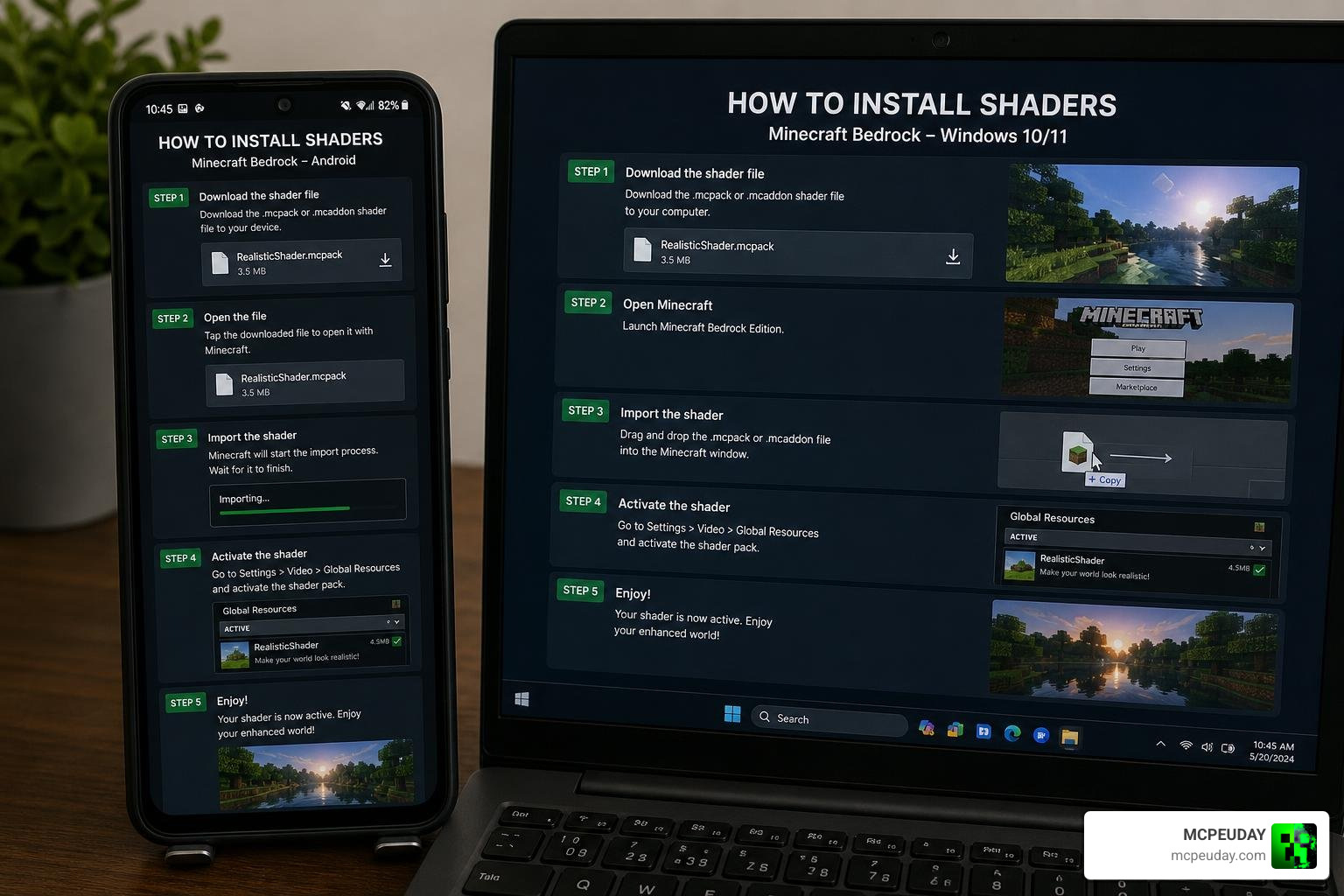
For Android players, there are two primary routes to get the YSS RD Shader working: using a Patched APK or utilizing MB Loader (MaterialBinLoader).
Here is how to set it up using the recommended loader method:
- Prerequisites: You will need a file manager that can access Android’s system folders (like ZArchiver) and a compatible version of Minecraft.
- Get MB Loader: Download and install MB Loader (MaterialBinLoader), which is a tool that allows RenderDragon shaders to be loaded as standard resource packs on Android devices.
- Download the Shader: Grab the official
.mcpackfile for YSS RD. - Import the Pack: Open the file using your file manager and select Minecraft to import it. Alternatively, copy the folder directly into your
resource_packsdirectory. - Activate the Pack: Launch Minecraft, navigate to Settings > Global Resources, and activate the YSS RD pack.
- Restart the Game: Completely close Minecraft and reopen it. This forces the RenderDragon engine to reload its material cache and apply the shader effects.
If you run into issues or want to explore other packs that use similar installation methods, you can browse our dedicated Category Shaders section for more options.
Windows and iOS Setup Guide
If you are playing on a PC or an Apple device, the process is slightly different:
- Windows 10/11 Setup: On PC, you cannot use MB Loader. Instead, players use a tool called BetterRenderDragon or BetterResourcePackManager. These tools hook into the Windows Bedrock installation directory, allowing you to bypass the engine’s default limitations. You will need to place the shader’s material files directly into the active render directory of your game files.
- iOS Setup: iOS is highly restricted, but community members have found workarounds using modified IPA files or custom resource injection tools. Because of the security sandboxing on iOS, this often requires a computer to sideload the necessary files.
Performance Optimization and Device Requirements
Because the YSS RD Shader features advanced visual effects like ACES tonemapping, dynamic water reflections, and complex fog, it is significantly more demanding than vanilla Minecraft.
The shader is primarily optimized for mid-to-high-end devices. If you try to run the full version of the shader on an older budget phone, you will likely experience severe framerate drops. For example, community testing on devices running older Kirin processors (such as the Kirin 720A) showed noticeable lag and stuttering when rendering dense jungle biomes or large bodies of water.
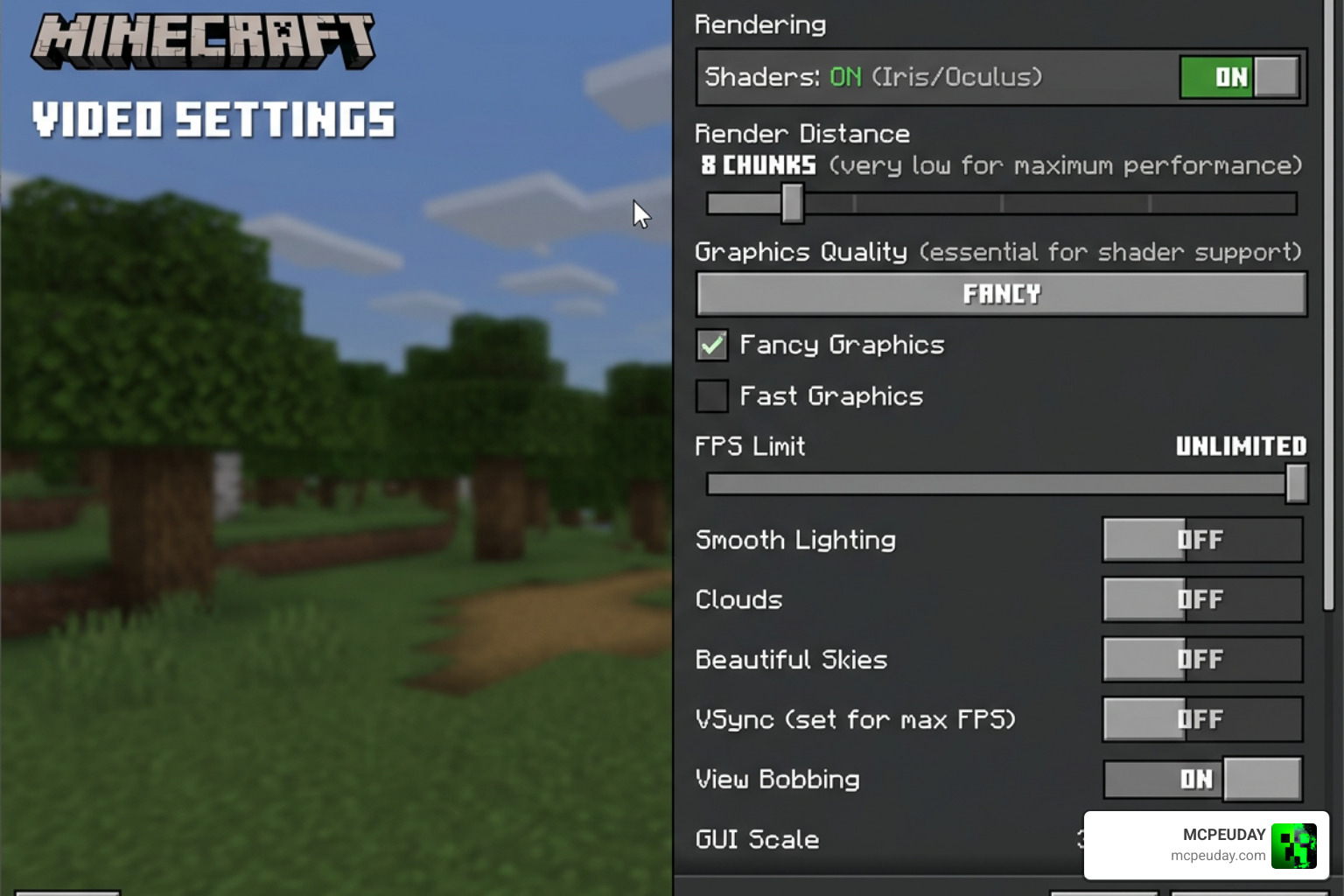
To keep your gameplay buttery smooth, we highly recommend adjusting these in-game settings:
- Reduce Render Distance: Drop your render distance by 2–4 chunks to free up GPU memory.
- Turn Off Fancy Graphics: While it sounds counterintuitive, turning off standard “Fancy Graphics” toggles can prevent overlapping rendering calculations.
- Disable In-Game Clouds: Since the shader generates its own beautiful, realistic clouds, you should disable the default blocky vanilla clouds in your video settings to save performance.
If you are looking for a balance between incredible looks and high performance, check out our list of the 3 Best Shaders for Minecraft 1.21 to find packs built specifically for maximizing your frame rate.
YSS RD Shader Performance Variants
The developers of the YSS RD series understood that not everyone owns a flagship gaming phone or high-end PC. To make the shader accessible to as many players as possible, they created different variants:
- Standard / New Variant: Features the complete suite of visual upgrades, including high-quality water waves, realistic cloud rendering, and full parallax mapping on supported blocks.
- Performance / Lite Variant: This version strips away heavy processes like complex water reflections and high-resolution cloud layers. It keeps the beautiful world coloring, warm torch lighting, and basic fog, making it perfect for budget Android devices.
- Old Variant: A legacy version designed for older Minecraft Bedrock updates, ensuring compatibility for players who prefer not to update their game client.
Safe Downloads and Community Alternatives
When searching for the YSS RD Shader, you must exercise caution. The internet is full of third-party modding sites that re-upload shaders without the creators’ permission.
A major warning exists within the Minecraft community regarding sites like 9Minecraft. While it might show up high in search results, 9Minecraft and similar scraper sites frequently distribute outdated, broken, or completely fake shader files. In worst-case scenarios, these downloads can be packaged with intrusive ads, PUPs (potentially unwanted programs), or security risks.
Always stick to verified community hubs. The best place to find clean download links is the official GitHub repository maintained by the RenderDragon community or direct links provided by the original creators.
If you want a lightweight, highly realistic alternative that is officially hosted on trusted platforms, you can check out the R135 Shader RD on CurseForge. It is a fantastic, lightweight shader that offers similar RenderDragon support and beautiful lighting without risking your device’s security.
Comparing YSS RD to Other RenderDragon Shaders
To help you decide which pack is right for your device, here is a quick comparison of YSS RD against other heavy hitters in the RenderDragon scene:
| Shader Name | Visual Style | Performance Impact | Key Strengths | Supported Platforms |
|---|---|---|---|---|
| YSS RD | Cinematic & Realistic | Medium to High | ACES Tonemap, Glowing Ores, Beautiful Water | Android, Windows, iOS, Xbox |
| Newb X Legacy | Vibrant & Vanilla+ | Low | Excellent FPS, Clean Sky, Great for Survival | Android, Windows, iOS |
| AziFy Series | Stylized & Warm | Medium | Warm Lighting, Cozy Atmospheres, Nice Fog | Android, Windows |
While YSS RD leans heavily into realism and cinematic depth, packs like Newb X focus on keeping the vanilla aesthetic clean and fast. Your choice will ultimately depend on whether you value pure eye candy or maximum frames per second.
Frequently Asked Questions about YSS RD Shader
Why does my YSS RD Shader look like vanilla Minecraft?
If you applied the shader but your game still looks completely normal, it means the RenderDragon engine is ignoring the custom materials. This happens if you are missing a required helper tool. On Android, you must load the pack using a patched APK or have MB Loader active. On Windows, ensure you are running BetterRenderDragon to allow the custom files to override the vanilla assets.
Is YSS RD Shader safe to download from 9Minecraft?
No. We strongly advise against downloading any files from 9Minecraft or similar unauthorized re-upload sites. These platforms often host fake versions of the shader, bundle downloads with malicious software, and do not support the original creators. Always use verified links from the official GitHub RenderDragon list or trusted platforms like CurseForge.
Can I run YSS RD Shader on low-end mobile devices?
Yes, but you should avoid the standard version. Instead, download the Performance / Lite variant of the shader. Also, make sure to disable heavy visual settings in your Minecraft video menu, such as fancy graphics, and reduce your render distance to keep your frame rate stable.
Conclusion
The YSS RD Shader remains an incredible achievement for the Minecraft Bedrock community. By finding creative ways to work within the strict boundaries of the RenderDragon engine, its creators have given players a way to enjoy gorgeous, cinematic visuals on mobile devices, consoles, and PCs alike. Whether you are building a cozy cottage under realistic clouds or exploring deep, glowing caves, this shader completely transforms your survival experience.
Ready to see how YSS RD stacks up against the very best options available today? Dive into our comprehensive review of the Best Shaders for MCPE 1.21 2026 Top 3 Realistic Minecraft PE Shaders to find the absolute perfect look for your next Minecraft adventure!
