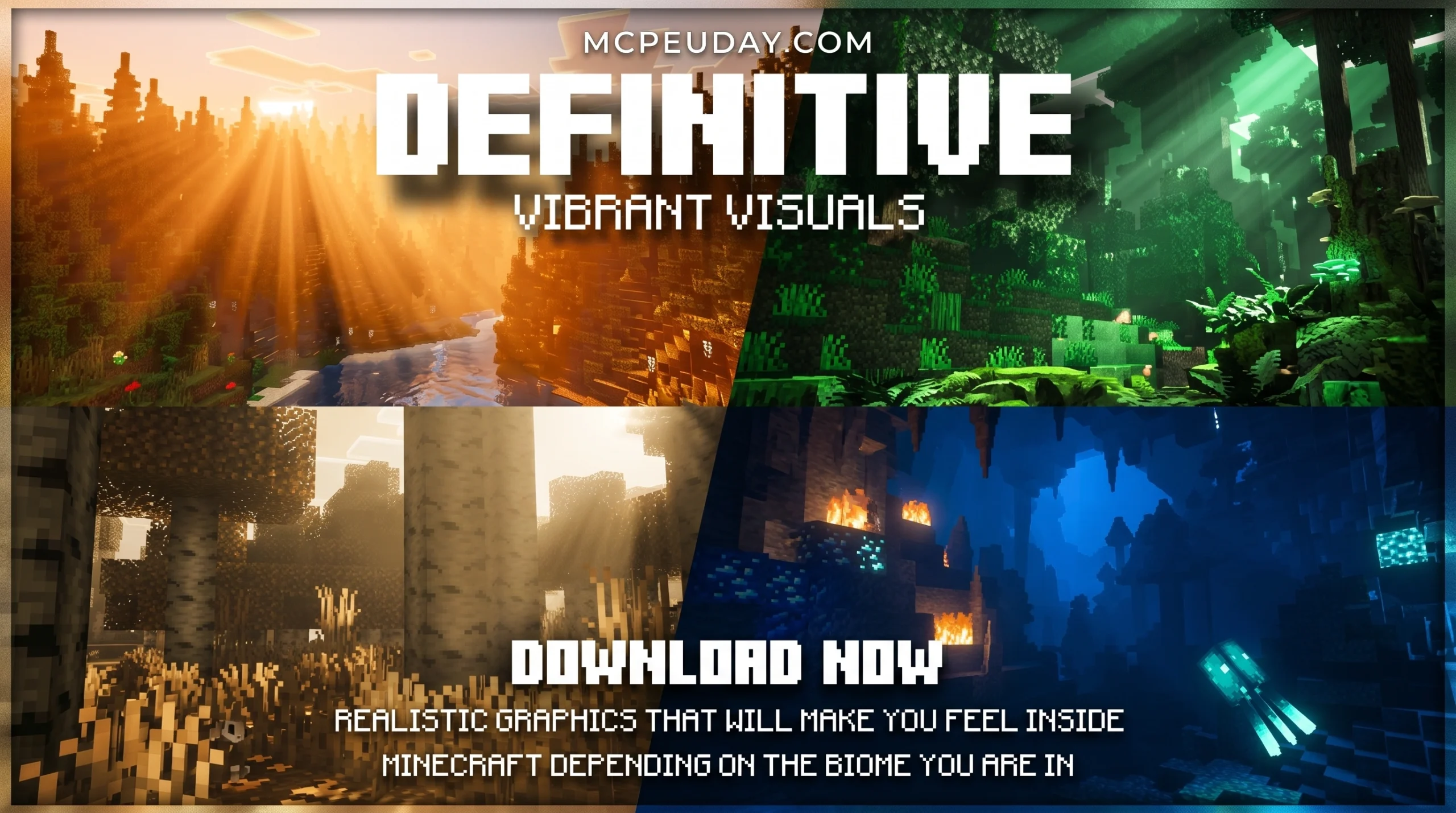
The Definitive Vibrant Visuals SHADER: Quick Download Guide
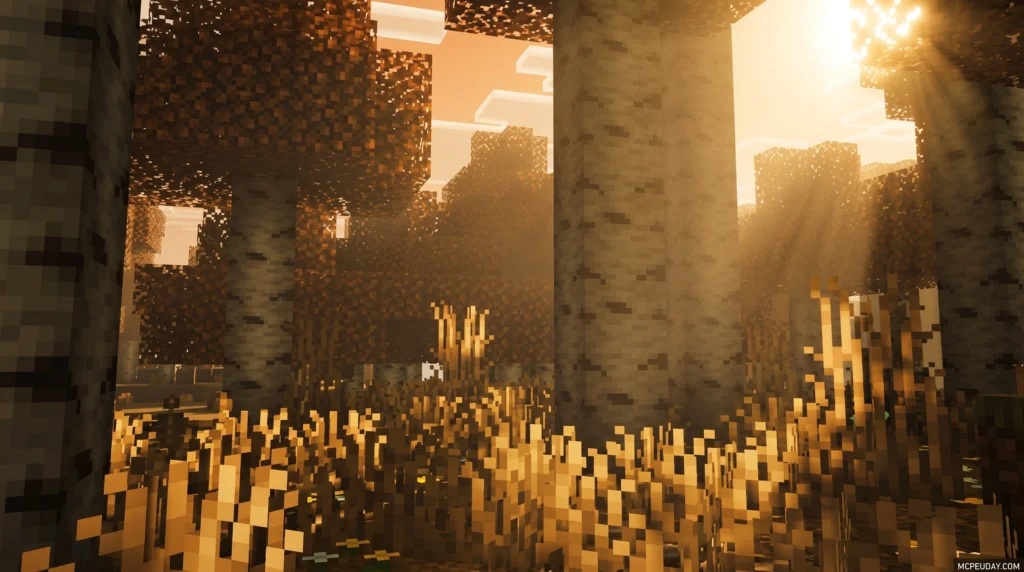
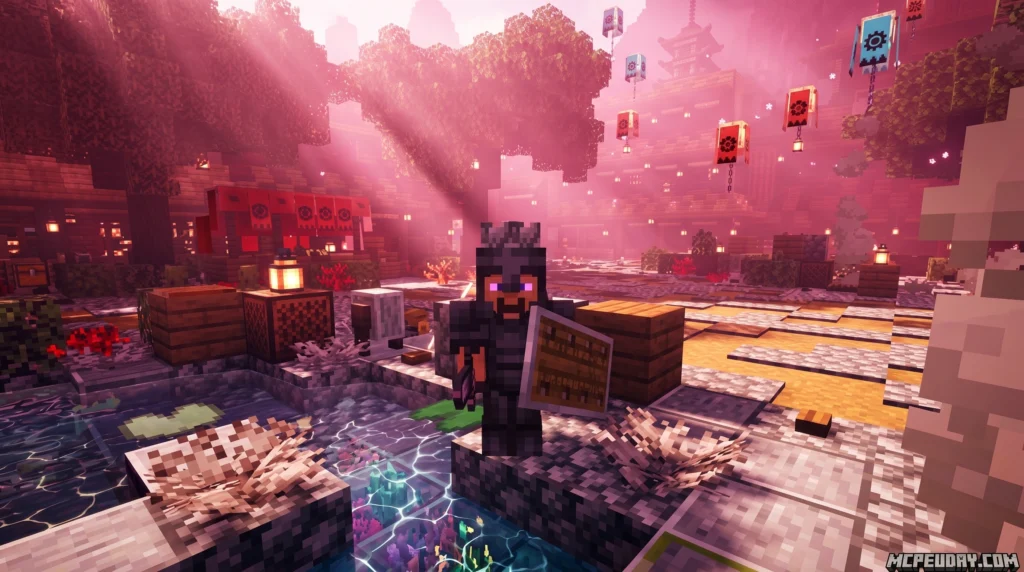
The Definitive Vibrant Visuals SHADER is a free, community-made deferred lighting pack for Minecraft Bedrock Edition that transforms your game’s visuals using PBR materials, biome-specific lighting, and realistic water effects.
Want the quick answer? Here’s what you need to know:
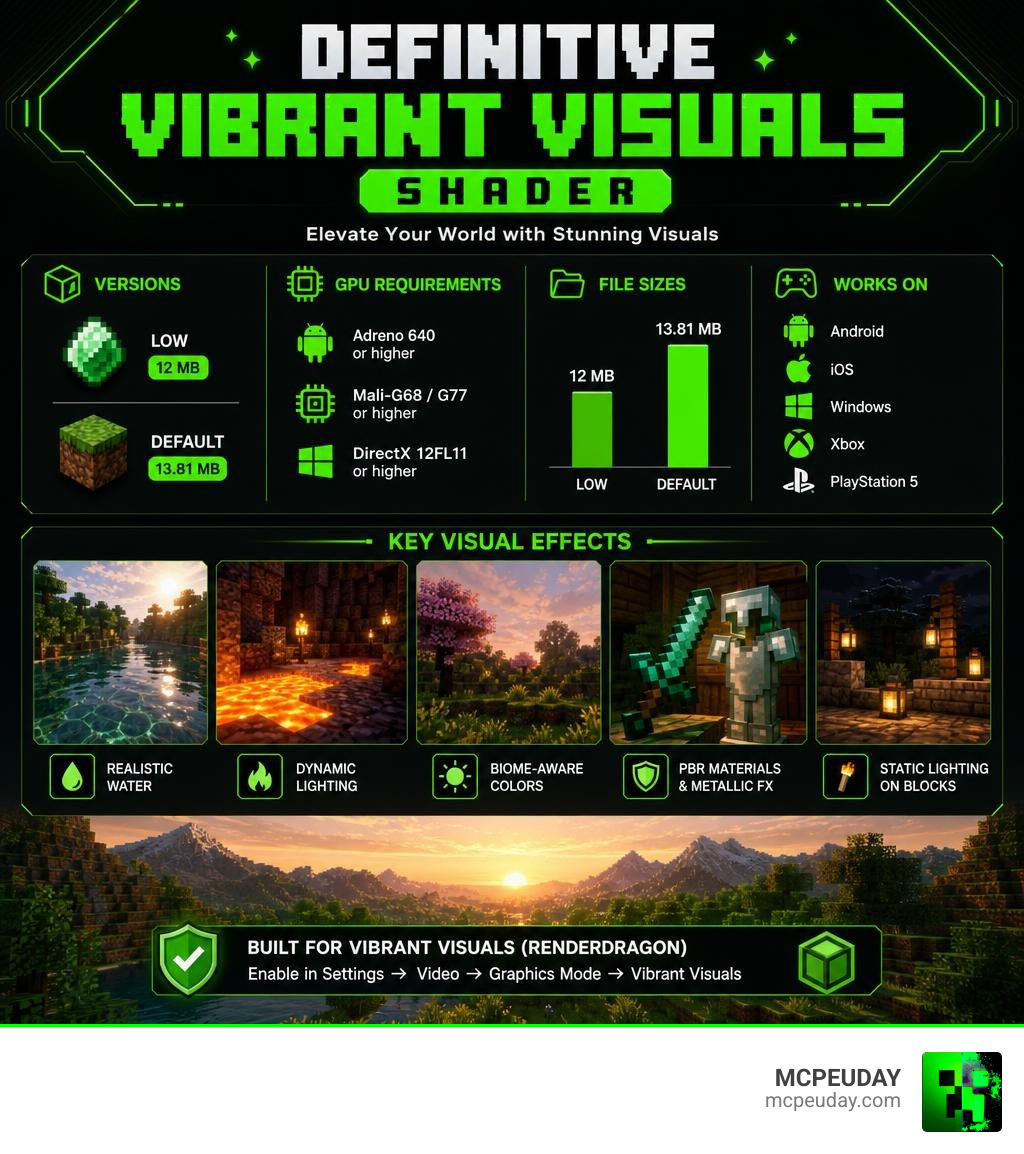
- What it is: A third-party texture/shader pack built on Minecraft Bedrock’s Vibrant Visuals (RenderDragon) rendering mode
- Versions available: Low (12 MB) and Default (13.81 MB)
- Where to download: MCPEDL and CurseForge (490k+ downloads)
- How to install: Import the
.mcpackfile, then go to Settings → Video → Graphics Mode → Vibrant Visuals - Requirements: Adreno 640, Mali-G68/G77, or DirectX 12FL11 GPU — plus Minecraft Bedrock beta/preview enabled
- Works on: Android, iOS, Windows, Xbox, and PlayStation 5
Minecraft’s graphics have come a long way. The official Vibrant Visuals mode gave Bedrock players a massive visual upgrade — but community creators pushed it even further. Definitive Vibrant Visuals builds on top of that foundation, adding biome-aware color tones, metallic PBR effects on tools and armor, realistic water caustics, and static lighting on torches, lava, and more.
With over 608,000 downloads on MCPEDL and nearly 491,000 on CurseForge, it’s one of the most downloaded Vibrant Visuals packs in the community right now.
What is the Definitive Vibrant Visuals SHADER?
To understand what the Definitive Vibrant Visuals SHADER is, we first need to look at how Minecraft rendering has evolved. For a long time, Bedrock Edition players were stuck with basic lighting unless they had high-end ray-tracing hardware. However, Mojang introduced a modern graphics pipeline called the RenderDragon engine, featuring a built-in “Vibrant Visuals” graphics mode.
This is where the Definitive Vibrant Visuals SHADER comes into play. It is not an entirely standalone game modification, but rather a highly optimized third-party deferred lighting and resource pack. It utilizes Bedrock’s native deferred lighting pipeline to inject stunning, customized visual features directly into MCPE 1.21 and later.
By utilizing Physically Based Rendering (PBR) materials, this pack translates flat, blocky textures into dynamic surfaces that interact naturally with light. While classic shaders tried to “fake” shadows and reflections, this pack works hand-in-hand with the engine to calculate actual light bounces, giving you a gorgeous, cinematic experience on your mobile device, console, or PC.
Key Features of the Definitive Vibrant Visuals SHADER
What makes this pack the “definitive” choice for players in June 2026? It all comes down to the meticulous details added by the creator:
- Static and Delayed Lighting: Light-emitting blocks like torches, lanterns, glow berries, and lava do not just shine blindly anymore. They emit warm, realistic glows that realistically fade into the surrounding darkness.
- MERS Texture Maps: The pack utilizes MERS (Metalness, Emissive, Roughness, Subsurface scattering) texture maps. This means different materials behave exactly like their real-world counterparts.
- Metallic Reflections: Metallic items, armor, and tools reflect the sky and sun. Iron golems and copper golems glint in the sunlight, showing off beautiful metallic reflections that oxidize over time.
- Emissive Blocks: Sculk blocks, warden textures, and magma blocks naturally glow in dark caves, creating an eerie, immersive atmosphere.
- Dynamic Water Caustics: When sunlight hits the water’s surface, it projects moving light patterns onto the ocean floor.
If you want to explore more options in this category, browse our dedicated Category Shaders section for more incredible graphics packs.
How to Install the Definitive Vibrant Visuals SHADER
Setting up this deferred pack is incredibly simple, but you must follow a few specific steps to ensure the RenderDragon engine recognizes the advanced lighting.
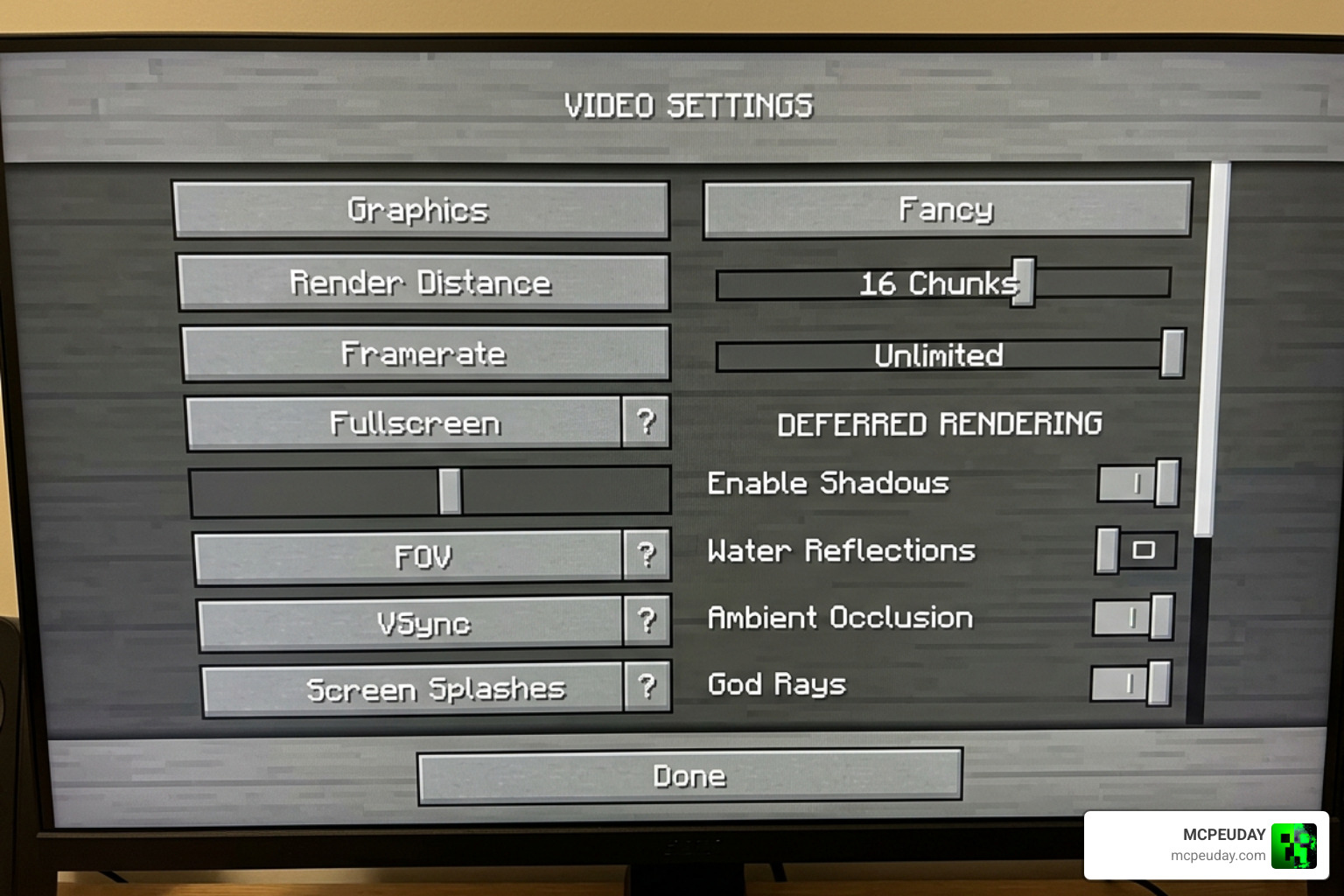
Follow our quick step-by-step guide to get started:
- Download the Pack: Grab the official
.mcpackfiles. You can download the latest version via the Definitive Vibrant Visuals | Static Light Update – CurseForge project page, or check out our direct Definitive Vibrant Visuals Shader Download page. - Import to Minecraft: Double-click or tap the downloaded
.mcpackfile. Minecraft Bedrock will launch automatically and import the pack. - Enable Experimental Features: Create a new world or edit an existing one. Scroll down to the “Experiments” tab and toggle on Render Dragon Features for Creators.
- Activate the Resource Pack: Go to your world’s Resource Packs settings, select the Definitive Vibrant Visuals pack, and click activate.
- Turn on the Graphics Mode: Once inside your world, pause the game, go to Settings → Video, scroll down to Graphics Mode, and select Vibrant Visuals (or “Deferred Technical Preview” depending on your exact Bedrock version).
For more detailed guides on getting smooth gameplay with top-tier graphics, take a look at our article on the 3 Best Shaders for Minecraft 1.21 Ultra Realistic Smooth FPS Stunning Graphics.
Visual Enhancements and Biome-Specific Lighting
One of our favorite elements of the Definitive Vibrant Visuals SHADER is how it handles different environments. Instead of applying a generic yellow filter over the entire world, the shader features a highly advanced climate-based lighting system.
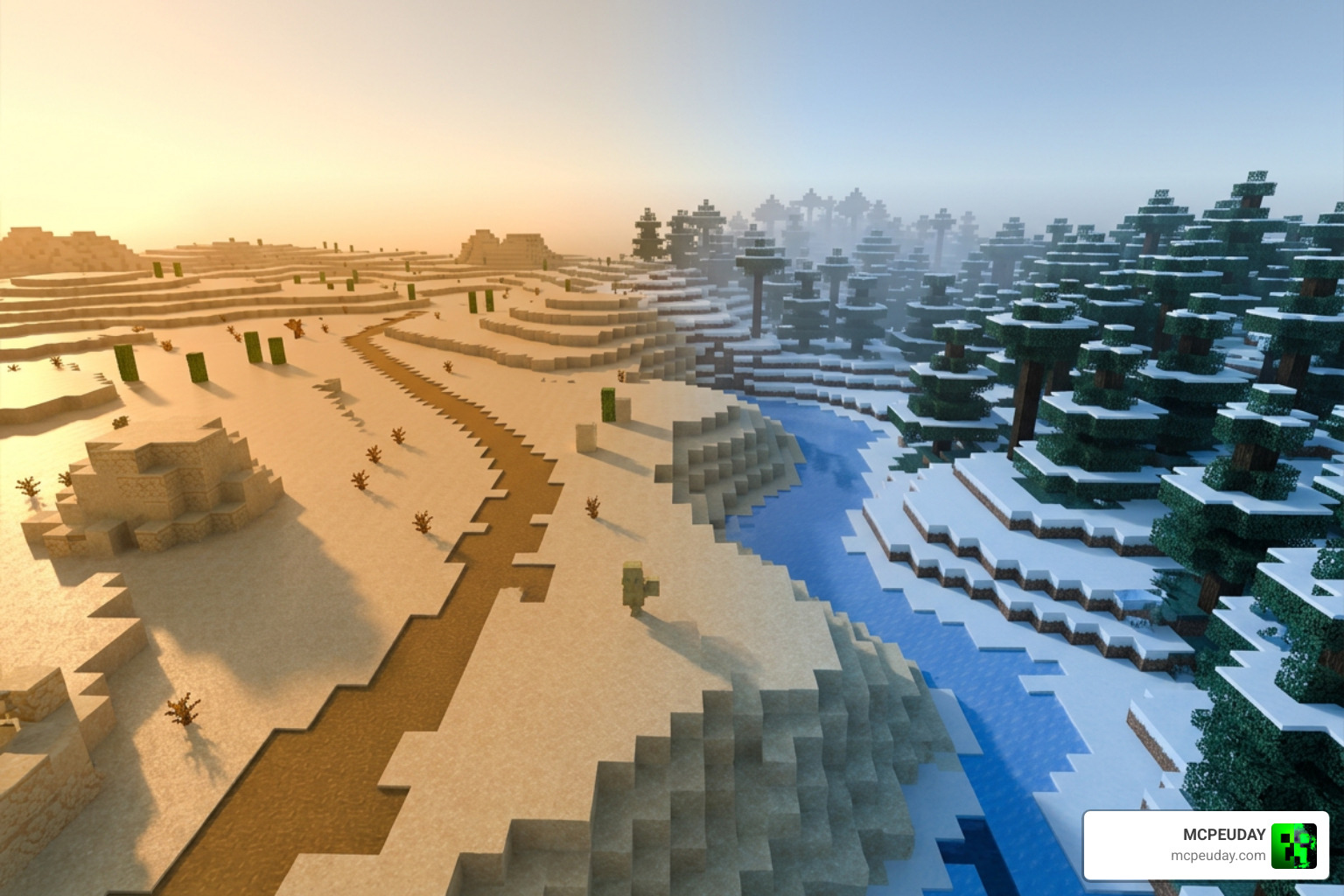
Each biome uses different environmental settings based on its warm or cold classification:
- Warm Biomes (Deserts, Savannas, Badlands): The atmosphere shifts to golden, warm sunlit tones. Sunsets feel incredibly cozy, casting long, soft shadows across the sand.
- Cold and Temperate Biomes (Taigas, Snowy Plains): The lighting shifts to a crisp, bluish tint. The fog is denser and cooler, making you feel the biting frost of the environment.
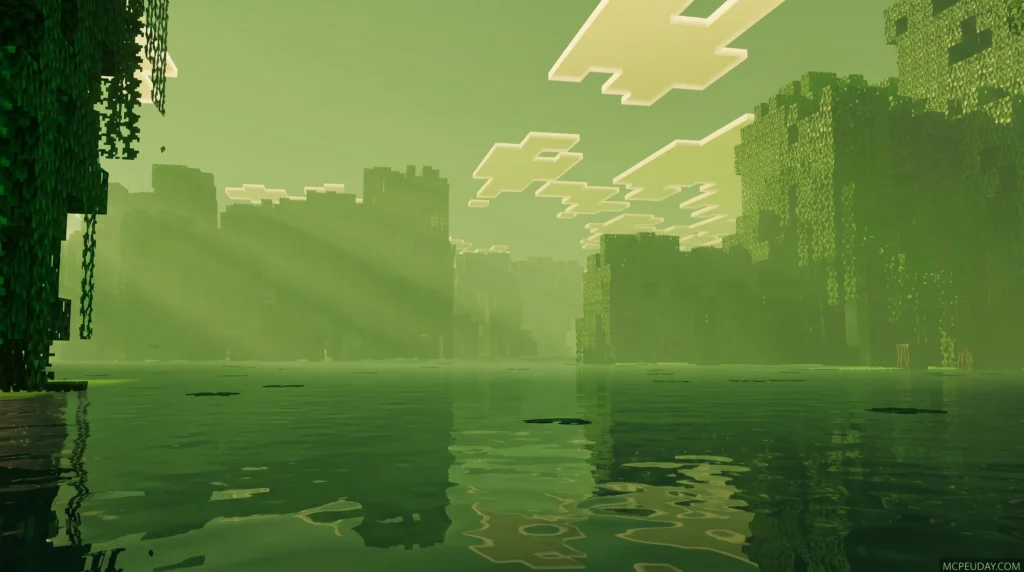
- Swamps: The swamp biome receives custom tone adjustments. The water saturation is slightly reduced, and the fog color shifts from a generic aqua green to a moody, greenish-yellow.
- Atmospheric Fog & Godrays: Volumetric fog uses advanced scattering calculations to create breathtaking light shafts (godrays) filtering through the trees.
If you prefer a simpler, more classic aesthetic that still keeps things colorful, you might also want to read our review of the Vibrant Legacy Simple Shader for MCPE.
Performance, Hardware Requirements, and Version Differences
Running advanced deferred lighting can be heavy on mobile devices, which is why the creator released optimized versions. Let’s break down the differences between the available versions and the hardware you will need to run them smoothly.
| Feature / Version | Low Version | Default Version | Realistic / Extreme Version |
|---|---|---|---|
| File Size | ~12 MB | ~13.81 MB | ~14 MB+ |
| Wavy Water | Disabled (Static) | Enabled (Dynamic) | Enabled (Dynamic with Caustics) |
| Shadow Quality | Medium | High | Ultra (Pixel-aligned) |
| PBR Metallic Effects | Standard | Enhanced | Full MERS Mapping |
| Target Devices | Mid-range Phones | High-end Phones / Consoles | Gaming PCs / Next-Gen Consoles |
| Avg. Performance | Stable 60 FPS | 45-60 FPS | Hardware Dependent |
Hardware Requirements
To run this deferred pack, your device’s GPU must support hardware-level deferred rendering.
- Android: Requires a minimum of an Adreno 640 (Snapdragon 855) or a Mali-G68 / Mali-G77 (MediaTek 1000 series) GPU.
- iOS: Requires an Apple A12 Bionic chip or higher.
- PC: Requires a graphics card with DirectX 12 Feature Level 11 (FL11) support.
- Consoles: Native support is available on Xbox Series X/S and PlayStation 5.
For players searching for alternatives that offer a great balance of performance and aesthetics, check out our curated list of the Top 5 Best Realistic Shaders for MCPE.
Frequently Asked Questions about Definitive Vibrant Visuals
What devices are compatible with this deferred pack?
This pack is compatible with Android, iOS, Windows PC, Xbox Series X/S, and PlayStation 5. It will not run on older mobile devices that do not meet the minimum GPU requirements (such as older Adreno or Mali chipsets) or consoles from the previous generation like the Xbox One or PS4 unless they support the latest RenderDragon engine updates.
Does this shader work in multiplayer and Realms?
Yes! Because shaders and deferred packs are client-side resource packs, you can use them on multiplayer servers and Realms. Your friends do not need to have the pack installed to play with you. However, please note that splitscreen play is currently not supported with the Vibrant Visuals engine mode active; the game will automatically switch back to classic rendering if a second local player joins.
How does it differ from the official Minecraft graphics mode?
The official “Vibrant Visuals” is the underlying graphics pipeline created by Mojang. The Definitive Vibrant Visuals SHADER is a custom, community-made resource pack that utilizes that pipeline. Without a pack like this, the official mode will only apply basic lighting. This pack provides the actual PBR textures, custom biome fogs, metallic reflections, and static light maps that make the game look truly next-generation.
Conclusion
The Definitive Vibrant Visuals SHADER is a must-have for any Bedrock player wanting to experience Java-like shader quality directly on their mobile device, console, or PC. By combining biome-aware color grading, realistic metallic reflections, and beautiful volumetric fog, it completely changes how Minecraft feels without ruining the game’s classic charm.
For the best experience, we recommend downloading the Default version (13.81 MB) if you have a modern mid-to-high-end device. If you experience minor stuttering, simply swap to the Low version (12 MB) to disable wavy water and boost your frames back up to a silky-smooth 60 FPS.
For more amazing graphics packs and installation guides, check out our ultimate round-up of the Best Shaders for MCPE 1.21 2026 Top 3 Realistic Minecraft PE Shaders. Happy building, and enjoy your gorgeous new worlds!
Download Definitive Vibrant Visuals Shader for Minecraft Bedrock. See versions, GPU requirements, install steps, and supported devices.
2 thoughts on “Definitive Vibrant Visuals Shader (26.x, 1.21) – MCPE/Bedrock Shader”