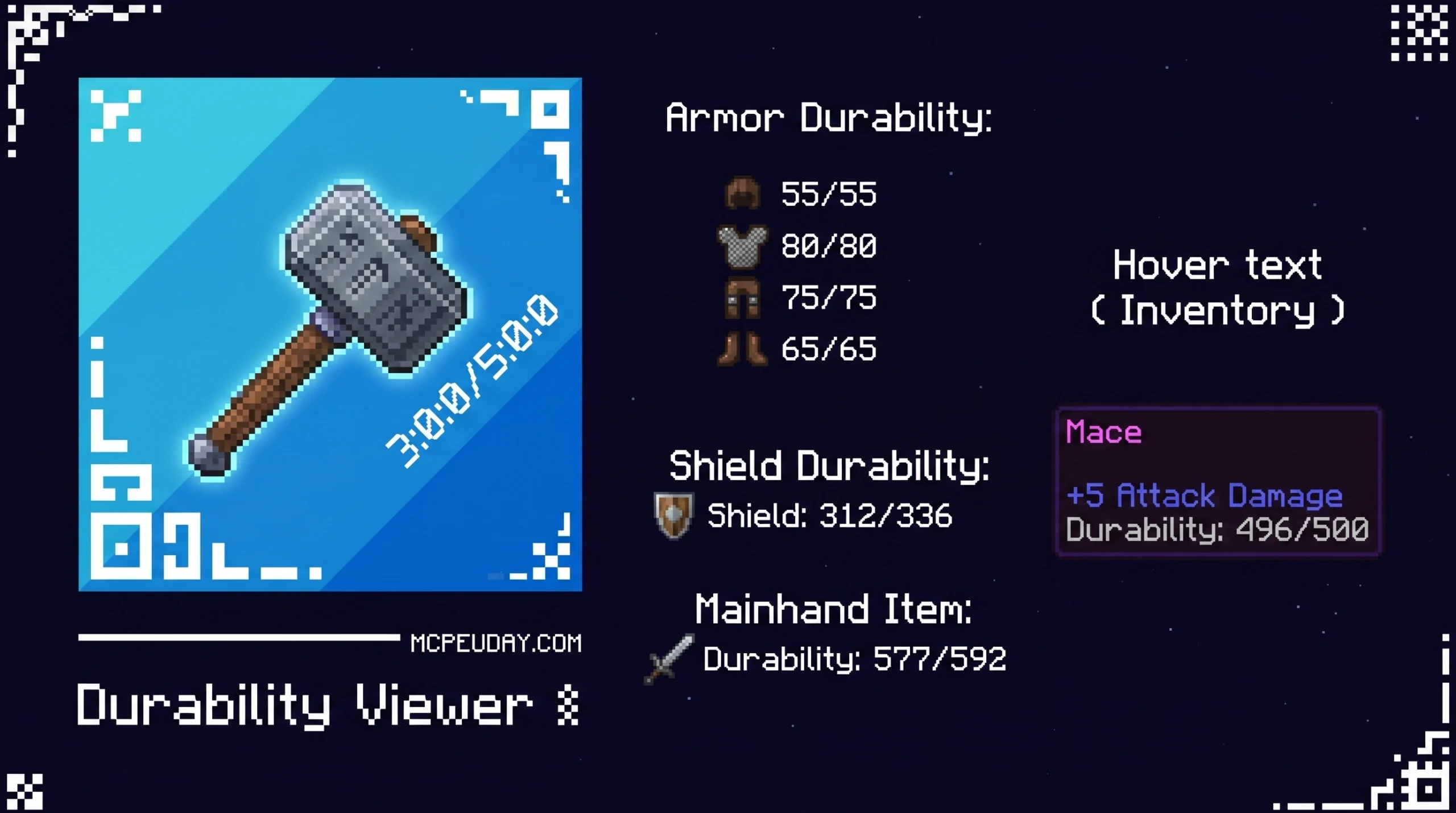
Why Every Minecraft Bedrock Player Needs a Durability Viewer ADDON
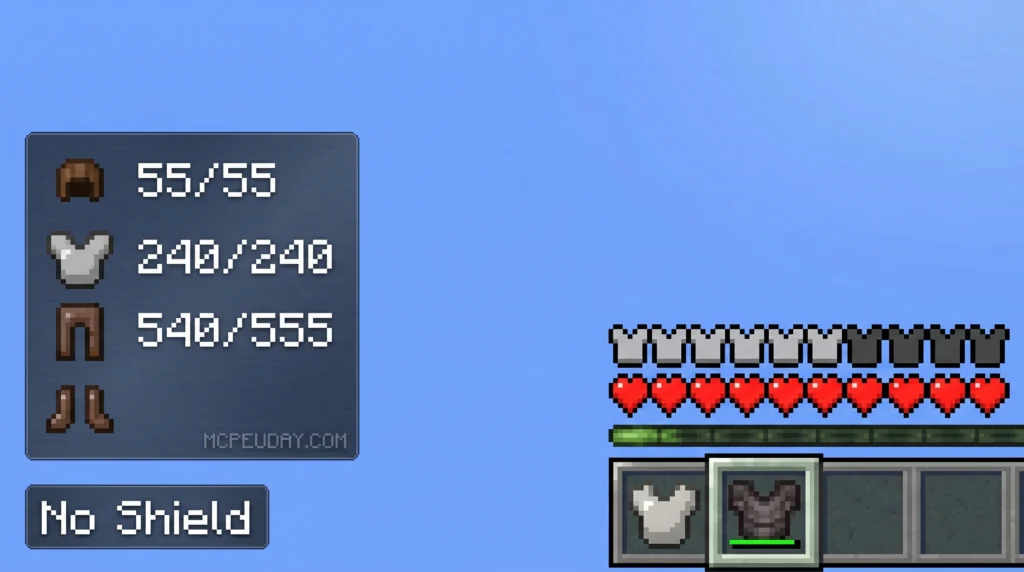
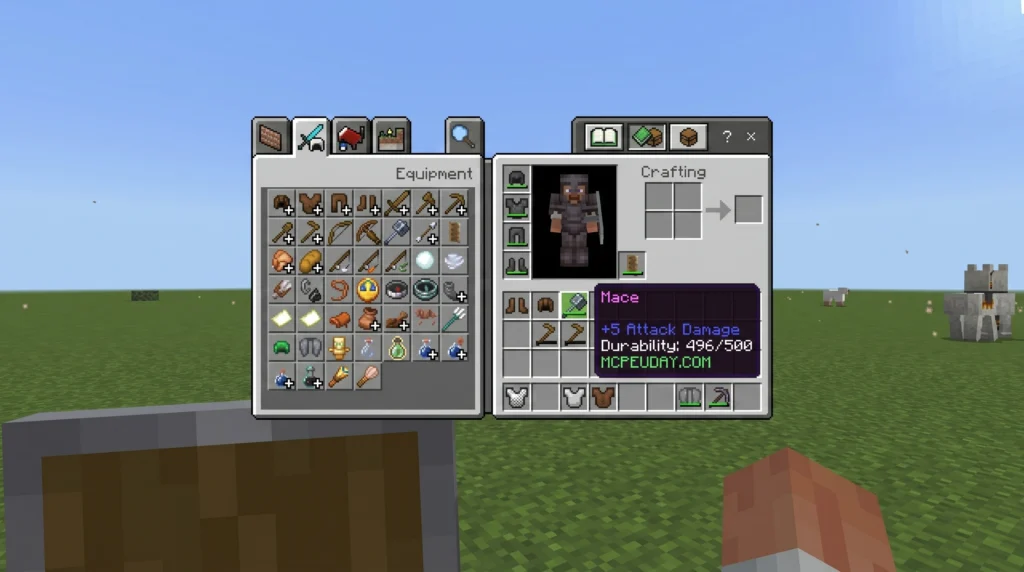
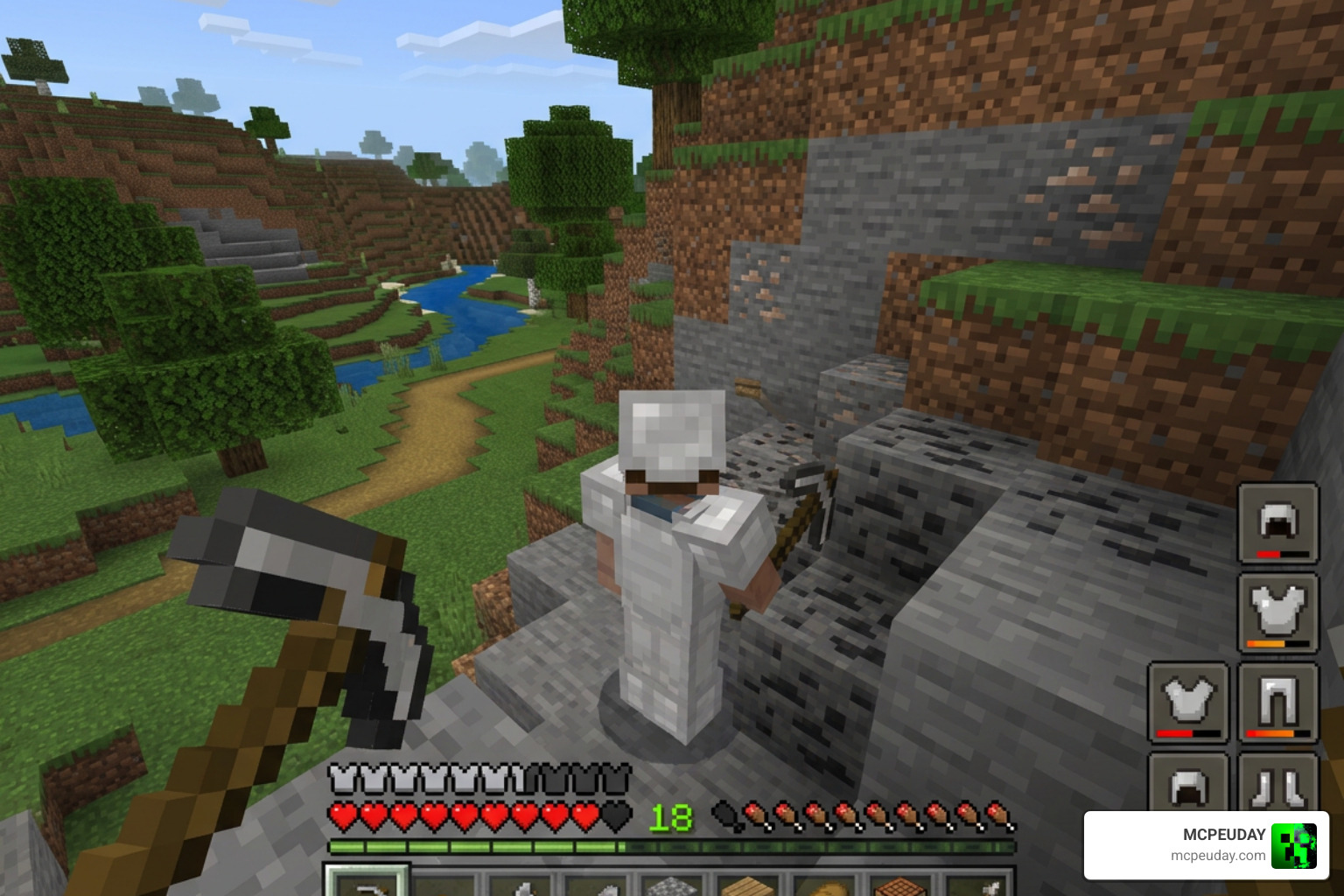
The Durability Viewer ADDON is a must-have tool for any serious Minecraft Bedrock player. It shows you exactly how much life your tools, armor, and shields have left — right on your screen, without ever opening your inventory.
Here are the top Durability Viewer ADDONs available in June 2026:
| ADDON | Type | Downloads | Best For |
|---|---|---|---|
| ya_rifat | Resource Pack | 710.9k | General Bedrock use |
| Durability Viewer Updated | Java Mod | 413.8k | Java Edition (Fabric) |
| dimzcraft | Resource Pack | 45,668 | HUD + inventory display |
| DouarMC | Behavior Pack | 36.7k | Command customization |
| UpperAir | Resource Pack | 26,272 | Percentage + uses display |
By default, Minecraft Bedrock Edition gives you almost no information about your gear’s condition. You can’t easily tell when a pickaxe is about to snap or when your armor needs repairing. That means lost diamonds, broken tools, and deaths you could have avoided.
The community stepped up where Mojang hasn’t — and built addons that overlay real-time durability data directly onto your HUD.
Whether you want color-coded bars, exact numbers, or a flashing low-durability warning, there’s a version built for you.
What is the Durability Viewer ADDON?
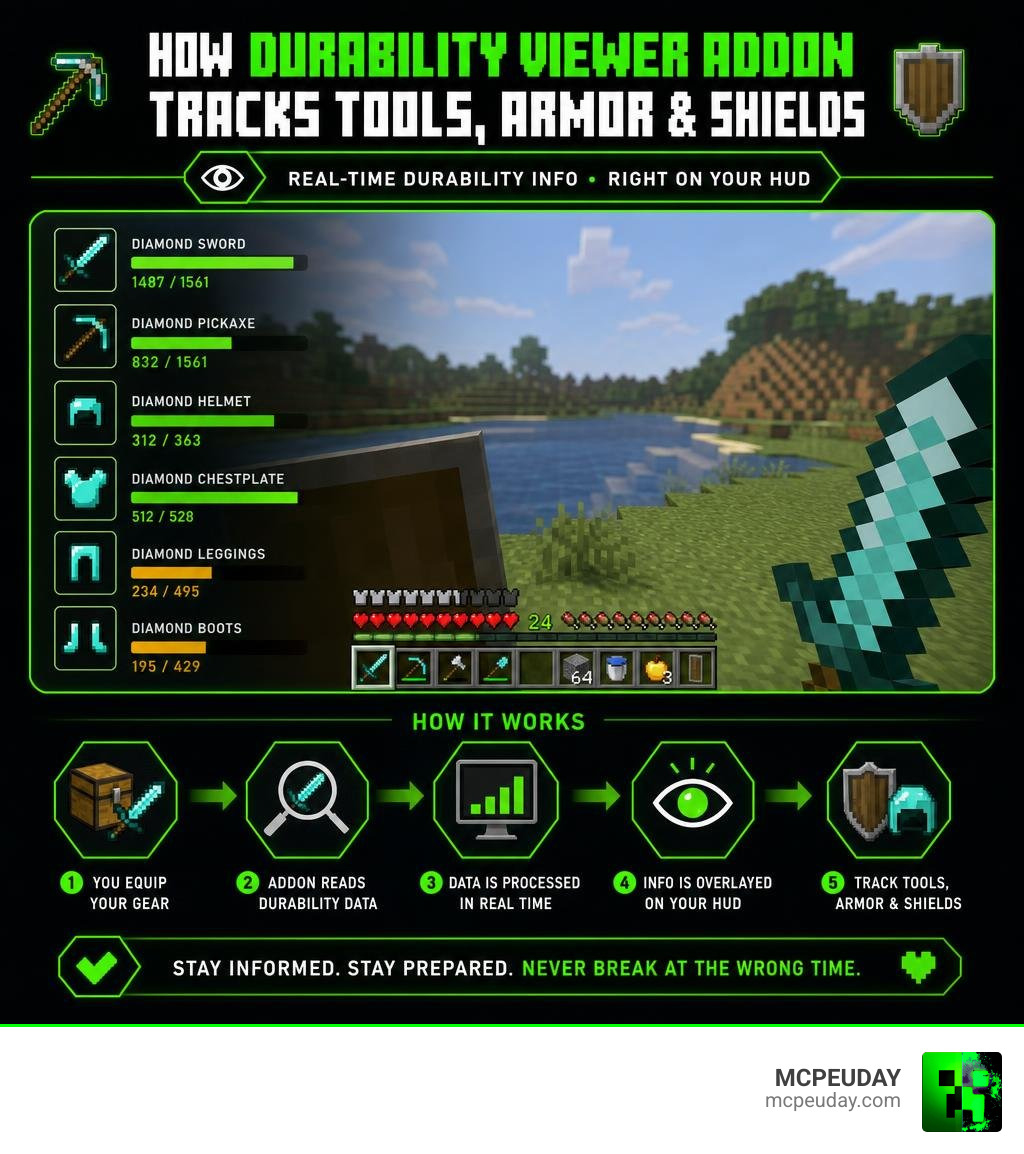
The Durability Viewer Addon For Minecraft Pe Bedrock is a lightweight, game-changing modification designed to bring Java-style durability tracking to Minecraft Bedrock Edition. It works by implementing a clean HUD overlay that reads your item data in real-time, giving you instant visual feedback on your gear’s current state.
For context, Minecraft Bedrock is the cross-platform version of the game described on the official Minecraft website, and its default interface is designed to stay simple across mobile, console, and PC.
Instead of constantly opening your inventory menu and hovering over your pickaxe to guess how many blocks it has left, this addon places that information directly on your main screen. It is designed to bridge the gap between Java Edition’s precise F3 debug capabilities and Bedrock’s minimalist interface, making it perfect for survival players, speedrunners, and builders alike.
Core Features of the Durability Viewer ADDON
The magic of this addon lies in its simplicity and highly readable design. Here are the core visual features you can expect:
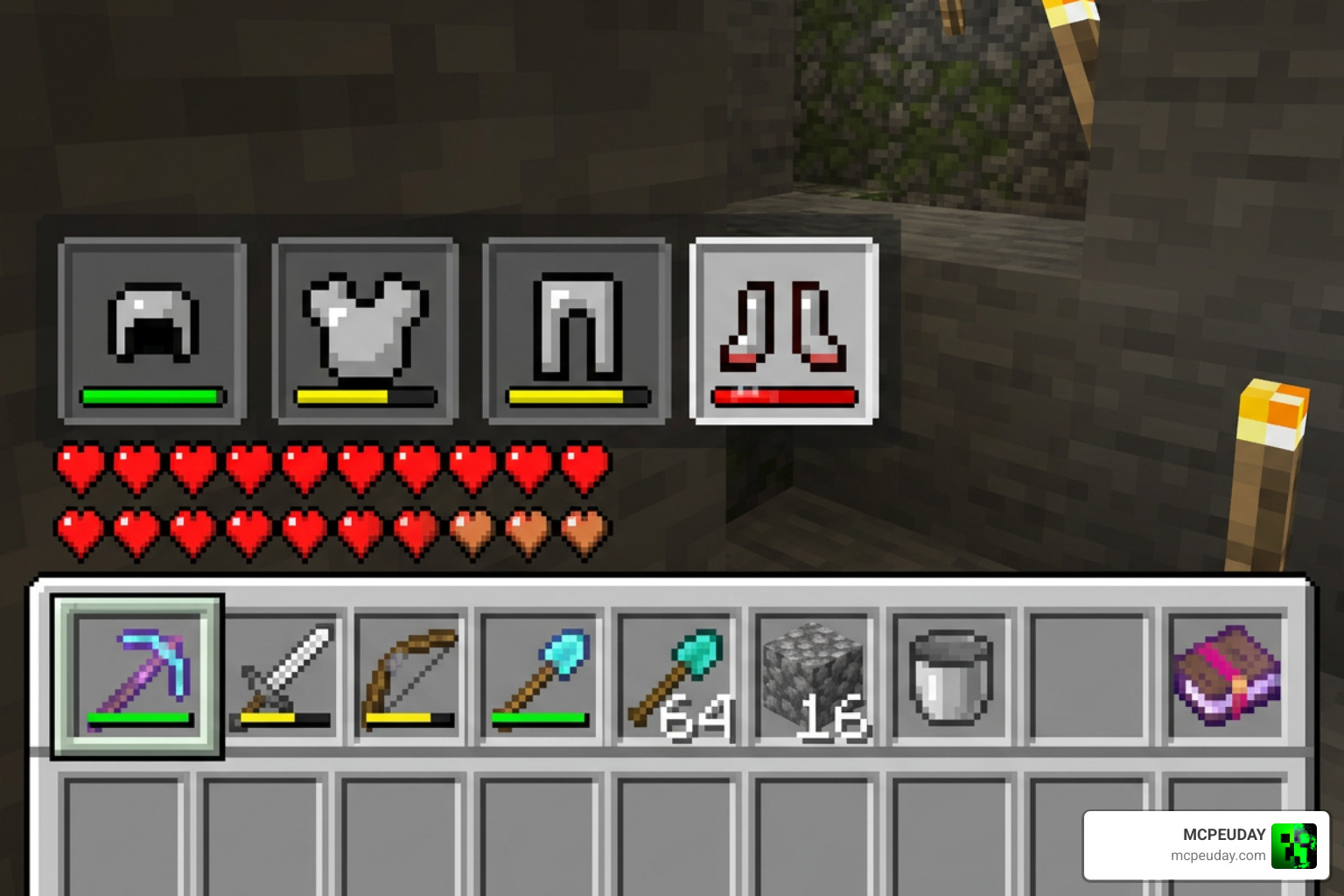
- Color-Coded Visual Indicators: The HUD elements dynamically change color based on your item’s health. It transitions from green (healthy) to yellow (damaged) and flashes bright red when your item drops below a critical threshold (usually 20%).
- Percentage and Numeric Displays: Depending on the specific pack configuration, you can view durability as a clean percentage (e.g., 85%) or as exact remaining uses (e.g., 120/1561).
- Low Durability Flashing Animations: Never lose your favorite enchanted tools again. The screen or tool icon will flash when your item is about to break, reminding you to swap it out or repair it.
Supported Items: Armor, Weapons, and Shields
This addon is not just limited to the pickaxe in your hand. It features a robust multi-item tracking system that monitors your entire active loadout:
- Armor Sets: Keep track of your helmet, chestplate, leggings, and boots. This is incredibly useful when fighting bosses or exploring dangerous dimensions where your armor takes rapid damage. If you are using custom armor mods, such as the More Armour Addon For Minecraft Pe Bedrock Unlock Powerful New Armor Sets Dominate Your World, this tracking keeps you informed before your custom sets break.
- Shields: Your off-hand shield durability is displayed cleanly on the HUD, ensuring you never face a Creeper explosion with a shield that is on its last point of durability. It pairs perfectly with custom shield expansions like the More Shield Addon For Minecraft Bedrock Mcpe New Powerful Shields You Must Try.
- Weapons: Swapping to swords, bows, or custom weapons is seamless. If you enjoy combat overhauls, you can track weapon life effortlessly alongside mods like the True Weapons Addon 1 21 26 X Download Features Guide For Mcpe.
Comparing the Best Durability Viewer Packs
With so many community creators building their own versions of this tool, it can be tough to know which one fits your playstyle. Let’s compare the most popular choices available. You can download your preferred version of the Durability Viewer Addon For Minecraft Pe Bedrock directly from our site.
| Pack Name | Key Focus | Unique Highlight | Pack Type |
|---|---|---|---|
| ya_rifat | Maximum Compatibility | 710k+ downloads, very stable | Resource Pack |
| UpperAir | Custom HUD Layouts | Displays percentage and remaining uses | Resource Pack |
| dimzcraft | Inventory Integration | Shows durability text in hover tooltips | Resource Pack |
| DouarMC | Advanced Customization | Command-based control (/displaydurability) | Behavior Pack |
ya_rifat vs. UpperAir Packs
The pack by ya_rifat is the gold standard for Bedrock Edition, boasting over 710,900 downloads. It is highly optimized, acts as a simple resource pack, and places the durability HUD cleanly next to your hotbar.
On the other hand, the UpperAir pack focuses heavily on precise visual indicators. It displays both the percentage and the exact remaining uses when your tool’s durability drops below 65%, making it a favorite for players who love precise numbers.
dimzcraft vs. DouarMC Packs
If you prefer inventory-based tracking, dimzcraft’s Durability Tools Viewer is an excellent choice. It displays tool durability in the bottom right corner of the HUD and adds convenient hover text to items inside inventories, chests, and shulker boxes.
For players who love technical control, DouarMC’s version introduces a custom script structure with the /displaydurability command. This allows individual players on a multiplayer world or server to toggle the HUD display on or off for themselves, making it incredibly versatile for community servers.
How to Install and Configure the Addon
Getting the Durability Viewer ADDON up and running in your world is simple. Because most versions function as lightweight resource or behavior packs, they do not require heavy mod managers.
Step-by-Step Installation for Bedrock and PE
- Download the File: Get the latest
.mcpackfile from MCPEUDAY. - Import to Minecraft: Double-click or tap the downloaded
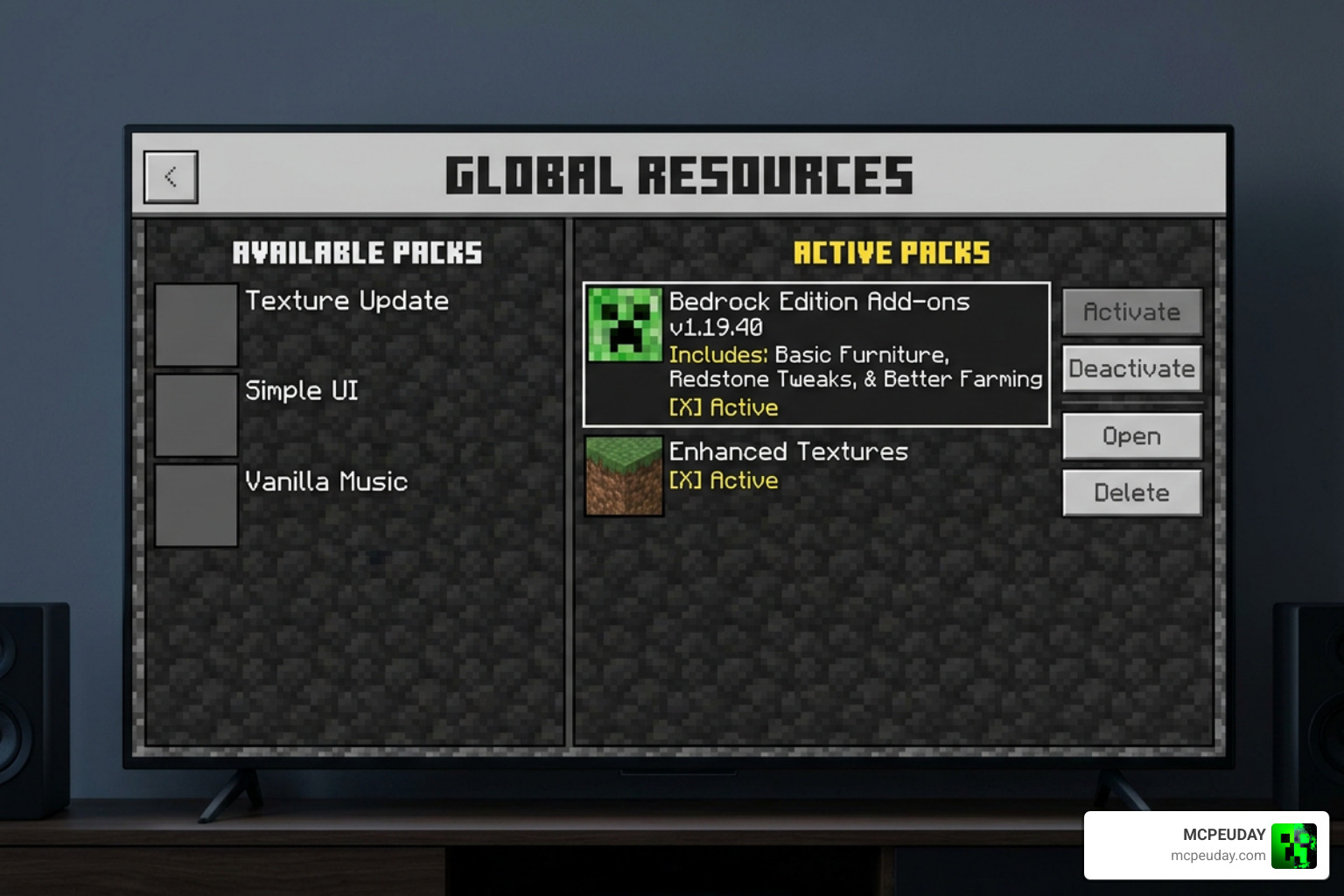
.mcpackfile. Minecraft Bedrock will open automatically and import the pack. - Configure World Settings: Go to your world settings, scroll down to Resource Packs, and activate the Durability Viewer.
- Behavior Packs (If Required): Some advanced versions (like those tracking armor and shields on the HUD) require you to activate the corresponding pack under Behavior Packs as well.
- Enable Experimental Settings: If you are using a version with script support (like DouarMC’s pack), make sure to toggle Beta APIs under the Experimental gameplay settings.
Customizing Your Durability Viewer ADDON Settings
Many of these packs allow you to customize how and where the text displays. For resource-pack-only versions, you can open the pack files and edit _global_variables.json inside the /ui/ folder to manually change HUD positions, colors, or font sizes.
Other versions feature built-in subpacks. When activating the pack in your Resource Packs menu, tap the gear icon next to the active pack to select your preferred display mode (such as “Classic,” “Minimal,” or “Icons Only”). If you are playing Java Edition with the client-side Durability Viewer Updated mod, you can use the integrated MaliLib GUI config menu to adjust your settings on the fly.
Performance, Compatibility, and Achievements
One of the best things about the Durability Viewer ADDON is its performance. It is incredibly lightweight (often under 300 KB) and has virtually zero impact on your frame rates, making it completely lag-free even on low-end mobile devices and older consoles.
Because basic versions of this addon function purely as resource packs (texture packs), they are 100% achievement-safe. You can apply them as global resources in your main game settings, and you will still earn achievements in your survival worlds. Only the advanced versions that utilize scripting or behavior packs to track complex off-hand shields require experimental toggles, which will disable achievements.
Frequently Asked Questions about the Durability Viewer Addon
Does the Durability Viewer Addon disable achievements in Minecraft Bedrock?
No, as long as you use a version that is strictly a resource pack (texture pack). Purely visual texture packs do not alter gameplay mechanics, meaning you can keep earning achievements. If you use a version that requires a behavior pack or Experimental Beta APIs, achievements will be disabled for that world.
Why is the durability HUD not showing up on my screen?
If the HUD is missing, check the following:
- Ensure the pack is active in your world settings (or global resources).
- If using an advanced version, ensure Beta APIs are enabled in your world’s experimental settings.
- Check your UI scale in the video settings; sometimes extremely large UI scales can push HUD elements off the screen.
Can I use this addon on multiplayer servers and Realms?
Yes! Client-side resource pack versions will work perfectly on any server or Realm you join, and only you will see the durability HUD. If you are using a behavior-pack version, the host or server owner must install it on the server, allowing all connecting players to benefit from the display.
Conclusion
The Durability Viewer ADDON is an essential quality-of-life upgrade that saves your hard-earned gear and keeps your adventures running smoothly. By displaying real-time health for your weapons, armor, and shields, it takes the guesswork out of survival and lets you focus on exploring.
Be sure to grab your copy of the addon on MCPEUDAY, and while you are enhancing your game, why not explore our Best Minecraft Horror Mods For Java Bedrock 2026 Guide for your next thrilling adventure!
1 thought on “Durability Viewer Addon (26.x, 1.21) – MCPE/Bedrock Mod”