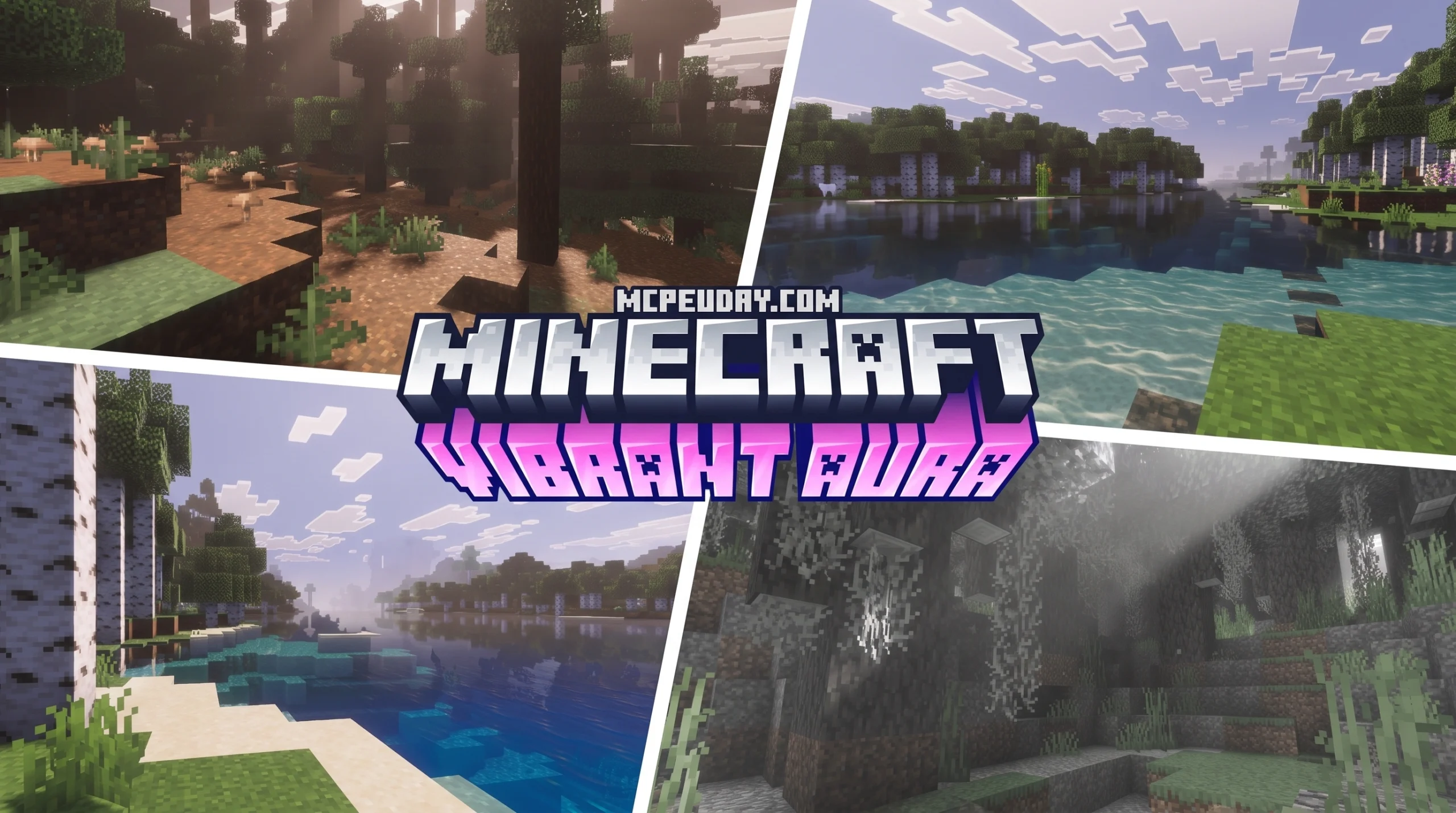
The Vibrant Aura Legacy Shader Is One of the Best Ways to Upgrade Minecraft’s Graphics Right Now
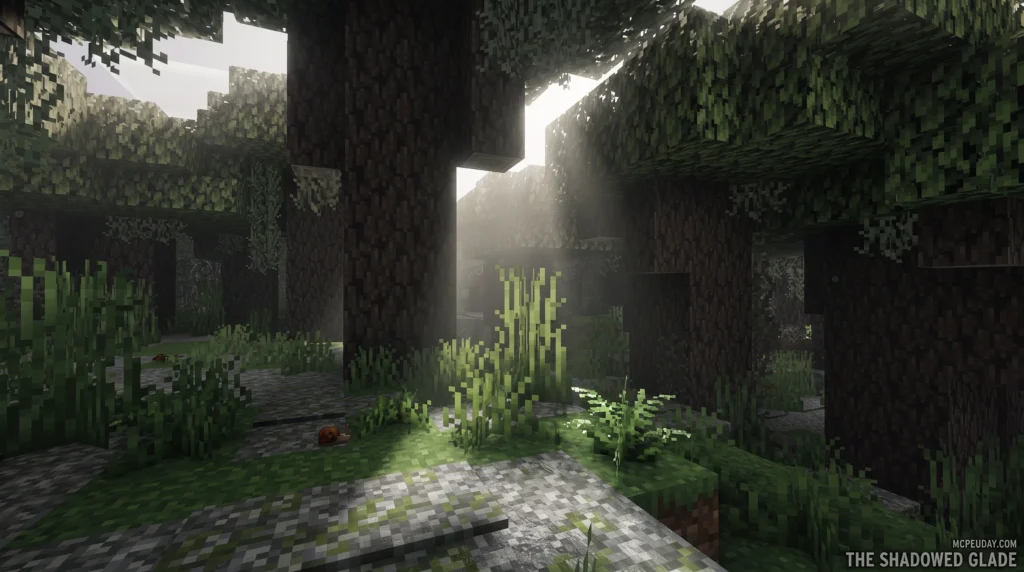
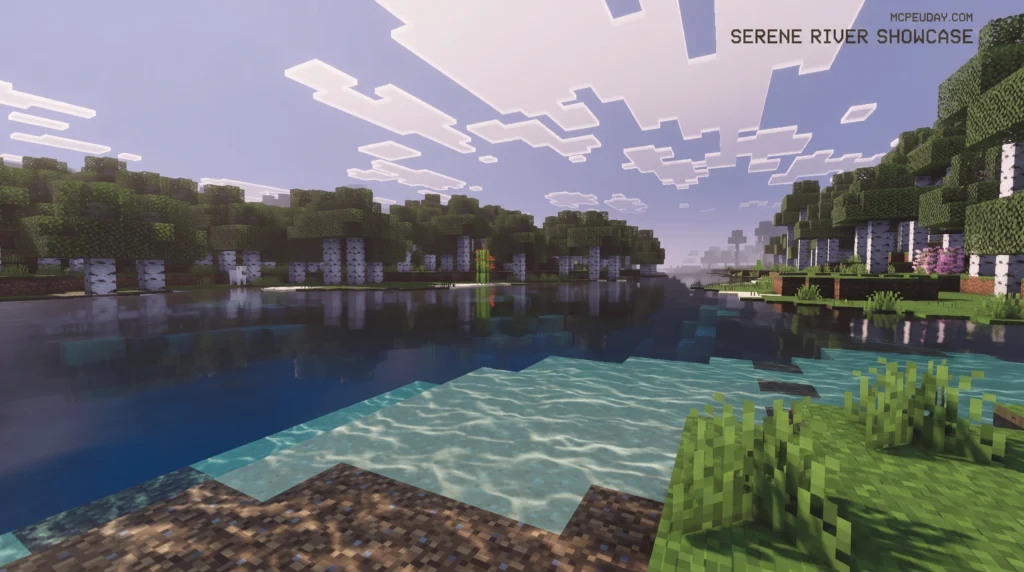
The Vibrant Aura Legacy Shader brings stunning, realistic lighting and visual effects to Minecraft Bedrock — without needing RTX hardware. Here’s the quick answer if you just want to get started:
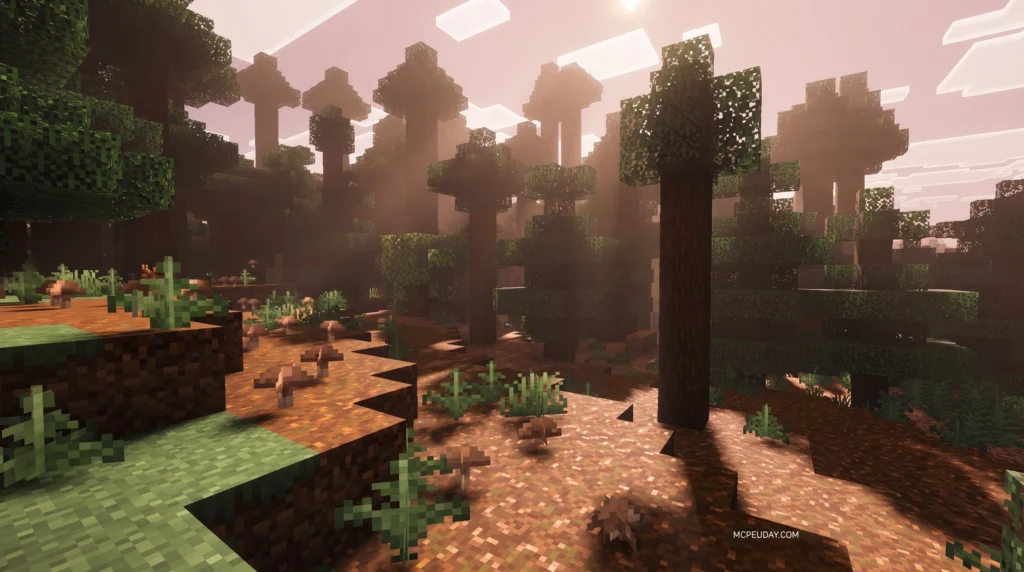
How to get the Vibrant Aura Legacy Shader:
- Update Minecraft Bedrock to version 1.21.80 or newer
- Download the
.mcpackfile from a trusted source like MCPEUDAY - Open the file to auto-import it into Minecraft
- Go to Settings > Global Resources and activate the pack
- Go to Settings > Video and enable Vibrant Visuals
- Adjust the Deferred Render Distance slider (2–8 chunks for low-end devices)
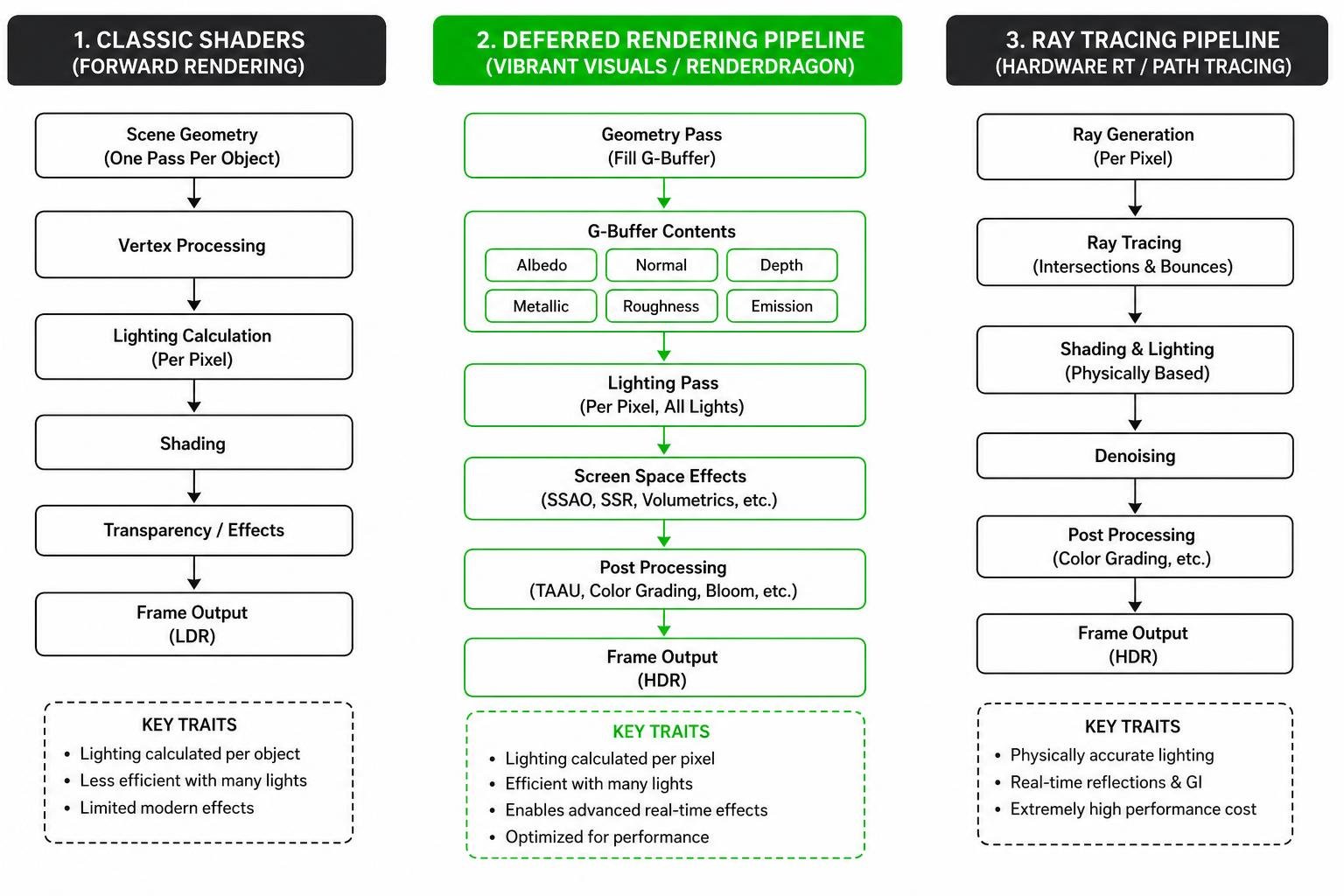
Minecraft’s graphics have come a long way. The RenderDragon engine now supports a full deferred rendering pipeline — meaning features like volumetric fog, physically based textures, pixel-aligned shadows, and dynamic lighting are all possible natively, right on your phone or console.
The Vibrant Aura Legacy Shader taps into exactly that. It’s built around Minecraft’s Vibrant Visuals graphics mode and layers on community-crafted enhancements inspired by shaders like AuraLite. The result? A cinematic, immersive look that feels nothing like vanilla Minecraft.
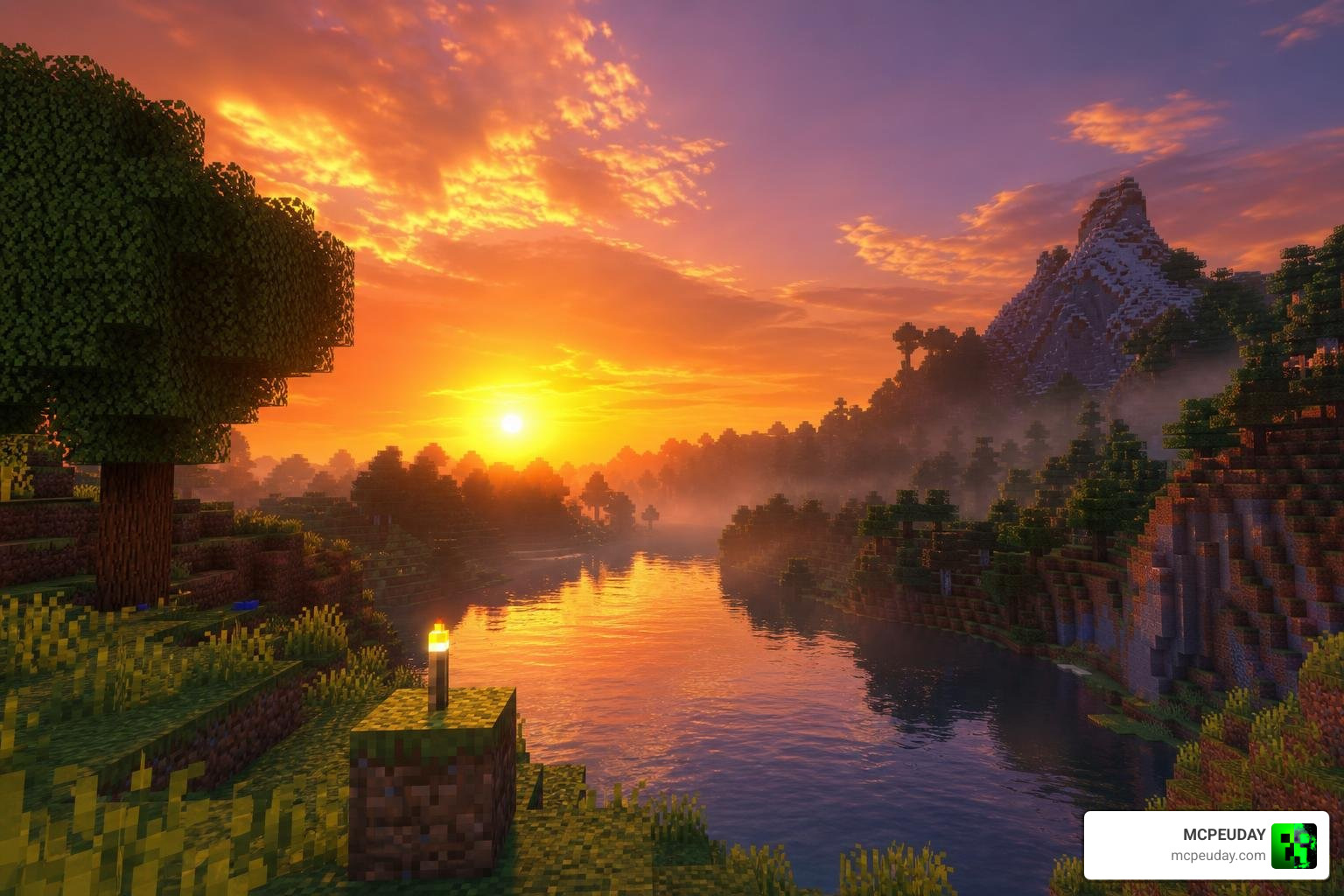
Imagine walking out of your starter base at dawn and it actually looks cinematic — or exploring a dark cave where emissive sculk blocks pulse with soft blue light.
Whether you’re on a mid-range Android phone or a modern console, this guide will walk you through everything you need to know to get it running.
I’m UDAY GAMER, and I’ve tested dozens of Bedrock shaders so you don’t have to — let’s break down exactly what makes this shader worth your time.
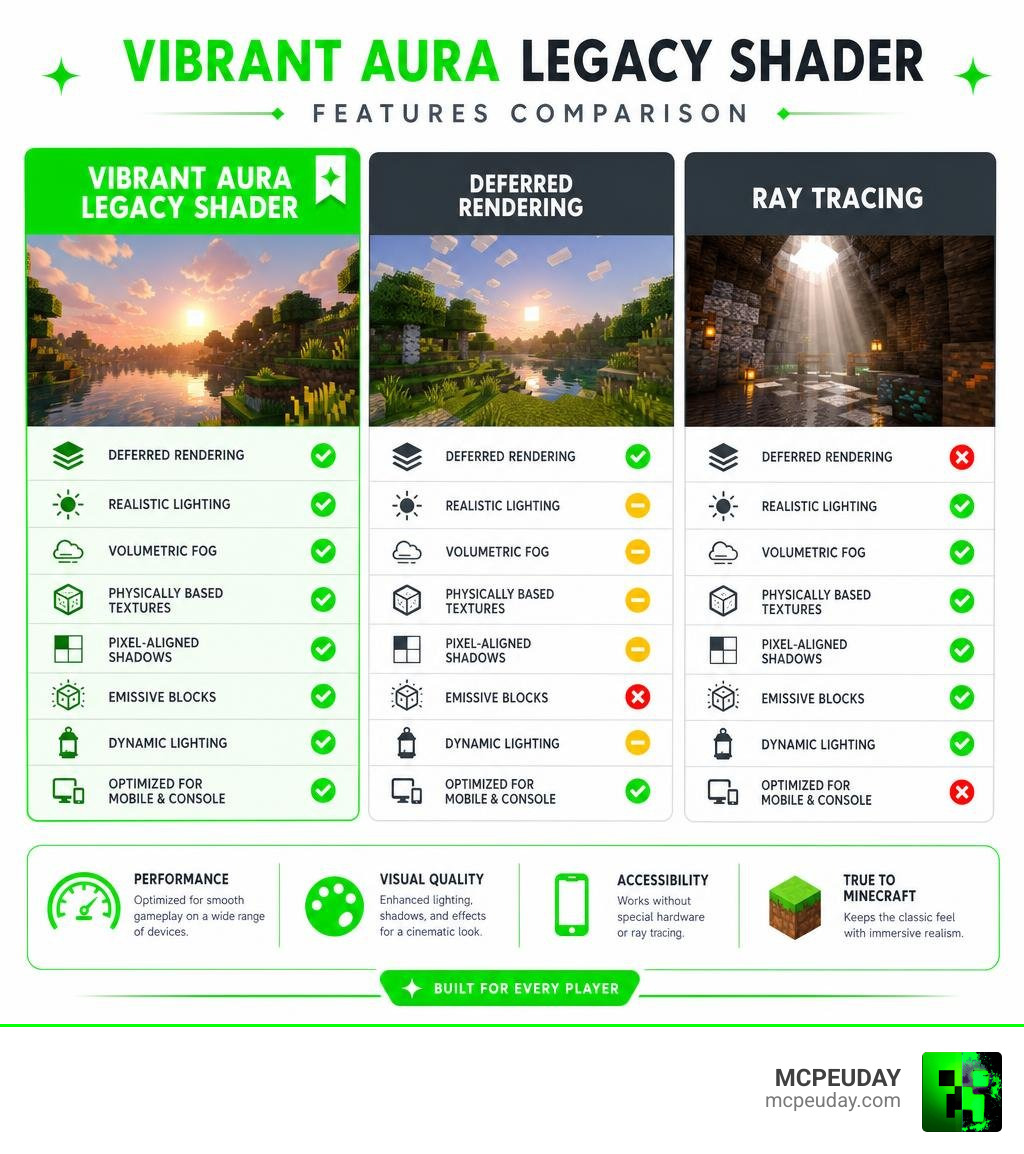
What is the Vibrant Aura Legacy Shader?
The Vibrant Aura Legacy Shader is a high-fidelity graphics modification designed to unlock and enhance Minecraft Bedrock’s native deferred rendering pipeline. When Mojang introduced the RenderDragon engine, it broke older, traditional shader packs. However, this shift forced creators to build within the game’s official deferred lighting framework instead of fighting it.
This shader is heavily inspired by lightweight optimization masterpieces like AlexanderNyr/AuraLite-Shaders , which pioneered clean, modern OpenGL performance. By pairing those performance-saving principles with the Vibrant Legacy Rewrite Shader and the core Vibrant Visuals Shader settings, players get a perfectly balanced aesthetic. It acts as a major visual tune-up, enhancing everything from the way sunlight filters through tree leaves to how light bounces off wet ground.
How It Differs from Ray Tracing and Deferred Technical Preview
If you have ever tried running full ray tracing (RTX) on a mobile device or a standard console, you know it is a quick way to turn your hardware into a space heater. The Vibrant Aura Legacy Shader avoids this by using software-based approximations to simulate global illumination and light bounces.
Unlike the older, unstable “Deferred Technical Preview” builds, the modern Vibrant Visuals mode is deeply integrated into the engine. It utilizes Temporal Anti-Aliasing Upsampling (TAAU) to reconstruct high-resolution frames from lower-resolution renders, keeping your frame rates smooth. To learn more about how these rendering techniques function under the hood, check out our guide on What Are Shaders in Games.
Core Graphical Features and Environmental Effects
The environmental upgrades packed into this shader completely rewrite the atmosphere of your worlds. Here are some of the standout features:
- Directional Lighting & Pixel-Aligned Shadows: Shadows are no longer blurry, generic circles. They are pixelated to match the resolution of block textures and align perfectly with the game’s pixel grid.
- Atmospheric Sky & Volumetric Fog: Sunlight scatters naturally through the air using Rayleigh and Mie scattering models. This creates realistic morning mists and deep, glowing horizons.
- Dynamic Water & Snell’s Window: Water is completely transparent by default. Instead of relying on a flat blue texture, the water volume scatters light naturally to accumulate fog, creating a deep blue hue. It also features realistic water caustics and the classic “Snell’s window” refraction effect when looking up from underwater.
- The Purple End Flash: To showcase the power of volumetric fog, the End dimension features purple directional flashes that occur randomly above the horizon once every 30 seconds.
- Post-Processing & Auto-Exposure: The shader features light bloom and auto-exposure. For example, attacking a zombie with a Fire Aspect weapon triggers auto-exposure, temporarily darkening your screen slightly as your character’s “eyes” adapt to the sudden bright flames.
Physically Based Rendering (PBR) and MERS Textures
At the heart of these realistic materials is the Physically Based Rendering (PBR) pipeline. The shader uses a specialized format known as MERS mapping. This system maps four distinct material properties directly to the RGBA channels of a texture:
- M (Red Channel): Metalness (defines how metallic a surface is, like shiny copper).
- E (Green Channel): Emissive (defines surface glows, like glowing redstone).
- R (Blue Channel): Roughness (defines how light scatters; smooth quartz reflects like a mirror, while matte wood diffuses light).
- S (Alpha Channel): Subsurface Scattering (allows light to penetrate semi-translucent surfaces, like leaves glowing when lit from behind).
This allows blocks to react dynamically to light sources. For instance, a torch emits exactly 1262.665039 lumens of block light, casting realistic glows across metallic surfaces. For a full showcase of this feature, you can pair this pack with the Vibrant Realism PBR Shader.
Creator Customization and Scripting Options
For map makers and resource pack creators, the Vibrant Aura Legacy Shader offers incredible flexibility. Creators can customize biome-specific settings, utilize keyframing for time-of-day transitions, and write custom scripts to adjust atmospheric values. You can even configure ambient lighting strength (which defaults to 0.02 lux in the Overworld, 0.5 in the Nether, and 0.125 in the End) or expand the cloud rendering distance up to 128 chunks.
How to Download and Install the Vibrant Aura Legacy Shader
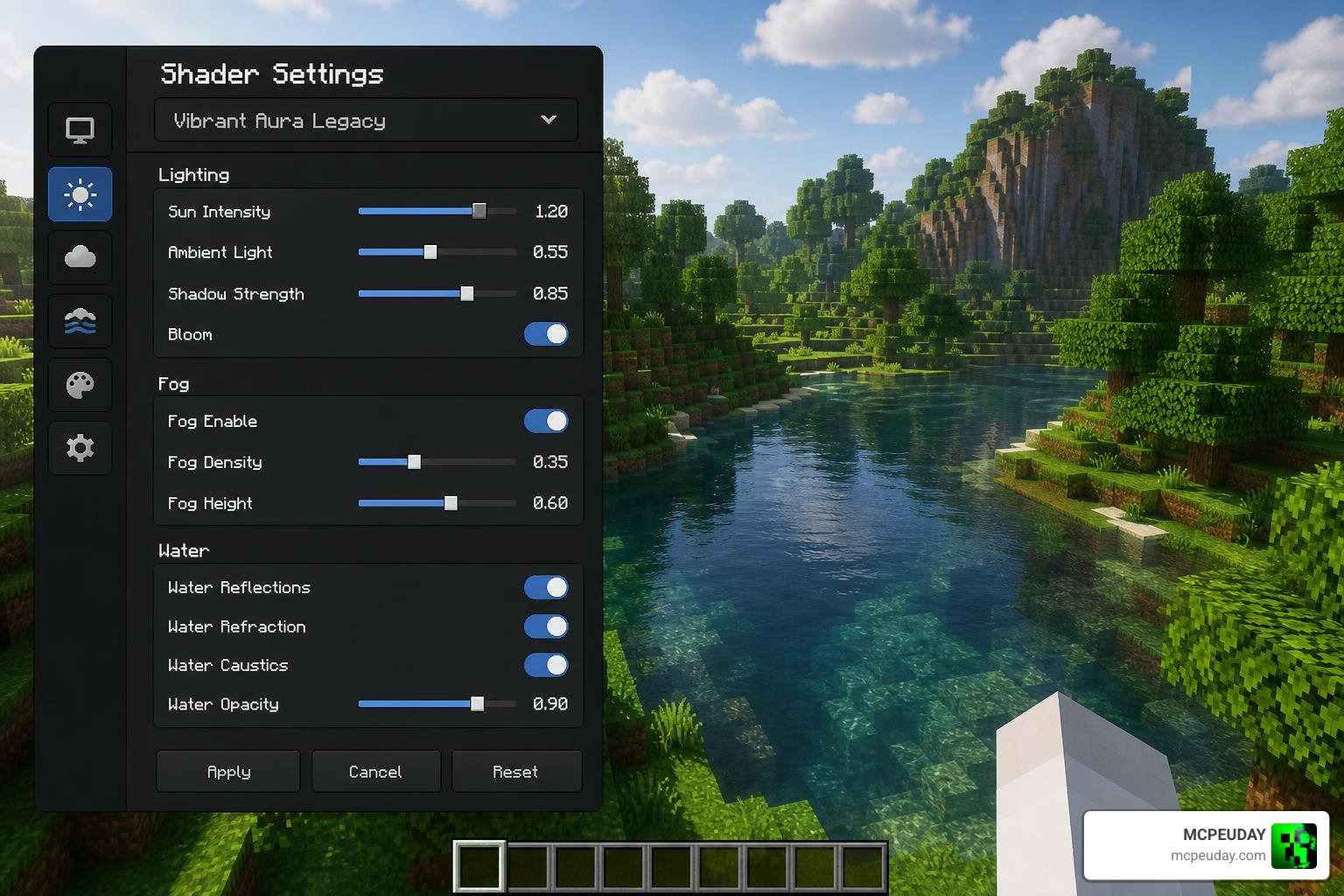
Getting the shader up and running is straightforward, but you must ensure you have enabled the correct in-game settings to allow deferred rendering to function. For a broader overview of the installation process, you can read our general guide on How to Get Shaders in Minecraft.
System Requirements for Vibrant Aura Legacy Shader
Because deferred rendering requires modern graphics APIs, older mobile chipsets are not supported. Here is a breakdown of compatible hardware:
| Platform / GPU | Minimum Requirements | Recommended Settings (for 60 FPS) |
|---|---|---|
| Android | Adreno 640 / Mali-G68 (Valhall) | Medium Settings, 6–8 Chunks |
| iOS | Apple A12 Bionic or newer | Medium Settings, 8 Chunks |
| Windows PC | Modern Dedicated GPU (Vulkan support) | High Settings, 12–16 Chunks |
| Consoles | Xbox Series X/S, PlayStation 5 | High Settings, 12 Chunks |
Note: Developers are actively transitioning the graphics pipeline from OpenGL to the Vulkan graphics API in the summer of 2026, which will pave the way for future official Java Edition support.
Step-by-Step Guide to Install Vibrant Aura Legacy Shader
Follow these steps to install the shader safely:
- Download the Pack: Grab the official
.mcpackfile from our dedicated Minecraft Shaders Download for Android page or the Vibrant Legacy Simple Shader for MCPE repository. - Import to Minecraft: Tap or double-click the downloaded file. Minecraft will launch automatically and import the resource pack.
- Activate the Pack: Go to Settings > Global Resources > My Packs, select the shader, and click Activate.
- Enable Creator Experiments: If you are hosting a world, go to your world settings, navigate to Experiments, and turn on Render Dragon Features for Creators. This unlocks point lights and in-game graphics mode switching.
- Turn On Vibrant Visuals: Load into your world, pause, go to Settings > Video, scroll down to Graphics Mode, and select Vibrant Visuals (or Deferred Technical Preview).
- Adjust Render Distance: Set your deferred render distance slider between 2 and 28 chunks (we recommend 8 chunks for mobile). Tip: Advanced users can change this to any value by editing options.txt directly, but values over 128 chunks will cause crashes.
For more setup tips, view our comprehensive How to Turn On Shaders in Minecraft 2026 Guide Java Bedrock MCPE Setup Fast mcpeuday.
Frequently Asked Questions
What Minecraft versions support the Vibrant Aura Legacy Shader?
This shader is fully optimized for Minecraft Bedrock version 1.21.80 up to the latest 1.21.130+ releases, including Preview builds. While Bedrock is the primary focus, the ongoing Vulkan API transition in 2026 means Java Edition support is planned for the near future. If you are running older 1.21 builds, you can also check out the Vibrant VSL Shader 26.x 1.21 MCPE Bedrock Shader.
Does this shader work on low-end mobile devices?
Yes, but you will need to make some performance trade-offs. To prevent frame drops on lower-end devices, open your video settings and lower the deferred render distance to 2–6 chunks. You should also disable or lower the quality of “indirect specular reflections” (reflections on glossy surfaces) and toggle on Bilinear upscaling instead of TAAU. For a lighter alternative, try the Vibrant Brightness Shader.
Why is the Vibrant Visuals option greyed out in my settings?
If the option is greyed out, it usually means:
- Your device’s GPU does not support the required hardware standards (e.g., older than an Adreno 640 or Mali Valhall architecture).
- Your graphics card drivers on Windows 11 are outdated.
- You forgot to activate a compatible PBR resource pack in your Global Resources.
Conclusion
The Vibrant Aura Legacy Shader represents a massive leap forward for Minecraft Bedrock graphics. By utilizing the power of the RenderDragon engine, players can experience jaw-dropping visuals—from volumetric fog to glowing PBR textures—without sacrificing their device’s health.
At MCPEUDAY, we strive to bring you the safest, most optimized graphics packs available. Ready to transform your blocky worlds into a cinematic masterpiece?
Explore more realistic shaders on MCPEUDAY and upgrade your gameplay today!
