What the Auralis Visuals Shader Actually Does (And Why Minecraft PE Players Love It)
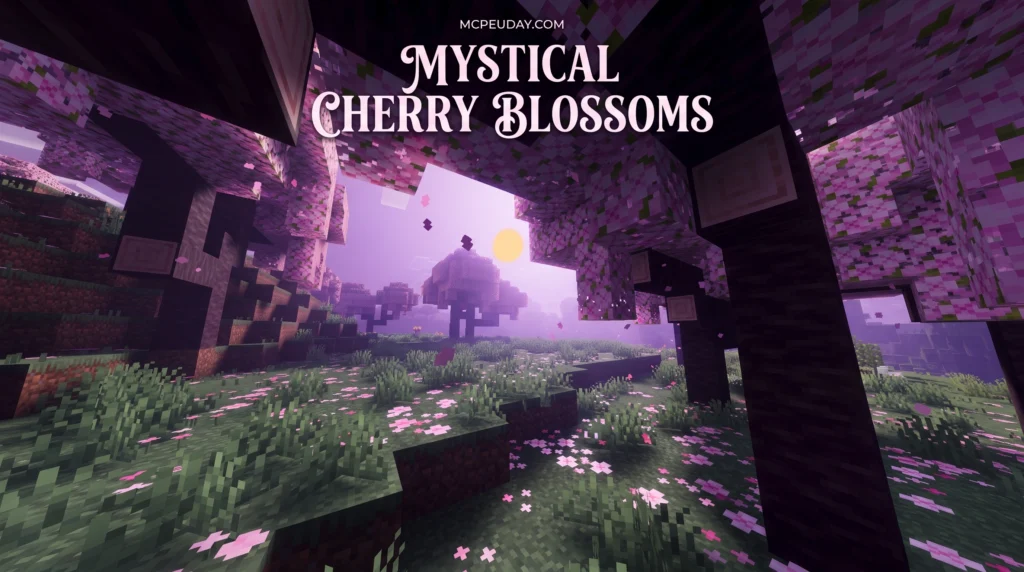
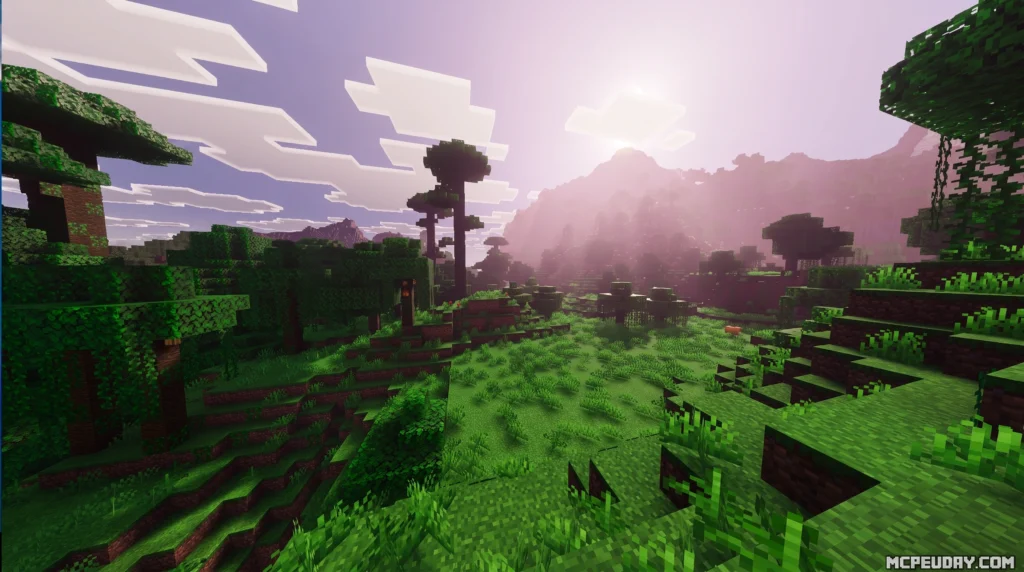
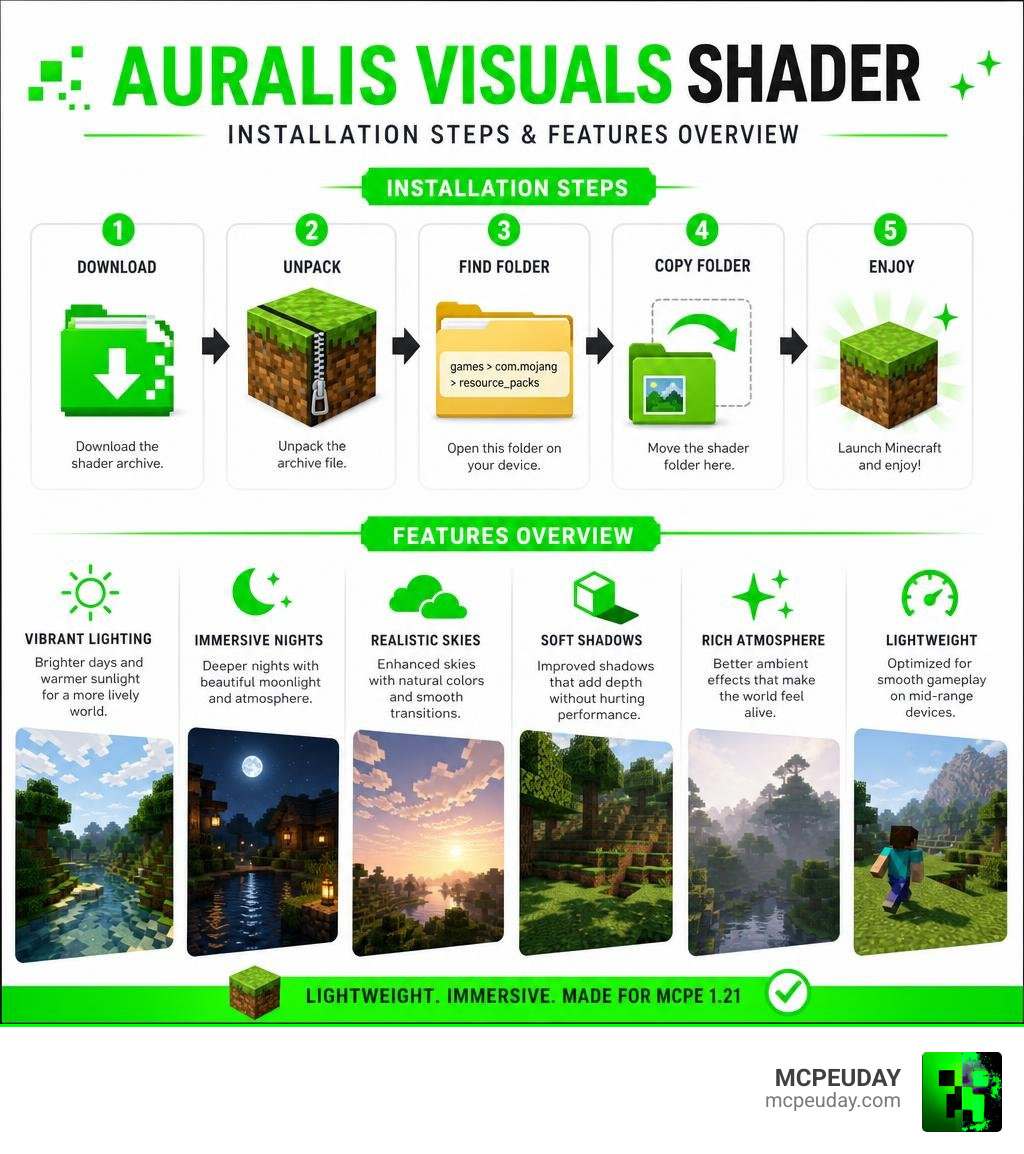
The Auralis Visuals Shader is a lightweight texture pack and visual enhancer designed for Minecraft Pocket Edition 1.21 that transforms your game’s atmosphere — especially during day and night cycles — without tanking your device’s performance.
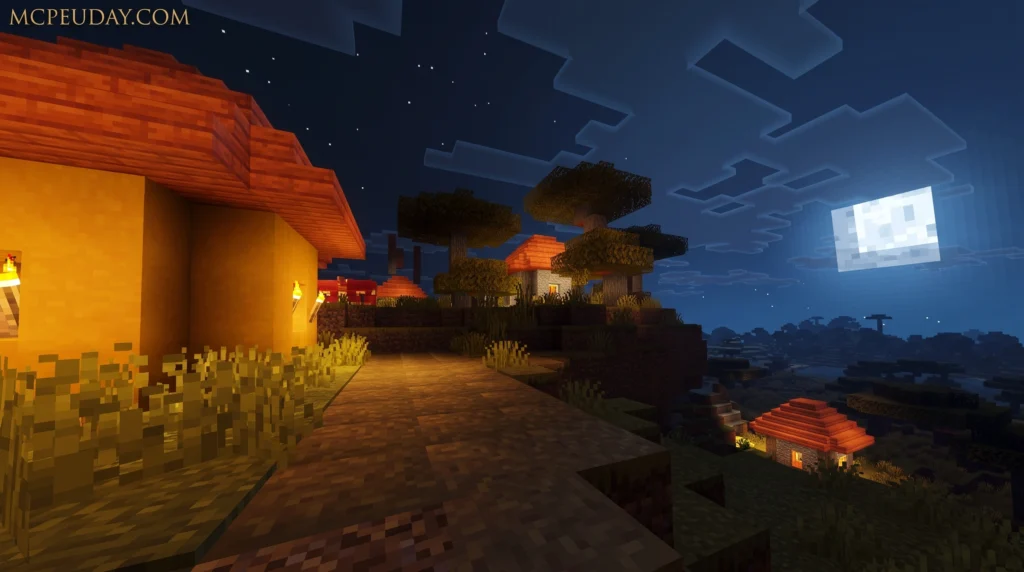
Here’s a quick answer if that’s all you need:
- What it is: A visual enhancement pack for Minecraft PE 1.21 that changes lighting, shadows, and environmental atmosphere
- What it changes: Day/night cycles feel more distinct, structures look better, and the overall world feels more alive
- Who it’s for: Android players on Minecraft Bedrock/PE 1.21
- How to install: Download to unpack the archive to copy the folder to
games/com.mojang/resource_packs - Performance: Designed to be lightweight and performance-friendly, even on mid-range devices
Minecraft PE uses the Render Dragon rendering engine, which blocks traditional shader mods. That’s why texture-pack-based visual enhancers like this one have become so popular — they deliver real visual upgrades through a method the game actually supports.
If you’ve ever looked at your Minecraft world and thought it felt flat or lifeless, Auralis Visuals is exactly the kind of fix you’re looking for. The changes are subtle but effective — quite enough, as many players put it, to make the game feel completely different.
I’m UDAY GAMER from MCPEUDAY, and in this guide I’ll walk you through everything you need to know — from what this shader actually does to how to get it running on your Android device in minutes.
What is the Auralis Visuals Shader for Minecraft PE?
When we talk about visual upgrades in Minecraft, we often think of heavy graphic overhauls that require top-tier gaming rigs. However, the Auralis Visuals Shader takes a completely different approach. It is a versatile visual addition and texture pack specifically tailored for Minecraft Pocket Edition 1.21.
Instead of rewriting the entire graphics engine, it works within the boundaries of the modern Render Dragon engine. If you are wondering about how these engines process graphics, you can read our guide on What Are Shaders in Games to understand the core technology behind these visual modifications.
By utilizing clever texture and atmospheric adjustments, Auralis Visuals bypasses the typical limitations of the Render Dragon engine, offering players a gorgeous aesthetic upgrade without requiring any experimental or unstable software.
Key Features of the Auralis Visuals Shader in Minecraft
The standout feature of this pack is how it dynamically alters the overall atmosphere depending on the time of day. We have tested dozens of packs, and this one truly makes the day and night cycles feel much more interesting, refined, and enjoyable.
- Enhanced Day and Night Cycles: The transition between daylight and evening feels smooth and natural, with realistic shifts in color tones.
- Balanced Lighting: Midday sun feels warm and bright without overexposing your screen, while nights are dark enough to be atmospheric but clear enough to navigate safely.
- Subtle Shadows: Instead of harsh black blocks, the shadows are soft and blend naturally with the surrounding terrain.
- Environmental Detailing: The colors of foliage, water, and sky boxes are tuned to give a more cohesive, organic appearance to the biome you are exploring.
If you want to see how this pack stacks up against other popular choices, check out our curated list of the 10 Top Minecraft PE Shaders for more options.
Structural and Graphical Enhancements
A common issue with lightweight shaders is that they only focus on the sky and water, leaving the actual blocks looking plain. Auralis Visuals solves this by adjusting the graphical aspects of in-game structures.
Whether you are building a medieval castle or a modern concrete mansion, the pack modifies structural graphics to make your buildings look significantly better than the default vanilla style. The subtle adjustments to block edges and light reflection give depth to flat walls, making your architectural creations stand out. For a broader look at packs that excel in block and structural enhancements, you can browse through the 15 Best Minecraft PE Shaders.
How to Install Auralis Visuals on Android Devices
Getting your hands on this pack is incredibly simple. Because it acts as a resource-based visual enhancer, you do not need to root your phone or use complicated third-party tools.
Before starting, we always recommend backing up your world files just to be safe. If you need a general overview of downloading resources, check out our guide on Minecraft Shaders Download for Android. For a broader understanding of the installation ecosystem, you can also read How to Get Shaders in Minecraft as well as our detailed tutorial on How to Turn On Shaders in Minecraft.
Step-by-Step Android Setup Guide
Here is the exact process to get Auralis Visuals up and running on your Android device:
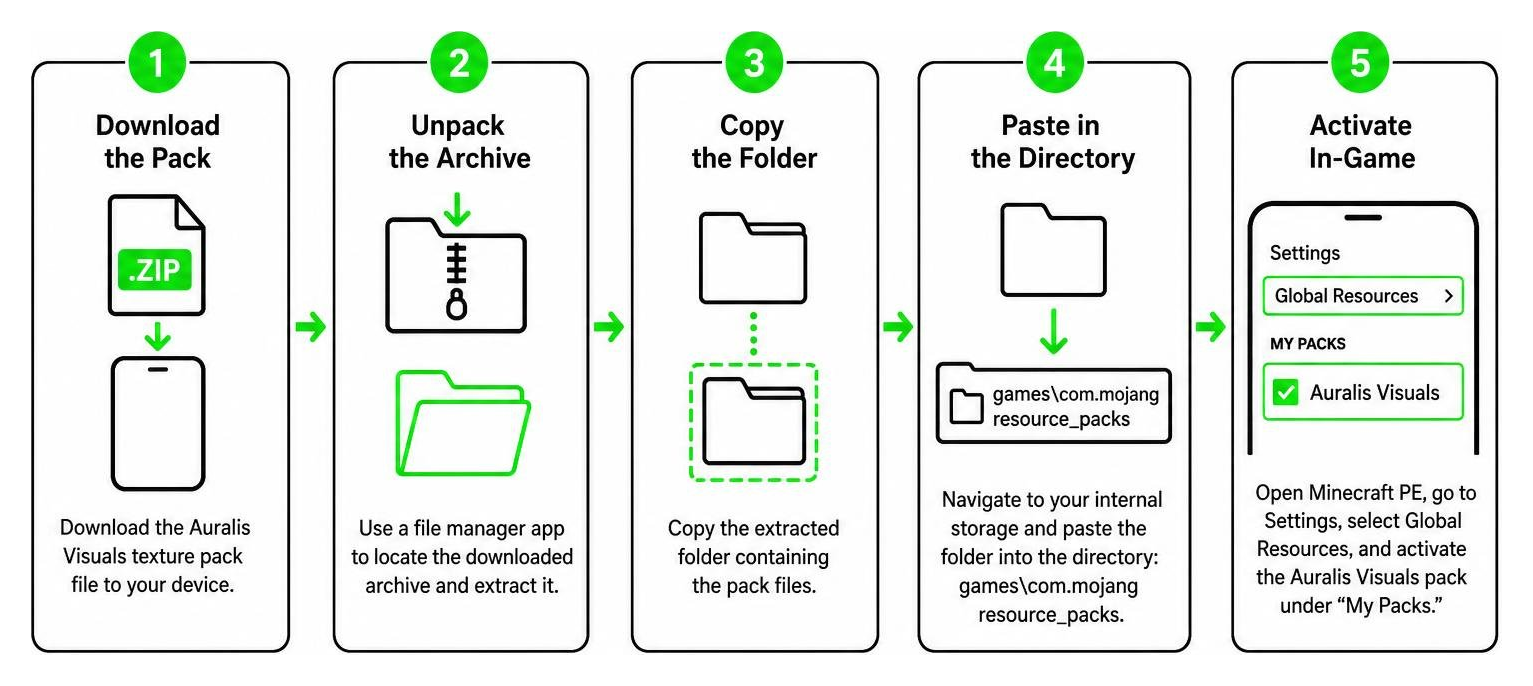
- Download the Pack: Download the Auralis Visuals texture pack file to your device.
- Unpack the Archive: Use a file manager app to locate the downloaded archive and extract it.
- Copy the Folder: Copy the extracted folder containing the pack files.
- Paste in the Directory: Navigate to your internal storage and paste the folder into the directory:
games\com.mojang\resource_packs. - Activate In-Game: Open Minecraft PE, go to Settings, select Global Resources, and activate the Auralis Visuals pack under “My Packs.”
Auralis Visuals Shader vs. Other “Auralis” Projects
If you search for “Auralis Visuals” online, you might run into a bit of name confusion. The name “Auralis” is shared by a few different projects across the tech and gaming space.
To help clear things up, we have put together a quick comparison table:
| Project Name | Platform / Environment | Core Technology | Primary Purpose |
|---|---|---|---|
| Auralis Visuals Shader | Minecraft PE (Android/iOS) | Render Dragon Resource Pack | Enhances game atmosphere, lighting, and structures |
| Auralis macOS Visualizer | macOS 14 Sonoma+ | Metal 3, ScreenCaptureKit, Swift 5.10 | High-performance system audio music visualizer |
| Auralis WebGL Component | Web Browsers (React/Next.js) | WebGL, Simplex Noise | Animated background hero effect for websites |
| ALMultiVis Shader | Virtual Worlds (VRChat/Unity) | AudioLink, HLSL | 4-layer audio-reactive material shader |
The macOS Auralis Audio Visualizer
For our tech-savvy readers, the macOS project hosted at katolikov/auralis is an incredibly cool, driver-free audio visualizer. It runs at a buttery-smooth 120 fps on ProMotion displays (and 60 fps elsewhere) using a forward-only Metal rendering pipeline.
Instead of clunky virtual audio drivers, it captures system audio using ScreenCaptureKit, filtering specifically to the Apple Music bundle ID. It features five distinct visualizer modes: Aurora, Bloom, Lattice, Filament, and Halo, which you can switch between using the keyboard shortcuts ⌘1 through ⌘5.
It is incredibly efficient; the Filament mode renders 80,000 point sprites without a vertex buffer or compute pass, keeping the final release binary size at a tiny 1.1 MB. It even extracts a four-color palette from the playing album artwork using a k-means++ algorithm with 12 Lloyd iterations, updating the theme smoothly at 30 Hz.
The WebGL and AudioLink Auralis Components
On the web development side, there is an “Auralis” WebGL component designed by Aman Shakya, which you can explore on Auralis | Community Components | 21st . This React component uses layered simplex noise, glowing light, vignettes, and film grain to create a dramatic, atmospheric background for website landing pages.
Additionally, if you are interested in audio-reactive shaders for virtual spaces like VRChat, the Shadowriver/ALMultiVis repository offers a highly configurable 4-layer AudioLink shader. It uses color channels (RGBA) as masks to blend four distinct visualizers together, supporting both grab passes and render textures.
Frequently Asked Questions about Auralis Visuals Shader
Is the Auralis Visuals Shader compatible with all Minecraft PE 1.21 versions?
Yes! The pack is fully optimized for Minecraft Pocket Edition version 1.21. Because it is built to work seamlessly with the Render Dragon engine, it avoids the compatibility issues that plague older, traditional shader formats. However, we always recommend keeping your game updated to the latest sub-version to prevent any unexpected bugs.
What visual modes does the Auralis Visuals Shader offer?
Rather than overwhelming you with complicated settings menus, Auralis Visuals dynamically adjusts its rendering based on the in-game environment and time of day. It features a beautifully balanced daylight cycle, highly atmospheric nights, and improved block surface shading that automatically enhances the look of your builds.
Does this shader cause lag on low-end Android devices?
Not at all! Unlike heavy shaders that calculate real-time ray tracing or complex water reflections, Auralis Visuals is designed as a lightweight resource modifier. This means you get a gorgeous atmospheric upgrade without experiencing severe frame drops, making it perfect for budget and mid-range Android devices.
Conclusion
If you want to breathe new life into your Minecraft PE 1.21 worlds without sacrificing performance, the Auralis Visuals Shader is an absolute must-have. Its subtle but highly effective adjustments to lighting, shadows, and structural textures provide a completely refreshed gameplay experience.
Ready to take your mobile graphics to the next level? Go ahead and download the pack to experience these beautiful day and night cycles for yourself! If you want to check out even more high-end visual options, explore our top recommendations on our best shaders for MCPE 1.21 compilation page!
