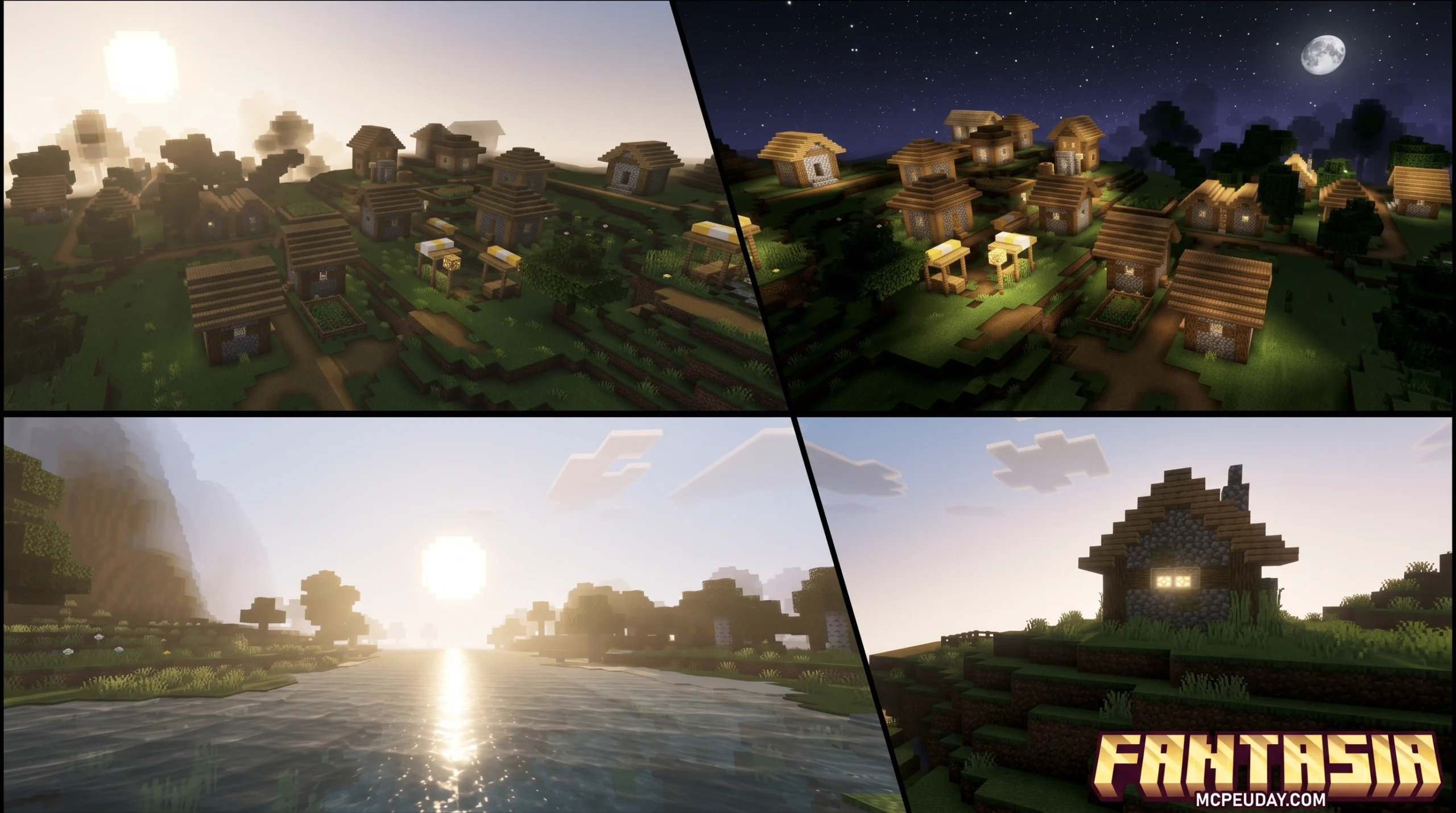
What the Fantasia Shader Can Do for Your Minecraft World
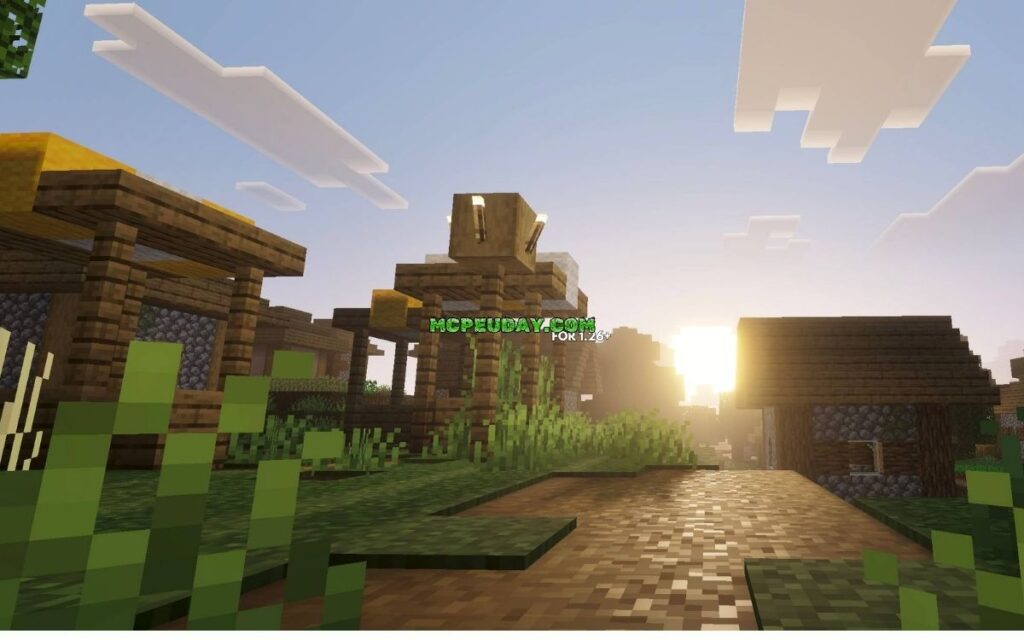
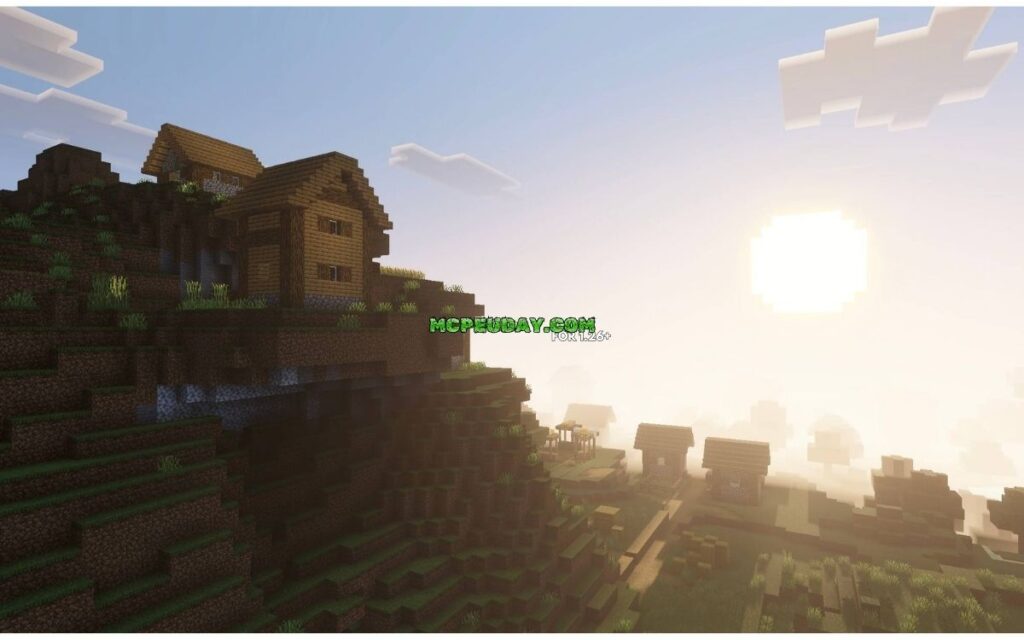
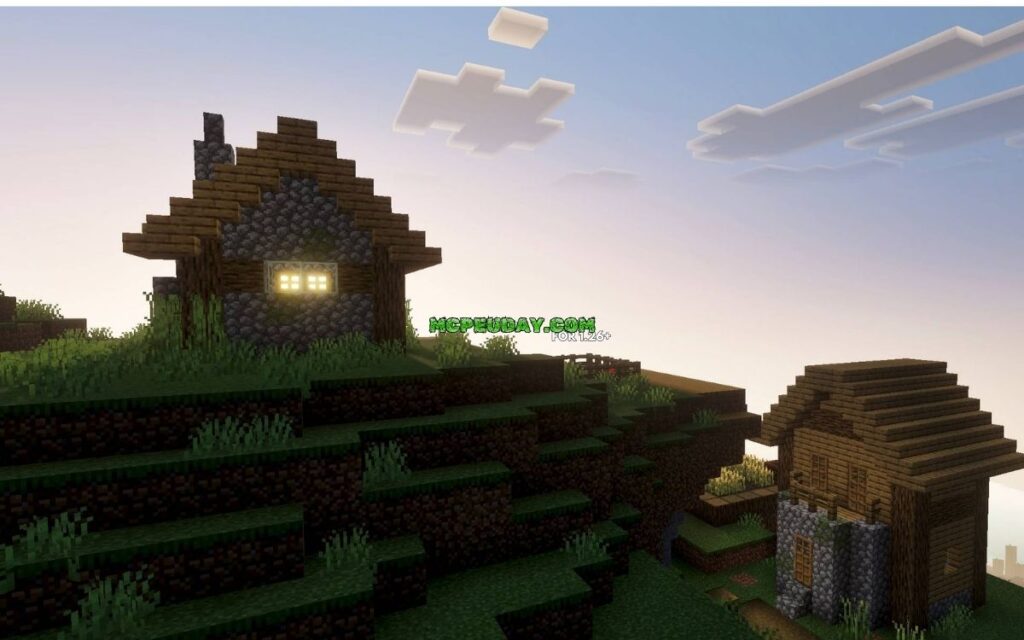
The Fantasia Shader is a fantasy-themed Minecraft shader pack that transforms the game’s visuals with vivid colors, glowing night skies, and cinematic lighting effects.
Quick answer for the Fantasia Shader:
- What it is: A Minecraft Java Edition shader pack built on Complementary Shaders, tuned for a colorful, fantasy-style look
- What it does: Adds fantasy-blue night skies, nebula effects, mirror-like reflections, and a purple-toned End dimension
- Who it works with: Compatible with both Iris and OptiFine shader loaders
- Minecraft versions: Supports Java Edition 1.16.x through 1.21.x
- Performance: Runs on a range of hardware, from mid-range to high-end PCs
If you’ve ever wished Minecraft looked more like a living painting than a blocky sandbox, this shader is built for you. It doesn’t just add realism — it adds magic. The skies shift to deep fantasy blues, auroras sweep across the horizon, and the End dimension gets a haunting purple makeover with added nebulas.
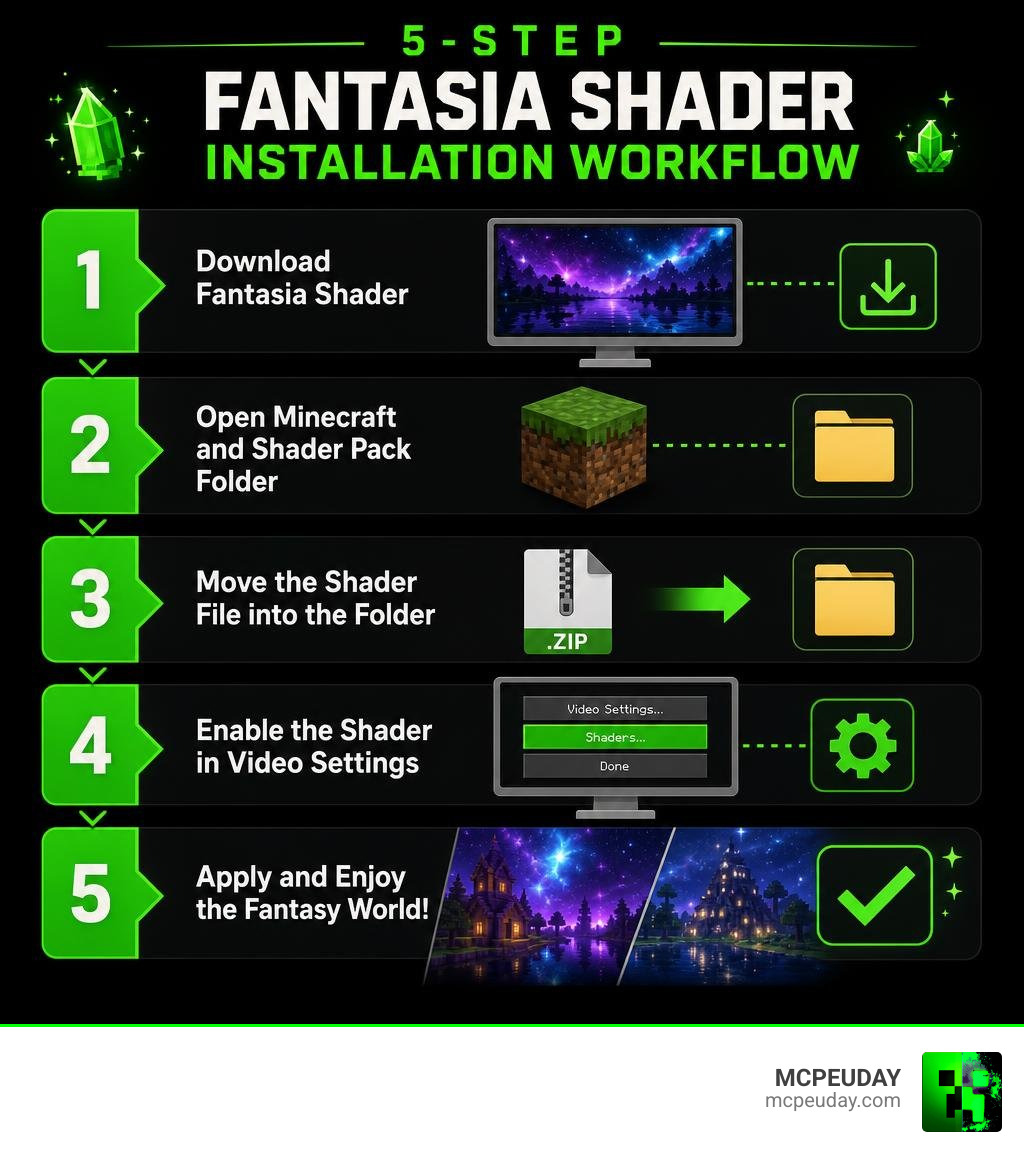
The best part? You can install it in just five steps.
What is the Fantasia Shader and How Does It Work?
To understand how the Fantasia Shader works, we first have to look at how Minecraft renders graphics. Normally, Minecraft uses a basic rasterization engine that draws blocks with simple, flat lighting. When you install a shader pack, you are essentially replacing this default visual engine with a highly advanced, custom rendering pipeline.
Learn more about what shaders are in games to understand how these programs calculate light, shadows, and reflections in real time.
The Fantasia Shader intercepts Minecraft’s rendering instructions and calculates how light should bounce off surfaces, how water should reflect the sky, and how atmospheric fog should behave. By utilizing post-processing techniques, it injects a vibrant, colorful color-grading profile into the game, washing away the dull, washed-out colors of vanilla Minecraft and replacing them with a rich, dreamlike atmosphere.
Key Visual Features of the Fantasia Shader
This shader pack isn’t just about making things brighter; it completely redesigns the atmospheric palette of your world. Here are the core features you will experience:
- Vivid Color Grading: The day-and-night cycles are treated to custom color palettes. Daytime feels warm and bright, while sunsets and sunrises burst with deep oranges, pinks, and purples.
- Fantasy Blue Night Skies: Instead of a simple pitch-black void, the night sky is transformed into a majestic “fantasy blue” kingdom filled with dense, glowing stars, sweeping auroras, and custom clouds.
- The Purple End Dimension: The End gets a dramatic overhaul. The sky is recolored to deep purple tones that match the Endermen, complete with a massive, swirling cosmic nebula that makes dragon fights feel truly legendary.
- Mirror-Like Reflections: Water surfaces and wet blocks feature screen-space reflections (SSR). At night, the glowing stars and auroras reflect perfectly off lakes and oceans, creating a stunning mirror effect.
- Intensified Light Rays: God rays (crepuscular rays) slice through tree leaves and cave openings with dramatic intensity, adding a cinematic weight to every block you place.
Inspiration and Base Shader Modifications
The Fantasia Shader does not try to reinvent the wheel from scratch. Instead, it is built on the legendary foundation of Complementary Shaders (such as the Reimagined or Unbound variants). Complementary Shaders are widely regarded as some of the most stable, highly optimized, and visually polished shaders in Minecraft history.
The creators of the Fantasia Shader modified this base to pivot away from strict realism and lean heavily into artistic, high-fantasy aesthetics. While the base Complementary engine handles the complex math for shadows, water waves, and block reflections, the Fantasia modifications inject custom skyboxes, altered color-grading tables, and stylized atmospheric elements. The result is a perfect blend of Complementary’s flawless performance and an entirely unique, magical visual identity.
How to Download and Install the Shader in 5 Steps
Ready to bring this magical aesthetic to your own world? We have broken down the installation process into five simple, foolproof steps. Before you begin, make sure you have either Iris or OptiFine installed on your Minecraft launcher.
Read our guide on how to get shaders in Minecraft for a complete breakdown of setting up your mod loaders first.
Step-by-Step Installation Guide
Follow these five steps to get the Fantasia Shader running in your game:
- Download the Shader Pack: Locate the official download page for the Fantasia Shader (often listed as Fantasy Shaders Reimagined or Fantasy Shaders Unbound on popular modding platforms) and download the
.zipfile. Do not unzip this file! - Open Your Minecraft Folder: Launch your Run application on Windows (press
Win + R), type%appdata%\.minecraft, and hit Enter. If you are on Linux or macOS, navigate to your local Minecraft directory. - Locate the Shaderpacks Folder: Look for a folder named
shaderpacks. If you do not see it, simply right-click, create a new folder, and name it exactlyshaderpacks(all lowercase). - Transfer the Zip File: Drag and drop the downloaded Fantasia Shader
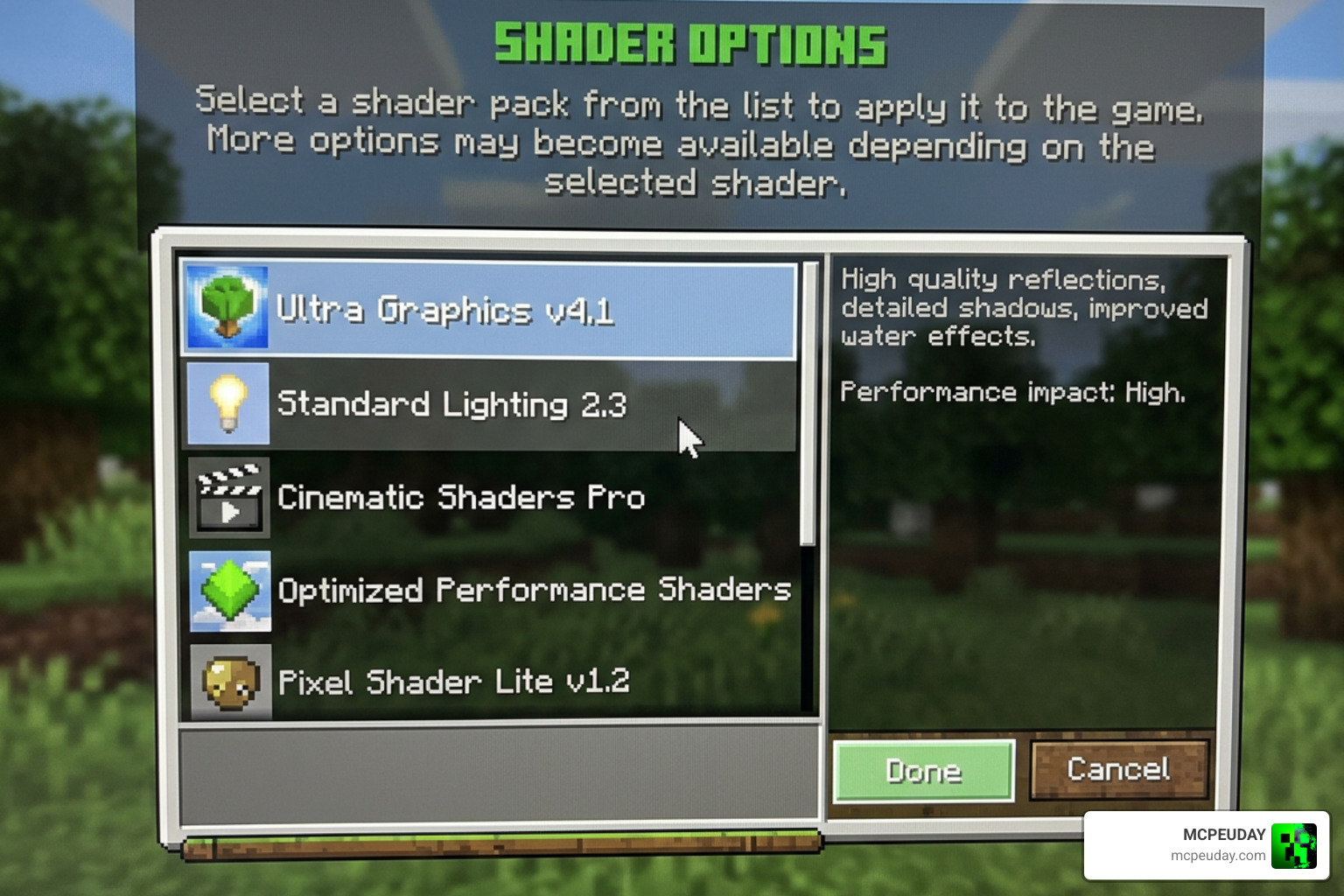
.zipfile directly into theshaderpacksfolder. - Enable the Shader In-Game: Launch Minecraft using your Iris or OptiFine profile. Go to Options > Video Settings > Shader Packs (if using Iris) or Shaders (if using OptiFine). Select the shader from the list, click “Apply,” and hit “Done”!
Recommended Companion Mods and Resource Packs
To get the absolute best visual fidelity and performance out of your game, we recommend pairing the shader with a few extra tools:
- Sodium & Iris: If you want the absolute highest frame rates, we highly recommend using the Iris shader loader alongside Sodium. This combination runs circles around older setups.
- Oculus: For players using Forge or NeoForge modpacks, Oculus is the perfect port of Iris that allows you to run this shader smoothly.
- waccyy’s Fantasia Modpack: For a fully curated, immersive fantasy adventure, you can download waccyy’s Fantasia – Minecraft Modpacks – CurseForge , which integrates beautiful world generation with optimized performance profiles designed to complement fantasy aesthetics.
- 3D Resource Packs: Try pairing this shader with resource packs that support PBR (Physically Based Rendering) materials. This will give blocks like cobblestone and brick actual depth, allowing the shader’s light sources to cast tiny shadows across individual block textures.
Performance Optimization and Hardware Compatibility
While the Fantasia Shader looks incredibly high-end, its underlying Complementary architecture means it is highly customizable. You don’t need a NASA-grade supercomputer to enjoy a magical sunset.
System Requirements for Running Fantasia Shader
Because this shader relies on dynamic shadows and screen-space reflections, it does require a dedicated graphics card for the best experience.
- Minimum Specs:
- CPU: Intel Core i5 4000 series / AMD Ryzen 3 1200
- RAM: 8GB (with at least 4GB allocated to Minecraft)
- GPU: NVIDIA GeForce GT 1030 / AMD Radeon RX 550
- OS: Windows, Linux, macOS (Note: macOS compatibility can vary depending on Apple Silicon drivers)
- Recommended Specs:
- CPU: Intel Core i5 10400 / AMD Ryzen 5 3600 or better
- RAM: 16GB (with 6GB to 8GB allocated to Minecraft)
- GPU: NVIDIA GTX 1660 / AMD RX 580 or better
Performance Profiles and Settings Tuning
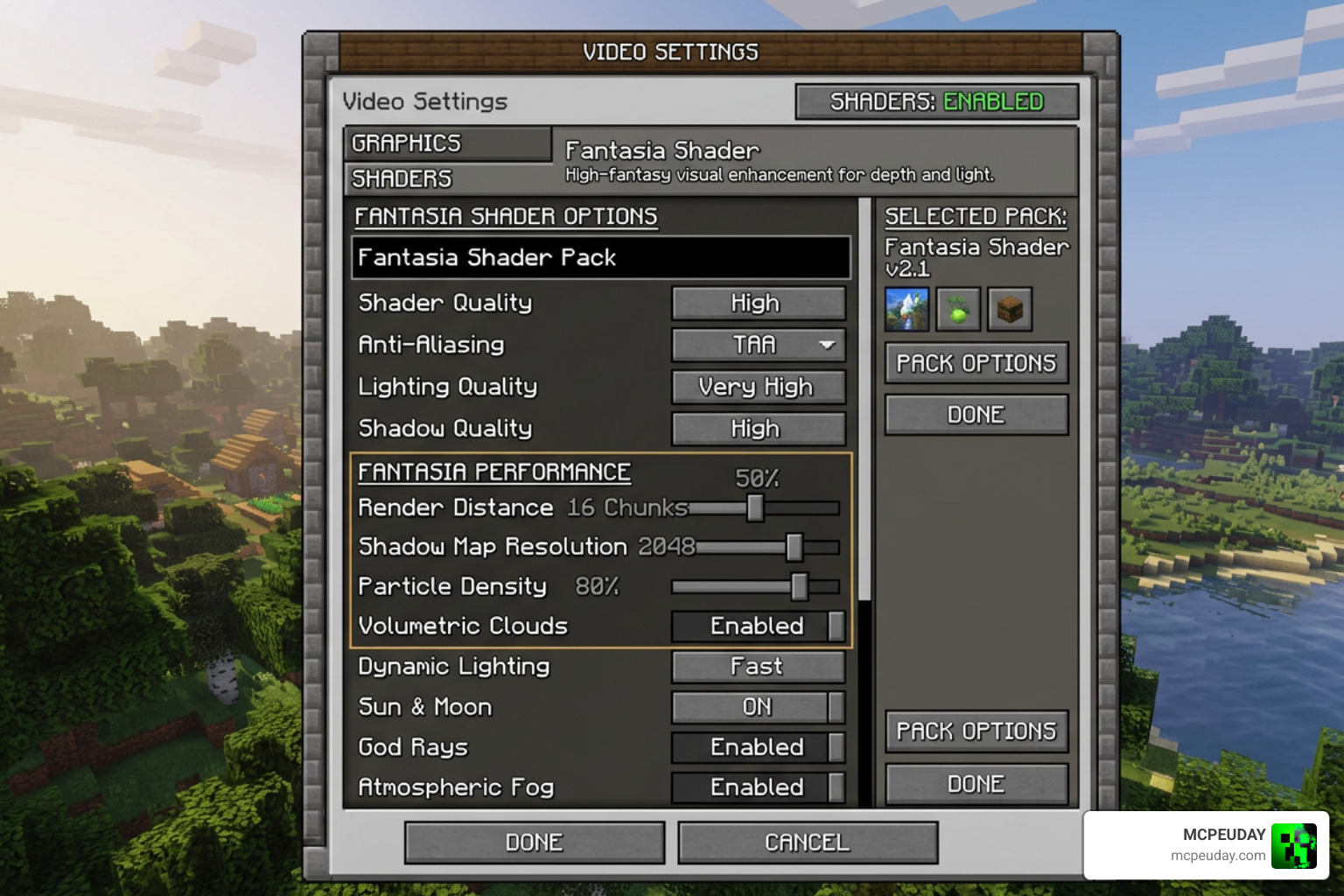
To help you find the perfect balance between beautiful visuals and smooth frame rates, the shader settings menu offers several pre-configured profiles.
| Profile Name | Target Hardware | Key Features Enabled | Recommended Render Distance |
|---|---|---|---|
| Potato / Low | Integrated Graphics / Laptops | Basic color grading, simplified sky, disabled SSR | 6 – 8 Chunks |
| Medium | Mid-range GPUs (GTX 1050 Ti) | Soft shadows, basic reflections, beautiful auroras | 8 – 12 Chunks |
| High | Gaming PCs (GTX 1660 / RX 570) | High-res shadows, mirror reflections, full nebula skies | 12 – 16 Chunks |
| Ultra / Extreme | High-end GPUs (RTX 3060+) | Maximum reflection quality, volumetric lighting, PBR support | 16+ Chunks |
If you experience frame drops, we recommend lowering your render distance to 8-12 chunks first. Dynamic shadow shaders require rendering the world geometry twice, which puts a heavy load on your CPU. Reducing render distance is the fastest way to get a massive FPS boost!
Frequently Asked Questions about Fantasy Shaders
Is Fantasia Shader compatible with Minecraft Bedrock Edition?
The primary Fantasia Shader pack is designed specifically for Java Edition due to its reliance on the Iris and OptiFine rendering engines. However, Bedrock players aren’t completely left in the dark!
If you play on a mobile device or console, check out our Minecraft Shaders Download for Android guide to find compatible mobile alternatives. You can also explore our curated list of the Best Shaders for MCPE 1.21 2026 Top 3 Realistic Minecraft PE Shaders to find beautiful, fantasy-style packs optimized specifically for the Bedrock Render Dragon engine.
What are the licensing and attribution rules for this shader?
Because this shader is a modified version of Complementary Shaders, it complies strictly with the original creator’s licensing terms and conditions. If you plan on using this shader in your YouTube videos, live streams, or modpacks, you must provide proper attribution to both the original Complementary Shaders team and the specific authors of the fantasy modification.
For a bit of fun context: while the word “Fantasia” might make you think of the iconic fashion brand About Us – Fantasia Fashions LLP or the classic haircare line Fantasia Hair Care Industries: Fantasia Haircare Products , this Minecraft project is entirely independent! It is a community-driven, non-commercial modification made by passionate gamers, for passionate gamers. Always respect the creators by linking back to their official download pages!
How does this shader compare to Aurora Fantasy?
Both shaders aim for a magical, dreamlike aesthetic, but they go about it in slightly different ways:
- Aurora Fantasy: This pack is based on the MakeUp – Ultra Fast shader. It is incredibly lightweight, making it perfect for low-end PCs or laptops. It features simplified performance profiles (POTATO, LOW, MEDIUM, HIGH) and focuses heavily on smooth, optimized gameplay while still providing beautiful auroras and wet weather effects.
- Fantasia Shader (Fantasy Shaders Reimagined/Unbound): Built on Complementary Shaders, this pack is slightly heavier on performance but offers much more detailed reflections, advanced shadow mapping, and a highly customized End dimension. If your PC can handle it, the depth of the skies and the richness of the colors in the Fantasia Shader are unmatched.
Conclusion
The Fantasia Shader is the ultimate visual upgrade for players who want to escape the mundane, realistic look of standard shader packs and dive headfirst into a vibrant, mythical world. Whether you are building a towering wizard’s castle or exploring deep, dark caves, the glowing nebulas, rich colors, and fantasy blue nights will make every moment feel legendary.
If you are ready to explore even more visual styles, head over and Explore more options in the MCPEUDAY Shaders Hub. We keep our collection packed with the latest, greatest, and most stable shaders for all versions of Minecraft. Happy building, and may your skies always be filled with magic!
